Concept
This is my first proper time designing something for the purpose of 3D printing, so I wanted to make something relatively simple. I forgot my little fidget toys when I was packing for this semester so they’re currently underutilized back home and my hands are currently understimulated here. I have a preference for making things I would actually utilize so why not use this opportunity to make my own fidget toy?
The concept I eventually landed on was a fidget toy with no moving parts; this led me to think about what type of play factors I can make without any moving parts. It would just be something I could twirl around using my fingers.
Process and challenges
I didn’t have a good grasp of scale when I was designing in p5 but what mattered for now was that I understood the relative size of each segment compared to the others.
I started the design process with a for loop to create the ring just like the one I made during class time, then I created a cylinder to connect the two.
Originally I only had one singular cylinder connecting the two rings; I wanted to make sure that there were no parts that would potentially snap under pressure. This is what it looked like earlier on.
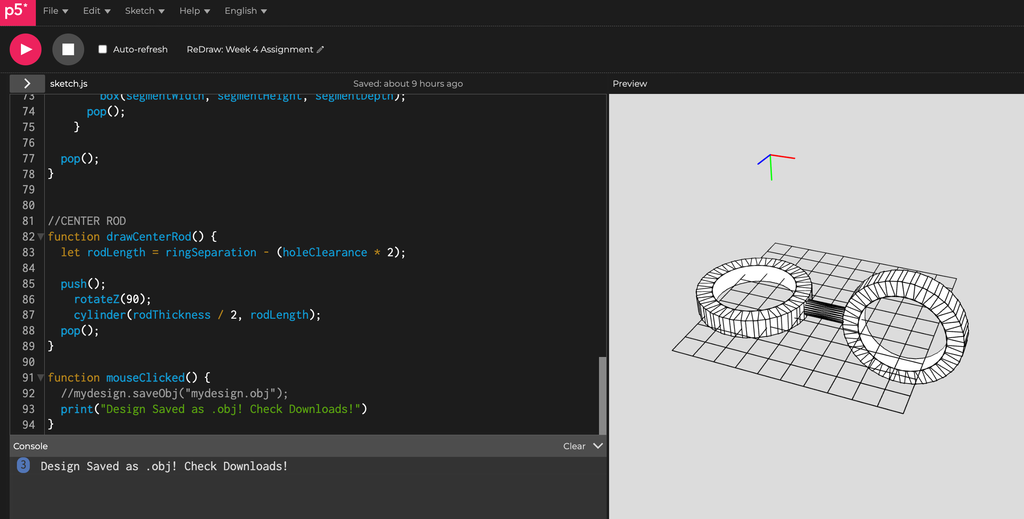
However, even if the durability wasn’t a concern I just thought the model looked like it was missing something. I didn’t want to complicate the design too much but I did want to make it more structurally sound. This led me to come up with the design I have now; afterall, triangles are the sturdiest support structure.
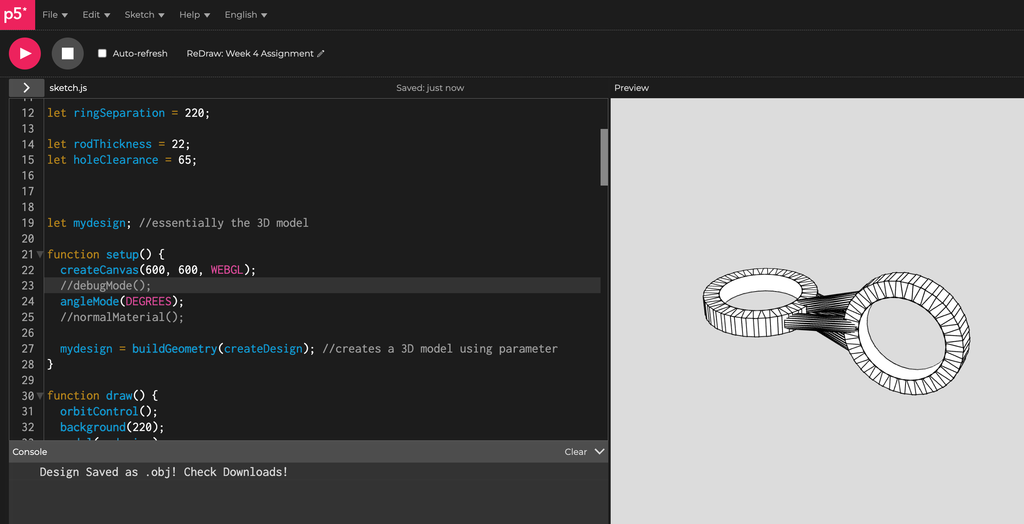
When I loaded up Prusa I still had a little bit of doubt regarding what size it should be. I only really figured out what size it should be when I referenced the grids on the 3D printer compared to the software preview.
Since my design was a bit unorthodox and lacked a base, the IM assistants were a little concerned whether it would print properly but choosing “Everything” for the supports ended up working great.
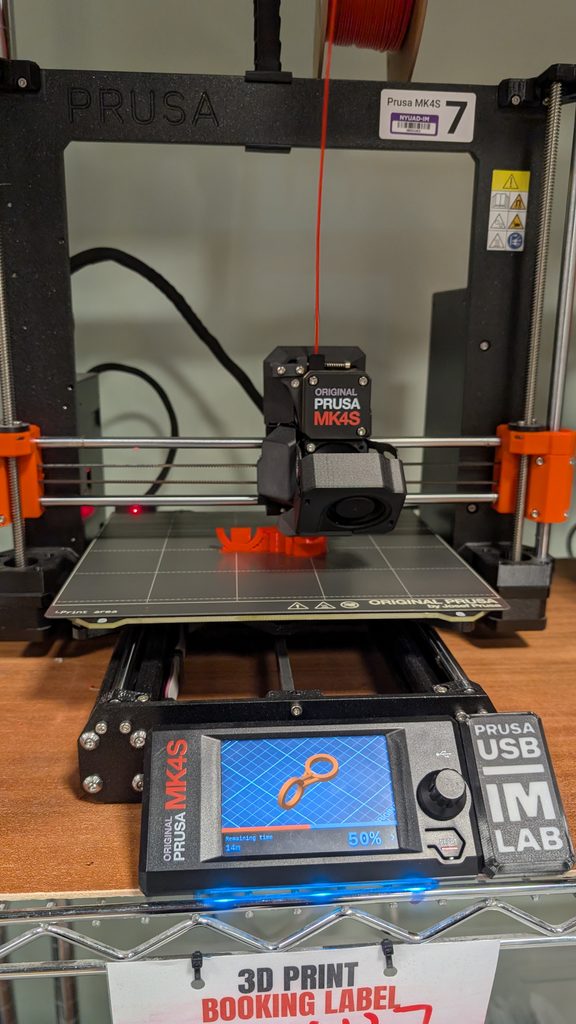
On the p5 side, Marcos advised me to set up my system with multiple functions and saving it in a variable “mydesign”, then create “mydesign” with buildgeometry().
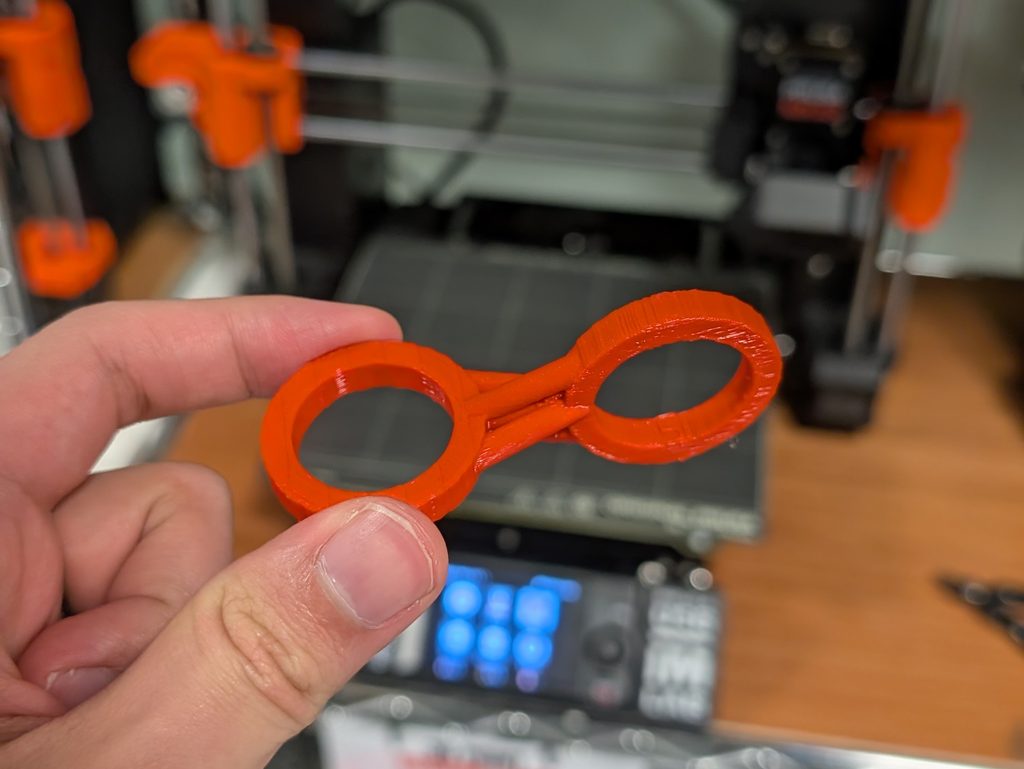
Photos of Final Print
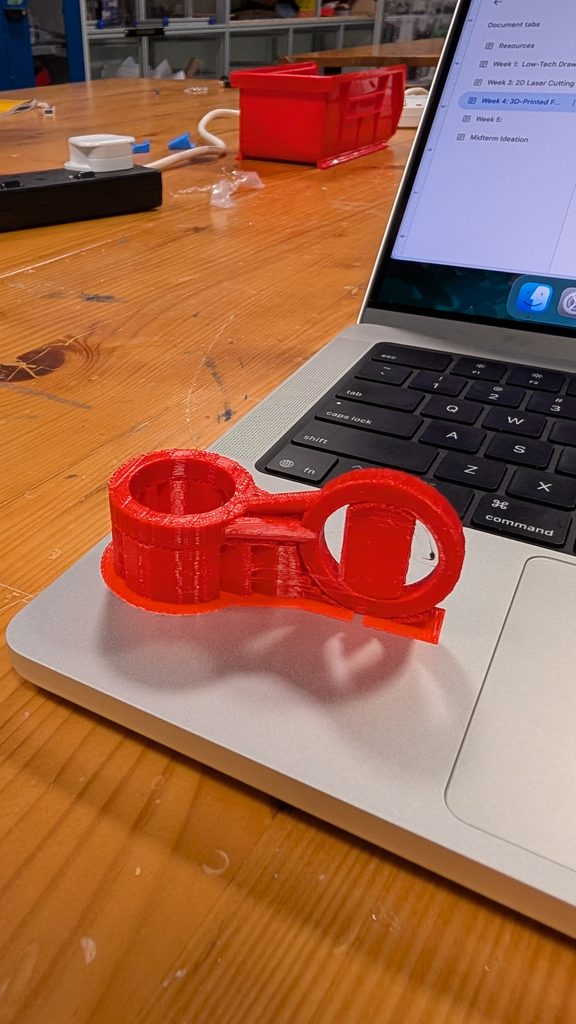
Reflection on how 3D printing changed or shaped your computational design
Since I was designing what’s essentially a toy, as opposed to an object designed for display, the design itself would have to be structurally sound to sustain continued touch and usage. I also had to consider the weight of the ring so it would have some momentum when I spun it.
It was a bit intimidating at first to design a 3D model using p5.js but I actually quite enjoyed the process. It was a very different thought process from designing on blender.