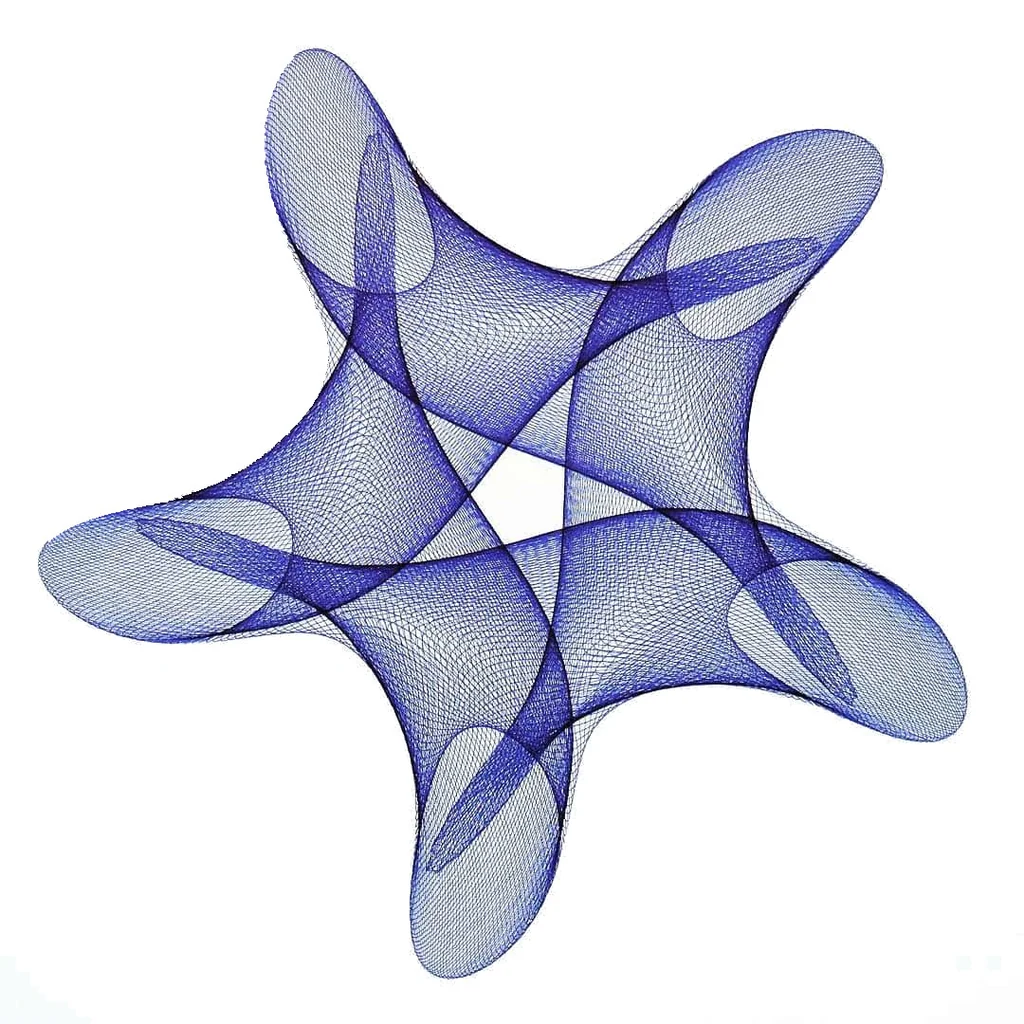
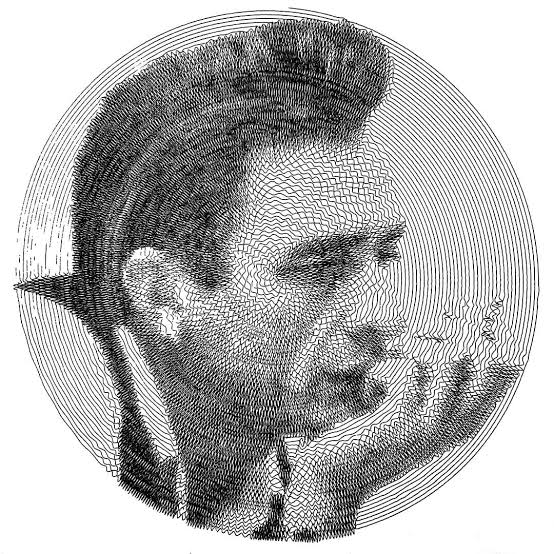
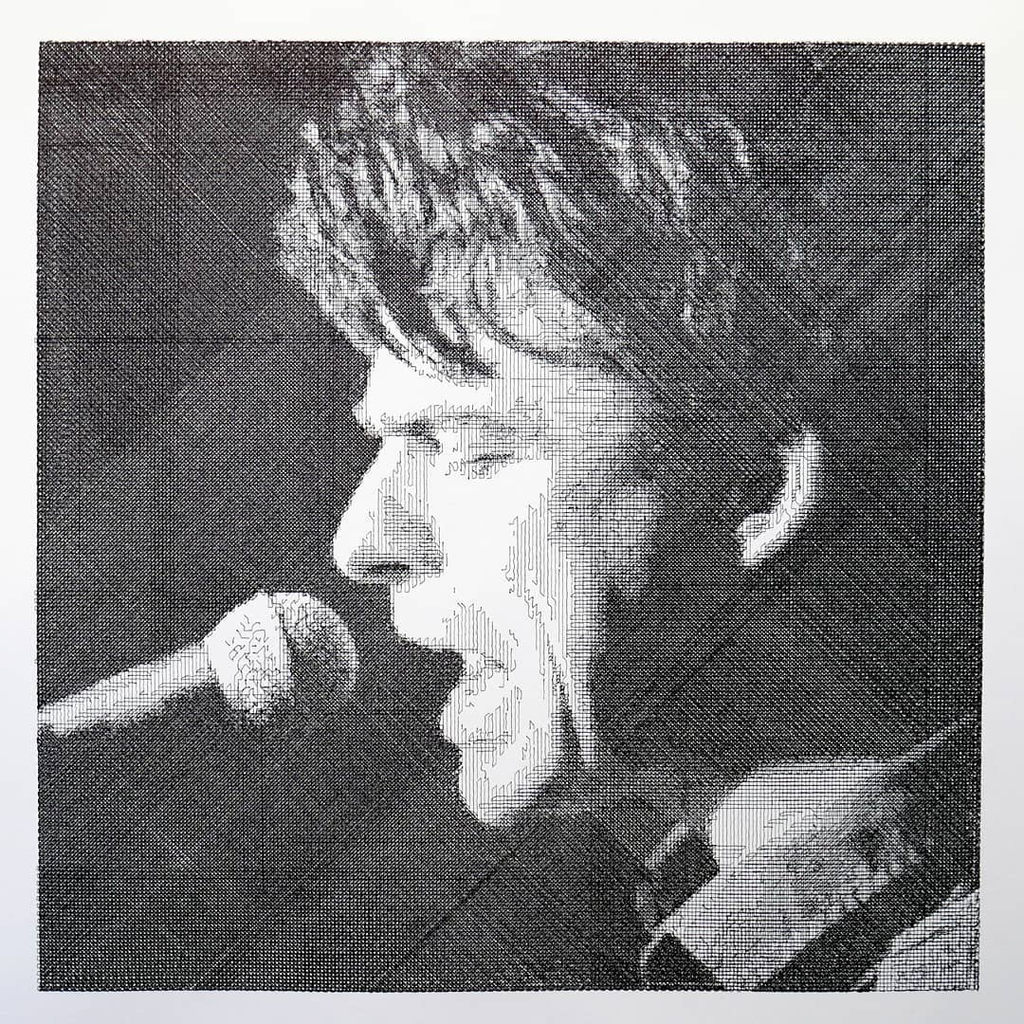
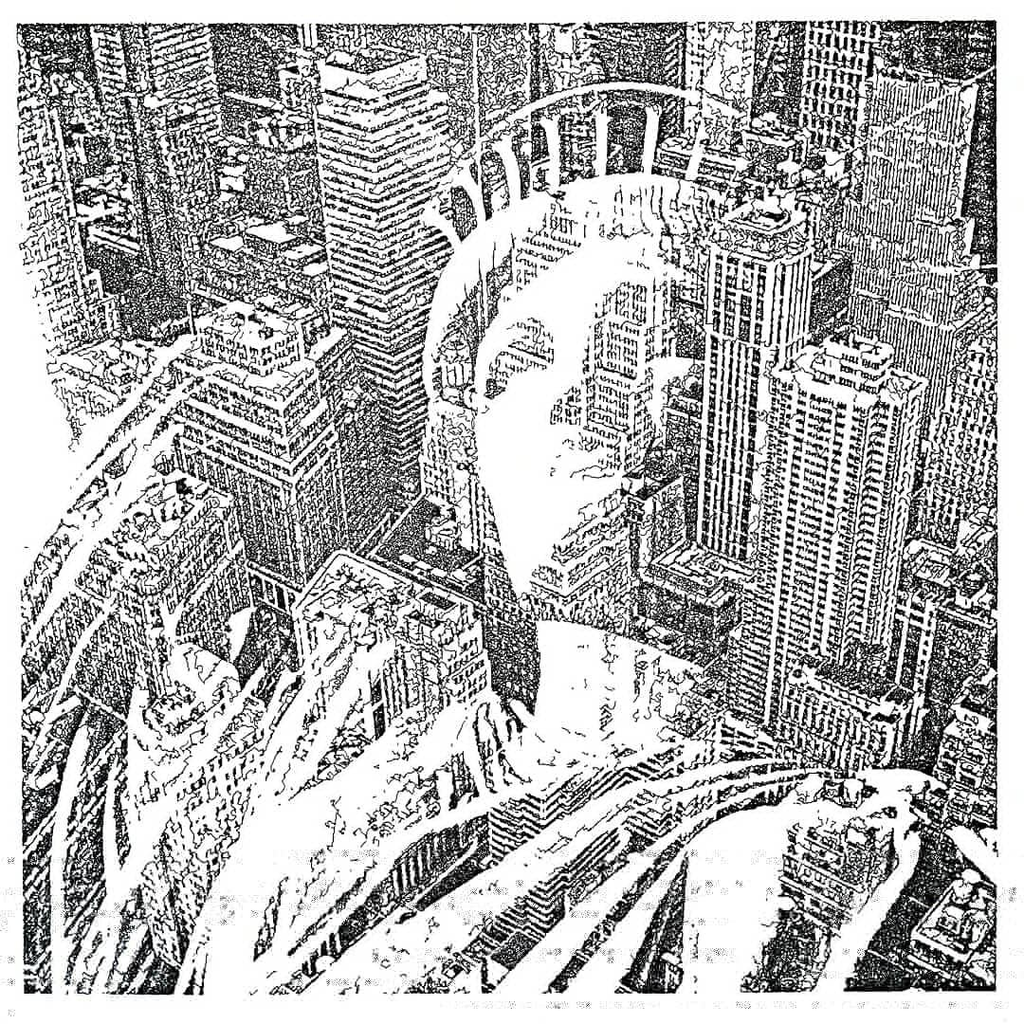
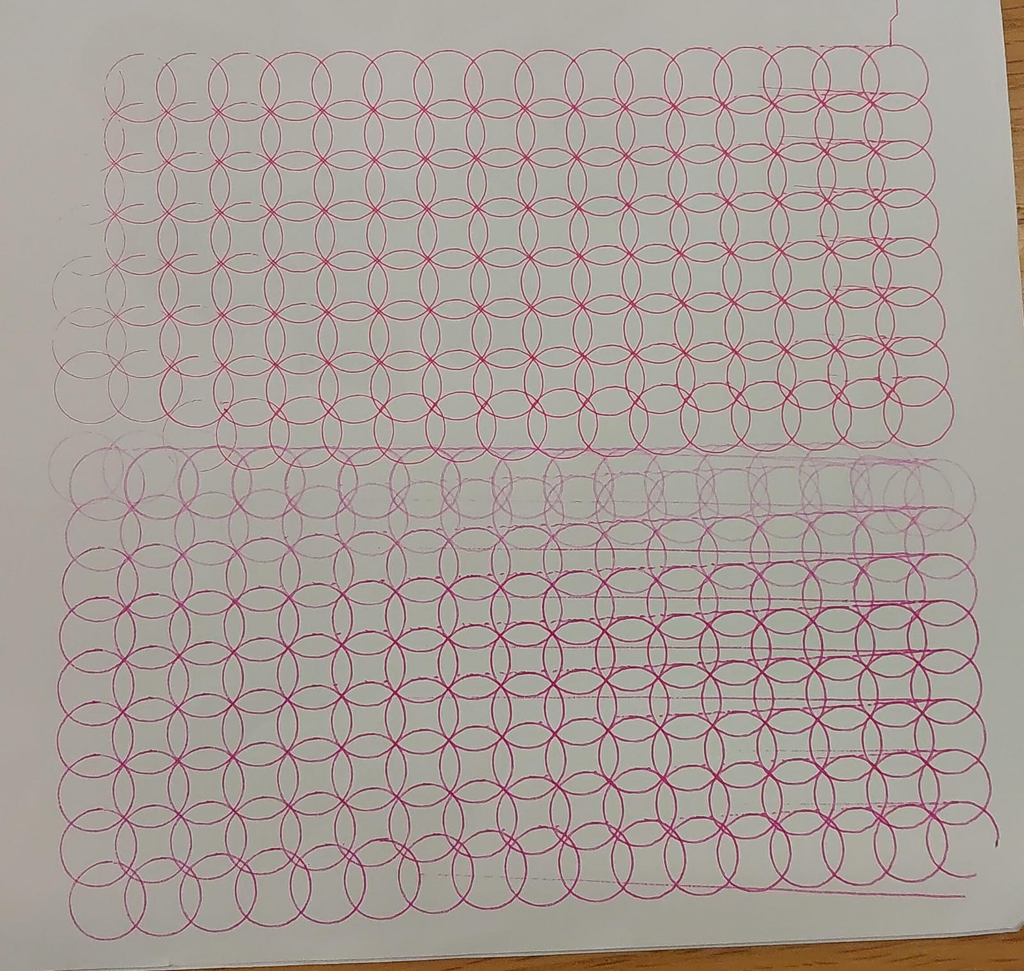
Picture a coffee table where a steel ball rolls through a bed of sand and traces spirals on its own. This is Sisyphus, a kinetic sculpture by the artist Bruce Shapiro (Colossal). The secret sits under the sand. A two-motor robot, the Sisbot, moves a magnet, and the magnet pulls the ball along (Design Milk). One motor swings an arm around the center, and the other slides the magnet along that arm. Shapiro compares it to the two knobs of an Etch A Sketch (Midwest Design). Each drawing lives in a track file, a list of angle and radius points. The table plays these tracks in playlists, the way a music player plays songs (Sisyphus community).
For this assignment, we chose to research a kinetic drawing machine that moves a steel ball through sand to create patterns. Our main reference is Sisyphus by Bruce Shapiro.
Sisyphus uses a polar system, which combines movement around a centre with movement towards or away from that centre. Together, these movements allow the magnet to reach different points across the circular drawing area. The controller coordinates the motors so the ball follows a programmed path.
I think what makes this interesting is how much of the drawing you get to watch happen. The finished pattern looks cool, but I feel like watching it being made is a big part of why you would want this machine in the first place. And then it draws over the existing drawing again and that’s also what I like about using sand. The previous drawing can still be there while the new one starts forming, and you get this overlap before it’s eventually replaced.
It’s also why this stood out to us and seemed more unique that most other drawing machines. With a pen, we could lift it and move somewhere else. Here, the ball is still touching the sand when it moves across the surface, so that movement also becomes part of the drawing. We would have to plan how the lines connect, including the parts where we’re just trying to get from one place to another.
For actually building something like this, we would need a shallow tray, fine sand, a steel ball and a magnet underneath. Then we need a frame and a mechanism to move the magnet, whether that’s a rotating arm or a belt-driven system.
We also came across Jean-Pierre Hébert’s Ulysse, also referred to as Ulysses. This installation uses a slowly moving ball to draw in sand, with each drawing being replaced by the next. Hébert connects this to impermanence, which makes sense when the material itself allows the drawing to be erased and changed so easily. The work was first presented at SIGGRAPH in 1999.
I like this idea of making a drawing that is so impermanent. Usually we’re trying to preserve the final output but here you would have to take a photo or just let it go.
Concept 2: Soft robotics Tentacle
This project uses strings to control a soft, 3D-printed tentacle. The tentacle consists of many separate segments, which makes it highly flexible and lets it move in a very organic way. The core challenge and interesting bit lies in the logic and the math required to move it the way we intend.
We do not aim to build a precise drawing machine. The tentacle will develop its own way of drawing, and its outputs will reflect its physical limits along with the new constraints we discover as we work on it. A brush attached to the tip of the tentacle will serve as the drawing tool.
The technical setup is simple. Maybe it’s not, IDK. We will 3D print the tentacle and connect its strings to feedback servos. Standard continuous rotation servos lack position feedback and cannot track where they are. Feedback servos keep the continuous rotation and also report their position. This gives us control over the length of each string.
Picture a coffee table where a steel ball rolls through a bed of sand and traces spirals on its own. This is Sisyphus, a kinetic sculpture by the artist Bruce Shapiro (Colossal). The secret sits under the sand. A two-motor robot, the Sisbot, moves a magnet, and the magnet pulls the ball along (Design Milk). One motor swings an arm around the center, and the other slides the magnet along that arm. Shapiro compares it to the two knobs of an Etch A Sketch (Midwest Design). Each drawing lives in a track file, a list of angle and radius points. The table plays these tracks in playlists, the way a music player plays songs (Sisyphus community).
For this assignment, we chose to research a kinetic drawing machine that moves a steel ball through sand to create patterns. Our main reference is Sisyphus by Bruce Shapiro.
Sisyphus uses a polar system, which combines movement around a centre with movement towards or away from that centre. Together, these movements allow the magnet to reach different points across the circular drawing area. The controller coordinates the motors so the ball follows a programmed path.
I think what makes this interesting is how much of the drawing you get to watch happen. The finished pattern looks cool, but I feel like watching it being made is a big part of why you would want this machine in the first place. And then it draws over the existing drawing again and that’s also what I like about using sand. The previous drawing can still be there while the new one starts forming, and you get this overlap before it’s eventually replaced.
It’s also why this stood out to us and seemed more unique that most other drawing machines. With a pen, we could lift it and move somewhere else. Here, the ball is still touching the sand when it moves across the surface, so that movement also becomes part of the drawing. We would have to plan how the lines connect, including the parts where we’re just trying to get from one place to another.
For actually building something like this, we would need a shallow tray, fine sand, a steel ball and a magnet underneath. Then we need a frame and a mechanism to move the magnet, whether that’s a rotating arm or a belt-driven system.
We also came across Jean-Pierre Hébert’s Ulysse, also referred to as Ulysses. This installation uses a slowly moving ball to draw in sand, with each drawing being replaced by the next. Hébert connects this to impermanence, which makes sense when the material itself allows the drawing to be erased and changed so easily. The work was first presented at SIGGRAPH in 1999.
I like this idea of making a drawing that is so impermanent. Usually we’re trying to preserve the final output but here you would have to take a photo or just let it go.
Concept 2: Soft robotics Tentacle
This project uses strings to control a soft, 3D-printed tentacle. The tentacle consists of many separate segments, which makes it highly flexible and lets it move in a very organic way. The core challenge and interesting bit lies in the logic and the math required to move it the way we intend.
We do not aim to build a precise drawing machine. The tentacle will develop its own way of drawing, and its outputs will reflect its physical limits along with the new constraints we discover as we work on it. A brush attached to the tip of the tentacle will serve as the drawing tool.
The technical setup is simple. Maybe it’s not, IDK. We will 3D print the tentacle and connect its strings to feedback servos. Standard continuous rotation servos lack position feedback and cannot track where they are. Feedback servos keep the continuous rotation and also report their position. This gives us control over the length of each string.
I started this assignment wanting to make a snowflake. Specifically, lots of little generative snowflakes connected into something that could fold and unfold. So naturally, I ended up with a vase.
As I experimented, I became more interested in making something that looked soft and almost like it was moving. I wanted folds, waves and a slightly unpredictable shape. How could I make a solid printed object feel less stiff? And could I do that through a few repeating rules instead of modelling every fold myself?
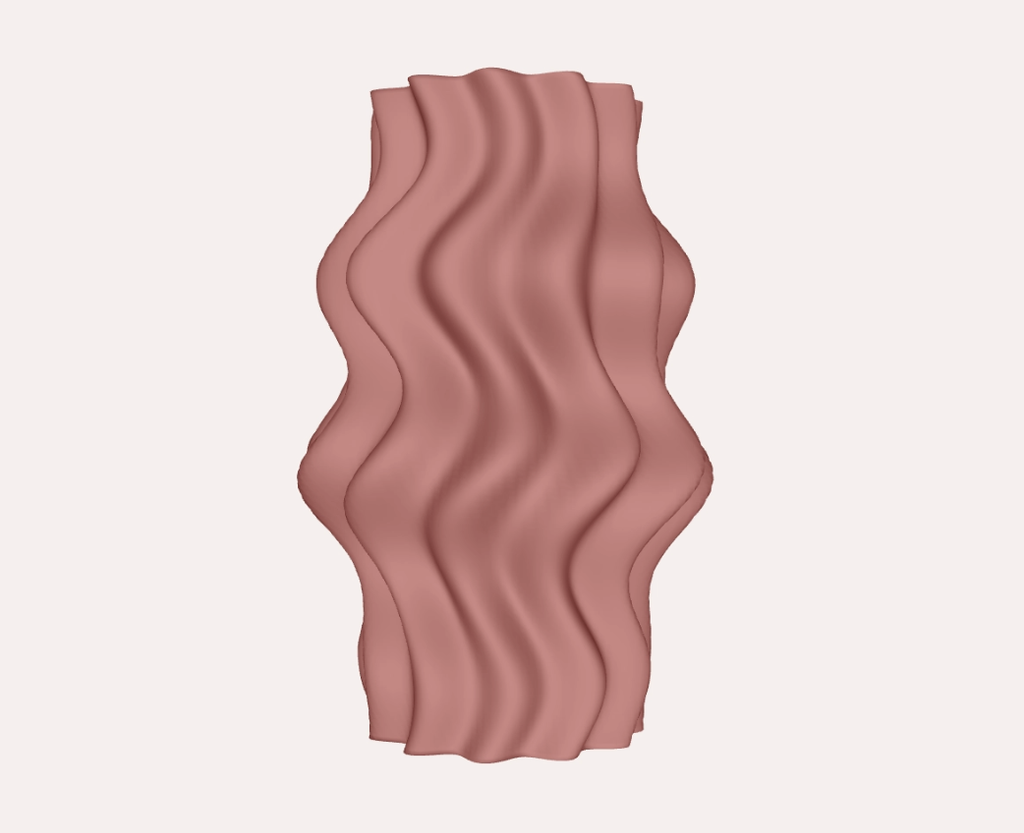
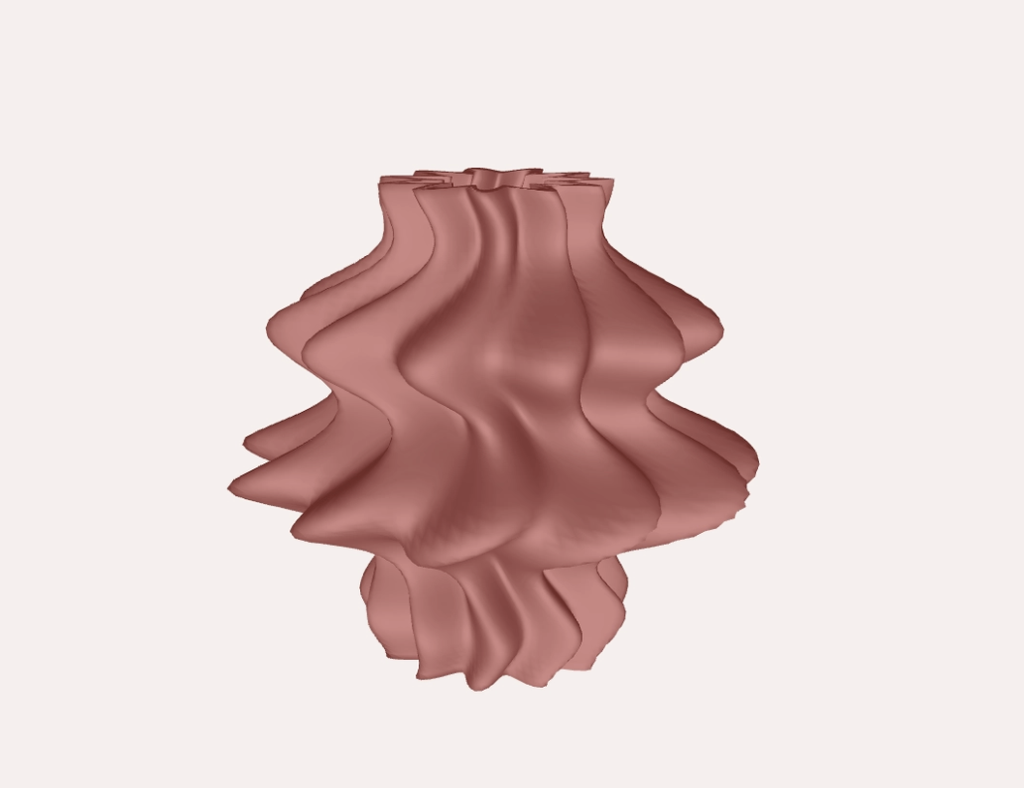
The final design is a very wavy vase. Its sides move in and out at different heights, and the ridges curve around the surface. It’s still recognisable as a familiar object, but the shape feels a little strange, which I liked.
For my last assignment, I was making flat patterns that would become the sides of a box. This time, I had to think about the whole form, including what was happening between the parts I could see.
I built the shape in p5.js using rings of points stacked along its height. Each ring has 120 points around it, and the code calculates how far each point should be from the centre. Changing those distances changes the shape.
I liked being able to adjust the height, width, waves and ridges from the top of the sketch. I didn’t have to rebuild everything whenever I wanted to try something slightly different.
Getting the points into the right places was one part. Connecting them into something printable was another.
The code connects neighbouring points with triangles to make the surface. It creates an outer surface and a smaller inner one, with a 3 mm difference in radius between them, then connects the surfaces around the top and bottom edges.
I was initially paying much more attention to the outside. Did I like the silhouette? Were the folds interesting enough? But something can look like a complete object on screen without actually having all the parts it needs.
For example, the bottom connection in this version is a ring, rather than a solid floor. So despite calling it a vase, it’s currently more of a hollow sculptural vessel. A closed base would be the next thing to add if I wanted it to work as a functional vase.
I also added a button to export the geometry as an OBJ file so I could move it out of p5.js and prepare it for printing.
A lot of adjusting things
One of the harder parts was getting a shape I actually liked. Some of the earlier versions felt too symmetrical. I wanted something with a bit more movement, but I kept getting something that looked like a fairly regular vase. Where was the intrigue??
So I kept adjusting how the waves and ridges worked together. The outline moves in and out, while the ridges shift around it. Even though both follow repeating rules, combining them makes different parts of the object behave differently.
I was trying to find a balance where the shape still felt connected, but wasn’t completely predictable from one side to the other. I didn’t want to add variation just for the sake of it either. Sometimes changing more values made it harder to understand what was actually improving the form.
Then there was the inside. I had to think about the walls and how the surfaces joined, even though those were much less exciting to look at than the folds.
Seeing it off the screen
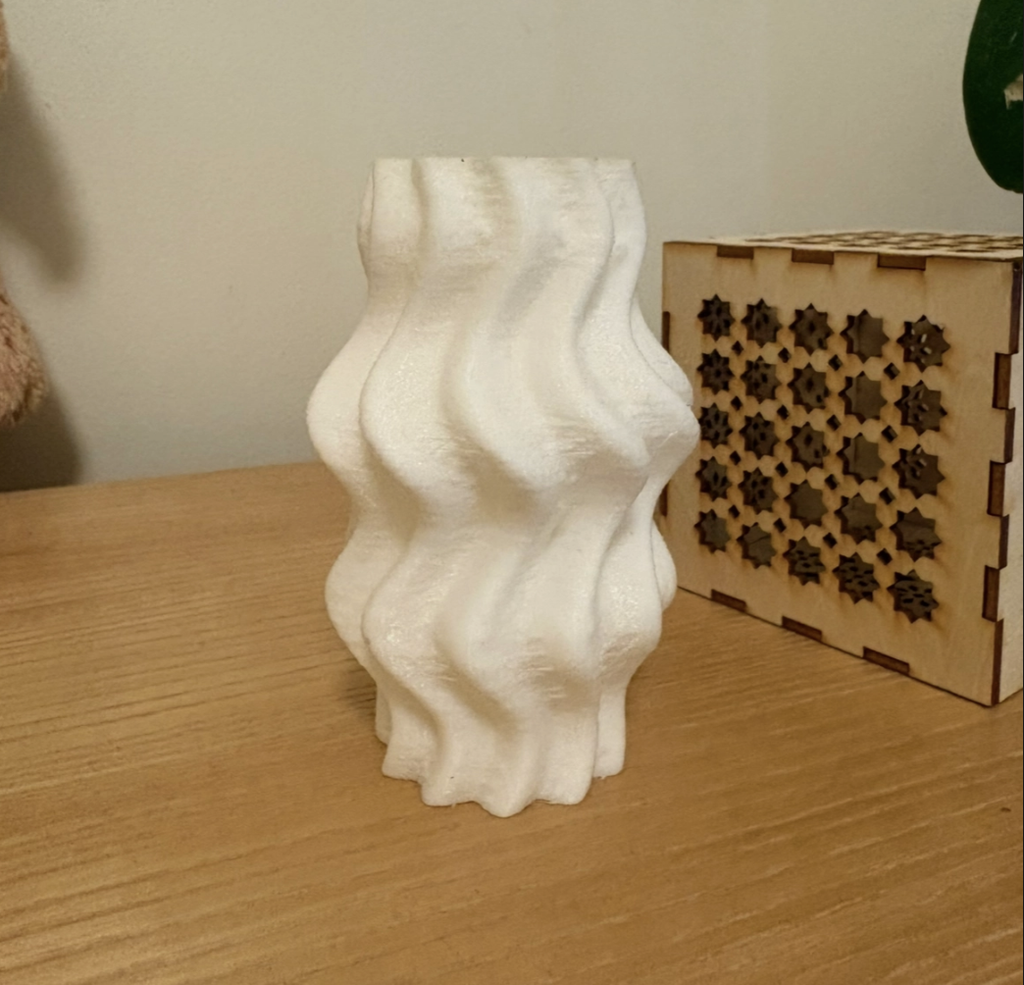
I really like how the white print catches the light. In p5.js, I needed the lighting to help me understand the shape. With the physical object, the folds create their own highlights and shadows, and different parts become more noticeable as I turn it.
The fine horizontal print lines are visible too. They run across the larger waves and ridges, so there’s this smaller texture sitting on top of the overall form. Something I was mostly thinking about as a smooth digital surface now has evidence of how it was made.
It sits beside the lamp from my previous assignment now, which is quite cute. Apparently, I am slowly making things for my room.
Looking back
I also liked seeing how much could come from a few rules. I didn’t draw each fold individually. Changing one value could affect the whole object, which made experimenting quite easy.
Next, I’d like to close the base and try making the form more uneven. Could some areas have much stronger waves while others stay quieter? How far could I push that before it became difficult to print? I think there’s still room to make it feel less like a regular vase without losing the parts I like.
And I do still want to make the folding snowflake. I just took a fairly large detour first hahaha.
When we think of painting, we usually imagine an artist holding a brush and deciding what to paint. But what if a robot could do the same thing?
For this project, we chose e-David, a robotic painting system that uses real brushes and paint to create artworks. What caught our attention was that e-David doesn’t just follow instructions and paint an image. It actually takes pictures of its work, checks what it has painted, and makes changes as it goes.
We found this especially interesting because painting is something we usually connect with human creativity, personal expression, and making decisions while working. Seeing a machine perform some of these actions made us curious about how much of the painting process can be controlled through technology.
We wanted to explore how e-David works, what makes it different from other drawing machines, what is needed to build a system like it, and how artists have used similar technologies in their work.
1. What Is e-David, and How Does It Paint?
e-David stands for Electronic Drawing Apparatus for Vivid Image Display. It was developed by researchers at the University of Konstanz in Germany, and the project has been running since 2009. It was developed under the supervision of Professor Oliver Deussen, and Michael Stroh currently leads the project.
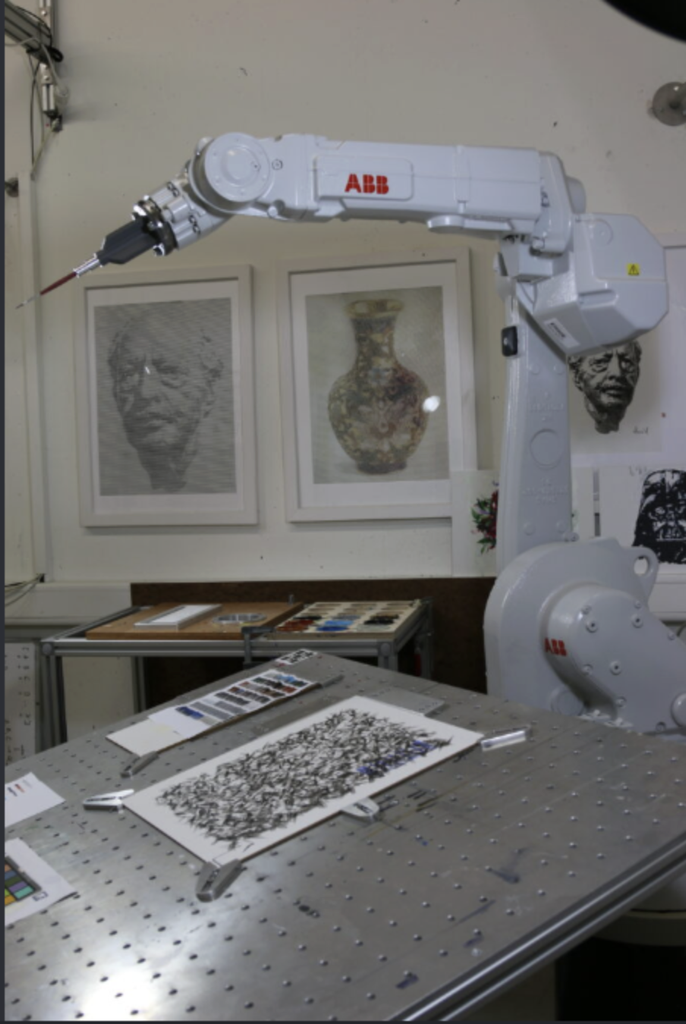
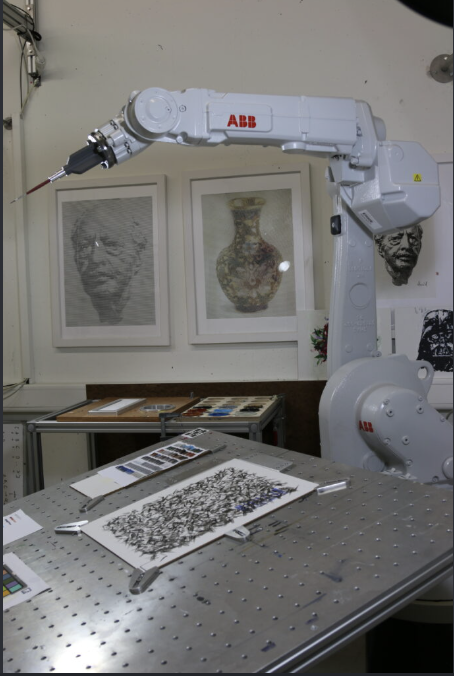
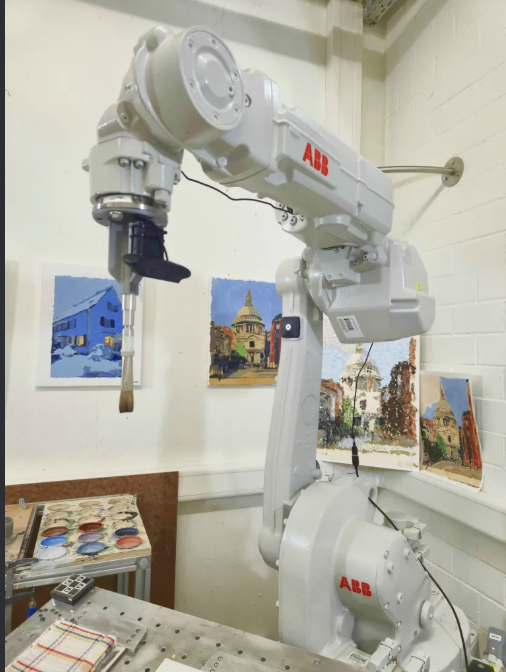
The robot uses an industrial robotic arm that holds a paintbrush and moves it across a canvas. Unlike a printer, which places ink directly onto paper, e-David works with actual paint and brushes, just like an artist would. It can use different brushes, change colours, and clean its brushes when needed.
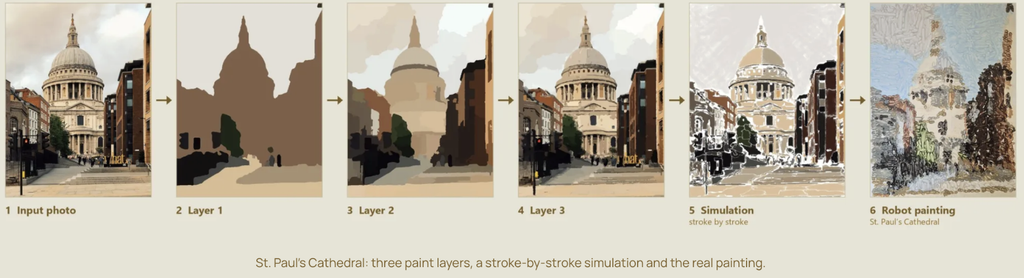
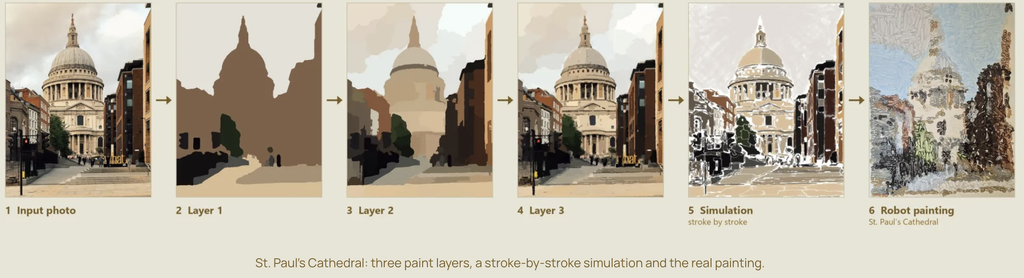
The process starts with a digital image that the robot uses as a reference. This could be a photograph or a digital drawing. The software studies the image and breaks it down into smaller shapes, colour regions, and details that can be painted. It then plans how the robotic arm should move to create these different parts of the image.
Instead of painting every detail immediately, e-David can work in layers, starting with larger areas of colour before adding smaller details. This is similar to how some artists begin with the general composition and gradually build up their painting.
What makes the process different is that e-David has a camera that takes pictures of the painting as it progresses. The computer compares these pictures with the original image to see which areas still need work. It then tells the robot where to add more brushstrokes.
The process can be broken down into five steps:
Image analysis: The software looks at the reference image and separates it into shapes, colours, and areas that need to be painted.
Planning: The computer decides where the brushstrokes should go, which colours to use, and how the robotic arm should move.
Painting: The robotic arm picks up paint and moves the brush across the canvas, gradually building the image through different strokes and layers.
Checking: A camera takes pictures of the painting so the computer can compare the actual result with the reference image.
Adjusting: The software identifies areas that need improvement and plans additional brushstrokes to make the painting closer to the intended result.
These steps repeat until the painting is finished.
One detail we found interesting is that the robot doesn’t necessarily paint the image in the same order that a person would. Its software can organize the painting into regions and decide how to fill each one based on its shape and the amount of detail needed.
Something else we found interesting is that even though the robot follows computer instructions, the paint doesn’t always behave exactly as expected. Sometimes a brushstroke might be thicker or lighter than planned, or the paint might spread differently depending on the surface. This means the robot has to keep checking its work instead of assuming every stroke turned out perfectly.
2. What Makes e-David Interesting?
What interested us most about e-David is that it can look at what it has painted and make adjustments.
Most drawing machines, like traditional pen plotters, follow a set path that has already been programmed. They move a pen across the paper according to coordinates, but they don’t usually check whether the drawing looks right afterward.
e-David is different because it uses something called a visual feedback system. This means that the robot uses a camera to see what it has painted and then uses that information to decide what needs to be done next. This is also known as a closed-loop system, where the result of an action influences the next action.
We found this interesting because painting isn’t always predictable. The amount of paint on the brush, the pressure against the canvas, and even the texture of the surface can change how a brushstroke looks.
For example, the robot might plan to paint a thin line, but the brush could leave a thicker mark. Instead of continuing without checking, e-David can detect the difference and take it into account when planning its next movements. It cannot always undo a mark that has already been made, but it can adjust the painting by adding more strokes.
Another thing we liked is the combination of precise robotic movements and the less predictable nature of paint. The robot can control where the brush goes, but it can’t completely control how the paint behaves.
This creates an interesting contrast between the machine and the material. The robotic arm is designed to move accurately, but the paintbrush is flexible, the bristles bend, and the amount of paint changes throughout the process. Even when the robot repeats the same movement, the mark might not look exactly the same.
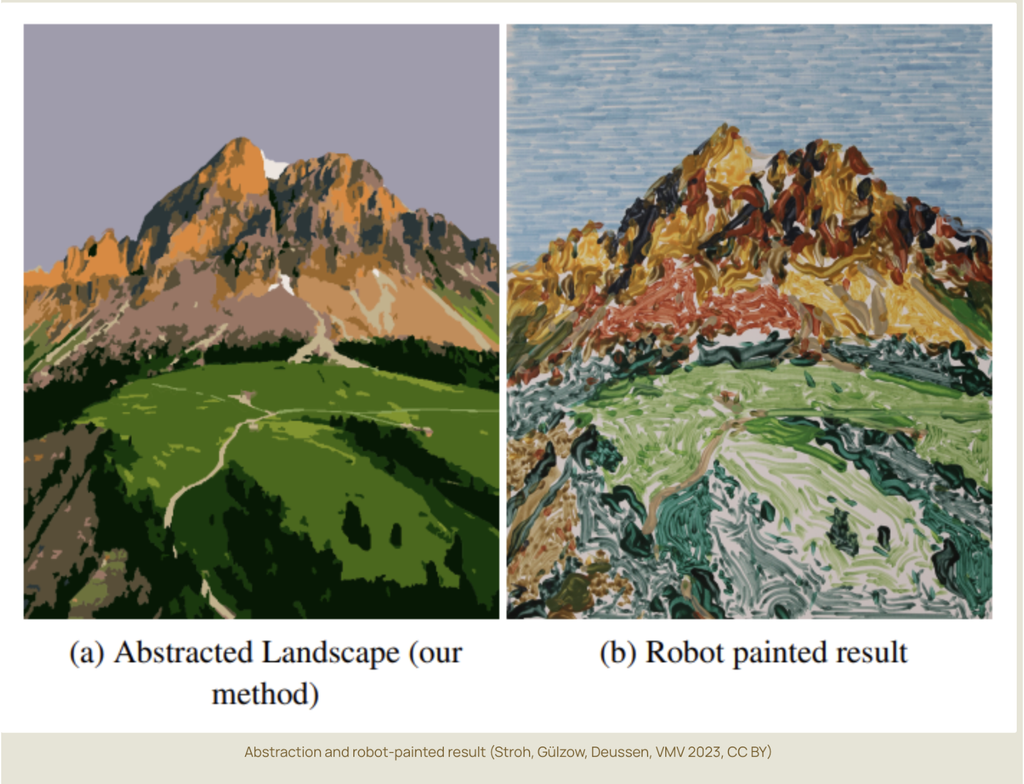
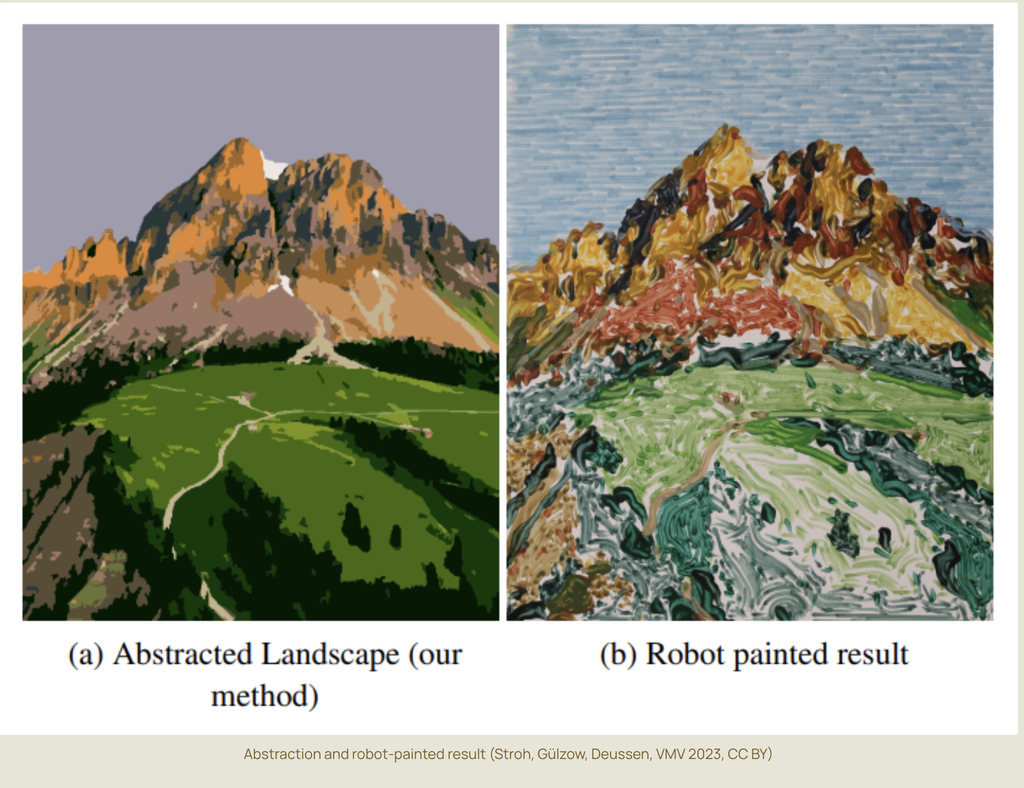
We also found it interesting that e-David can produce different painting styles. It doesn’t have to focus only on making a realistic copy of a photograph. By changing how the software plans the strokes, the robot can create more simplified, abstract, or experimental results.
This made us think about how artists work too. When painting by hand, artists often make changes as they go because something doesn’t look exactly how they imagined it. They might add another layer, change a colour, or adjust the composition.
Although e-David works through software rather than human intuition, we thought it was interesting that its painting process also involves checking, changing, and improving the work along the way.
For us, this is what makes e-David more interesting than a machine that simply follows a drawing path. It is not just about how accurately the robot moves, but also about how it responds to the marks it has already made.
3. What Components Are Needed to Build e-David?
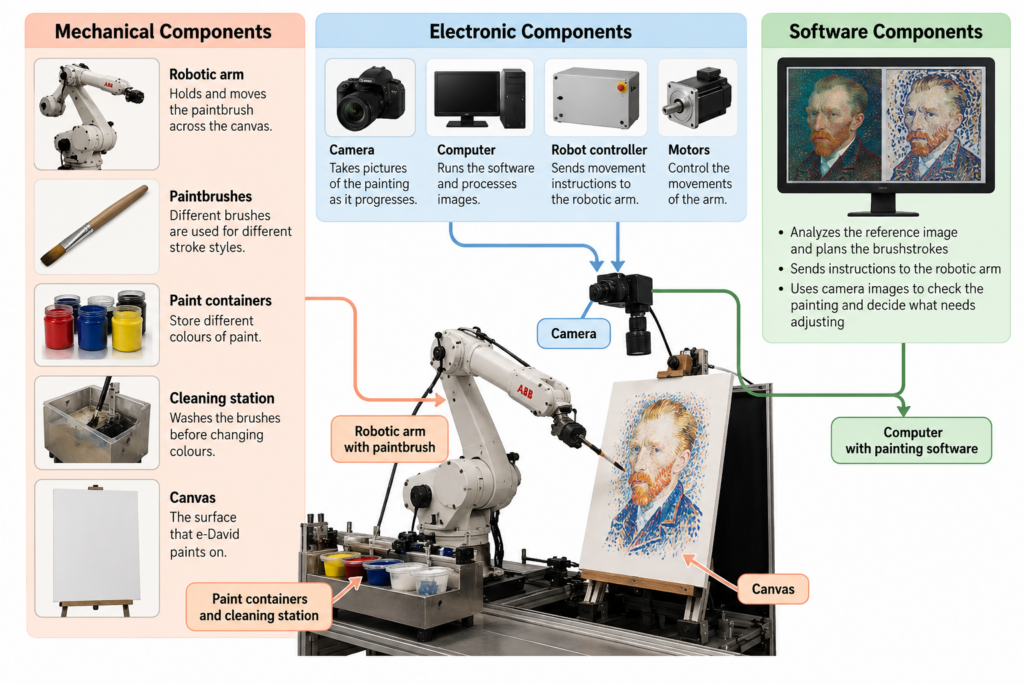
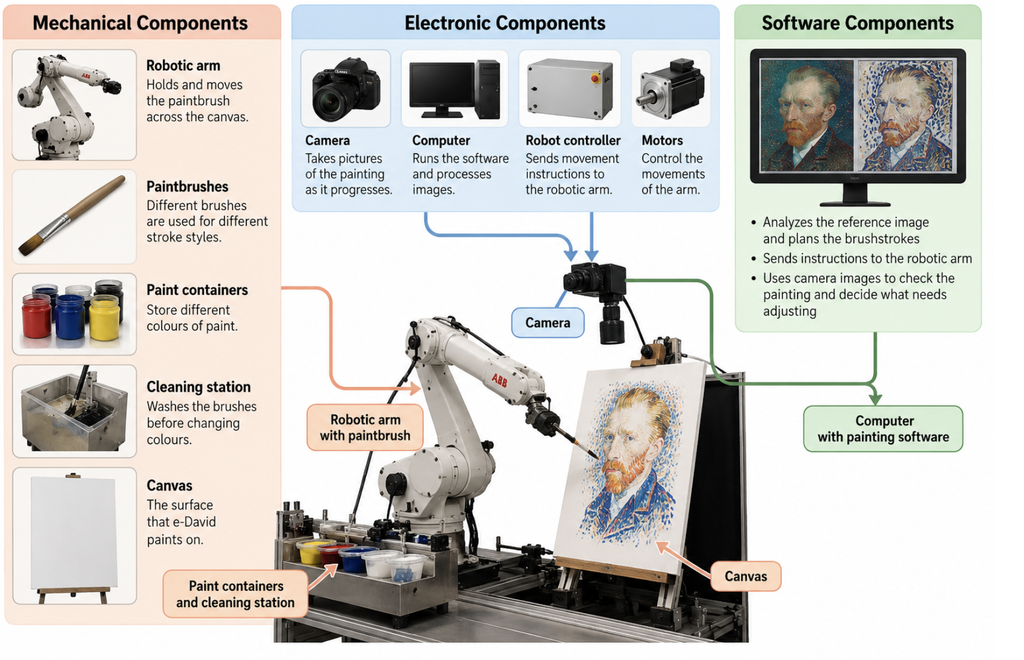
To build a painting robot like e-David, several mechanical, electronic, and software components are needed. Each part has a different role, and they all have to work together for the robot to paint.
Mechanical Components
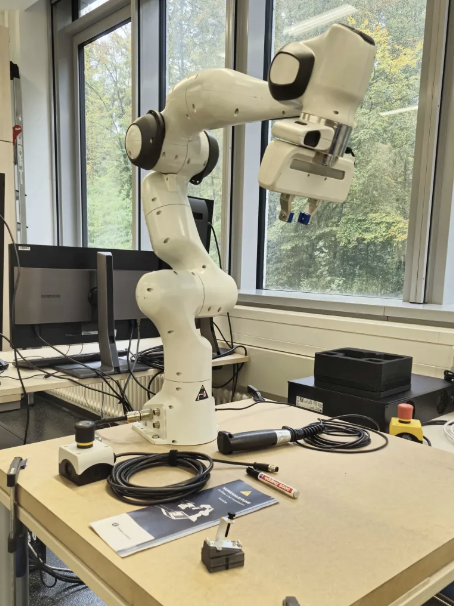
The main mechanical component is a robotic arm that can move in different directions. Some versions of e-David use six-axis industrial robotic arms, including ABB robots. These arms can move and rotate in different ways, allowing them to control the position and angle of the brush.
The robotic arm needs a brush holder that can securely hold the paintbrush while it moves. The system also requires different brushes because different sizes and shapes produce different types of strokes.
Another important part is the paint station. This holds the available colours and allows the robot to dip its brush into the paint when needed. Earlier versions of e-David were designed to work with up to five brushes and 24 paint colours.
The robot also needs a brush-cleaning station so it can wash and dry the brush before changing colours. Without this, the colours could mix unintentionally and affect the painting.
Finally, the system needs a stable canvas or paper support positioned within the robot’s working area.
These are the parts that allow the robot to physically paint. Even though the movements are controlled by a computer, the robot still needs tools and materials similar to those used by a human painter.
Electronic Components
One of the most important electronic components is the camera. It takes pictures of the canvas so the computer can check the painting’s progress.
The position of the camera and the lighting are important because the software needs clear images to compare the painting with the reference. Changes in lighting or shadows could make it harder for the computer to identify the actual colours and marks on the canvas.
The system also needs a computer, a robot controller, motors, and the necessary power and communication connections.
The computer processes the images and calculates the brushstrokes, while the robot controller translates these instructions into movements. The motors inside the robotic arm allow its different joints to move.
Some robotic painting setups also use sensors to help measure distances or maintain the correct position between the brush and the painting surface.
Safety equipment is another important part of the setup, especially when working with an industrial robotic arm. The robot needs a controlled working area and an emergency stop system so that it can operate safely around people.
Software Components
The software is responsible for planning and controlling the painting process. It connects the digital reference image to the physical movements of the robot.
It includes several important functions:
Image processing: Studies the reference image and the pictures taken by the camera to identify colours, shapes, and details.
Image abstraction: Simplifies the original image into regions and layers that the robot can paint more easily.
Brushstroke planning: Decides where the brushstrokes should be placed, which direction they should follow, and which brush or colour to use.
Motion planning: Works out how the robotic arm should move between the canvas, paint station, and cleaning station.
Visual feedback: Compares the painting with the reference image and identifies areas that need more work.
Robot control: Sends the movement instructions to the robotic arm so it can carry out the painting process.
An important part of the software is how it translates an image into physical movements. A digital image is made of pixels, but a painting is made of brushstrokes. The software has to decide how to turn areas of colour into marks that a real brush can produce.
For example, a large area of blue in a photograph might be painted using several longer strokes, while a smaller detail might require a different brush and shorter movements.
The software also has to account for the limits of the robot and its materials. The arm cannot move everywhere at once, brushes need to be cleaned, and paint may need to be applied in several layers.
We think the camera and feedback software are especially important because they are what allow e-David to check its work.
Without them, the robot would be much closer to a regular drawing machine that simply follows a set of instructions. The combination of all three component groups is what allows e-David to plan, paint, observe, and adjust.
4. Examples of Artworks Created with e-David
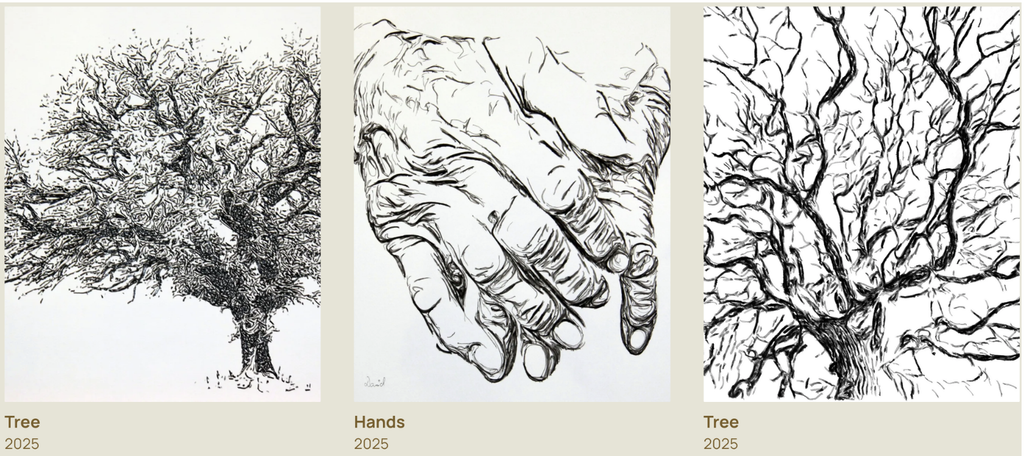
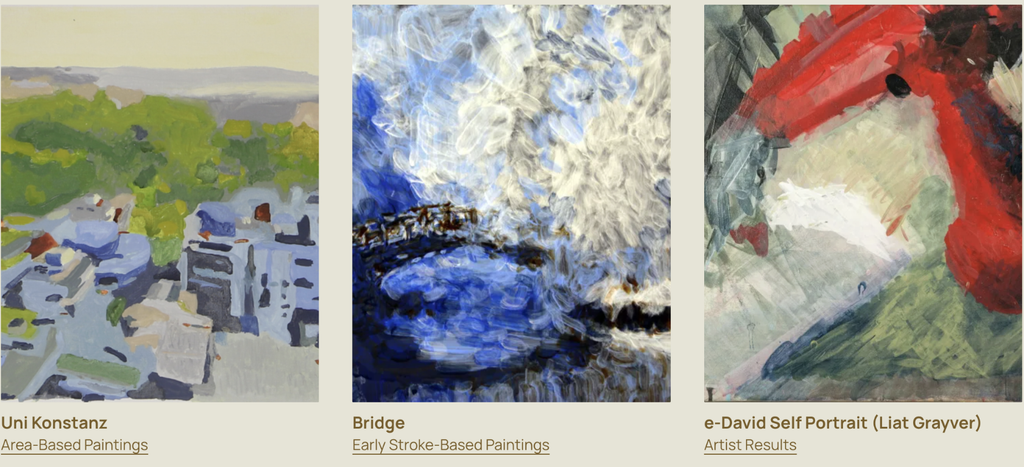
e-David has been used to create different types of paintings, including portraits, realistic images, landscapes, and abstract artworks.
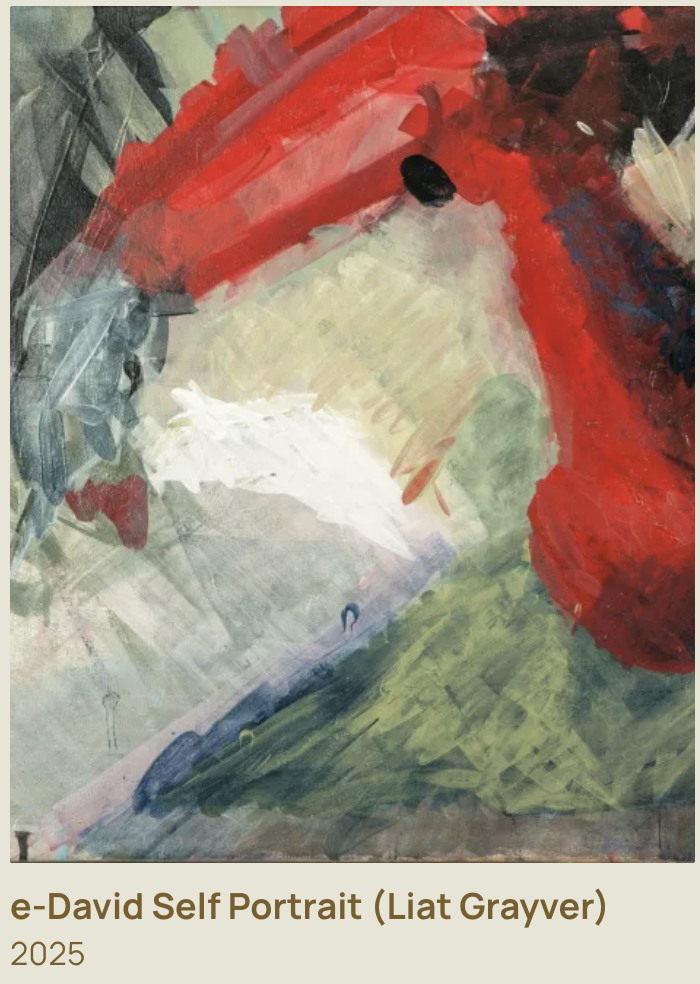
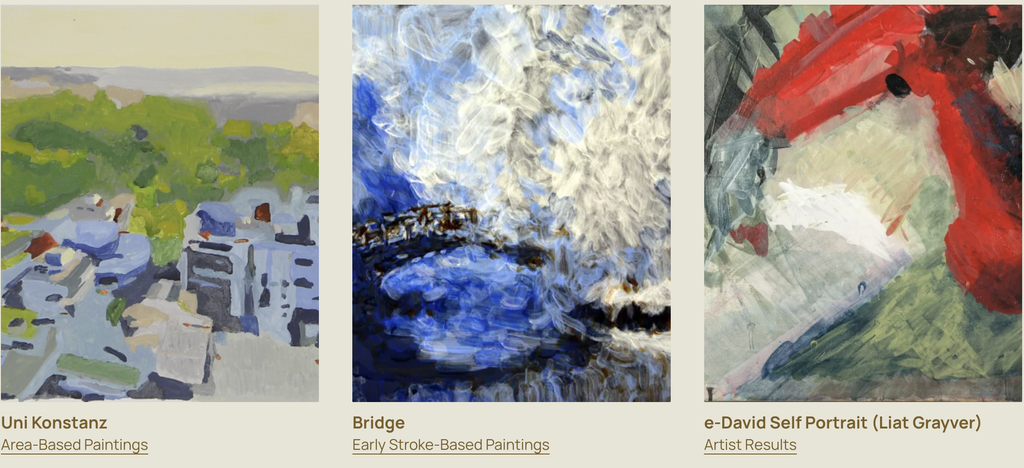
One example is e-David’s self-portrait, which was featured in the RobotArt competition. This is interesting because the robot is being used to create a recognizable image rather than just a geometric pattern. It shows how a painting machine can gradually build up a detailed composition using individual brushstrokes.
Another example is Homage to Jackson Pollock, which was also presented as part of e-David’s RobotArt work. Unlike a traditional portrait, this example connects robotic painting to a more expressive and abstract style.
We found this especially interesting because Jackson Pollock is known for paintings that emphasize movement, gesture, and the physical act of applying paint. Seeing a robot explore a style associated with spontaneous human movement creates an interesting contrast.
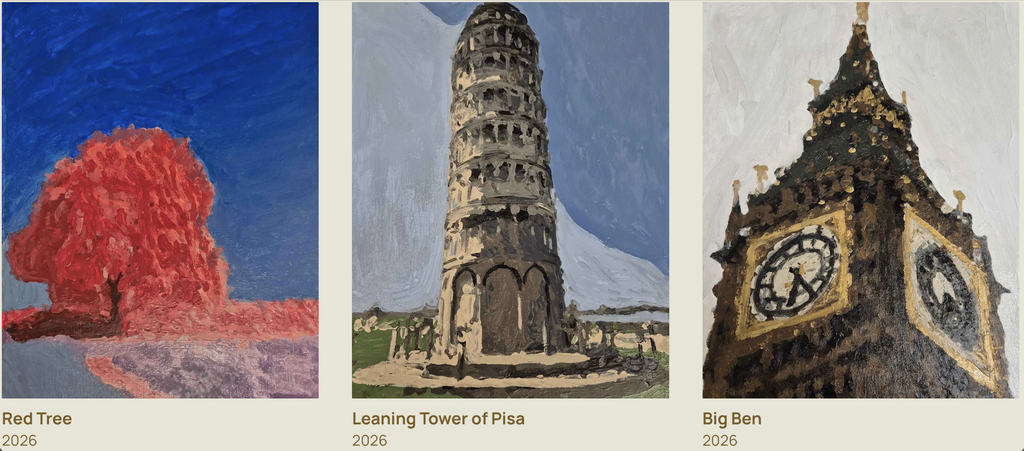
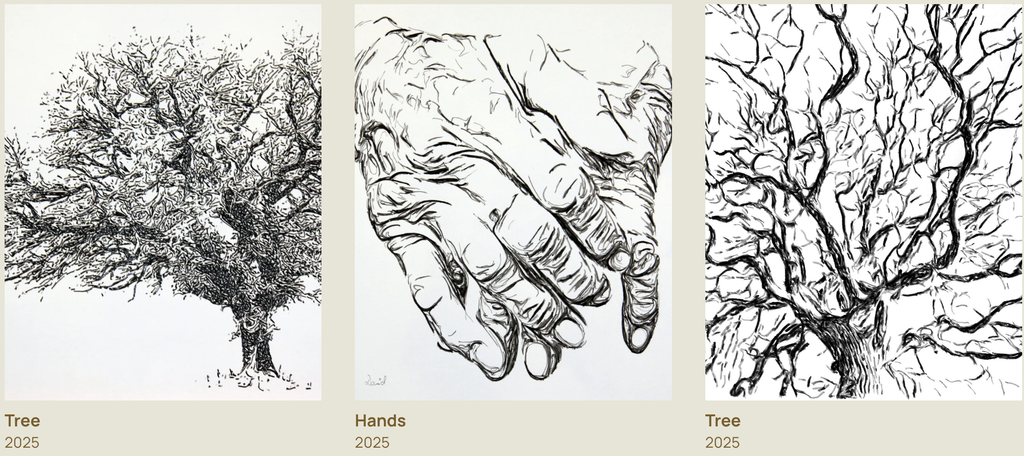
e-David has also produced landscape and architectural paintings. More recent examples from the project include Red Tree, Leaning Tower of Pisa, and Big Ben. These works show how the system can use different shapes, colours, and levels of detail to create recognizable scenes.
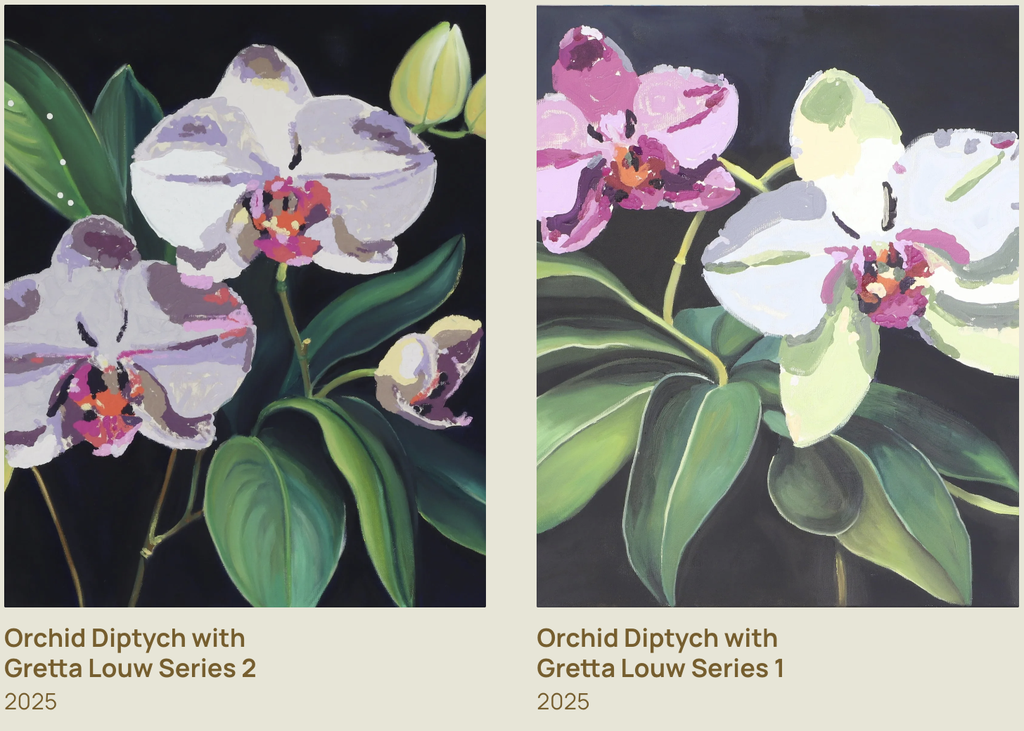
Another example is e-David’s collaboration with artist Gretta Louw on the Orchid Diptychs project. In this work, the robot contributed painted elements to artworks that also involved the artist’s own creative decisions.
We liked this example because it shows how a robot can be involved in making art alongside a human rather than just copying an existing image. The artist can make decisions about the composition and the overall direction of the work, while the robot contributes through its programmed movements.
e-David has also been used by artist Liat Grayver, who explores how robotic movements and brushstrokes can be used in painting.
One of her projects with e-David, InComputable Imagery: Reimagining the Brushstroke, explored how a painting could develop through a continuous process of robotic brushstrokes and visual feedback.
In the exhibition, Grayver began the process with an initial brushstroke, after which the robot continued adding marks. The system used feedback from the developing image to influence the next strokes.
We found this example particularly interesting because the final artwork was not simply a copy of a photograph. The focus was on the movement of the brush, the behaviour of the materials, and how the painting changed over time.
Looking at these examples, we noticed that e-David can be used in different ways. Sometimes the goal is to create a recognizable image, while other times the goal is to experiment with the painting process itself.
This variety is one of the reasons we chose e-David. The same machine can be used for technical experiments, realistic paintings, and collaborations with artists.
5. Related Artists and Drawing Machines
While researching e-David, we came across other artists who use robots and machines to create drawings and paintings.
Patrick Tresset: Robotic Drawing
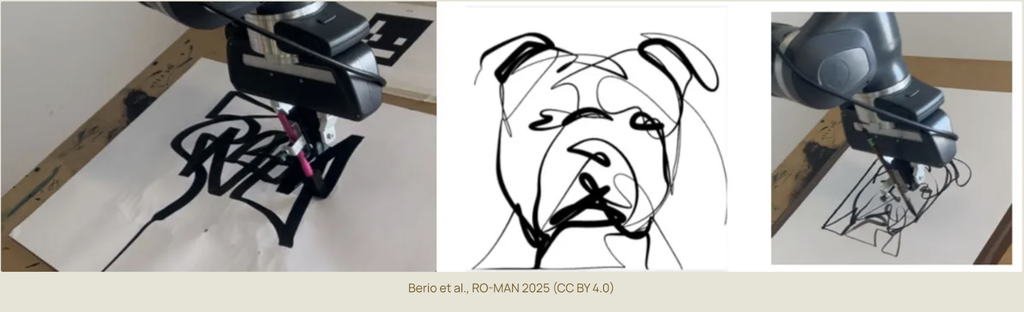
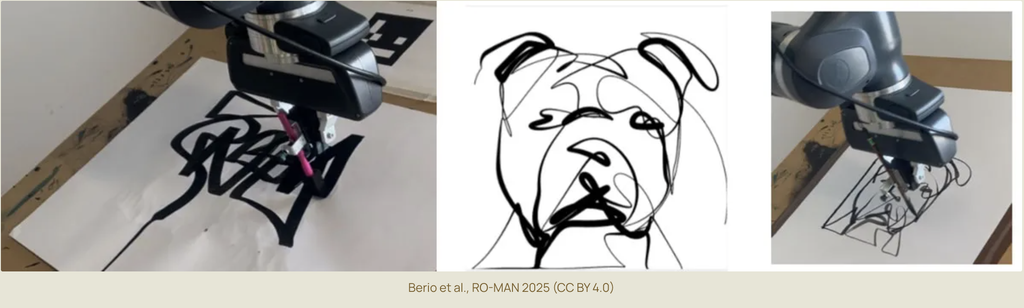
Patrick Tresset is an artist who creates robots that can observe people and draw their portraits.
One of his projects, Human Study, uses robotic drawing systems with cameras and pens. The robots observe a person and create a drawing on paper.
The machines are designed to imitate certain aspects of human observation and drawing. They use a camera to capture visual information and a mechanical arm to make marks on paper.
We thought this was similar to e-David because both systems use cameras and robotic movement to create physical artwork. In both cases, the machine is translating visual information into movements that produce marks on a surface.
The main difference is that Tresset’s robots usually work with pens and focus on drawing, while e-David uses paintbrushes and paint.
There is also a difference in how the materials behave. A pen generally produces a more consistent line, while a paintbrush can create marks with different thicknesses, textures, and amounts of paint.
We also found it interesting that both projects explore what happens when a machine takes on a task that we usually associate with human artists.
Liat Grayver: Painting with Robots
Liat Grayver is an artist who has worked with e-David to explore new ways of painting.
Rather than using the robot only to copy images, she experiments with its movements and the marks it can make. Her work often focuses on the relationship between control and unpredictability.
In traditional painting, an artist can immediately respond to the way the brush feels against the canvas. With a robot, the movement has to be translated into instructions that the machine can understand.
Grayver uses this difference as part of her artistic process. Instead of trying to make the robot behave exactly like a human painter, she explores what happens when mechanical movements interact with physical materials.
Her work shows how artists can use robots as part of their own creative process.
We liked this approach because the artist is still making important decisions, but the robot introduces another way of working with paint.
It made us think about how technology can become part of an artist’s process without taking away the artist’s role.
Traditional Pen Plotters: Drawing Through Coordinates
Another system we thought was useful to compare with e-David is the traditional pen plotter.
A pen plotter uses motors to move a pen across paper according to programmed coordinates. The drawing is usually created from lines or paths generated by software.
Unlike e-David, a typical pen plotter does not use a camera to constantly check the result. Once the drawing begins, the machine usually follows the planned paths until it finishes.
Pen plotters are often used for geometric drawings, generative art, and repeated patterns. Artists can create complex designs by writing code that controls the position and movement of the pen.
This comparison helped us understand what makes e-David different. Both machines turn digital instructions into physical marks, but e-David adds another step by observing the painting and using that information to adjust its process.
6. Our Thoughts on e-David
After learning more about e-David, we started thinking about the difference between a person painting and a robot painting.
When a person paints, they make decisions based on what they see, what they want to express, and how they feel about the artwork. e-David doesn’t work in the same way. It uses software and cameras to decide what to do next.
However, we thought it was interesting that both processes can involve making changes along the way.
An artist might notice that a colour is too dark or that a shape doesn’t look right and decide to fix it. e-David also checks its painting and makes adjustments, but it does this by comparing images through software.
What we found most interesting was that the robot doesn’t create the entire painting in one perfect attempt. It builds the image slowly and keeps working on it.
We also liked how e-David has been used in collaborations with artists. Instead of using the robot only to reproduce an image, artists can experiment with its movements and see what kinds of marks it can make.
One question that came up during our research was whether the robot is actually being creative or whether the creativity still comes entirely from the people who design and use it.
We think the human role is still very important. Someone has to choose the reference image, develop the software, decide how the robot should work, and determine what kind of result they want.
At the same time, the physical painting process can introduce unexpected results. The artist or programmer might plan a certain brushstroke, but the actual mark could turn out differently because of the paint or the surface.
This is something we find interesting because unexpected results can sometimes become part of the artwork rather than simply being treated as mistakes.
We also thought about how e-David relates to other drawing machines we have explored. A pen plotter is interesting because it can turn code into precise physical drawings, while e-David shows what happens when a machine also has to respond to materials that are harder to control.
For us, this was one of the most interesting parts of the project because it shows that a drawing machine can be used for much more than following a programmed path.
Conclusion
Researching e-David helped us understand how a robotic painting system works and how different it is from a regular drawing machine.
We learned that it uses a robotic arm, paintbrushes, a camera, and software to create paintings while checking its progress and making adjustments.
What stood out to us most was the feedback system and the way the robot responds to what is actually happening on the canvas. We found it interesting that the machine can move very precisely, but still has to deal with unpredictable materials like paint and brushes.
We also enjoyed looking at the different artworks and collaborations because they showed us that robots can be used in art in more than one way. They can reproduce images, experiment with different painting styles, or become part of an artist’s creative process.
Overall, we chose e-David because it combines something very traditional, painting with a brush, with technology that allows the machine to observe and adjust its work.
It left us wondering how artists might use machines like e-David in the future, and what new kinds of artwork could come from working with them.
References
University of Konstanz. Painting Robot e-David. Computer Graphics and Media Informatics Research Group.
e-David Project. Official Project Website, Works, and Video Documentation. University of Konstanz.
Deussen, O., Lindemeier, T., Pirk, S., & Tautzenberger, M. (2012). Feedback-guided Stroke Placement for a Painting Machine. Proceedings of the Eighth Annual Symposium on Computational Aesthetics in Graphics, Visualization, and Imaging.
Gülzow, J., Paetzold, P., & Deussen, O. (2020). Recent Developments Regarding Painting Robots for Research in Automatic Painting, Artificial Creativity, and Machine Learning. Applied Sciences, 10(10), 3396.
When we think of painting, we usually imagine an artist holding a brush and deciding what to paint. But what if a robot could do the same thing?
For this project, we chose e-David, a robotic painting system that uses real brushes and paint to create artworks. What caught our attention was that e-David doesn’t just follow instructions and paint an image. It actually takes pictures of its work, checks what it has painted, and makes changes as it goes.
We found this especially interesting because painting is something we usually connect with human creativity, personal expression, and making decisions while working. Seeing a machine perform some of these actions made us curious about how much of the painting process can be controlled through technology.
We wanted to explore how e-David works, what makes it different from other drawing machines, what is needed to build a system like it, and how artists have used similar technologies in their work.
1. What Is e-David, and How Does It Paint?
e-David stands for Electronic Drawing Apparatus for Vivid Image Display. It was developed by researchers at the University of Konstanz in Germany, and the project has been running since 2009. It was developed under the supervision of Professor Oliver Deussen, and Michael Stroh currently leads the project.
The robot uses an industrial robotic arm that holds a paintbrush and moves it across a canvas. Unlike a printer, which places ink directly onto paper, e-David works with actual paint and brushes, just like an artist would. It can use different brushes, change colours, and clean its brushes when needed.
The process starts with a digital image that the robot uses as a reference. This could be a photograph or a digital drawing. The software studies the image and breaks it down into smaller shapes, colour regions, and details that can be painted. It then plans how the robotic arm should move to create these different parts of the image.
Instead of painting every detail immediately, e-David can work in layers, starting with larger areas of colour before adding smaller details. This is similar to how some artists begin with the general composition and gradually build up their painting.
What makes the process different is that e-David has a camera that takes pictures of the painting as it progresses. The computer compares these pictures with the original image to see which areas still need work. It then tells the robot where to add more brushstrokes.
The process can be broken down into five steps:
Image analysis: The software looks at the reference image and separates it into shapes, colours, and areas that need to be painted.
Planning: The computer decides where the brushstrokes should go, which colours to use, and how the robotic arm should move.
Painting: The robotic arm picks up paint and moves the brush across the canvas, gradually building the image through different strokes and layers.
Checking: A camera takes pictures of the painting so the computer can compare the actual result with the reference image.
Adjusting: The software identifies areas that need improvement and plans additional brushstrokes to make the painting closer to the intended result.
These steps repeat until the painting is finished.
One detail we found interesting is that the robot doesn’t necessarily paint the image in the same order that a person would. Its software can organize the painting into regions and decide how to fill each one based on its shape and the amount of detail needed.
Something else we found interesting is that even though the robot follows computer instructions, the paint doesn’t always behave exactly as expected. Sometimes a brushstroke might be thicker or lighter than planned, or the paint might spread differently depending on the surface. This means the robot has to keep checking its work instead of assuming every stroke turned out perfectly.
2. What Makes e-David Interesting?
What interested us most about e-David is that it can look at what it has painted and make adjustments.
Most drawing machines, like traditional pen plotters, follow a set path that has already been programmed. They move a pen across the paper according to coordinates, but they don’t usually check whether the drawing looks right afterward.
e-David is different because it uses something called a visual feedback system. This means that the robot uses a camera to see what it has painted and then uses that information to decide what needs to be done next. This is also known as a closed-loop system, where the result of an action influences the next action.
We found this interesting because painting isn’t always predictable. The amount of paint on the brush, the pressure against the canvas, and even the texture of the surface can change how a brushstroke looks.
For example, the robot might plan to paint a thin line, but the brush could leave a thicker mark. Instead of continuing without checking, e-David can detect the difference and take it into account when planning its next movements. It cannot always undo a mark that has already been made, but it can adjust the painting by adding more strokes.
Another thing we liked is the combination of precise robotic movements and the less predictable nature of paint. The robot can control where the brush goes, but it can’t completely control how the paint behaves.
This creates an interesting contrast between the machine and the material. The robotic arm is designed to move accurately, but the paintbrush is flexible, the bristles bend, and the amount of paint changes throughout the process. Even when the robot repeats the same movement, the mark might not look exactly the same.
We also found it interesting that e-David can produce different painting styles. It doesn’t have to focus only on making a realistic copy of a photograph. By changing how the software plans the strokes, the robot can create more simplified, abstract, or experimental results.
This made us think about how artists work too. When painting by hand, artists often make changes as they go because something doesn’t look exactly how they imagined it. They might add another layer, change a colour, or adjust the composition.
Although e-David works through software rather than human intuition, we thought it was interesting that its painting process also involves checking, changing, and improving the work along the way.
For us, this is what makes e-David more interesting than a machine that simply follows a drawing path. It is not just about how accurately the robot moves, but also about how it responds to the marks it has already made.
3. What Components Are Needed to Build e-David?
To build a painting robot like e-David, several mechanical, electronic, and software components are needed. Each part has a different role, and they all have to work together for the robot to paint.
Mechanical Components
The main mechanical component is a robotic arm that can move in different directions. Some versions of e-David use six-axis industrial robotic arms, including ABB robots. These arms can move and rotate in different ways, allowing them to control the position and angle of the brush.
The robotic arm needs a brush holder that can securely hold the paintbrush while it moves. The system also requires different brushes because different sizes and shapes produce different types of strokes.
Another important part is the paint station. This holds the available colours and allows the robot to dip its brush into the paint when needed. Earlier versions of e-David were designed to work with up to five brushes and 24 paint colours.
The robot also needs a brush-cleaning station so it can wash and dry the brush before changing colours. Without this, the colours could mix unintentionally and affect the painting.
Finally, the system needs a stable canvas or paper support positioned within the robot’s working area.
These are the parts that allow the robot to physically paint. Even though the movements are controlled by a computer, the robot still needs tools and materials similar to those used by a human painter.
Electronic Components
One of the most important electronic components is the camera. It takes pictures of the canvas so the computer can check the painting’s progress.
The position of the camera and the lighting are important because the software needs clear images to compare the painting with the reference. Changes in lighting or shadows could make it harder for the computer to identify the actual colours and marks on the canvas.
The system also needs a computer, a robot controller, motors, and the necessary power and communication connections.
The computer processes the images and calculates the brushstrokes, while the robot controller translates these instructions into movements. The motors inside the robotic arm allow its different joints to move.
Some robotic painting setups also use sensors to help measure distances or maintain the correct position between the brush and the painting surface.
Safety equipment is another important part of the setup, especially when working with an industrial robotic arm. The robot needs a controlled working area and an emergency stop system so that it can operate safely around people.
Software Components
The software is responsible for planning and controlling the painting process. It connects the digital reference image to the physical movements of the robot.
It includes several important functions:
Image processing: Studies the reference image and the pictures taken by the camera to identify colours, shapes, and details.
Image abstraction: Simplifies the original image into regions and layers that the robot can paint more easily.
Brushstroke planning: Decides where the brushstrokes should be placed, which direction they should follow, and which brush or colour to use.
Motion planning: Works out how the robotic arm should move between the canvas, paint station, and cleaning station.
Visual feedback: Compares the painting with the reference image and identifies areas that need more work.
Robot control: Sends the movement instructions to the robotic arm so it can carry out the painting process.
An important part of the software is how it translates an image into physical movements. A digital image is made of pixels, but a painting is made of brushstrokes. The software has to decide how to turn areas of colour into marks that a real brush can produce.
For example, a large area of blue in a photograph might be painted using several longer strokes, while a smaller detail might require a different brush and shorter movements.
The software also has to account for the limits of the robot and its materials. The arm cannot move everywhere at once, brushes need to be cleaned, and paint may need to be applied in several layers.
We think the camera and feedback software are especially important because they are what allow e-David to check its work.
Without them, the robot would be much closer to a regular drawing machine that simply follows a set of instructions. The combination of all three component groups is what allows e-David to plan, paint, observe, and adjust.
4. Examples of Artworks Created with e-David
e-David has been used to create different types of paintings, including portraits, realistic images, landscapes, and abstract artworks.
One example is e-David’s self-portrait, which was featured in the RobotArt competition. This is interesting because the robot is being used to create a recognizable image rather than just a geometric pattern. It shows how a painting machine can gradually build up a detailed composition using individual brushstrokes.
Another example is Homage to Jackson Pollock, which was also presented as part of e-David’s RobotArt work. Unlike a traditional portrait, this example connects robotic painting to a more expressive and abstract style.
We found this especially interesting because Jackson Pollock is known for paintings that emphasize movement, gesture, and the physical act of applying paint. Seeing a robot explore a style associated with spontaneous human movement creates an interesting contrast.
e-David has also produced landscape and architectural paintings. More recent examples from the project include Red Tree, Leaning Tower of Pisa, and Big Ben. These works show how the system can use different shapes, colours, and levels of detail to create recognizable scenes.
Another example is e-David’s collaboration with artist Gretta Louw on the Orchid Diptychs project. In this work, the robot contributed painted elements to artworks that also involved the artist’s own creative decisions.
We liked this example because it shows how a robot can be involved in making art alongside a human rather than just copying an existing image. The artist can make decisions about the composition and the overall direction of the work, while the robot contributes through its programmed movements.
e-David has also been used by artist Liat Grayver, who explores how robotic movements and brushstrokes can be used in painting.
One of her projects with e-David, InComputable Imagery: Reimagining the Brushstroke, explored how a painting could develop through a continuous process of robotic brushstrokes and visual feedback.
In the exhibition, Grayver began the process with an initial brushstroke, after which the robot continued adding marks. The system used feedback from the developing image to influence the next strokes.
We found this example particularly interesting because the final artwork was not simply a copy of a photograph. The focus was on the movement of the brush, the behaviour of the materials, and how the painting changed over time.
Looking at these examples, we noticed that e-David can be used in different ways. Sometimes the goal is to create a recognizable image, while other times the goal is to experiment with the painting process itself.
This variety is one of the reasons we chose e-David. The same machine can be used for technical experiments, realistic paintings, and collaborations with artists.
5. Related Artists and Drawing Machines
While researching e-David, we came across other artists who use robots and machines to create drawings and paintings.
Patrick Tresset: Robotic Drawing
Patrick Tresset is an artist who creates robots that can observe people and draw their portraits.
One of his projects, Human Study, uses robotic drawing systems with cameras and pens. The robots observe a person and create a drawing on paper.
The machines are designed to imitate certain aspects of human observation and drawing. They use a camera to capture visual information and a mechanical arm to make marks on paper.
We thought this was similar to e-David because both systems use cameras and robotic movement to create physical artwork. In both cases, the machine is translating visual information into movements that produce marks on a surface.
The main difference is that Tresset’s robots usually work with pens and focus on drawing, while e-David uses paintbrushes and paint.
There is also a difference in how the materials behave. A pen generally produces a more consistent line, while a paintbrush can create marks with different thicknesses, textures, and amounts of paint.
We also found it interesting that both projects explore what happens when a machine takes on a task that we usually associate with human artists.
Liat Grayver is an artist who has worked with e-David to explore new ways of painting.
Rather than using the robot only to copy images, she experiments with its movements and the marks it can make. Her work often focuses on the relationship between control and unpredictability.
In traditional painting, an artist can immediately respond to the way the brush feels against the canvas. With a robot, the movement has to be translated into instructions that the machine can understand.
Grayver uses this difference as part of her artistic process. Instead of trying to make the robot behave exactly like a human painter, she explores what happens when mechanical movements interact with physical materials.
Her work shows how artists can use robots as part of their own creative process.
We liked this approach because the artist is still making important decisions, but the robot introduces another way of working with paint.
It made us think about how technology can become part of an artist’s process without taking away the artist’s role.
Traditional Pen Plotters: Drawing Through Coordinates
Another system we thought was useful to compare with e-David is the traditional pen plotter.
A pen plotter uses motors to move a pen across paper according to programmed coordinates. The drawing is usually created from lines or paths generated by software.
Unlike e-David, a typical pen plotter does not use a camera to constantly check the result. Once the drawing begins, the machine usually follows the planned paths until it finishes.
Pen plotters are often used for geometric drawings, generative art, and repeated patterns. Artists can create complex designs by writing code that controls the position and movement of the pen.
This comparison helped us understand what makes e-David different. Both machines turn digital instructions into physical marks, but e-David adds another step by observing the painting and using that information to adjust its process.
6. Our Thoughts on e-David
After learning more about e-David, we started thinking about the difference between a person painting and a robot painting.
When a person paints, they make decisions based on what they see, what they want to express, and how they feel about the artwork. e-David doesn’t work in the same way. It uses software and cameras to decide what to do next.
However, we thought it was interesting that both processes can involve making changes along the way.
An artist might notice that a colour is too dark or that a shape doesn’t look right and decide to fix it. e-David also checks its painting and makes adjustments, but it does this by comparing images through software.
What we found most interesting was that the robot doesn’t create the entire painting in one perfect attempt. It builds the image slowly and keeps working on it.
We also liked how e-David has been used in collaborations with artists. Instead of using the robot only to reproduce an image, artists can experiment with its movements and see what kinds of marks it can make.
One question that came up during our research was whether the robot is actually being creative or whether the creativity still comes entirely from the people who design and use it.
We think the human role is still very important. Someone has to choose the reference image, develop the software, decide how the robot should work, and determine what kind of result they want.
At the same time, the physical painting process can introduce unexpected results. The artist or programmer might plan a certain brushstroke, but the actual mark could turn out differently because of the paint or the surface.
This is something we find interesting because unexpected results can sometimes become part of the artwork rather than simply being treated as mistakes.
We also thought about how e-David relates to other drawing machines we have explored. A pen plotter is interesting because it can turn code into precise physical drawings, while e-David shows what happens when a machine also has to respond to materials that are harder to control.
For us, this was one of the most interesting parts of the project because it shows that a drawing machine can be used for much more than following a programmed path.
Conclusion
Researching e-David helped us understand how a robotic painting system works and how different it is from a regular drawing machine.
We learned that it uses a robotic arm, paintbrushes, a camera, and software to create paintings while checking its progress and making adjustments.
What stood out to us most was the feedback system and the way the robot responds to what is actually happening on the canvas. We found it interesting that the machine can move very precisely, but still has to deal with unpredictable materials like paint and brushes.
We also enjoyed looking at the different artworks and collaborations because they showed us that robots can be used in art in more than one way. They can reproduce images, experiment with different painting styles, or become part of an artist’s creative process.
Overall, we chose e-David because it combines something very traditional, painting with a brush, with technology that allows the machine to observe and adjust its work.
It left us wondering how artists might use machines like e-David in the future, and what new kinds of artwork could come from working with them.
References
University of Konstanz. Painting Robot e-David. Computer Graphics and Media Informatics Research Group.
e-David Project. Official Project Website, Works, and Video Documentation. University of Konstanz.
Deussen, O., Lindemeier, T., Pirk, S., & Tautzenberger, M. (2012). Feedback-guided Stroke Placement for a Painting Machine. Proceedings of the Eighth Annual Symposium on Computational Aesthetics in Graphics, Visualization, and Imaging.
Gülzow, J., Paetzold, P., & Deussen, O. (2020). Recent Developments Regarding Painting Robots for Research in Automatic Painting, Artificial Creativity, and Machine Learning. Applied Sciences, 10(10), 3396.
When we think of painting, we usually imagine an artist holding a brush and deciding what to paint. But what if a robot could do the same thing?
For this project, we chose e-David, a robotic painting system that uses real brushes and paint to create artworks. What caught our attention was that e-David doesn’t just follow instructions and paint an image. It actually takes pictures of its work, checks what it has painted, and makes changes as it goes.
We found this especially interesting because painting is something we usually connect with human creativity, personal expression, and making decisions while working. Seeing a machine perform some of these actions made us curious about how much of the painting process can be controlled through technology.
We wanted to explore how e-David works, what makes it different from other drawing machines, what is needed to build a system like it, and how artists have used similar technologies in their work.
1. What Is e-David, and How Does It Paint?
e-David stands for Electronic Drawing Apparatus for Vivid Image Display. It was developed by researchers at the University of Konstanz in Germany, and the project has been running since 2009. It was developed under the supervision of Professor Oliver Deussen, and Michael Stroh currently leads the project.
The robot uses an industrial robotic arm that holds a paintbrush and moves it across a canvas. Unlike a printer, which places ink directly onto paper, e-David works with actual paint and brushes, just like an artist would. It can use different brushes, change colours, and clean its brushes when needed.
The process starts with a digital image that the robot uses as a reference. This could be a photograph or a digital drawing. The software studies the image and breaks it down into smaller shapes, colour regions, and details that can be painted. It then plans how the robotic arm should move to create these different parts of the image.
Instead of painting every detail immediately, e-David can work in layers, starting with larger areas of colour before adding smaller details. This is similar to how some artists begin with the general composition and gradually build up their painting.
What makes the process different is that e-David has a camera that takes pictures of the painting as it progresses. The computer compares these pictures with the original image to see which areas still need work. It then tells the robot where to add more brushstrokes.
The process can be broken down into five steps:
Image analysis: The software looks at the reference image and separates it into shapes, colours, and areas that need to be painted.
Planning: The computer decides where the brushstrokes should go, which colours to use, and how the robotic arm should move.
Painting: The robotic arm picks up paint and moves the brush across the canvas, gradually building the image through different strokes and layers.
Checking: A camera takes pictures of the painting so the computer can compare the actual result with the reference image.
Adjusting: The software identifies areas that need improvement and plans additional brushstrokes to make the painting closer to the intended result.
These steps repeat until the painting is finished.
One detail we found interesting is that the robot doesn’t necessarily paint the image in the same order that a person would. Its software can organize the painting into regions and decide how to fill each one based on its shape and the amount of detail needed.
Something else we found interesting is that even though the robot follows computer instructions, the paint doesn’t always behave exactly as expected. Sometimes a brushstroke might be thicker or lighter than planned, or the paint might spread differently depending on the surface. This means the robot has to keep checking its work instead of assuming every stroke turned out perfectly.
2. What Makes e-David Interesting?
What interested us most about e-David is that it can look at what it has painted and make adjustments.
Most drawing machines, like traditional pen plotters, follow a set path that has already been programmed. They move a pen across the paper according to coordinates, but they don’t usually check whether the drawing looks right afterward.
e-David is different because it uses something called a visual feedback system. This means that the robot uses a camera to see what it has painted and then uses that information to decide what needs to be done next. This is also known as a closed-loop system, where the result of an action influences the next action.
We found this interesting because painting isn’t always predictable. The amount of paint on the brush, the pressure against the canvas, and even the texture of the surface can change how a brushstroke looks.
For example, the robot might plan to paint a thin line, but the brush could leave a thicker mark. Instead of continuing without checking, e-David can detect the difference and take it into account when planning its next movements. It cannot always undo a mark that has already been made, but it can adjust the painting by adding more strokes.
Another thing we liked is the combination of precise robotic movements and the less predictable nature of paint. The robot can control where the brush goes, but it can’t completely control how the paint behaves.
This creates an interesting contrast between the machine and the material. The robotic arm is designed to move accurately, but the paintbrush is flexible, the bristles bend, and the amount of paint changes throughout the process. Even when the robot repeats the same movement, the mark might not look exactly the same.
We also found it interesting that e-David can produce different painting styles. It doesn’t have to focus only on making a realistic copy of a photograph. By changing how the software plans the strokes, the robot can create more simplified, abstract, or experimental results.
This made us think about how artists work too. When painting by hand, artists often make changes as they go because something doesn’t look exactly how they imagined it. They might add another layer, change a colour, or adjust the composition.
Although e-David works through software rather than human intuition, we thought it was interesting that its painting process also involves checking, changing, and improving the work along the way.
For us, this is what makes e-David more interesting than a machine that simply follows a drawing path. It is not just about how accurately the robot moves, but also about how it responds to the marks it has already made.
3. What Components Are Needed to Build e-David?
To build a painting robot like e-David, several mechanical, electronic, and software components are needed. Each part has a different role, and they all have to work together for the robot to paint.
Mechanical Components
The main mechanical component is a robotic arm that can move in different directions. Some versions of e-David use six-axis industrial robotic arms, including ABB robots. These arms can move and rotate in different ways, allowing them to control the position and angle of the brush.
The robotic arm needs a brush holder that can securely hold the paintbrush while it moves. The system also requires different brushes because different sizes and shapes produce different types of strokes.
Another important part is the paint station. This holds the available colours and allows the robot to dip its brush into the paint when needed. Earlier versions of e-David were designed to work with up to five brushes and 24 paint colours.
The robot also needs a brush-cleaning station so it can wash and dry the brush before changing colours. Without this, the colours could mix unintentionally and affect the painting.
Finally, the system needs a stable canvas or paper support positioned within the robot’s working area.
These are the parts that allow the robot to physically paint. Even though the movements are controlled by a computer, the robot still needs tools and materials similar to those used by a human painter.
Electronic Components
One of the most important electronic components is the camera. It takes pictures of the canvas so the computer can check the painting’s progress.
The position of the camera and the lighting are important because the software needs clear images to compare the painting with the reference. Changes in lighting or shadows could make it harder for the computer to identify the actual colours and marks on the canvas.
The system also needs a computer, a robot controller, motors, and the necessary power and communication connections.
The computer processes the images and calculates the brushstrokes, while the robot controller translates these instructions into movements. The motors inside the robotic arm allow its different joints to move.
Some robotic painting setups also use sensors to help measure distances or maintain the correct position between the brush and the painting surface.
Safety equipment is another important part of the setup, especially when working with an industrial robotic arm. The robot needs a controlled working area and an emergency stop system so that it can operate safely around people.
Software Components
The software is responsible for planning and controlling the painting process. It connects the digital reference image to the physical movements of the robot.
It includes several important functions:
Image processing: Studies the reference image and the pictures taken by the camera to identify colours, shapes, and details.
Image abstraction: Simplifies the original image into regions and layers that the robot can paint more easily.
Brushstroke planning: Decides where the brushstrokes should be placed, which direction they should follow, and which brush or colour to use.
Motion planning: Works out how the robotic arm should move between the canvas, paint station, and cleaning station.
Visual feedback: Compares the painting with the reference image and identifies areas that need more work.
Robot control: Sends the movement instructions to the robotic arm so it can carry out the painting process.
An important part of the software is how it translates an image into physical movements. A digital image is made of pixels, but a painting is made of brushstrokes. The software has to decide how to turn areas of colour into marks that a real brush can produce.
For example, a large area of blue in a photograph might be painted using several longer strokes, while a smaller detail might require a different brush and shorter movements.
The software also has to account for the limits of the robot and its materials. The arm cannot move everywhere at once, brushes need to be cleaned, and paint may need to be applied in several layers.
We think the camera and feedback software are especially important because they are what allow e-David to check its work.
Without them, the robot would be much closer to a regular drawing machine that simply follows a set of instructions. The combination of all three component groups is what allows e-David to plan, paint, observe, and adjust.
4. Examples of Artworks Created with e-David
e-David has been used to create different types of paintings, including portraits, realistic images, landscapes, and abstract artworks.
One example is e-David’s self-portrait, which was featured in the RobotArt competition. This is interesting because the robot is being used to create a recognizable image rather than just a geometric pattern. It shows how a painting machine can gradually build up a detailed composition using individual brushstrokes.
Another example is Homage to Jackson Pollock, which was also presented as part of e-David’s RobotArt work. Unlike a traditional portrait, this example connects robotic painting to a more expressive and abstract style.
We found this especially interesting because Jackson Pollock is known for paintings that emphasize movement, gesture, and the physical act of applying paint. Seeing a robot explore a style associated with spontaneous human movement creates an interesting contrast.
e-David has also produced landscape and architectural paintings. More recent examples from the project include Red Tree, Leaning Tower of Pisa, and Big Ben. These works show how the system can use different shapes, colours, and levels of detail to create recognizable scenes.
Another example is e-David’s collaboration with artist Gretta Louw on the Orchid Diptychs project. In this work, the robot contributed painted elements to artworks that also involved the artist’s own creative decisions.
We liked this example because it shows how a robot can be involved in making art alongside a human rather than just copying an existing image. The artist can make decisions about the composition and the overall direction of the work, while the robot contributes through its programmed movements.
e-David has also been used by artist Liat Grayver, who explores how robotic movements and brushstrokes can be used in painting.
One of her projects with e-David, InComputable Imagery: Reimagining the Brushstroke, explored how a painting could develop through a continuous process of robotic brushstrokes and visual feedback.
In the exhibition, Grayver began the process with an initial brushstroke, after which the robot continued adding marks. The system used feedback from the developing image to influence the next strokes.
We found this example particularly interesting because the final artwork was not simply a copy of a photograph. The focus was on the movement of the brush, the behaviour of the materials, and how the painting changed over time.
Looking at these examples, we noticed that e-David can be used in different ways. Sometimes the goal is to create a recognizable image, while other times the goal is to experiment with the painting process itself.
This variety is one of the reasons we chose e-David. The same machine can be used for technical experiments, realistic paintings, and collaborations with artists.
5. Related Artists and Drawing Machines
While researching e-David, we came across other artists who use robots and machines to create drawings and paintings.
Patrick Tresset: Robotic Drawing
Patrick Tresset is an artist who creates robots that can observe people and draw their portraits.
One of his projects, Human Study, uses robotic drawing systems with cameras and pens. The robots observe a person and create a drawing on paper.
The machines are designed to imitate certain aspects of human observation and drawing. They use a camera to capture visual information and a mechanical arm to make marks on paper.
We thought this was similar to e-David because both systems use cameras and robotic movement to create physical artwork. In both cases, the machine is translating visual information into movements that produce marks on a surface.
The main difference is that Tresset’s robots usually work with pens and focus on drawing, while e-David uses paintbrushes and paint.
There is also a difference in how the materials behave. A pen generally produces a more consistent line, while a paintbrush can create marks with different thicknesses, textures, and amounts of paint.
We also found it interesting that both projects explore what happens when a machine takes on a task that we usually associate with human artists.
Liat Grayver: Painting with Robots
Liat Grayver is an artist who has worked with e-David to explore new ways of painting.
Rather than using the robot only to copy images, she experiments with its movements and the marks it can make. Her work often focuses on the relationship between control and unpredictability.
In traditional painting, an artist can immediately respond to the way the brush feels against the canvas. With a robot, the movement has to be translated into instructions that the machine can understand.
Grayver uses this difference as part of her artistic process. Instead of trying to make the robot behave exactly like a human painter, she explores what happens when mechanical movements interact with physical materials.
Her work shows how artists can use robots as part of their own creative process.
We liked this approach because the artist is still making important decisions, but the robot introduces another way of working with paint.
It made us think about how technology can become part of an artist’s process without taking away the artist’s role.
Traditional Pen Plotters: Drawing Through Coordinates
Another system we thought was useful to compare with e-David is the traditional pen plotter.
A pen plotter uses motors to move a pen across paper according to programmed coordinates. The drawing is usually created from lines or paths generated by software.
Unlike e-David, a typical pen plotter does not use a camera to constantly check the result. Once the drawing begins, the machine usually follows the planned paths until it finishes.
Pen plotters are often used for geometric drawings, generative art, and repeated patterns. Artists can create complex designs by writing code that controls the position and movement of the pen.
This comparison helped us understand what makes e-David different. Both machines turn digital instructions into physical marks, but e-David adds another step by observing the painting and using that information to adjust its process.
6. Our Thoughts on e-David
After learning more about e-David, we started thinking about the difference between a person painting and a robot painting.
When a person paints, they make decisions based on what they see, what they want to express, and how they feel about the artwork. e-David doesn’t work in the same way. It uses software and cameras to decide what to do next.
However, we thought it was interesting that both processes can involve making changes along the way.
An artist might notice that a colour is too dark or that a shape doesn’t look right and decide to fix it. e-David also checks its painting and makes adjustments, but it does this by comparing images through software.
What we found most interesting was that the robot doesn’t create the entire painting in one perfect attempt. It builds the image slowly and keeps working on it.
We also liked how e-David has been used in collaborations with artists. Instead of using the robot only to reproduce an image, artists can experiment with its movements and see what kinds of marks it can make.
One question that came up during our research was whether the robot is actually being creative or whether the creativity still comes entirely from the people who design and use it.
We think the human role is still very important. Someone has to choose the reference image, develop the software, decide how the robot should work, and determine what kind of result they want.
At the same time, the physical painting process can introduce unexpected results. The artist or programmer might plan a certain brushstroke, but the actual mark could turn out differently because of the paint or the surface.
This is something we find interesting because unexpected results can sometimes become part of the artwork rather than simply being treated as mistakes.
We also thought about how e-David relates to other drawing machines we have explored. A pen plotter is interesting because it can turn code into precise physical drawings, while e-David shows what happens when a machine also has to respond to materials that are harder to control.
For us, this was one of the most interesting parts of the project because it shows that a drawing machine can be used for much more than following a programmed path.
Conclusion
Researching e-David helped us understand how a robotic painting system works and how different it is from a regular drawing machine.
We learned that it uses a robotic arm, paintbrushes, a camera, and software to create paintings while checking its progress and making adjustments.
What stood out to us most was the feedback system and the way the robot responds to what is actually happening on the canvas. We found it interesting that the machine can move very precisely, but still has to deal with unpredictable materials like paint and brushes.
We also enjoyed looking at the different artworks and collaborations because they showed us that robots can be used in art in more than one way. They can reproduce images, experiment with different painting styles, or become part of an artist’s creative process.
Overall, we chose e-David because it combines something very traditional, painting with a brush, with technology that allows the machine to observe and adjust its work.
It left us wondering how artists might use machines like e-David in the future, and what new kinds of artwork could come from working with them.
References
University of Konstanz. Painting Robot e-David. Computer Graphics and Media Informatics Research Group.
e-David Project. Official Project Website, Works, and Video Documentation. University of Konstanz.
Deussen, O., Lindemeier, T., Pirk, S., & Tautzenberger, M. (2012). Feedback-guided Stroke Placement for a Painting Machine. Proceedings of the Eighth Annual Symposium on Computational Aesthetics in Graphics, Visualization, and Imaging.
Gülzow, J., Paetzold, P., & Deussen, O. (2020). Recent Developments Regarding Painting Robots for Research in Automatic Painting, Artificial Creativity, and Machine Learning. Applied Sciences, 10(10), 3396.
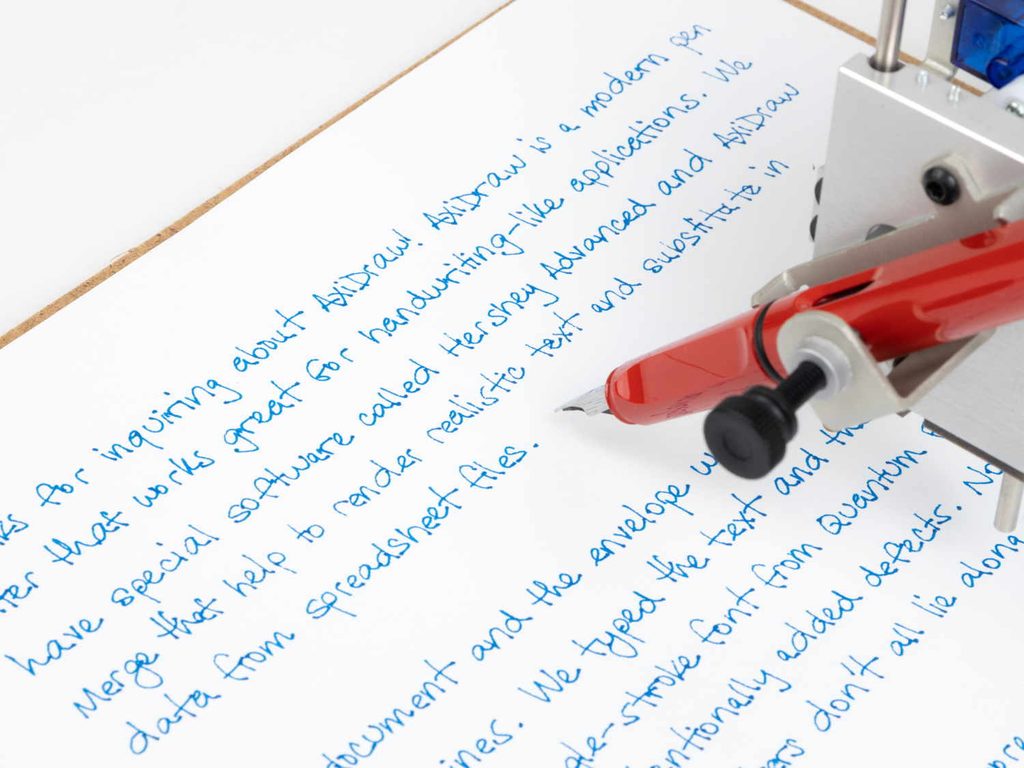
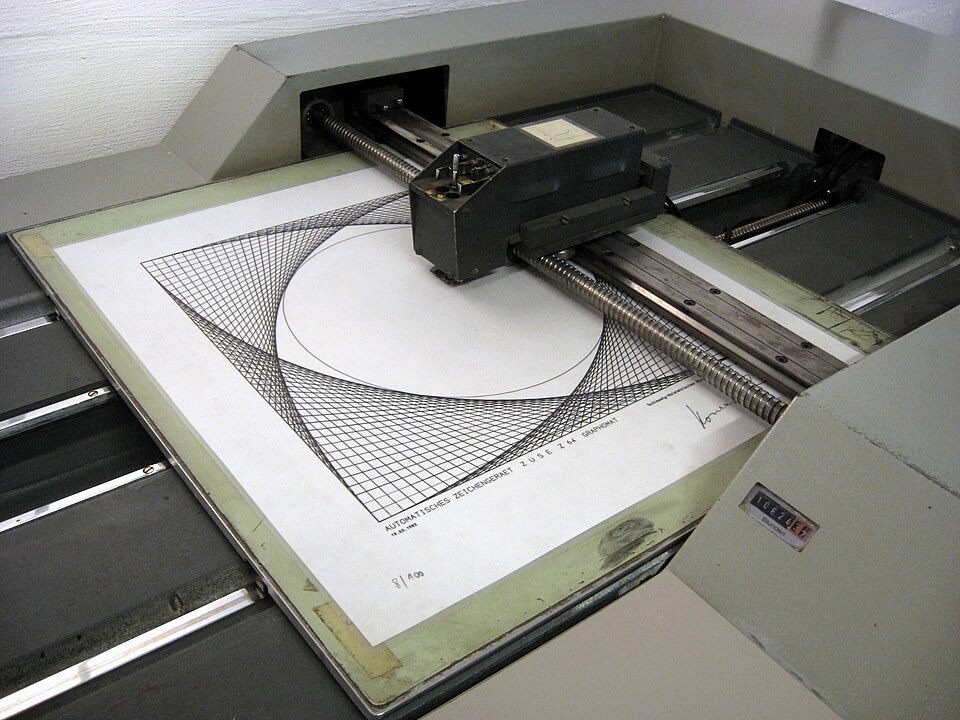
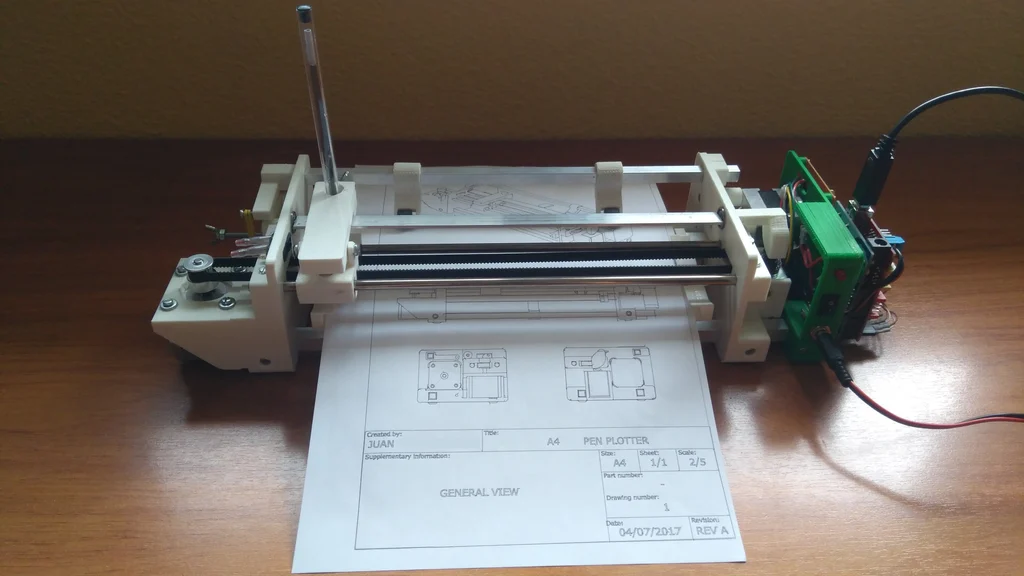
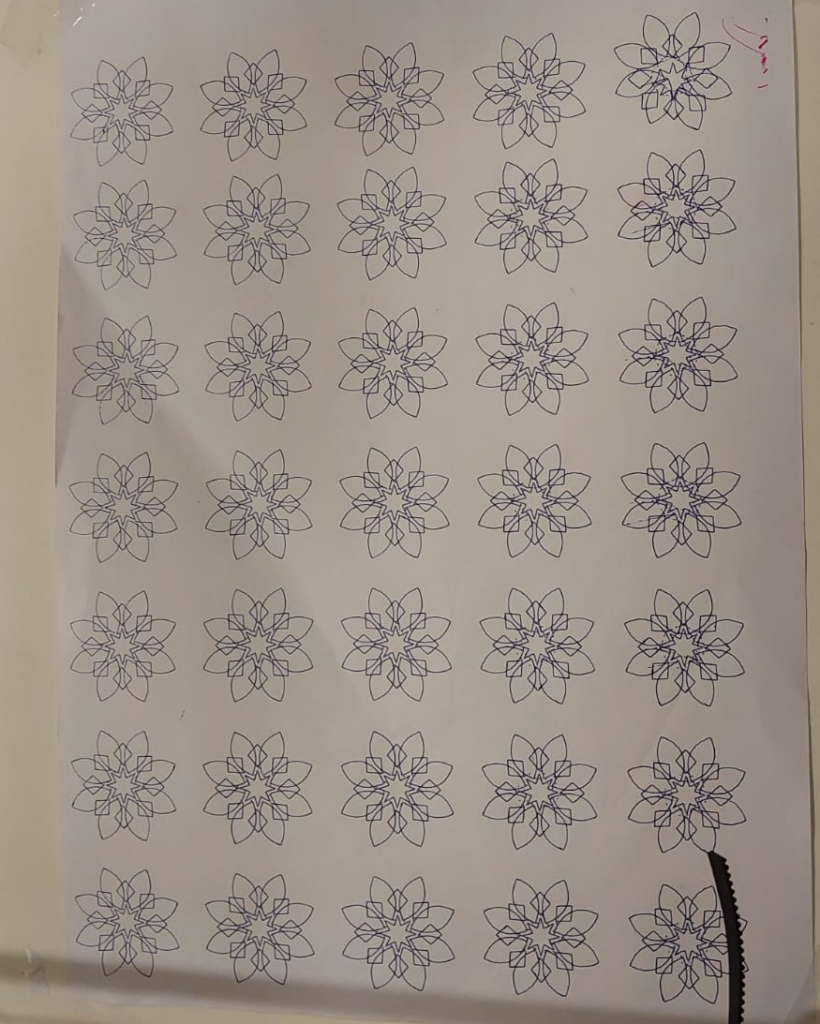
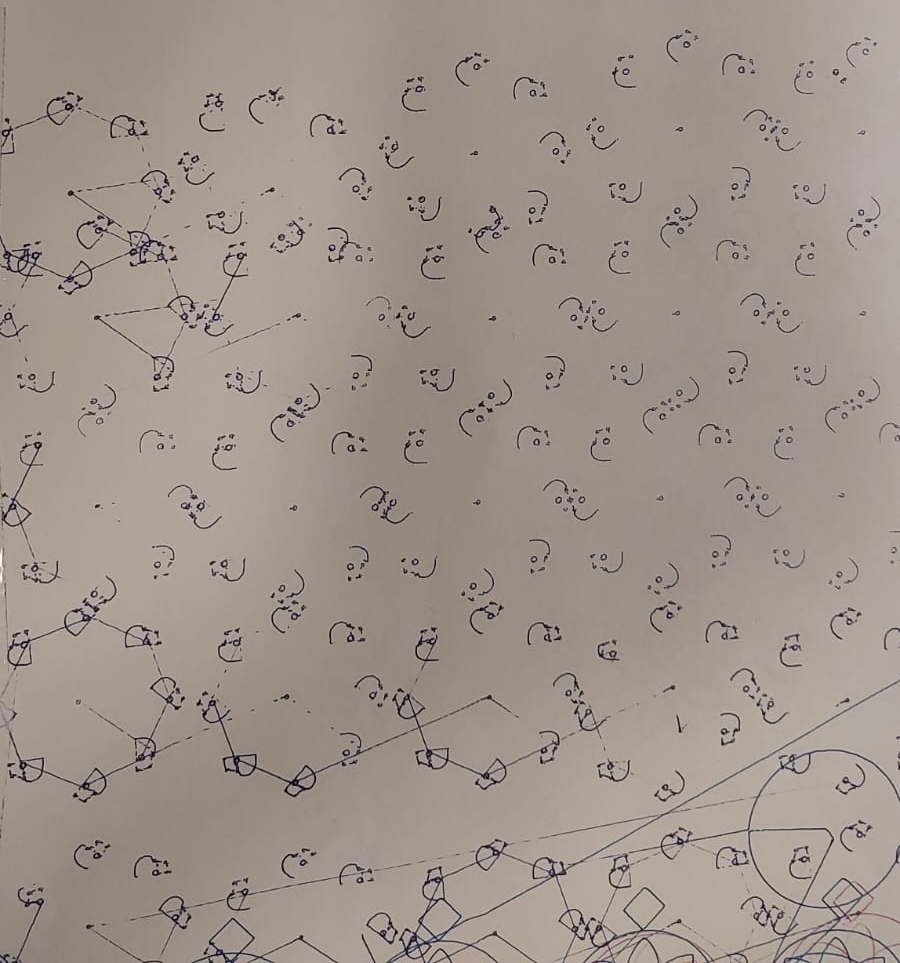
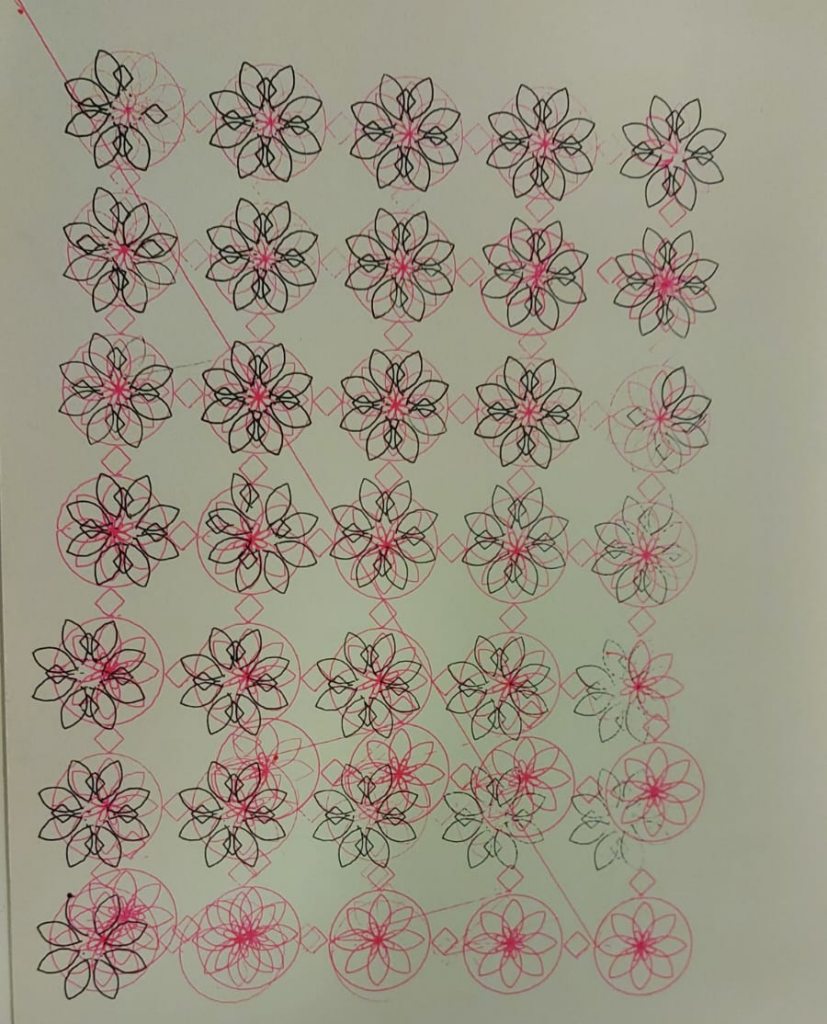
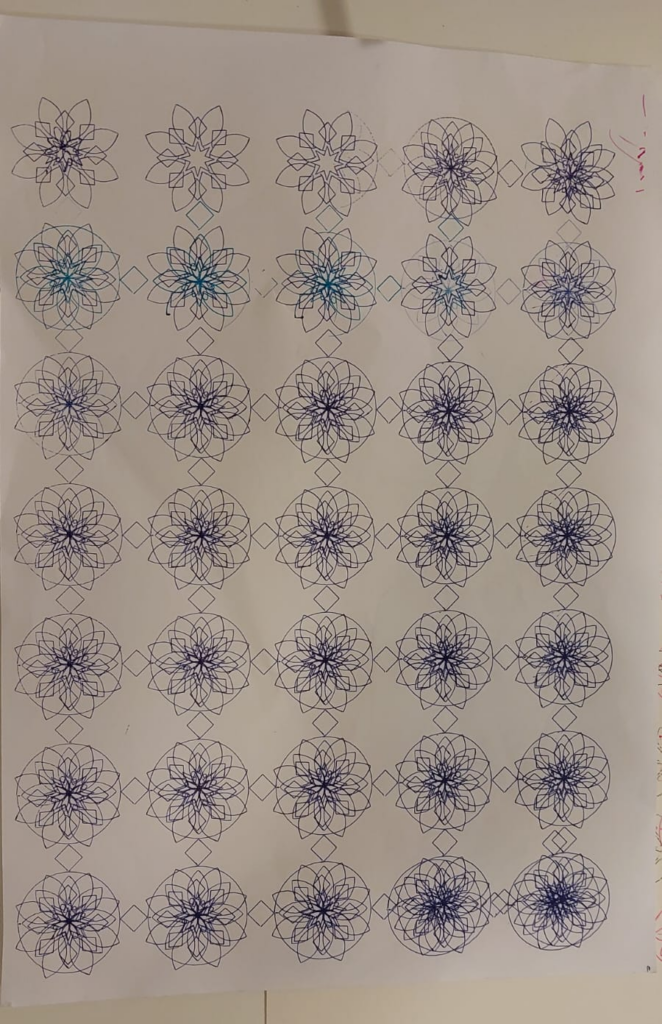
The AxiDraw is a pen plotter is a simple robot whose only job is to move a pen along the vector lines, curves and paths you give it. Writing, drawing and signing are all expressions of that one function. Using it is much like using a printer, except the document must be made of paths rather than pixels. It is made by Evil Mad Scientist in Sunnyvale, California, in collaboration with Lindsay Wilson of IJ Instruments Ltd. AxiDraw Writing and Drawing Machines +2
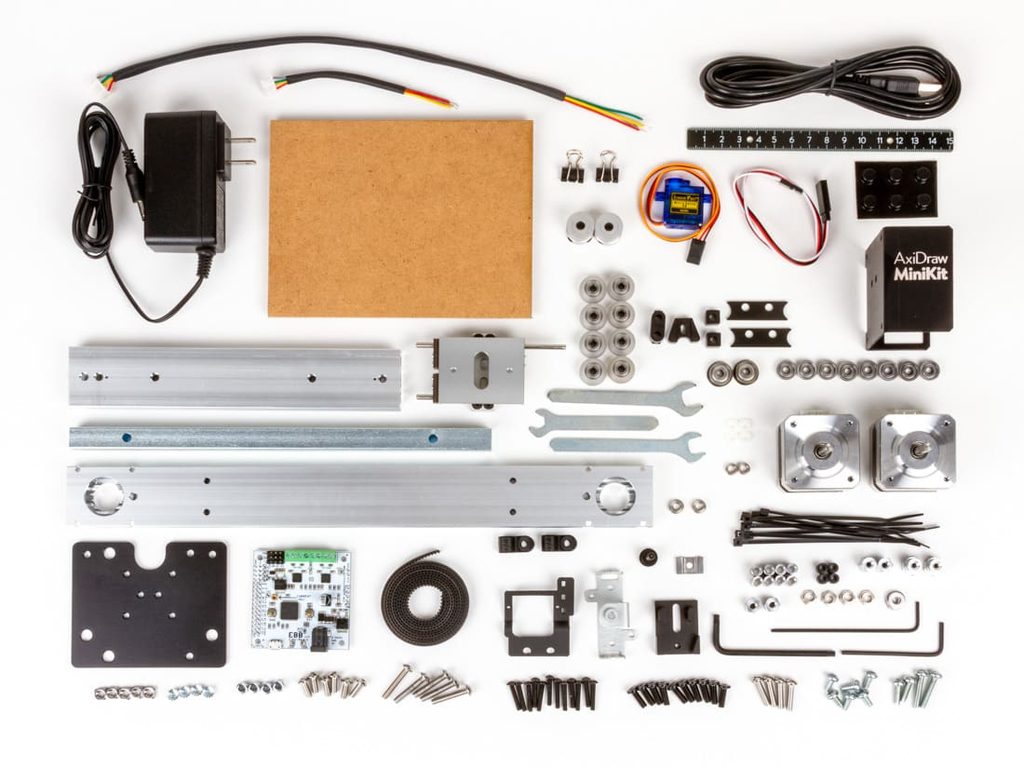
Mechanics: Two stepper motors in the base drive a single looped belt that moves the carriage in the XY plane, on linear stages with custom wheels rolling on aluminum extrusions. A smaller third motor lifts the pen off the page. It works pretty similar to the pen plotter we made for our midterm
What makes its approach to drawing interesting
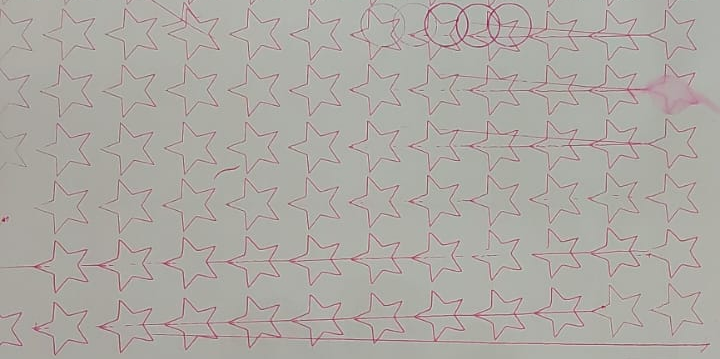
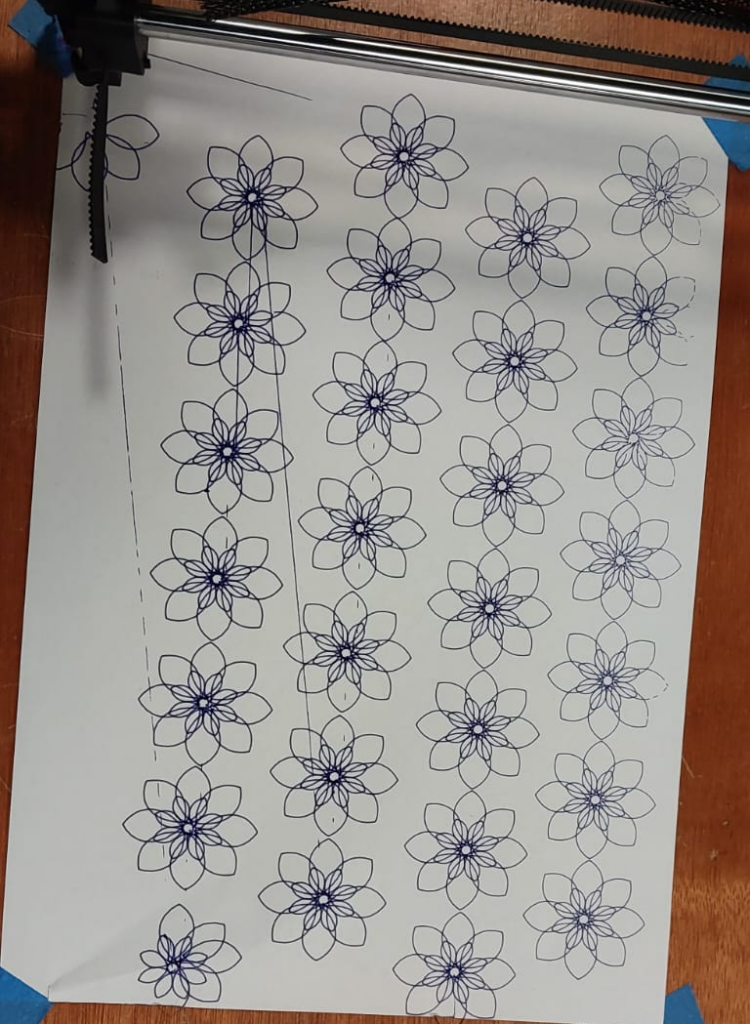
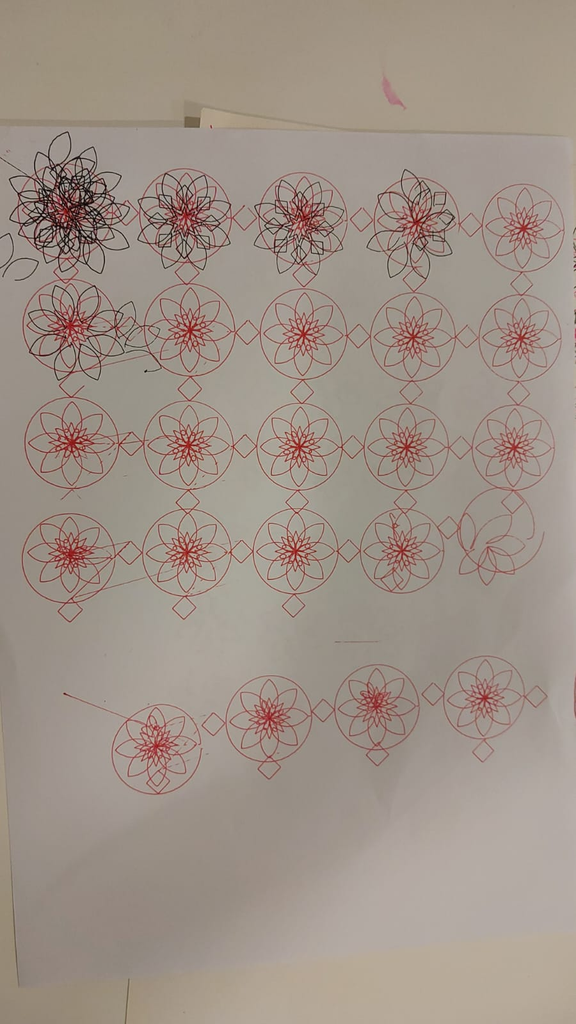
Many of its qualities are pretty similar to the one that we made in class. For instance, its speed can be adjustable, different writing tools can be used to draw it etc. However, one interesting thing is that Matt DesLauriers notes that a plotter produces prints with a strangely human quality: the pen can catch an edge or run dry, and the ink has a texture and emboss you normally only see in an original drawing.
The essential mechanical, electronic, and software components needed to build it
Mechanical
Motion stage. The two steppers share one belt, as described above. In the MiniKit, both motors sit at opposite ends of one long fixed x-axis rail, so each motor’s rotation does not map directly to the x or y axis.
Rail. The MiniKit 2 replaced the original extruded base rail with a solid 6061-T6 aluminum bar, machined like the SE/A3 and anodized.
Pen holder. It holds pens up to 5/8″ (16 mm) in diameter. A larger XL clip is available. In the MiniKit you can mount the pen vertically or slanted, and the slant suits fountain pens.
Electronic
Controller. The EiBotBoard (EBB) is a USB dual stepper controller designed by Brian Schmalz. It is open source in hardware and software and built around a PIC18F46J50. It has two Allegro A4983 microstepping drivers and a separate regulator for up to two hobby servos. It was originally designed for the EggBot and also runs the AxiDraw and WaterColorBot.
Motors. The NEMA 17 bipolar stepper is the same motor used in the EggBot kit and the AxiDraw.
Power and USB. The EBB runs from a 9 V, 1.5 A supply. Each AxiDraw ships with a universal-input power supply, a 2 m USB cable and a paper-holding easel.
Software
The usual workflow is a set of extensions for the free Inkscape vector editor, which acts like a printer driver. No other software purchase is needed.
Alternatives include a stand-alone CLI, two Python APIs (one plots SVGs, the other is interactive moveto/lineto), the low-level EBB serial protocol, cncserver REST APIs, and AxiDraw-Processing for real-time generative work.
The software normally plots elements in file order, so poor ordering can make pen-up travel dominate plot time. AxiDraw’s SVG ordering tool reduces this, and it can also name machines or plot to several at once.
vpype is a popular third-party tool. It is a command-line pipeline utility for creating, modifying and optimizing plotter-ready vector graphics, with plug-ins for custom generative commands.
AxiDraw Merge handles mail-merge style handwriting from CSV data and adds small variations so text doesn’t sit on perfectly straight lines.
Examples of drawings or artworks produced with it
Relevant references, projects, or artists/designers who have explored similar systems
Include images, videos, diagrams, and links where appropriate, and cite your sources.
Examples of work made with it
Signatures, envelopes and handwriting. These are the most common uses, along with place cards and numbering limited-edition artwork. axidraw
#plottertwitter Sharpie on T-shirt for the win! #mtbos #iteachmath https://t.co/gYwj4cFArM— Mark Kaercher (@shskaercher) June 6, 2018
Fabric and wood. The Evil Mad Scientist blog shows AxiDraw on t-shirts, wooden signs, and a brewery tap list. evilmadscientist
Custom portraits. Makio&Floz offer plotted portraits drawn by their AxiDraw, which they named Jojo the robot. evilmadscientist
Generative art. DesLauriers wrote a two-part blog post on his JavaScript workflow, starting with Delaunay triangulation and moving into algorithm design. Designer Sash Zats plotted map-based drawings using vector map tiles and a spatial-sort step to speed up plotting. He uses bold papers and subtle pen colors. evilmadscientistevilmadscientist
Large multi-pen pieces. In a post on his piece “Busiest” (2025), artist Lost Pixels describes using AxiDraw A3 and A1 plotters. He also describes custom queue software, vpype path optimization, and an LED matrix synced to the plotter that fills as the drawing progresses. lostpixels
The artwork and artists section of theAxiDraw wiki and blog has many more user projects.
The plotter displaced the artist’s hand, which appealed to researcher-artists like Nake and Mohr who wanted to suppress gesture and individual authorship. AxiDraw users mostly pursue the opposite, valuing the pen’s physical traces. artforum
The DAM Gallery exhibition “Aesthetica” also lists Peter Beyls, Roman Verostko and Mark Wilson among artists who drew for decades with pen plotters. bpigs
Contemporary artists
The book Tracing the Line: The Art of Drawing Machines and Pen Plotters features 100 artists, including Matt DesLauriers, Tyler Hobbs, Alida Sun, Joanie Lemercier, Sougwen Chung, Rev Dan Catt and Jürg Lehni. See the Draw Down listing. draw-down
Tyler Hobbs’s Pace Gallery show “QQL: Analogs” was 12 paintings made with generative code and a plotter. The plotter he used is custom-made. See ARTnews. artnews
Matt DesLauriers’s work is covered in Right Click Save, which describes his plotter practice as predating the NFT form.
Related machines
The EggBot shares the same EBB controller and stepper motors.
The WaterColorBot also uses the EBB, as noted above.
The A4 Pen Plotter made by JuanGg which moves the pen along one axis and the paper underneath it to plot in the X and Y directions
The category of robots we decided to research was mobile drawing robots. We started by taking a look at the given example, “Bebot”, created by Leonel Moura. This category of robots is essentially small scale robots with wheels that kind of resemble a remote control car; they usually have some type of brush or pen attached to them that can trace the ground beneath them.
Many of the robots in this category were mobile with omni-directional wheels. That is, it can move in any direction despite the number of wheels it has. In fact, we found many people selling kits for this type of robot. Here’s an example of a mobile drawing robot we found online being sold by Nexus robots.
Figure 1.
B. What makes its approach to drawing interesting
This approach could make drawing more interesting by creating patterns shaped by the movement of omni wheels and input from various sensors. At first, we might imagine that such a machine could produce only simple lines connecting one point to another, or endless circles drawn in either direction.
However, our research suggests that a device like this can draw with some degree of precision while also allowing us to introduce an element of randomness. A mobile drawing machine could therefore produce interesting results by attempting to follow a specific drawing path while introducing unexpected variations along the way. Alternatively, we could make its movements entirely random and explore the patterns that emerge from the erratic movement.
And although we thought the function of an omni wheel was really impressive—it might’ve almost been a bit too perfect. We thought about “Bebot” by Leonel Moura and we thought there was a certain expression in its limited mobility with just three non-omnidirectional wheels. The full robot would have to turn in order to change which direction it wanted to draw. There is a fun layer of expression in its limitation.
C. The essential mechanical, electronic, and software components needed to build it
When it comes to materials, here’s what we were guessing a project would need:
Arduino Uno or equivalent.
Board to solder the cables to.
Cables (the ones used to connect and solder).
Three 3D-printed omni wheels.
At least two 3D-printed bases that we need to design on our own.
Portable Batteries.
Screws to connect the pieces.
Three servo motors to connect to the 3D omni wheels.
At least 3 pens or markers to draw.
Probably other pieces that we are not sure.
We were thinking that if we were to build our own mobile robot later on, we were envisioning using some pre-done 3D-printed assets since we are not expert enough to design these in our own.
Browsing on the internet, we found some websites that can help with this, such as the following website: https://www.yeggi.com/q/omni+wheel/
Figure 2. The results that appear when searching for 3D-printed omni wheels.
For the base, Figure 1 shows several custom shapes, although we expect to design our own. We will probably use Tinkercad or another design program for this.
Regarding the software, our research suggests two possible approaches: using a workflow similar to that of a pen plotter or writing custom code for an Arduino. Neither approach appears to require highly specialized software beyond the tools we already use. The software we choose will depend on our final approach.
D. Examples of drawings
From the videos we explored, it appears that this mobile drawing robot can mimic the drawings of a pen plot, that is, it can draw with the precision of one. Check the following video from Thanos Eleftherakos for an example:
However, we are not searching to create another pen plotter that can draw with a lot of precision. We are mostly looking for a machine that can produce erratic results. Such as the following videos and images:
Video by Amy Poehler’s Smart Girls.
Video by scanlime.
Figure 3. Artsbot-2003 by Henrique Garcia Pereira, Vitorino Ramos and Idmind.
E. Relevant references, projects, or artists/designers who have explored similar systems
One of the first projects we came across in this category of drawing robots was by user “lingib” on the Autodesk Instructables website. This was simply titled “Omni Wheel CNC Plotter V2” and
Another project we found was called “The Butterfly-Infinity Plotter” by Basil Abraham. It seems like this one was a final project for some coursework. It’s very well documented. They also use the same omniwheel piece as the previous designer.
Makelangelo is an open-source, wall-mounted drawing machine created by Dan Royer, who runs the robotics company Marginally Clever. Royer explains how it works with simple geometry: if you know the distance between the two motors and how far down the pen hangs, you can use the Pythagorean theorem to calculate the length of each string. This works anywhere on the wall, so the software can work out how much each string needs to change to move the pen from point A to point B (aggrav8d).
Makelangelo draws with two motors at the top of the board. Each motor pulls a belt, and both belts are attached to the pen. As the motors reel the belts in or out, the pen moves around the wall. A third motor lifts the pen up and down so it can move between lines without dragging the pen along the paper. The software turns an image or vector file into G-code, a list of movement instructions, and the robot follows them line by line. The newest model, Makelangelo 6, draws up to A2 size (Marginally Clever).
Left: Makelangelo 5, Right: Makelangelo 6
Part 2: What makes its approach to drawing interesting
What makes the Polargraph drawing machine interesting is its unusual approach to drawing. Unlike traditional methods that use a horizontal surface, the polargraph draws vertically, adding different kinds of factors such as gravity into the process. Instead of moving normally along the X and Y axes, it adjusts the lengths of two belts to position the pen. This creates an interesting relationship between digital precision and physical imperfections, as small vibrations or changes in tension which can influence the final drawing a lot. It also allows us to explore how a machine’s mechanical structure can become part of the creative process rather than simply a tool for reproducing digital images.
Hektor was created by Jürg Lehni together with engineer Uli Franke, and the tool was designed to be allowed to be imprecise. Its lightweight mechanism with two motors shakes because of gravity (Lehni, “Hektor”). John Proudlock, who designed and built his own polar plotter, says simple repetitive designs look good when drawn by his unsteady machine (Chandra). Moreover, Makelangelo 6 does not need a computer for drawing; you just save your drawing to an SD card, insert it into the robot and pick it on the touchscreen (Marginally Clever).
Part 3: The essential mechanical, electronic, and software components needed to build it
Makelangelo has its own control electronics and software. The list below is for a DIY polargraph build, based on an Instructables guide (“Polargraph Drawing Machine”).
Essential mechanical and electrical parts:
3D-printed pen holder: Holds the pen securely and moves it across the drawing surface.
2 stepper motors: Control the movement of the pen holder by adjusting the length of the belts.
Timing belts: Transfer the motors’ rotational movement to the pen holder, moving it across the drawing area.
2 pulleys: Attached to the stepper motors to guide and move the timing belts.
Wires, screws, nuts, and connectors for assembly
Counterweight: Maintains tension in the belts to ensure stable, consistent movement.
Arduino Uno: Processes instructions and coordinates the machine’s movements.
Compatible CNC shield: Connects the Arduino to the motor drivers controlling the stepper motors.
Servo motor: Raises and lowers the pen to control when the machine draws on the surface.
Power supply: powers the Arduino and the motors
Essential Software:
Arduino IDE: used to upload the control program to the Arduino.
Inkscape (or any similar software to convert the file to G-code): prepare vector drawings and convert them into G-code using suitable extensions.
Universal Gcode Sender: Transmits G-code instructions from the computer to the Arduino, allowing the machine to execute the drawing.
Part 4: Examples of drawings or artworks produced with it
Marginally Clever lists posters, sewing patterns, maps, and art as uses for Makelangelo 6. The robot turns a digital design into a pen drawing up to A2 size, which is large enough for a poster or a map on one sheet (Marginally Clever). The Makelangelo 5 page shows sample drawings in styles such as CMYK, crosshatch, pulse line, and spiral (Marginally Clever). The Makelangelo 6 page says it is the same size as Makelangelo 5 with updated electronics, but it doesn’t list these styles for the new model (Marginally Clever).
Makelangelo 5 artwork, Marginally Clever Robots
Makelangelo 6 artwork, Simon and Garfunkel. A2 size (imakerobots)
We found a few named artworks made with Makelangelo itself, so the drawings below come from a similar machine. John Proudlock, a generative artist, built his own polar plotter after being given a Raspberry Pi and seeing a video about polar plotters (Chandra). These were drawn on his plotter, not a Makelangelo.
Part 5: Relevant references, projects, or artists/designers who have explored similar systems
A few people worked with a polargraph drawing machine or something similar to it
Viktor by Jürg Lehni: Viktor is a scalable chalk-drawing machine for large surfaces, up to 20 by 20 meters. It uses four motors and belts instead of two, so it can cover larger surfaces, position the tool better, and press just enough to leave a mark (Lehni, “Viktor”).
Hektor: Hektor is a portable machine that sprays paint from a computer-controlled spray can. Jürg Lehni and engineer Uli Franke made it in 2002 for Lehni’s diploma project at ECAL in Lausanne (Lehni, “Hektor”).
I thought a lot about what could be something to make this project about; I finally settled on two: Islamic geometric patterns and my passion for Arabic calligraphy.
I started learning calligraphy since I was in 8th grade, and one thing about calligraphy, and specifically the Jali Diwani type, is the layering. We start by writing the words or sentence, then the short vowels, and then we start decorating with different decorative elements. My idea for the midterm was inspired by this technique. I wanted to make a drawing by layering different drawings on top of each other. Additionally, I also wanted to mix Islamic geometry and its rigid, symmetrical designs with the Jali Diwani’s artistic, flowing design.
Inspirations:
Calligraphy:
Islamic Geometric Patterns:
Code and Algorithm
For the coding part, I used p5.js to create the designs by creating three separate layers, each with its own purpose. The first layer focuses on the eightfold rosettes and the main geometric structure, while the second adds more shapes and details to make the pattern more intricate. The third layer is different from the first two; it uses small circles and flowing lines inspired by Jali Diwani calligraphy to decorate the existing geometry without overwhelming it. I used loops, rotation, and mathematical rules to repeat the shapes across the page while keeping them aligned. By saving each layer as a separate file, I can place the drawings on top of each other and see how they combine into one composition. This approach also makes it easier to adjust individual layers and explore how the final design will look when drawn by the pen plotter.
Then, I tried to visualize the output in Inkscape to see how the three layers align together
Experimentation
Since there was a lot of overlapping, I wanted to experiment with a drawing that had a lot of overlapping first to see how it would work on paper. So this was the first experiment with the pen plotter. I experimented using different colored pens.
Flower drawing to test repetition and layers
Afterwards, I started experimenting with different kinds of simple tiling, as my idea is all about layering and tiling
first with repeating circles:
Experimenting tiling Trial 1
Another one was with five pointed stars
Experimenting tiling Trial 2
Then I tried to make more than one simple repeating shape, which will be similar to the final version of the project
Experimenting tiling Trial 3
One thing about these experiments was that the pen plotter was not very stable when it came to lifting the pen off the paper; as shown in the pictures, it sometimes started marking the movement of the pen between the shapes as well.
From the first experiment, I realized that A4 paper will not be the best to use for layering, so I started experimenting with thicker papers:
More experimentation:
Layer 1 experimenting Layer 2 Layer 3 trial 1Layer 1 and 2 trial 1Layers 1 and 2 trial 2
Final drawings
Layer 1:
Layer 2:
Layer 3:
Final combination:
Reflection
Throughout this project, I realized that creating a design digitally and actually drawing it using the pen plotter are two different things. One of the biggest challenges I faced was the pen plotter itself. During my first experiments, I noticed that the pen was not always lifting properly when moving between shapes, which caused unwanted lines to appear on the paper. This was especially noticeable in drawings with a lot of repeated shapes. Similarly, the pen sometimes was not on the paper while drawing, which made some parts of the drawings missing. Although these changes were not part of the original design, they made me realize how the machine’s behavior can affect the final result. I had to pay more attention to the spacing and alignment of my shapes, rather than only focusing on how the design looked on the screen.
Another important part of my experimentation was using different colored pens. I chose blue, black, and pink because I wanted each layer to be distinguishable while still working together as one composition. Blue and pink added contrast and made the overlapping lines more interesting. I also liked how the colors interacted when the lines crossed each other. Some overlapping areas appeared darker, creating an additional level of detail that was not noticeable in the digital version. This also helped me explore the contrast between the rigid symmetry of Islamic geometric patterns and the softer, flowing lines inspired by Jali Diwani calligraphy.
I also experimented with different types of paper. From my first trials, I realized that regular A4 printer paper was not the best choice for a drawing with so many overlapping lines. I decided to try thicker paper, which provided a more suitable surface for the repeated pen strokes and made the final drawing feel more substantial. The paper itself became an important part of the process, rather than just something to draw on.
Overall, I enjoyed seeing how a design created using simple coding rules could become something much more detailed when translated into a physical drawing. I also learned that the final result does not depend only on the code but also on the pen plotter, the pens, and the material being used. What I found most interesting was how the three layers gradually came together, similar to the process of Jali Diwani calligraphy that originally inspired my idea. If I were to develop this project further, I would experiment more with the placement of the decorative details and the order of the colored layers to see how they could change the final composition.