Concept
For this assignment, I wanted to create a simple computational pattern using repetition, rotation, and randomness in p5.js and then turn it into a physical object using the laser cutter.
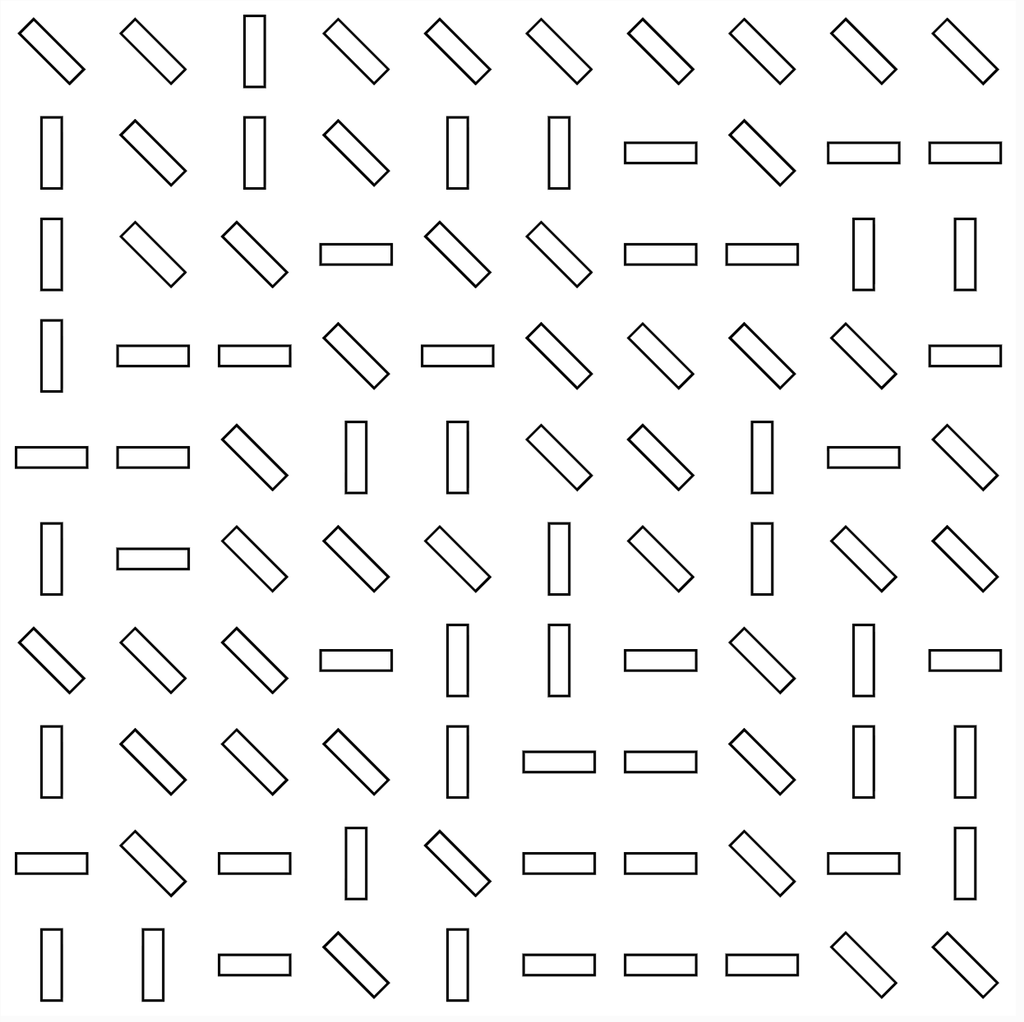
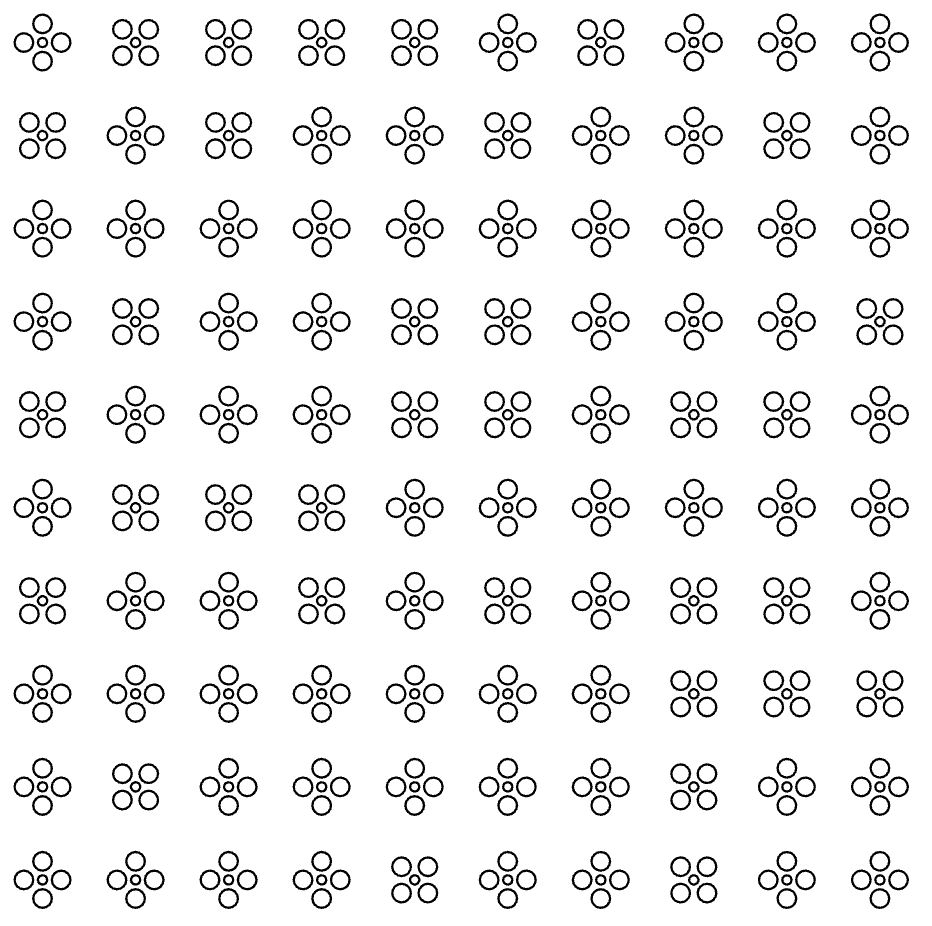
I created two different designs using the same 10 × 10 grid system. For my first design, I used small rectangles that randomly rotate between 0°, 45°, and 90°. For my second design, I created a flower shape using circles and repeated it across the same grid.
I wanted to see how changing the shape while keeping the same basic system would affect the final result. Even though both designs are based on repetition and a grid, they ended up looking very different once they were laser cut.
p5.js Sketch / Code
Design 1: Random Rectangle Pattern
For my first design, I divided the canvas into 10 columns and 10 rows. At every point in the grid, the code creates a thin rectangle. I used random([0, 45, 90]) to randomly choose the rotation of each rectangle. This made the pattern feel less repetitive even though all of the rectangles are the same size.
let cols = 10;
let rows = 10;

function setup() {
createCanvas(400, 400, SVG);
angleMode(DEGREES);
rectMode(CENTER);
noLoop();
}

function draw() {
background(255);
noFill();
stroke(0);

let tileWidth = width / cols;
let tileHeight = height / rows;

for (let c = 0; c < cols; c++) {
for (let r = 0; r < rows; r++) {


 let x = map(c, 0, cols - 1,
              tileWidth / 2,
              width - tileWidth / 2);

  let y = map(r, 0, rows - 1,
              tileHeight / 2,
              height - tileHeight / 2);

  push();
  translate(x, y);

  rotate(random([0, 45, 90]));

  rect(0, 0, tileWidth * 0.7, tileHeight * 0.2);

  pop();
 }

}

save("pattern.svg");
}
Design 2: Flower Pattern
For my second design, I kept the same 10 × 10 grid but changed the shape. I created a small flower using four circles around a smaller circle in the center. The flower is then repeated across the grid.
I also kept the random rotation from the first design. The rotation is less noticeable with the flowers because they are more symmetrical, but the code still uses the same rule-based system.
let cols = 10;
let rows = 10;

function setup() {
createCanvas(400, 400, SVG);
angleMode(DEGREES);
noLoop();
}

function draw() {
background(255);
stroke(0);
noFill();

let tileWidth = width / cols;
let tileHeight = height / rows;

for (let c = 0; c < cols; c++) {
for (let r = 0; r < rows; r++) {

  let x = map(
    c,
    0,
    cols - 1,
    tileWidth / 2,
    width - tileWidth / 2
  );

  let y = map(
    r,
    0,
    rows - 1,
    tileHeight / 2,
    height - tileHeight / 2
  );

  push();

  translate(x, y);

  rotate(random([0, 45, 90]));

  tile();

  pop();
}

}

save("flowerPattern.svg");
}

function tile() {
ellipse(0, -8, 8, 8);
ellipse(8, 0, 8, 8);
ellipse(0, 8, 8, 8);
ellipse(-8, 0, 8, 8);

ellipse(0, 0, 4, 4);
}
Vector Design
After creating the patterns in p5.js, I exported both of them as SVG files so that I could use them with the laser cutter.
The first vector design is made from repeated rectangles at different angles. The second uses repeated flower shapes made from circles. Both follow the same grid system, but changing the geometry gave each one a completely different look.
The SVG format was important because it allowed the shapes created through my code to become vector paths that could be used for laser fabrication.
Laser Cutting and Physical Tests
I laser cut both designs onto 5 × 7 inch clear acrylic sheets, which is around 12.7 × 17.8 cm. I kept the material and size the same for both tests but changed the geometry of the pattern.
Test 1: Rectangle Pattern
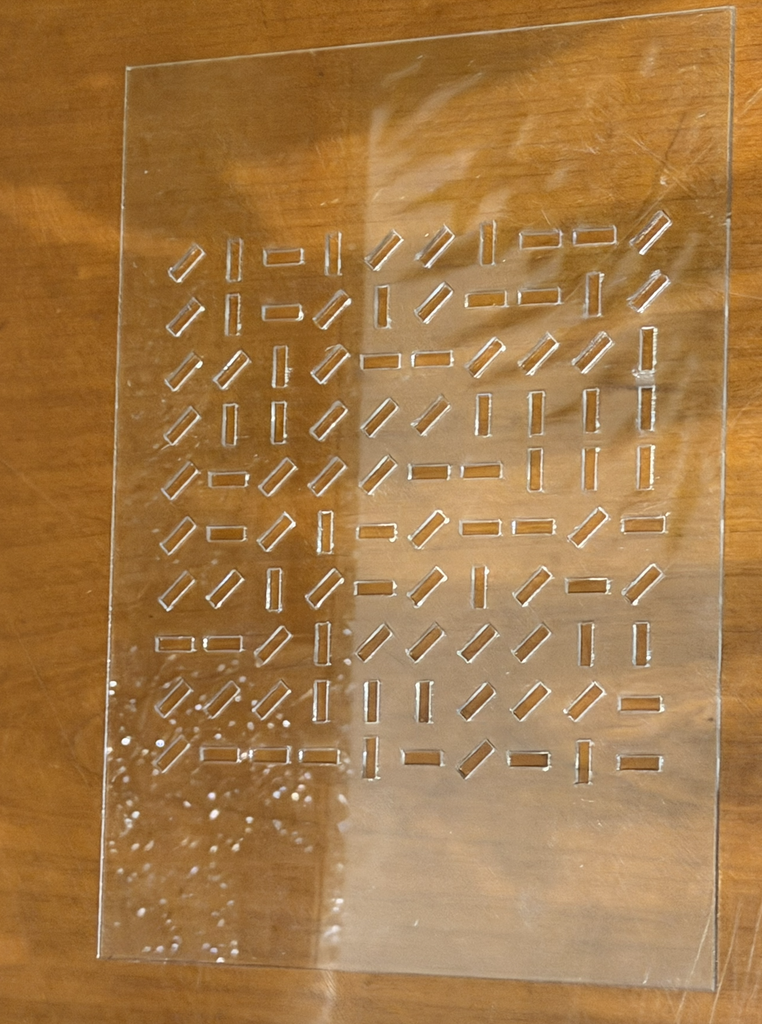
For my first physical test, I used the rectangle pattern. The laser created the repeated rectangular shapes across the clear acrylic. Because the rectangles randomly rotate between 0°, 45°, and 90°, some are horizontal, some are vertical, and others are diagonal.
I think the randomness became much easier to notice in the physical version. From far away, you can still see the organized grid, but when you look closer, every row has a different combination of directions.
Test 2: Flower Pattern
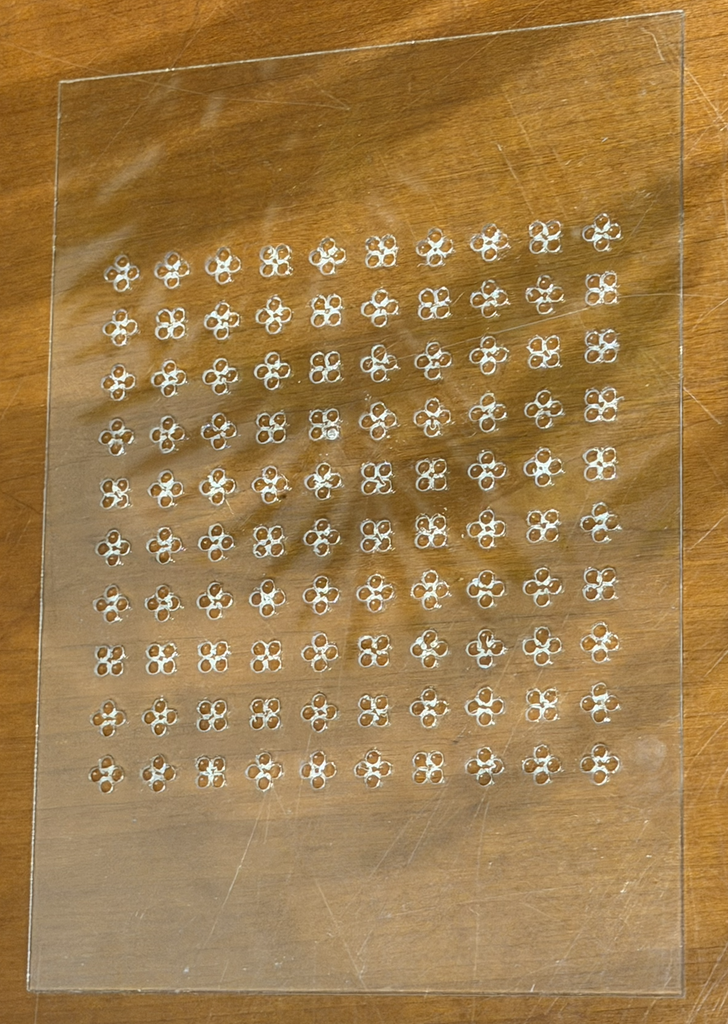
For my second physical test, I changed the geometry from rectangles to flowers. Each flower is created from four larger circles with a smaller circle in the middle.
This version looks more detailed because there are several small shapes making up every flower. When all of them are repeated together, the pattern feels more decorative and organic compared to the first design.
Process and Challenges
I started by creating the grid in p5.js using nested for loops. The loops allowed me to repeat a shape across 10 rows and 10 columns without having to manually place every shape. I then used random() to introduce variation into the rotation.
Once I was happy with the patterns, I exported them as SVG files and prepared them for the laser cutter. I tested two different geometries to see how they would look when turned from digital designs into physical pieces.
One thing I noticed during the process was that the design looks different on the computer compared to the acrylic. On screen, I was mainly looking at black outlines on a white background. Once it was laser cut, those lines became physical cuts in a transparent material.
The flower design was also more detailed than the rectangle design because it contained many small circles close to each other. This made me think more about the spacing between the shapes and how small details would actually come out when using the laser cutter.
Reflection
This assignment made me think differently about computational design because I wasn’t only designing something to stay on a screen. I had to think about what would happen when my code became a physical object.
The biggest thing I noticed was how important negative space became. In p5.js, I was thinking about drawing rectangles and circles, but after laser cutting, those shapes became openings in the acrylic. The empty areas became part of the design instead of just being the background.
Making two versions also helped me see how changing one part of a computational system can create a very different result. Both designs use a 10 × 10 grid, repetition, and the same basic code structure, but changing the geometry from rectangles to flowers made the final pieces look completely different.
Overall, laser fabrication made me pay more attention to scale, spacing, geometry, and material. I liked being able to take something I created through code and actually hold the final result physically.