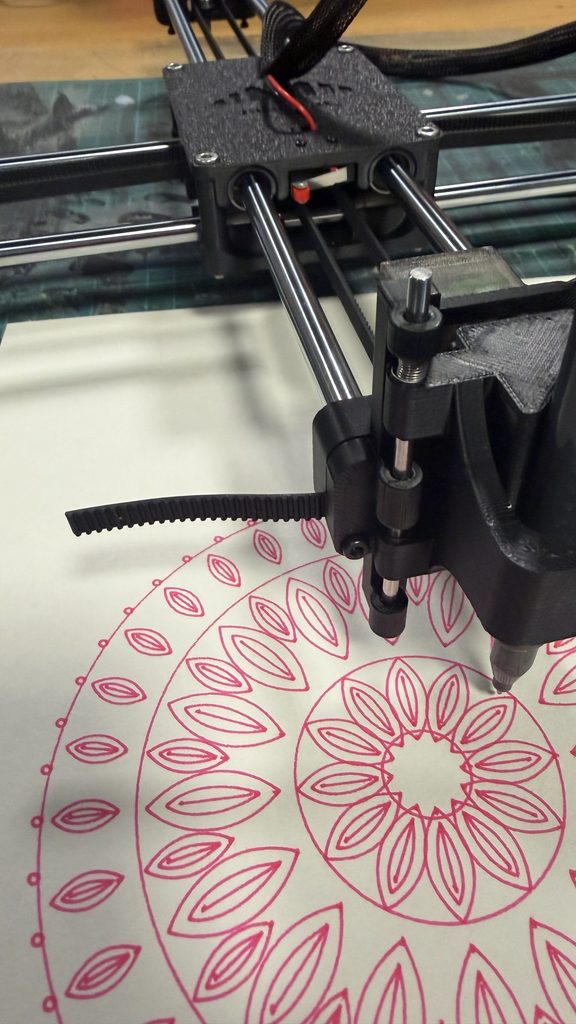
e-David: A Robot That Paints (Mouza, Meera, and Mhara)

Assignment 7 – Drawing Robots and Machines

Group Members: Mouza, Meera, and Mhara

Introduction

When we think of painting, we usually imagine an artist holding a brush and deciding what to paint. But what if a robot could do the same thing?

For this project, we chose e-David, a robotic painting system that uses real brushes and paint to create artworks. What caught our attention was that e-David doesn’t just follow instructions and paint an image. It actually takes pictures of its work, checks what it has painted, and makes changes as it goes.

We found this especially interesting because painting is something we usually connect with human creativity, personal expression, and making decisions while working. Seeing a machine perform some of these actions made us curious about how much of the painting process can be controlled through technology.

We wanted to explore how e-David works, what makes it different from other drawing machines, what is needed to build a system like it, and how artists have used similar technologies in their work.

1. What Is e-David, and How Does It Paint?

e-David stands for Electronic Drawing Apparatus for Vivid Image Display. It was developed by researchers at the University of Konstanz in Germany, and the project has been running since 2009. It was developed under the supervision of Professor Oliver Deussen, and Michael Stroh currently leads the project.

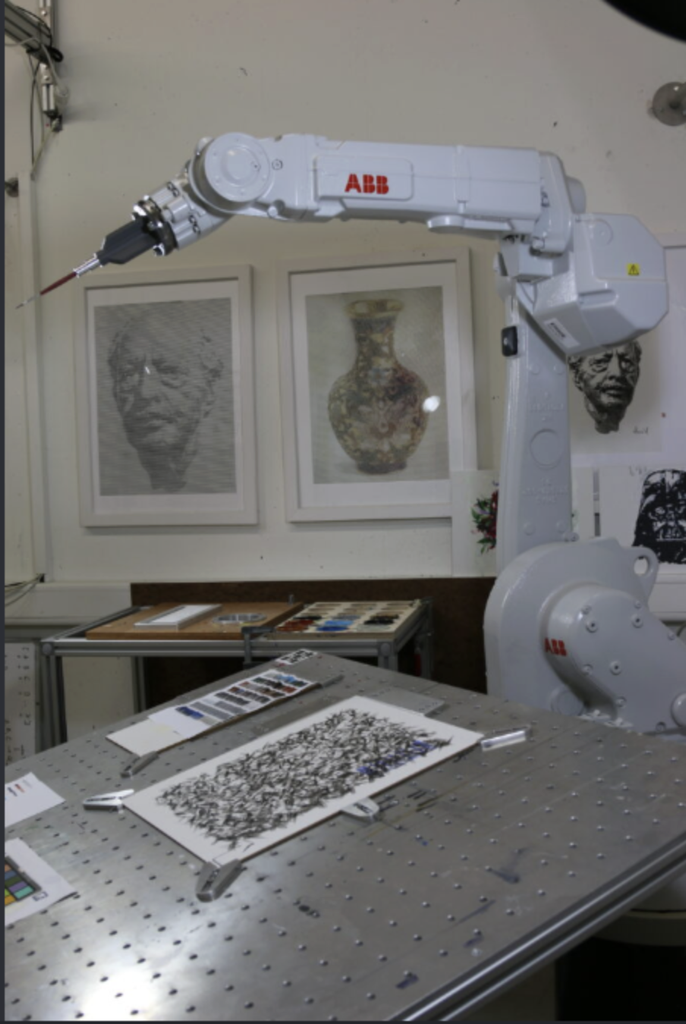
The robot uses an industrial robotic arm that holds a paintbrush and moves it across a canvas. Unlike a printer, which places ink directly onto paper, e-David works with actual paint and brushes, just like an artist would. It can use different brushes, change colours, and clean its brushes when needed.

The process starts with a digital image that the robot uses as a reference. This could be a photograph or a digital drawing. The software studies the image and breaks it down into smaller shapes, colour regions, and details that can be painted. It then plans how the robotic arm should move to create these different parts of the image.

Instead of painting every detail immediately, e-David can work in layers, starting with larger areas of colour before adding smaller details. This is similar to how some artists begin with the general composition and gradually build up their painting.

What makes the process different is that e-David has a camera that takes pictures of the painting as it progresses. The computer compares these pictures with the original image to see which areas still need work. It then tells the robot where to add more brushstrokes.
The process can be broken down into five steps:

  1. Image analysis: The software looks at the reference image and separates it into shapes, colours, and areas that need to be painted.
  2. Planning: The computer decides where the brushstrokes should go, which colours to use, and how the robotic arm should move.
  3. Painting: The robotic arm picks up paint and moves the brush across the canvas, gradually building the image through different strokes and layers.
  4. Checking: A camera takes pictures of the painting so the computer can compare the actual result with the reference image.
  5. Adjusting: The software identifies areas that need improvement and plans additional brushstrokes to make the painting closer to the intended result.
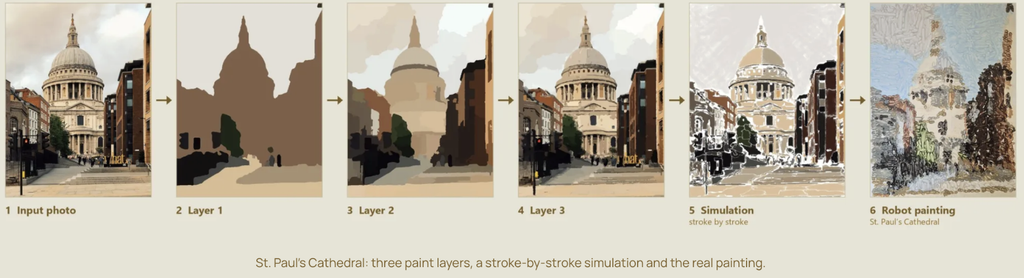
These steps repeat until the painting is finished.

One detail we found interesting is that the robot doesn’t necessarily paint the image in the same order that a person would. Its software can organize the painting into regions and decide how to fill each one based on its shape and the amount of detail needed.

Something else we found interesting is that even though the robot follows computer instructions, the paint doesn’t always behave exactly as expected. Sometimes a brushstroke might be thicker or lighter than planned, or the paint might spread differently depending on the surface. This means the robot has to keep checking its work instead of assuming every stroke turned out perfectly.

2. What Makes e-David Interesting?

What interested us most about e-David is that it can look at what it has painted and make adjustments.

Most drawing machines, like traditional pen plotters, follow a set path that has already been programmed. They move a pen across the paper according to coordinates, but they don’t usually check whether the drawing looks right afterward.

e-David is different because it uses something called a visual feedback system. This means that the robot uses a camera to see what it has painted and then uses that information to decide what needs to be done next. This is also known as a closed-loop system, where the result of an action influences the next action.

We found this interesting because painting isn’t always predictable. The amount of paint on the brush, the pressure against the canvas, and even the texture of the surface can change how a brushstroke looks.

For example, the robot might plan to paint a thin line, but the brush could leave a thicker mark. Instead of continuing without checking, e-David can detect the difference and take it into account when planning its next movements. It cannot always undo a mark that has already been made, but it can adjust the painting by adding more strokes.
Another thing we liked is the combination of precise robotic movements and the less predictable nature of paint. The robot can control where the brush goes, but it can’t completely control how the paint behaves.

This creates an interesting contrast between the machine and the material. The robotic arm is designed to move accurately, but the paintbrush is flexible, the bristles bend, and the amount of paint changes throughout the process. Even when the robot repeats the same movement, the mark might not look exactly the same.

We also found it interesting that e-David can produce different painting styles. It doesn’t have to focus only on making a realistic copy of a photograph. By changing how the software plans the strokes, the robot can create more simplified, abstract, or experimental results.
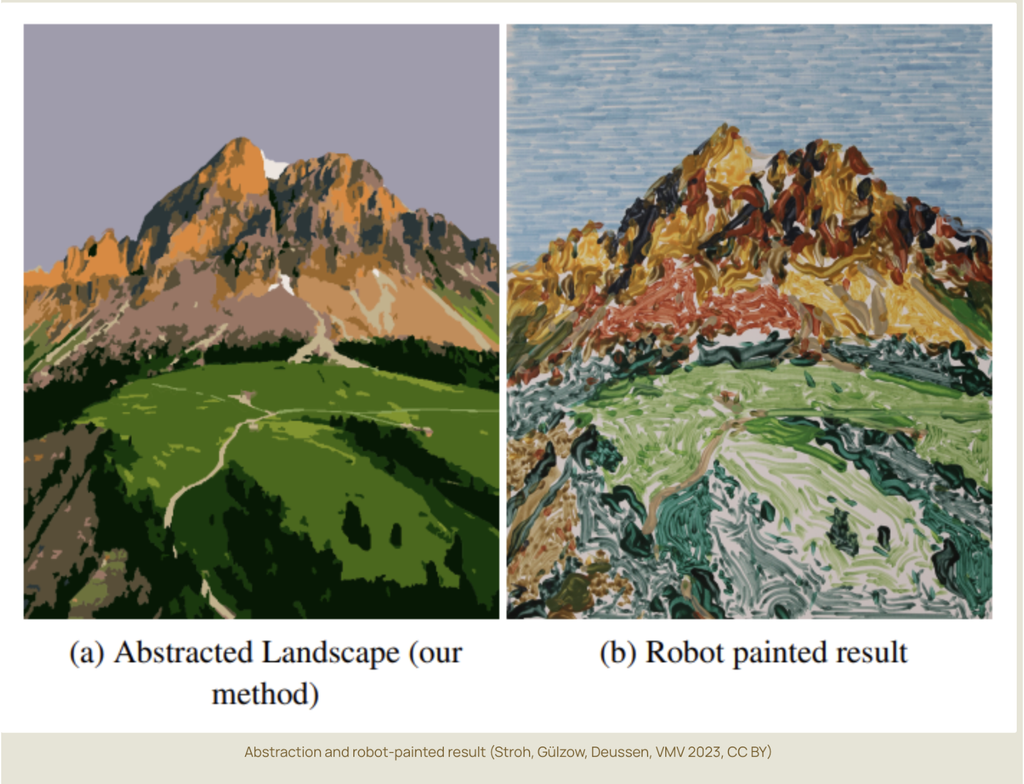
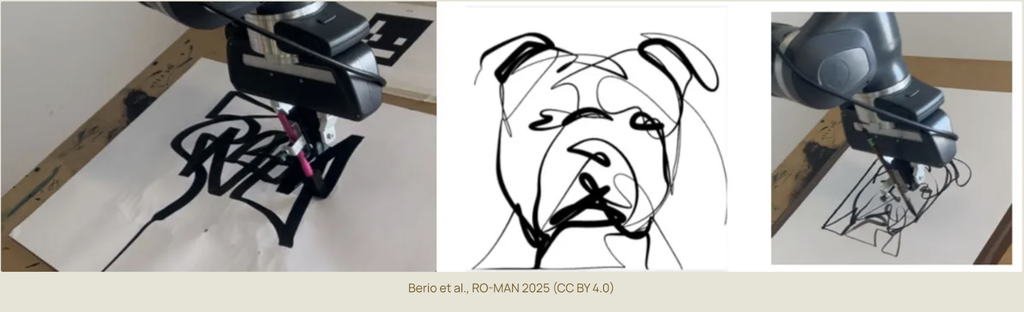
This made us think about how artists work too. When painting by hand, artists often make changes as they go because something doesn’t look exactly how they imagined it. They might add another layer, change a colour, or adjust the composition.

Although e-David works through software rather than human intuition, we thought it was interesting that its painting process also involves checking, changing, and improving the work along the way.

For us, this is what makes e-David more interesting than a machine that simply follows a drawing path. It is not just about how accurately the robot moves, but also about how it responds to the marks it has already made.

3. What Components Are Needed to Build e-David?
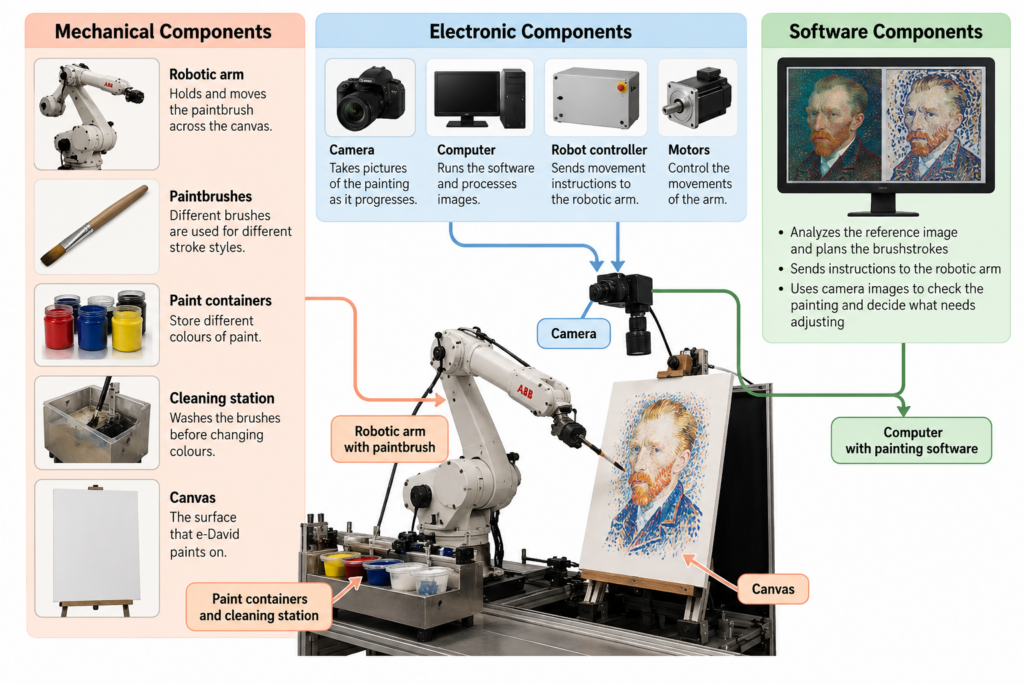
To build a painting robot like e-David, several mechanical, electronic, and software components are needed. Each part has a different role, and they all have to work together for the robot to paint.

Mechanical Components

The main mechanical component is a robotic arm that can move in different directions. Some versions of e-David use six-axis industrial robotic arms, including ABB robots. These arms can move and rotate in different ways, allowing them to control the position and angle of the brush.

The robotic arm needs a brush holder that can securely hold the paintbrush while it moves. The system also requires different brushes because different sizes and shapes produce different types of strokes.

Another important part is the paint station. This holds the available colours and allows the robot to dip its brush into the paint when needed. Earlier versions of e-David were designed to work with up to five brushes and 24 paint colours.

The robot also needs a brush-cleaning station so it can wash and dry the brush before changing colours. Without this, the colours could mix unintentionally and affect the painting.

Finally, the system needs a stable canvas or paper support positioned within the robot’s working area.

These are the parts that allow the robot to physically paint. Even though the movements are controlled by a computer, the robot still needs tools and materials similar to those used by a human painter.

Electronic Components

One of the most important electronic components is the camera. It takes pictures of the canvas so the computer can check the painting’s progress.

The position of the camera and the lighting are important because the software needs clear images to compare the painting with the reference. Changes in lighting or shadows could make it harder for the computer to identify the actual colours and marks on the canvas.

The system also needs a computer, a robot controller, motors, and the necessary power and communication connections.

The computer processes the images and calculates the brushstrokes, while the robot controller translates these instructions into movements. The motors inside the robotic arm allow its different joints to move.

Some robotic painting setups also use sensors to help measure distances or maintain the correct position between the brush and the painting surface.

Safety equipment is another important part of the setup, especially when working with an industrial robotic arm. The robot needs a controlled working area and an emergency stop system so that it can operate safely around people.

Software Components

The software is responsible for planning and controlling the painting process. It connects the digital reference image to the physical movements of the robot.

It includes several important functions:

  • Image processing: Studies the reference image and the pictures taken by the camera to identify colours, shapes, and details.
  • Image abstraction: Simplifies the original image into regions and layers that the robot can paint more easily.
  • Brushstroke planning: Decides where the brushstrokes should be placed, which direction they should follow, and which brush or colour to use.
  • Motion planning: Works out how the robotic arm should move between the canvas, paint station, and cleaning station.
  • Visual feedback: Compares the painting with the reference image and identifies areas that need more work.
  • Robot control: Sends the movement instructions to the robotic arm so it can carry out the painting process.

An important part of the software is how it translates an image into physical movements. A digital image is made of pixels, but a painting is made of brushstrokes. The software has to decide how to turn areas of colour into marks that a real brush can produce.

For example, a large area of blue in a photograph might be painted using several longer strokes, while a smaller detail might require a different brush and shorter movements.

The software also has to account for the limits of the robot and its materials. The arm cannot move everywhere at once, brushes need to be cleaned, and paint may need to be applied in several layers.

We think the camera and feedback software are especially important because they are what allow e-David to check its work.

Without them, the robot would be much closer to a regular drawing machine that simply follows a set of instructions. The combination of all three component groups is what allows e-David to plan, paint, observe, and adjust.

4. Examples of Artworks Created with e-David

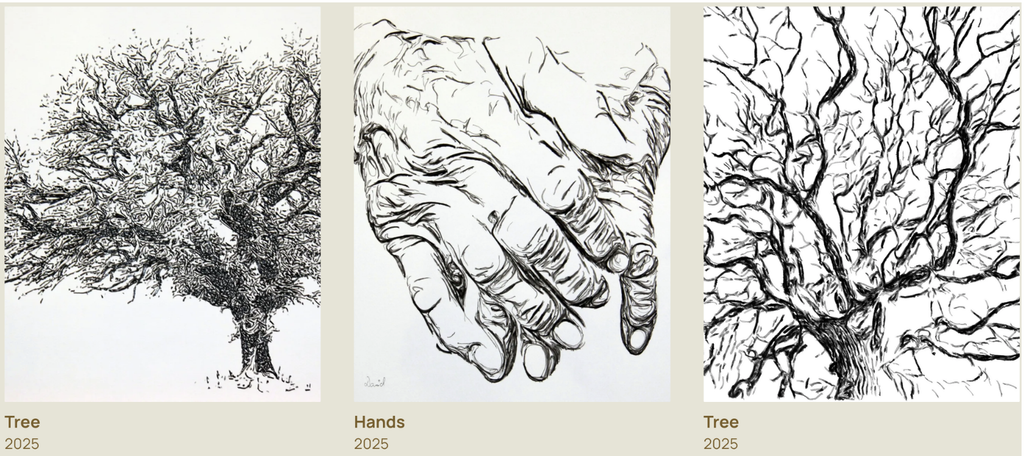
e-David has been used to create different types of paintings, including portraits, realistic images, landscapes, and abstract artworks.

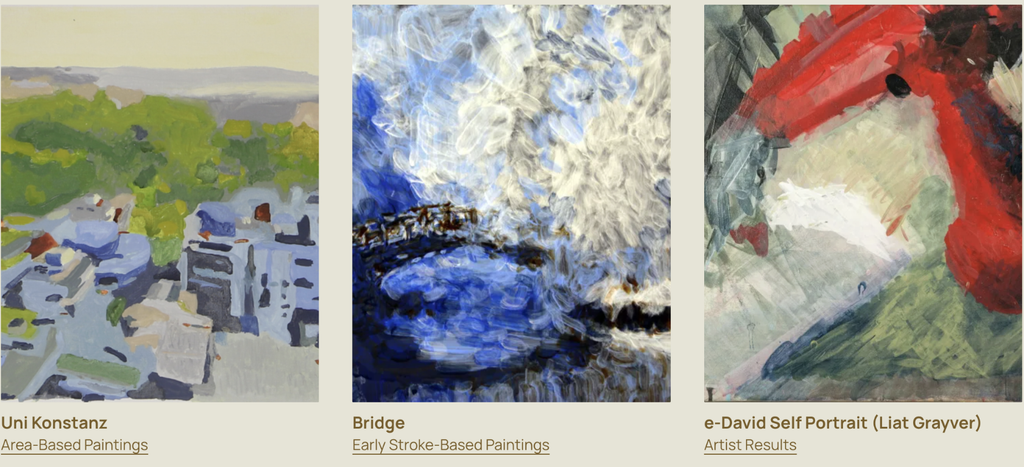
One example is e-David’s self-portrait, which was featured in the RobotArt competition. This is interesting because the robot is being used to create a recognizable image rather than just a geometric pattern. It shows how a painting machine can gradually build up a detailed composition using individual brushstrokes.
Another example is Homage to Jackson Pollock, which was also presented as part of e-David’s RobotArt work. Unlike a traditional portrait, this example connects robotic painting to a more expressive and abstract style.

We found this especially interesting because Jackson Pollock is known for paintings that emphasize movement, gesture, and the physical act of applying paint. Seeing a robot explore a style associated with spontaneous human movement creates an interesting contrast.

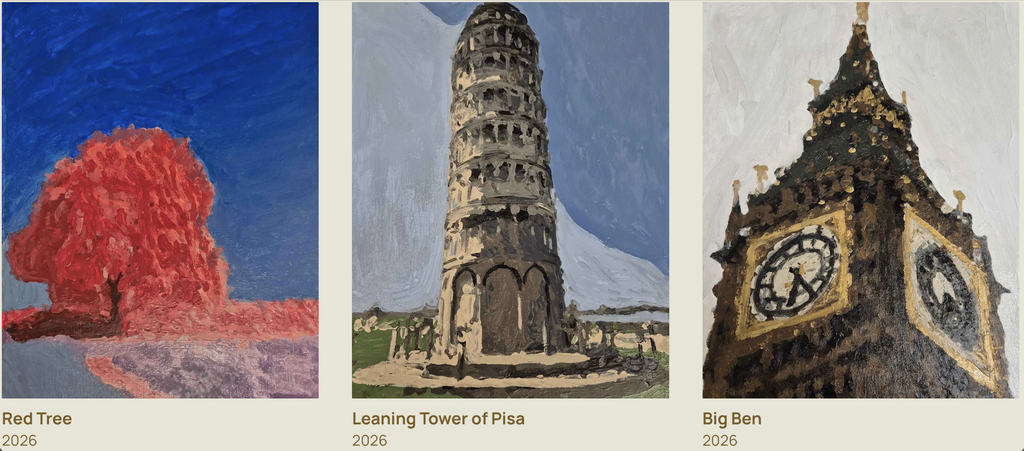
e-David has also produced landscape and architectural paintings. More recent examples from the project include Red Tree, Leaning Tower of Pisa, and Big Ben. These works show how the system can use different shapes, colours, and levels of detail to create recognizable scenes.
Another example is e-David’s collaboration with artist Gretta Louw on the Orchid Diptychs project. In this work, the robot contributed painted elements to artworks that also involved the artist’s own creative decisions.
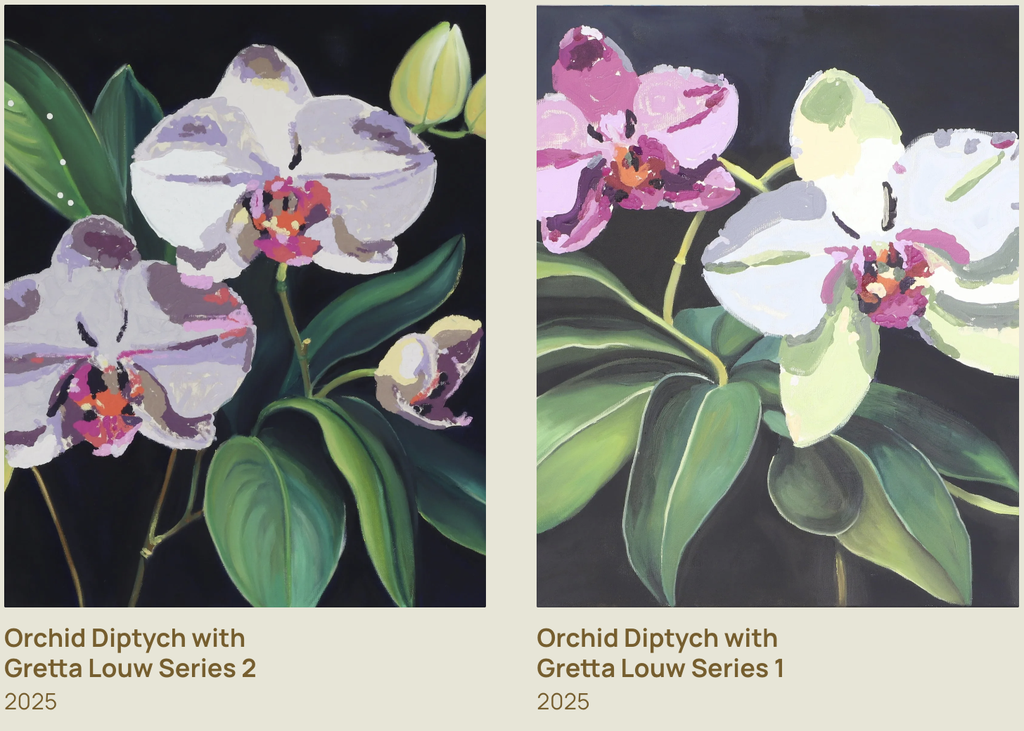
We liked this example because it shows how a robot can be involved in making art alongside a human rather than just copying an existing image. The artist can make decisions about the composition and the overall direction of the work, while the robot contributes through its programmed movements.

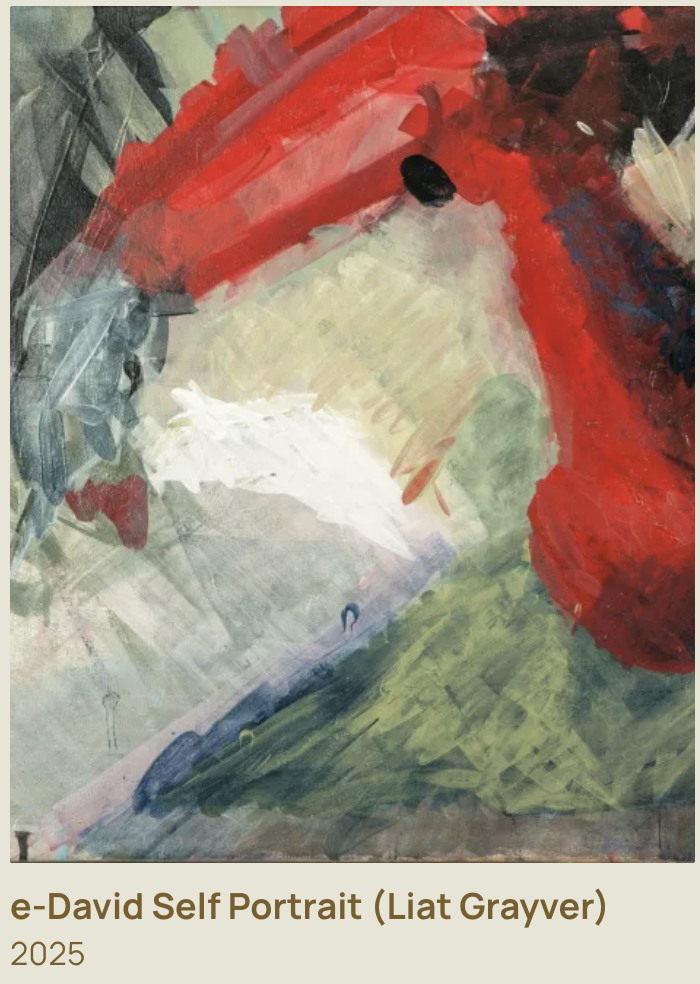
e-David has also been used by artist Liat Grayver, who explores how robotic movements and brushstrokes can be used in painting.

One of her projects with e-David, InComputable Imagery: Reimagining the Brushstroke, explored how a painting could develop through a continuous process of robotic brushstrokes and visual feedback.

In the exhibition, Grayver began the process with an initial brushstroke, after which the robot continued adding marks. The system used feedback from the developing image to influence the next strokes.

We found this example particularly interesting because the final artwork was not simply a copy of a photograph. The focus was on the movement of the brush, the behaviour of the materials, and how the painting changed over time.

Looking at these examples, we noticed that e-David can be used in different ways. Sometimes the goal is to create a recognizable image, while other times the goal is to experiment with the painting process itself.

This variety is one of the reasons we chose e-David. The same machine can be used for technical experiments, realistic paintings, and collaborations with artists.

5. Related Artists and Drawing Machines

While researching e-David, we came across other artists who use robots and machines to create drawings and paintings.

Patrick Tresset: Robotic Drawing

Patrick Tresset is an artist who creates robots that can observe people and draw their portraits.

One of his projects, Human Study, uses robotic drawing systems with cameras and pens. The robots observe a person and create a drawing on paper.

The machines are designed to imitate certain aspects of human observation and drawing. They use a camera to capture visual information and a mechanical arm to make marks on paper.

We thought this was similar to e-David because both systems use cameras and robotic movement to create physical artwork. In both cases, the machine is translating visual information into movements that produce marks on a surface.

The main difference is that Tresset’s robots usually work with pens and focus on drawing, while e-David uses paintbrushes and paint.

There is also a difference in how the materials behave. A pen generally produces a more consistent line, while a paintbrush can create marks with different thicknesses, textures, and amounts of paint.

We also found it interesting that both projects explore what happens when a machine takes on a task that we usually associate with human artists.

Liat Grayver: Painting with Robots

Liat Grayver is an artist who has worked with e-David to explore new ways of painting.

Rather than using the robot only to copy images, she experiments with its movements and the marks it can make. Her work often focuses on the relationship between control and unpredictability.

In traditional painting, an artist can immediately respond to the way the brush feels against the canvas. With a robot, the movement has to be translated into instructions that the machine can understand.

Grayver uses this difference as part of her artistic process. Instead of trying to make the robot behave exactly like a human painter, she explores what happens when mechanical movements interact with physical materials.

Her work shows how artists can use robots as part of their own creative process.

We liked this approach because the artist is still making important decisions, but the robot introduces another way of working with paint.

It made us think about how technology can become part of an artist’s process without taking away the artist’s role.

Traditional Pen Plotters: Drawing Through Coordinates

Another system we thought was useful to compare with e-David is the traditional pen plotter.

A pen plotter uses motors to move a pen across paper according to programmed coordinates. The drawing is usually created from lines or paths generated by software.

Unlike e-David, a typical pen plotter does not use a camera to constantly check the result. Once the drawing begins, the machine usually follows the planned paths until it finishes.

Pen plotters are often used for geometric drawings, generative art, and repeated patterns. Artists can create complex designs by writing code that controls the position and movement of the pen.

This comparison helped us understand what makes e-David different. Both machines turn digital instructions into physical marks, but e-David adds another step by observing the painting and using that information to adjust its process.

6. Our Thoughts on e-David

After learning more about e-David, we started thinking about the difference between a person painting and a robot painting.

When a person paints, they make decisions based on what they see, what they want to express, and how they feel about the artwork. e-David doesn’t work in the same way. It uses software and cameras to decide what to do next.

However, we thought it was interesting that both processes can involve making changes along the way.

An artist might notice that a colour is too dark or that a shape doesn’t look right and decide to fix it. e-David also checks its painting and makes adjustments, but it does this by comparing images through software.

What we found most interesting was that the robot doesn’t create the entire painting in one perfect attempt. It builds the image slowly and keeps working on it.

We also liked how e-David has been used in collaborations with artists. Instead of using the robot only to reproduce an image, artists can experiment with its movements and see what kinds of marks it can make.

One question that came up during our research was whether the robot is actually being creative or whether the creativity still comes entirely from the people who design and use it.

We think the human role is still very important. Someone has to choose the reference image, develop the software, decide how the robot should work, and determine what kind of result they want.

At the same time, the physical painting process can introduce unexpected results. The artist or programmer might plan a certain brushstroke, but the actual mark could turn out differently because of the paint or the surface.

This is something we find interesting because unexpected results can sometimes become part of the artwork rather than simply being treated as mistakes.

We also thought about how e-David relates to other drawing machines we have explored. A pen plotter is interesting because it can turn code into precise physical drawings, while e-David shows what happens when a machine also has to respond to materials that are harder to control.

For us, this was one of the most interesting parts of the project because it shows that a drawing machine can be used for much more than following a programmed path.

Conclusion

Researching e-David helped us understand how a robotic painting system works and how different it is from a regular drawing machine.

We learned that it uses a robotic arm, paintbrushes, a camera, and software to create paintings while checking its progress and making adjustments.

What stood out to us most was the feedback system and the way the robot responds to what is actually happening on the canvas. We found it interesting that the machine can move very precisely, but still has to deal with unpredictable materials like paint and brushes.

We also enjoyed looking at the different artworks and collaborations because they showed us that robots can be used in art in more than one way. They can reproduce images, experiment with different painting styles, or become part of an artist’s creative process.

Overall, we chose e-David because it combines something very traditional, painting with a brush, with technology that allows the machine to observe and adjust its work.

It left us wondering how artists might use machines like e-David in the future, and what new kinds of artwork could come from working with them.

References

  1. University of Konstanz. Painting Robot e-David. Computer Graphics and Media Informatics Research Group.
  2. e-David Project. Official Project Website, Works, and Video Documentation. University of Konstanz.
  3. Deussen, O., Lindemeier, T., Pirk, S., & Tautzenberger, M. (2012). Feedback-guided Stroke Placement for a Painting Machine. Proceedings of the Eighth Annual Symposium on Computational Aesthetics in Graphics, Visualization, and Imaging.
  4. Gülzow, J., Paetzold, P., & Deussen, O. (2020). Recent Developments Regarding Painting Robots for Research in Automatic Painting, Artificial Creativity, and Machine Learning. Applied Sciences, 10(10), 3396.
  5. Gülzow, J., Grayver, L., & Deussen, O. (2018). Self-Improving Robotic Brushstroke Replication. Arts, 7(4), 84.
  6. RobotArt. (2017). e-David, University of Konstanz. Robotic Art Competition Archive.
  7. Patrick Tresset. Human Study #1. Robotic Drawing Installation.
  8. Liat Grayver. InComputable Imagery: Reimagining the Brushstroke. Artistic collaboration with e-David.
  9. Weizmann Institute of Science. The Painting Robot: Liat Grayver and e-David. Exhibition Documentation.
Midterm – Patterns of Becoming (Mhara)

1. Concept and Inspiration

How much control do we really have over the process of becoming who we are?

For this project, I wanted to create a series of patterns that were visually interesting but also had a meaning behind them. I’ve always liked floral patterns and mandalas, especially how repeating simple shapes can create something much more detailed.

While experimenting with different patterns in p5.js, I started thinking about how repetition and change could relate to personal growth. We all have certain routines, plans, and expectations, but things don’t always happen the way we imagine. Different experiences can change our direction and shape who we become.

That’s where the idea for Patterns of Becoming came from. I decided to create three drawings, each representing a different part of that process.

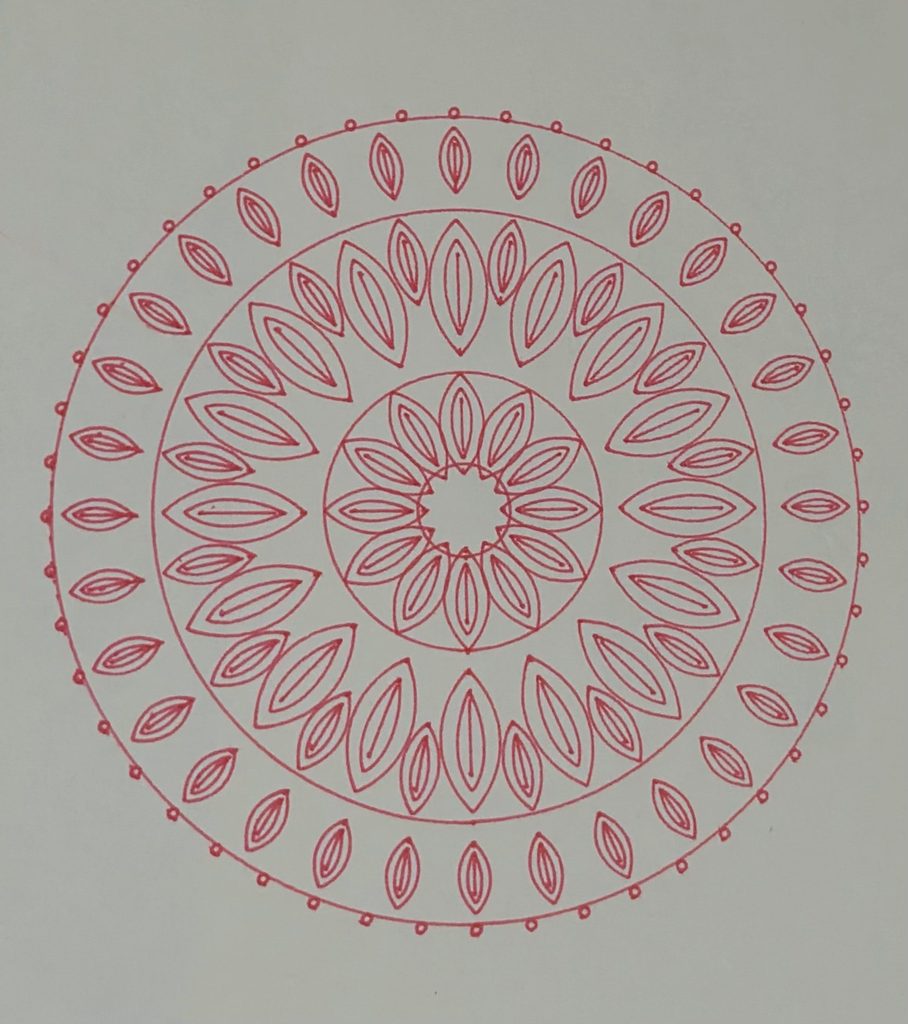
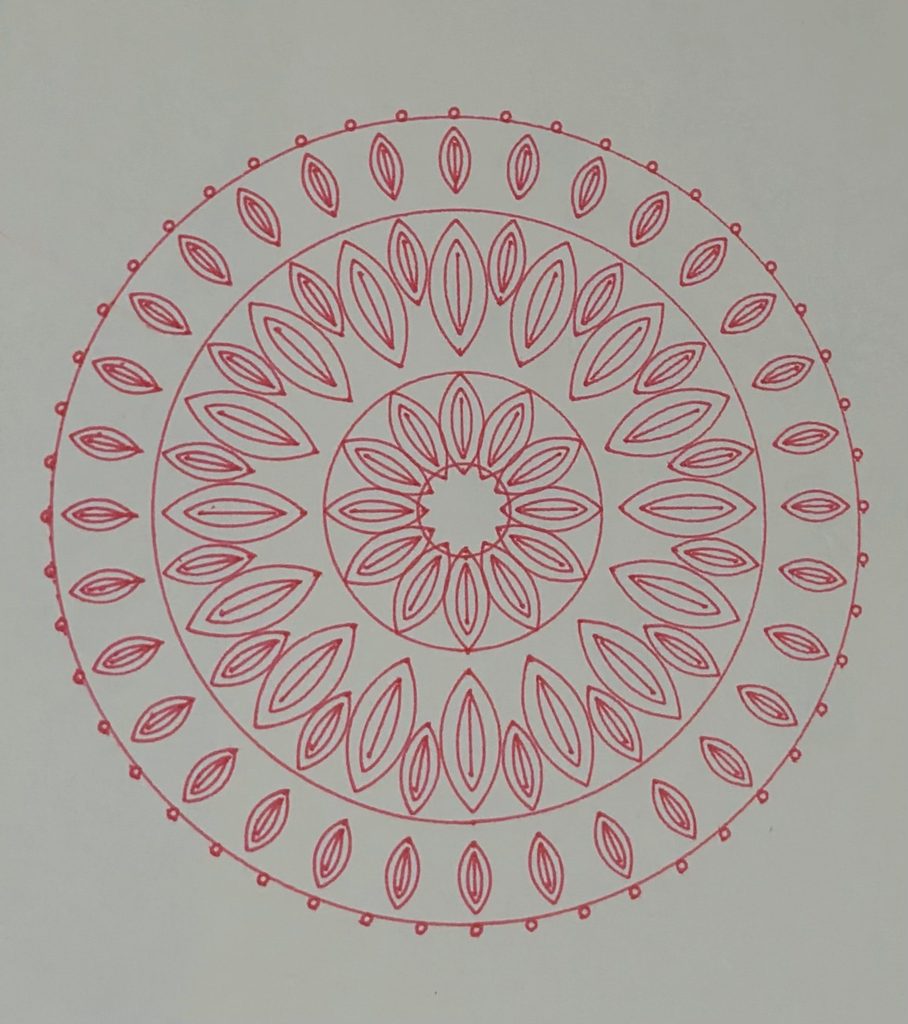
  • Balance represents stability and the sense of control we try to maintain. Its symmetrical arrangement reflects order and consistency.
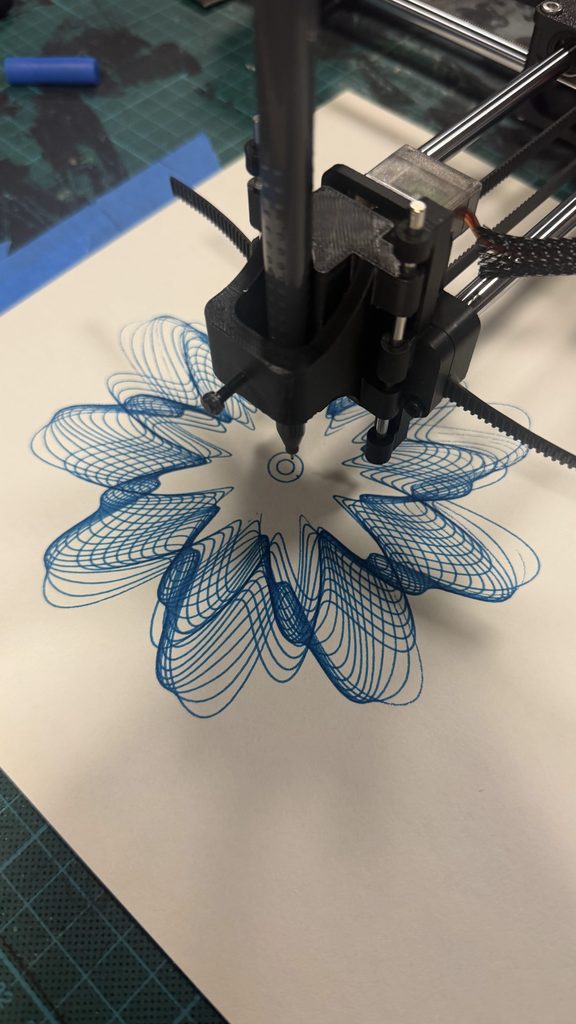
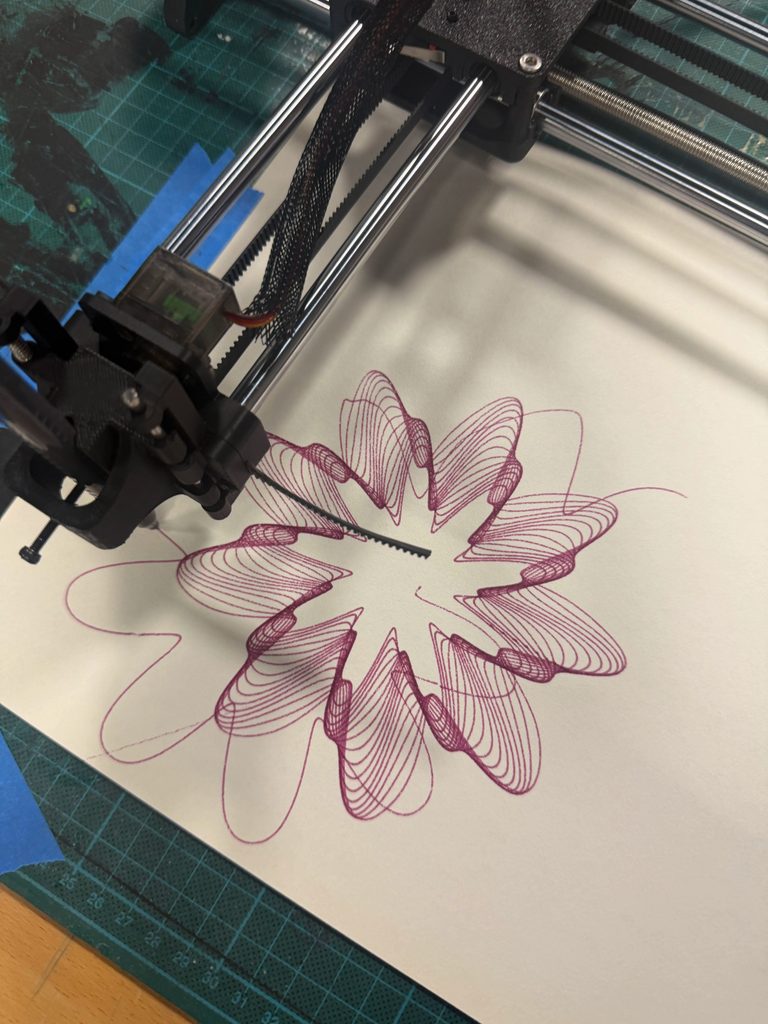
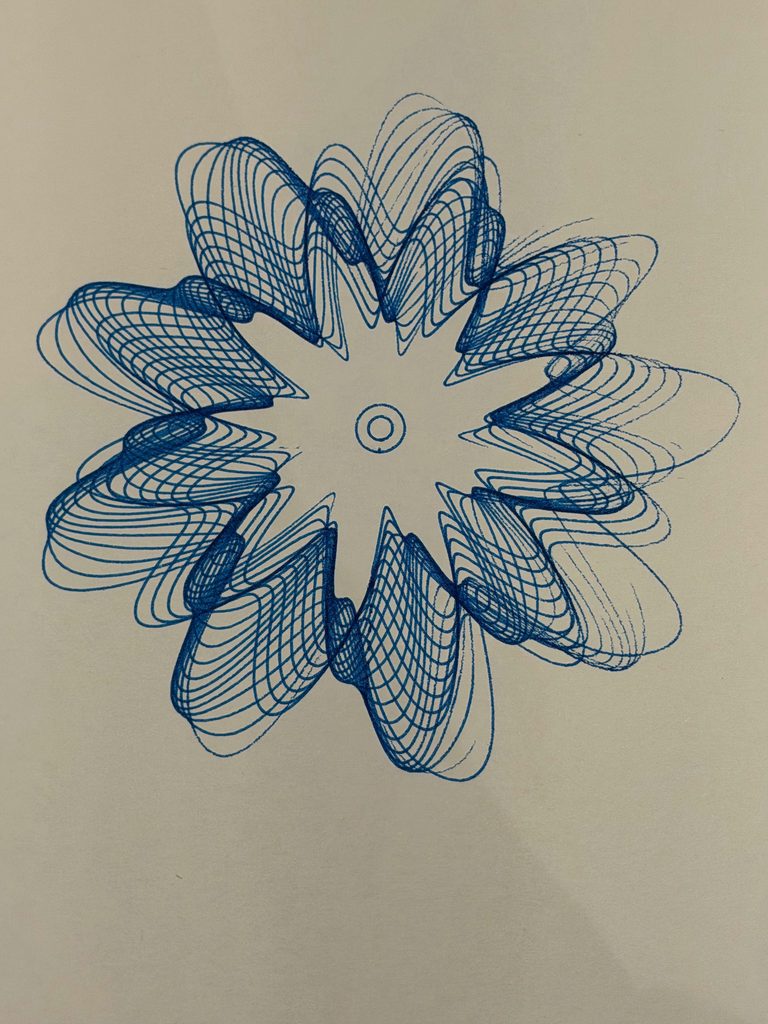
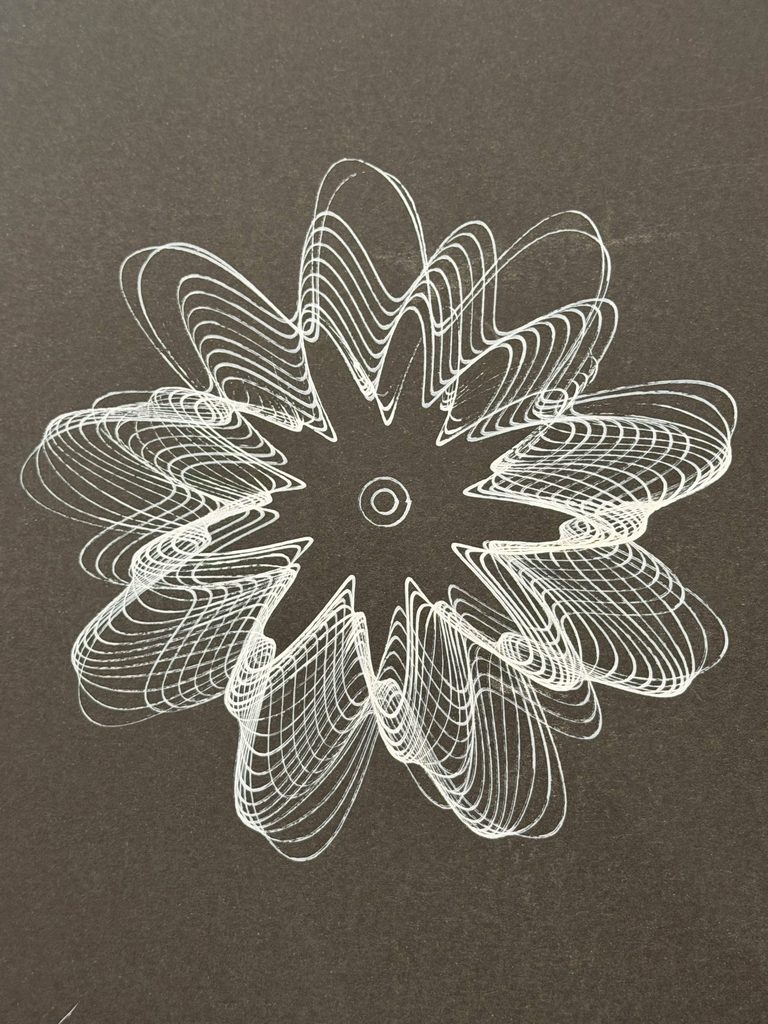
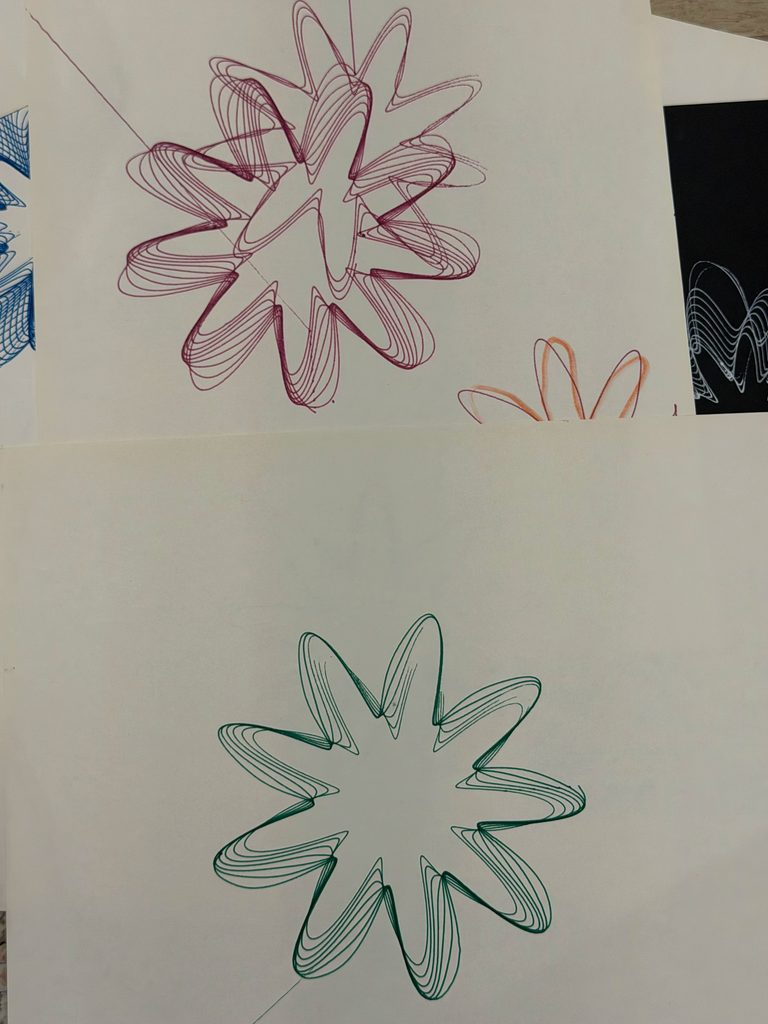
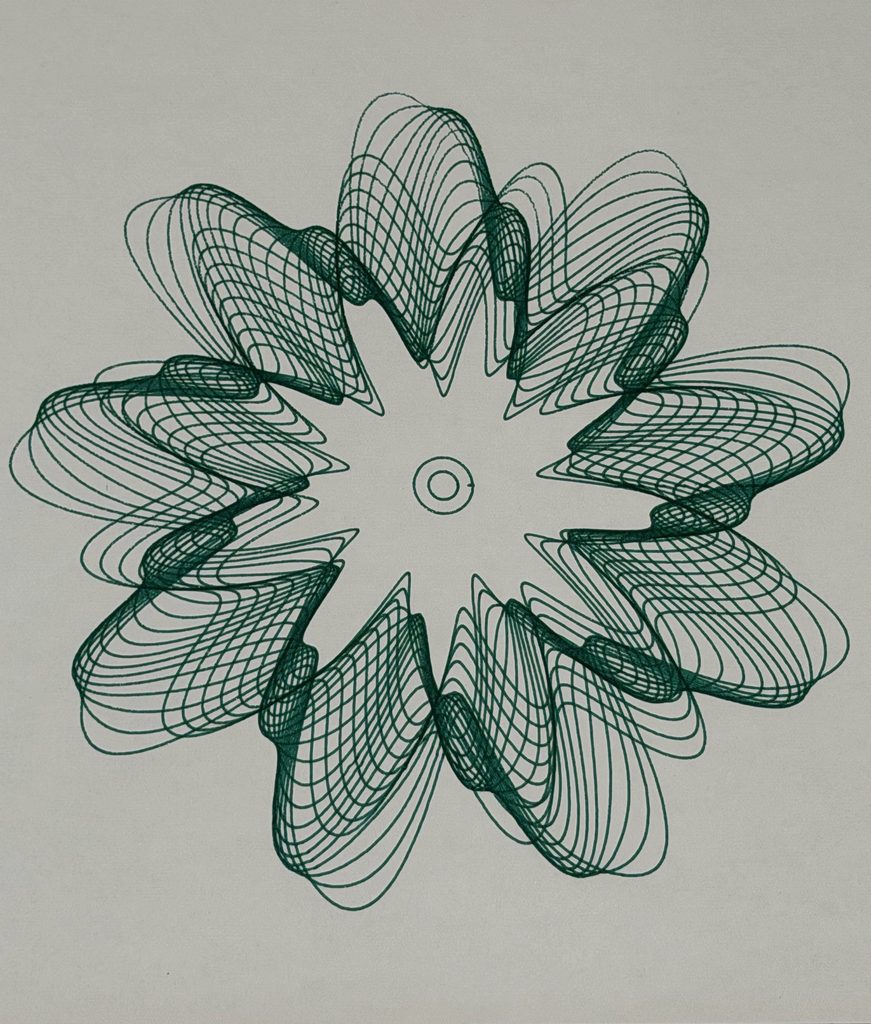
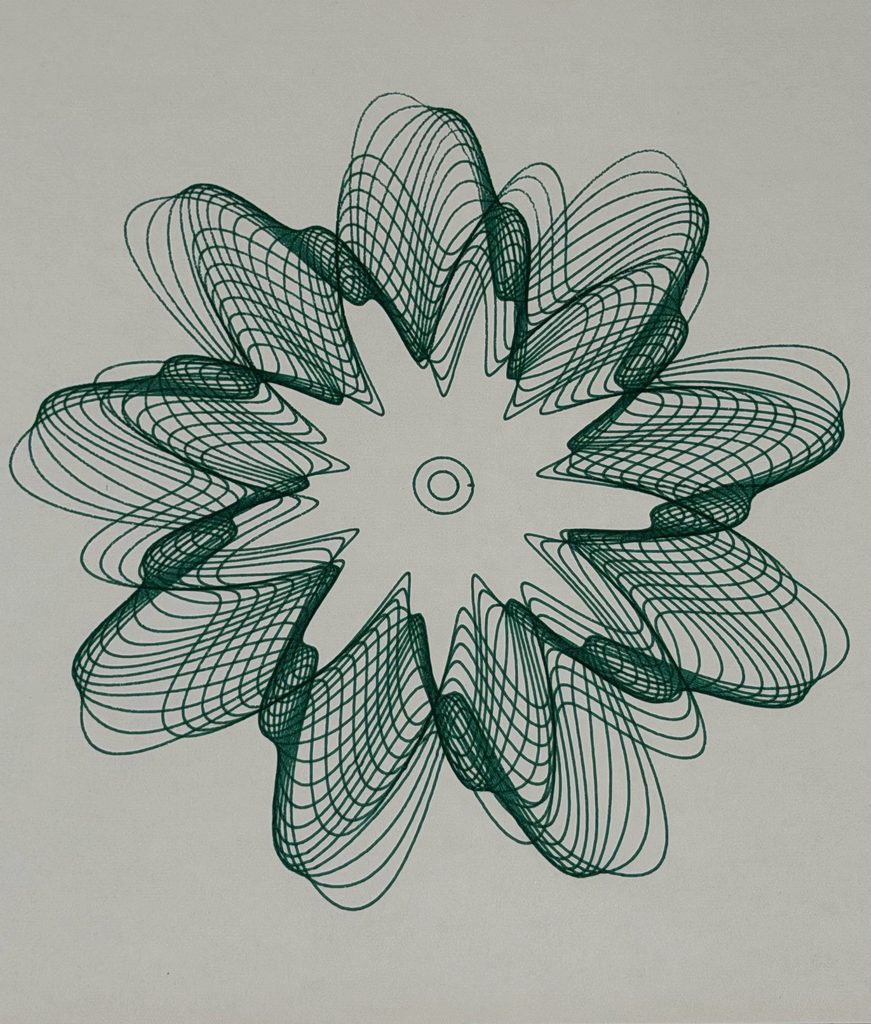
  • Transformation represents change and how different experiences can overlap and influence one another. The intersecting curves create a more complicated pattern, even though they follow mathematical rules.
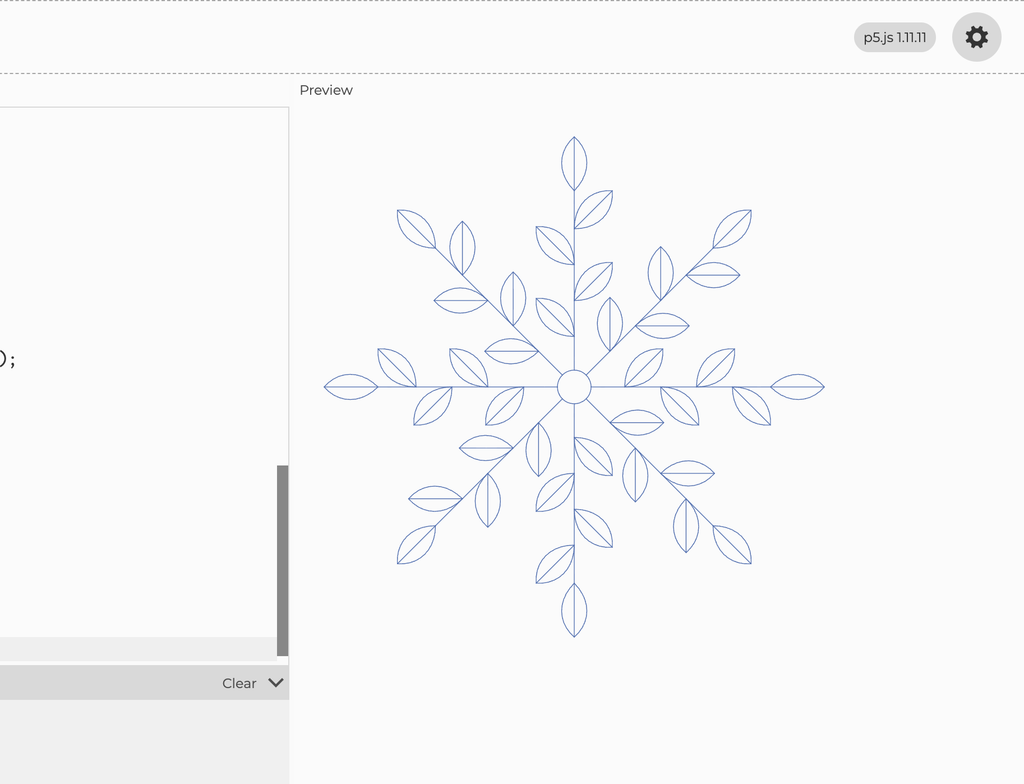
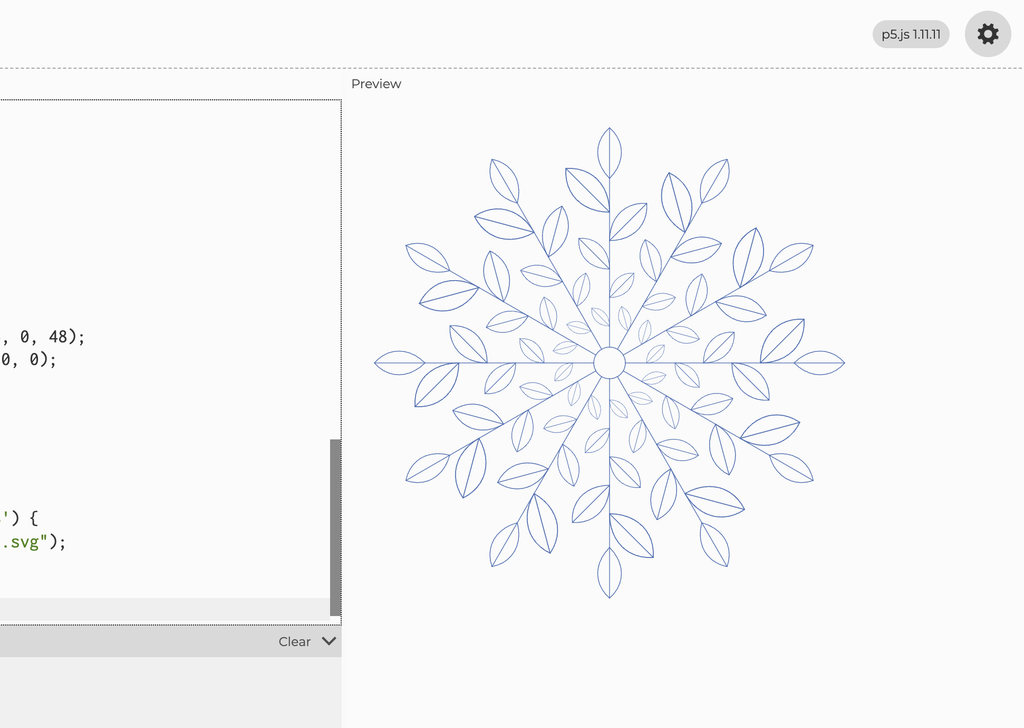
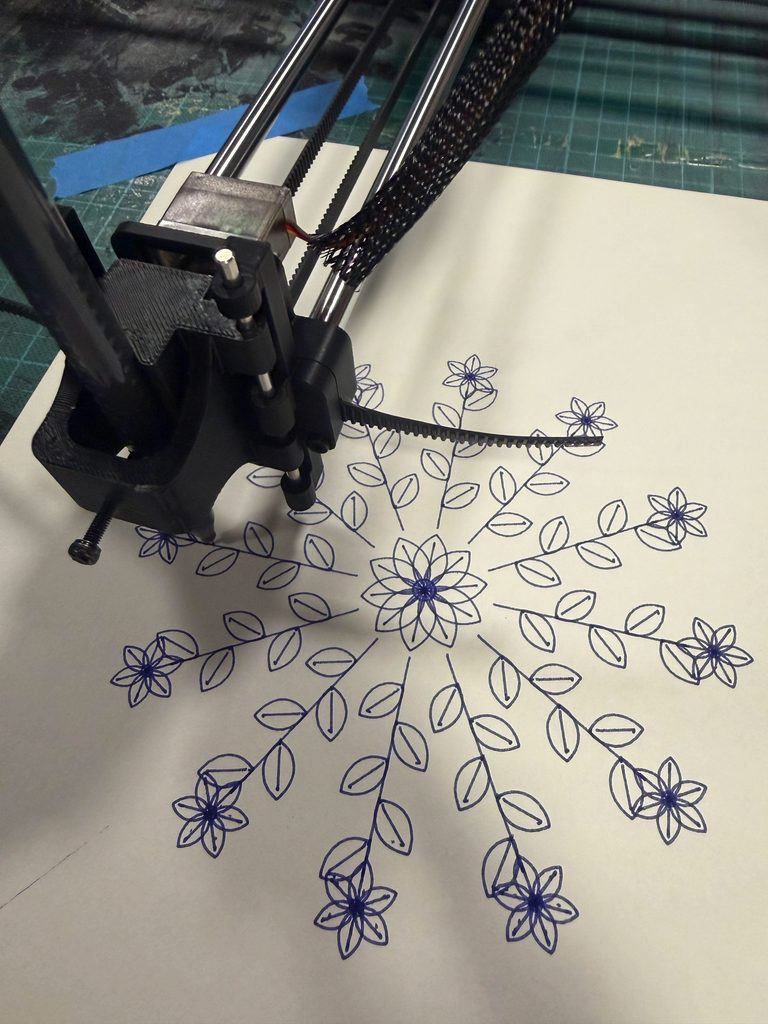
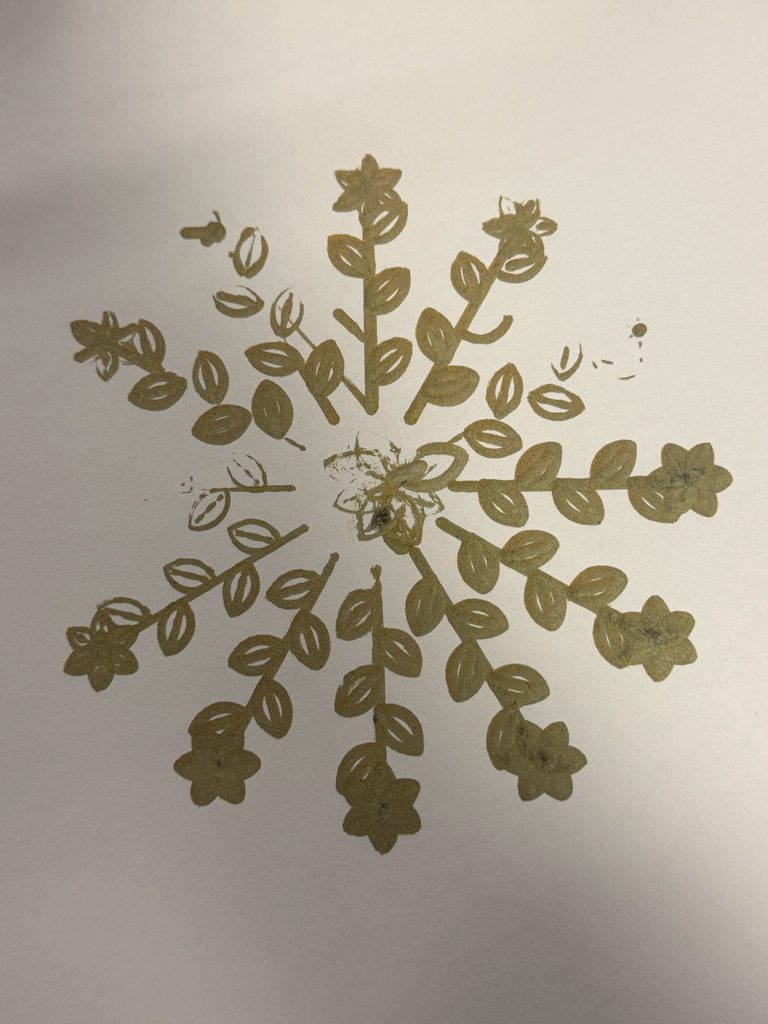
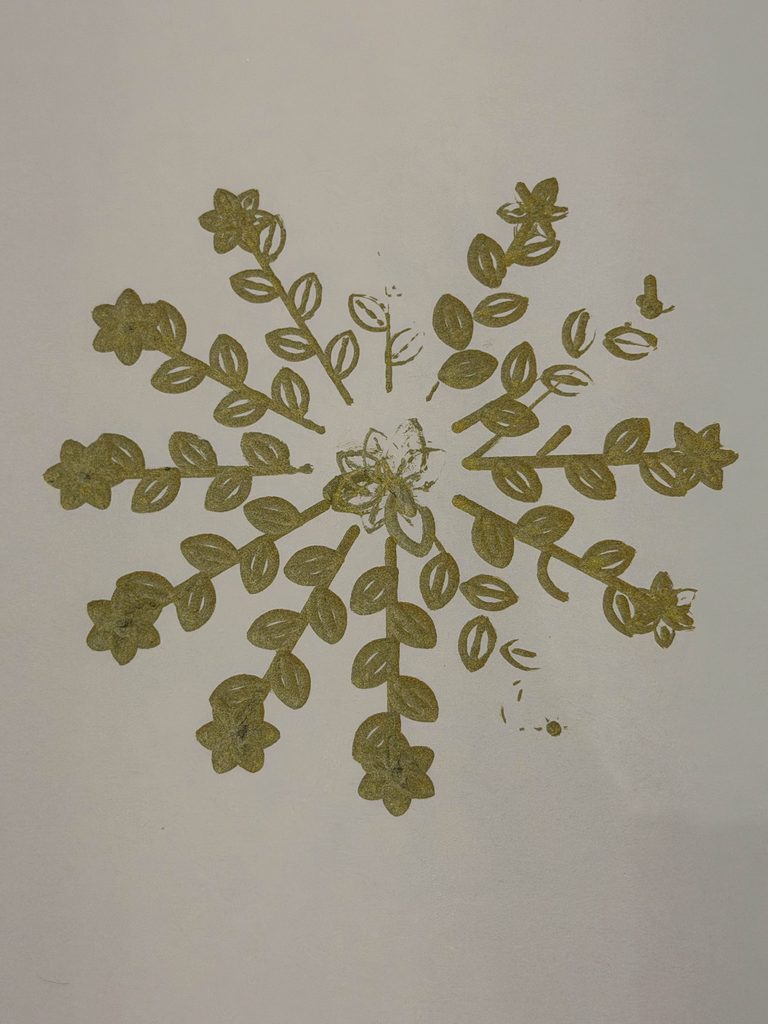
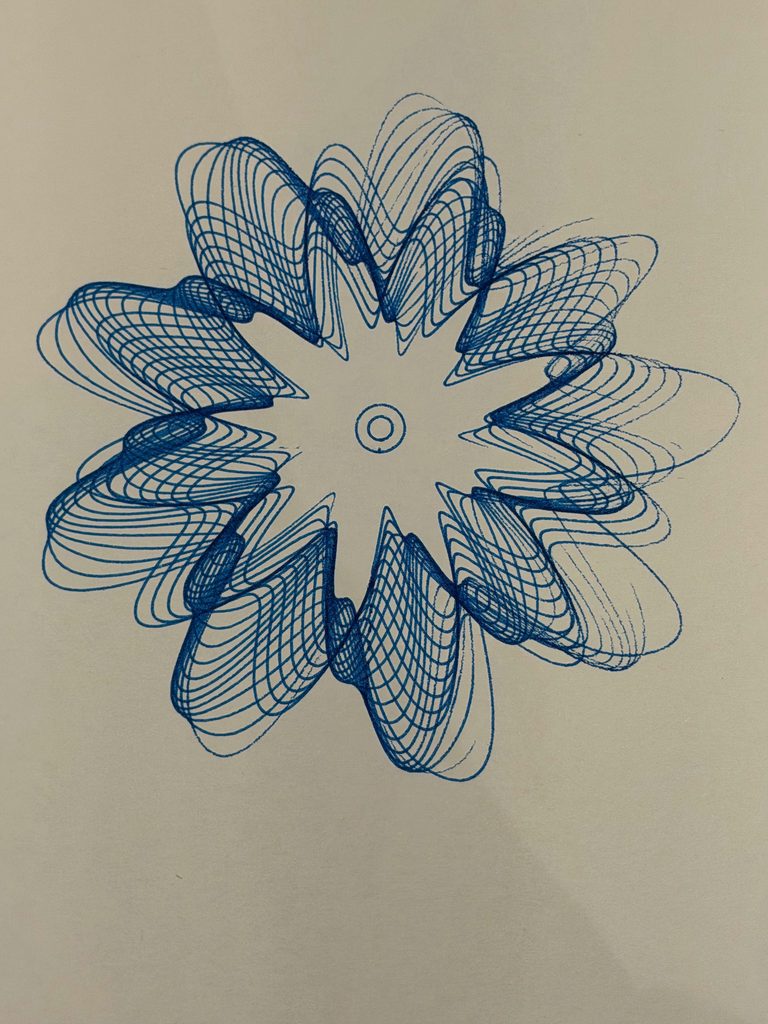
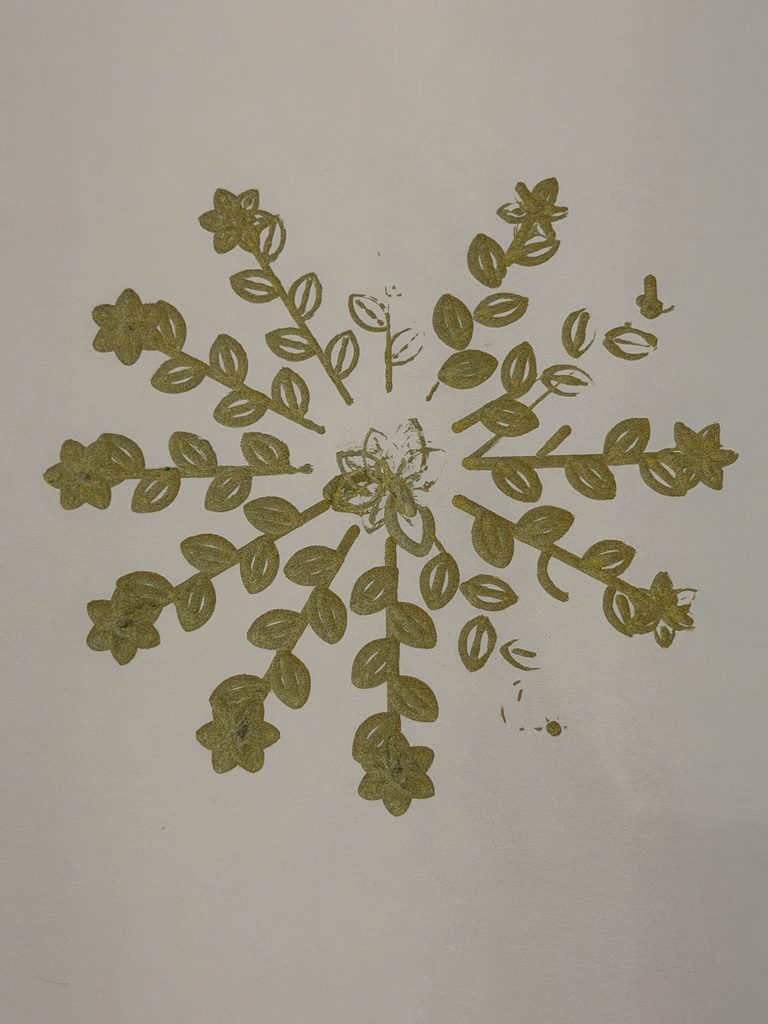
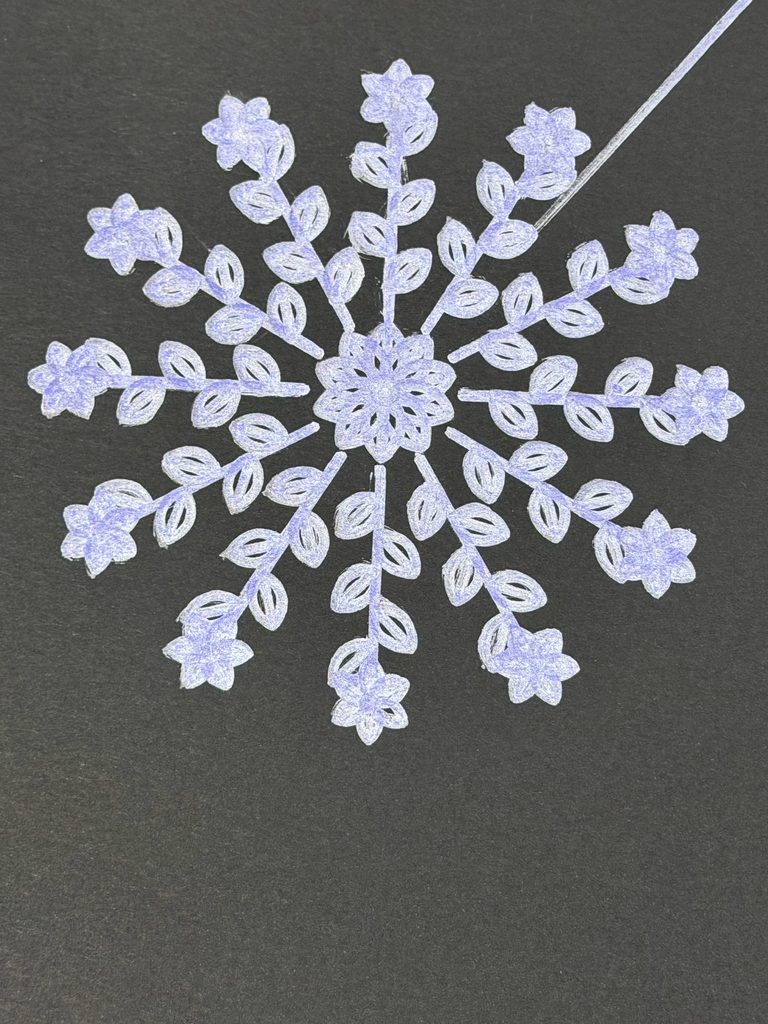
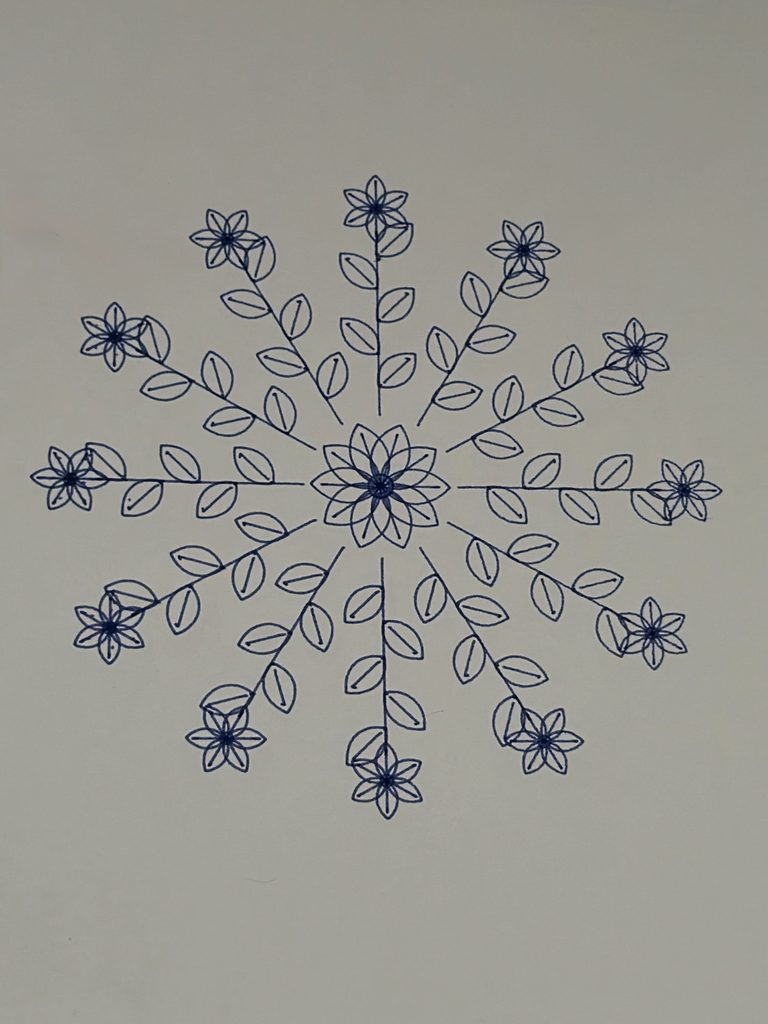
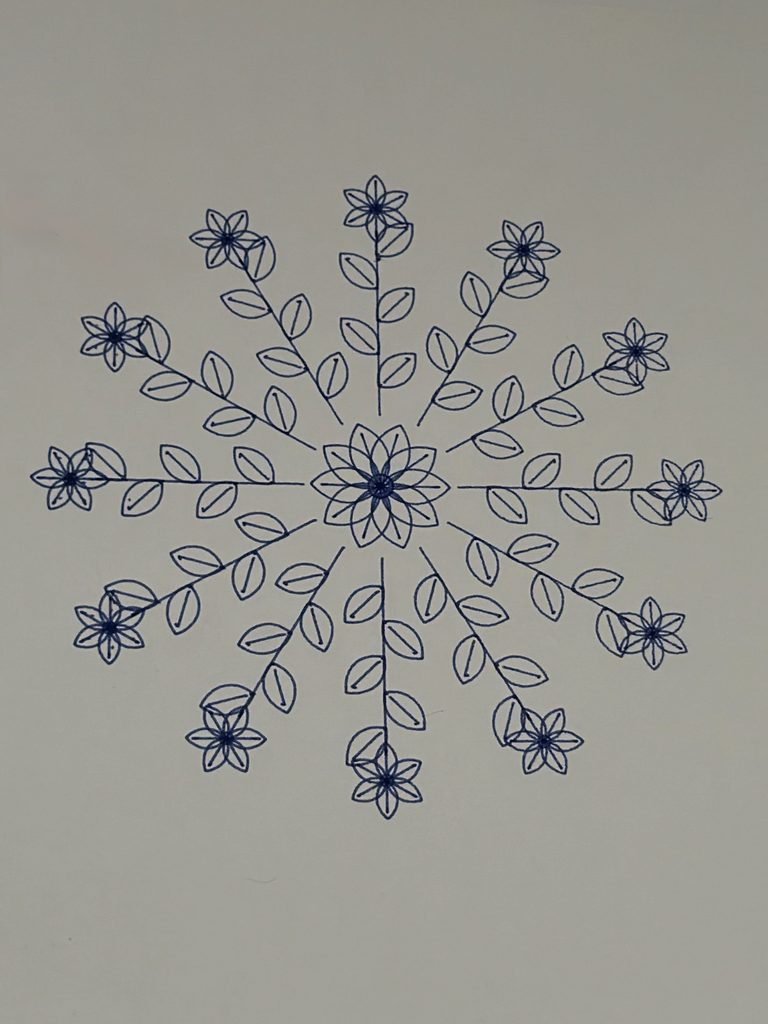
  • Growth represents moving forward and developing in new directions. The repeated leaves and branches extend outward from a shared center, almost like a plant continuing to grow.

What interested me was that all three drawings follow specific rules, yet each produces a completely different result. I liked how this connected to my original question. We can have plans and routines that give our lives structure, but we can’t always predict how things will turn out.

I also wanted to explore this idea through the pen plotter, where even a carefully planned digital drawing might turn out differently once it’s drawn on paper.

Visual Inspiration

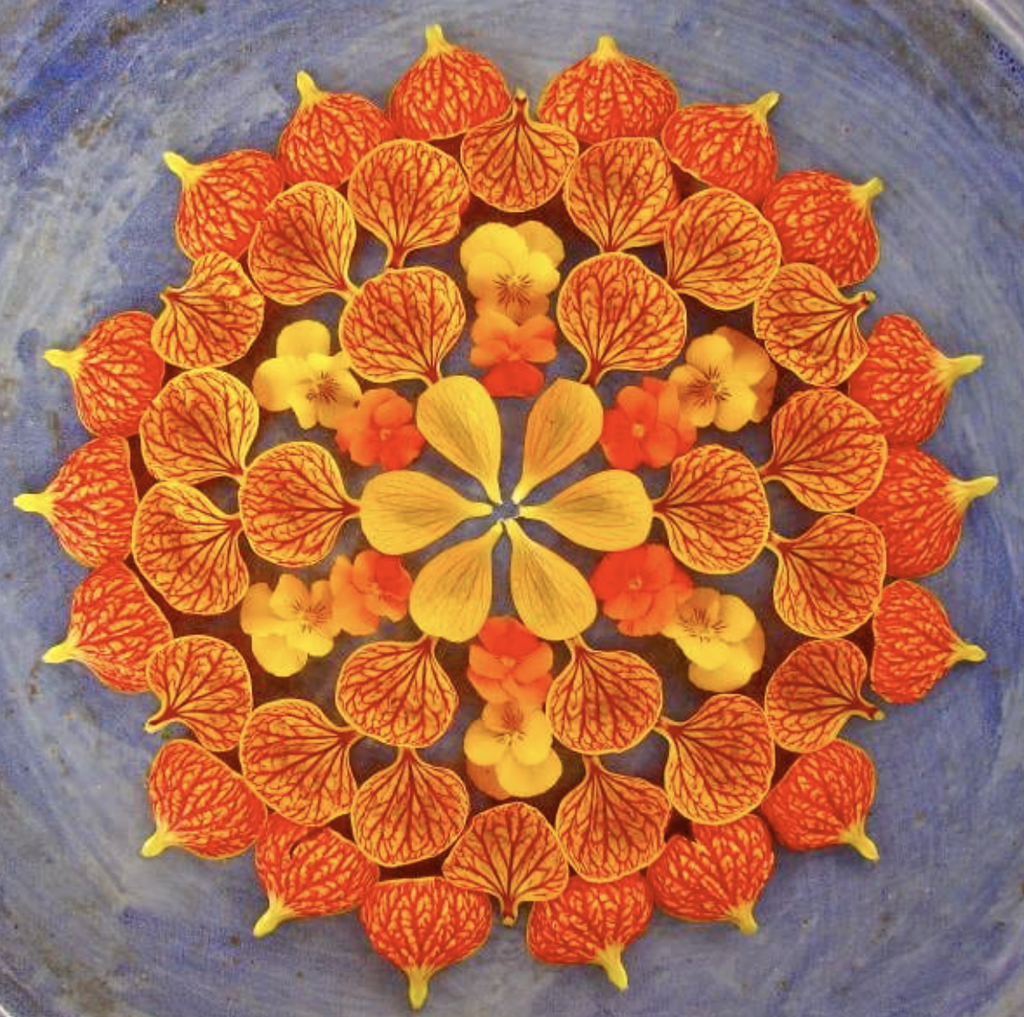
For Balance, I was inspired by the symmetry of lotus flowers and mandala patterns, especially how petals repeat around a central point. I came across Kathy Klein’s flower mandalas, where she arranges natural materials into detailed circular patterns. I liked how she used repetition and symmetry to create something visually balanced, which connected to the direction I wanted to take with my first drawing.

Figure 1. Kathy Klein, Flower Mandalas. Source: Garden Design.

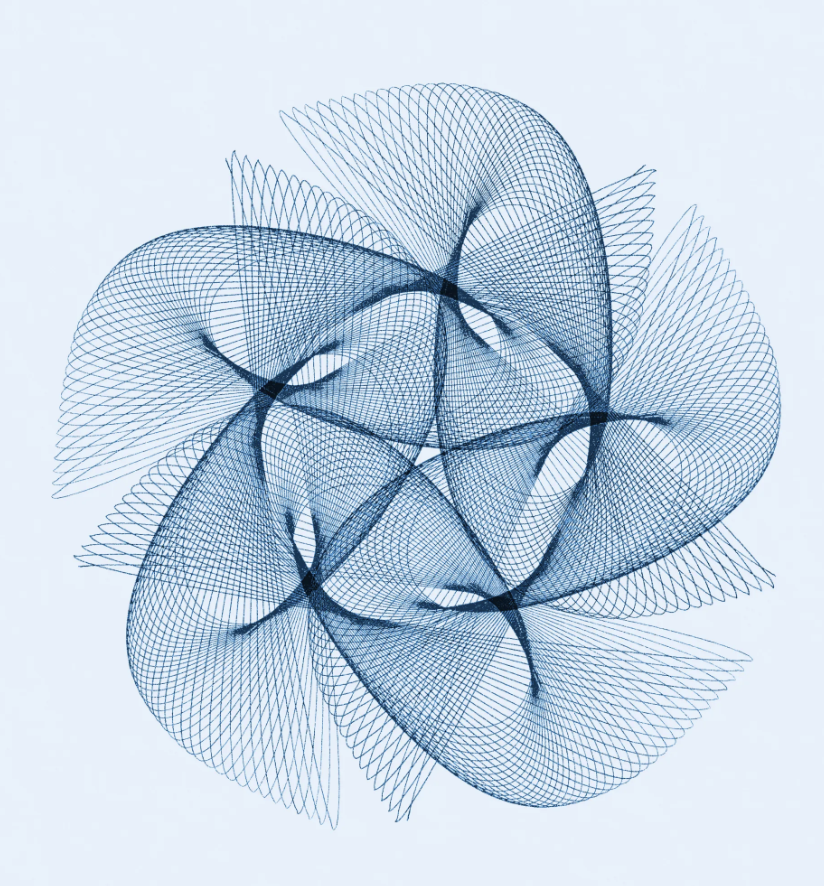
For Transformation, I was interested in Spirograph and harmonograph drawings, particularly how mathematical movements create overlapping curves. I found Anita Chowdry’s Harmonograph Project (2013), where she uses a pendulum-based drawing machine to create intricate patterns. I liked how the repeated movements produced complex overlapping lines, which reminded me of the mathematical curves in my own design.

Figure 2. Anita Chowdry, Harmonograph Project (2013). Source: Artist’s Website.

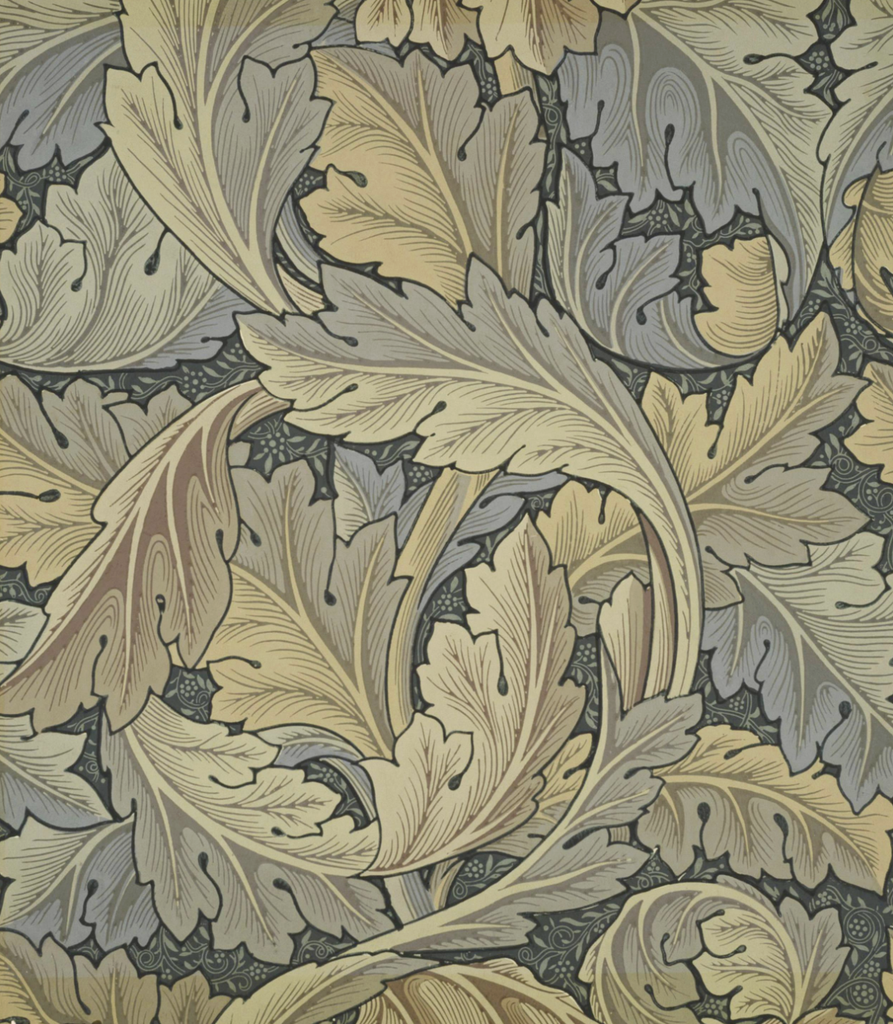
For Growth, I looked at botanical patterns, especially how leaves and flowers repeat along branches. William Morris’s Acanthus wallpaper caught my attention because of its flowing leaves and repeated plant forms. Although my drawing is more geometric, I liked how the botanical shapes extend and connect to create a larger composition.

Figure 3. William Morris, Acanthus wallpaper (designed 1874). Source: William Morris Gallery.

These artworks helped me explore different ways of using repetition in my designs. Rather than copying their patterns, I used them as visual references while developing my own algorithms.


2. Developing the Algorithms

I created my drawings in p5.js using a 500 × 500 canvas and the SVG renderer. Throughout the project, I experimented with different shapes, repetition, rotation, and mathematical functions. My ideas changed quite a bit from what I originally planned, and I didn’t immediately know what I wanted my final series to look like.

Initial Experiment: Butterfly Pattern

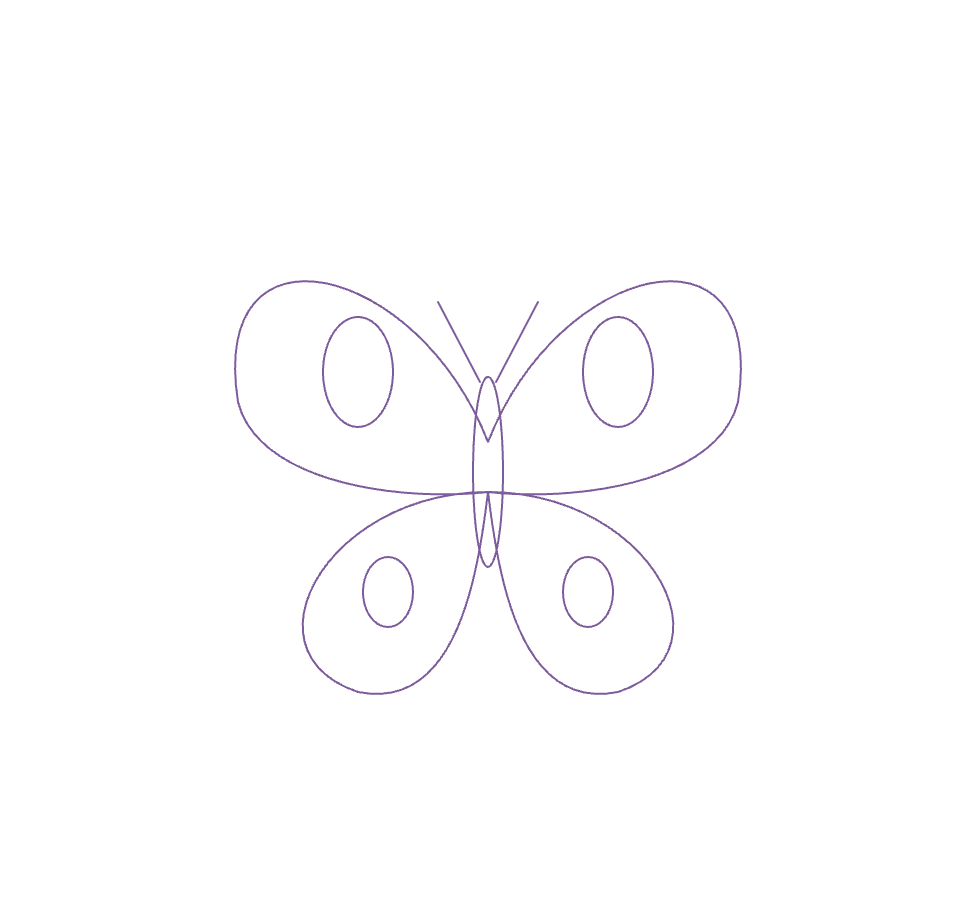
My first idea was actually to create a butterfly-inspired pattern. I liked butterflies because they are often associated with transformation and change.

I started experimenting with this idea in p5.js, but after seeing the digital result, I felt that the drawing was too simple. I also wasn’t completely satisfied with the concept because I wanted to explore something beyond the usual idea of a butterfly representing transformation.

Although I decided not to continue with this design, it helped me realize that I wanted to explore patterns that could develop through repetition and variation.

Second Experiment: Lotus Pattern

After moving away from the butterfly idea, I started experimenting with lotus flowers and mandalas. I’ve always liked floral patterns, and I thought they would give me more opportunities to explore symmetry and repetition.

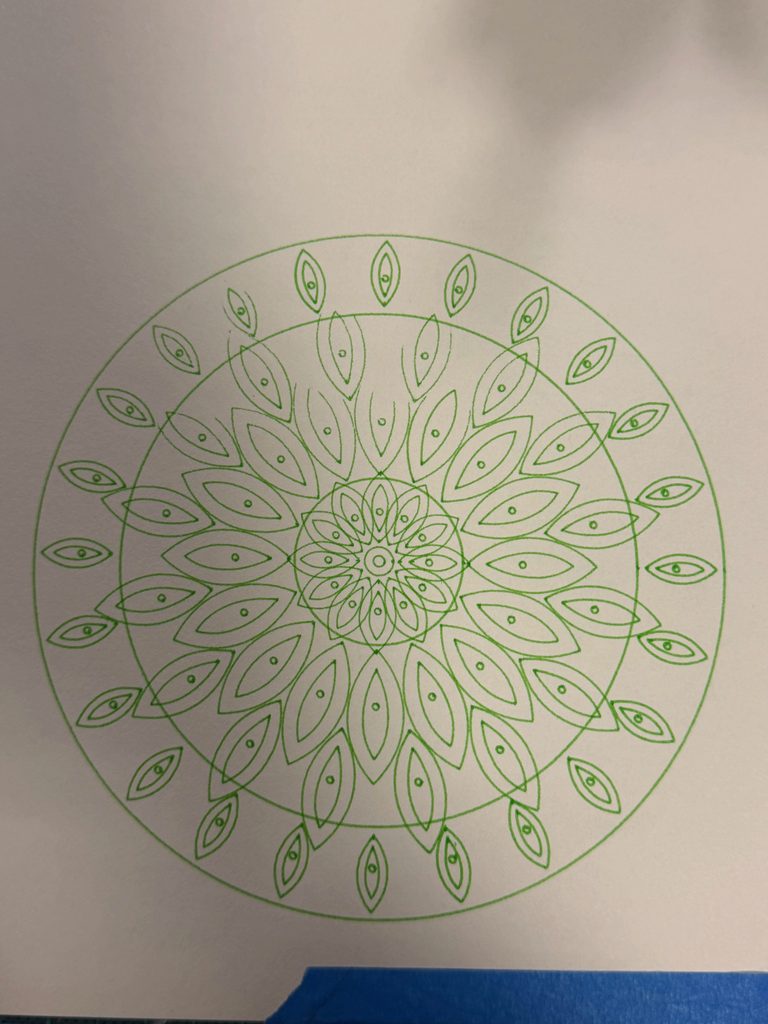
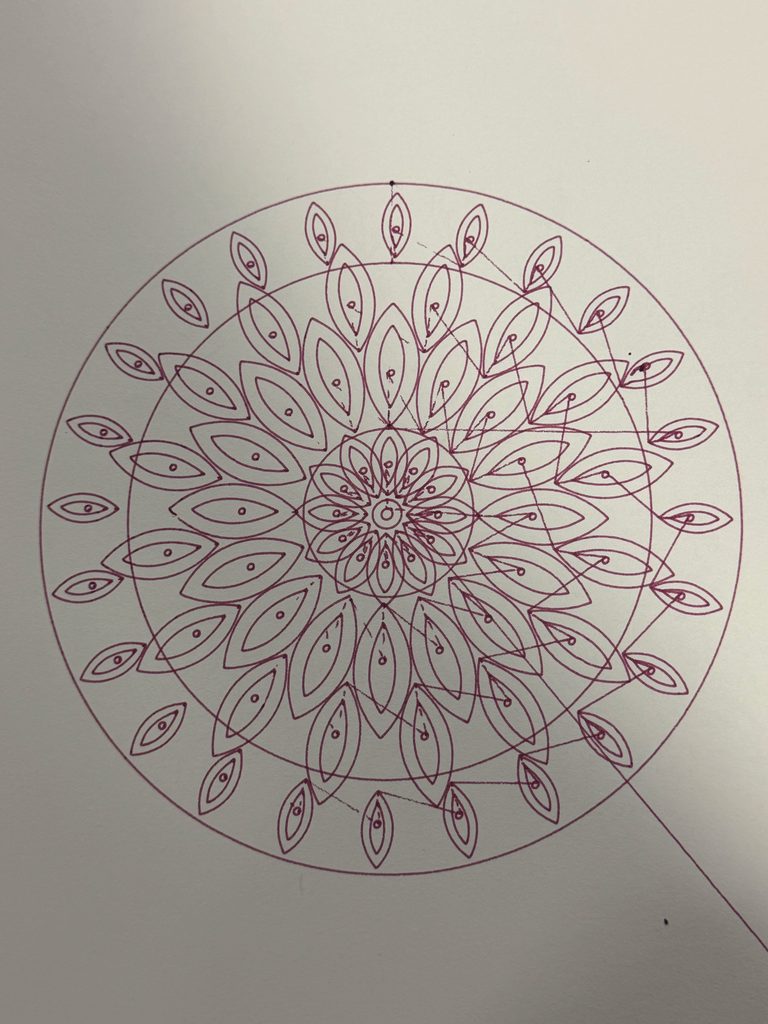
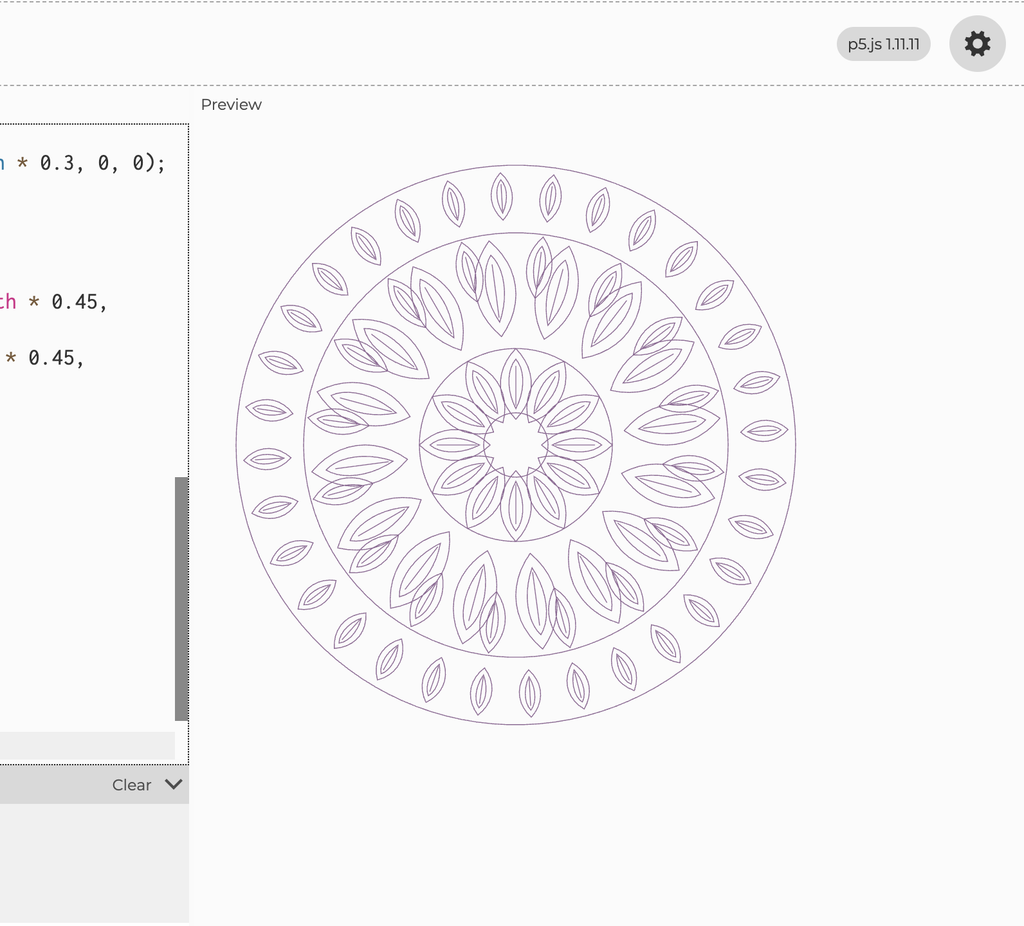
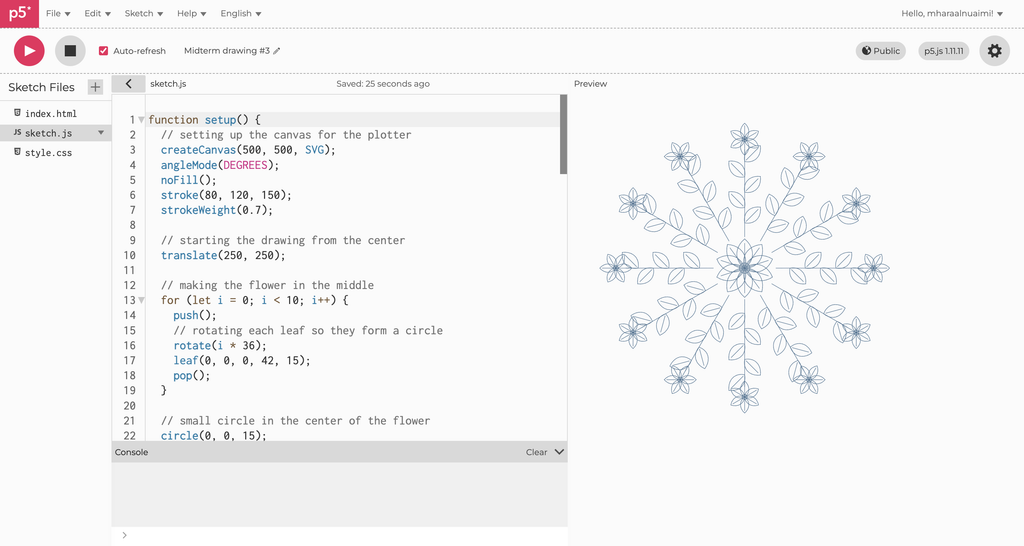
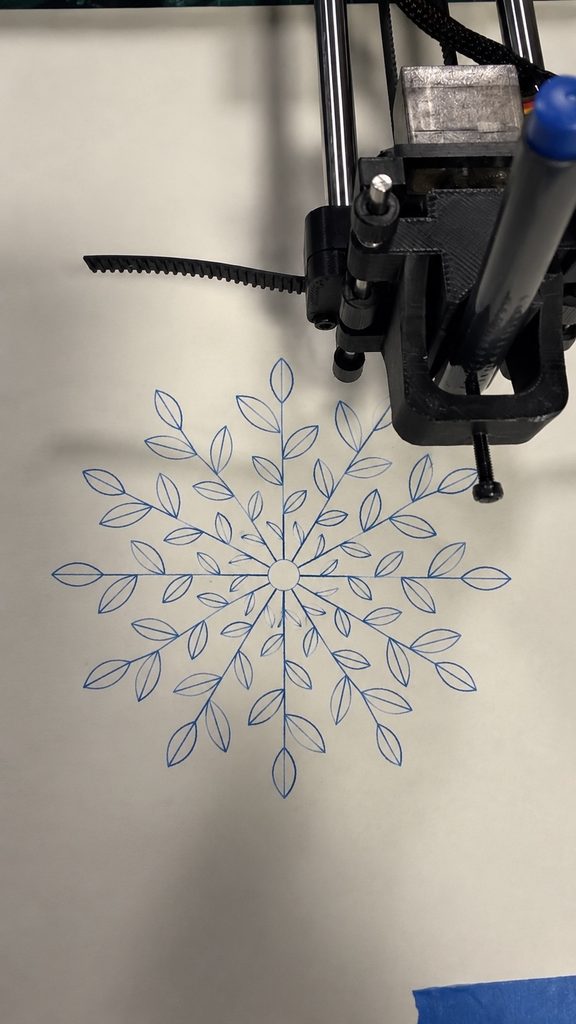
I created a function called lotusPetal() using Bézier curves and repeated the petals around a central point. I experimented with different sizes, positions, and layers, and tested the design using purple and green pens on the pen plotter.

Although I liked how the drawing turned out, I felt that some of the layers looked too similar. I wanted the pattern to have more variation while keeping its symmetry.

Instead of keeping this as my final drawing, I decided to revise the algorithm and develop a more detailed version.

Further Mandala Experiments

After receiving feedback, I went back to my three drawing algorithms and created six additional experiments. Instead of only changing pens and colors, I wanted to see how changing the code itself would affect the drawings. I tested two different versions of each pattern and compared them with my final designs.

I wanted to compare a simpler version with fewer petals and layers against a denser version with more repeated shapes. This would help me understand whether adding detail necessarily made the drawing more interesting, or whether it could make the pattern too crowded.

I also wanted to experiment with changing the rotation of certain layers to see how that affected the overall symmetry.

Experiment 1 – Simple Mandala

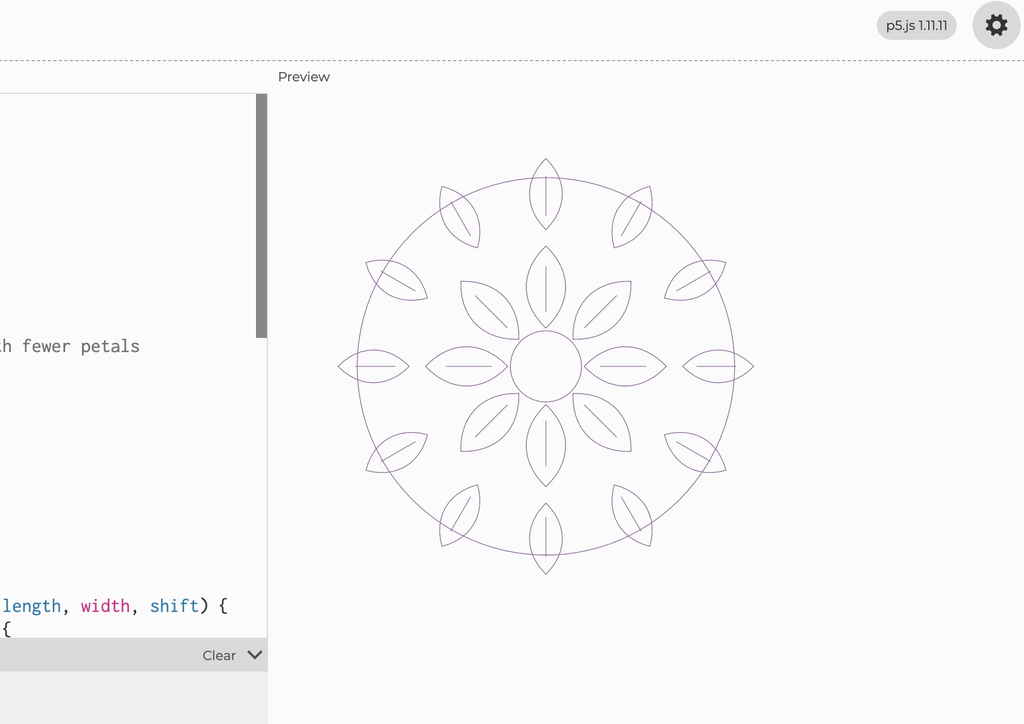
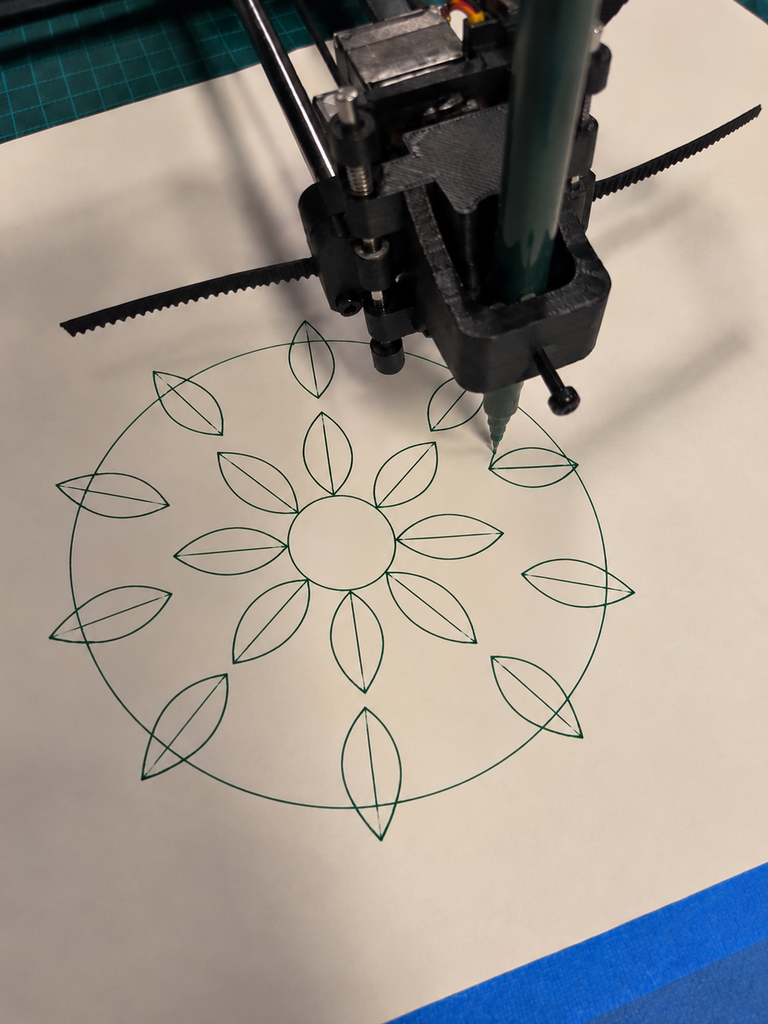
For my first experiment, I made the Balance drawing simpler by reducing the number of petal rings from four to two. I also used fewer petals to see how the drawing would look with less detail.

I plotted this version using a green pen. The petals were easier to see because there was less overlapping. However, I felt that the drawing looked a little too empty. I preferred my final Balance design because the extra layers made it look more complete.

Experiment 2 – Shifted Mandala

For my second experiment, I changed the rotation of some of the petal layers to see how their positions would affect the pattern.

I plotted this version using a blue pen. I noticed that some petals overlapped more, especially in the middle. I found it interesting that changing just a few numbers in the code could make the drawing look different. However, I preferred my final Balance design because the petals were more evenly arranged.

What I learned

These experiments helped me see how small changes in the code can affect the final drawing. The simple version had more space between the petals, while the shifted version had more overlapping. I realized that I wanted my final Balance drawing to have enough detail without looking too crowded.

Experiment 3 – Simplified Transformation

For my first Transformation experiment, I reduced the number of wave layers to see how the drawing would look with fewer overlapping lines.

I plotted this version using a purple pen. I noticed that the individual curves were easier to see and there was more empty space between them. However, I felt that the drawing looked too simple compared to my final Transformation design. I preferred the final version because the extra layers made the pattern more detailed and interesting.

Experiment 4 – More Overlapping Waves

For my second experiment, I did the opposite and increased the number of wave layers. I wanted to see what would happen if I added more lines and made them overlap.

I plotted this version using a green pen. The drawing became much more detailed, and some areas looked darker because so many lines crossed each other. I liked how the curves created a flower-like shape, but I felt that certain areas were too crowded. I preferred my final Transformation drawing because it had a better balance between the lines and the empty spaces.

What I learned

These experiments showed me how changing the number of layers can completely change a drawing. The simpler version had fewer overlaps, while the second version had much more detail. I realized that adding more lines doesn’t always make a drawing better, and that the spacing between them is just as important.

Experiment 5 – Simplified Growth

For my first Growth experiment, I reduced the number of branches from 12 to 8 and used fewer leaves. I wanted to see how the drawing would look with more space between the branches.

I plotted this version using a pink pen. I noticed that the leaves were easier to see because there was less overlapping, and the pattern looked more open. However, I felt that it looked a little too empty compared to my final Growth drawing. I preferred the final version because the extra branches made it look fuller and more detailed.

Experiment 6 – Different Leaf Sizes

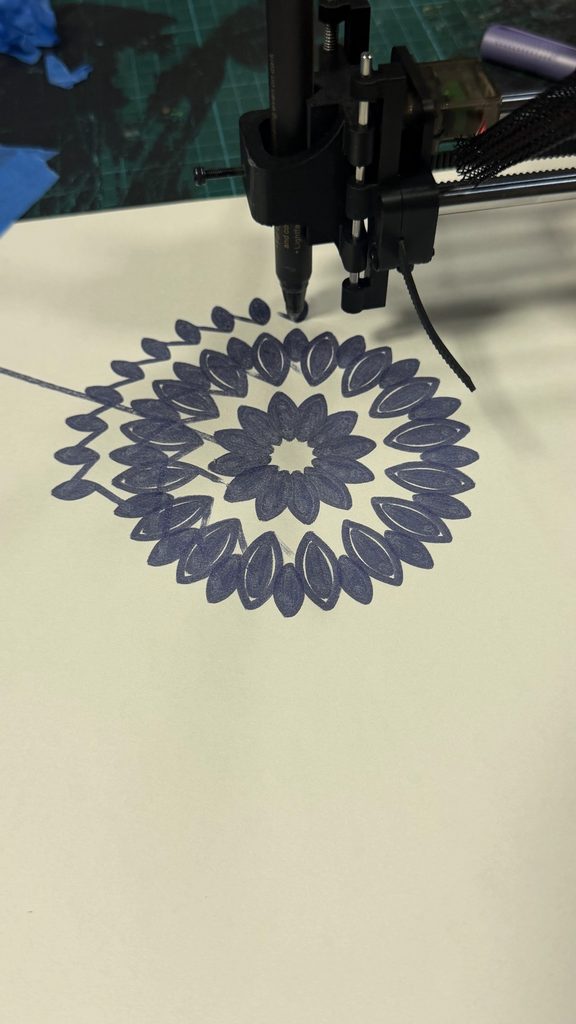
For my second experiment, I kept the 12 branches but changed the sizes of the leaves. I made the leaves smaller near the center and larger toward the outside to see how this would affect the pattern.

I plotted this version using a blue pen. I liked how the different leaf sizes made the drawing look more natural, but I noticed that some of the smaller leaves near the center were harder to see. I preferred my final Growth drawing because the leaves looked more consistent and the pattern felt more balanced.

What I learned

These experiments showed me how changing the number of branches and the size of the leaves could make a big difference. I realized that I preferred a fuller pattern, but I also needed to think about spacing so the smaller details would still be visible when plotted.

Developing Balance

My final Balance drawing developed from the original lotus experiment.

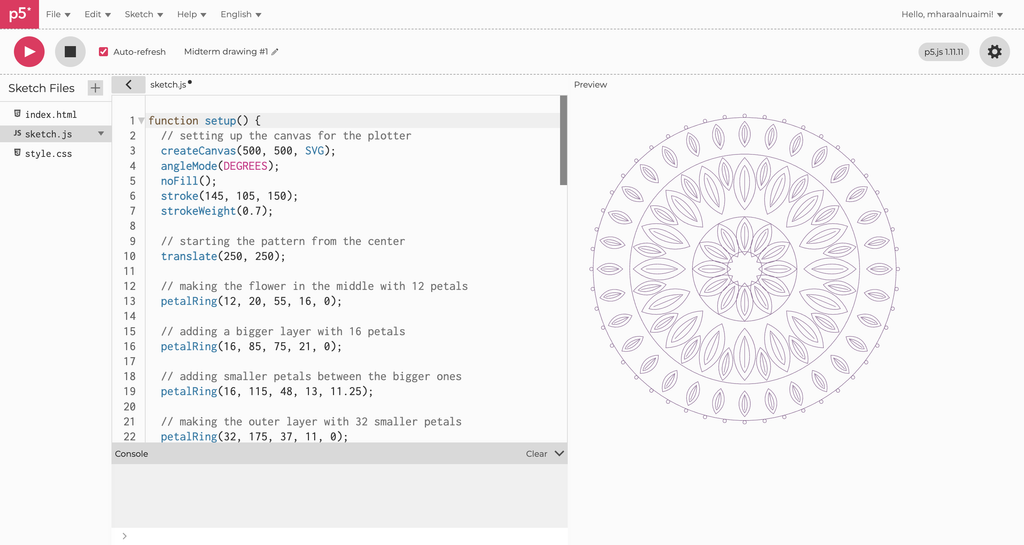
I created a new function called petalRing() that allowed me to control the different layers separately. By adjusting the number of petals, their sizes, and their positions, I could create more variation while keeping the pattern symmetrical.

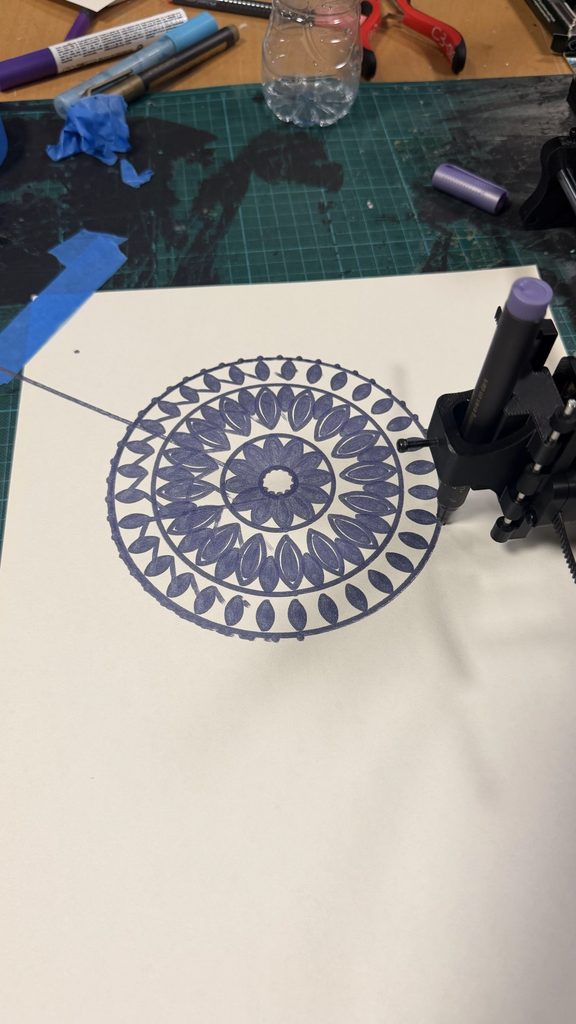
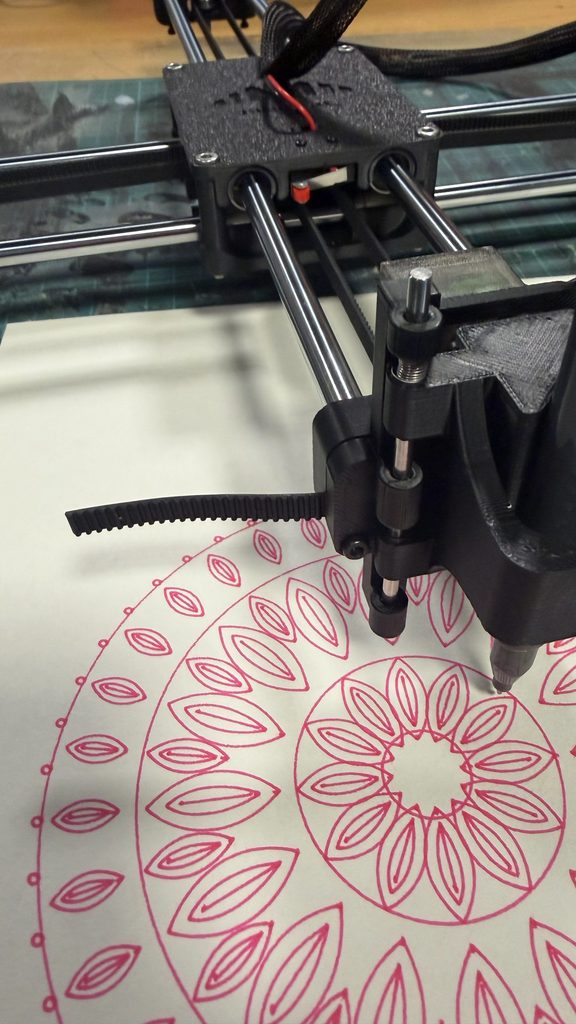
The final design includes four main petal rings, along with concentric circles and smaller circles around the outside.

Compared to my original lotus pattern, I felt that this version had more variation and that the different layers worked better together.

I also liked how the symmetry connected to my concept of Balance, representing stability and the sense of control we try to maintain.

Developing Transformation

Once I had developed Balance, I started thinking about how I could create a second drawing that looked different but still connected to my overall concept.

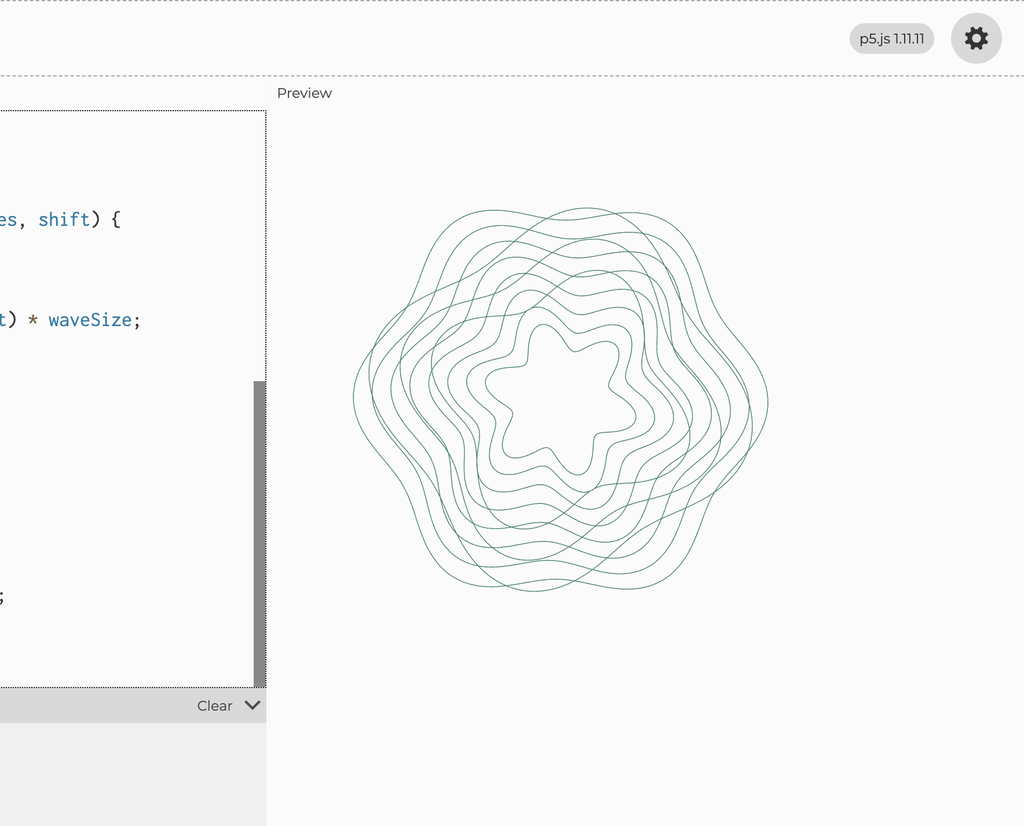
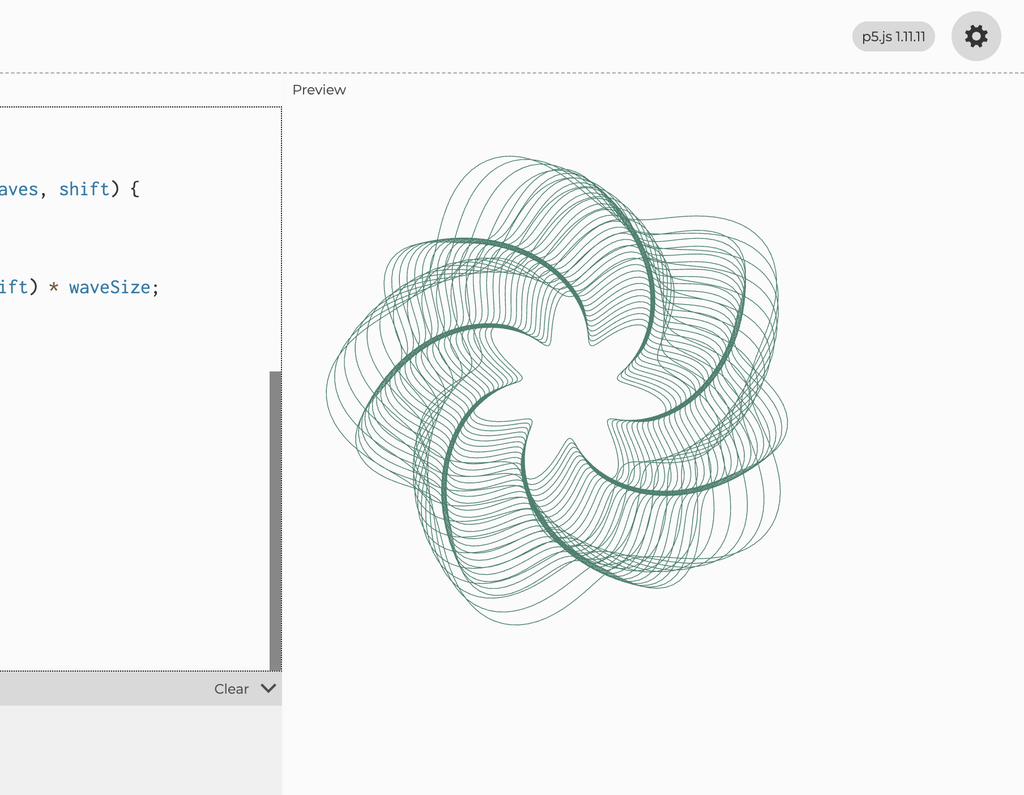
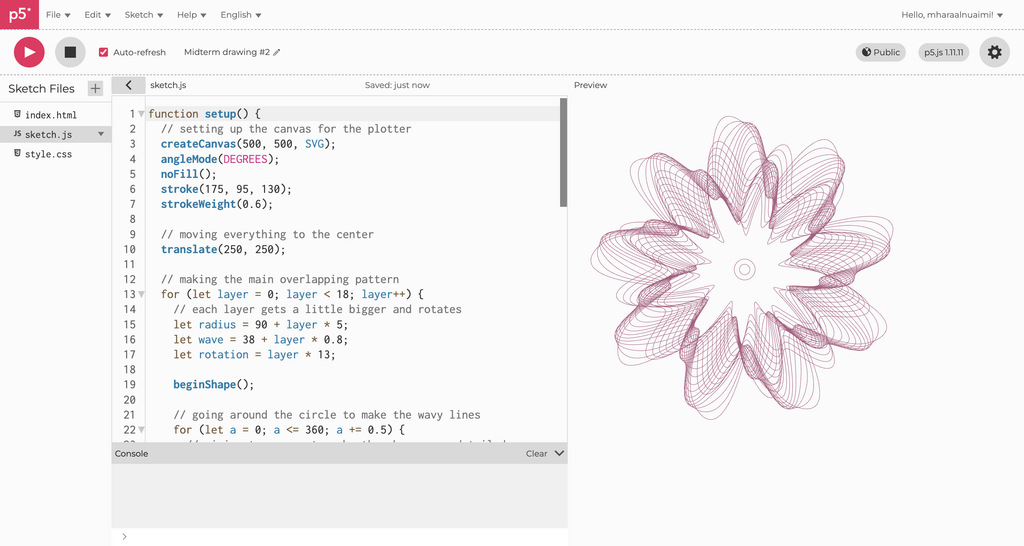
I wanted to move away from symmetrical petals and explore something less structured, so I experimented with sine and cosine functions to create overlapping circular waves.

The final design uses 18 main layers and another 8 layers with different wave patterns. By adjusting the radius, wave size, and rotation, I could change how the curves interacted.

What interested me was how individual lines followed mathematical rules, but together they created something much more complicated.

This became Transformation because the overlapping curves reminded me of how different experiences can influence one another and change the direction we take.

Developing Growth

For my third drawing, I wanted to return to floral shapes, but I didn’t want to create another circular mandala similar to Balance.

Instead, I experimented with repeating leaves and branches that extended outward from a shared center.

I used Bézier curves to create the leaves and repeated them along 12 branches, with smaller flowers at the ends.

I liked how this created a pattern that resembled a plant growing in different directions. This eventually became Growth, representing how we continue developing and moving forward.

p5.js links:

Balance: https://editor.p5js.org/mharaalnuaimi/full/OBfzh0rfY

Transformation: https://editor.p5js.org/mharaalnuaimi/sketches/lqcLSXZ9J

Growth: https://editor.p5js.org/mharaalnuaimi/full/JtdL8mYzn

How My Ideas Developed

Looking back, my project changed from a butterfly-inspired drawing into a series of three different patterns.

The butterfly experiment made me realize that I wanted a stronger concept, while the lotus experiments helped me explore repetition and symmetry in more detail. Revising the lotus into Balance also showed me that I didn’t have to settle for my first design.

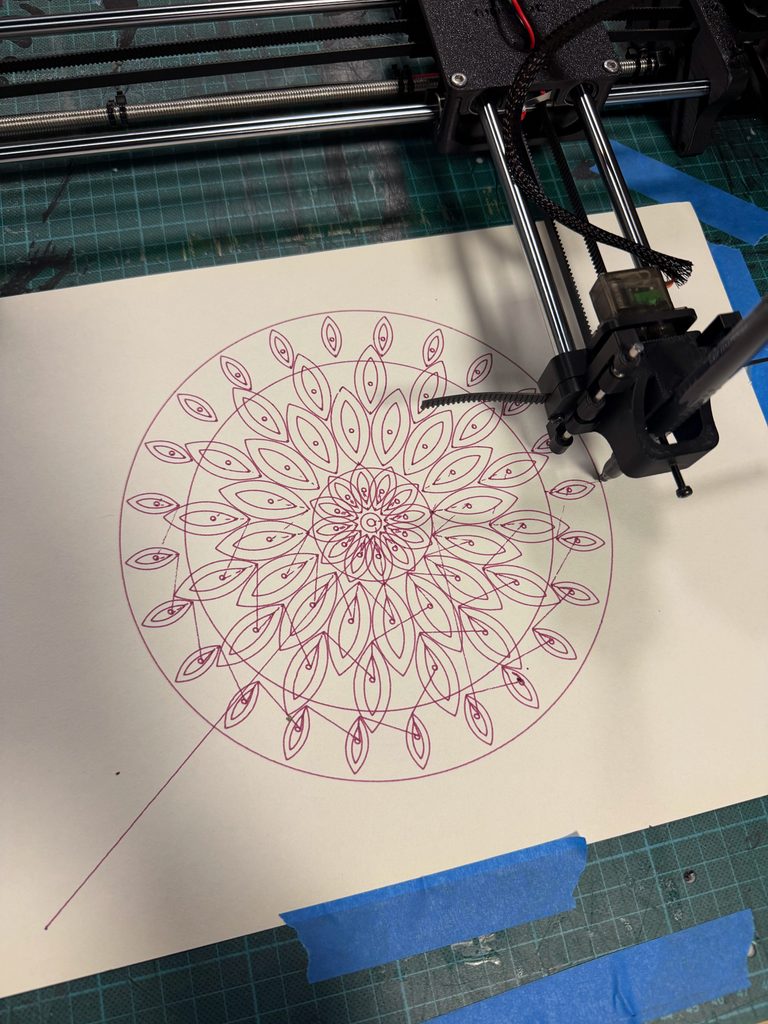
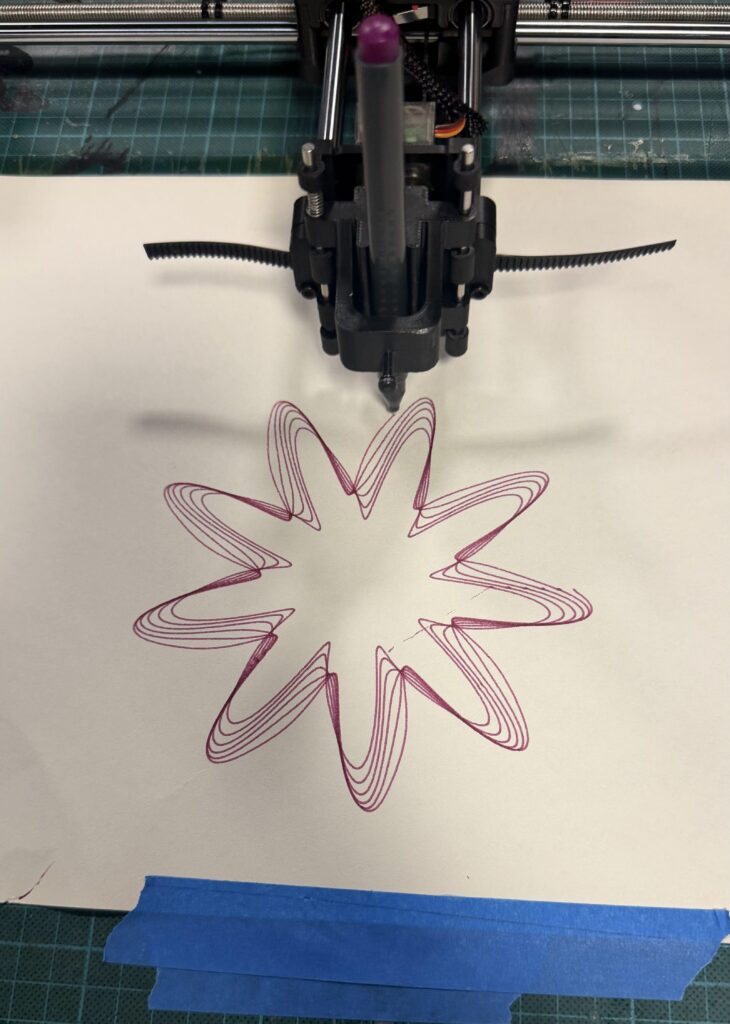
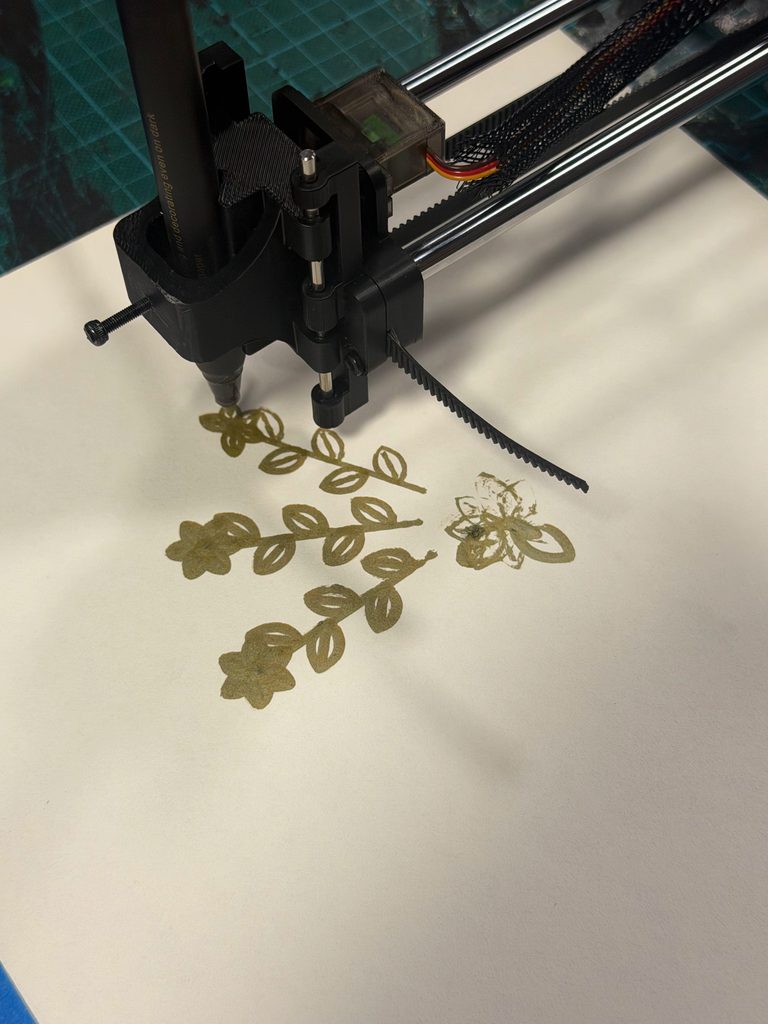
Working with the pen plotter introduced another challenge because some details that looked clear digitally didn’t always appear the same way on paper. For example, thicker markers made certain areas harder to distinguish, while poor pen contact sometimes caused missing lines.

These experiences made me think more carefully about how the complexity of a drawing affects its physical result. I realized that experimentation isn’t only about changing materials, but also about questioning whether the design itself could work better.


3. From p5.js to the Pen Plotter

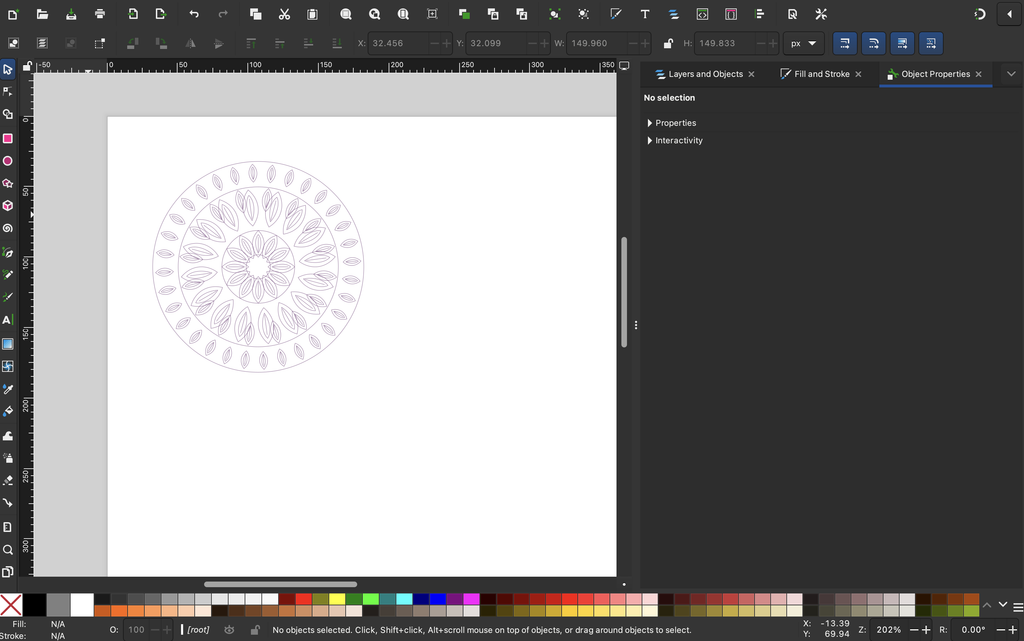
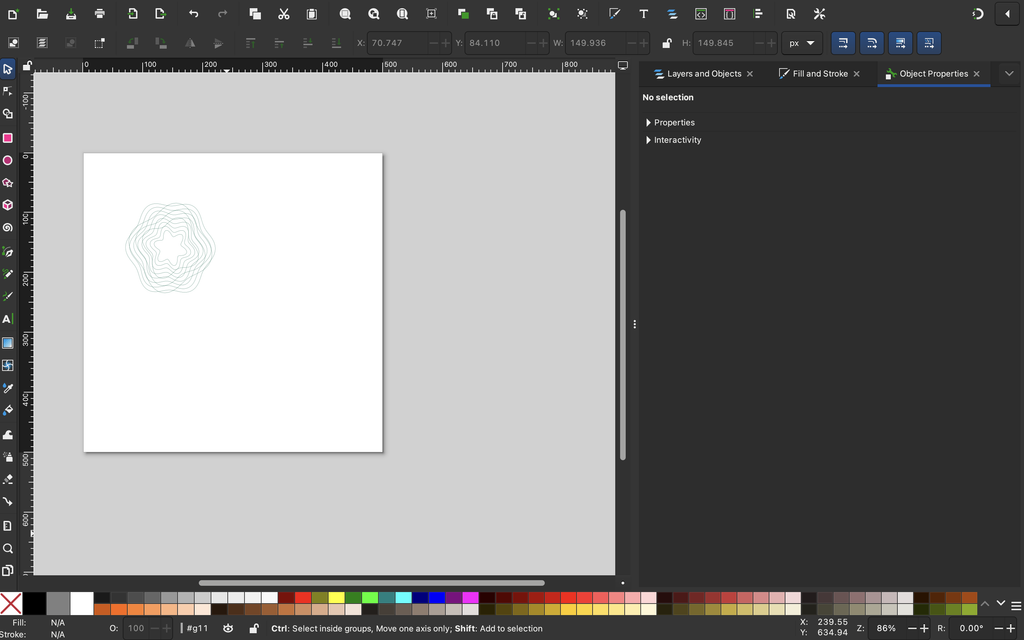
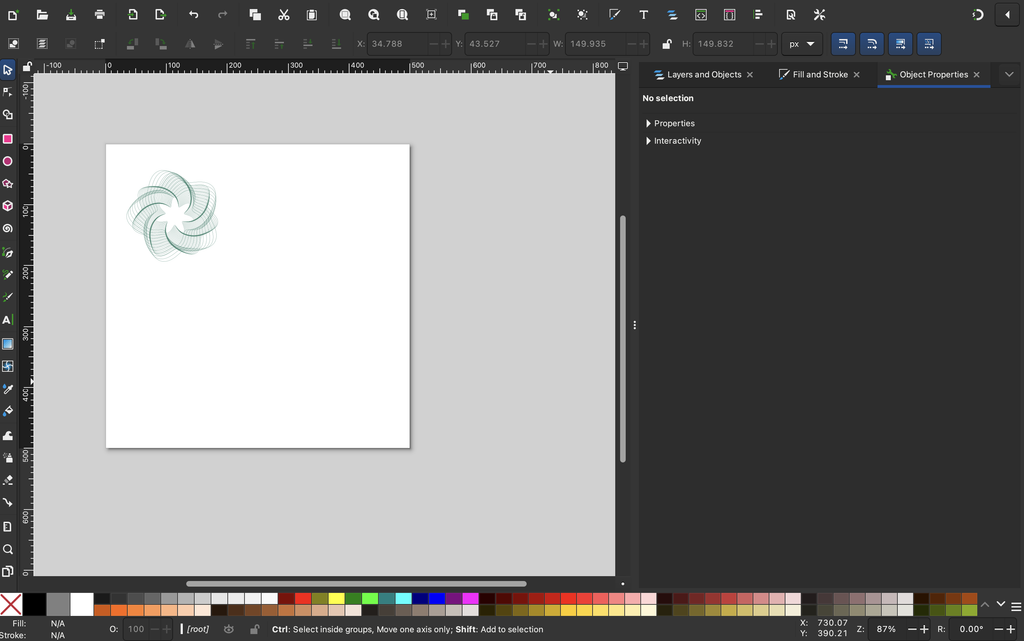
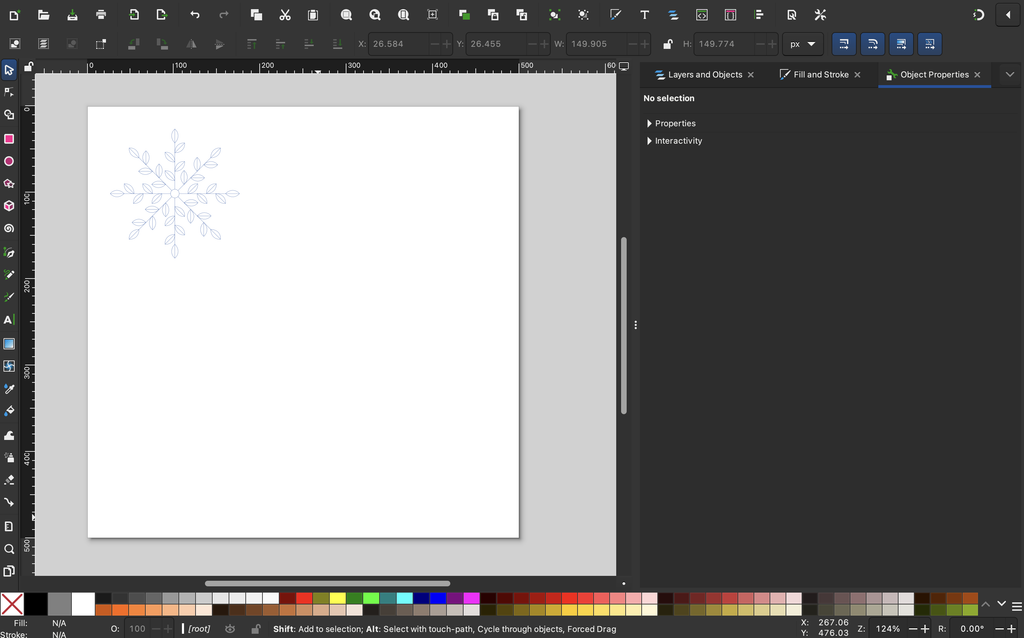
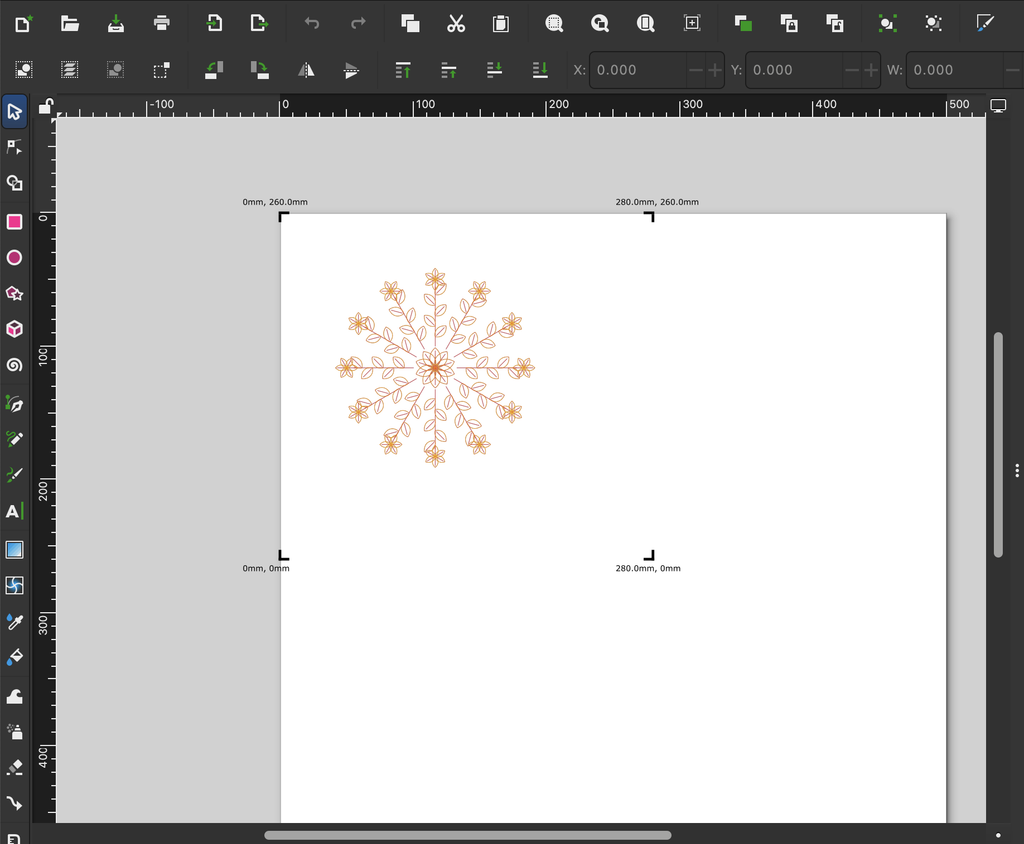
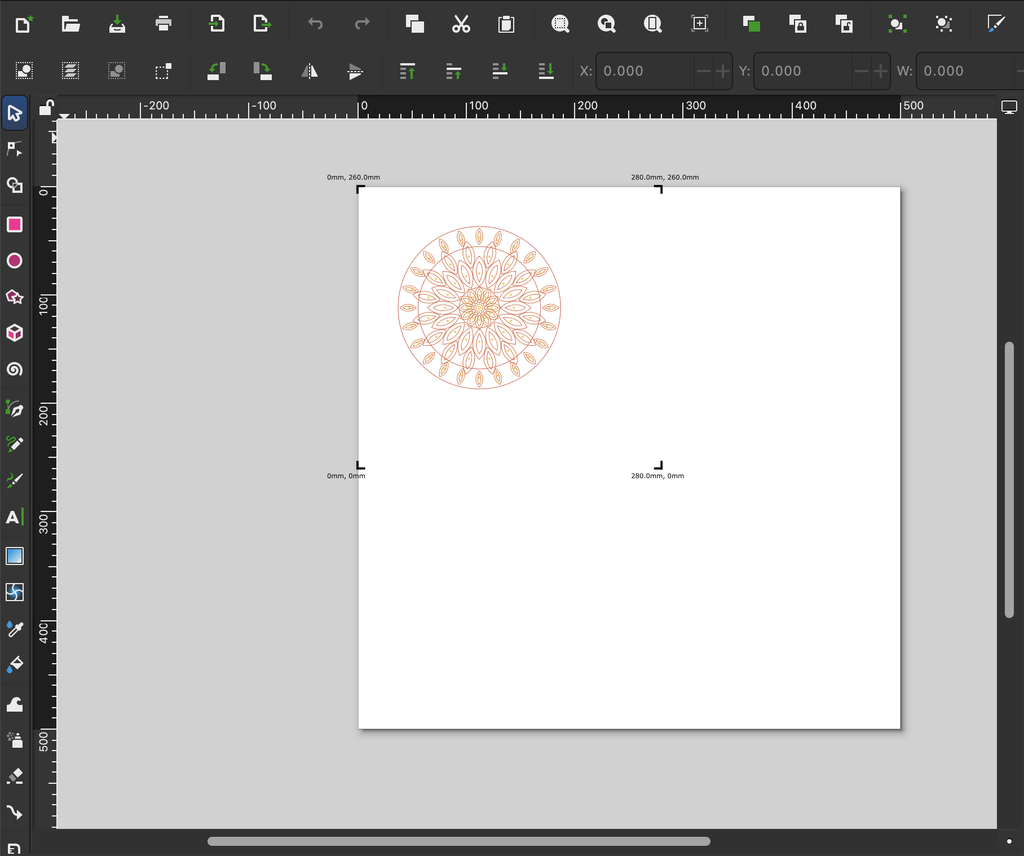
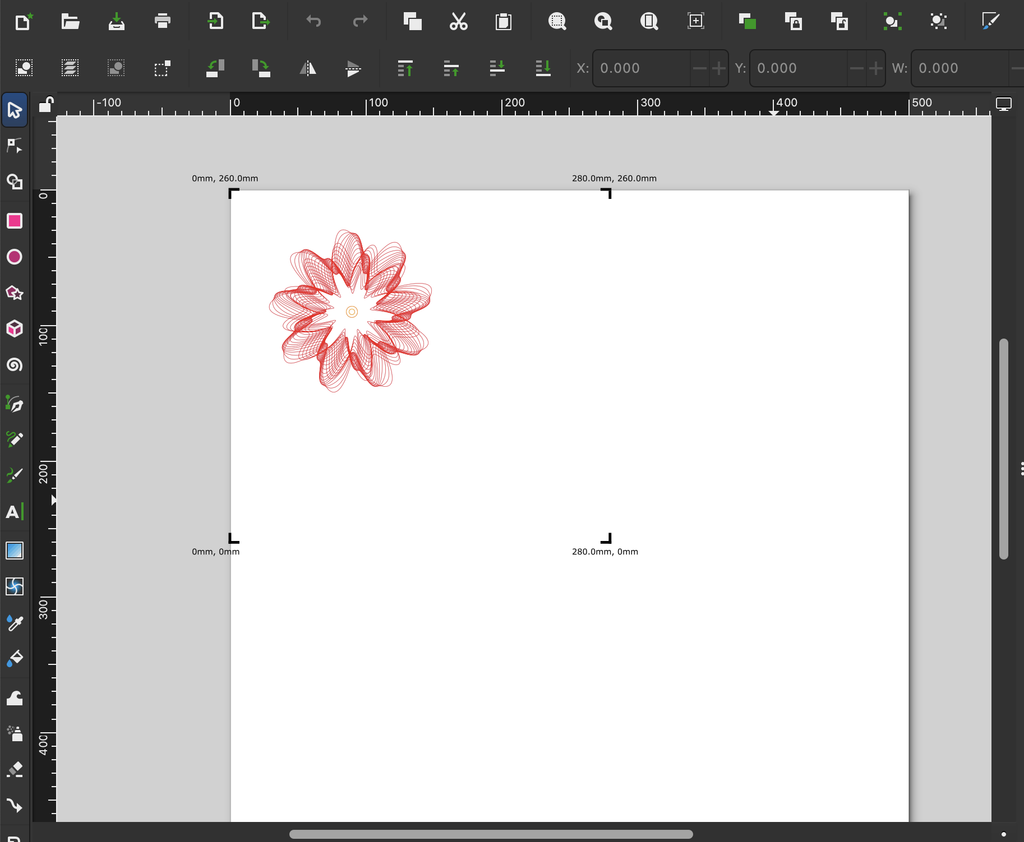
Once I was satisfied with the digital designs, I exported them as SVG files using the SVG renderer in p5.js. I also added a keyboard command that allowed me to save each drawing by pressing S.

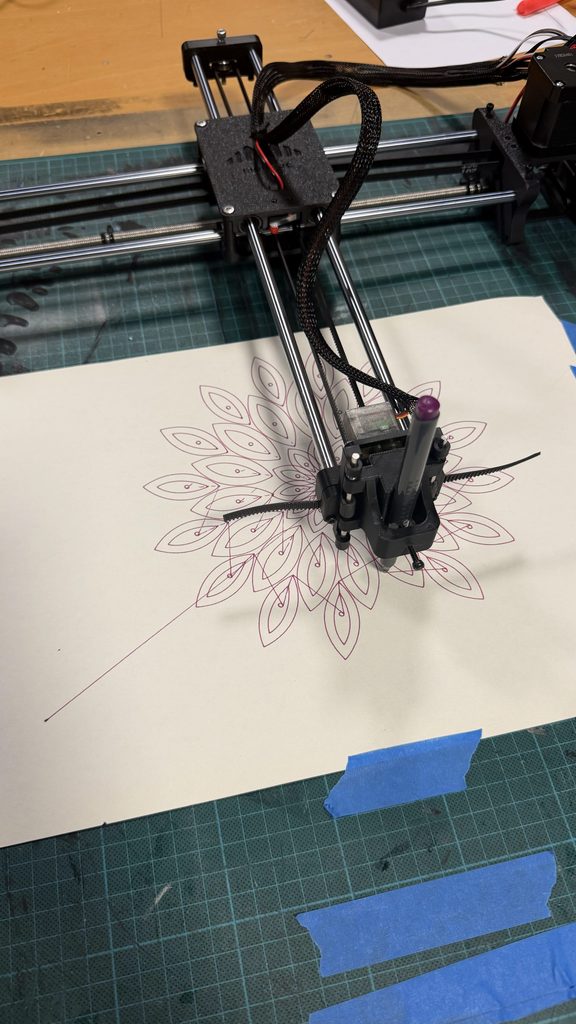
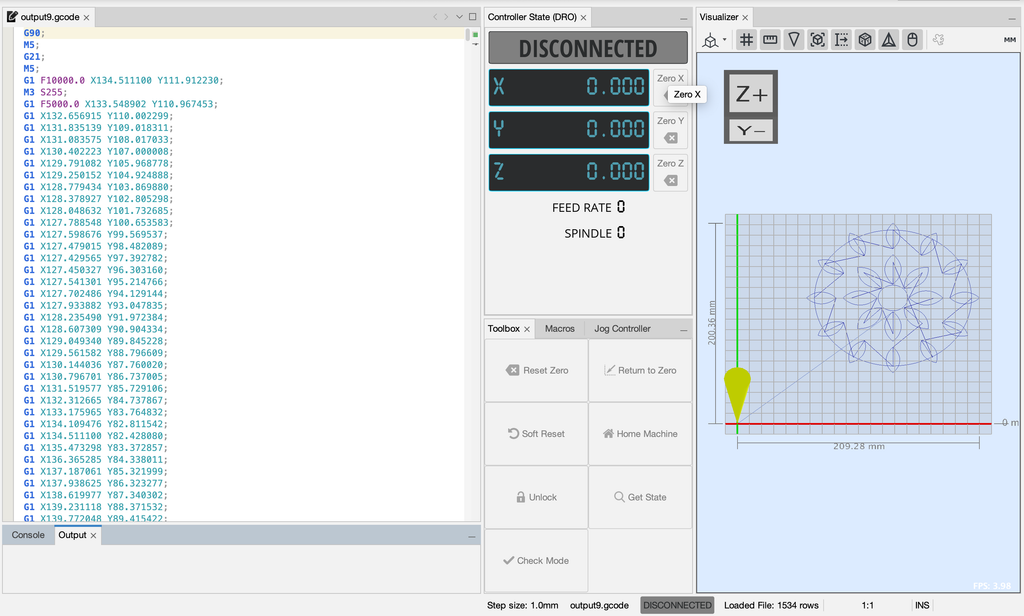
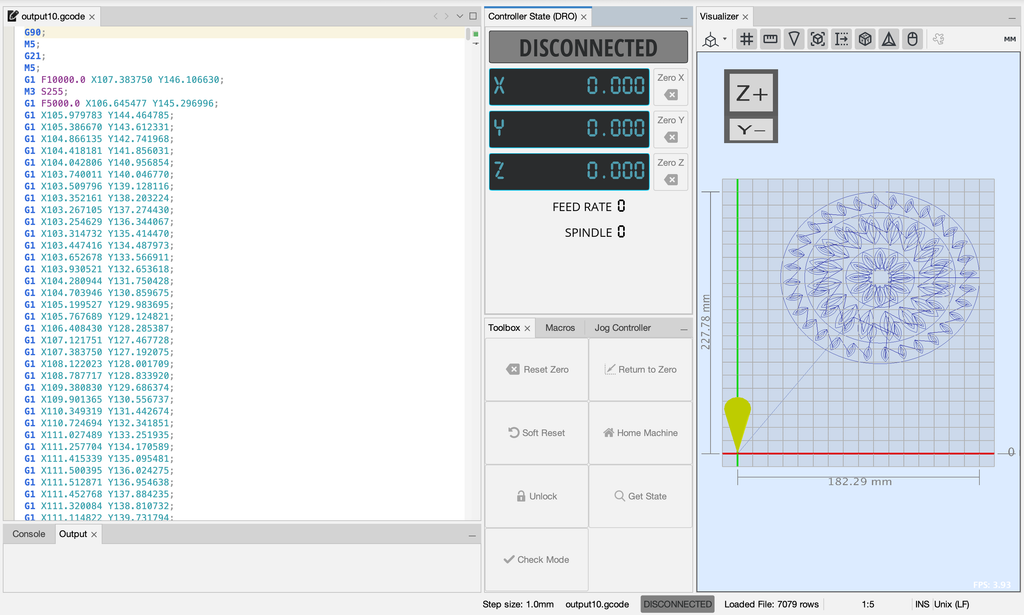
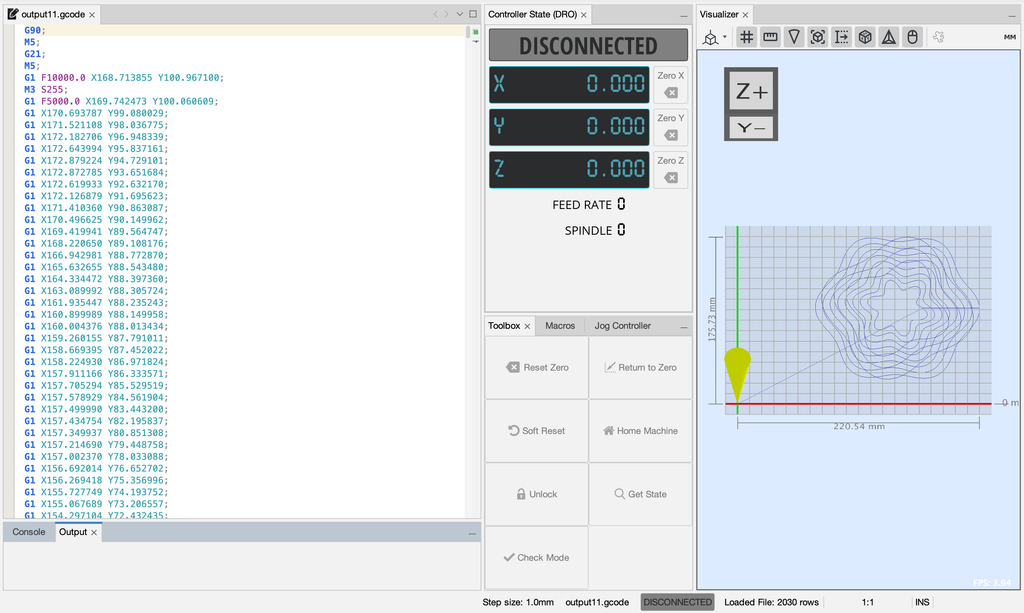
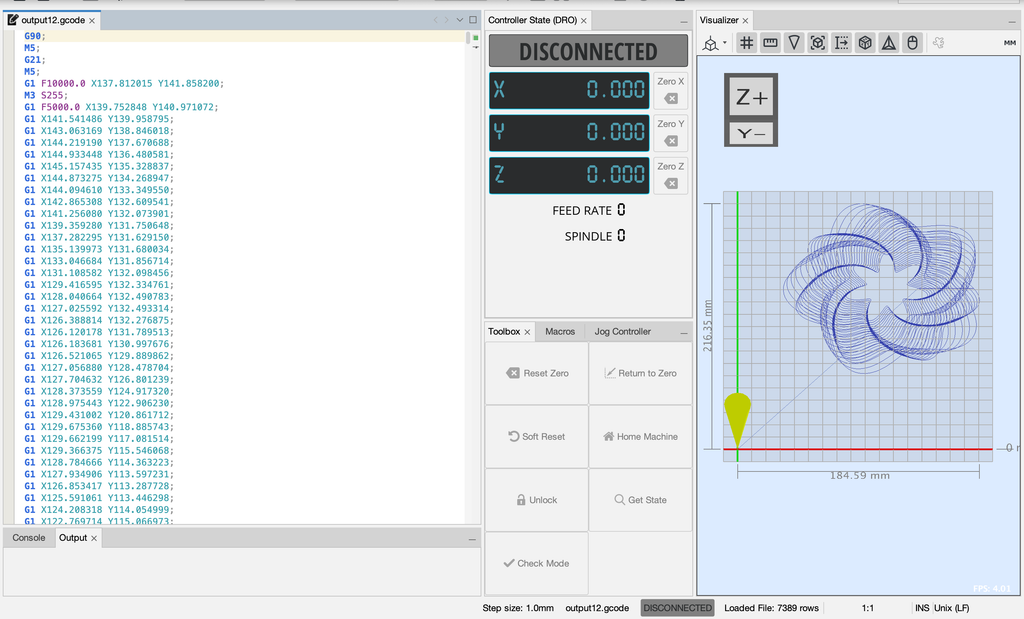
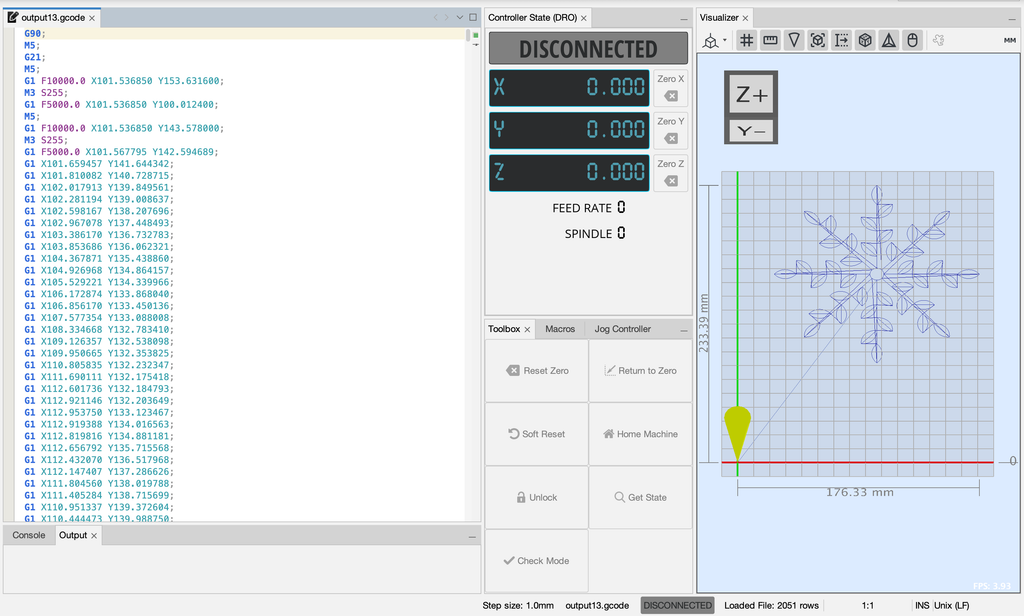
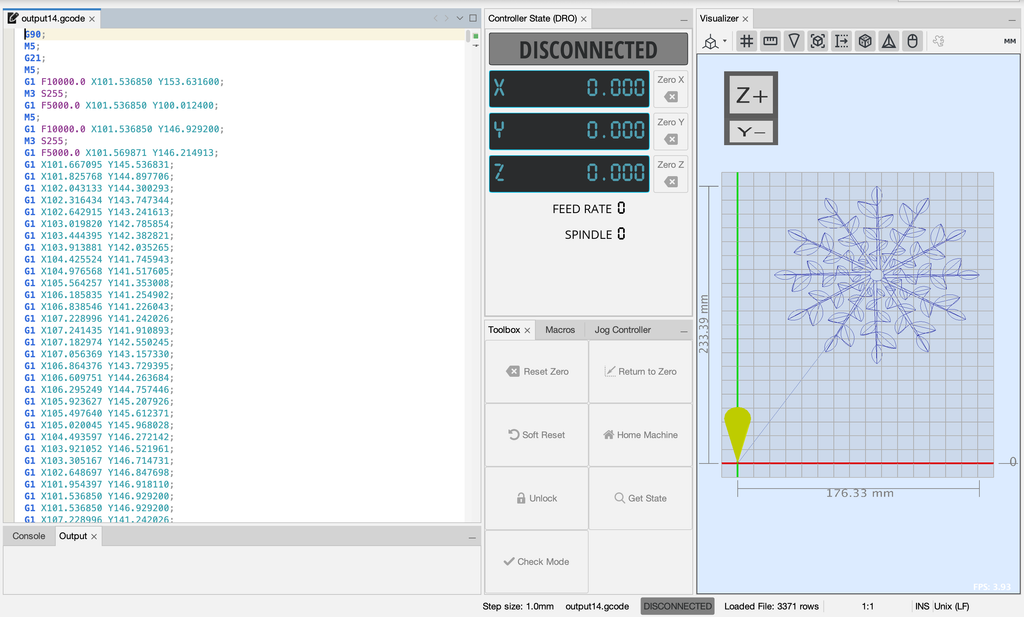
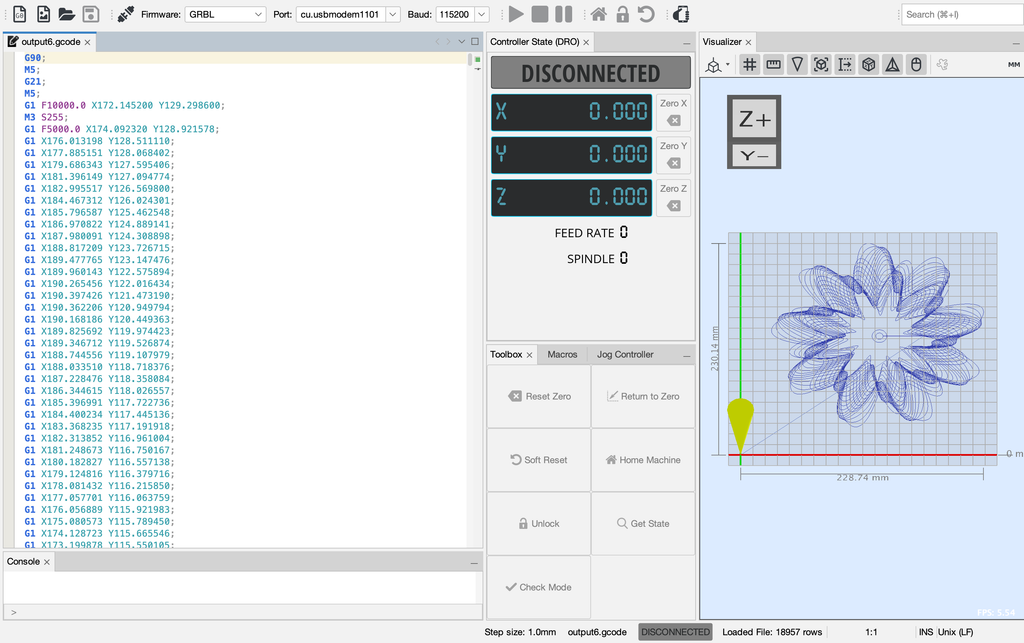
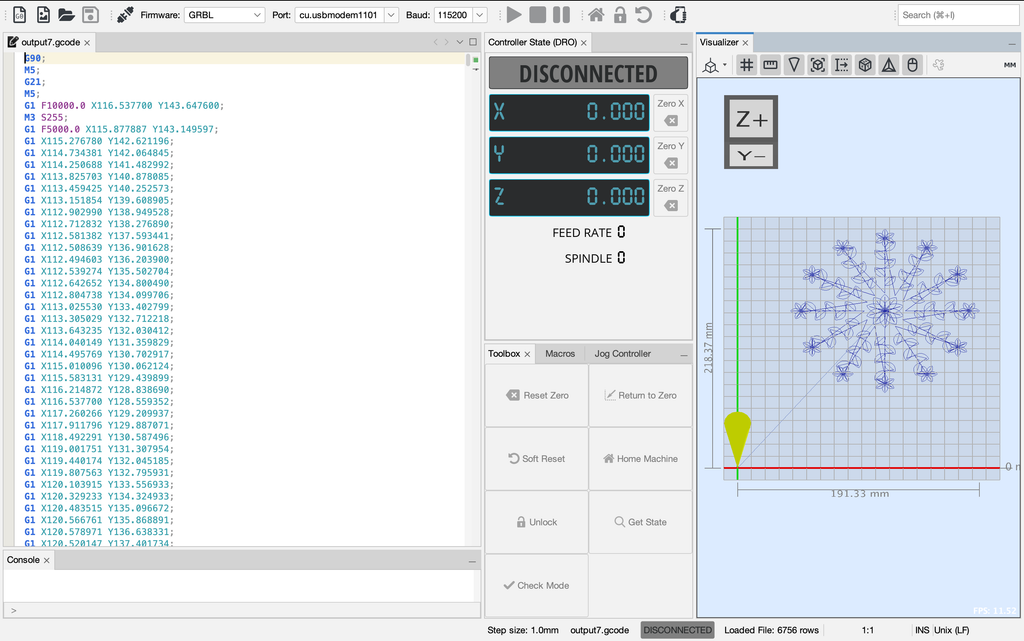
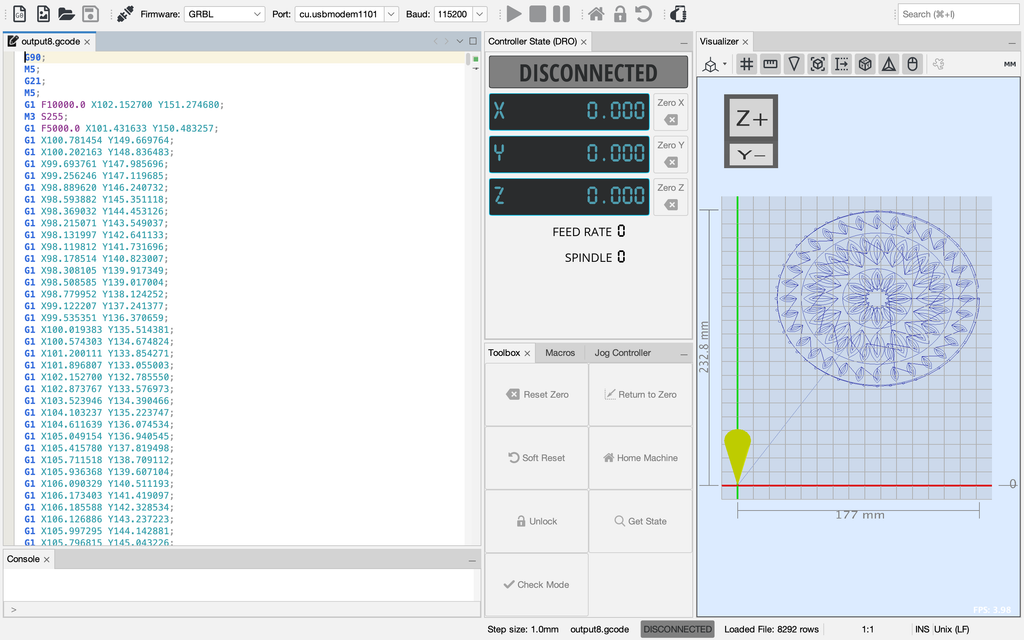
I then converted the SVG files into G-code and opened them in Universal Gcode Sender (UGS), which sent the instructions to the pen plotter.

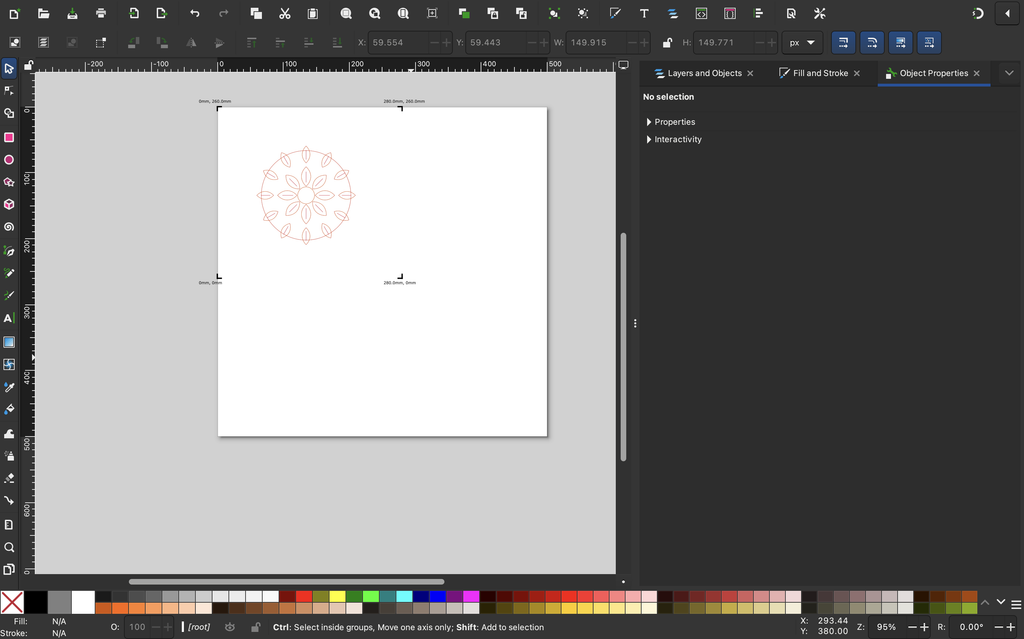
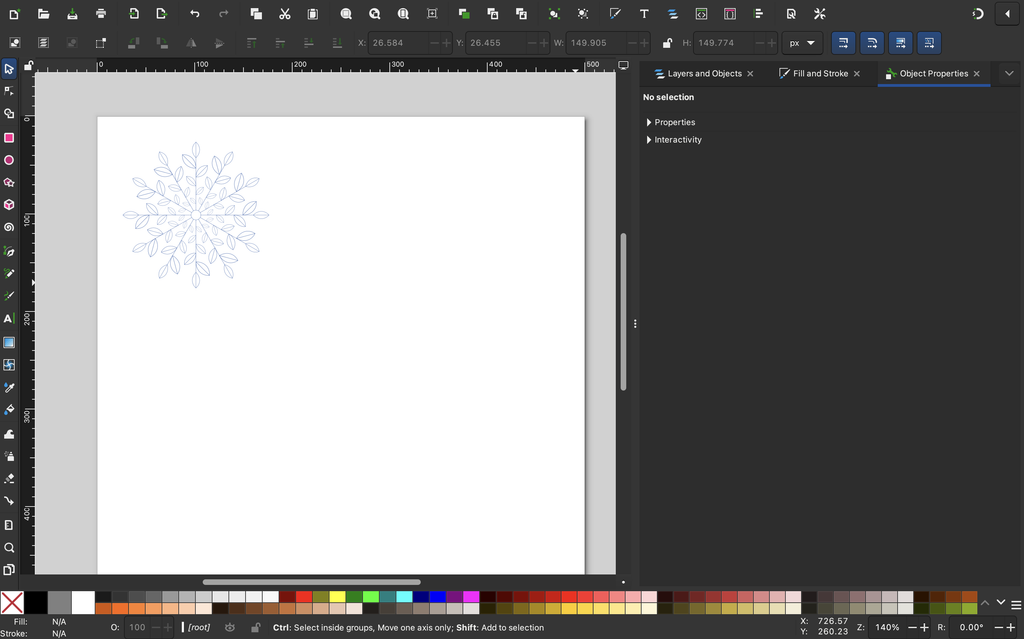
My workflow was to create the drawings in p5.js, export them as SVG files, and open them in Inkscape to convert them into G-code. I then loaded the G-code into Universal Gcode Sender, connected the pen plotter, and started drawing.

One thing I quickly realized was that a drawing looking good on the screen didn’t guarantee that it would turn out the same way on paper.

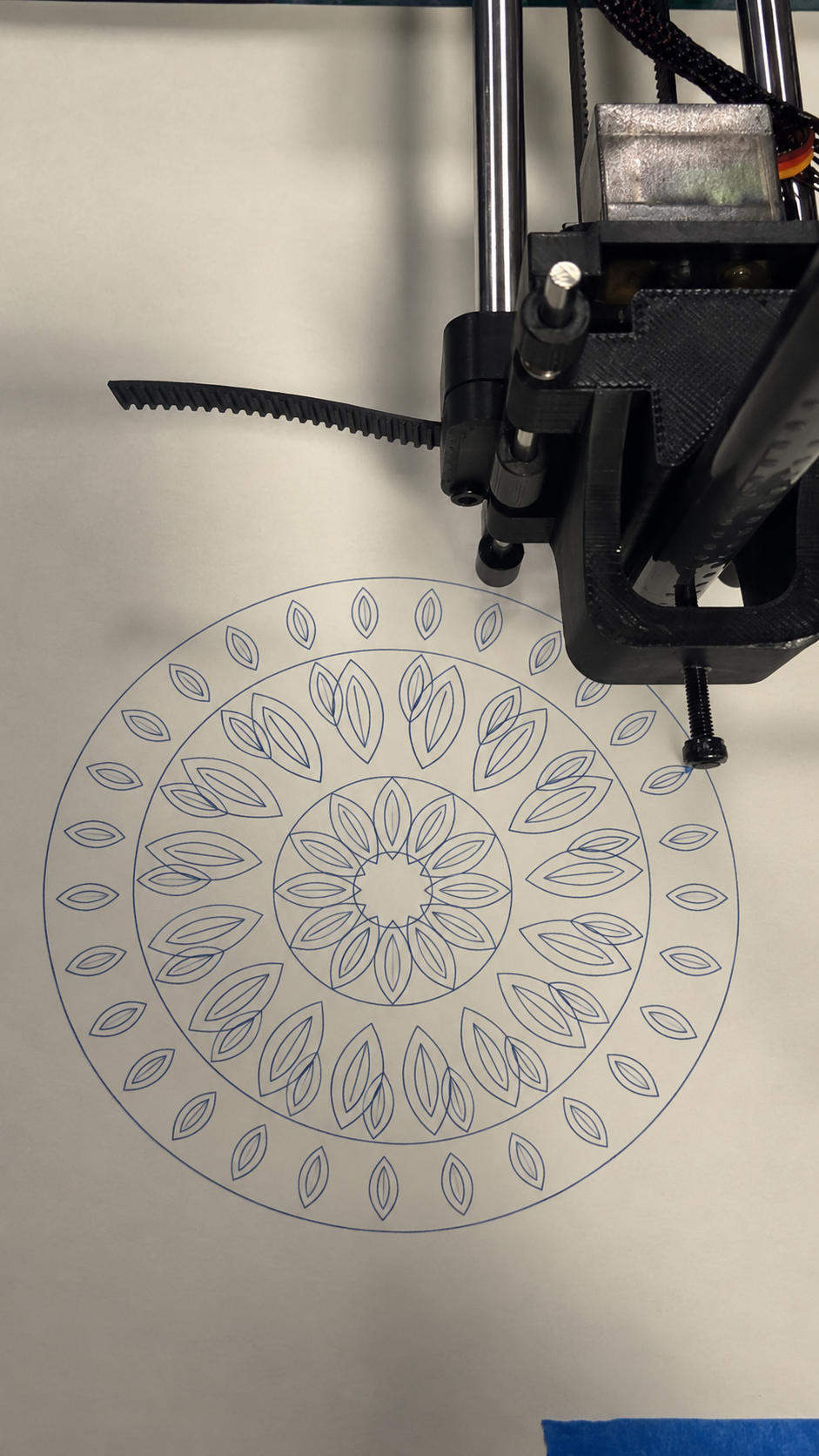
The plotter had to physically follow each path, and the final result depended on the pen, paper, and machine movement.


Universal G-code Sender:

Video of the Pen Plotter:

4. Experiments and Iterations

I experimented with different colors, pens, paper, and plotting conditions to see how these choices affected the final drawings.

Experiment 1: Pen Colors

I tested purple, pink, green, blue, and gold pens.

I noticed that lighter colors gave the floral patterns a softer appearance, while darker colors made the lines more visible.

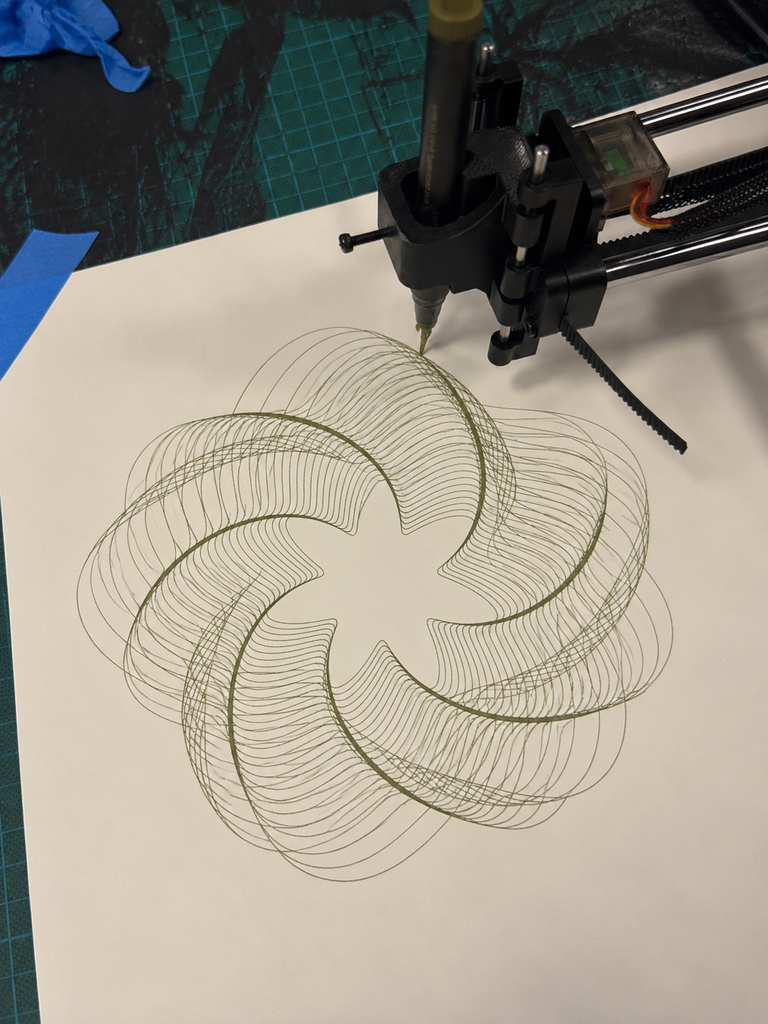
For example, I liked the pink pen for Balance because it complemented the delicate petals. The darker green worked well for Transformation because the overlapping curves remained visible.

It was interesting how changing only the pen color could make the same design feel different.

Experiment 2: White and Black Paper

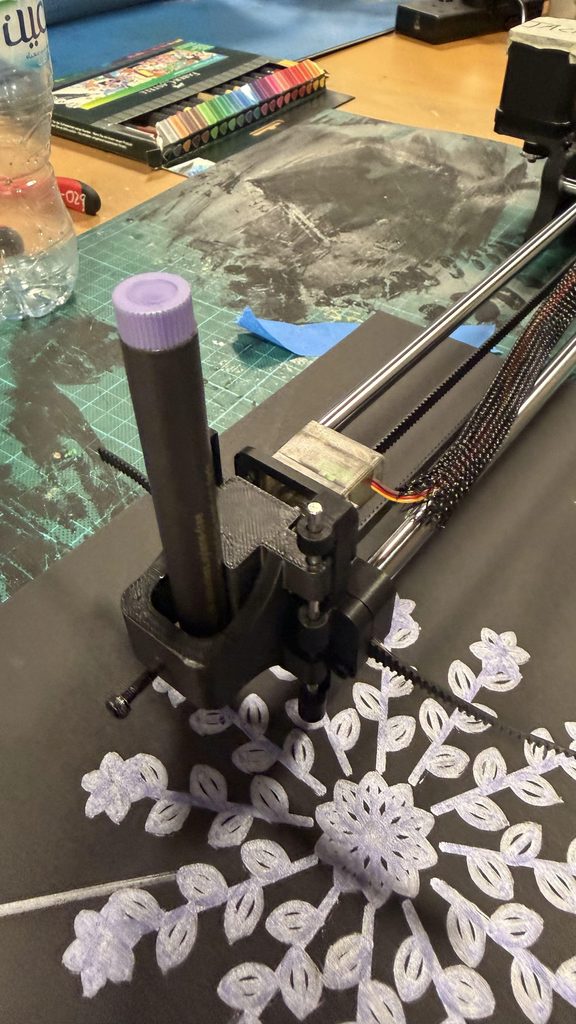
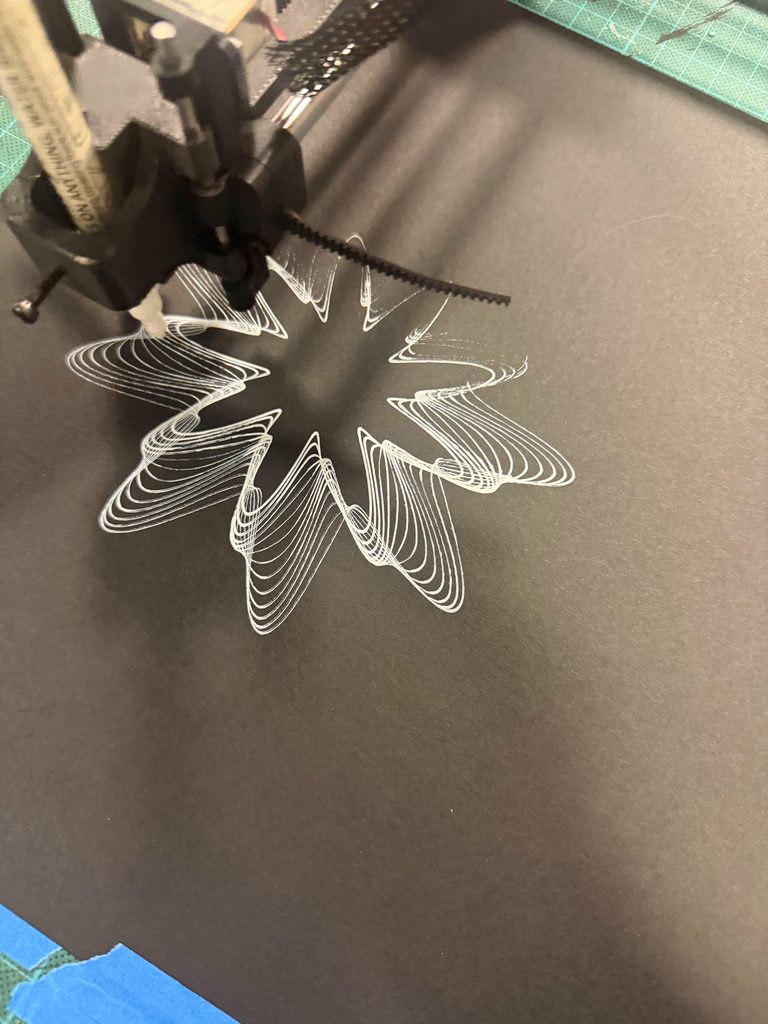
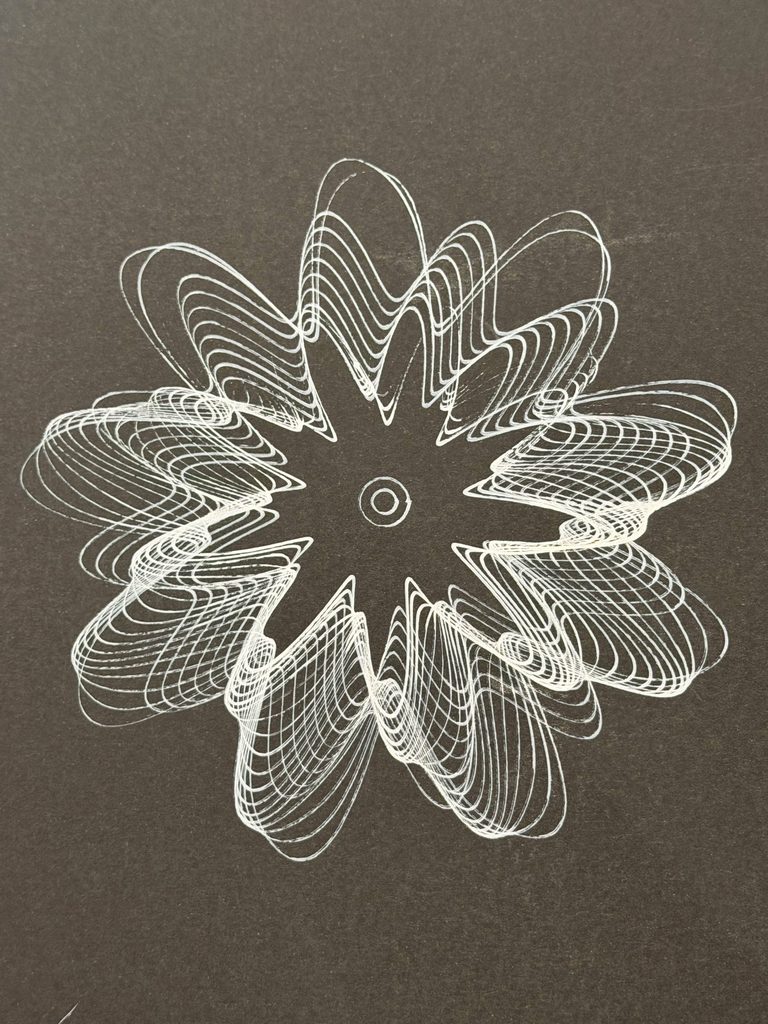
I also experimented with drawing on black paper using lighter-colored markers.

The contrast gave the patterns a different appearance, but some details were less visible depending on the pen.

I eventually preferred white paper for my final drawings because the smaller details were clearer, especially in the more complicated designs.

Experiment 3: Thin Pens vs. Thick Markers

This experiment made one of the biggest differences.

Thin pens preserved the individual lines and smaller details, while thicker markers made some areas look crowded, especially where shapes overlapped.

For example, I tried plotting Growth using a thick gold marker. Although I liked the color, the leaves and flowers became heavier, and some details were difficult to distinguish.

I noticed something similar when comparing thicker-marker versions of Balance with the pink fine-line version.

This made me realize that pen thickness was something I needed to consider while designing the patterns, not just when plotting them.

Experiment 4: Overlapping Lines and Unexpected Marks

I also noticed how overlapping lines behaved differently on paper.

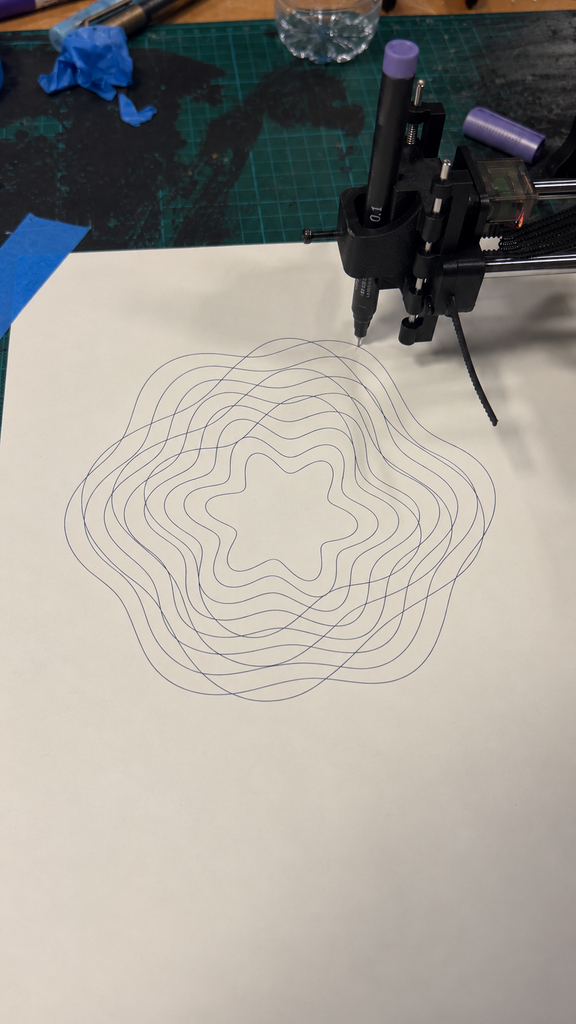
This was especially visible in Transformation, where many curves cross each other. Some areas became darker because the pen passed through several nearby lines, which added more variation to the drawing.

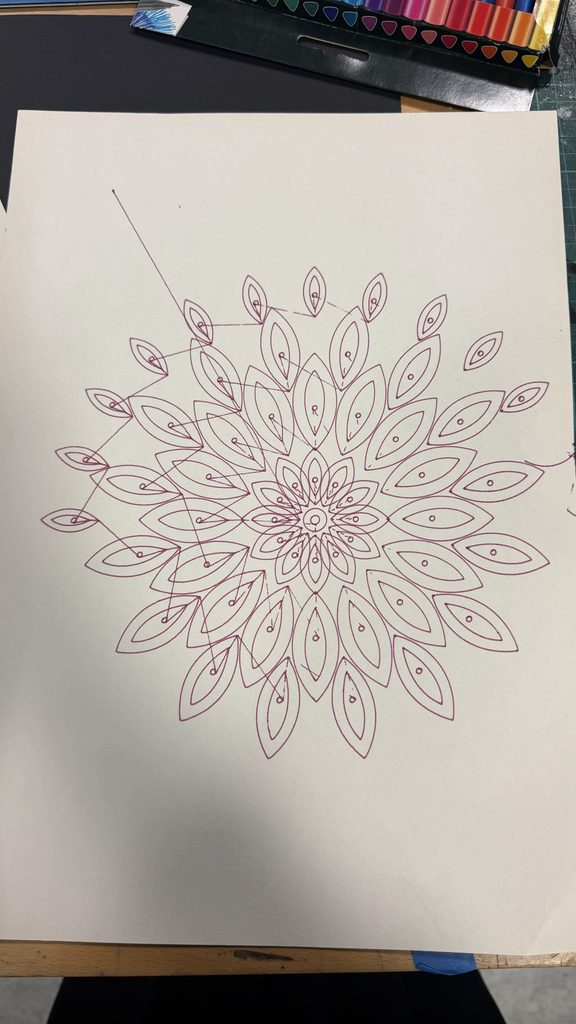
However, some tests also had unwanted connecting lines that weren’t part of my intended design.

Although I couldn’t identify the exact cause of every mark, these experiments showed me how the physical drawing process could produce unexpected results.


5. Challenges

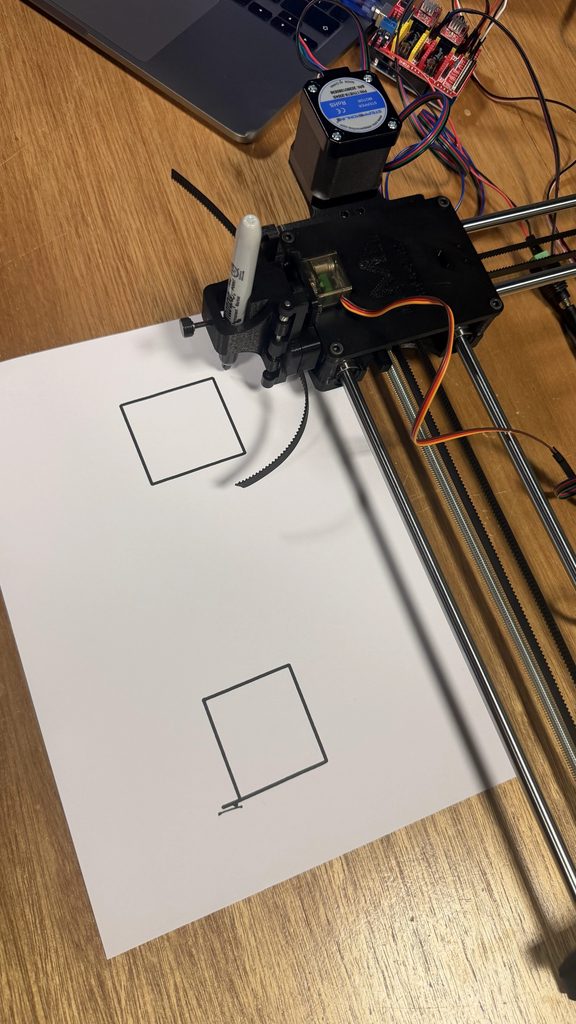
One of the biggest challenges was that some of the pen plotters weren’t working properly. My classmates also experienced issues, including a machine that would start plotting but stop after around 30 seconds. However, if it was a simple shape like a square or something that takes less than 30 seconds it would draw it out.

We eventually borrowed Professor Jack’s pen plotter, which allowed me to continue experimenting and complete my drawings.

Another problem was that the pen sometimes lifted too much or didn’t make enough contact with the paper. This caused some lines to appear faint or disappear completely.

It was frustrating because the digital designs looked complete, but the physical drawings sometimes had missing sections.

I had to compare different tests and choose the versions where the lines were more complete. I also became more careful about which pens I used, since thicker markers sometimes made the details harder to see.

6. Final Series

After testing different versions, I selected the three drawings that I felt worked best.

My decisions were based on how complete the lines were, how clearly the details appeared, and which colors I preferred.

Some earlier drawings had missing or faint lines because of the pen contact issues, so I chose the versions that best preserved the original designs.

Balance – Pink

I chose the pink version because I liked how the color complemented the floral pattern. The thin lines also made the different petal layers and small circles easier to see.

Compared with the thicker-marker experiments, this version looked more detailed and organized, which suited the idea of Balance.

Transformation – Green

I selected the green version because I liked the contrast between the darker overlapping areas and the individual curves.

Even though the design has many intersecting lines, the shapes remain visible. I felt this version showed the complexity of Transformation without becoming too crowded.

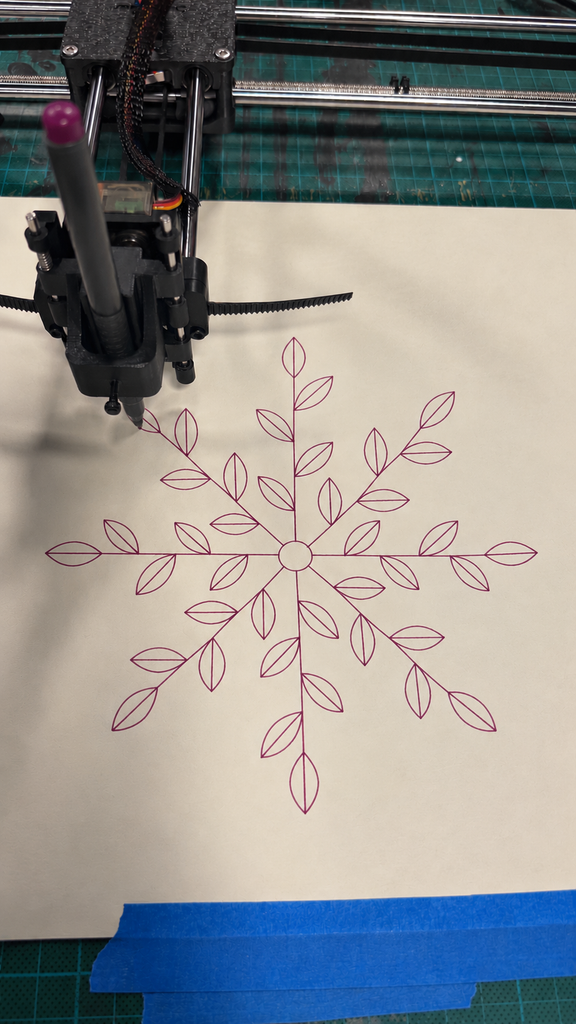
Growth – Blue

For Growth, I chose the dark blue version because the leaves, branches, and flowers were clearer than in some of my thicker-marker experiments.

I especially preferred it over the gold version because the individual botanical details were easier to distinguish.

The Three Drawings Together

I wanted the three drawings to feel connected without looking exactly the same.

Balance begins with a structured, symmetrical design. Transformation introduces more complexity through overlapping curves, while Growth uses repeated shapes to create something that extends outward.

Although the three drawings look different, they are connected through repetition and mathematical rules. Balance uses symmetry to represent stability, Transformation uses overlapping curves to represent change, and Growth uses branches extending outward to represent development. I wanted the series to show how these ideas are connected rather than treating them as separate stages. What I found especially interesting was that the process of creating the drawings reflected the same idea. I started with a plan, experimented with different possibilities, and had to adapt when things did not turn out as expected.


7. Critical Reflection

Before starting this project, I mainly focused on using code to create detailed patterns. I wanted the drawings to look interesting and was excited to experiment with different shapes.

However, working with the pen plotter made me realize that the physical process was just as important as the digital design.

Changing something as simple as the pen could completely affect the result. Thin pens preserved the details, while thicker markers sometimes made the patterns too crowded. The paper also influenced how clearly the drawings appeared.

I also learned the importance of revising my ideas. My original lotus pattern was a good starting point, but I wasn’t completely satisfied with it. Instead of keeping the first version, I changed the algorithm until I created a design I preferred.

The technical problems were another important part of the process. I had to deal with machines that weren’t working properly, missing lines, and drawings that didn’t always turn out as expected.

What I found interesting was how these experiences connected back to my original concept. I started with clear rules and expectations, but I still had to adapt along the way. Even though I controlled the code, I couldn’t completely control how the final drawings would turn out.

What I Would Improve

If I had more time, I would experiment with adjusting the spacing between lines, especially where the patterns become too dense.

I would also like to use multiple pen colors within a single drawing by separating different parts of the design into layers.

Another improvement would be checking the pen height and contact with the paper more carefully before plotting, to reduce the chances of missing lines.

I would also like to experiment with the order in which the plotter follows different paths to see whether that could reduce unwanted connecting lines.

Overall, I enjoyed seeing my designs move from code on a screen to actual drawings on paper. The process involved more trial and error than I expected, but that was also what made it interesting.

I started this project wanting to explore balance, transformation, and growth through patterns. Looking back, I realized that I experienced all three while making the drawings. I began with a clear idea, changed my designs through experimentation, and learned from the problems I faced along the way.

Assignment 5 – Pen Plotter Assembly (Raghd & Mhara)

Assembly Process

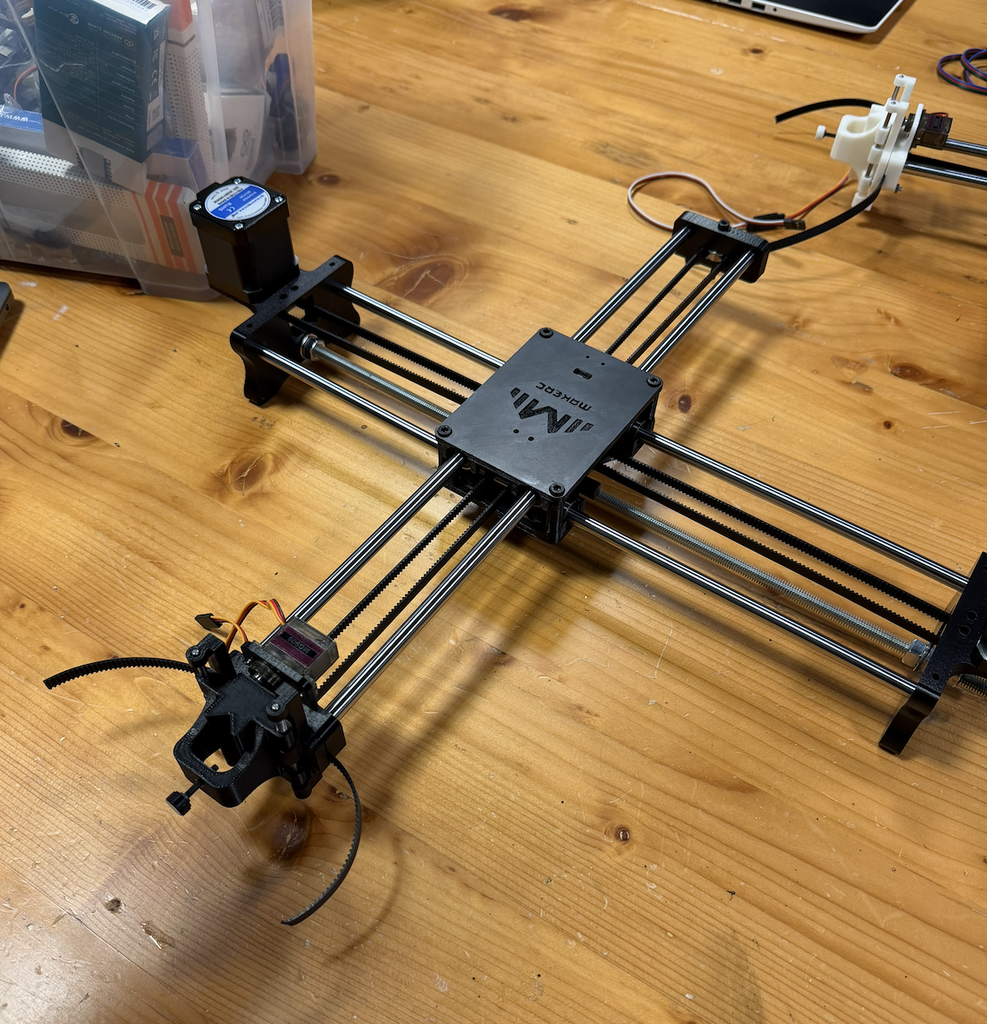
For this assignment, we worked together to assemble the pen plotter using the provided 3D-printed parts and the other components needed for the structure.

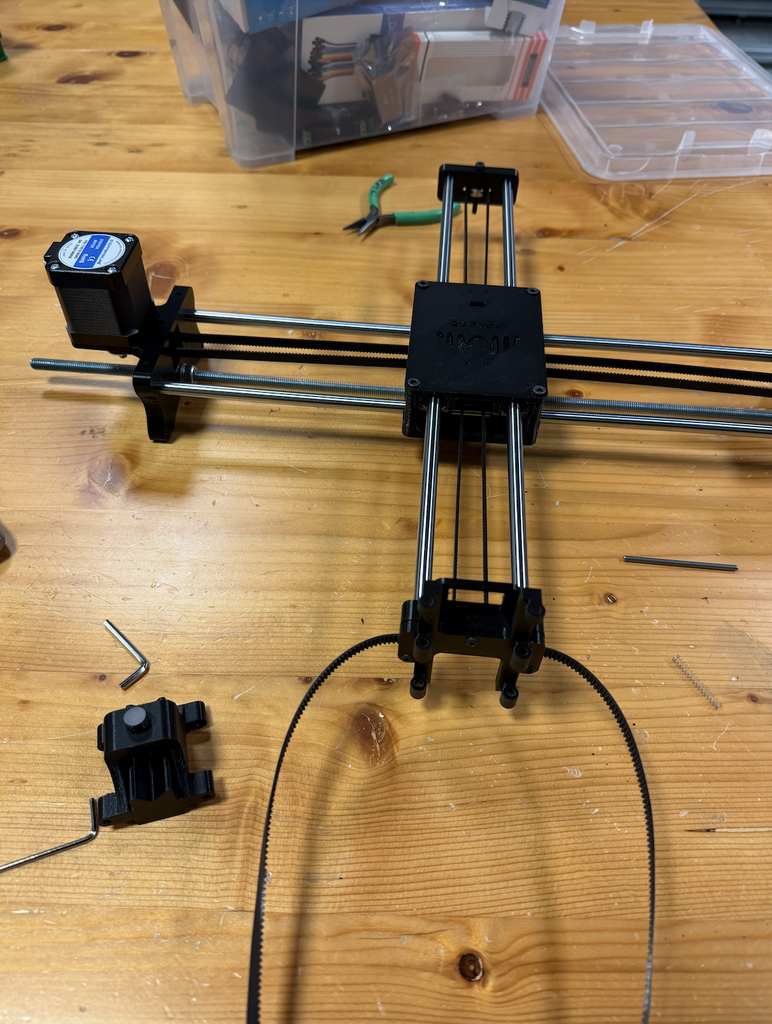
We started by assembling the X-axis, where we inserted the metal rods into the supports and put together the middle carriage/clamshell. We then continued building the rest of the structure and attached the stepper motors to each side. After finishing that part, we moved on to the Y-axis and connected it through the middle section of the plotter.

We also installed the timing belts around the structure. We had to make sure that the belts were going through the correct parts and that they were tight enough to stay in place. We checked them as we continued assembling the plotter to make sure everything was positioned correctly.

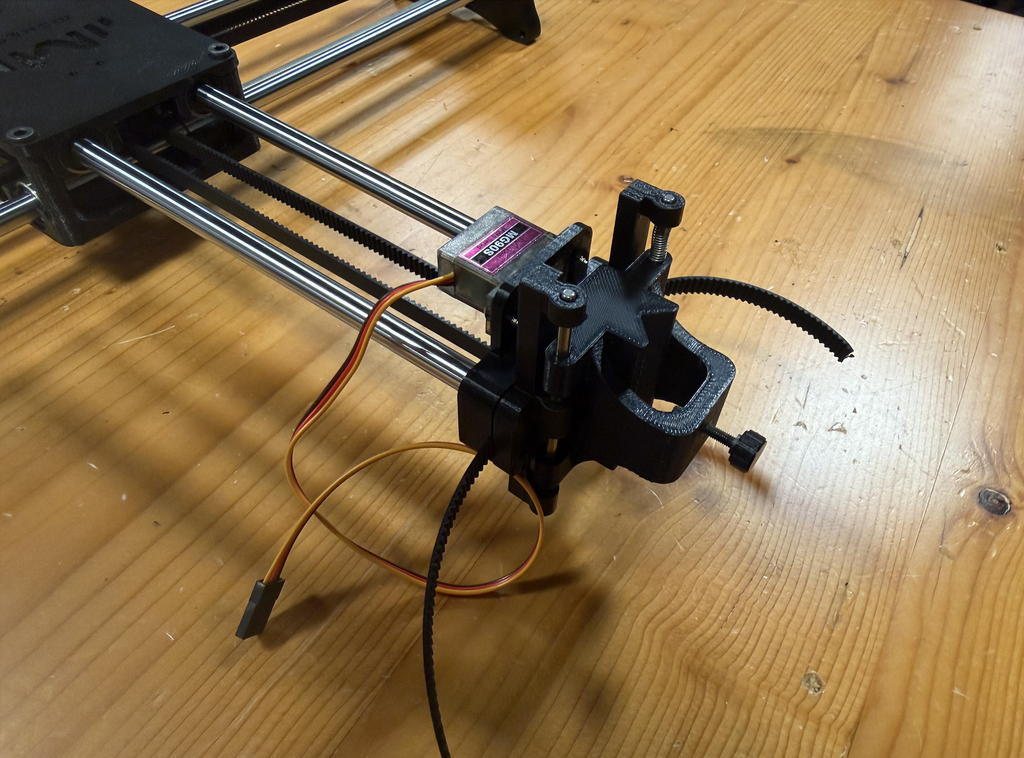
Next, we worked on the pen holder at the end of the Y-axis. We assembled the different 3D-printed pieces that make up the pen holder and attached the servo motor to the mechanism. We made sure that all the pieces were in the correct position before securing them together.

After assembling all the main parts, we looked over the whole structure and checked that everything was attached correctly. We made sure that the rods, timing belts, motors, and pen holder were all properly in place and that nothing was loose.

Problems and Challenges

One problem we had was while assembling the middle carriage/clamshell. There were four screws that had to be tightened separately, but whenever we tried to tighten one of them, the screw would push upward and slightly lift the middle part instead of staying in place. Once we finished one screw and moved on to the next one, the same problem would happen again. We ended up having this issue with all four screws, which made this part of the assembly more difficult and took us longer than we expected. We had to keep adjusting the middle part while tightening each screw until we eventually managed to get all four screws tightened properly and keep the whole section in place.

Another problem we had was with the servo motor on the pen holder. We initially forgot to attach the servo motor before we finished putting that section together. We only realized after we had already assembled the other parts around it. Because of this, we had to go back and reopen part of the pen-holder assembly that we had just finished. We then placed the servo motor in the correct position, screwed it in properly, and put the section back together again. It added an extra step to the process, but we were able to fix it without having to redo the entire pen holder.

Final Assembly

After fixing these problems, we were able to complete the physical assembly of the pen plotter. The final structure included the X and Y axes, the middle carriage/clamshell, stepper motors, timing belts, and the pen holder with its servo motor. We checked everything again at the end to make sure all the parts we had assembled were secure and in the correct positions.

Overall, assembling the pen plotter involved a lot of different parts, and we had to pay attention to how each piece connected to the next. Some sections were easier to put together, while others took more trial and error. The middle carriage/clamshell and the pen holder were probably the most challenging parts for us because of the problems we had with the screws and forgetting the servo motor. Even though we had to go back and fix a few things, we were able to work through the problems and complete the physical assembly of the pen plotter.

Assignment 4 -3D design using p5.js

Concept

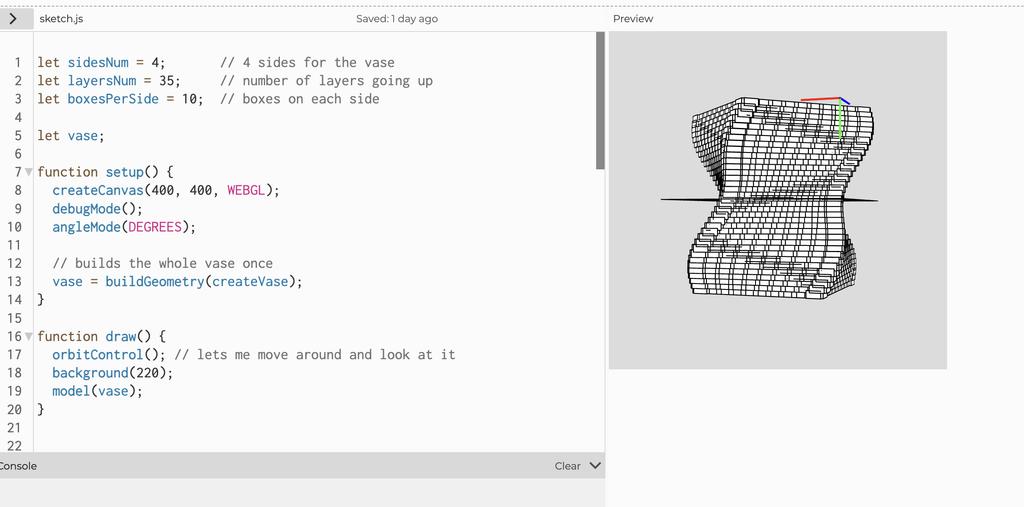
For this assignment, I wanted to create a vase-like sculptural form using repetition and twisting. I didn’t want to make a normal smooth shape, so I used small boxes repeated around four sides and stacked them in layers. As the layers move upward, they slowly rotate, which creates the twisted form.

I also changed the size slightly throughout the layers using a sine function. This makes the sides curve in and out instead of staying completely straight. The object is open at both the top and bottom, so my focus was more on the shape and structure rather than making a functional vase. I liked how the form looks different depending on which angle you view it from, especially because you can look through it and see the twisting structure inside.

p5.js Sketch

https://editor.p5js.org/mharaalnuaimi/full/bfulypwVC

Process and Challenges 

My first attempt at printing did not work. I had booked a 3D printing session, but when I tried to prepare my design, there was a problem with the file and the printer was not able to recognize it properly. Because of this, the print never actually started and a lab assistant sent me an email stating it did not work out and that I had to book another session. So, I later did that. 

When I came back for my second session, the lab assistant helped me properly prepare the file and set everything up for the printer. This time it worked, and the print started successfully. I was a little worried that I might have another issue, but thankfully the printing process went smoothly and the final object came out successfully.

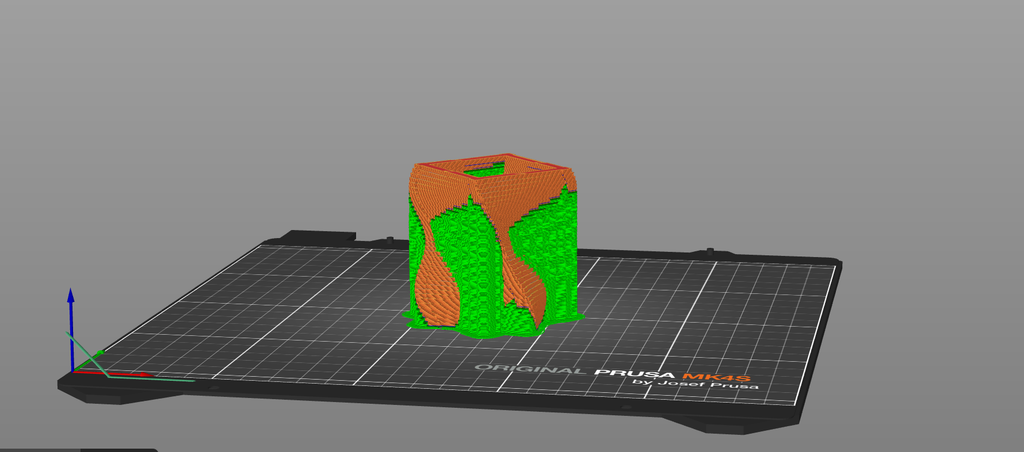
One challenge I didn’t expect was removing the supports after the print was finished. Because my design twists and has open spaces inside, there were supports inside the form that were difficult to reach and remove. The lab assistant gave me a tool that helped, but it still required a lot more strength and patience than I expected. I also had to be careful while removing them because I didn’t want to accidentally damage the actual print.

Even though I didn’t make a separate physical test print, the failed first session helped me understand that preparing the digital file correctly is just as important as the design itself. After fixing that issue, I was really glad that I didn’t have any other major problems and that my final print came out successfully.

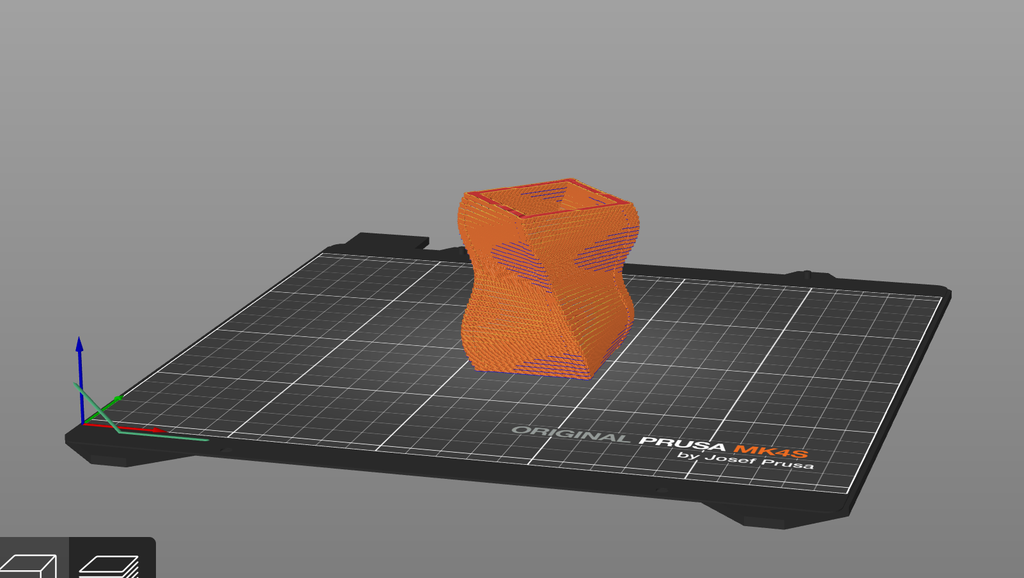
Prototype:

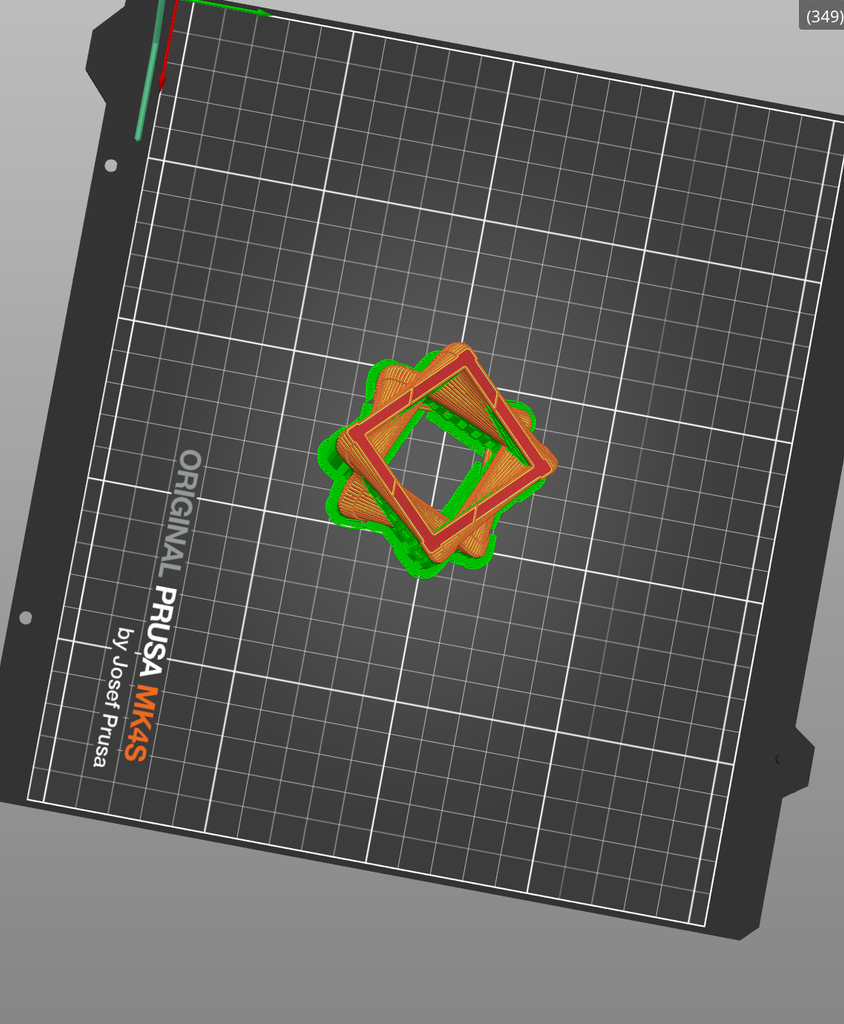
On Prusa Slicer:

With Supports:

Final Result 

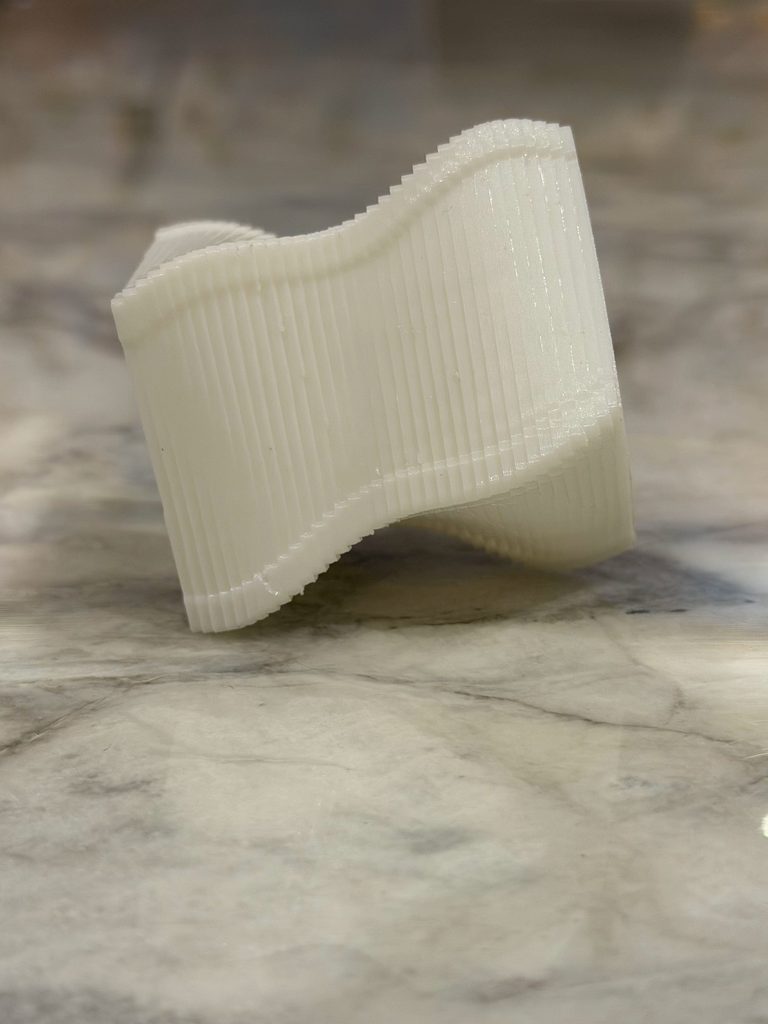
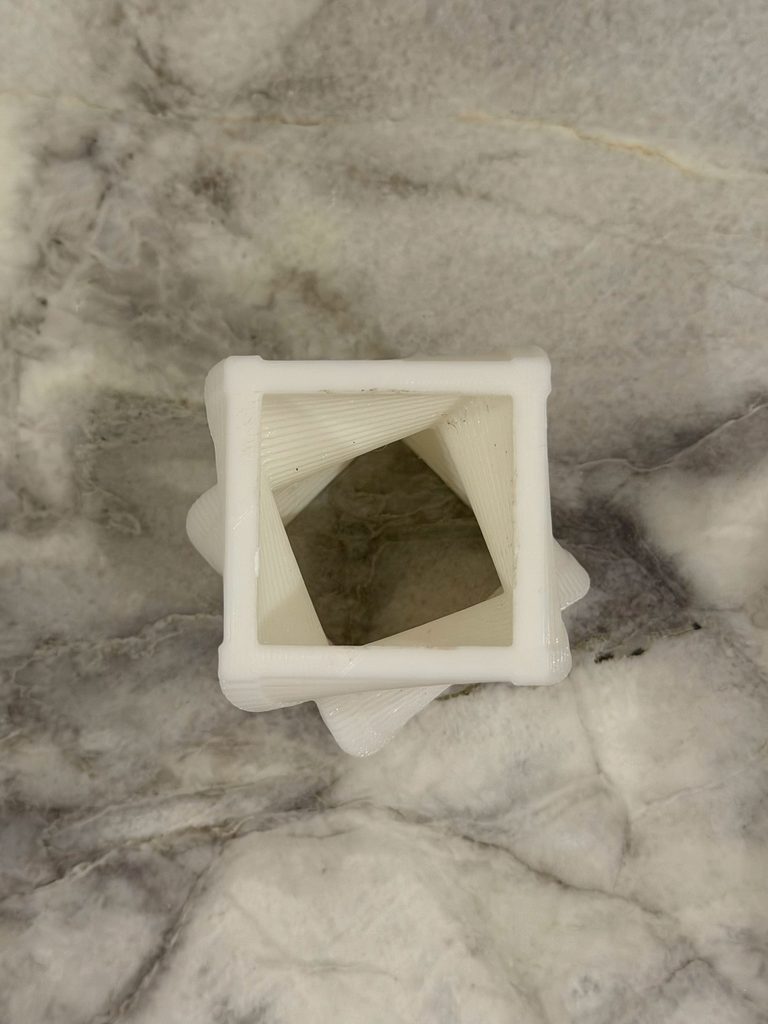
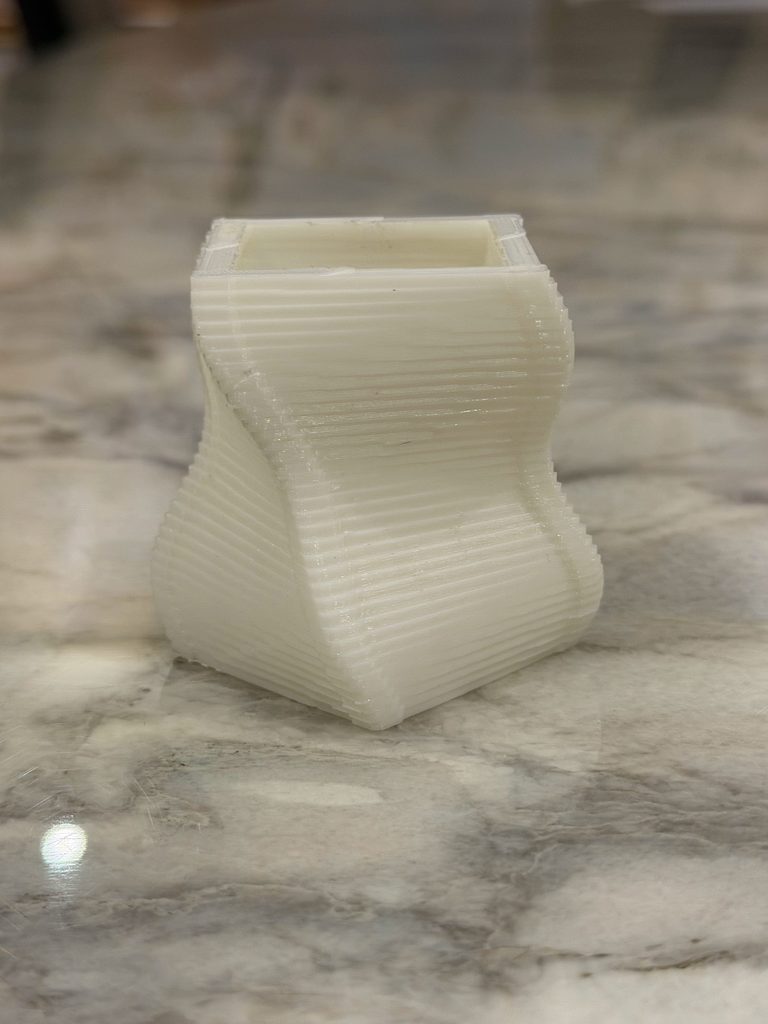
I was really happy with how the final print came out. The twisting effect from the code is very visible in the physical object, especially from the sides. From the top, you can also see how the square opening gradually rotates through the object.

Something I also noticed after printing was the layer lines. On the computer, the design looked much smoother, but in the physical print you can clearly see the layers that built the object. I actually like this because it shows how the object was made and makes the repetition in my code visible in a different way.

The object also looks quite different depending on the angle. From the side, it looks more like a curved and twisted vase, while from the top you can see the square geometry and the rotation much more clearly.

Reflection 

This assignment made me realize that designing something digitally and actually 3D printing it are very different. When I was working in p5.js, I was mainly thinking about what the shape looked like on the screen. Once I had to print it, I had to think more about whether the geometry could actually exist physically and how the printer would build it.

The supports were probably the biggest example of this. I didn’t really think about them while coding, but once the object was printed, they became an important part of the process because I had to remove them without damaging the actual design.

I also think the physical result made the algorithm easier to understand. The repeated boxes, changing size, and gradual rotation are things I created through code, but in the final object they become actual curves, layers, and textures that I can hold and look at from different angles.

Overall, I’m glad that after the problem with my first printing session, the second attempt worked without any major issues. It also made me more comfortable with the process of taking something from p5.js and turning it into an actual 3D-printed object.

Assignment 3: Computational Design + Laser Cutting

Concept

For this assignment, I wanted to create a simple computational pattern using repetition, rotation, and randomness in p5.js and then turn it into a physical object using the laser cutter.

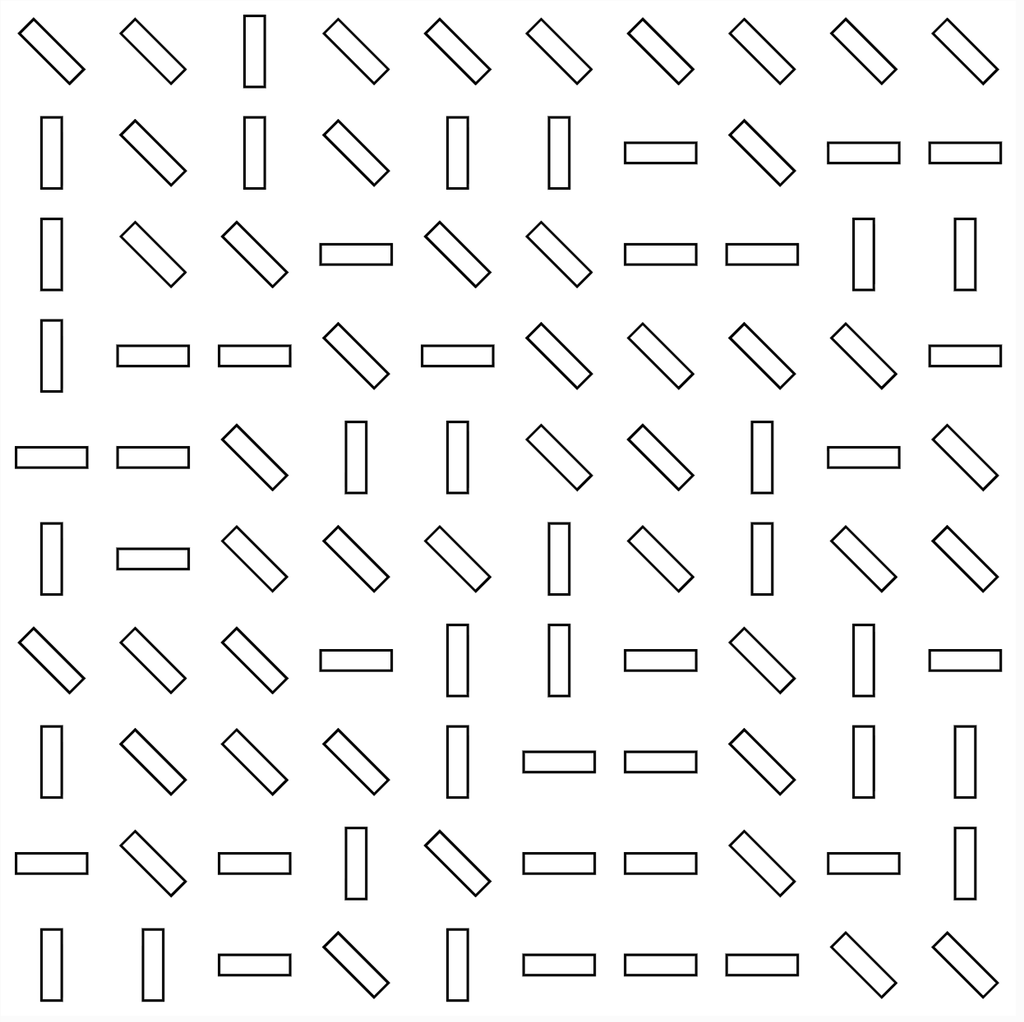
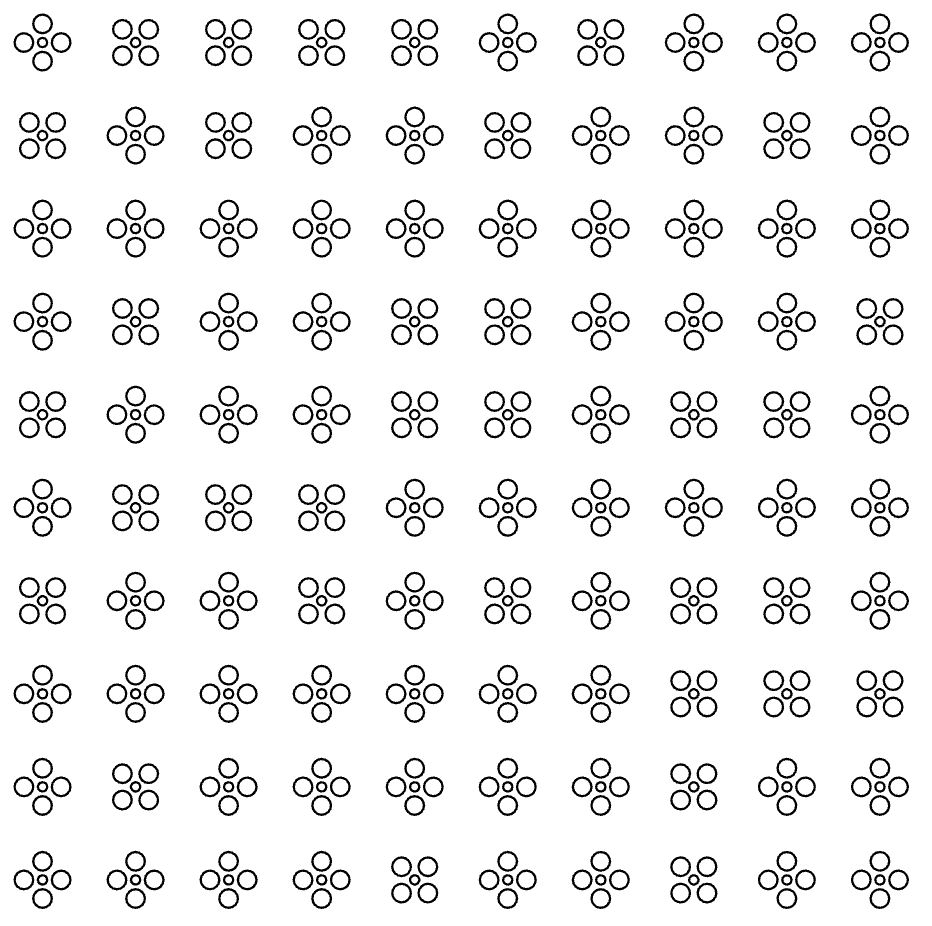
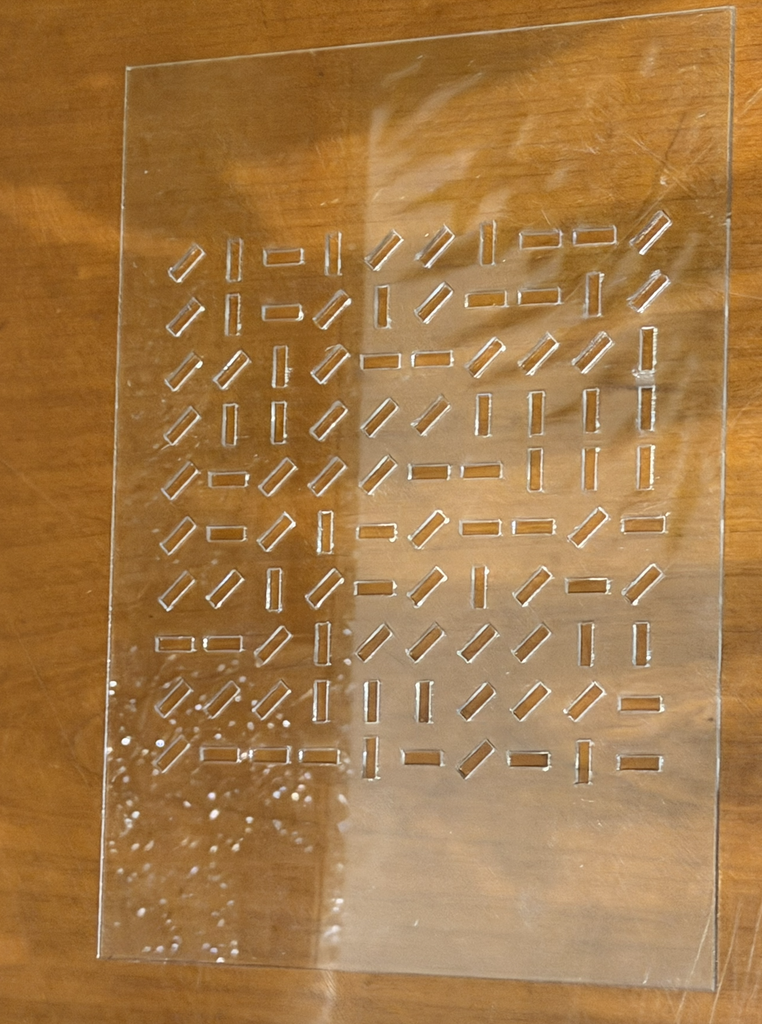
I created two different designs using the same 10 × 10 grid system. For my first design, I used small rectangles that randomly rotate between 0°, 45°, and 90°. For my second design, I created a flower shape using circles and repeated it across the same grid.

I wanted to see how changing the shape while keeping the same basic system would affect the final result. Even though both designs are based on repetition and a grid, they ended up looking very different once they were laser cut.

p5.js Sketch / Code

Design 1: Random Rectangle Pattern

For my first design, I divided the canvas into 10 columns and 10 rows. At every point in the grid, the code creates a thin rectangle. I used random([0, 45, 90]) to randomly choose the rotation of each rectangle. This made the pattern feel less repetitive even though all of the rectangles are the same size.

let cols = 10;
let rows = 10;

function setup() {
createCanvas(400, 400, SVG);
angleMode(DEGREES);
rectMode(CENTER);
noLoop();
}

function draw() {
background(255);
noFill();
stroke(0);

let tileWidth = width / cols;
let tileHeight = height / rows;

for (let c = 0; c < cols; c++) {
for (let r = 0; r < rows; r++) {


let x = map(c, 0, cols - 1,
tileWidth / 2,
width - tileWidth / 2);

let y = map(r, 0, rows - 1,
tileHeight / 2,
height - tileHeight / 2);

push();
translate(x, y);

rotate(random([0, 45, 90]));

rect(0, 0, tileWidth * 0.7, tileHeight * 0.2);

pop();
}

}

save("pattern.svg");
}

Design 2: Flower Pattern

For my second design, I kept the same 10 × 10 grid but changed the shape. I created a small flower using four circles around a smaller circle in the center. The flower is then repeated across the grid.

I also kept the random rotation from the first design. The rotation is less noticeable with the flowers because they are more symmetrical, but the code still uses the same rule-based system.

let cols = 10;
let rows = 10;

function setup() {
createCanvas(400, 400, SVG);
angleMode(DEGREES);
noLoop();
}

function draw() {
background(255);
stroke(0);
noFill();

let tileWidth = width / cols;
let tileHeight = height / rows;

for (let c = 0; c < cols; c++) {
for (let r = 0; r < rows; r++) {

let x = map(
c,
0,
cols - 1,
tileWidth / 2,
width - tileWidth / 2
);

let y = map(
r,
0,
rows - 1,
tileHeight / 2,
height - tileHeight / 2
);

push();

translate(x, y);

rotate(random([0, 45, 90]));

tile();

pop();
}

}

save("flowerPattern.svg");
}

function tile() {
ellipse(0, -8, 8, 8);
ellipse(8, 0, 8, 8);
ellipse(0, 8, 8, 8);
ellipse(-8, 0, 8, 8);

ellipse(0, 0, 4, 4);
}

Vector Design

After creating the patterns in p5.js, I exported both of them as SVG files so that I could use them with the laser cutter.

The first vector design is made from repeated rectangles at different angles. The second uses repeated flower shapes made from circles. Both follow the same grid system, but changing the geometry gave each one a completely different look.

The SVG format was important because it allowed the shapes created through my code to become vector paths that could be used for laser fabrication.

Laser Cutting and Physical Tests

I laser cut both designs onto 5 × 7 inch clear acrylic sheets, which is around 12.7 × 17.8 cm. I kept the material and size the same for both tests but changed the geometry of the pattern.

Test 1: Rectangle Pattern

For my first physical test, I used the rectangle pattern. The laser created the repeated rectangular shapes across the clear acrylic. Because the rectangles randomly rotate between 0°, 45°, and 90°, some are horizontal, some are vertical, and others are diagonal.

I think the randomness became much easier to notice in the physical version. From far away, you can still see the organized grid, but when you look closer, every row has a different combination of directions.

Test 2: Flower Pattern

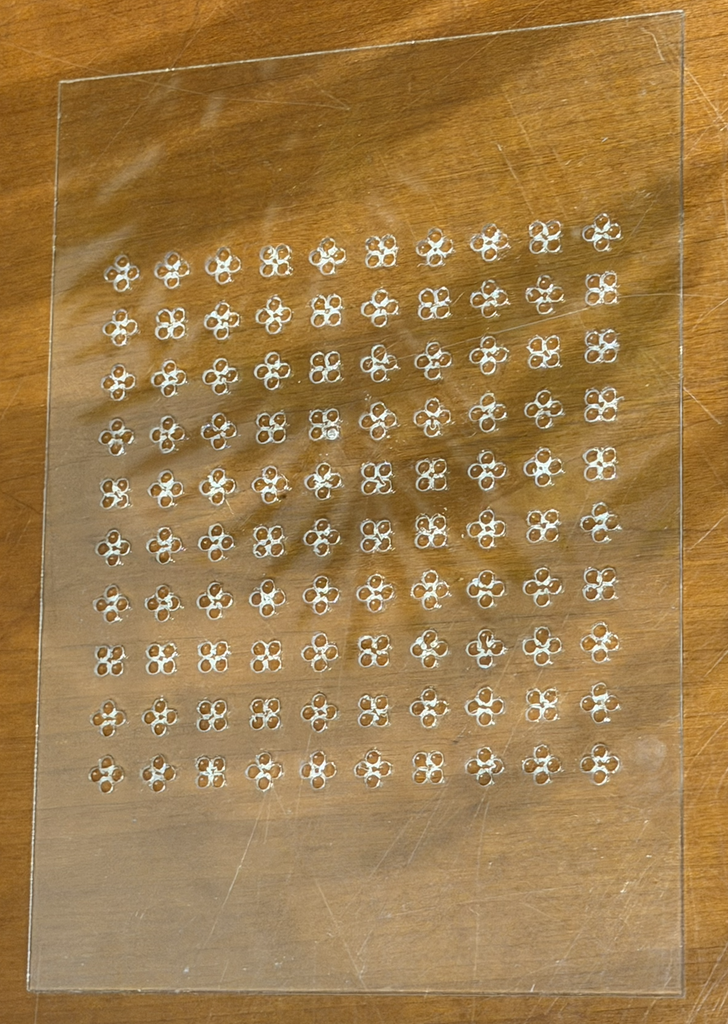
For my second physical test, I changed the geometry from rectangles to flowers. Each flower is created from four larger circles with a smaller circle in the middle.

This version looks more detailed because there are several small shapes making up every flower. When all of them are repeated together, the pattern feels more decorative and organic compared to the first design.

Process and Challenges

I started by creating the grid in p5.js using nested for loops. The loops allowed me to repeat a shape across 10 rows and 10 columns without having to manually place every shape. I then used random() to introduce variation into the rotation.
Once I was happy with the patterns, I exported them as SVG files and prepared them for the laser cutter. I tested two different geometries to see how they would look when turned from digital designs into physical pieces.

One thing I noticed during the process was that the design looks different on the computer compared to the acrylic. On screen, I was mainly looking at black outlines on a white background. Once it was laser cut, those lines became physical cuts in a transparent material.

The flower design was also more detailed than the rectangle design because it contained many small circles close to each other. This made me think more about the spacing between the shapes and how small details would actually come out when using the laser cutter.

Reflection

This assignment made me think differently about computational design because I wasn’t only designing something to stay on a screen. I had to think about what would happen when my code became a physical object.

The biggest thing I noticed was how important negative space became. In p5.js, I was thinking about drawing rectangles and circles, but after laser cutting, those shapes became openings in the acrylic. The empty areas became part of the design instead of just being the background.

Making two versions also helped me see how changing one part of a computational system can create a very different result. Both designs use a 10 × 10 grid, repetition, and the same basic code structure, but changing the geometry from rectangles to flowers made the final pieces look completely different.

Overall, laser fabrication made me pay more attention to scale, spacing, geometry, and material. I liked being able to take something I created through code and actually hold the final result physically.

Assignment 2 – Mechanical Drawing Machine (Mhara & Raghd)

Concept

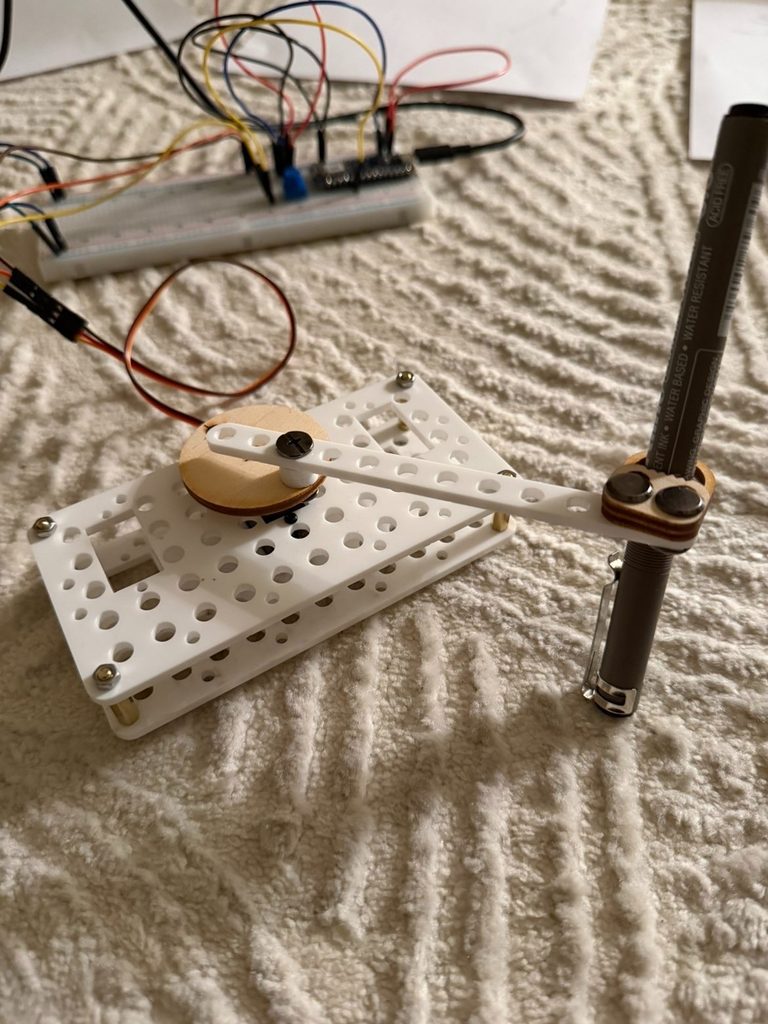
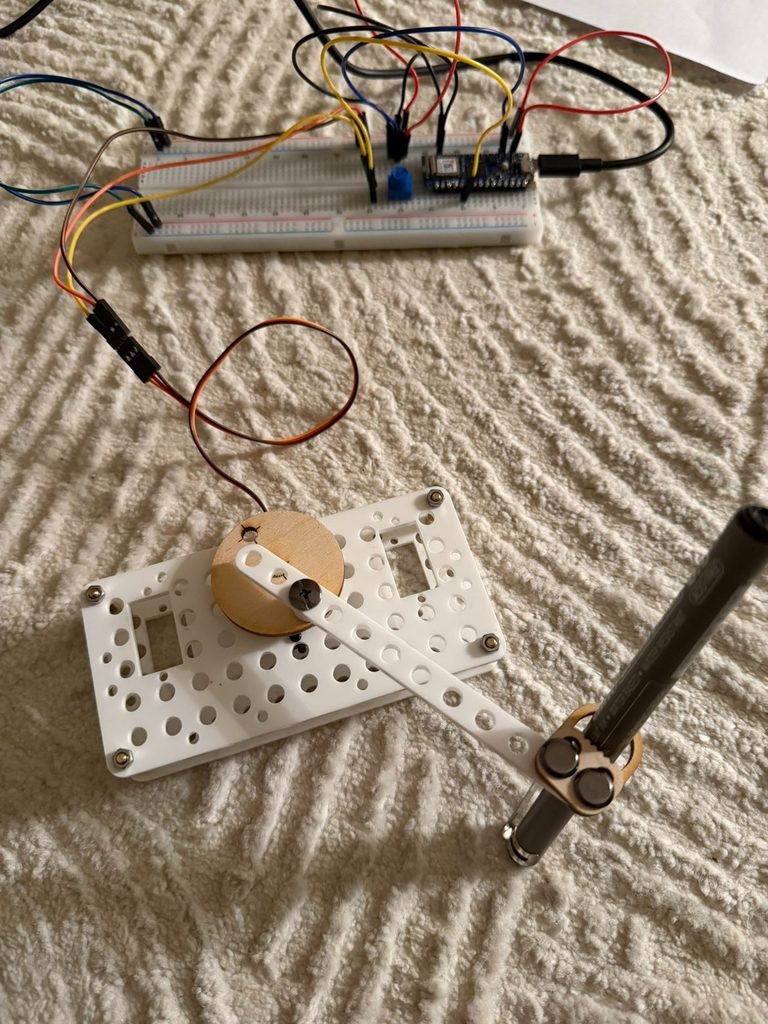
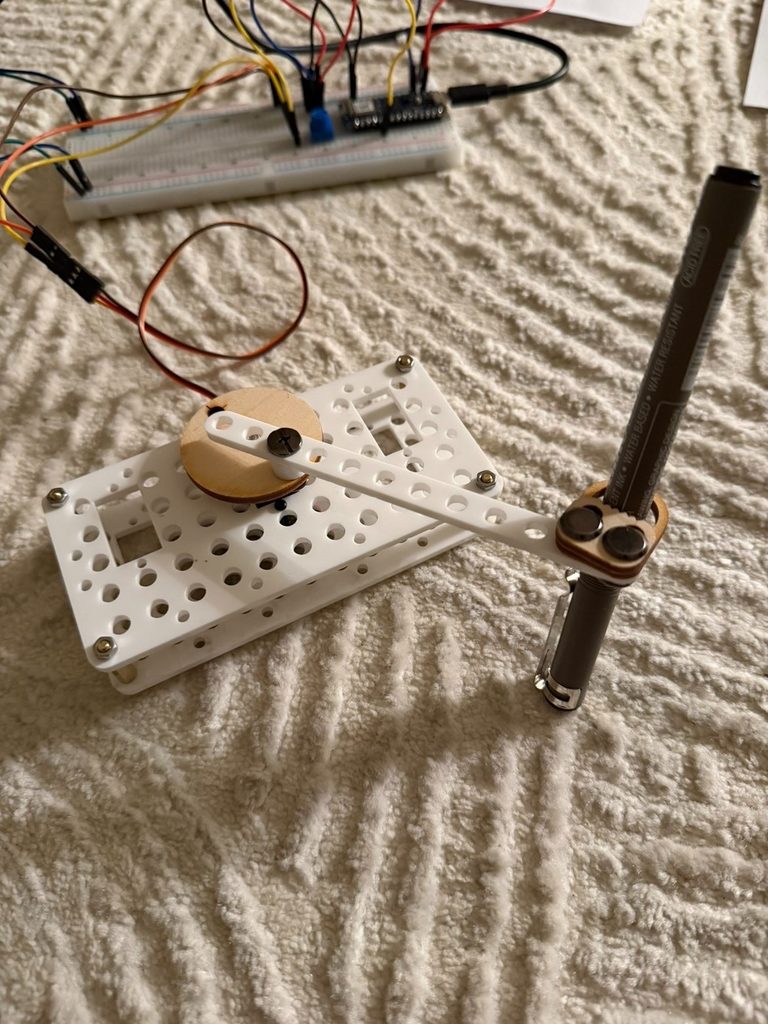
For this project, we built a simple mechanical drawing machine that uses servo‑driven motion to move a pen. We decided to keep the physical model very minimal with only one linkage arm and a single servo. This made it easier for us to focus on experimenting with the code and seeing how different angles and delays changed the drawings. Keeping the structure simple helped us spend more time testing motion instead of fixing complicated parts.

Photos and Videos:

Process

We started with the laser‑cut kit and assembled a basic linkage system. The servo was attached to a circular wooden disk, which rotated and moved a white plastic arm that held the pen. The pen was secured with small screws and a wooden bracket so it stayed steady while the servo moved.

We connected the servo to an Arduino on a breadboard and wrote simple code using the Servo library. Our goal was to test different angle ranges and delay values. Each change created a different drawing pattern, so we documented them as separate trials.

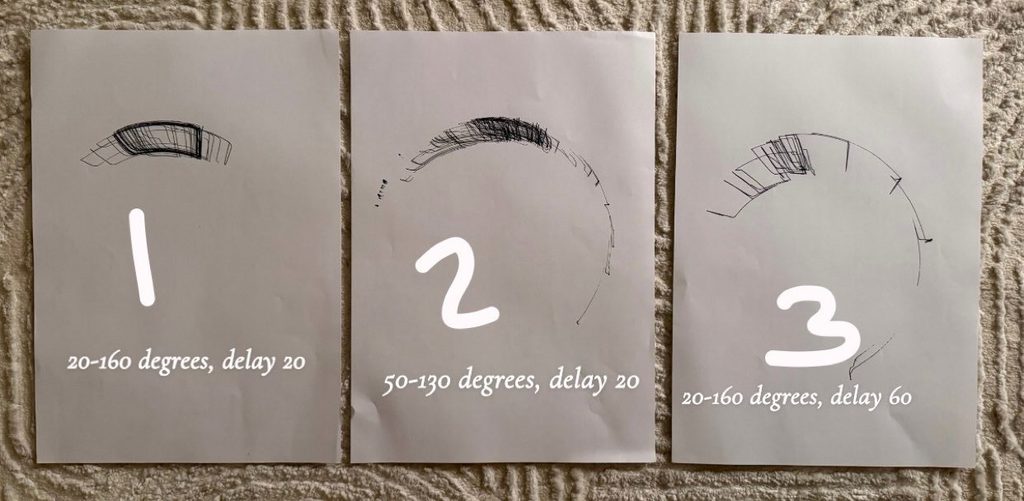
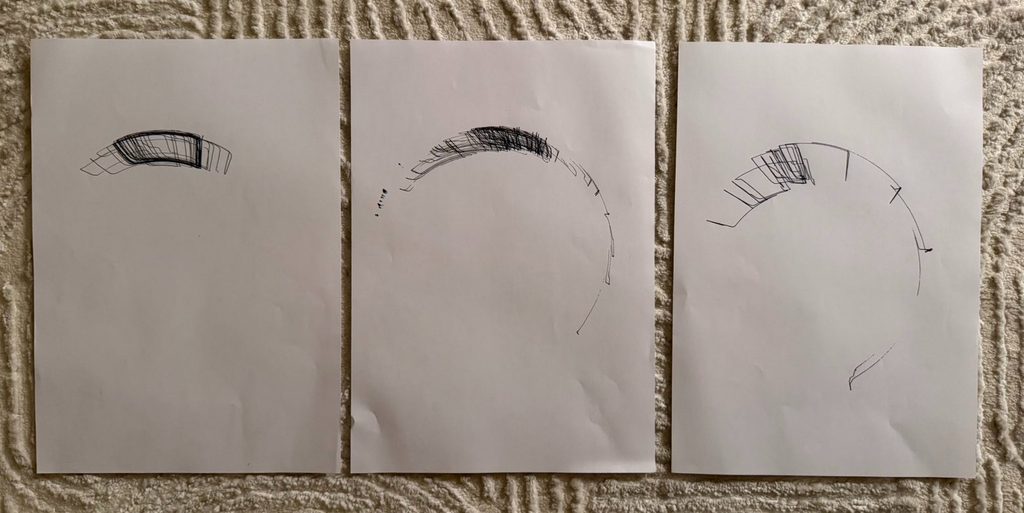
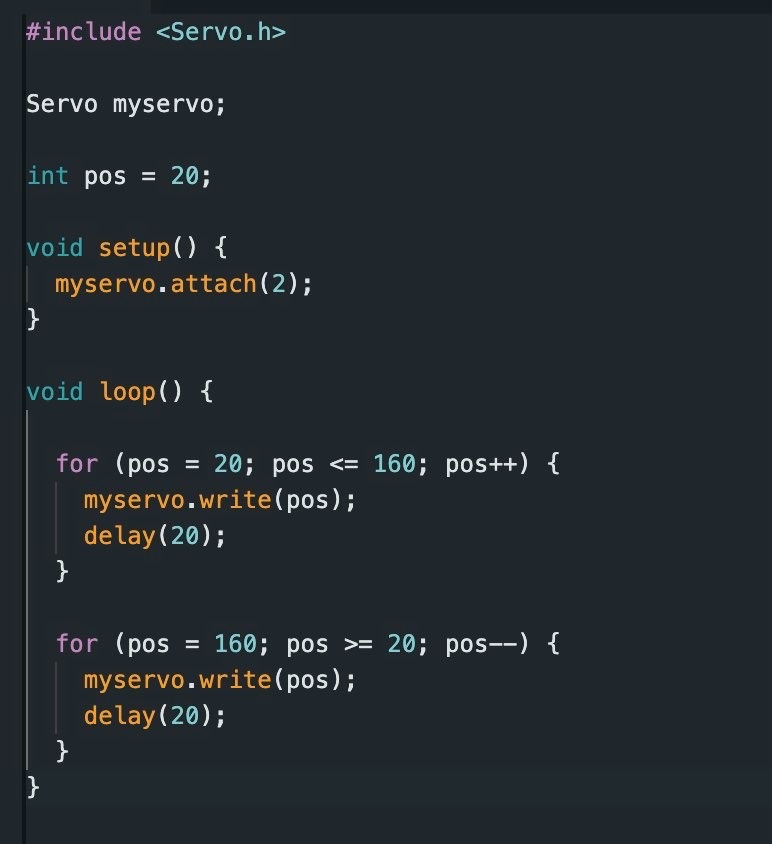
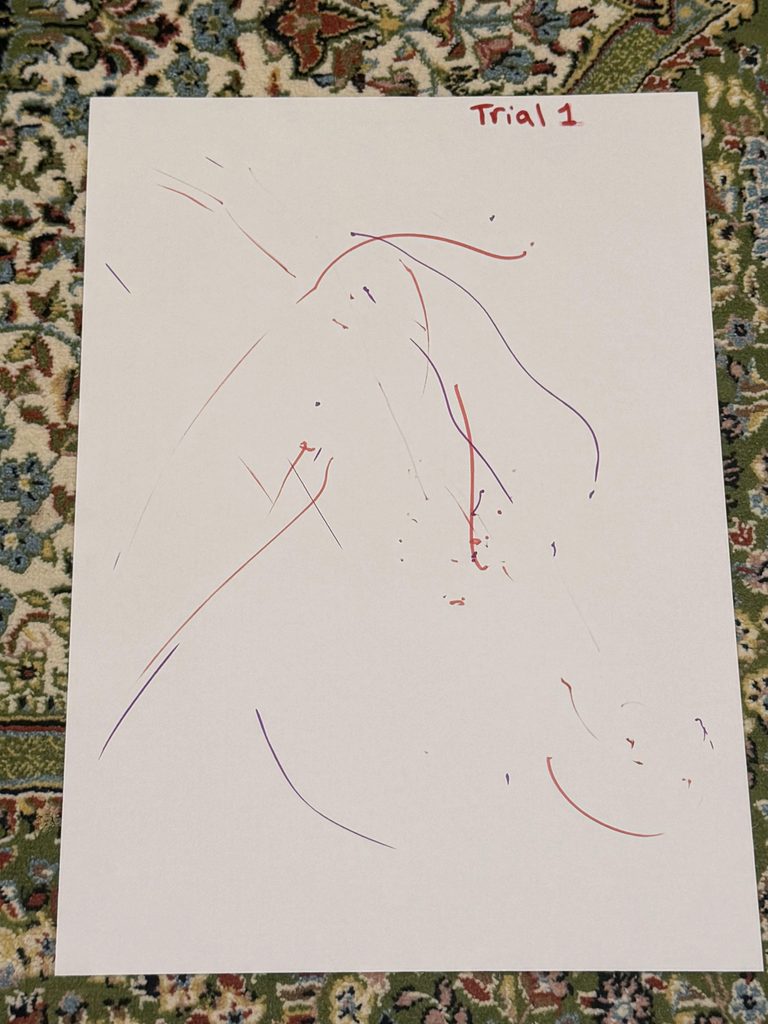
For the first trial, we used 20 to 160 degrees with a delay of 20. This created dense overlapping lines that formed a shaded arc. The fast delay made the servo move quickly, which produced compact marks.


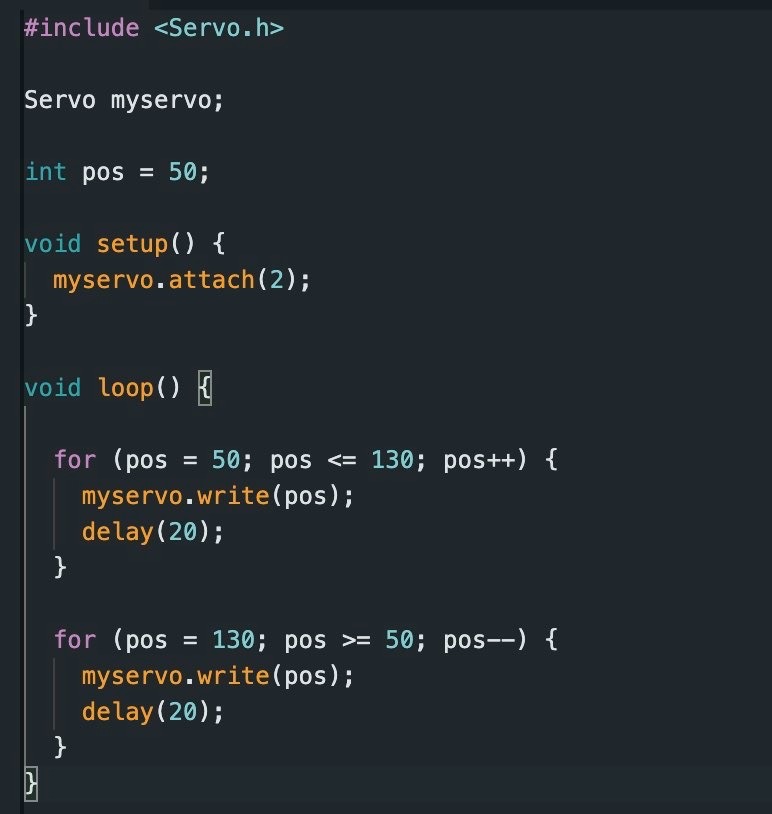
In the second trial, we changed the angle range to 50 to 130 degrees with the same delay. This gave us a smoother and more open curve. The drawing looked lighter and more gradual.

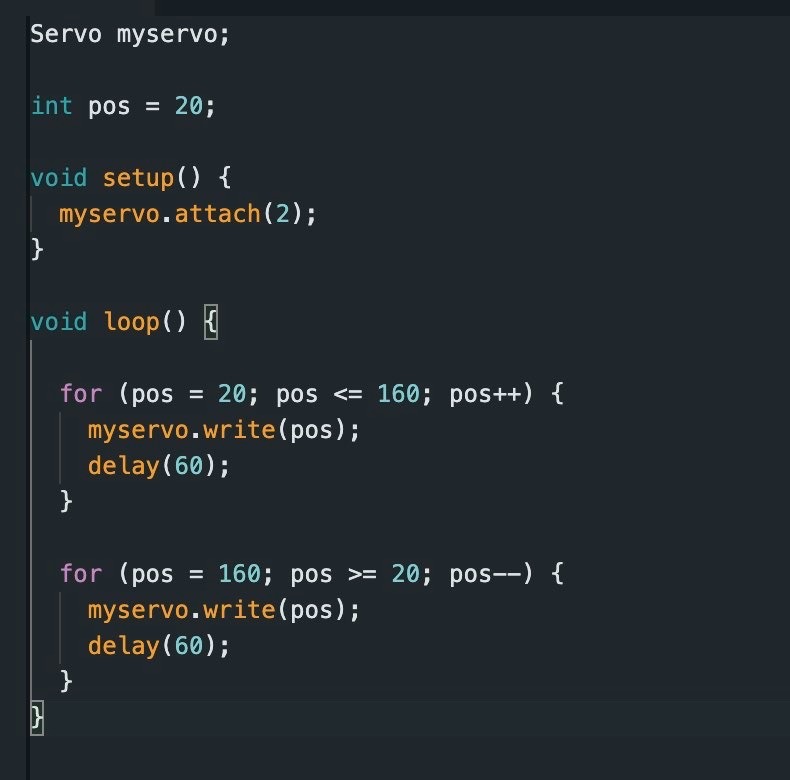
For the third trial, we went back to 20 to 160 degrees but increased the delay to 60. Slowing the servo down created more spaced‑out lines with less overlap. The marks looked more mechanical and rhythmic.

Reflection

We noticed that even small changes in the code had a big effect on the final drawings. Adjusting the delay changed the speed of the motion, which affected how dense or light the marks were. Changing the angle range changed the shape of the curves. Faster movements created darker and layered areas, while slower movements produced cleaner arcs.

Keeping the mechanism simple helped us understand how motion becomes mark‑making. It also made it easier to test different parameters without having to adjust complicated parts every time.

Challenges

One of the main challenges was calibrating the servo so the pen stayed on the paper without pressing too hard or lifting off. We also had to find the right delay values to balance speed and control. Fast movements made the lines messy, while slower movements sometimes felt too stiff. Another challenge was keeping the structure stable while the servo moved, because the vibration sometimes shifted the setup. We also had to organize the wiring on the breadboard so it would not get in the way during testing.

Conclusion

This project helped us understand how mechanical motion and code work together to create visual patterns. By changing only a few variables, we were able to explore many different results. The simplicity of the design made the process feel more like experimentation and discovery, which is exactly what we wanted.

Assignment 1 – Low-tech Drawing Machine

Concept

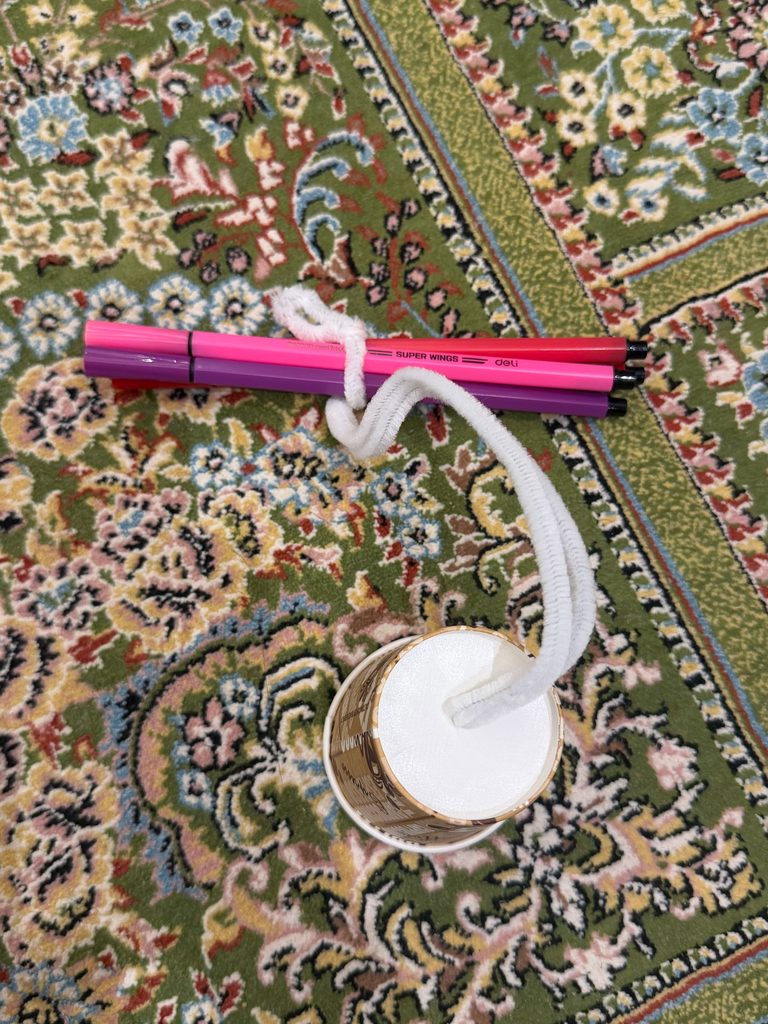
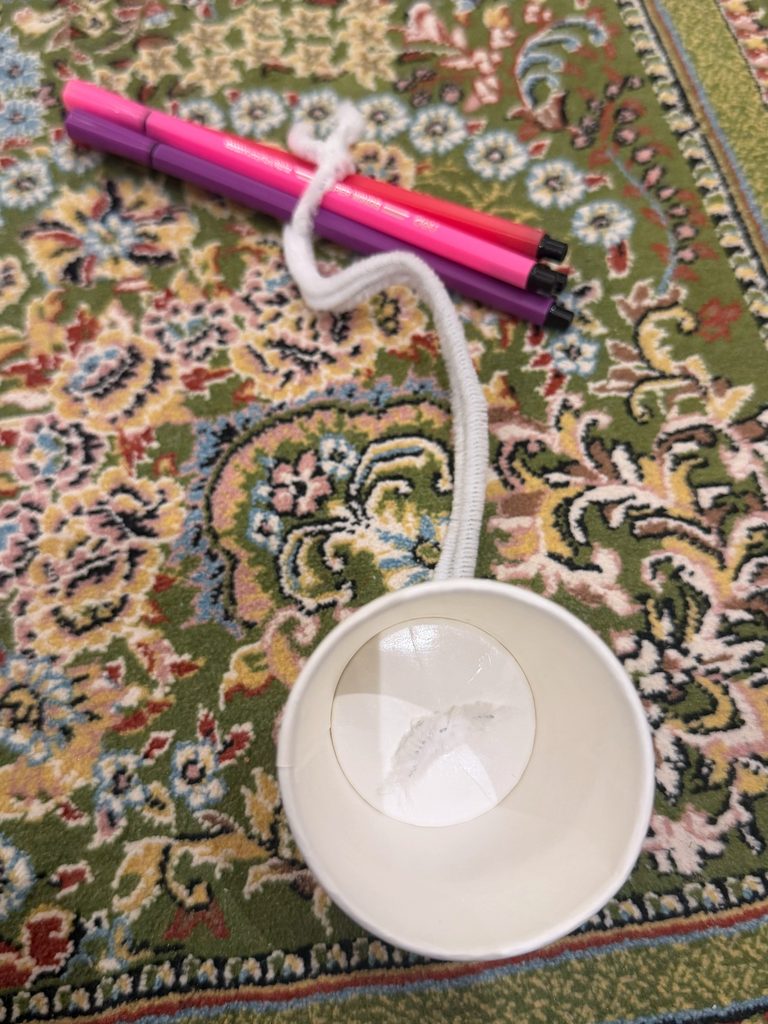
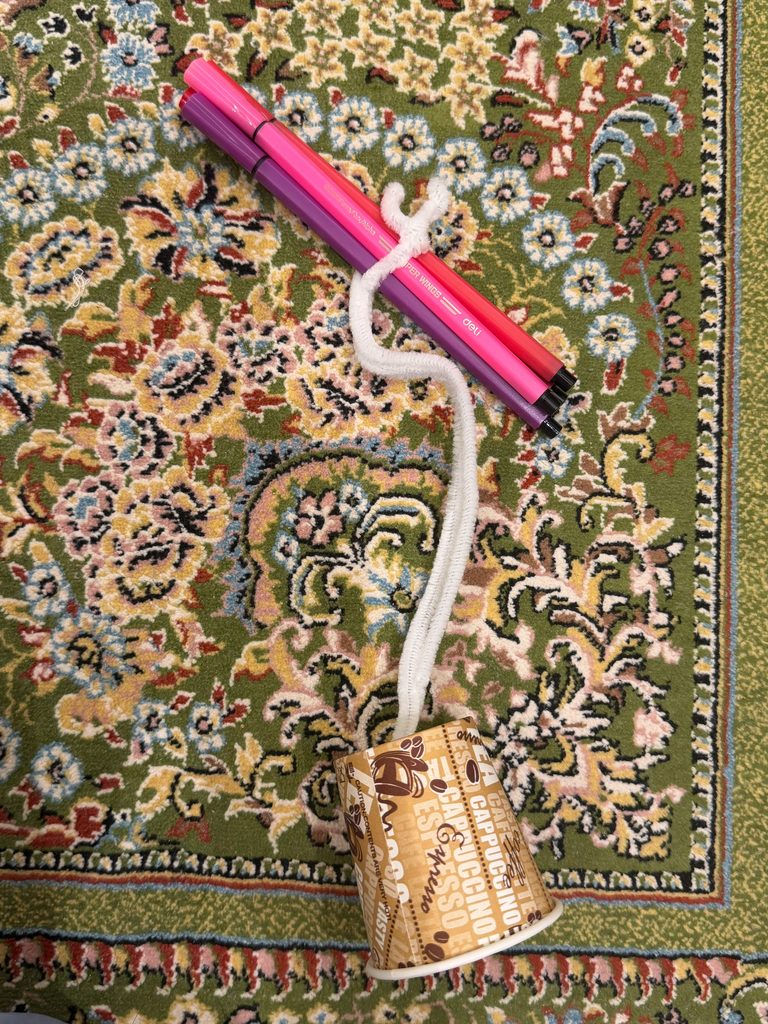
For this project, I made a small drawing machine using a paper cup, two pipe cleaners, and two markers. I wanted something simple that still created drawings I couldn’t fully control. I attached the pipe cleaners to the cup and the markers, so they acted like flexible arms. When I swing the cup over the paper, the pipe would swing the markers, and the markers leave random lines. Even though I’m the one holding and moving the cup, the pipe cleaners make the motion unstable, so the final drawing is never exactly what I expect.

Photos / Video of the Machine

Video:

Photos:

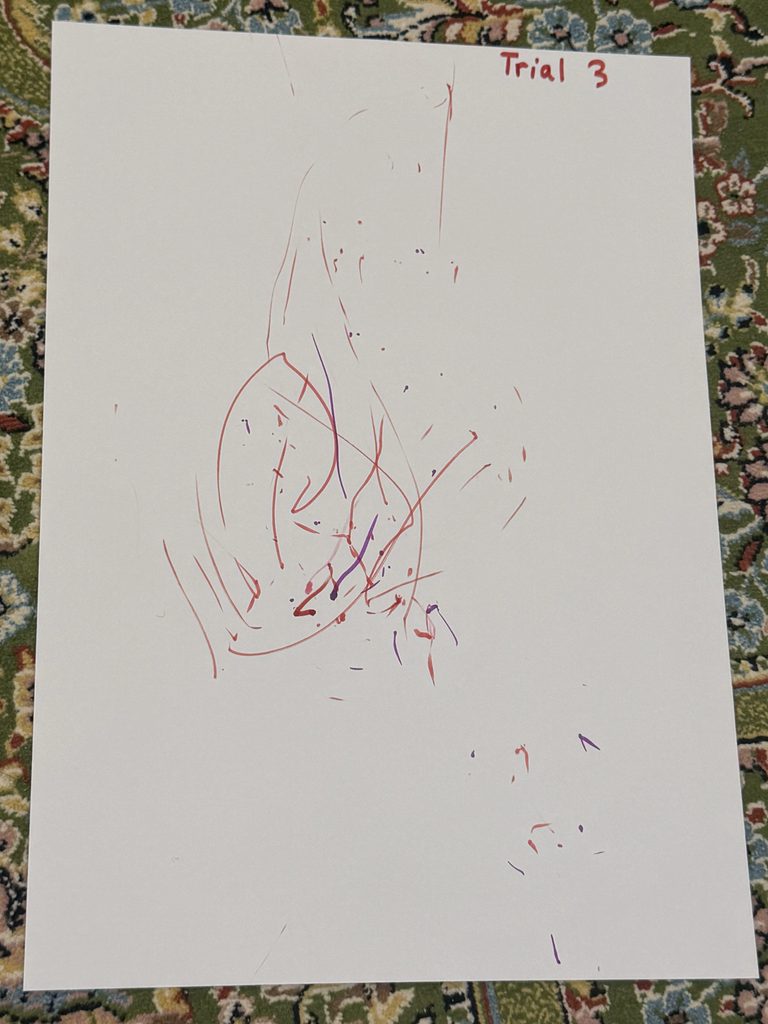
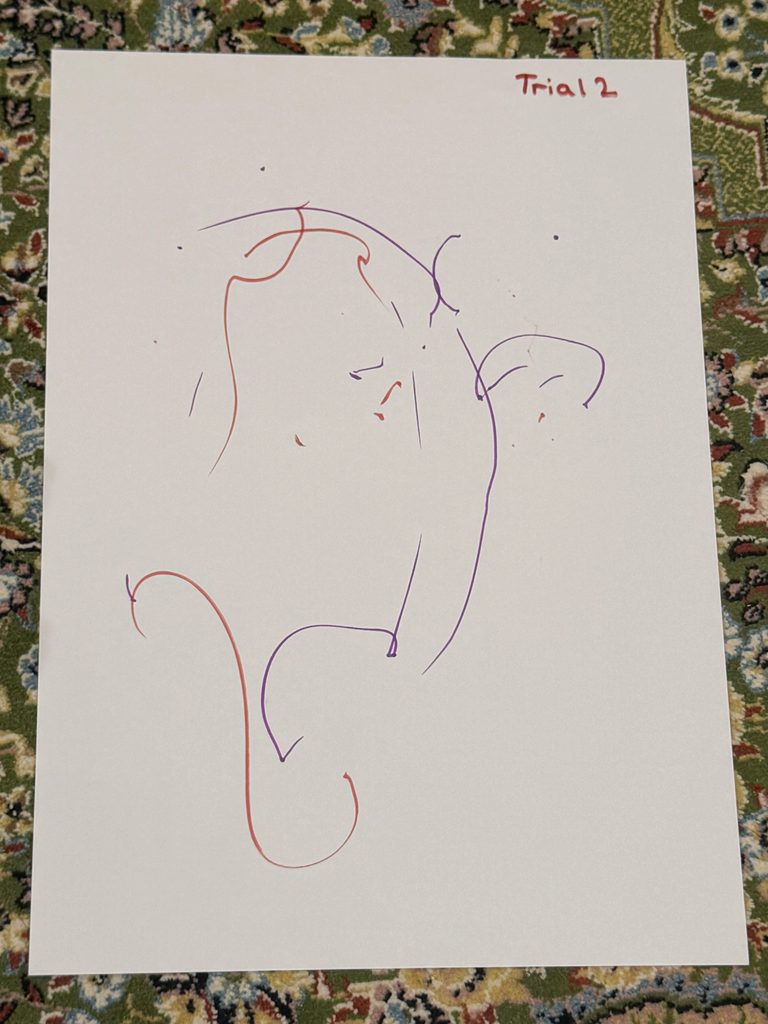
Drawing Outputs

Each drawing looked different even though I used the same materials and the same motion. When I swung the cup gently, the lines came out soft and curved. When I moved it faster, the pipe cleaners shook more, and the lines became messy and overlapped. Sometimes the markers touched the paper evenly, and other times they bounced or skipped. These small changes made every drawing unique.
Process and Challenges

The machine was easy to build, but getting it to work the way I wanted took some trial and error. Using two pipe cleaners made the arm more flexible, but also harder to control. Sometimes the markers didn’t touch the paper at the same time, or the cup tilted too much. I had to adjust the pipe cleaners and try different ways of swinging the cup. Another challenge was letting the machine behave naturally instead of trying to fix the lines. Even though I was holding the cup, I tried not to guide the markers too much. Once I let the pipe cleaners move freely, the drawings became more interesting.

Reflection on Control, Chance, and Authorship

This project made me think about how much control I actually have. I control the materials and how I start the movement, but the pipe cleaners add chance to the drawing. I never know exactly how they will bend or shake, so the final marks are partly random. I still see myself as the author because I designed the system and decided how it works, but the machine also plays a big role in the final result. The drawings feel like a mix of my intention and the unpredictable behavior of the pipe cleaners.

Sol LeWitt: Where the “Idea” Resides

After reading Sol LeWitt’s Paragraphs on Conceptual Art, I realized that the “idea” of my drawing is not in the final image. It’s in the system I created. LeWitt writes, “The idea becomes a machine that makes the art.” This connects directly to my project. The idea behind my machine is attaching two pipe cleaners to a cup and letting the movement create the marks. Once I start swinging the cup, the machine carries out the idea for me. The drawing is only one possible result of that system. This helped me understand that the important part of my project is the concept and the rules, not one specific final drawing.