e-David: A Robot That Paints

Assignment 7 – Drawing Robots and Machines

Group Members: Mouza, Meera, and Mhara

Introduction

When we think of painting, we usually imagine an artist holding a brush and deciding what to paint. But what if a robot could do the same thing?

For this project, we chose e-David, a robotic painting system that uses real brushes and paint to create artworks. What caught our attention was that e-David doesn’t just follow instructions and paint an image. It actually takes pictures of its work, checks what it has painted, and makes changes as it goes.

We found this especially interesting because painting is something we usually connect with human creativity, personal expression, and making decisions while working. Seeing a machine perform some of these actions made us curious about how much of the painting process can be controlled through technology.

We wanted to explore how e-David works, what makes it different from other drawing machines, what is needed to build a system like it, and how artists have used similar technologies in their work.

1. What Is e-David, and How Does It Paint?

e-David stands for Electronic Drawing Apparatus for Vivid Image Display. It was developed by researchers at the University of Konstanz in Germany, and the project has been running since 2009. It was developed under the supervision of Professor Oliver Deussen, and Michael Stroh currently leads the project.

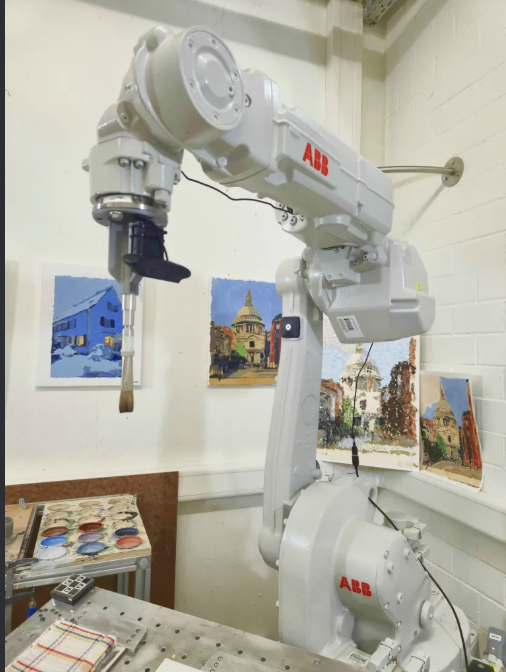
The robot uses an industrial robotic arm that holds a paintbrush and moves it across a canvas. Unlike a printer, which places ink directly onto paper, e-David works with actual paint and brushes, just like an artist would. It can use different brushes, change colours, and clean its brushes when needed.

The process starts with a digital image that the robot uses as a reference. This could be a photograph or a digital drawing. The software studies the image and breaks it down into smaller shapes, colour regions, and details that can be painted. It then plans how the robotic arm should move to create these different parts of the image.

Instead of painting every detail immediately, e-David can work in layers, starting with larger areas of colour before adding smaller details. This is similar to how some artists begin with the general composition and gradually build up their painting.

What makes the process different is that e-David has a camera that takes pictures of the painting as it progresses. The computer compares these pictures with the original image to see which areas still need work. It then tells the robot where to add more brushstrokes.
The process can be broken down into five steps:

  1. Image analysis: The software looks at the reference image and separates it into shapes, colours, and areas that need to be painted.
  2. Planning: The computer decides where the brushstrokes should go, which colours to use, and how the robotic arm should move.
  3. Painting: The robotic arm picks up paint and moves the brush across the canvas, gradually building the image through different strokes and layers.
  4. Checking: A camera takes pictures of the painting so the computer can compare the actual result with the reference image.
  5. Adjusting: The software identifies areas that need improvement and plans additional brushstrokes to make the painting closer to the intended result.
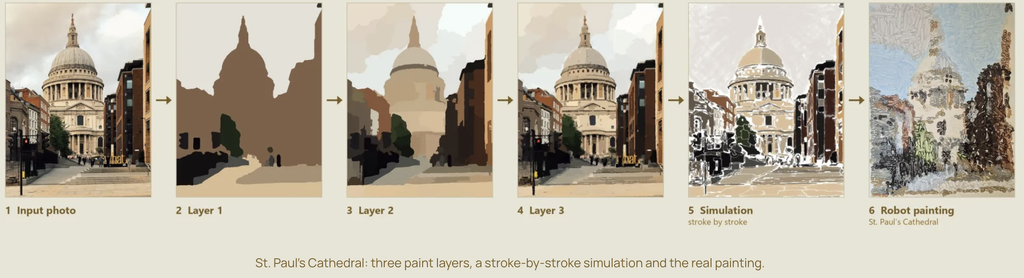
These steps repeat until the painting is finished.

One detail we found interesting is that the robot doesn’t necessarily paint the image in the same order that a person would. Its software can organize the painting into regions and decide how to fill each one based on its shape and the amount of detail needed.

Something else we found interesting is that even though the robot follows computer instructions, the paint doesn’t always behave exactly as expected. Sometimes a brushstroke might be thicker or lighter than planned, or the paint might spread differently depending on the surface. This means the robot has to keep checking its work instead of assuming every stroke turned out perfectly.

2. What Makes e-David Interesting?

What interested us most about e-David is that it can look at what it has painted and make adjustments.

Most drawing machines, like traditional pen plotters, follow a set path that has already been programmed. They move a pen across the paper according to coordinates, but they don’t usually check whether the drawing looks right afterward.

e-David is different because it uses something called a visual feedback system. This means that the robot uses a camera to see what it has painted and then uses that information to decide what needs to be done next. This is also known as a closed-loop system, where the result of an action influences the next action.

We found this interesting because painting isn’t always predictable. The amount of paint on the brush, the pressure against the canvas, and even the texture of the surface can change how a brushstroke looks.

For example, the robot might plan to paint a thin line, but the brush could leave a thicker mark. Instead of continuing without checking, e-David can detect the difference and take it into account when planning its next movements. It cannot always undo a mark that has already been made, but it can adjust the painting by adding more strokes.
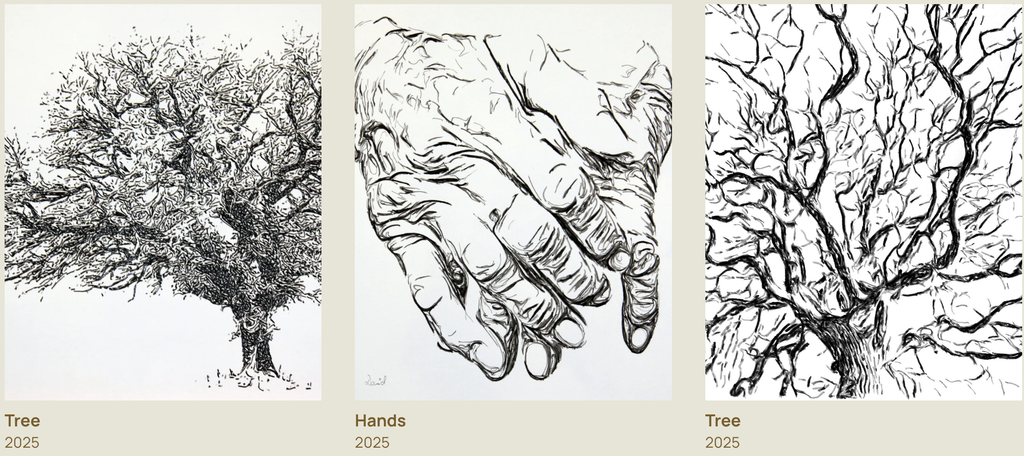
Another thing we liked is the combination of precise robotic movements and the less predictable nature of paint. The robot can control where the brush goes, but it can’t completely control how the paint behaves.

This creates an interesting contrast between the machine and the material. The robotic arm is designed to move accurately, but the paintbrush is flexible, the bristles bend, and the amount of paint changes throughout the process. Even when the robot repeats the same movement, the mark might not look exactly the same.

We also found it interesting that e-David can produce different painting styles. It doesn’t have to focus only on making a realistic copy of a photograph. By changing how the software plans the strokes, the robot can create more simplified, abstract, or experimental results.
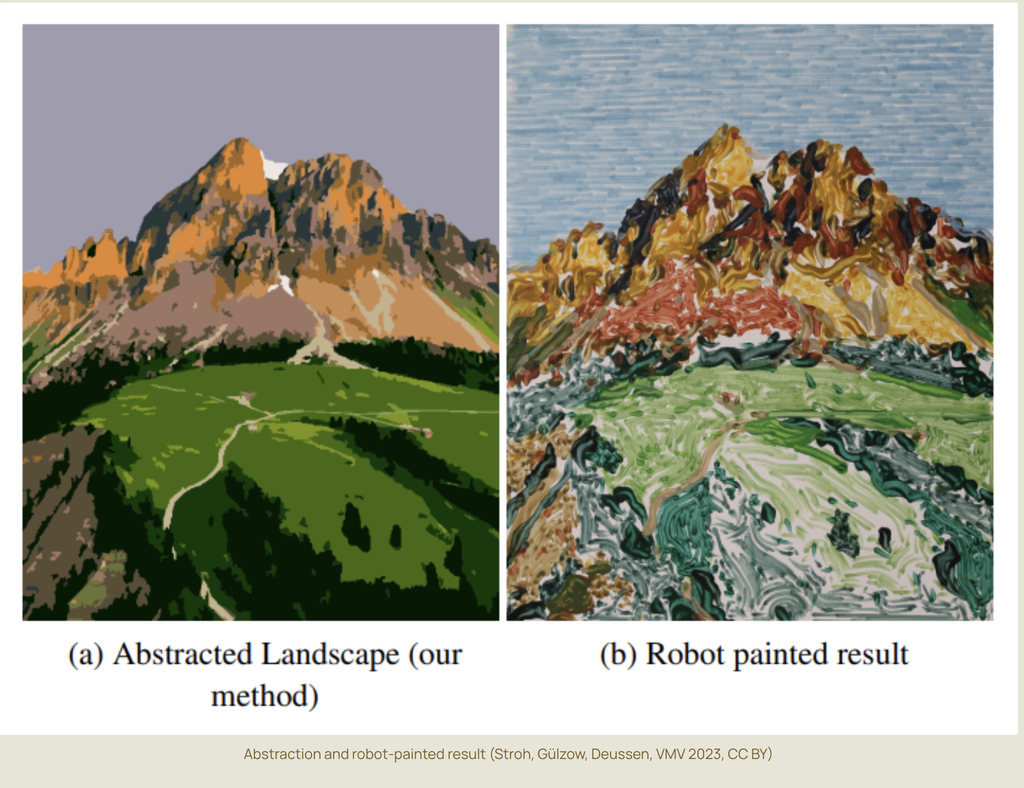
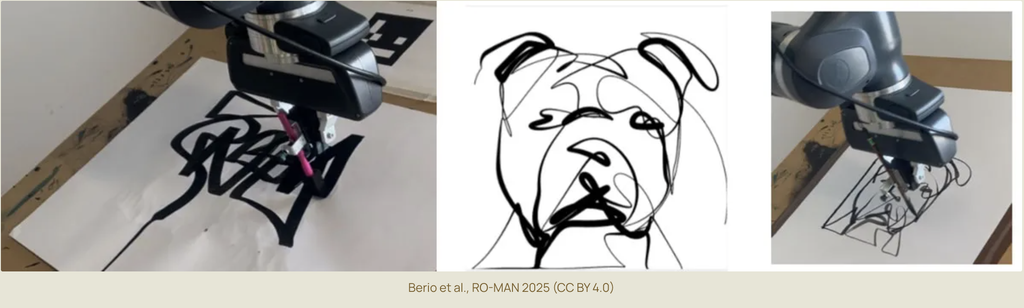
This made us think about how artists work too. When painting by hand, artists often make changes as they go because something doesn’t look exactly how they imagined it. They might add another layer, change a colour, or adjust the composition.

Although e-David works through software rather than human intuition, we thought it was interesting that its painting process also involves checking, changing, and improving the work along the way.

For us, this is what makes e-David more interesting than a machine that simply follows a drawing path. It is not just about how accurately the robot moves, but also about how it responds to the marks it has already made.

3. What Components Are Needed to Build e-David?
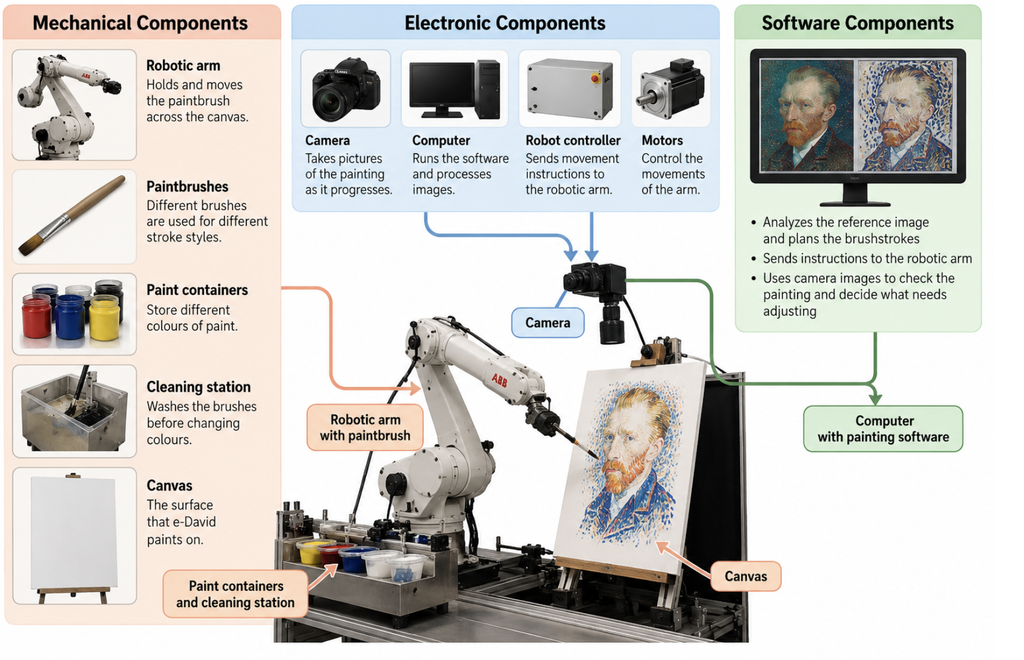
To build a painting robot like e-David, several mechanical, electronic, and software components are needed. Each part has a different role, and they all have to work together for the robot to paint.

Mechanical Components

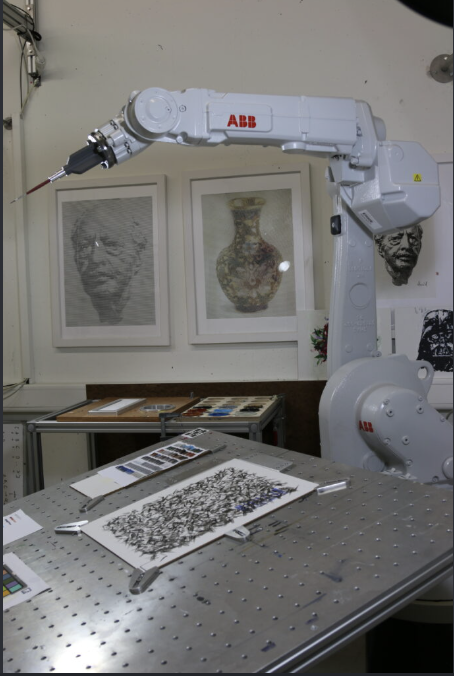
The main mechanical component is a robotic arm that can move in different directions. Some versions of e-David use six-axis industrial robotic arms, including ABB robots. These arms can move and rotate in different ways, allowing them to control the position and angle of the brush.

The robotic arm needs a brush holder that can securely hold the paintbrush while it moves. The system also requires different brushes because different sizes and shapes produce different types of strokes.

Another important part is the paint station. This holds the available colours and allows the robot to dip its brush into the paint when needed. Earlier versions of e-David were designed to work with up to five brushes and 24 paint colours.

The robot also needs a brush-cleaning station so it can wash and dry the brush before changing colours. Without this, the colours could mix unintentionally and affect the painting.

Finally, the system needs a stable canvas or paper support positioned within the robot’s working area.

These are the parts that allow the robot to physically paint. Even though the movements are controlled by a computer, the robot still needs tools and materials similar to those used by a human painter.

Electronic Components

One of the most important electronic components is the camera. It takes pictures of the canvas so the computer can check the painting’s progress.

The position of the camera and the lighting are important because the software needs clear images to compare the painting with the reference. Changes in lighting or shadows could make it harder for the computer to identify the actual colours and marks on the canvas.

The system also needs a computer, a robot controller, motors, and the necessary power and communication connections.

The computer processes the images and calculates the brushstrokes, while the robot controller translates these instructions into movements. The motors inside the robotic arm allow its different joints to move.

Some robotic painting setups also use sensors to help measure distances or maintain the correct position between the brush and the painting surface.

Safety equipment is another important part of the setup, especially when working with an industrial robotic arm. The robot needs a controlled working area and an emergency stop system so that it can operate safely around people.

Software Components

The software is responsible for planning and controlling the painting process. It connects the digital reference image to the physical movements of the robot.

It includes several important functions:

  • Image processing: Studies the reference image and the pictures taken by the camera to identify colours, shapes, and details.
  • Image abstraction: Simplifies the original image into regions and layers that the robot can paint more easily.
  • Brushstroke planning: Decides where the brushstrokes should be placed, which direction they should follow, and which brush or colour to use.
  • Motion planning: Works out how the robotic arm should move between the canvas, paint station, and cleaning station.
  • Visual feedback: Compares the painting with the reference image and identifies areas that need more work.
  • Robot control: Sends the movement instructions to the robotic arm so it can carry out the painting process.

An important part of the software is how it translates an image into physical movements. A digital image is made of pixels, but a painting is made of brushstrokes. The software has to decide how to turn areas of colour into marks that a real brush can produce.

For example, a large area of blue in a photograph might be painted using several longer strokes, while a smaller detail might require a different brush and shorter movements.

The software also has to account for the limits of the robot and its materials. The arm cannot move everywhere at once, brushes need to be cleaned, and paint may need to be applied in several layers.

We think the camera and feedback software are especially important because they are what allow e-David to check its work.

Without them, the robot would be much closer to a regular drawing machine that simply follows a set of instructions. The combination of all three component groups is what allows e-David to plan, paint, observe, and adjust.

4. Examples of Artworks Created with e-David

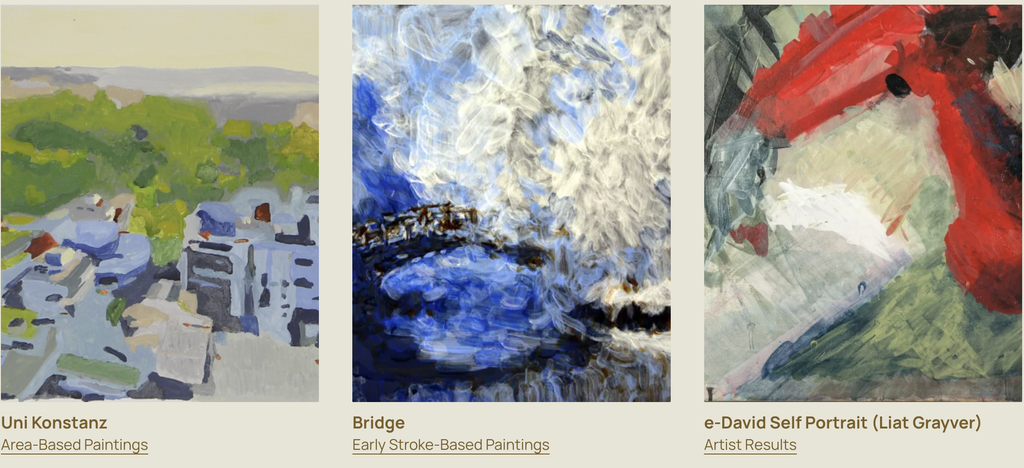
e-David has been used to create different types of paintings, including portraits, realistic images, landscapes, and abstract artworks.

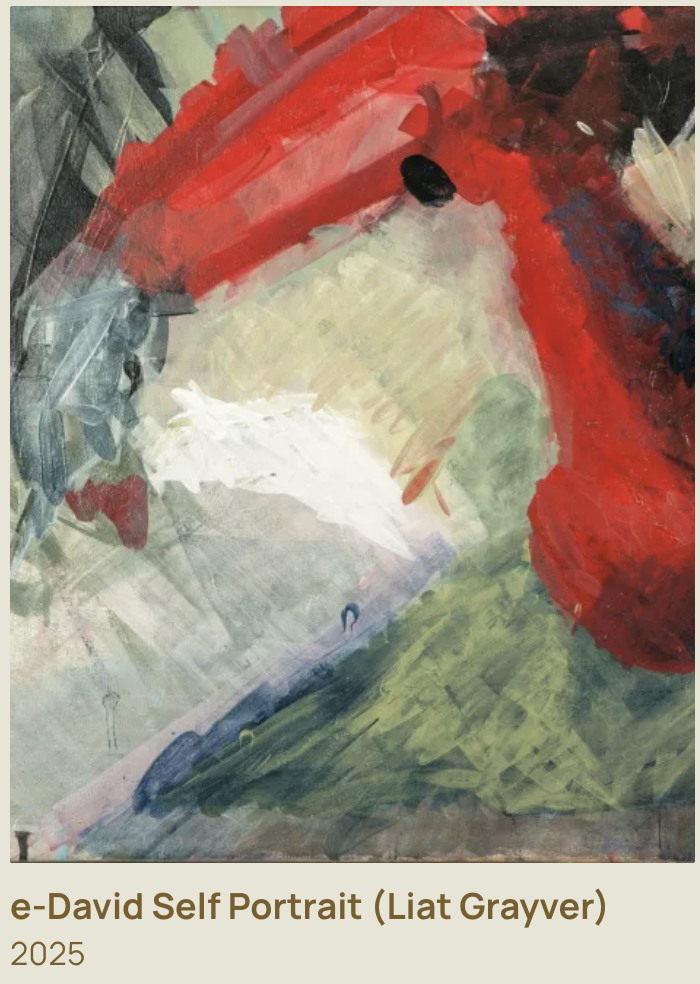
One example is e-David’s self-portrait, which was featured in the RobotArt competition. This is interesting because the robot is being used to create a recognizable image rather than just a geometric pattern. It shows how a painting machine can gradually build up a detailed composition using individual brushstrokes.
Another example is Homage to Jackson Pollock, which was also presented as part of e-David’s RobotArt work. Unlike a traditional portrait, this example connects robotic painting to a more expressive and abstract style.

We found this especially interesting because Jackson Pollock is known for paintings that emphasize movement, gesture, and the physical act of applying paint. Seeing a robot explore a style associated with spontaneous human movement creates an interesting contrast.

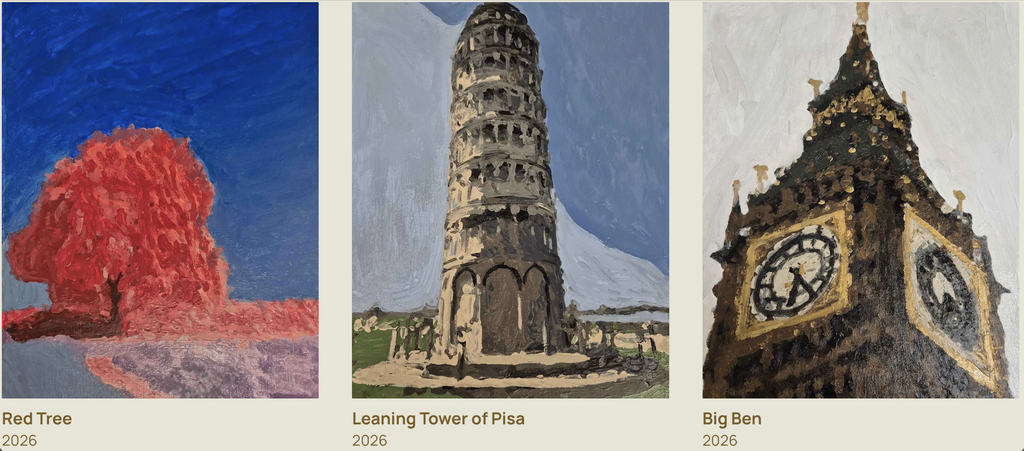
e-David has also produced landscape and architectural paintings. More recent examples from the project include Red Tree, Leaning Tower of Pisa, and Big Ben. These works show how the system can use different shapes, colours, and levels of detail to create recognizable scenes.
Another example is e-David’s collaboration with artist Gretta Louw on the Orchid Diptychs project. In this work, the robot contributed painted elements to artworks that also involved the artist’s own creative decisions.
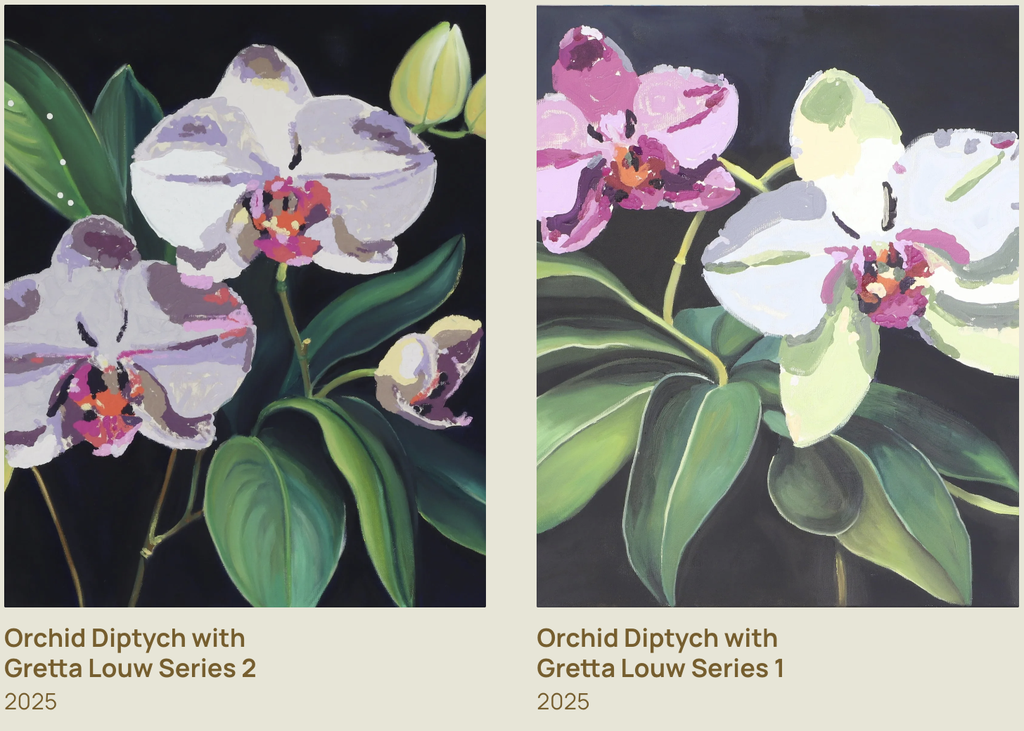
We liked this example because it shows how a robot can be involved in making art alongside a human rather than just copying an existing image. The artist can make decisions about the composition and the overall direction of the work, while the robot contributes through its programmed movements.

e-David has also been used by artist Liat Grayver, who explores how robotic movements and brushstrokes can be used in painting.

One of her projects with e-David, InComputable Imagery: Reimagining the Brushstroke, explored how a painting could develop through a continuous process of robotic brushstrokes and visual feedback.

In the exhibition, Grayver began the process with an initial brushstroke, after which the robot continued adding marks. The system used feedback from the developing image to influence the next strokes.

We found this example particularly interesting because the final artwork was not simply a copy of a photograph. The focus was on the movement of the brush, the behaviour of the materials, and how the painting changed over time.

Looking at these examples, we noticed that e-David can be used in different ways. Sometimes the goal is to create a recognizable image, while other times the goal is to experiment with the painting process itself.

This variety is one of the reasons we chose e-David. The same machine can be used for technical experiments, realistic paintings, and collaborations with artists.

5. Related Artists and Drawing Machines

While researching e-David, we came across other artists who use robots and machines to create drawings and paintings.

Patrick Tresset: Robotic Drawing

Patrick Tresset is an artist who creates robots that can observe people and draw their portraits.

One of his projects, Human Study, uses robotic drawing systems with cameras and pens. The robots observe a person and create a drawing on paper.

The machines are designed to imitate certain aspects of human observation and drawing. They use a camera to capture visual information and a mechanical arm to make marks on paper.

We thought this was similar to e-David because both systems use cameras and robotic movement to create physical artwork. In both cases, the machine is translating visual information into movements that produce marks on a surface.

The main difference is that Tresset’s robots usually work with pens and focus on drawing, while e-David uses paintbrushes and paint.

There is also a difference in how the materials behave. A pen generally produces a more consistent line, while a paintbrush can create marks with different thicknesses, textures, and amounts of paint.

We also found it interesting that both projects explore what happens when a machine takes on a task that we usually associate with human artists.

Liat Grayver: Painting with Robots

Liat Grayver is an artist who has worked with e-David to explore new ways of painting.

Rather than using the robot only to copy images, she experiments with its movements and the marks it can make. Her work often focuses on the relationship between control and unpredictability.

In traditional painting, an artist can immediately respond to the way the brush feels against the canvas. With a robot, the movement has to be translated into instructions that the machine can understand.

Grayver uses this difference as part of her artistic process. Instead of trying to make the robot behave exactly like a human painter, she explores what happens when mechanical movements interact with physical materials.

Her work shows how artists can use robots as part of their own creative process.

We liked this approach because the artist is still making important decisions, but the robot introduces another way of working with paint.

It made us think about how technology can become part of an artist’s process without taking away the artist’s role.

Traditional Pen Plotters: Drawing Through Coordinates

Another system we thought was useful to compare with e-David is the traditional pen plotter.

A pen plotter uses motors to move a pen across paper according to programmed coordinates. The drawing is usually created from lines or paths generated by software.

Unlike e-David, a typical pen plotter does not use a camera to constantly check the result. Once the drawing begins, the machine usually follows the planned paths until it finishes.

Pen plotters are often used for geometric drawings, generative art, and repeated patterns. Artists can create complex designs by writing code that controls the position and movement of the pen.

This comparison helped us understand what makes e-David different. Both machines turn digital instructions into physical marks, but e-David adds another step by observing the painting and using that information to adjust its process.

6. Our Thoughts on e-David

After learning more about e-David, we started thinking about the difference between a person painting and a robot painting.

When a person paints, they make decisions based on what they see, what they want to express, and how they feel about the artwork. e-David doesn’t work in the same way. It uses software and cameras to decide what to do next.

However, we thought it was interesting that both processes can involve making changes along the way.

An artist might notice that a colour is too dark or that a shape doesn’t look right and decide to fix it. e-David also checks its painting and makes adjustments, but it does this by comparing images through software.

What we found most interesting was that the robot doesn’t create the entire painting in one perfect attempt. It builds the image slowly and keeps working on it.

We also liked how e-David has been used in collaborations with artists. Instead of using the robot only to reproduce an image, artists can experiment with its movements and see what kinds of marks it can make.

One question that came up during our research was whether the robot is actually being creative or whether the creativity still comes entirely from the people who design and use it.

We think the human role is still very important. Someone has to choose the reference image, develop the software, decide how the robot should work, and determine what kind of result they want.

At the same time, the physical painting process can introduce unexpected results. The artist or programmer might plan a certain brushstroke, but the actual mark could turn out differently because of the paint or the surface.

This is something we find interesting because unexpected results can sometimes become part of the artwork rather than simply being treated as mistakes.

We also thought about how e-David relates to other drawing machines we have explored. A pen plotter is interesting because it can turn code into precise physical drawings, while e-David shows what happens when a machine also has to respond to materials that are harder to control.

For us, this was one of the most interesting parts of the project because it shows that a drawing machine can be used for much more than following a programmed path.

Conclusion

Researching e-David helped us understand how a robotic painting system works and how different it is from a regular drawing machine.

We learned that it uses a robotic arm, paintbrushes, a camera, and software to create paintings while checking its progress and making adjustments.

What stood out to us most was the feedback system and the way the robot responds to what is actually happening on the canvas. We found it interesting that the machine can move very precisely, but still has to deal with unpredictable materials like paint and brushes.

We also enjoyed looking at the different artworks and collaborations because they showed us that robots can be used in art in more than one way. They can reproduce images, experiment with different painting styles, or become part of an artist’s creative process.

Overall, we chose e-David because it combines something very traditional, painting with a brush, with technology that allows the machine to observe and adjust its work.

It left us wondering how artists might use machines like e-David in the future, and what new kinds of artwork could come from working with them.

References

  1. University of Konstanz. Painting Robot e-David. Computer Graphics and Media Informatics Research Group.
  2. e-David Project. Official Project Website, Works, and Video Documentation. University of Konstanz.
  3. Deussen, O., Lindemeier, T., Pirk, S., & Tautzenberger, M. (2012). Feedback-guided Stroke Placement for a Painting Machine. Proceedings of the Eighth Annual Symposium on Computational Aesthetics in Graphics, Visualization, and Imaging.
  4. Gülzow, J., Paetzold, P., & Deussen, O. (2020). Recent Developments Regarding Painting Robots for Research in Automatic Painting, Artificial Creativity, and Machine Learning. Applied Sciences, 10(10), 3396.
  5. Gülzow, J., Grayver, L., & Deussen, O. (2018). Self-Improving Robotic Brushstroke Replication. Arts, 7(4), 84.
  6. RobotArt. (2017). e-David, University of Konstanz. Robotic Art Competition Archive.
  7. Patrick Tresset. Human Study #1. Robotic Drawing Installation.
  8. Liat Grayver. InComputable Imagery: Reimagining the Brushstroke. Artistic collaboration with e-David.
  9. Weizmann Institute of Science. The Painting Robot: Liat Grayver and e-David. Exhibition Documentation.
Midterm Project- Nature, Art, and Geometry

Requirements:

Concept

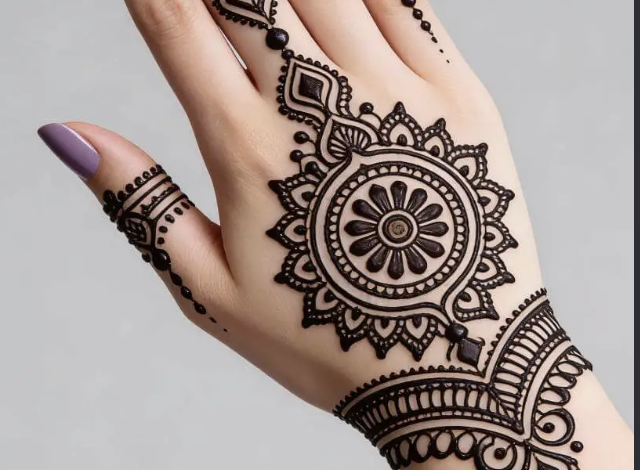
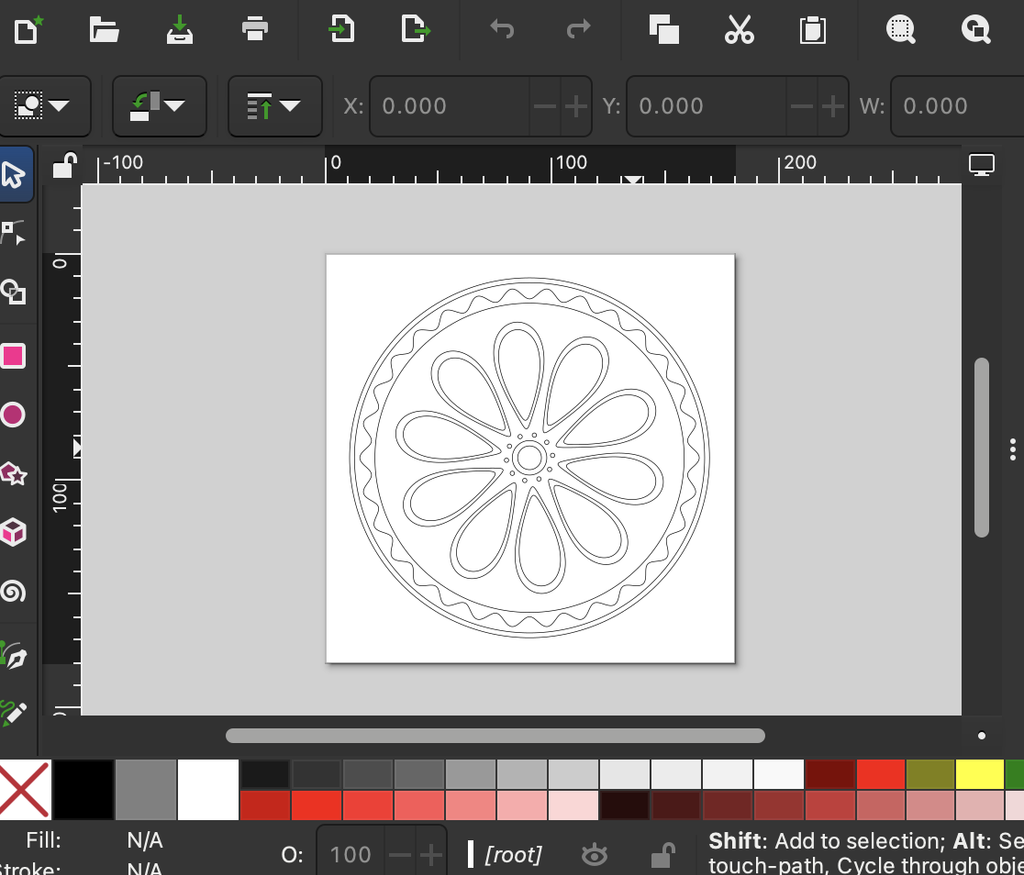
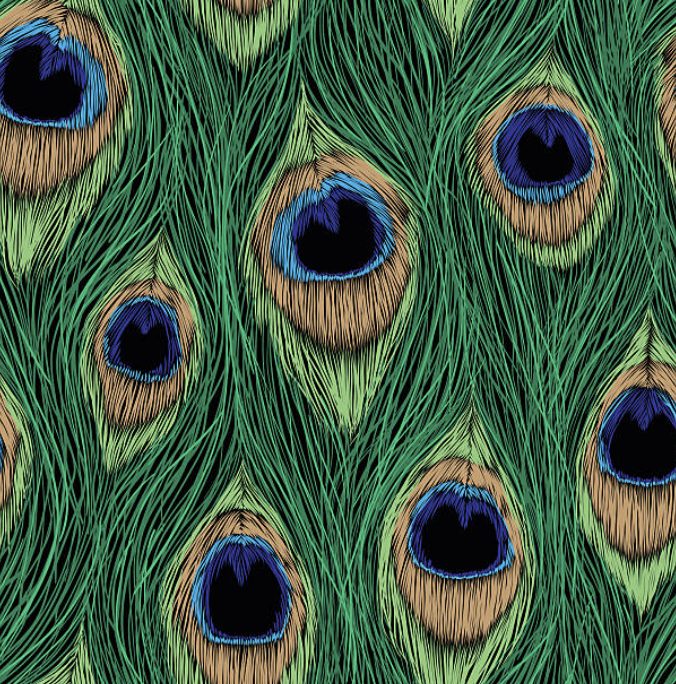
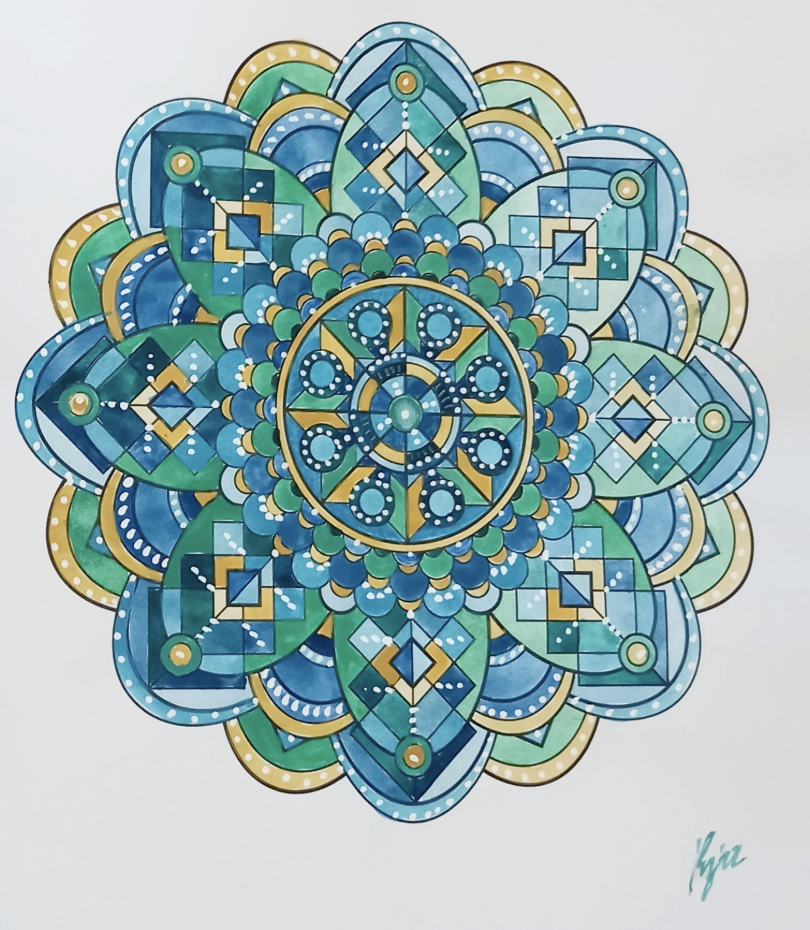
My concept is inspired by the circular composition of mandalas and traditional henna and the layered, eye like details of peacock feathers. I was interested in how both bring many smaller elements together to create a balanced and detailed whole. In my design, curved feather like shapes repeat around a central point, while circles and overlapping polygons give the composition a clear structure. The contrast between the soft curves and sharper geometric lines allows me to explore the relationship between organic forms and mathematical order. Repetition creates a visual rhythm, guiding the viewer’s eye around the circle and between the different layers. Through code, I can vary the number of repeated shapes, their proportions, and the details within them while maintaining the overall circular symmetry. These changes allow each version to develop its own character, with some appearing more open and delicate and others becoming dense and complex. The variation is therefore an important part of the concept because it shows how a shared set of rules can produce different outcomes. Using a pen plotter also adds another layer to this idea, as forms inspired by nature are translated into precise instructions and then drawn through mechanical movement. The project explores how nature, geometry, and technology can come together to create patterns that feel both structured and expressive.


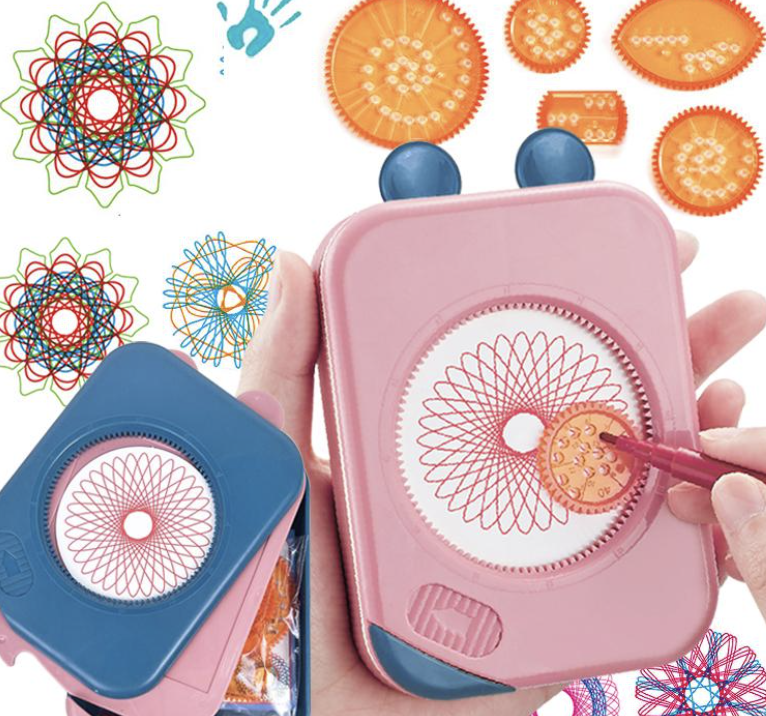
Another layer of inspiration for this project comes from the geometric drawing toys many of us used as kids, such as Spirograph wheels and circular stencils. These toys were simple, but they revealed how repeating a basic motion around a center could generate surprisingly intricate patterns. They taught a kind of playful geometry where curves, loops, and rotations created complex designs without needing to understand the math behind them. When working with the pen plotter, I realized it operates on a similar principle, but with far more precision and control. The plotter can lift the pen, change colors, and build layers in ways those toys never could. Bringing this childhood experience into the project allowed me to connect nostalgic, hands on pattern making with algorithmic drawing. It highlights how early intuitive play with geometry can evolve into structured, computational design, and how both approaches rely on repetition, rotation, and symmetry to create visually rich patterns.

Algorithm 

My algorithm builds the pattern by repeating a shape around a central point. It divides a full circle by the number of petals to space them evenly, then rotates each shape into position. Smaller outlines inside the petals add detail, while circles and repeating waves form the border. Changing values such as the petal count, shape, size, and number of layers creates different designs while keeping the circular symmetry.


I used code because the entire structure of my drawing depends on precise repetition, rotation, and symmetry. The pattern is built by dividing a circle into exact angles, repeating shapes at perfect intervals, and layering curves with consistent spacing. Doing that by hand would never be as accurate or as flexible. With code, I can change one variable like the number of petals or the size of the inner shapes and instantly generate a new, perfectly balanced version. The drawing isn’t just a picture, it’s a system of rules, and code is the only way to execute those rules with the precision the design needs.

P5.js code

https://editor.p5js.org/maa9946/sketches/Ma9DjmUqw

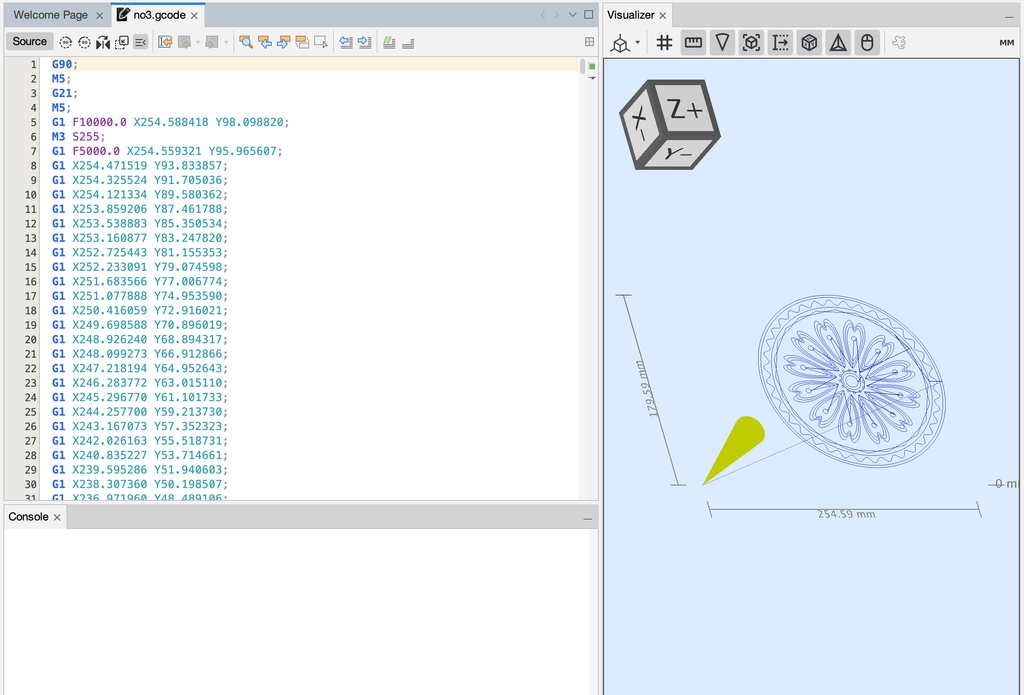
SVG/G-Code work flow

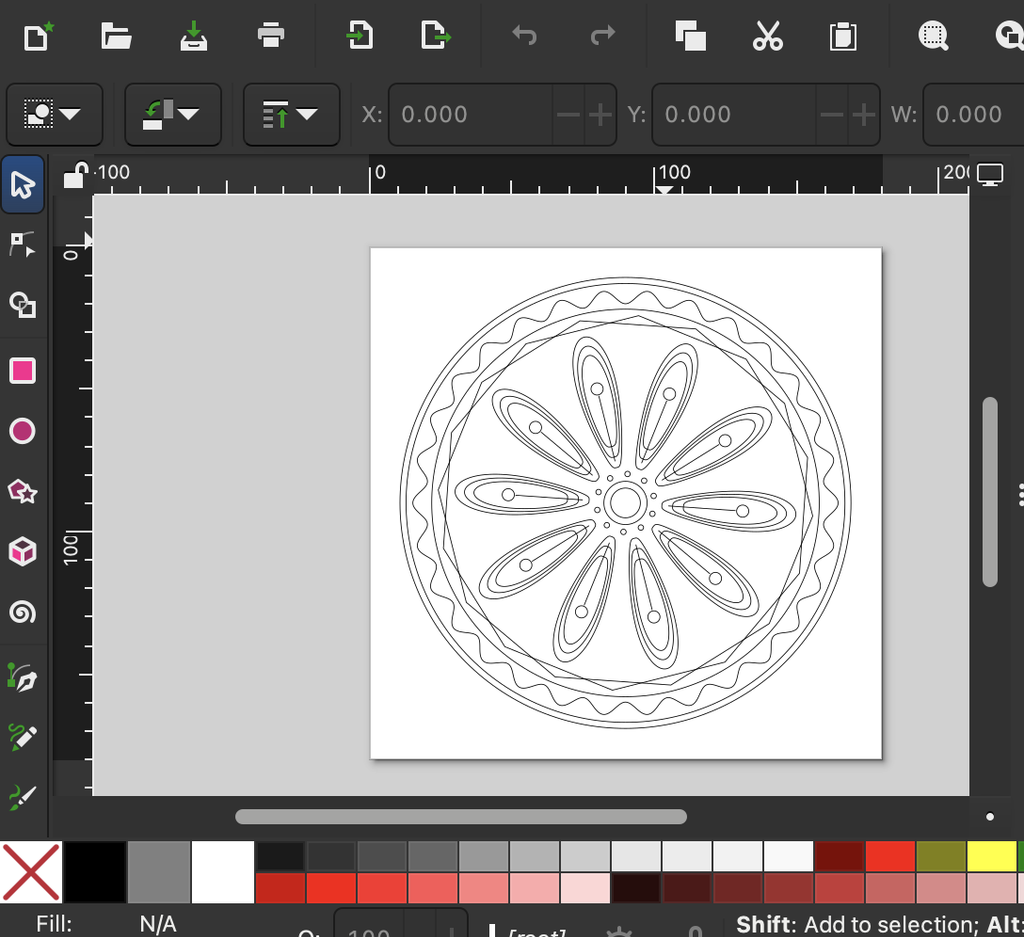
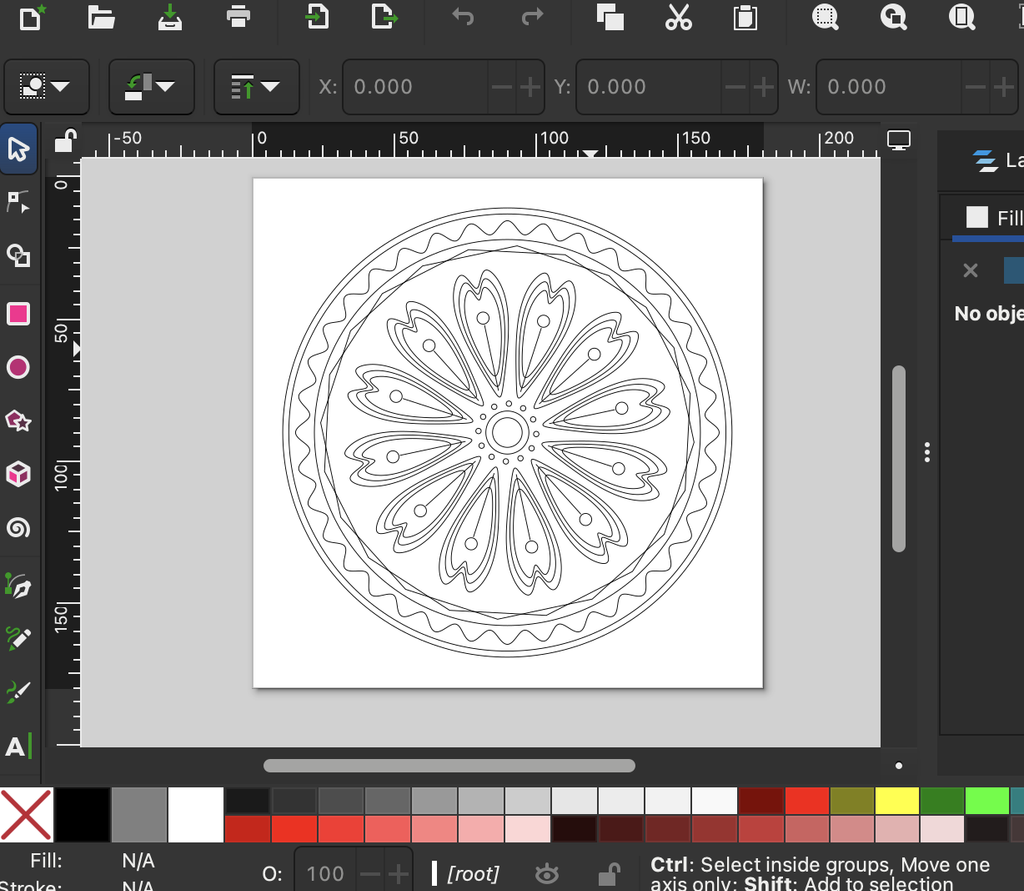
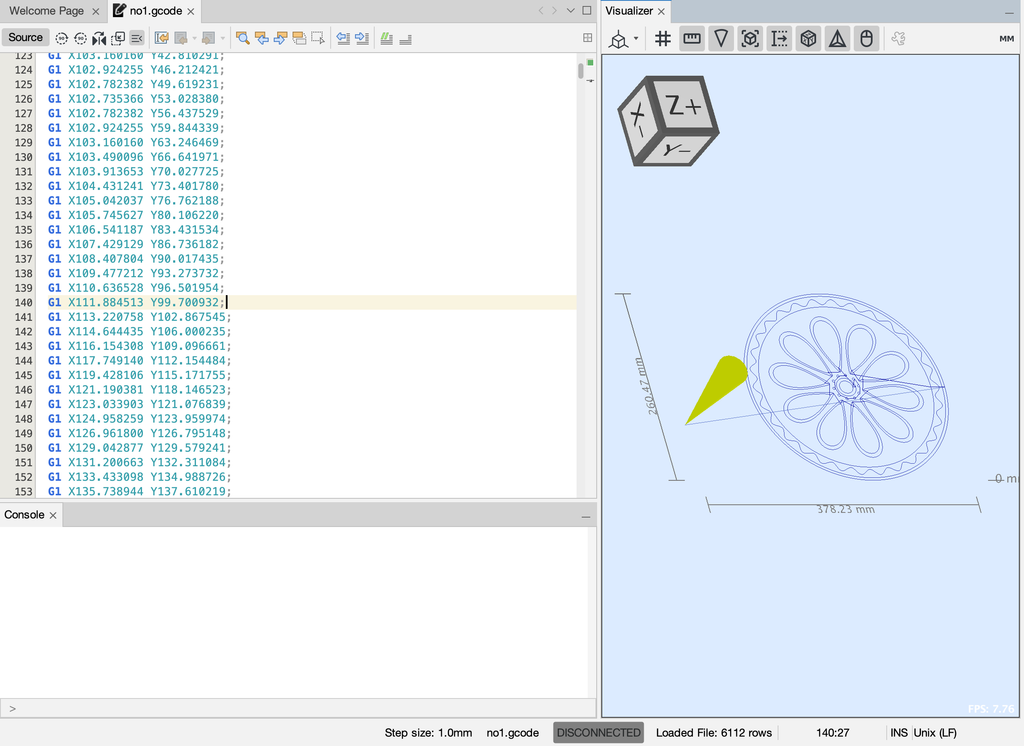
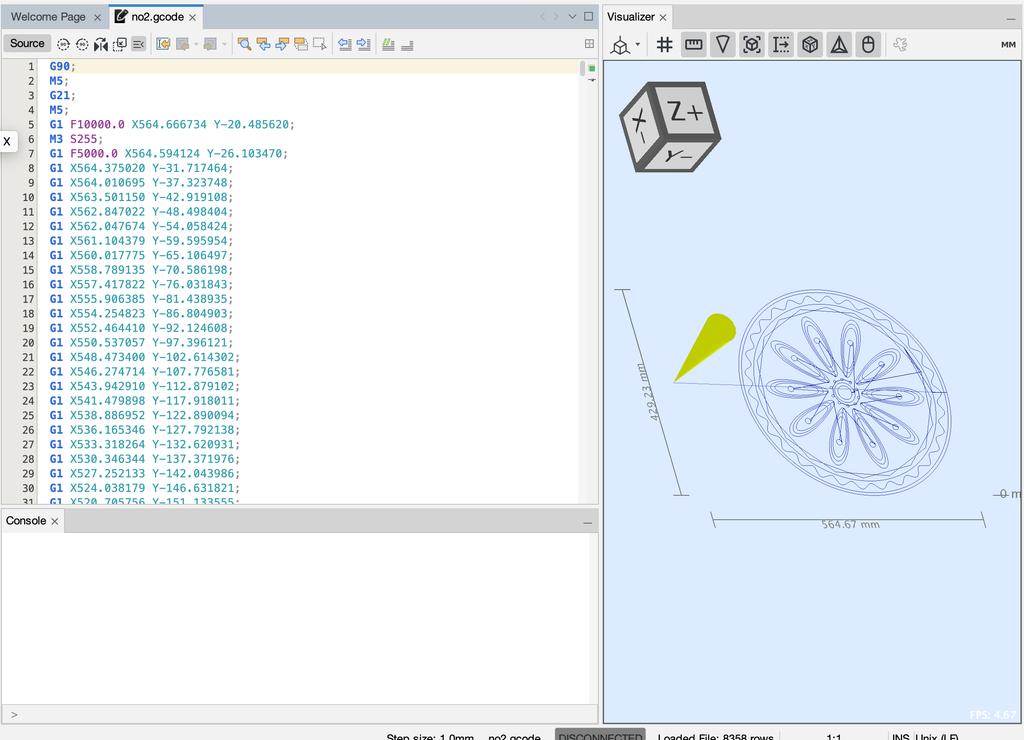
1-2-3

G code

Test Drawing and iterations

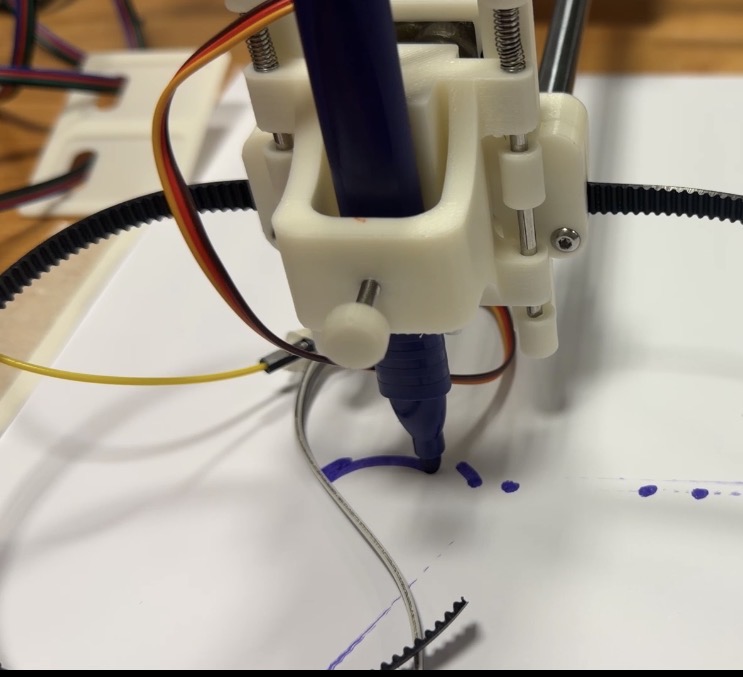
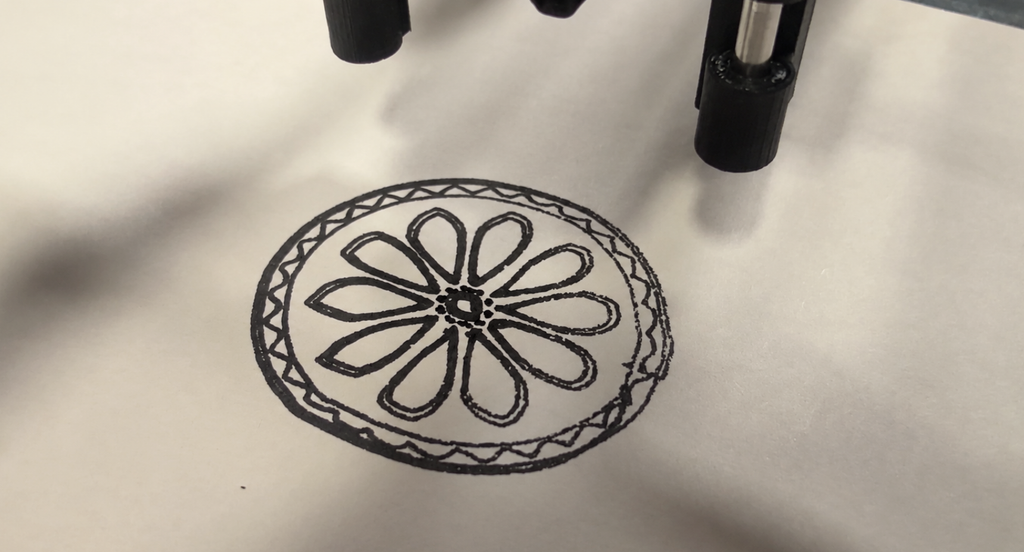
Before creating the final drawings, I went through several rounds of testing to understand how the pen plotter behaved with different pens, sizes, and materials. The first tests were mainly about the markers themselves. Some felt tip pens released too much ink, causing splotches, bleeding, or thick patches where the pen paused. Others were too dry, which made the lines break or fade. I had to adjust the pen pressure and experiment with different markers until I found one that produced clean, consistent strokes. Eventually, I switched to a less ink, smoother pen for the early tests, which helped me see the structure clearly without messy overlaps.

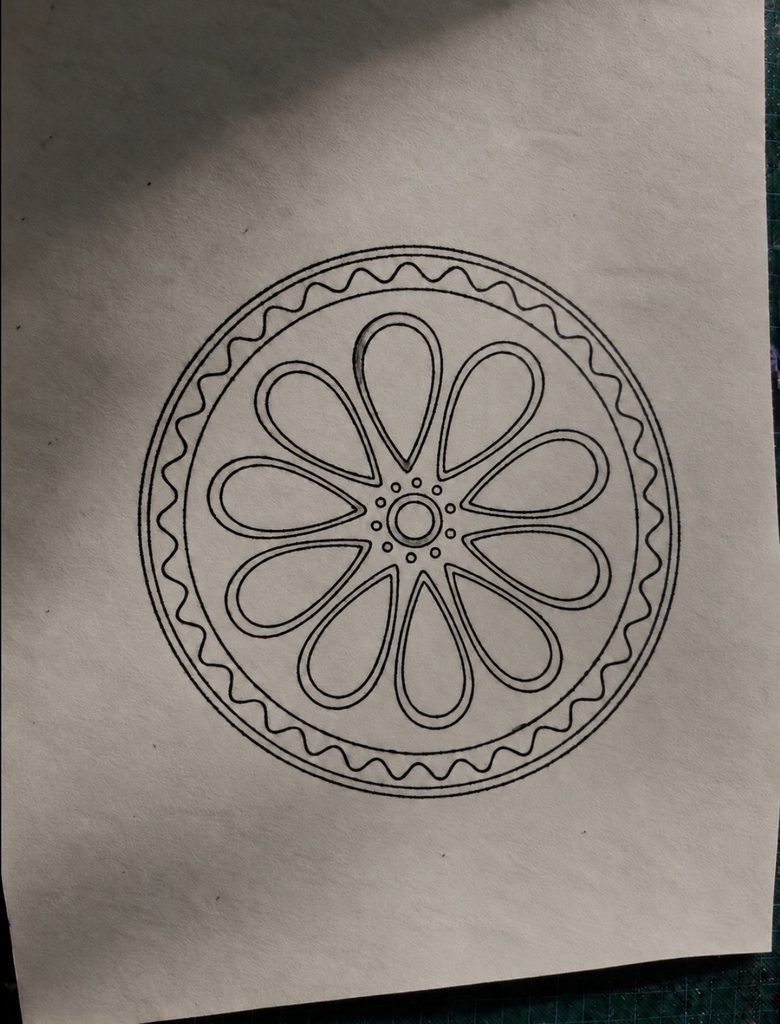
Resizing the pattern also became part of the iteration process. When the design was too small, the lines overlapped or became cramped, especially in the detailed inner shapes. The plotter’s precision made these overlaps very noticeable. Increasing the size solved this problem and gave the black marker room to show the crisp geometry. The larger version felt cleaner and more intentional, which is why I chose that scale for the final black drawing.

I also had to deal with physical issues during plotting. At one point, the paper shifted slightly, which caused the lines to misalign. I retaped the paper securely and made sure the entire surface was completely flat before running the plot again. Even small bumps or loose tape affected the accuracy, so preparing the workspace became an important part of the process.

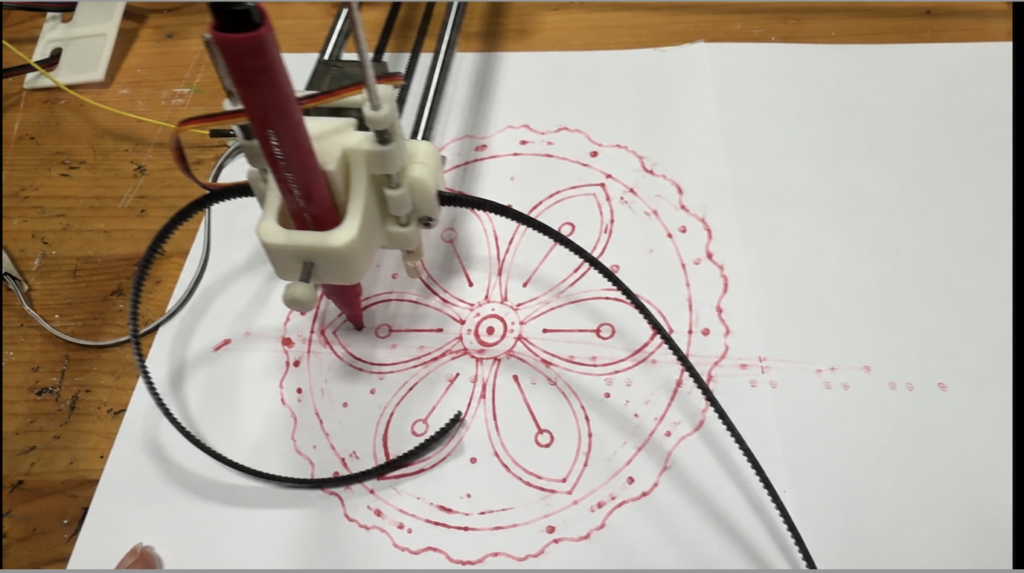
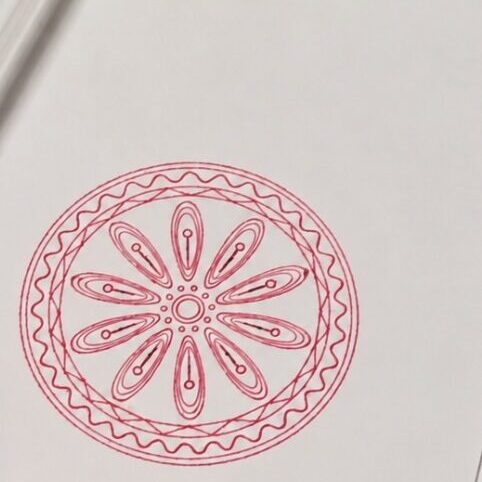
During these tests, I also tried a smooth red ink marker. It handled the plotter’s movement well and didn’t bleed as much as the blue felt tip pen. The bold red color looked visually striking, so I decided to use it for one of the final versions. It added a different mood to the same algorithmic structure and showed how color can change the character of the pattern.

These iterations testing markers, adjusting settings, resizing the design, securing the paper, and experimenting with color were essential to achieving a clean final result. The process revealed how much the physical setup influences the outcome, even when the underlying design is generated through precise code.


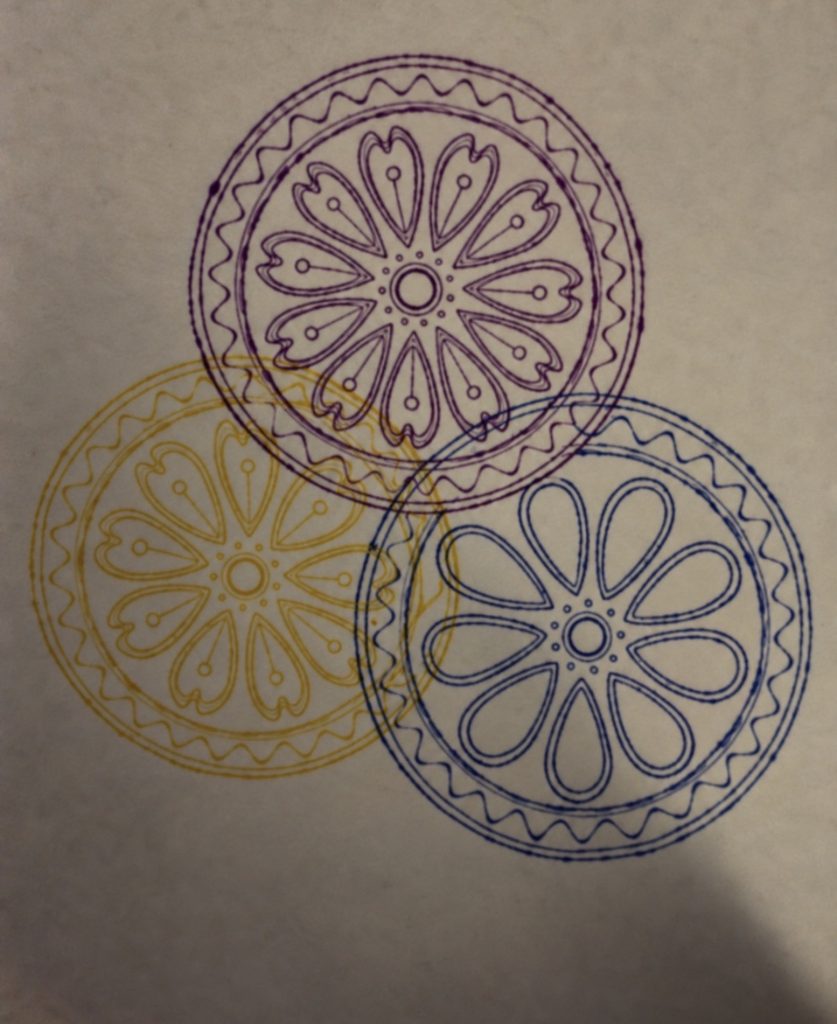
I used this experiment to explore how different colors and overlapping patterns work together. The purple, blue, and yellow helped separate the designs while showing how their lines create new shapes where they cross. I developed these ideas in my final three designs, using rotation, overlapping outlines, and color to make each piece different while keeping them connected

The final series of at least three drawings

Final three flow

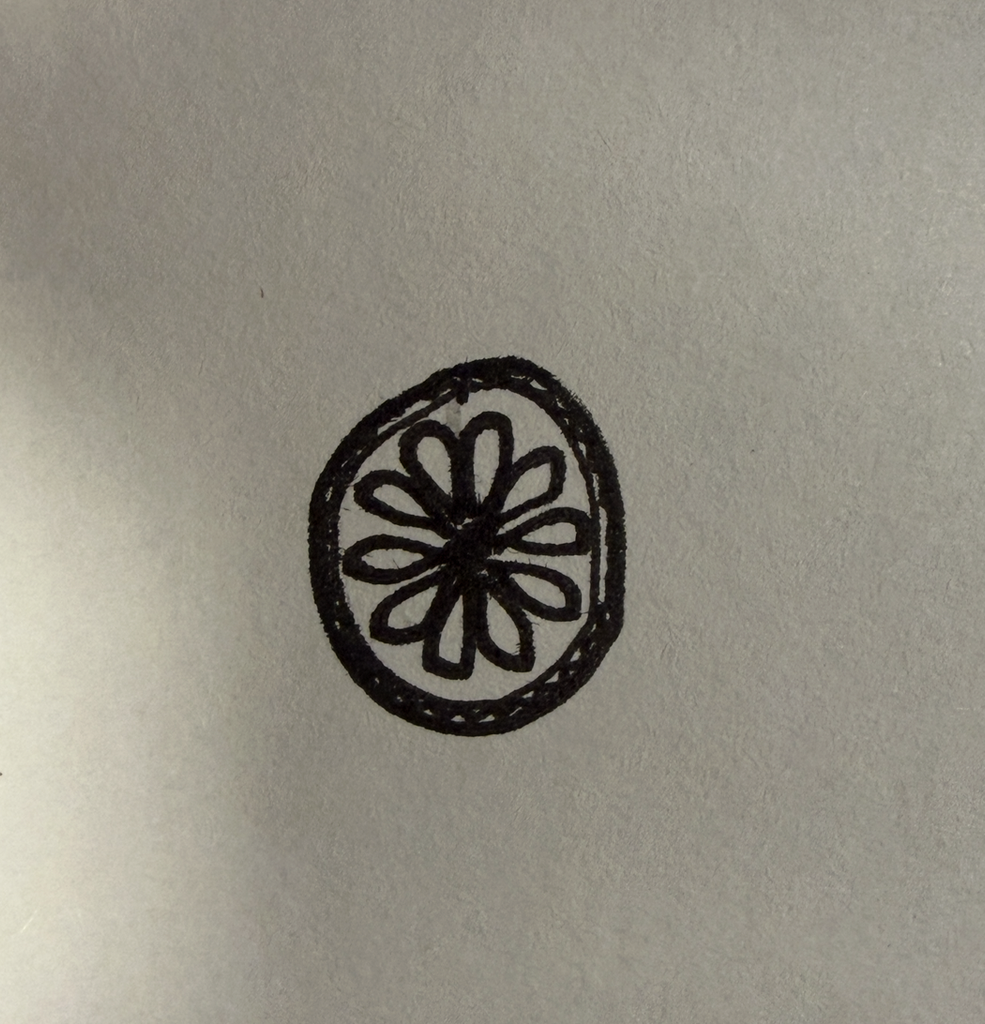
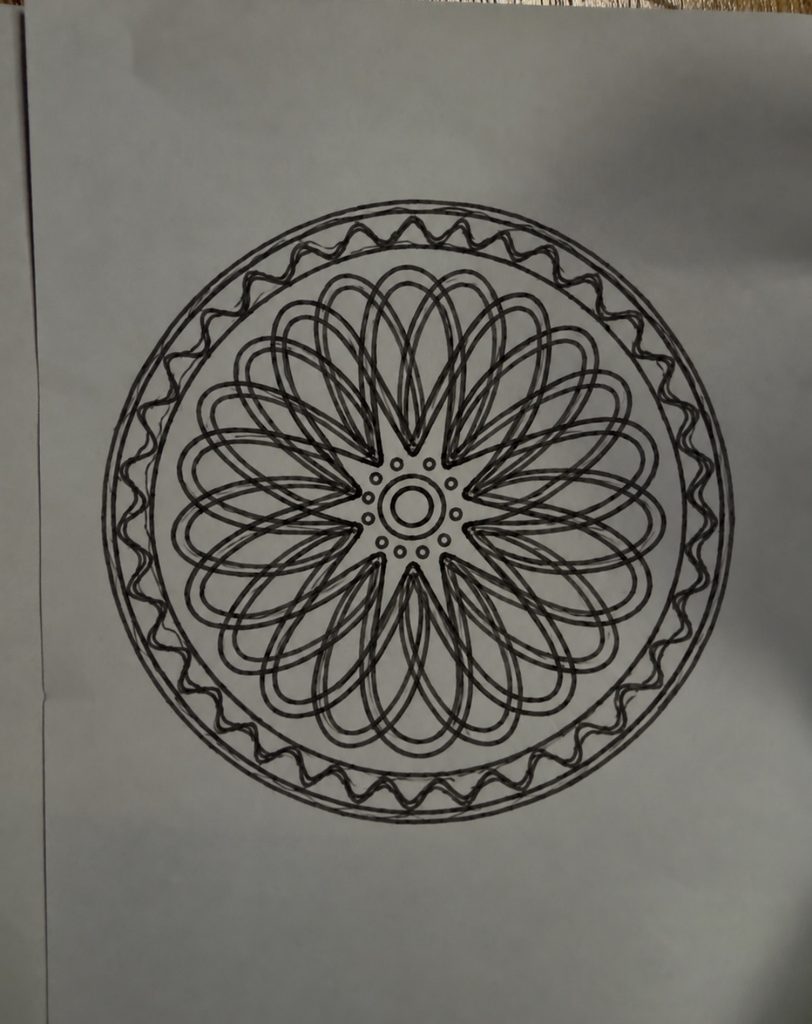
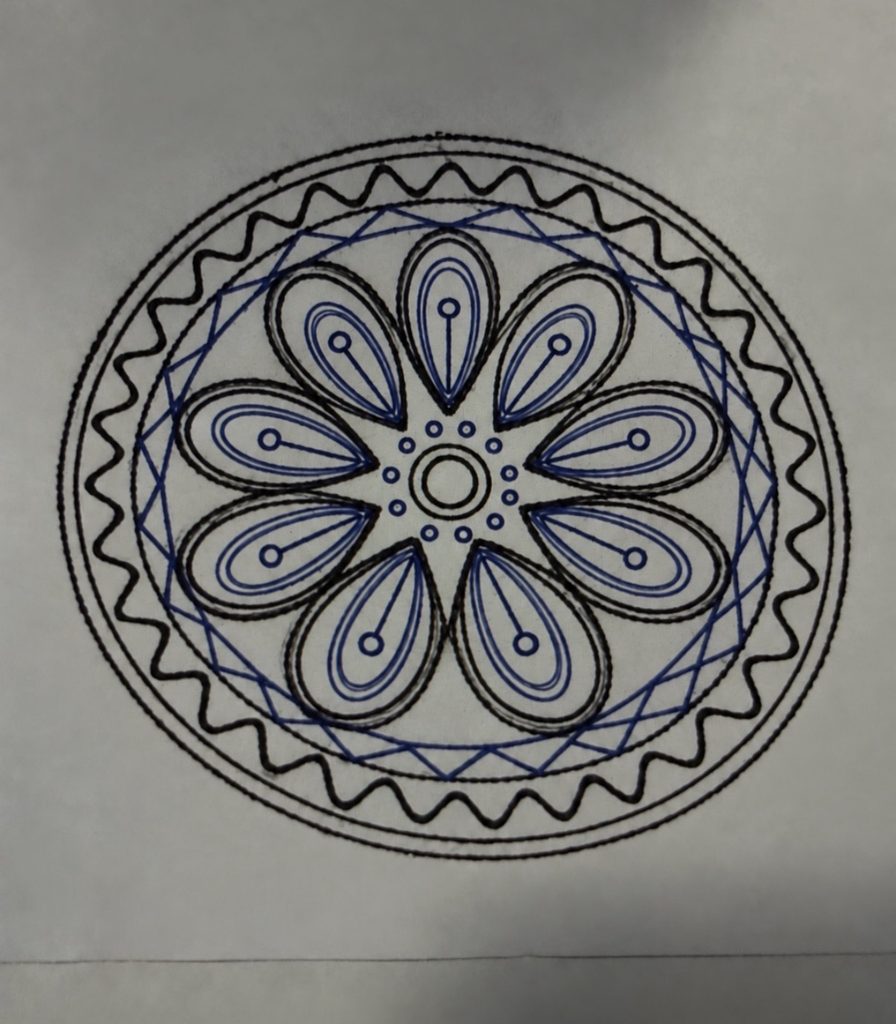
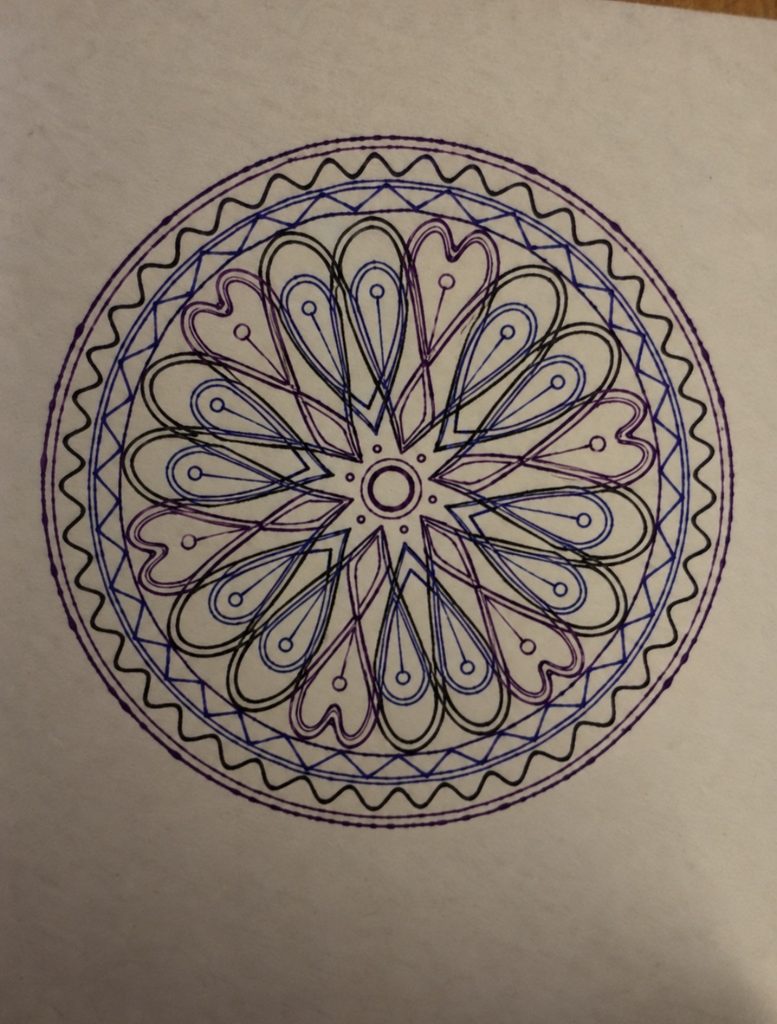
My three final designs explore repetition, rotation, and layering. The shapes inside are inspired by peacock feathers, especially their curved outlines and eye like centers. The decorative details also draw from henna, while the circular arrangement and repeated shapes are inspired by mandalas.

In the first design, I focused on repeating and rotating one shape in black. The overlapping lines create a dense pattern and a sense of movement. In the second, the feather shapes become more distinct. Blue and black help separate the details, making the peacock inspiration clearer.

The third design brings these ideas together by layering different shapes in black, blue, and purple around the same center. Their outlines cross to create new shapes and a more complex composition. This progression shows why a pen plotter suits my idea and it allows precise repetition and controlled changes in rotation, while the pen and paper still introduce small imperfections.

Critical reflection on how the pen plotter, color, layering, and physical materials shaped the final work.

The physical process of working with the pen plotter had a major impact on how my final pieces developed. Even though the algorithm defines the structure and symmetry, the machine and materials introduced their own challenges that shaped the outcome. During the early trials, I had to adjust the plotter settings, fix the pen pressure, and test different markers because some were too dry, too splotchy, or produced inconsistent lines. These tests were essential they showed me that the plotter is not just a neutral tool but something that requires calibration and care. Choosing the right pen became part of the creative decision making. I ended up using a bold black marker for most of the final work because it produced clean, confident lines that emphasized the geometry and made the pattern feel more intentional.

Color also played a surprising role. Although my concept wasn’t originally focused on color variation, the physical tests pushed me to experiment. I tried a smooth red ink marker and found that it created a striking contrast compared to the black. The dark blue and purple lines felt more vibrant and expressive, and the bold color made the circular pattern stand out in a different way. I decided to use it for one of the final versions because it added a new dimension to the design it showed how the same algorithmic structure can shift emotionally depending on the color and material.

Layering wasn’t part of my conceptual plan, but it appeared naturally in the smaller test plots.They also highlighted how the machine interprets the algorithm through real movement, where even tiny shifts in alignment or pen pressure can change the final look. But for the final this was revised and the layering can be seen with the lines overlapping to create the desired output.

Material choice was another important factor. Using card paper made the drawings cleaner and more durable compared to regular thin paper. The smooth surface handled the ink better, prevented bleeding, and supported the pen pressure without warping. This helped maintain the accuracy of the circular symmetry and kept the details sharp. The sturdiness of the card paper also made the final pieces feel more finished and professional.

Overall, the pen plotter, the trials and adjustments, the choice of pens and colors, the accidental layering, and the physical materials all shaped the final work in ways that go beyond the algorithm. The project became a collaboration between digital rules and physical realities testing, correcting, choosing, and adapting. These elements enriched the concept by showing how structured geometry interacts with the imperfections and possibilities of real tools and materials.

Week 5

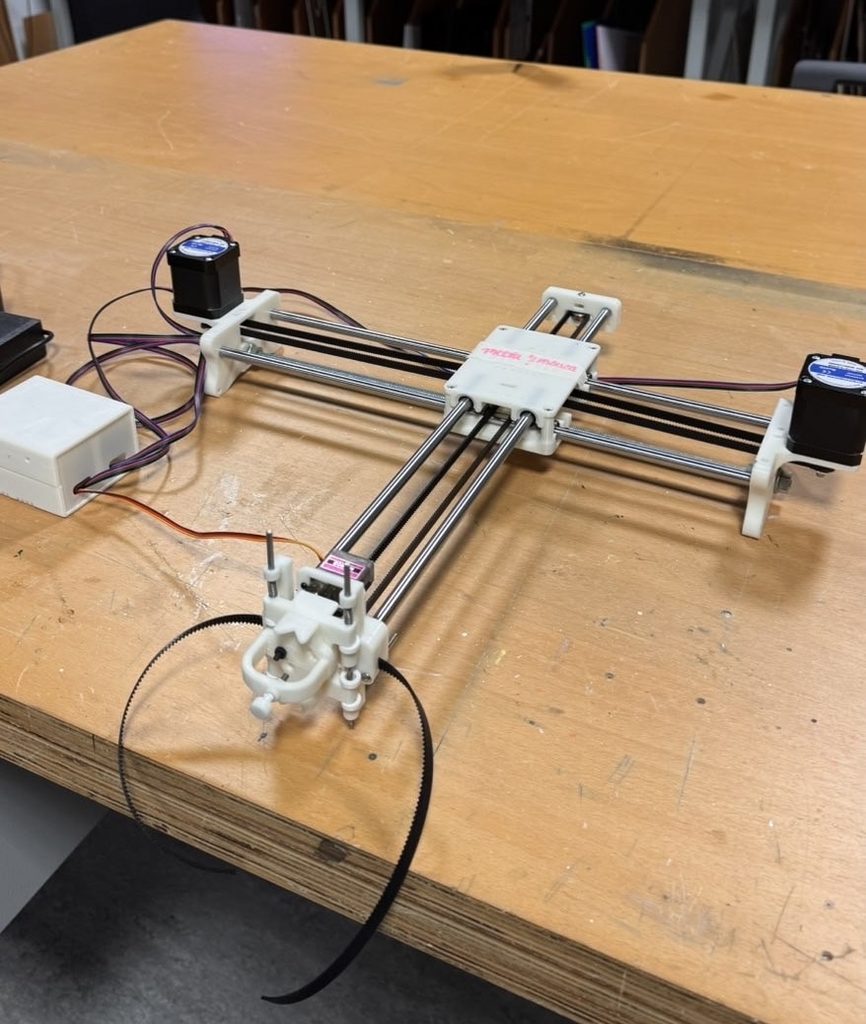
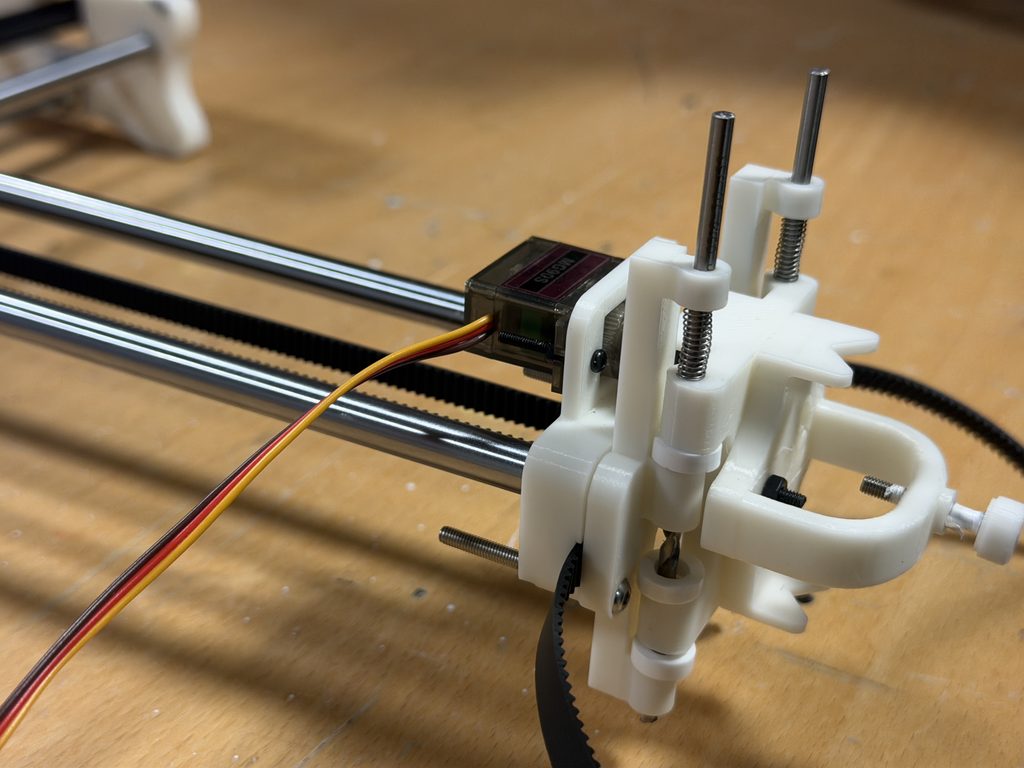
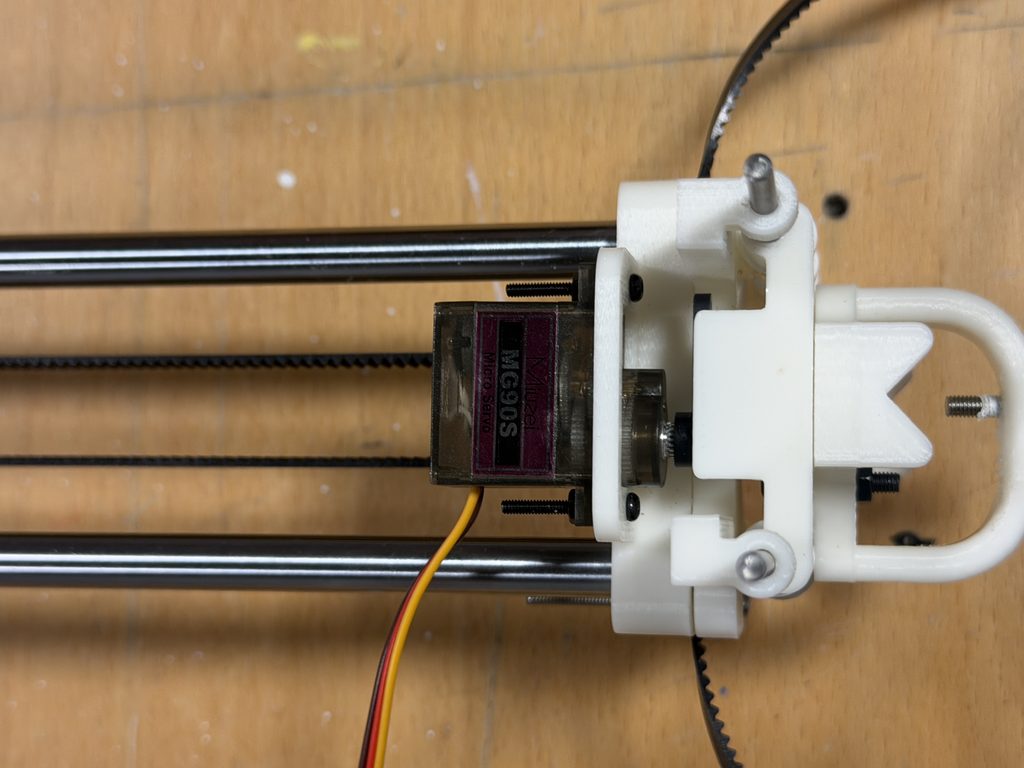
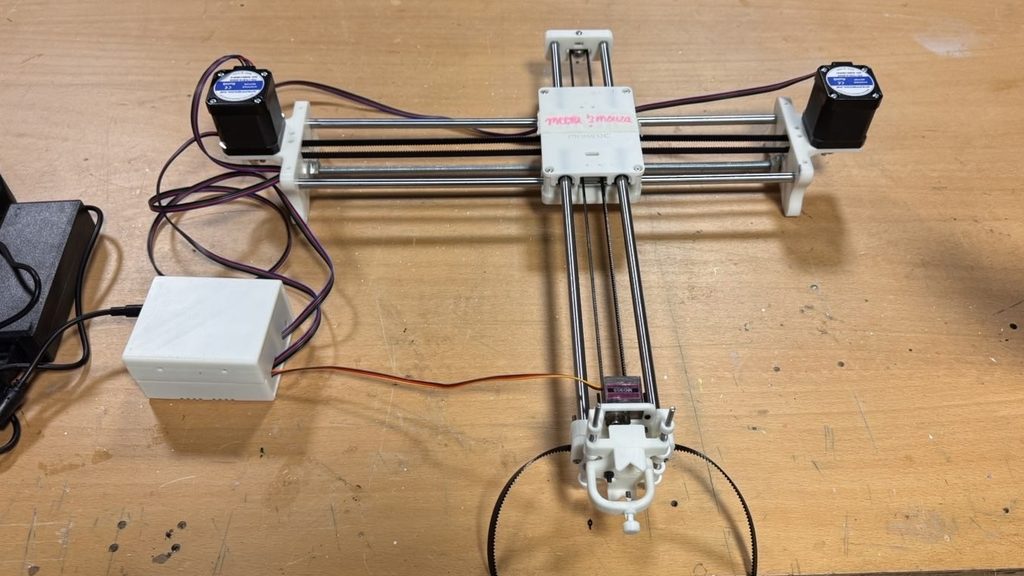
Photos/videos of the assembly process

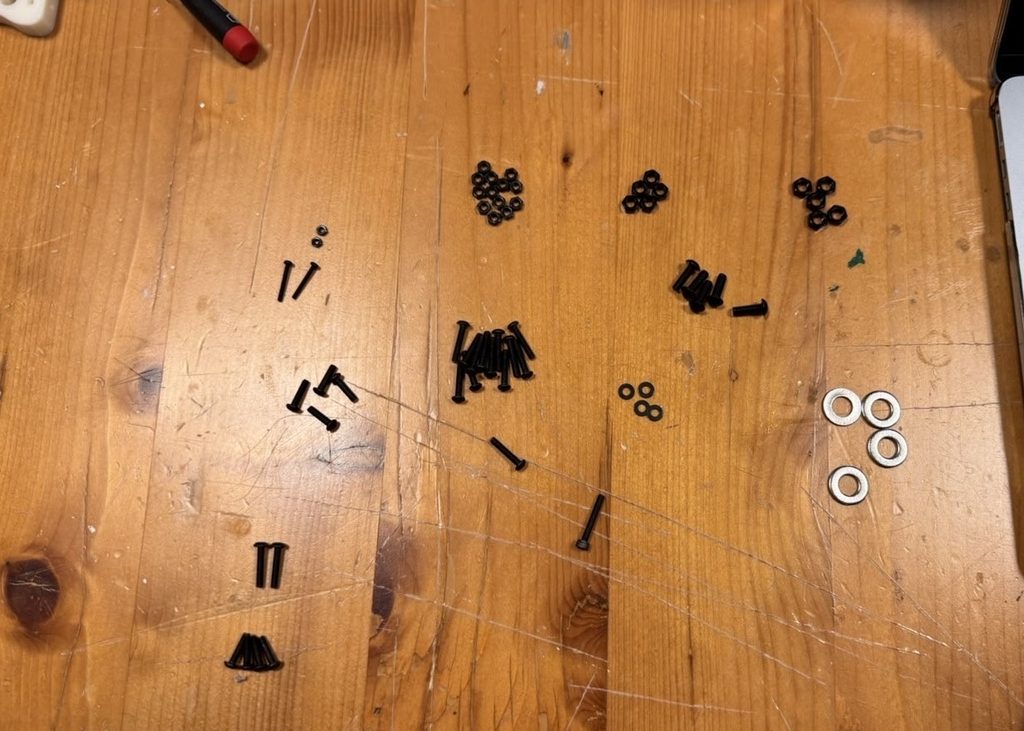
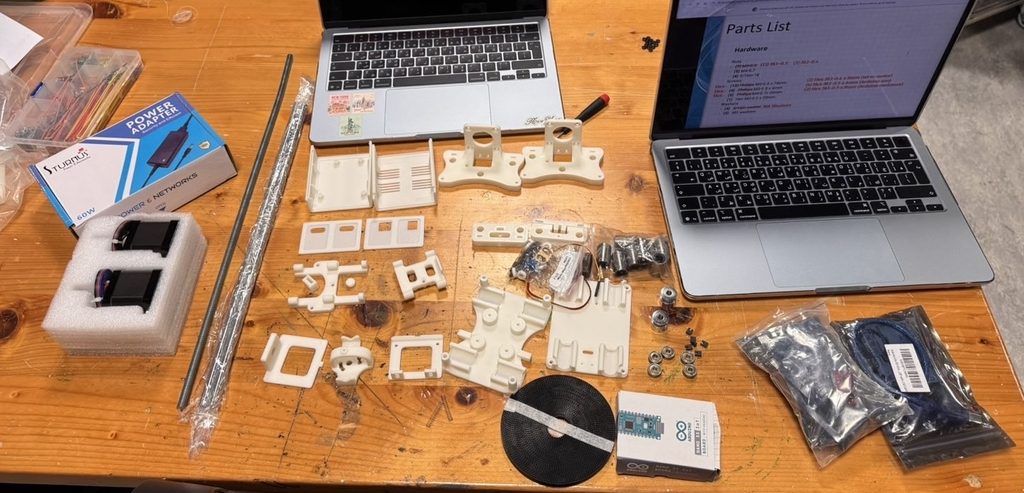
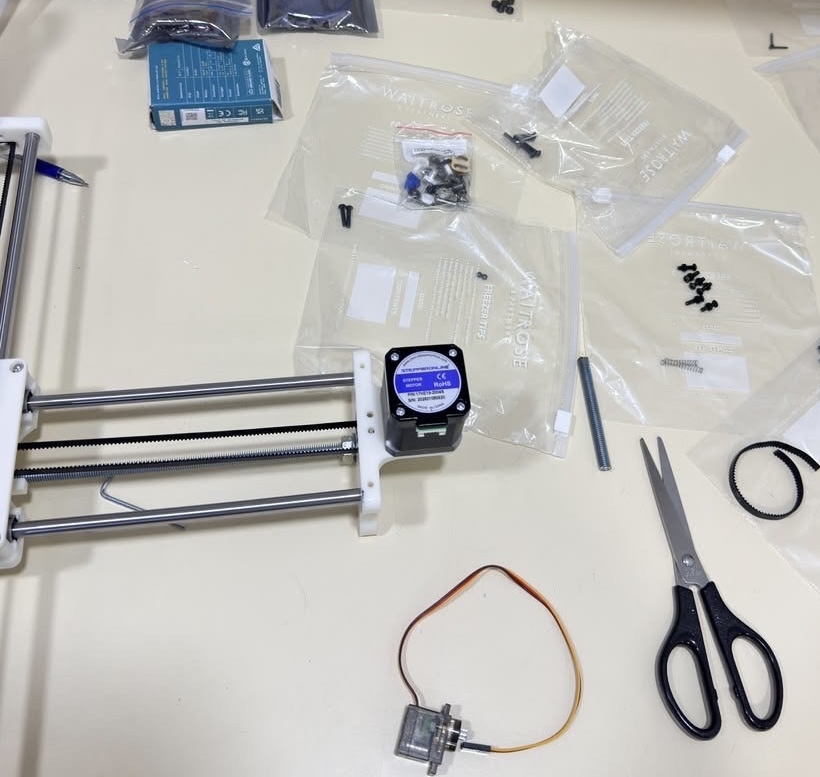
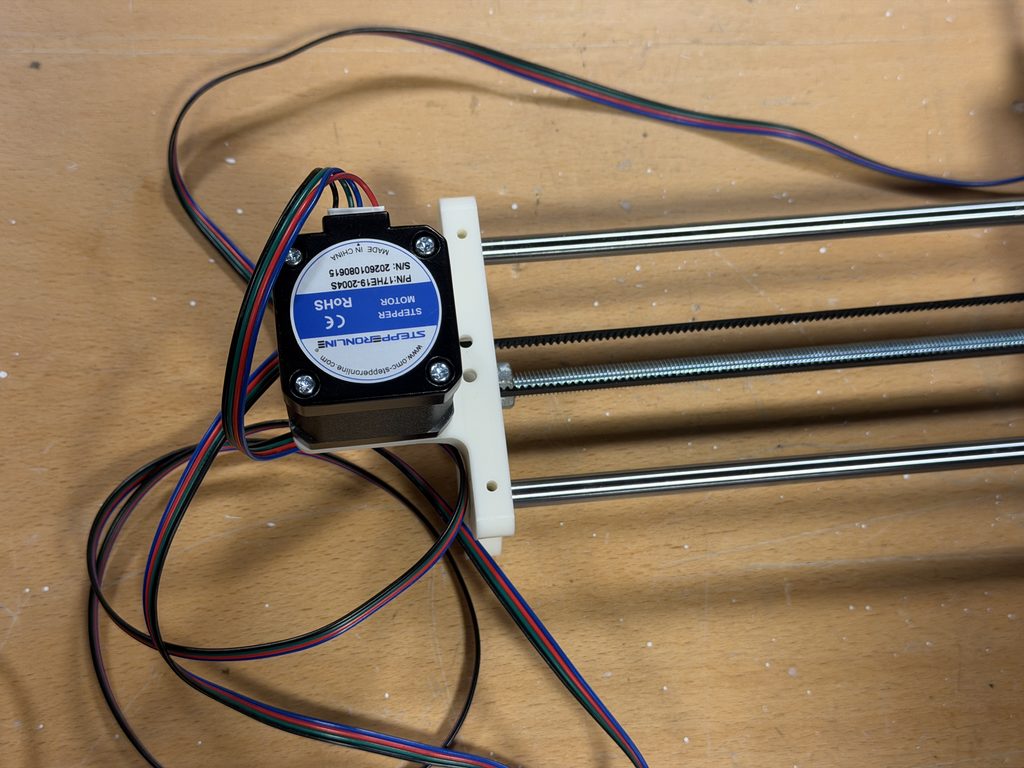
Step 1 – Collecting all parts for smoother assembly process

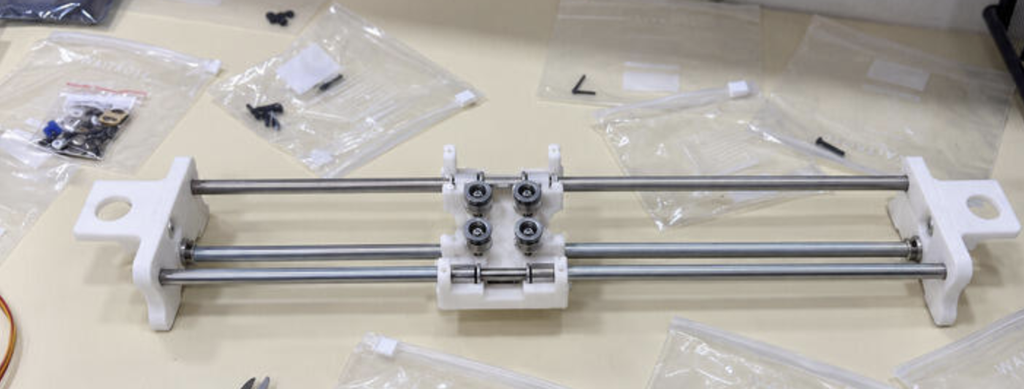
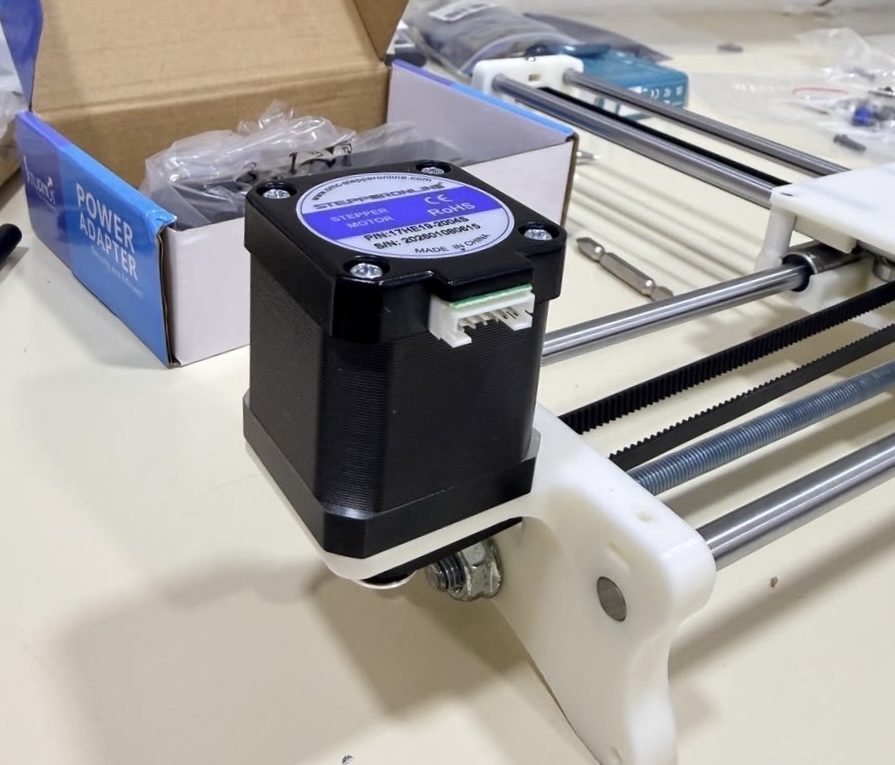
Step 2-Assembling X axis

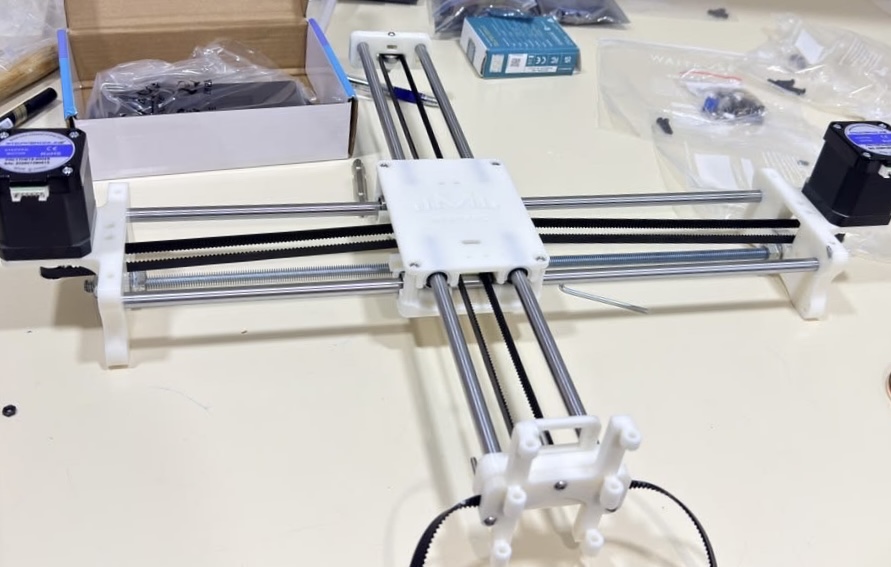
Step 3 – Attaching Y axis and looping belt

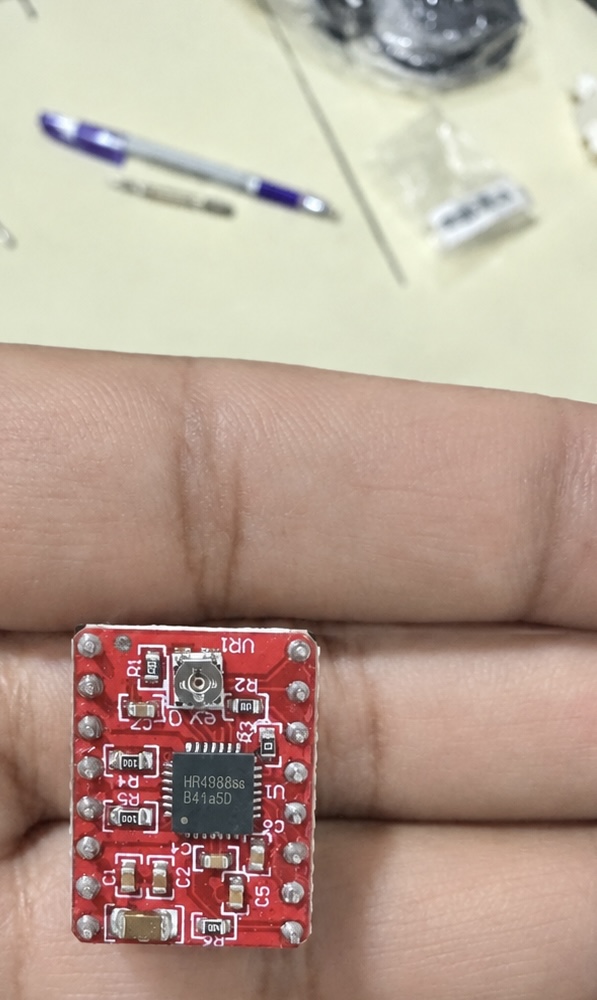
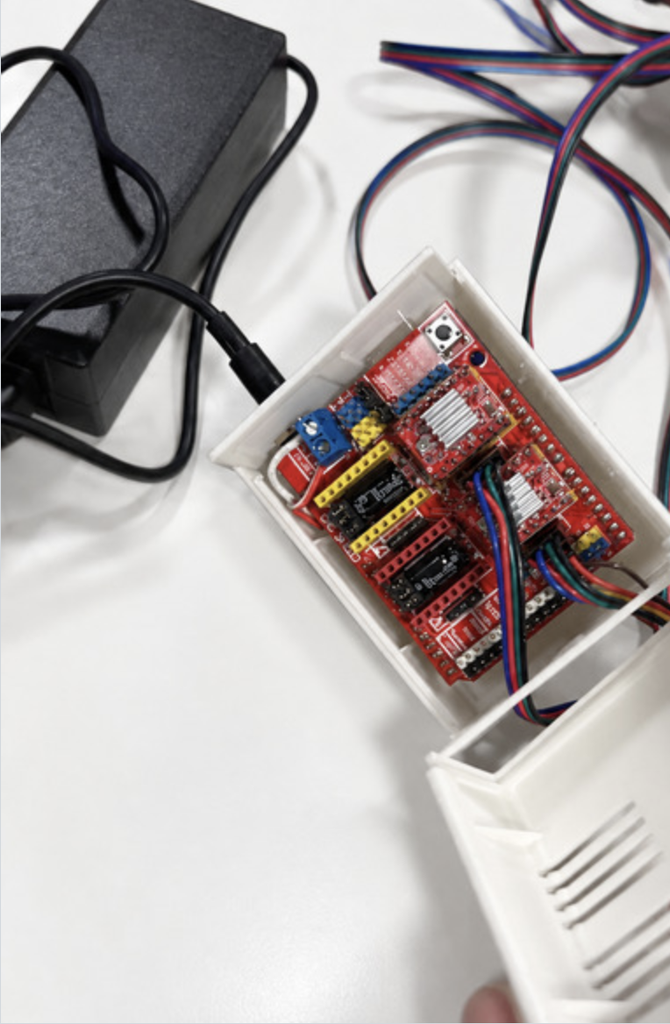
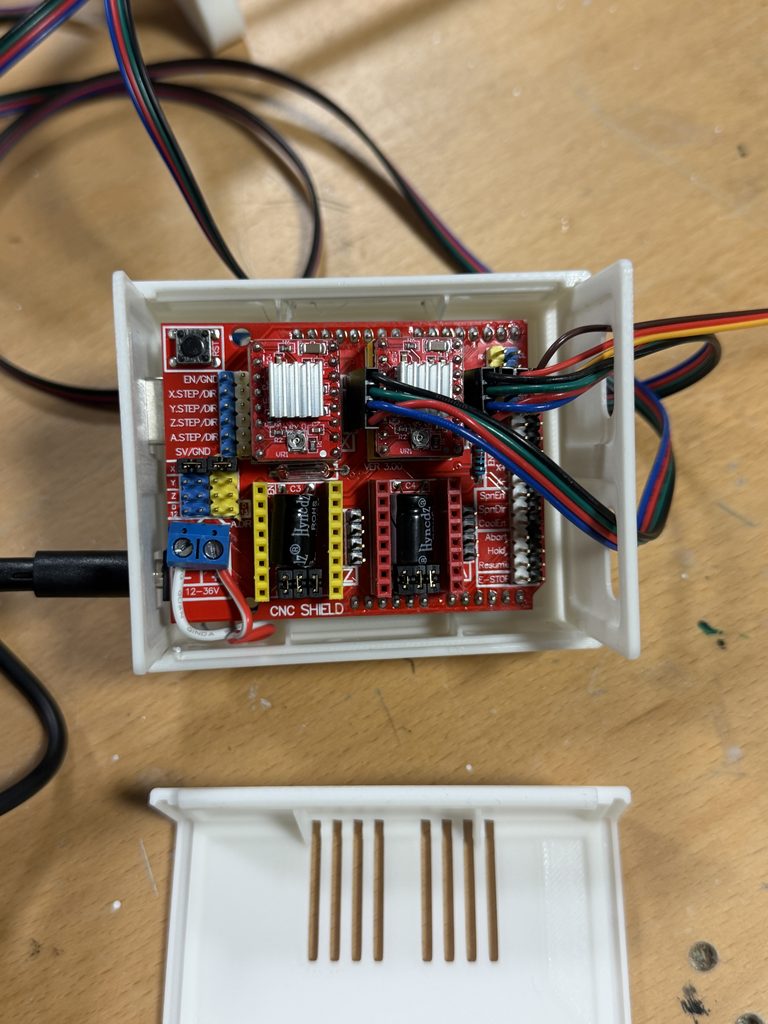
Step 4- Wiring and connecting Arduino to Pen Plotter

Photo of the completed assembly

Problems encountered and how you addressed them

One of the main problems we encountered was assembling all the parts correctly. There were many small pieces, and some of the screws and bolts looked very similar, so it was easy to use the wrong one in the wrong place. To make the process easier, we laid out all the parts before starting and separated the screws, bolts, and other pieces into individual bags. This helped us stay organized and made it easier to know which parts we needed for each step. We also checked the fit of the pieces before tightening everything so we would not have to take the machine apart again.

Another problem we encountered was using the correct screws. Some screws were only the same size but different lengths. Keeping the different screws separated helped a lot because we could quickly see which ones were meant for each section.

We also had some difficulty with the belt alignment. The belts needed to be straight and tight enough for the pen plotter to move smoothly along the frame. At first, the belt was not sitting correctly, which could have caused uneven or unstable movement. We adjusted the belt a few times and checked how it moved across the rails until it was properly aligned. We also made sure it was not too loose or too tight, since both could affect the movement of the machine.

Overall, the assembly process involved a lot of trial and error. We sometimes had to remove a part and put it back together differently after realizing it was not positioned correctly. Working together helped because one of us could hold or align the parts while the other attached the screws. As we continued building, the process became easier because we understood how the different parts connected and how the movement of the pen plotter depended on everything being properly aligned.

Week 4

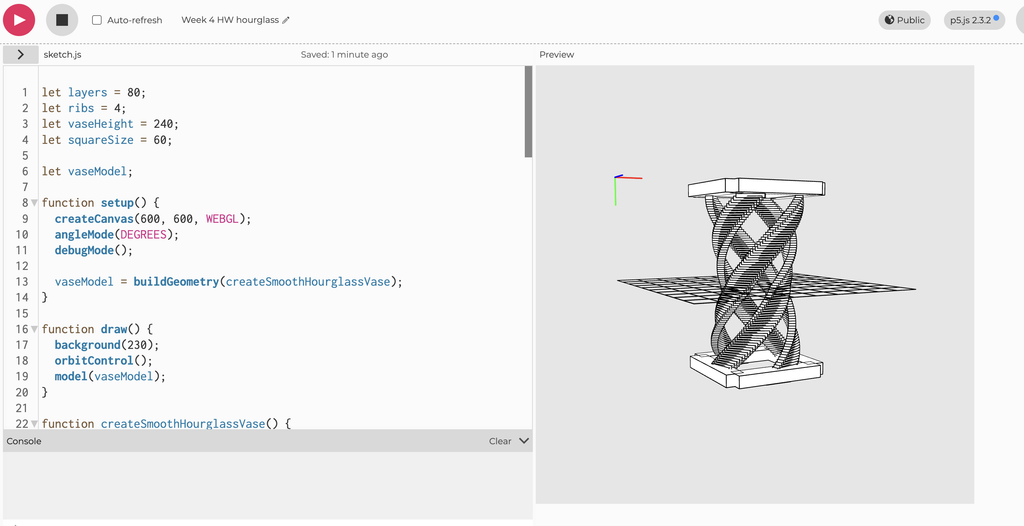
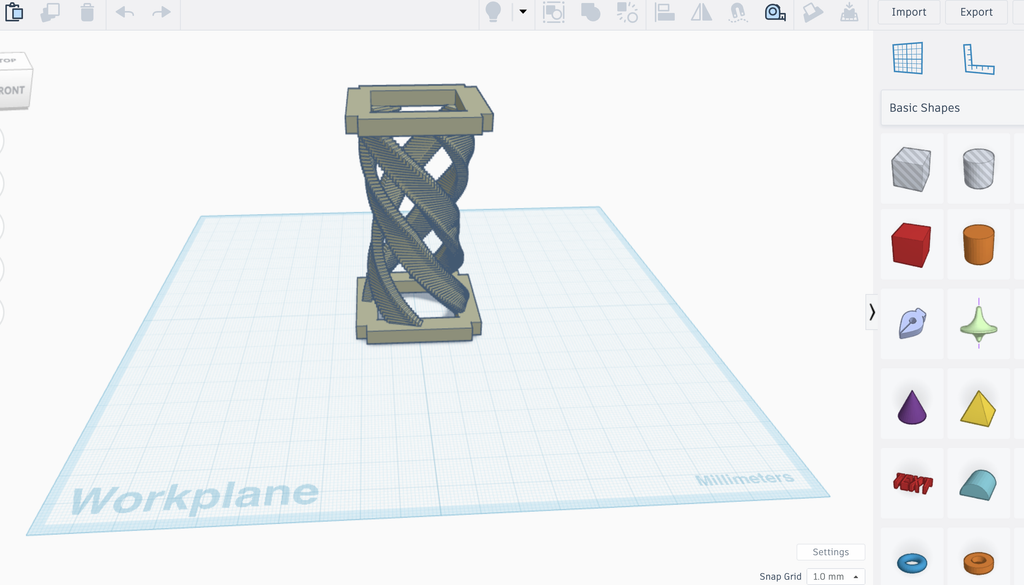
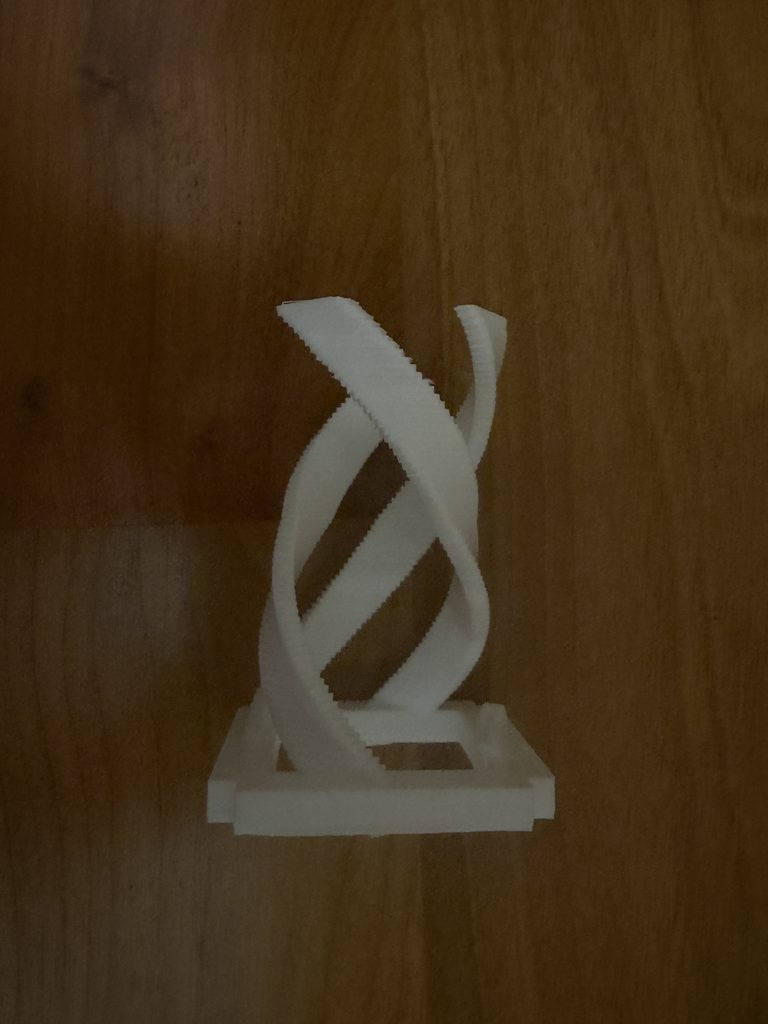
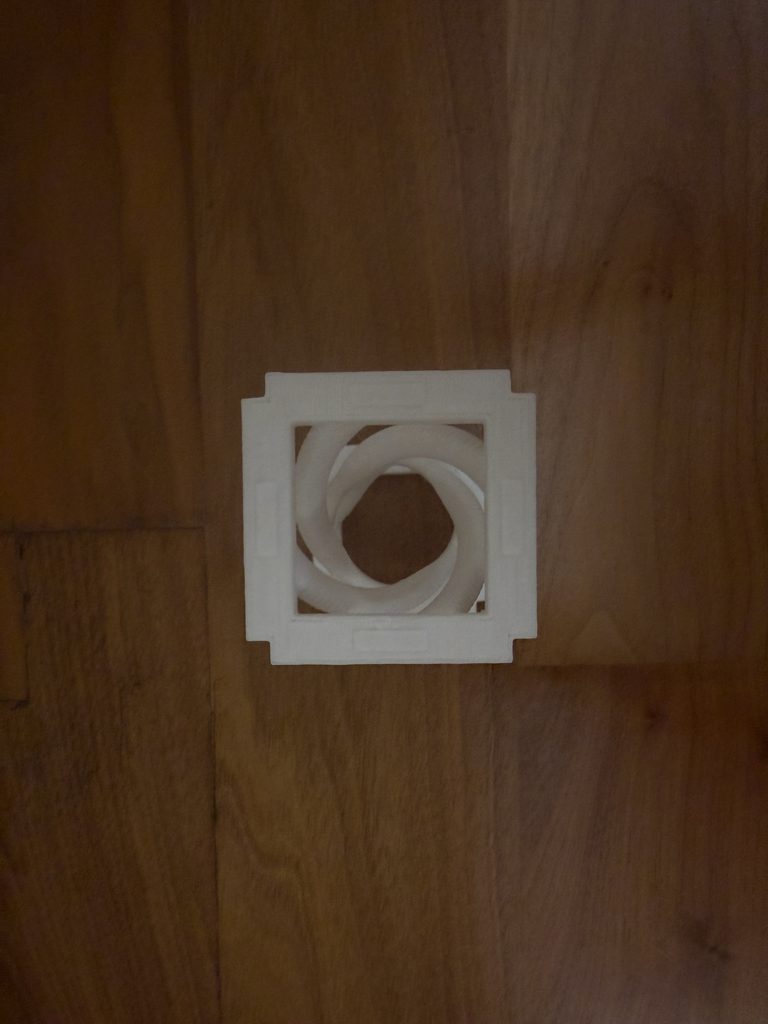
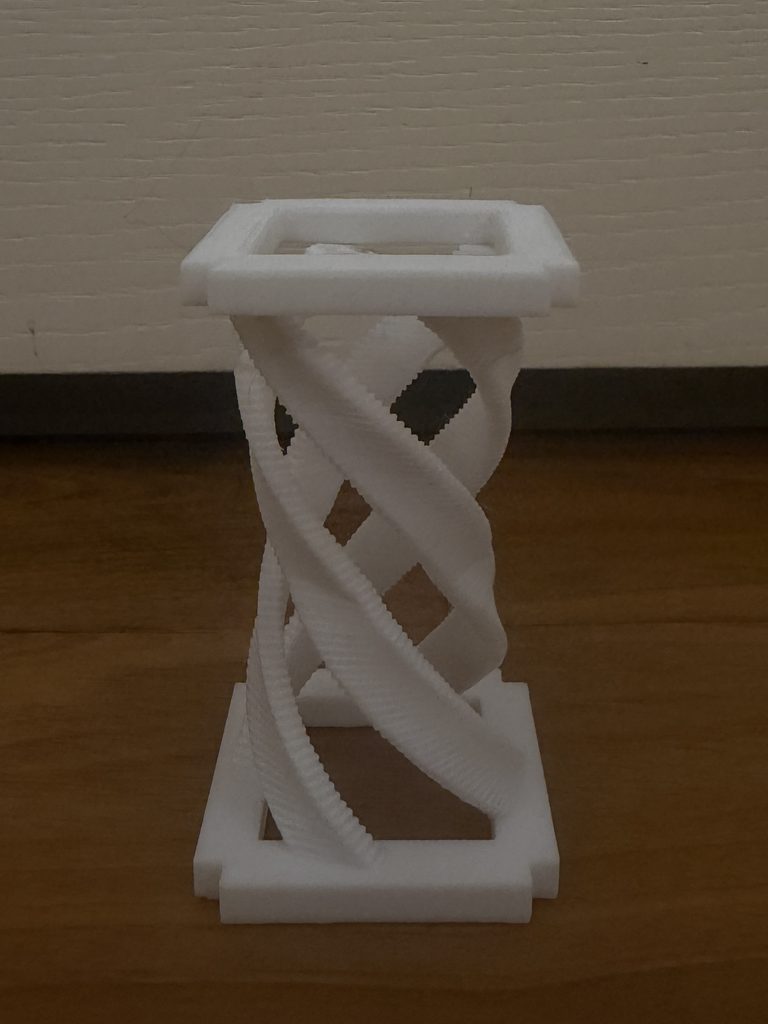
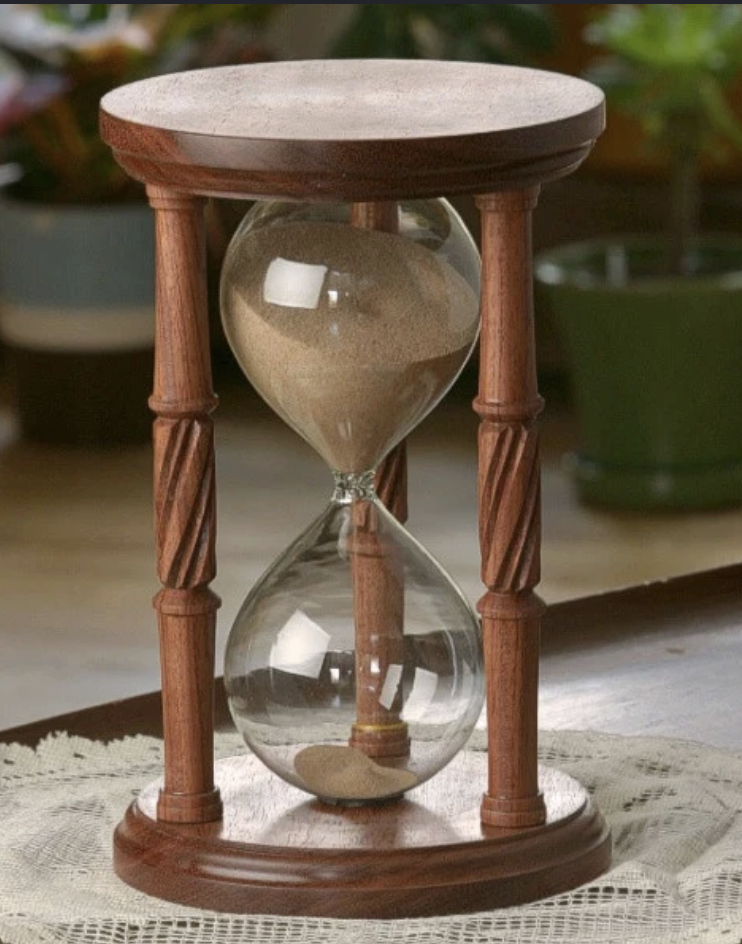
Concept My concept was inspired by an hourglass shape combined with a spiral pattern. I wanted the form to twist as it moves upward while still keeping the overall shape of an hourglass. I used code to repeat and rotate the geometry to create the spiral. I also added a square shape at the top and bottom of the code. This helped frame the spiral, made the hourglass shape more clear, and gave the design more support.

Link to p5.js sketch

https://editor.p5js.org/maa9946/sketches/Ekqykopgr

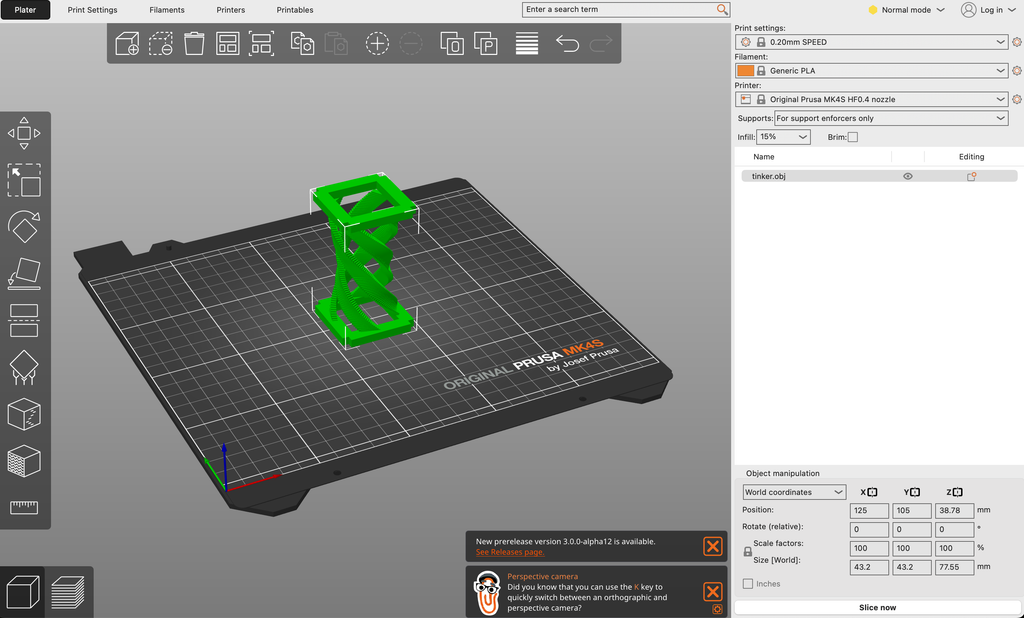
3D design screenshots and your workflow

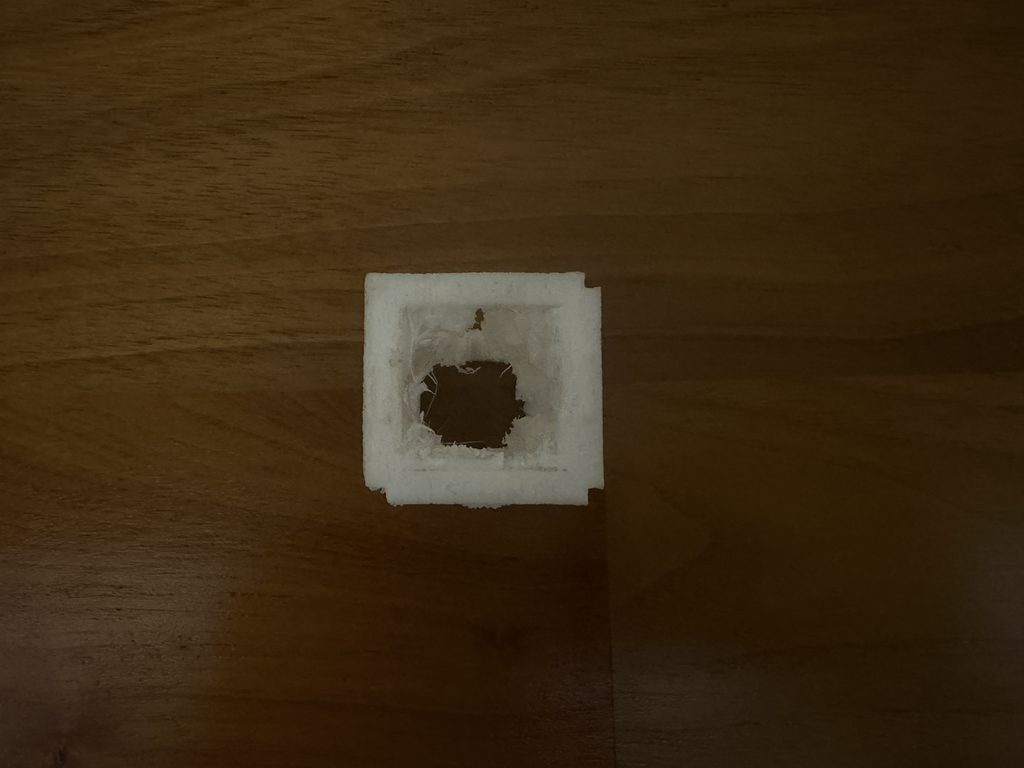
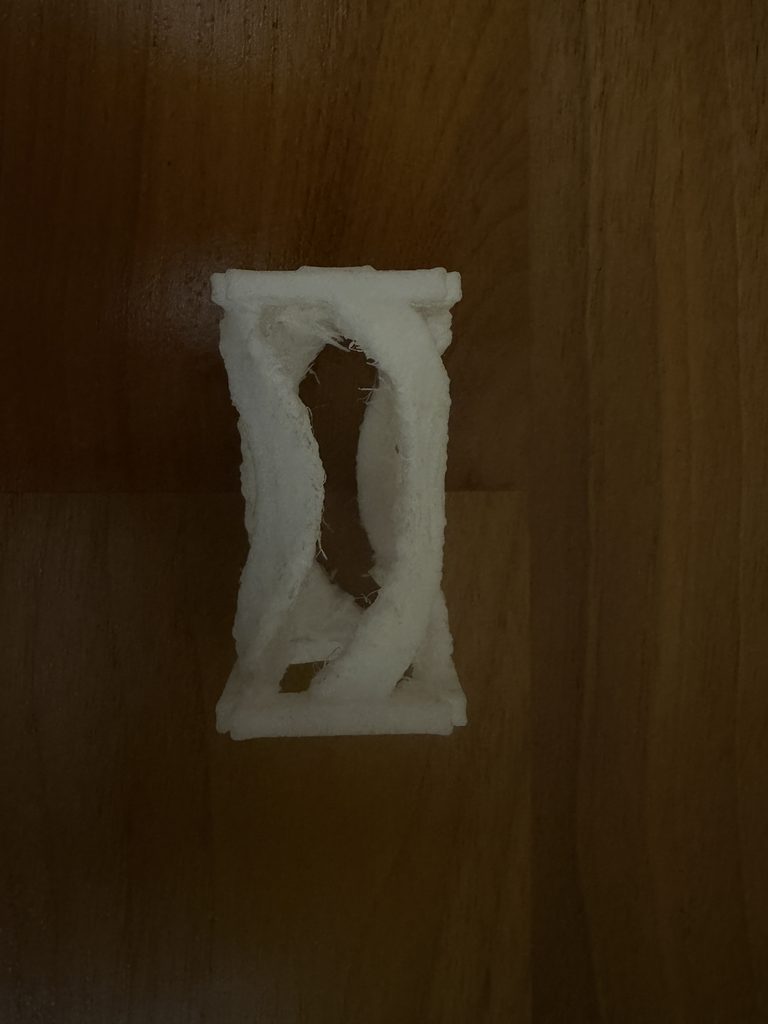
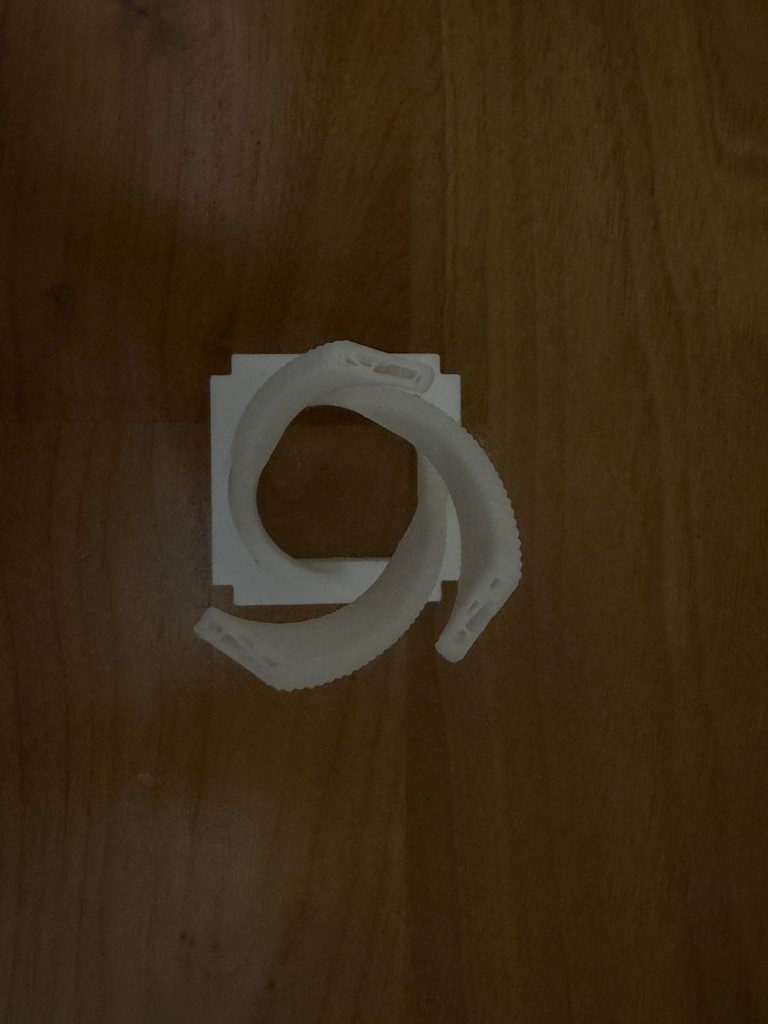
Photos of tests and final 3D-printed result

Test 1

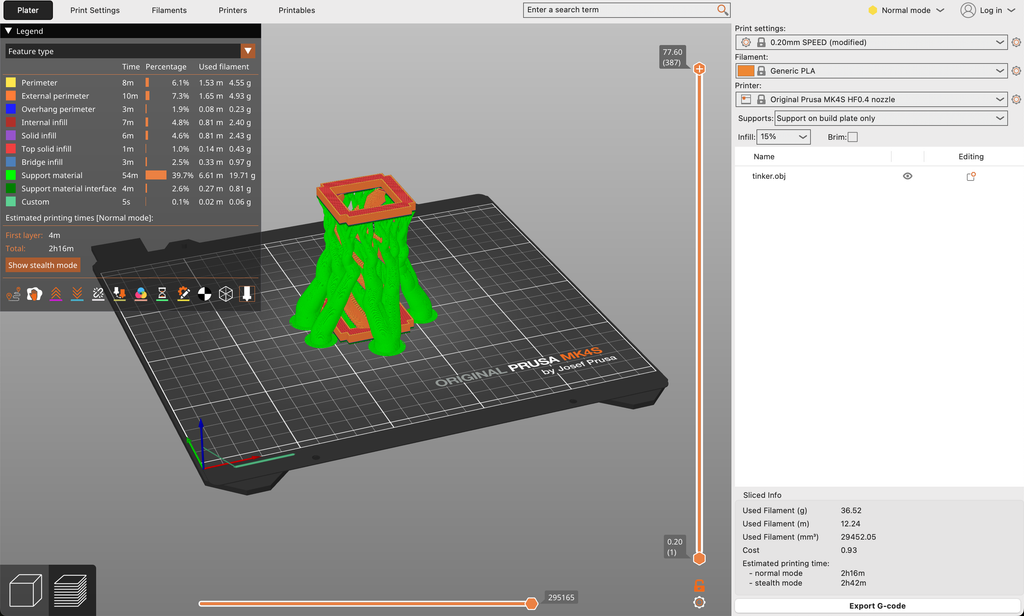
Test 2 (minimal support)

Final Result (Organic support)

Process and challenges

One of my main challenges was getting the code to create a model that could actually be 3D printed. Some parts were too thin or not fully connected, which caused problems when preparing it for printing. To fix this, I added the square base and square top so the spiral had stronger support and stayed connected. I also resized parts of the model, adjusted the code, and added printing supports so the full shape could print properly.

Reflection on how 3D printing changed or shaped your computational design

3D printing changed my computational design because I had to think about more than how the model looked on the screen. I had to consider whether the form could physically stand and print successfully. The square top and bottom were originally added for support, but they also made the design look more like an hourglass. I had to resize the model, add support, and change parts of the code so the design could be printed completely. This showed me how turning a digital design into a physical object can change and improve the original idea.

Assignment 3

Concept

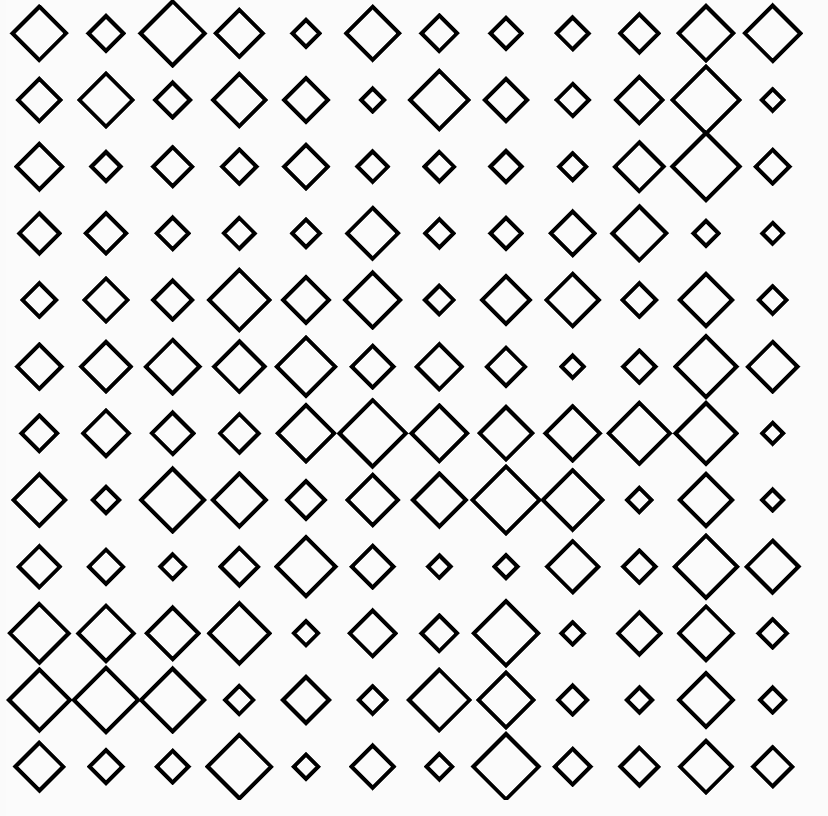
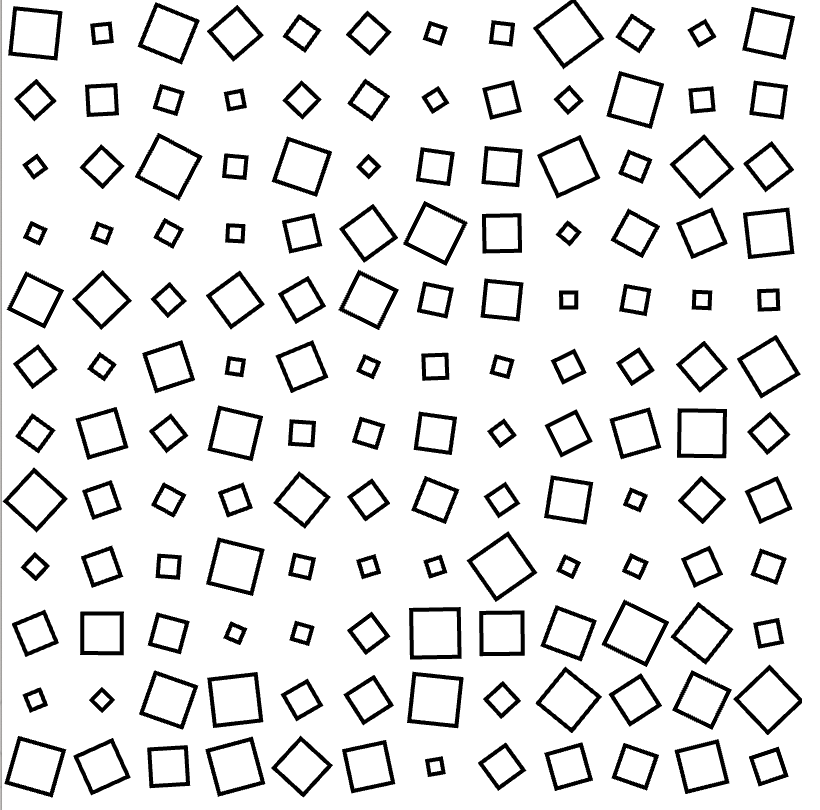
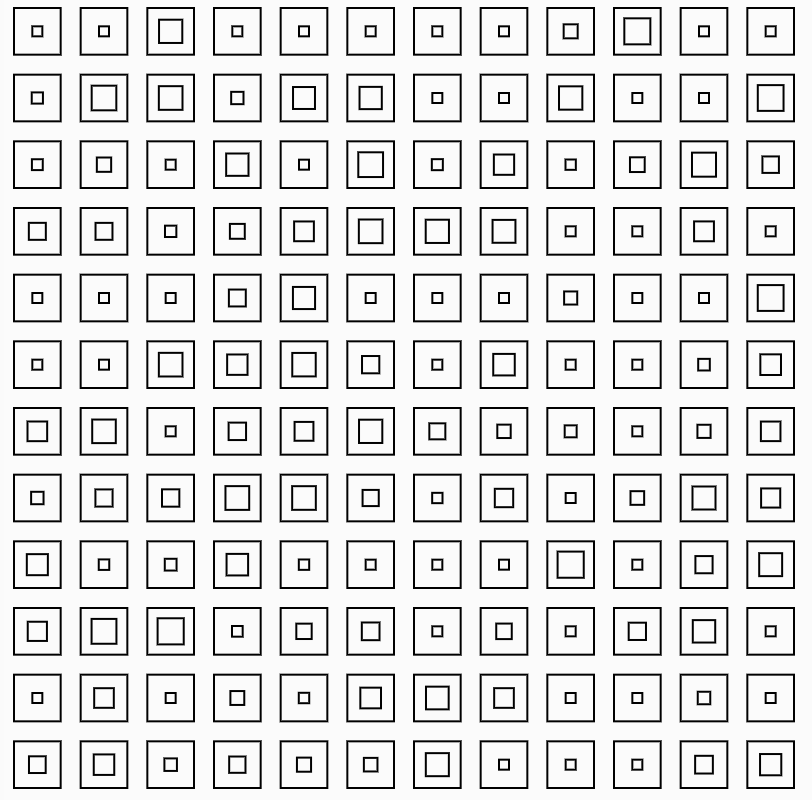
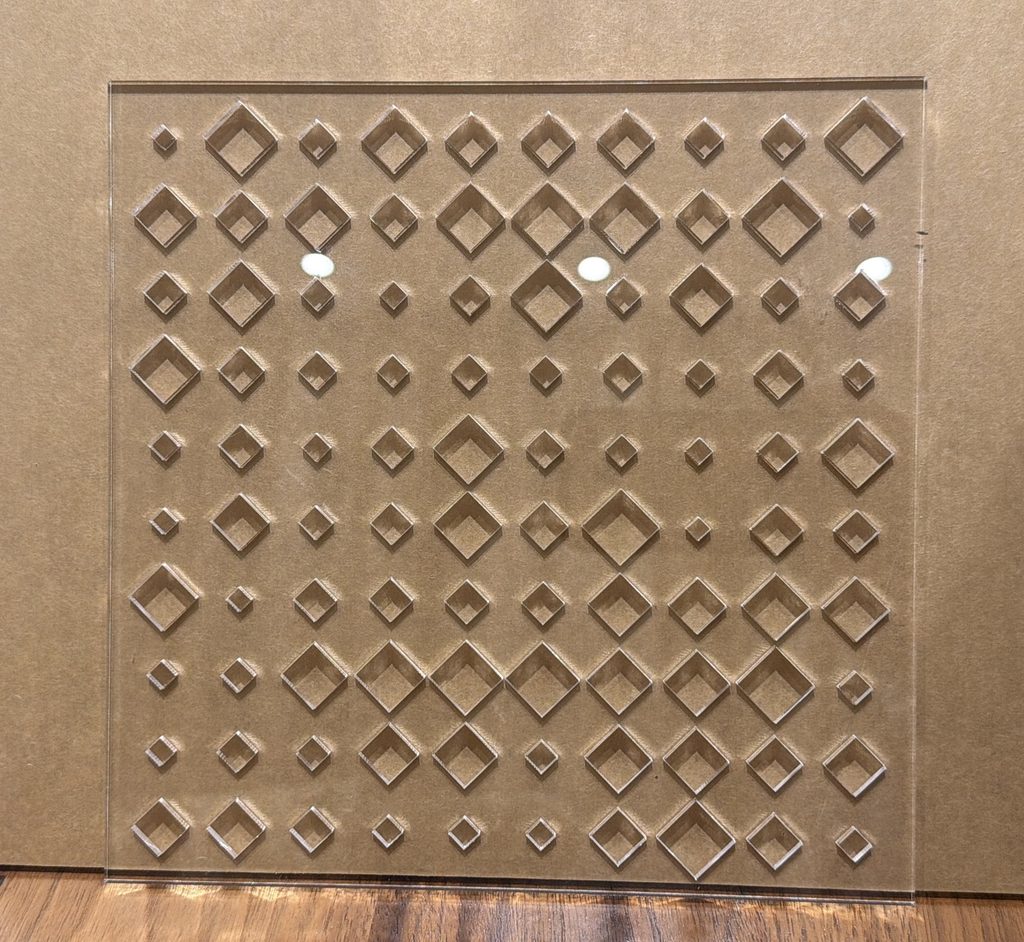
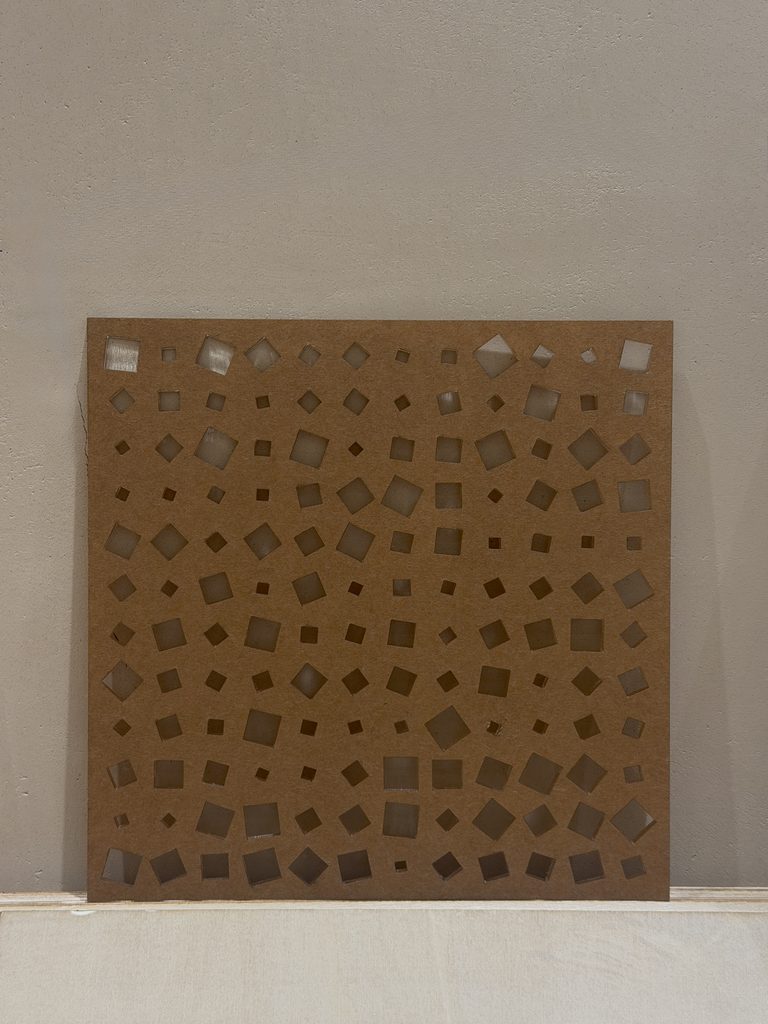
My concept was heavily inspired by Vera Molnár’s Des Ordres (1974). The work creates a structured pattern of squares that is randomly disrupted, creating a contrast between order and disorder. I wanted to take this idea and translate it into laser fabrication, rather than simply recreating the same square pattern. Instead of engraving the squares onto the material, I decided to laser cut them, allowing the pattern to physically change the material itself. I experimented with two versions of the design. In the first, the squares stay at a fixed angle, while their sizes are randomized. In the second, both the size and rotation are randomized, with each square able to rotate anywhere within 360 degrees. This allowed me to keep the idea of controlled randomness while developing it into my own design. I also tested the design using both acrylic and wood to see how the same computational pattern changed depending on the material.


p5.js Sketch / Code

Code for Square 1

let cols = 12;
let rows = 12;
let tileW, tileH;

function setup() {
  createCanvas(400, 400, SVG);
  angleMode(DEGREES);
  noLoop();

  tileW = width / cols;
  tileH = height / rows;

}

function draw() {
  stroke(0);
  noFill();
  strokeWeight(2);

  for (let c = 0; c < cols; c++) {
    for (let r = 0; r < rows; r++) {

      // base grid position
      let x = c * tileW + tileW / 2;
      let y = r * tileH + tileH / 2;

      push();
      translate(x, y);

      rectMode(CENTER);
      // fixed rotation
      rotate(45);

      //RANDOM SCALING
      let scaleFactor = random(0.35, 1.2);

      let baseSize = min(tileW, tileH) * 0.6;
      let finalSize = baseSize * scaleFactor;

      rect(0, 0, finalSize, finalSize);

      pop();
    }
  }
}

function mouseClicked() {
  save("square1.svg");
}

Code for Square 2

let cols = 12;
let rows = 12;
let tileW, tileH;

function setup() {
  createCanvas(400, 400, SVG);
  angleMode(DEGREES);
  noLoop();

  tileW = width / cols;
  tileH = height / rows;

}

function draw() {
  stroke(0);
  noFill();
  strokeWeight(2);

  for (let c = 0; c < cols; c++) {
    for (let r = 0; r < rows; r++) {

      // base grid position
      let x = c * tileW + tileW / 2;
      let y = r * tileH + tileH / 2;

      push();
      translate(x, y);

      //FULL 360° RANDOM ROTATION
      rotate(random(0, 360));

      rectMode(CENTER);

      //RANDOM SCALING
      let scaleFactor = random(0.35, 1.2);

      let baseSize = min(tileW, tileH) * 0.6;
      let finalSize = baseSize * scaleFactor;

      rect(0, 0, finalSize, finalSize);

      pop();
    }
  }
}

function mouseClicked() {
  save("square2.svg");
}


The code generates the square pattern using rules for position, size, and rotation. Although the system follows a fixed grid, randomness is introduced through the changing size and rotation of each square.

Vector Design

Squares 1

Squares 2

These SVGs shows one version of the generated pattern. The grid creates a sense of order, while the changing sizes of the squares interrupt that consistency. ( I uploaded them as images because an SVG file is not supported)

Experimental – This design seemed too close to the original work and I wanted to adapt the design and approach it differently by laser cutting instead of copying it and laser engraving it since it will look exactly like the original. After generating the pattern, I converted/exported the design as an SVG vector file so that it could be read by the laser cutter. My first designs experimented with squares inside other squares, similar to the visual structure of my reference artwork. However, when thinking about how I wanted to laser cut the material I developed the design.

Final Results

Square 1 Clear Acrylic

Square 2 Wood

Process and Challenges

One of my main challenges was creating a design that could actually be laser cut while still keeping the randomness of the original idea. My first draft used a square within a square, which was closer to Molnár’s original visual structure. However, I realized that this worked better as an image or engraving than as a laser cut object. Because I wanted to physically cut through the material, I had to rethink the design. I changed it into individual squares and introduced randomness through their size and rotation instead. Another part of the process was experimenting with how much randomness I wanted. One version kept the rotation fixed and only changed the size, while another randomized both the size and the rotation. This helped me compare how changing one rule could completely change the final pattern.
Reflection: How Laser Fabrication Changed My Computational Design

Laser fabrication directly shaped the way I developed my computational design. At first, I was thinking mainly about how the pattern looked on the screen. My original design used a square within a square, similar to my reference.Once I was reflecting with my first design I felt that I wanted to develop the original and laser cut it . The design needed to work structurally as a physical object. Because of this, I changed each element into a single square. Instead of losing the randomness from my original idea, I moved that randomness into other variables, especially size and rotation. The fabrication process therefore did not just reproduce my computational design. It actually changed the design itself. The limitations of laser cutting pushed me to develop a different version of the idea, while still keeping the contrast between order and disorder that originally inspired the project.
Week 2

Concept

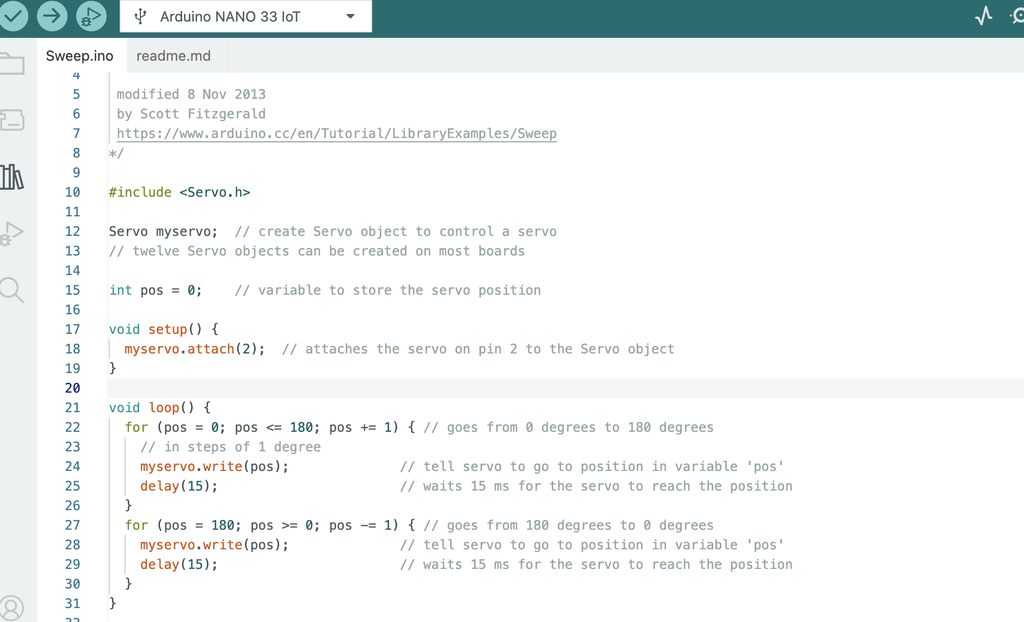
Our concept was to create abstract geometric drawings using curved lines. We connected the pen to a long arm attached to the servo motor so that the movement of the servo naturally creates smooth curves. The potentiometer controls the position of the servo, so as we continue turning it back and forth, the pen shifts within a certain range and creates more curves on top of each other. This allows the drawing to build up over time and create different geometric patterns.

Process and Challenges

One of the main challenges was building the physical machine itself. It was difficult to make the structure stand properly while also keeping the servo and pen stable. We experimented with different ways of attaching the arm and positioning the pen. Some designs were either too unstable or did not allow the pen to move smoothly. After experimenting, we found that having one long arm connected directly to the servo was the most effective design because it was simple, stable, and produced smooth curves.

Another challenge was the pressure of the pen on the paper. If the pen was pressing too hard, the servo struggled to move. We had to adjust the pen so that it was touching the paper lightly while still being able to draw.

Video

compressed video file

Drawing Outputs

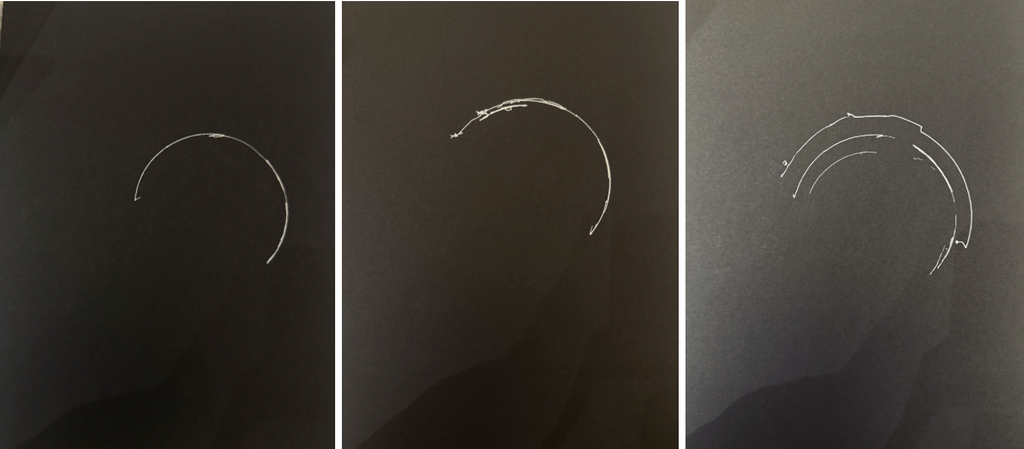
For the different outputs, we experimented with how we moved the potentiometer. Moving it across a larger range created wider curves, while using a smaller range created more concentrated curves. We also changed how quickly and how often we turned the potentiometer, which caused the lines to overlap differently. Even though the machine uses the same basic movement, each drawing developed into a slightly different pattern.

Reflection

The mechanism had a large effect on the resulting marks. Since the pen is connected to a fixed arm, its movement naturally follows a curved path instead of moving in a straight line. The length and position of the arm also determine how large the curve can be.

We also noticed that the potentiometer changes how the drawing develops. Moving it slowly creates smoother and more controlled curves, while moving it more quickly creates faster overlapping marks. Repeatedly moving between different positions builds more curves within the same area and makes the drawing more complex.

Code

Negative Space

Assignment 1

Concept
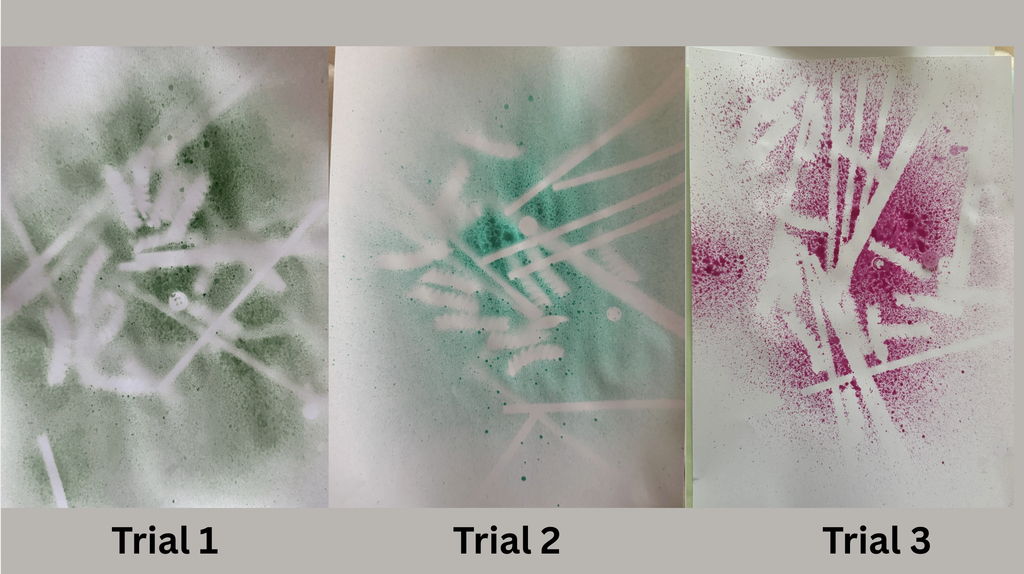
The main concept of my drawing machine is using negative space, different shapes, and different materials to create a drawing through chance. I wanted the system to have some parts that stay fixed, or controlled variables, and other parts that change each time. I start by randomly choosing a paint color. I do this by shaking a box of colors, counting to five, and choosing one without looking. I then mix that color with water in a spray bottle, using around the same amount of water and paint each time. After that, I take a cup filled with different materials, including small wooden sticks, pasta shapes, and buttons, and flip it over onto the middle of the paper. Wherever the materials fall, I leave them there without moving them. I then spray the paper ten times. When I remove the materials, the spaces they covered stay blank, creating the negative space. Because the color and placement of the materials are random, every drawing comes out differently even though I follow the same system.

Photos/video of the machine

Several drawing outputs

Process and challenges

One of the main challenges was making sure that the fixed parts of my system actually stayed fixed. Since I am the person spraying the paint, it would be easy for me to accidentally spray one piece more than another. To solve this, I decided that every drawing would receive exactly ten sprays. I also tried to use around the same amount of water and paint in the spray bottle each time. Another important rule was that once I flipped the cup and the materials fell onto the paper, I could not move or rearrange them. This helped me avoid changing the composition based on what I thought looked better and allowed chance to have more control over the final result.

Reflection on control, chance, and authorship


I think this project has a balance between control and chance. I have control over creating the system, choosing the materials, deciding the amount of paint and water, and setting the rule of ten sprays. However, I do not control which color gets chosen or where the materials land on the paper. Those parts are left to chance. I still see myself as the author of the work because I created the idea, rules, and system, but I am not directly designing every part of the final drawing. The final piece is a combination of my decisions and the random results created by the system.

In relation to Sol LeWitt’s Paragraphs on Conceptual Art, where does the “idea” of your drawing reside: in your design decisions, the machine,, or the final drawing? Explain briefly.


In relation to Sol LeWitt, I think the main idea of my drawing resides in my design decisions and in the system I created, rather than in the final drawing itself. I decided the rules and structure before making the pieces, and once the process starts, I follow those rules instead of changing the artwork based on how it looks. LeWitt explains that in conceptual art, the planning and decisions are made beforehand and that the idea can become “a machine that makes the art.” I think this connects to my project because my rules almost become the machine. I create the system, but chance carries out part of the execution. The final drawing is therefore one possible result of the idea rather than the idea itself. LeWitt also discusses how a pre set plan can reduce decisions made while creating the work, which is similar to why I made rules such as ten sprays and not moving the objects after they fall.