e-David: A Robot That Paints

Assignment 7 – Drawing Robots and Machines

Group Members: Mouza, Meera, and Mhara

Introduction

When we think of painting, we usually imagine an artist holding a brush and deciding what to paint. But what if a robot could do the same thing?

For this project, we chose e-David, a robotic painting system that uses real brushes and paint to create artworks. What caught our attention was that e-David doesn’t just follow instructions and paint an image. It actually takes pictures of its work, checks what it has painted, and makes changes as it goes.

We found this especially interesting because painting is something we usually connect with human creativity, personal expression, and making decisions while working. Seeing a machine perform some of these actions made us curious about how much of the painting process can be controlled through technology.

We wanted to explore how e-David works, what makes it different from other drawing machines, what is needed to build a system like it, and how artists have used similar technologies in their work.

1. What Is e-David, and How Does It Paint?

e-David stands for Electronic Drawing Apparatus for Vivid Image Display. It was developed by researchers at the University of Konstanz in Germany, and the project has been running since 2009. It was developed under the supervision of Professor Oliver Deussen, and Michael Stroh currently leads the project.

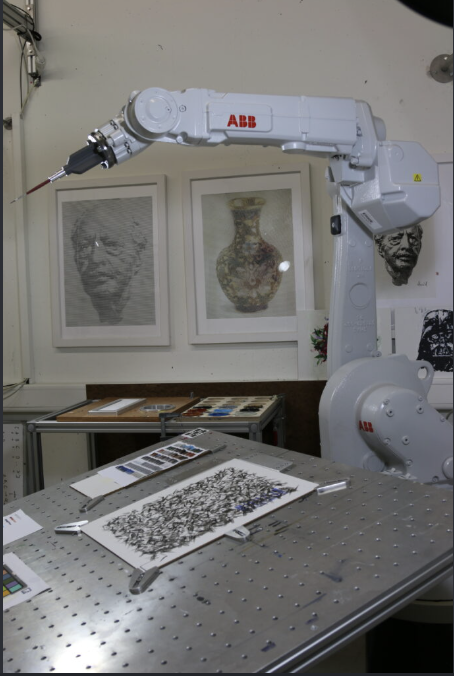
The robot uses an industrial robotic arm that holds a paintbrush and moves it across a canvas. Unlike a printer, which places ink directly onto paper, e-David works with actual paint and brushes, just like an artist would. It can use different brushes, change colours, and clean its brushes when needed.

The process starts with a digital image that the robot uses as a reference. This could be a photograph or a digital drawing. The software studies the image and breaks it down into smaller shapes, colour regions, and details that can be painted. It then plans how the robotic arm should move to create these different parts of the image.

Instead of painting every detail immediately, e-David can work in layers, starting with larger areas of colour before adding smaller details. This is similar to how some artists begin with the general composition and gradually build up their painting.

What makes the process different is that e-David has a camera that takes pictures of the painting as it progresses. The computer compares these pictures with the original image to see which areas still need work. It then tells the robot where to add more brushstrokes.
The process can be broken down into five steps:

  1. Image analysis: The software looks at the reference image and separates it into shapes, colours, and areas that need to be painted.
  2. Planning: The computer decides where the brushstrokes should go, which colours to use, and how the robotic arm should move.
  3. Painting: The robotic arm picks up paint and moves the brush across the canvas, gradually building the image through different strokes and layers.
  4. Checking: A camera takes pictures of the painting so the computer can compare the actual result with the reference image.
  5. Adjusting: The software identifies areas that need improvement and plans additional brushstrokes to make the painting closer to the intended result.
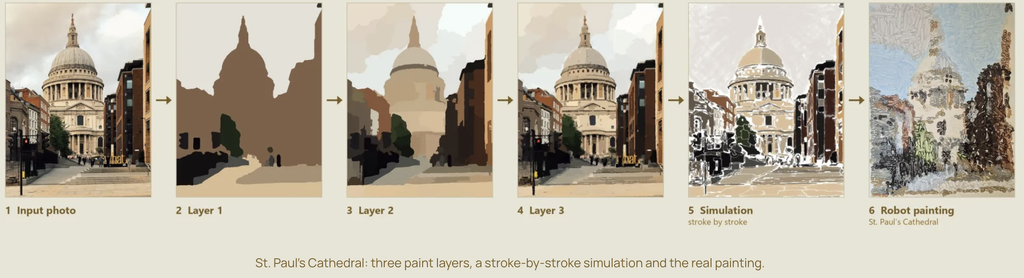
These steps repeat until the painting is finished.

One detail we found interesting is that the robot doesn’t necessarily paint the image in the same order that a person would. Its software can organize the painting into regions and decide how to fill each one based on its shape and the amount of detail needed.

Something else we found interesting is that even though the robot follows computer instructions, the paint doesn’t always behave exactly as expected. Sometimes a brushstroke might be thicker or lighter than planned, or the paint might spread differently depending on the surface. This means the robot has to keep checking its work instead of assuming every stroke turned out perfectly.

2. What Makes e-David Interesting?

What interested us most about e-David is that it can look at what it has painted and make adjustments.

Most drawing machines, like traditional pen plotters, follow a set path that has already been programmed. They move a pen across the paper according to coordinates, but they don’t usually check whether the drawing looks right afterward.

e-David is different because it uses something called a visual feedback system. This means that the robot uses a camera to see what it has painted and then uses that information to decide what needs to be done next. This is also known as a closed-loop system, where the result of an action influences the next action.

We found this interesting because painting isn’t always predictable. The amount of paint on the brush, the pressure against the canvas, and even the texture of the surface can change how a brushstroke looks.

For example, the robot might plan to paint a thin line, but the brush could leave a thicker mark. Instead of continuing without checking, e-David can detect the difference and take it into account when planning its next movements. It cannot always undo a mark that has already been made, but it can adjust the painting by adding more strokes.
Another thing we liked is the combination of precise robotic movements and the less predictable nature of paint. The robot can control where the brush goes, but it can’t completely control how the paint behaves.

This creates an interesting contrast between the machine and the material. The robotic arm is designed to move accurately, but the paintbrush is flexible, the bristles bend, and the amount of paint changes throughout the process. Even when the robot repeats the same movement, the mark might not look exactly the same.

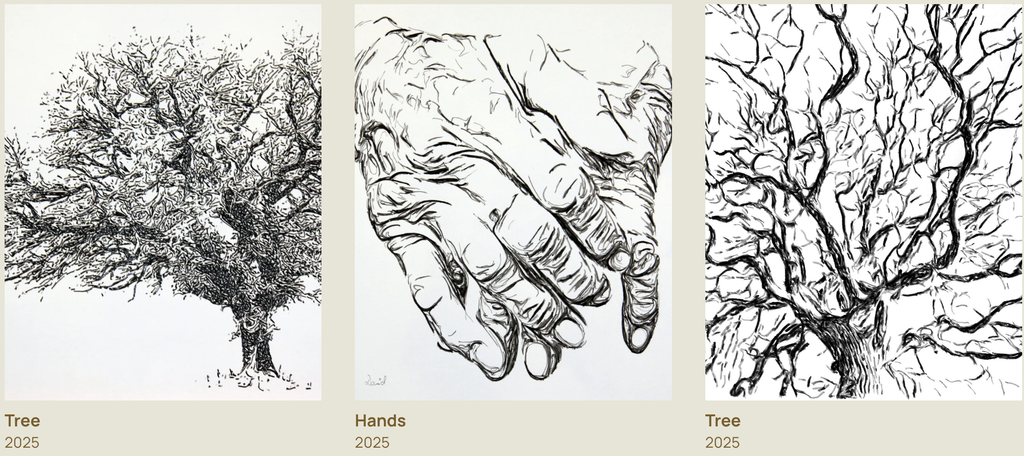
We also found it interesting that e-David can produce different painting styles. It doesn’t have to focus only on making a realistic copy of a photograph. By changing how the software plans the strokes, the robot can create more simplified, abstract, or experimental results.
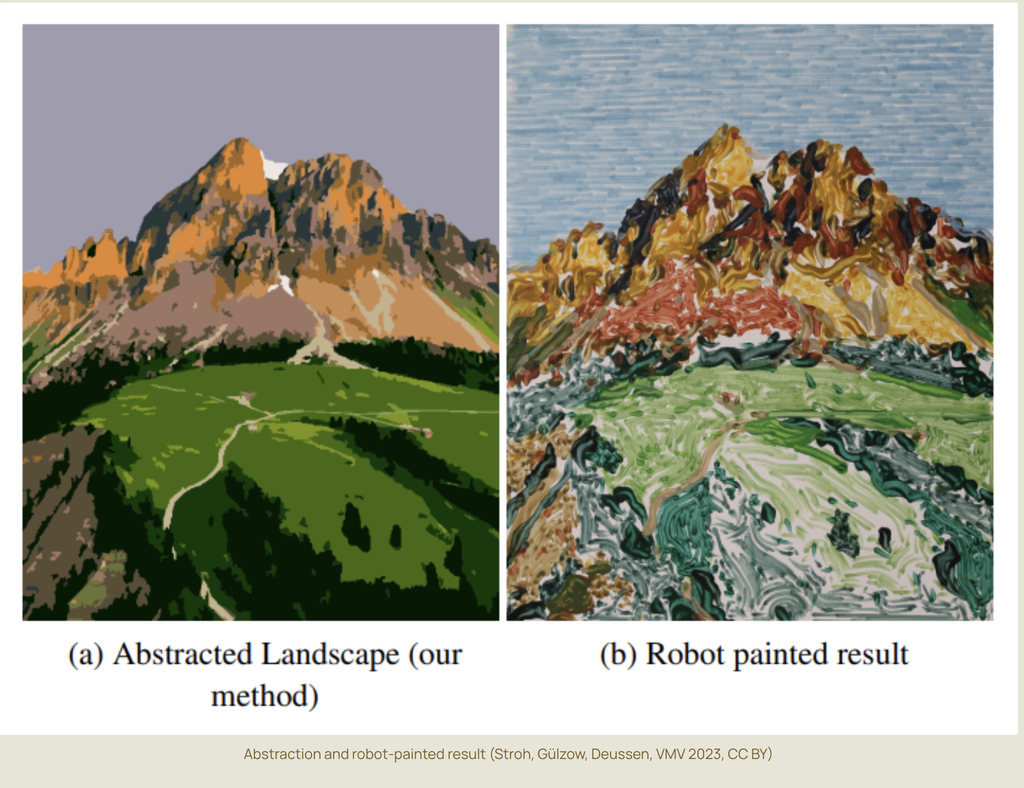
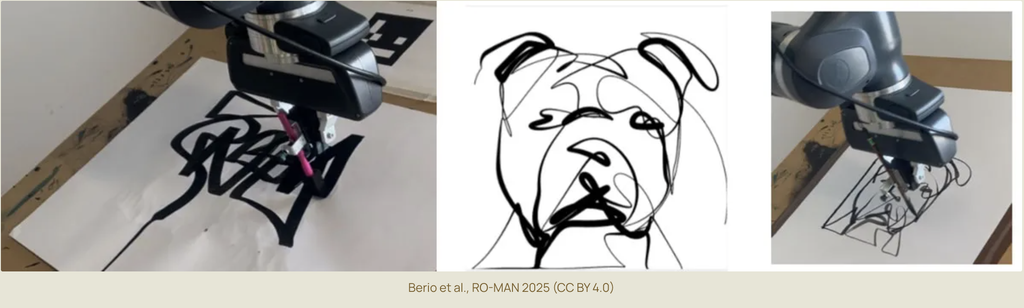
This made us think about how artists work too. When painting by hand, artists often make changes as they go because something doesn’t look exactly how they imagined it. They might add another layer, change a colour, or adjust the composition.

Although e-David works through software rather than human intuition, we thought it was interesting that its painting process also involves checking, changing, and improving the work along the way.

For us, this is what makes e-David more interesting than a machine that simply follows a drawing path. It is not just about how accurately the robot moves, but also about how it responds to the marks it has already made.

3. What Components Are Needed to Build e-David?
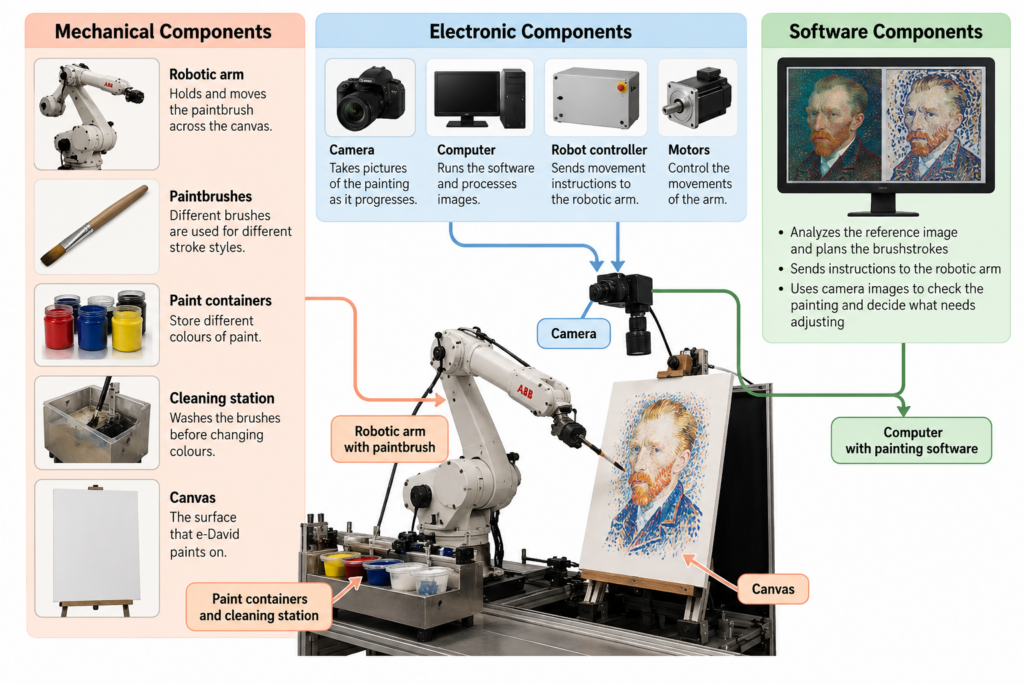
To build a painting robot like e-David, several mechanical, electronic, and software components are needed. Each part has a different role, and they all have to work together for the robot to paint.

Mechanical Components

The main mechanical component is a robotic arm that can move in different directions. Some versions of e-David use six-axis industrial robotic arms, including ABB robots. These arms can move and rotate in different ways, allowing them to control the position and angle of the brush.

The robotic arm needs a brush holder that can securely hold the paintbrush while it moves. The system also requires different brushes because different sizes and shapes produce different types of strokes.

Another important part is the paint station. This holds the available colours and allows the robot to dip its brush into the paint when needed. Earlier versions of e-David were designed to work with up to five brushes and 24 paint colours.

The robot also needs a brush-cleaning station so it can wash and dry the brush before changing colours. Without this, the colours could mix unintentionally and affect the painting.

Finally, the system needs a stable canvas or paper support positioned within the robot’s working area.

These are the parts that allow the robot to physically paint. Even though the movements are controlled by a computer, the robot still needs tools and materials similar to those used by a human painter.

Electronic Components

One of the most important electronic components is the camera. It takes pictures of the canvas so the computer can check the painting’s progress.

The position of the camera and the lighting are important because the software needs clear images to compare the painting with the reference. Changes in lighting or shadows could make it harder for the computer to identify the actual colours and marks on the canvas.

The system also needs a computer, a robot controller, motors, and the necessary power and communication connections.

The computer processes the images and calculates the brushstrokes, while the robot controller translates these instructions into movements. The motors inside the robotic arm allow its different joints to move.

Some robotic painting setups also use sensors to help measure distances or maintain the correct position between the brush and the painting surface.

Safety equipment is another important part of the setup, especially when working with an industrial robotic arm. The robot needs a controlled working area and an emergency stop system so that it can operate safely around people.

Software Components

The software is responsible for planning and controlling the painting process. It connects the digital reference image to the physical movements of the robot.

It includes several important functions:

  • Image processing: Studies the reference image and the pictures taken by the camera to identify colours, shapes, and details.
  • Image abstraction: Simplifies the original image into regions and layers that the robot can paint more easily.
  • Brushstroke planning: Decides where the brushstrokes should be placed, which direction they should follow, and which brush or colour to use.
  • Motion planning: Works out how the robotic arm should move between the canvas, paint station, and cleaning station.
  • Visual feedback: Compares the painting with the reference image and identifies areas that need more work.
  • Robot control: Sends the movement instructions to the robotic arm so it can carry out the painting process.

An important part of the software is how it translates an image into physical movements. A digital image is made of pixels, but a painting is made of brushstrokes. The software has to decide how to turn areas of colour into marks that a real brush can produce.

For example, a large area of blue in a photograph might be painted using several longer strokes, while a smaller detail might require a different brush and shorter movements.

The software also has to account for the limits of the robot and its materials. The arm cannot move everywhere at once, brushes need to be cleaned, and paint may need to be applied in several layers.

We think the camera and feedback software are especially important because they are what allow e-David to check its work.

Without them, the robot would be much closer to a regular drawing machine that simply follows a set of instructions. The combination of all three component groups is what allows e-David to plan, paint, observe, and adjust.

4. Examples of Artworks Created with e-David

e-David has been used to create different types of paintings, including portraits, realistic images, landscapes, and abstract artworks.

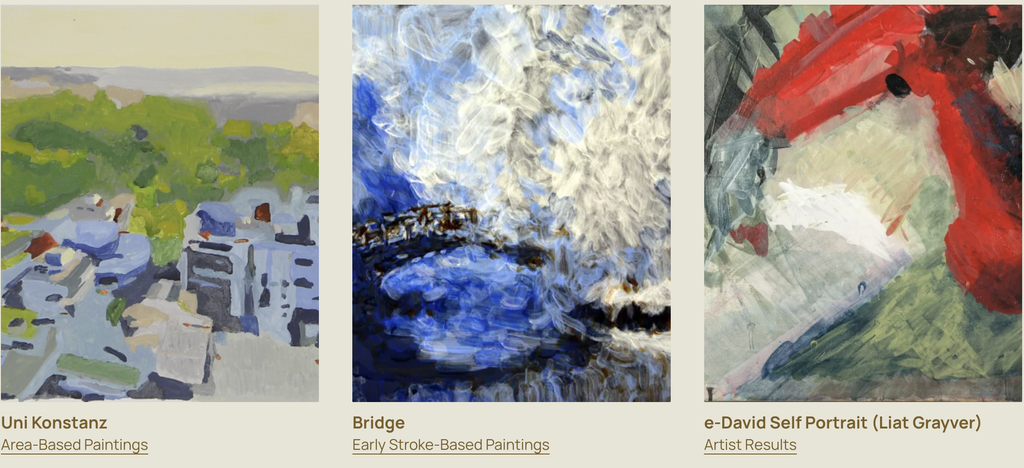
One example is e-David’s self-portrait, which was featured in the RobotArt competition. This is interesting because the robot is being used to create a recognizable image rather than just a geometric pattern. It shows how a painting machine can gradually build up a detailed composition using individual brushstrokes.
Another example is Homage to Jackson Pollock, which was also presented as part of e-David’s RobotArt work. Unlike a traditional portrait, this example connects robotic painting to a more expressive and abstract style.

We found this especially interesting because Jackson Pollock is known for paintings that emphasize movement, gesture, and the physical act of applying paint. Seeing a robot explore a style associated with spontaneous human movement creates an interesting contrast.

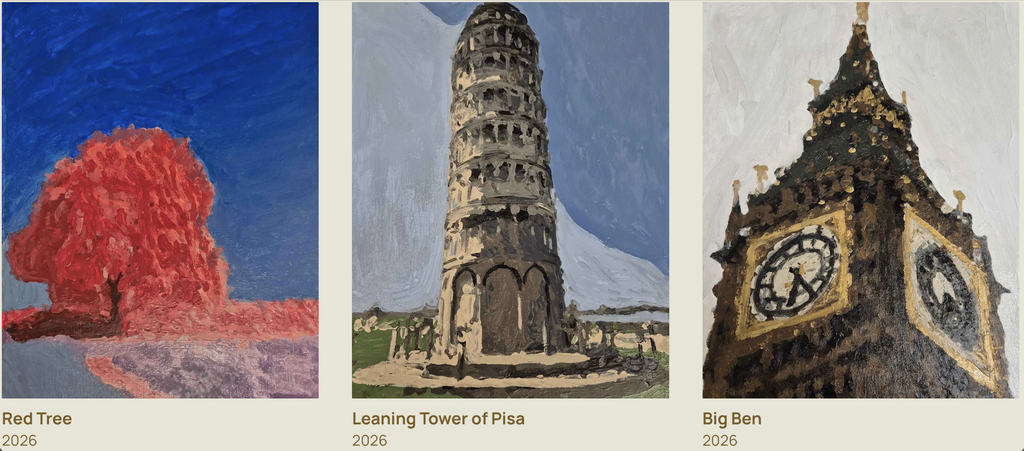
e-David has also produced landscape and architectural paintings. More recent examples from the project include Red Tree, Leaning Tower of Pisa, and Big Ben. These works show how the system can use different shapes, colours, and levels of detail to create recognizable scenes.
Another example is e-David’s collaboration with artist Gretta Louw on the Orchid Diptychs project. In this work, the robot contributed painted elements to artworks that also involved the artist’s own creative decisions.
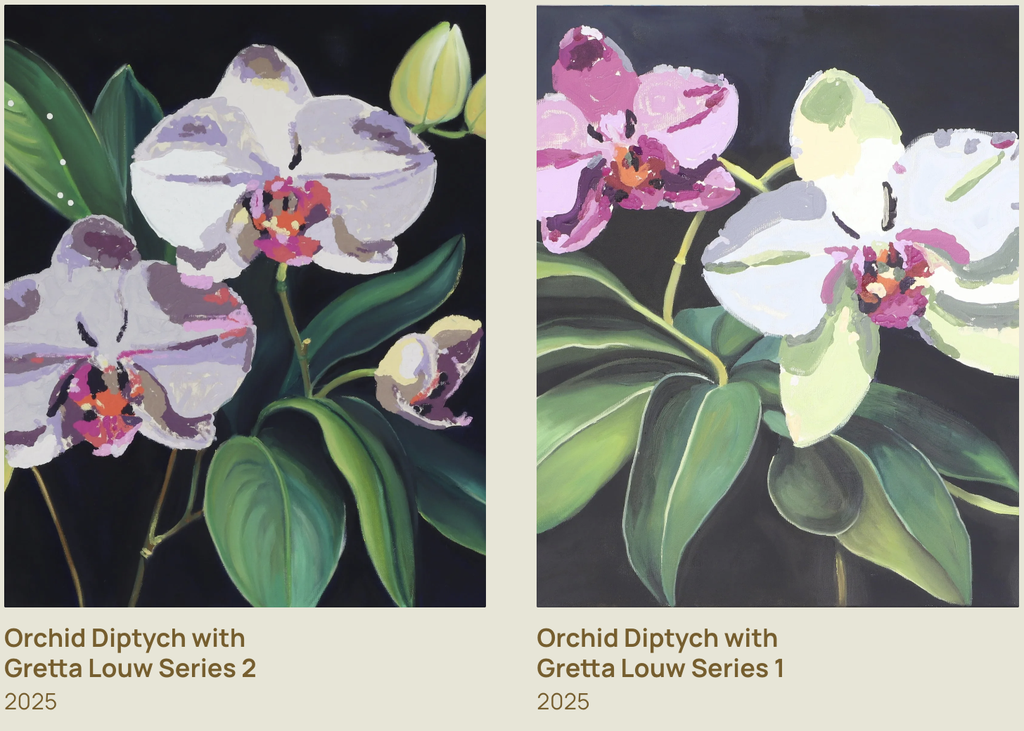
We liked this example because it shows how a robot can be involved in making art alongside a human rather than just copying an existing image. The artist can make decisions about the composition and the overall direction of the work, while the robot contributes through its programmed movements.

https://youtube.com/watch?v=NvifGpmACJE%3Ffeature%3Doembed

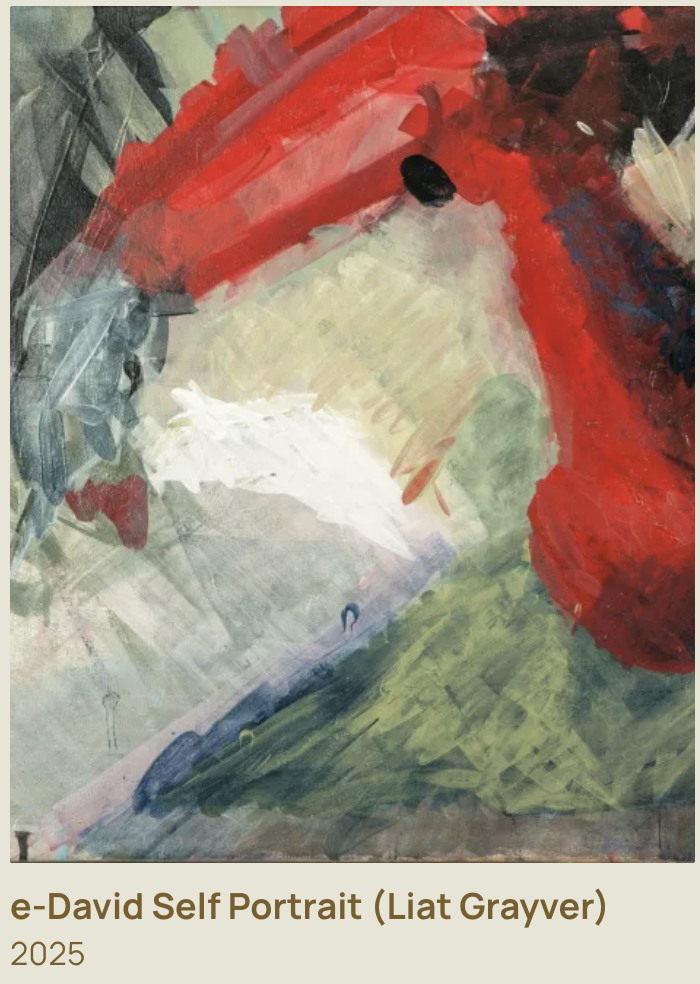
e-David has also been used by artist Liat Grayver, who explores how robotic movements and brushstrokes can be used in painting.

One of her projects with e-David, InComputable Imagery: Reimagining the Brushstroke, explored how a painting could develop through a continuous process of robotic brushstrokes and visual feedback.

In the exhibition, Grayver began the process with an initial brushstroke, after which the robot continued adding marks. The system used feedback from the developing image to influence the next strokes.

We found this example particularly interesting because the final artwork was not simply a copy of a photograph. The focus was on the movement of the brush, the behaviour of the materials, and how the painting changed over time.

Looking at these examples, we noticed that e-David can be used in different ways. Sometimes the goal is to create a recognizable image, while other times the goal is to experiment with the painting process itself.

This variety is one of the reasons we chose e-David. The same machine can be used for technical experiments, realistic paintings, and collaborations with artists.

5. Related Artists and Drawing Machines

While researching e-David, we came across other artists who use robots and machines to create drawings and paintings.

Patrick Tresset: Robotic Drawing

Patrick Tresset is an artist who creates robots that can observe people and draw their portraits.

One of his projects, Human Study, uses robotic drawing systems with cameras and pens. The robots observe a person and create a drawing on paper.

The machines are designed to imitate certain aspects of human observation and drawing. They use a camera to capture visual information and a mechanical arm to make marks on paper.

We thought this was similar to e-David because both systems use cameras and robotic movement to create physical artwork. In both cases, the machine is translating visual information into movements that produce marks on a surface.

The main difference is that Tresset’s robots usually work with pens and focus on drawing, while e-David uses paintbrushes and paint.

There is also a difference in how the materials behave. A pen generally produces a more consistent line, while a paintbrush can create marks with different thicknesses, textures, and amounts of paint.

We also found it interesting that both projects explore what happens when a machine takes on a task that we usually associate with human artists.

Liat Grayver: Painting with Robots

https://youtube.com/watch?v=NvifGpmACJE%3Ffeature%3Doembed

Liat Grayver is an artist who has worked with e-David to explore new ways of painting.

Rather than using the robot only to copy images, she experiments with its movements and the marks it can make. Her work often focuses on the relationship between control and unpredictability.

In traditional painting, an artist can immediately respond to the way the brush feels against the canvas. With a robot, the movement has to be translated into instructions that the machine can understand.

Grayver uses this difference as part of her artistic process. Instead of trying to make the robot behave exactly like a human painter, she explores what happens when mechanical movements interact with physical materials.

Her work shows how artists can use robots as part of their own creative process.

We liked this approach because the artist is still making important decisions, but the robot introduces another way of working with paint.

It made us think about how technology can become part of an artist’s process without taking away the artist’s role.

Traditional Pen Plotters: Drawing Through Coordinates

Another system we thought was useful to compare with e-David is the traditional pen plotter.

A pen plotter uses motors to move a pen across paper according to programmed coordinates. The drawing is usually created from lines or paths generated by software.

Unlike e-David, a typical pen plotter does not use a camera to constantly check the result. Once the drawing begins, the machine usually follows the planned paths until it finishes.

Pen plotters are often used for geometric drawings, generative art, and repeated patterns. Artists can create complex designs by writing code that controls the position and movement of the pen.

This comparison helped us understand what makes e-David different. Both machines turn digital instructions into physical marks, but e-David adds another step by observing the painting and using that information to adjust its process.

6. Our Thoughts on e-David

After learning more about e-David, we started thinking about the difference between a person painting and a robot painting.

When a person paints, they make decisions based on what they see, what they want to express, and how they feel about the artwork. e-David doesn’t work in the same way. It uses software and cameras to decide what to do next.

However, we thought it was interesting that both processes can involve making changes along the way.

An artist might notice that a colour is too dark or that a shape doesn’t look right and decide to fix it. e-David also checks its painting and makes adjustments, but it does this by comparing images through software.

What we found most interesting was that the robot doesn’t create the entire painting in one perfect attempt. It builds the image slowly and keeps working on it.

We also liked how e-David has been used in collaborations with artists. Instead of using the robot only to reproduce an image, artists can experiment with its movements and see what kinds of marks it can make.

One question that came up during our research was whether the robot is actually being creative or whether the creativity still comes entirely from the people who design and use it.

We think the human role is still very important. Someone has to choose the reference image, develop the software, decide how the robot should work, and determine what kind of result they want.

At the same time, the physical painting process can introduce unexpected results. The artist or programmer might plan a certain brushstroke, but the actual mark could turn out differently because of the paint or the surface.

This is something we find interesting because unexpected results can sometimes become part of the artwork rather than simply being treated as mistakes.

We also thought about how e-David relates to other drawing machines we have explored. A pen plotter is interesting because it can turn code into precise physical drawings, while e-David shows what happens when a machine also has to respond to materials that are harder to control.

For us, this was one of the most interesting parts of the project because it shows that a drawing machine can be used for much more than following a programmed path.

Conclusion

Researching e-David helped us understand how a robotic painting system works and how different it is from a regular drawing machine.

We learned that it uses a robotic arm, paintbrushes, a camera, and software to create paintings while checking its progress and making adjustments.

What stood out to us most was the feedback system and the way the robot responds to what is actually happening on the canvas. We found it interesting that the machine can move very precisely, but still has to deal with unpredictable materials like paint and brushes.

We also enjoyed looking at the different artworks and collaborations because they showed us that robots can be used in art in more than one way. They can reproduce images, experiment with different painting styles, or become part of an artist’s creative process.

Overall, we chose e-David because it combines something very traditional, painting with a brush, with technology that allows the machine to observe and adjust its work.

It left us wondering how artists might use machines like e-David in the future, and what new kinds of artwork could come from working with them.

References

  1. University of Konstanz. Painting Robot e-David. Computer Graphics and Media Informatics Research Group.
  2. e-David Project. Official Project Website, Works, and Video Documentation. University of Konstanz.
  3. Deussen, O., Lindemeier, T., Pirk, S., & Tautzenberger, M. (2012). Feedback-guided Stroke Placement for a Painting Machine. Proceedings of the Eighth Annual Symposium on Computational Aesthetics in Graphics, Visualization, and Imaging.
  4. Gülzow, J., Paetzold, P., & Deussen, O. (2020). Recent Developments Regarding Painting Robots for Research in Automatic Painting, Artificial Creativity, and Machine Learning. Applied Sciences, 10(10), 3396.
  5. Gülzow, J., Grayver, L., & Deussen, O. (2018). Self-Improving Robotic Brushstroke Replication. Arts, 7(4), 84.
  6. RobotArt. (2017). e-David, University of Konstanz. Robotic Art Competition Archive.
  7. Patrick Tresset. Human Study #1. Robotic Drawing Installation.
  8. Liat Grayver. InComputable Imagery: Reimagining the Brushstroke. Artistic collaboration with e-David.
  9. Weizmann Institute of Science. The Painting Robot: Liat Grayver and e-David. Exhibition Documentation.
Circular Threads

Pen Plotter Midterm 

Concept and Inspiration

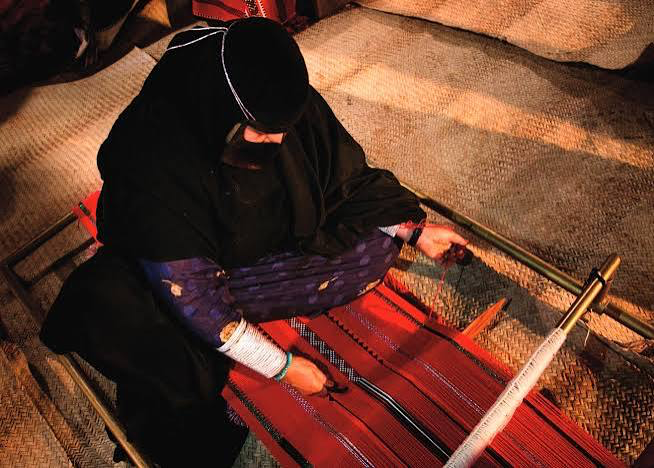
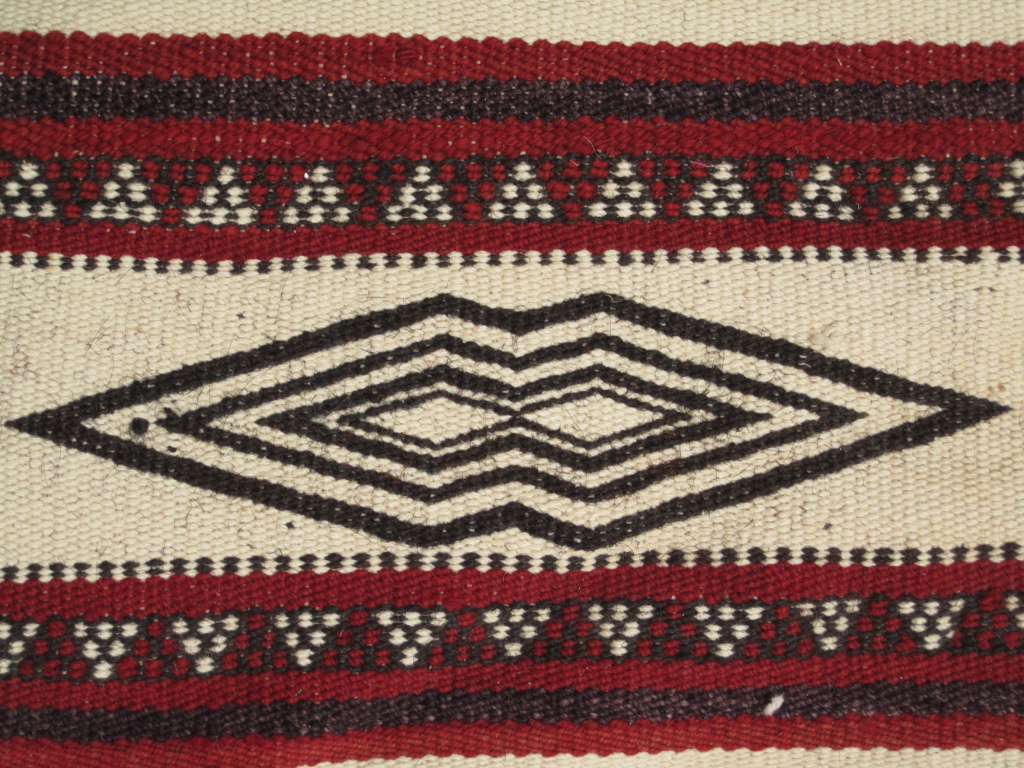
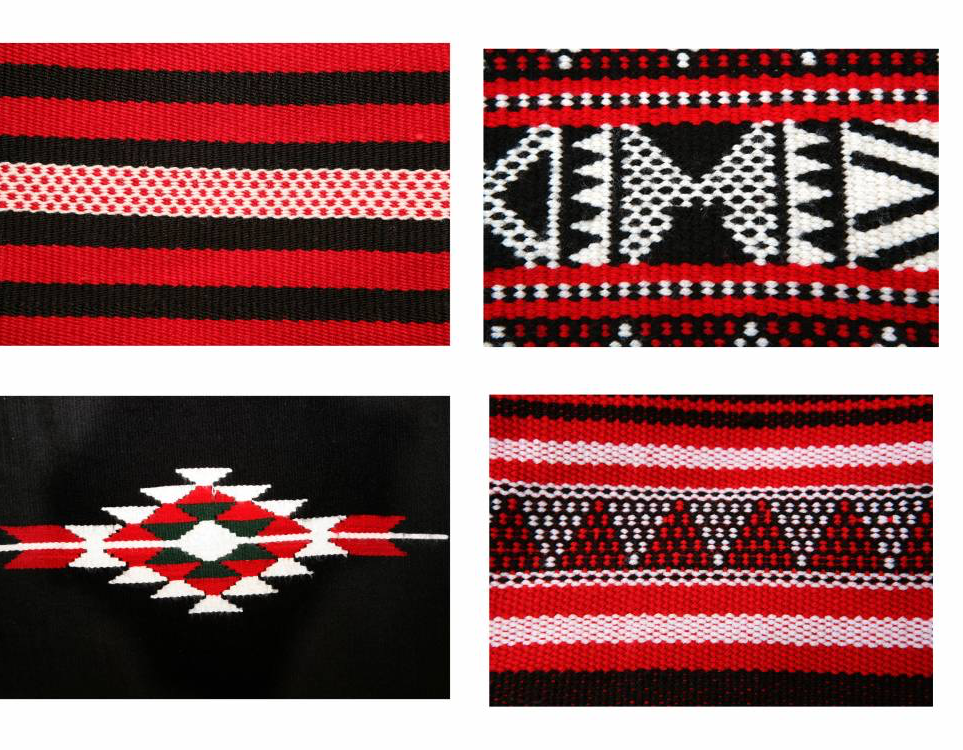
For my midterm, I developed a computational drawing system inspired by Emirati Al Sadu. I was drawn to its repeated geometric patterns and the way individual motifs are organized into bands. These relationships offered a starting point for a drawing system: I could define a small collection of shapes, establish rules for their repetition, and generate variations through code.

I also chose Al Sadu because I wanted to bring a traditional visual language into a physical computing project. Al Sadu has a long history as a material practice, while the pen plotter works through digital instructions, electronics, and controlled movement. Bringing them together allowed me to explore a contrast between an established cultural tradition and a contemporary method of making.

What interested me was that the connection was not only visual. Both processes involve repeated physical actions that gradually build a pattern. In weaving, the design emerges through the handling and organization of threads. In my project, it emerges through the movement of a pen following programmed paths. The processes are different, but repetition provides a connection between them.

Rather than copying a particular textile, I worked with diamonds, nested outlines, zigzag borders, and parallel lines. I wanted to reinterpret the organization of Al Sadu through a new medium while keeping the cultural reference recognizable. The project does not reproduce weaving or claim that these circular arrangements are traditional Al Sadu designs. The circular format is my own compositional choice.

My guiding question was: How can a traditional geometric visual language be reinterpreted through physical computing, and what happens when its repeated patterns become machine controlled pen movements?

From Straight Bands to Circular Designs

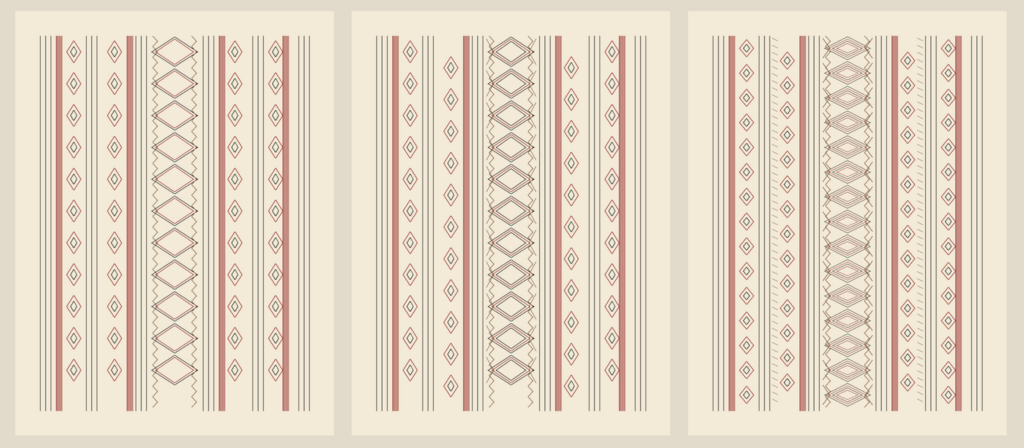
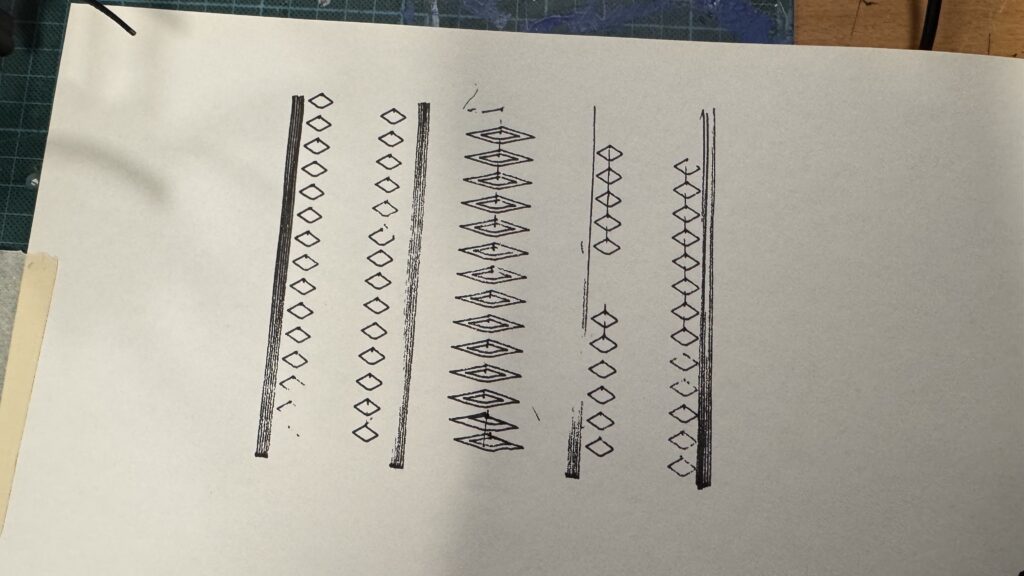
My first version arranged the patterns in straight bands. It included rows of small diamonds, a central band of nested diamonds, and closely spaced longitudinal lines. This established the visual elements of the project and stayed relatively close to the band structure that informed my reference.

I later decided to make the final compositions circular. The bands remained separate, but they wrapped around a shared center instead of running vertically. This changed how the drawing could be read. The eye could follow a ring continuously or move outward from the middle and compare the different layers.

The circle also gave the series a consistent overall form. I could vary the motifs, density, and colors while maintaining a clear relationship between the drawings. I wanted each piece to feel complete individually, but also to look like it had developed from the same system.

Moving into a circular format introduced practical design decisions. The inner ring has a smaller circumference, so it cannot comfortably hold the same number of motifs as an outer ring. I used fewer repetitions in the inner band and adjusted motif width according to the space available. This helped maintain separation between shapes rather than crowding the center.

The change also affected the machine’s movement. Straight bands mainly relied on long strokes and repeated corners. The circular version required coordinated movement along both axes, alongside the direction changes needed for diamonds and zigzags. The composition became a way of investigating the plotter as well as developing the artwork.

The Algorithm in p5.js

p5.js code link: https://editor.p5js.org/meera.alshamsi/sketches/yzyNEx_wn

I built the drawing system in p5.js using geometry, repetition, rotation, symmetry, and adjustable parameters. Rather than positioning every shape separately, I defined rules that generated the composition.

The main structure consists of three concentric motif bands, nested diamond outlines, groups of circular strands, and zigzag borders. The drawings share this structure, while changes in repetition, nesting, alignment, color, and selective removal create variations within the series.

The circular placement uses polar coordinates. Each position is calculated from a radius and an angle, then converted into an x and y position using sine and cosine. Dividing a full rotation by the number of motifs gives evenly spaced positions around the ring. This means that changing the repeat count automatically changes the arrangement.

Each diamond begins as a small set of local points. These points are mapped into the circular band using radial and tangential offsets. The width responds to the available space around the ring, while nested outlines repeat the construction at progressively smaller scales.

The circles are generated from many connected points around a circumference. The zigzags follow a different rule: their points alternate between slightly smaller and larger radii as the angle increases. Connecting them creates a sawtooth border that contrasts with the smooth circular strands.

The interface included controls for repetition and nesting. These allowed me to compare levels of detail without rebuilding the entire sketch. The original presets increased the main repetition count from 16 to 20 to 24, alongside increasing the number of nested outlines.

My system does not use randomness or noise. I chose controlled variation because the regular geometric rhythm was important to the concept. Identical settings produce identical digital coordinates. This also gave me a consistent basis for testing: differences in the physical output could be investigated separately from intentional changes in the design.

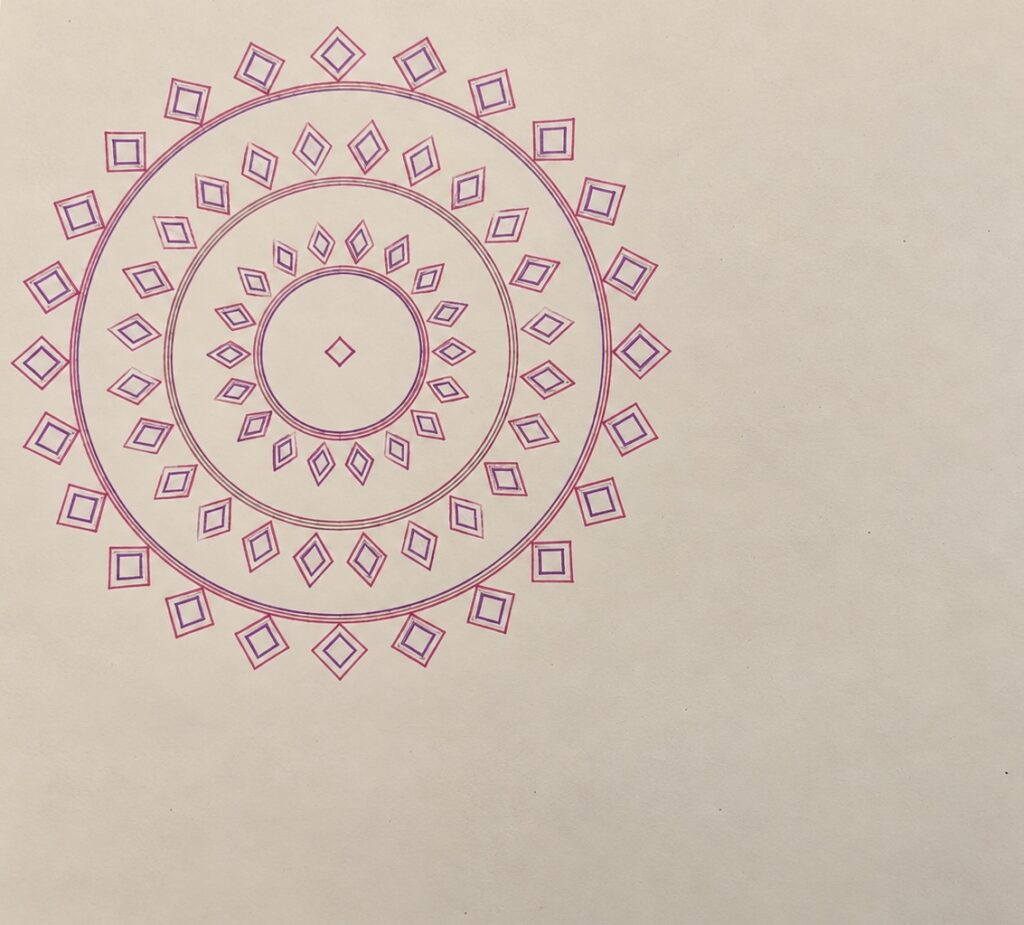
The final series developed beyond numerical variation alone. In the pink-and-purple drawing, I removed some enclosing elements and opened the center. This helped me explore how simplifying the system could change the composition while preserving its shared visual language.

SVG and G Code Workflow

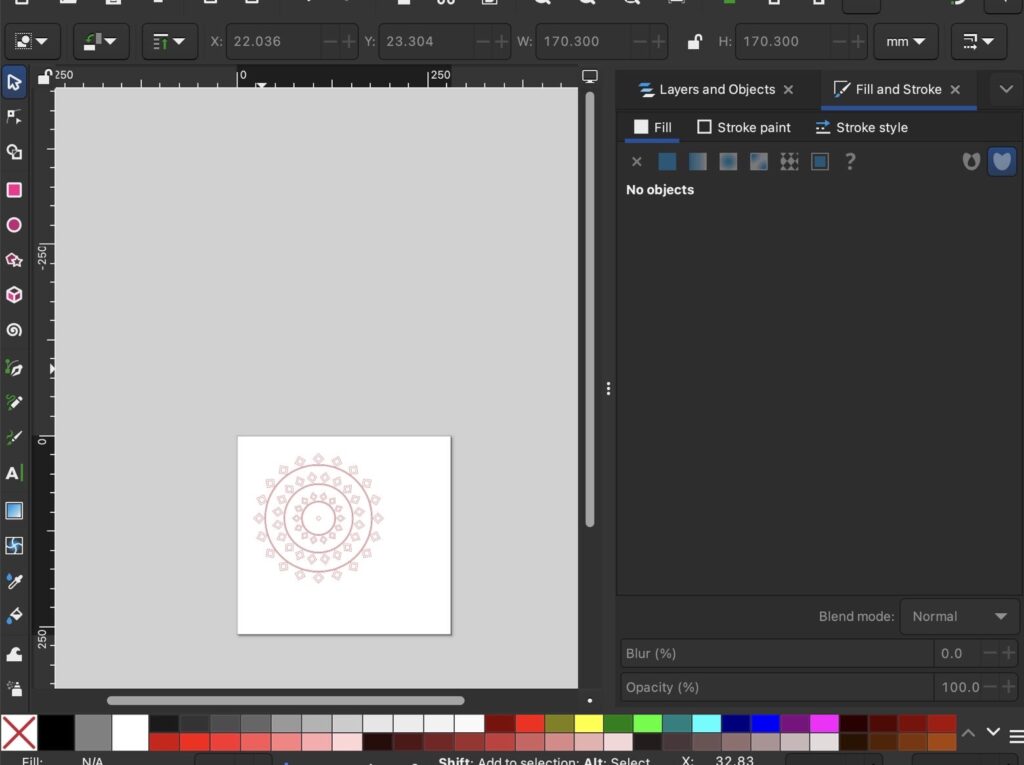
I exported the generated drawings from p5.js as SVG files. The export used the same coordinates as the canvas preview, preserving the design as vector paths rather than turning it into a flat image.

The SVG contained outlines with no fill. The background color from the preview was not exported because the paper would provide that area physically. Paths were also separated into color groups, allowing me to inspect the full composition or export individual pen layers.

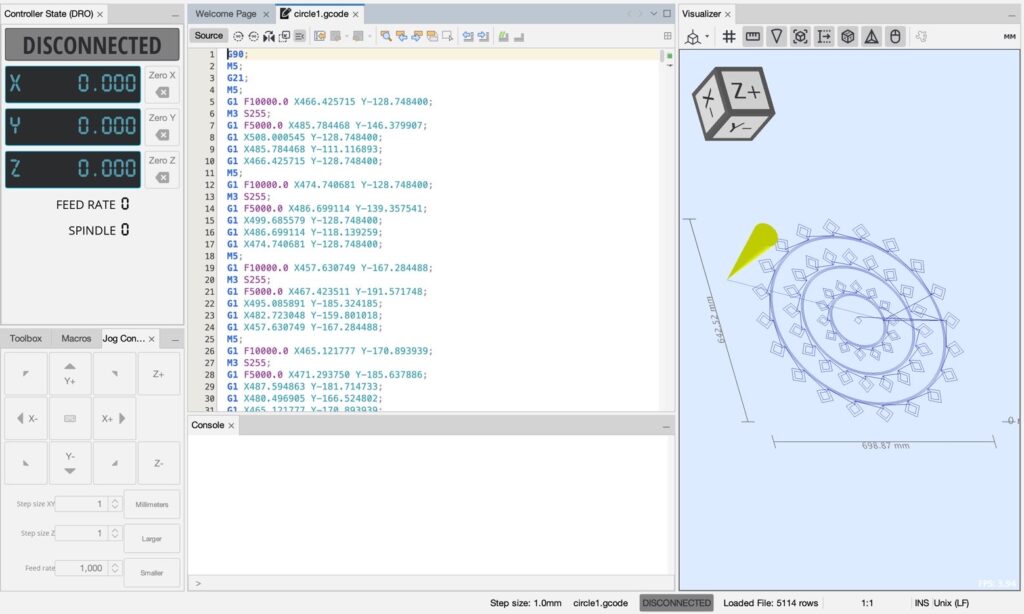
I opened the SVGs in Inkscape and used the J Tech Photonics Laser Tool extension provided through our professor’s GitHub resource to generate G-code. Although the extension includes “Laser Tool” in its name, it was used within our classroom pen-plotter workflow. The final marks were made with physical pens.

I then opened the converted files in Universal Gcode Sender and sent the instructions to the plotter. The classroom setup used an Arduino Uno with custom grbl-servo firmware. Pen-up and pen-down commands were particularly important because the design contained many separate outlines. The machine needed to travel between motifs without drawing unintended connecting lines.

This workflow involved more than changing file formats. The page size, drawing scale, template dimensions, machine origin, and pen behavior all affected the result. The circular design had to remain correctly positioned through each stage, and separate color layers needed to use consistent coordinates.

The course notes provided starting settings for conversion and plotting. These gave me a basis for preparing the files, but the physical tests still required investigation when the results did not match the preview.

Physical Tests and Troubleshooting

(expirements) (trigger warning: failed attempts)

The early tests made it clear that the drawing system depended on several connected parts working correctly.

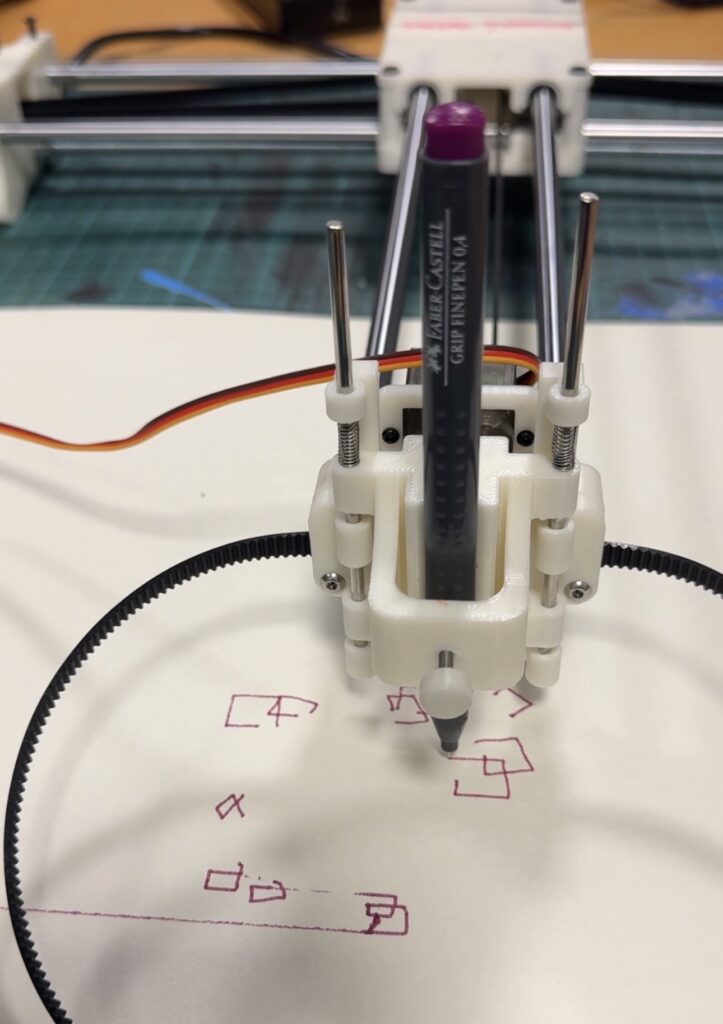
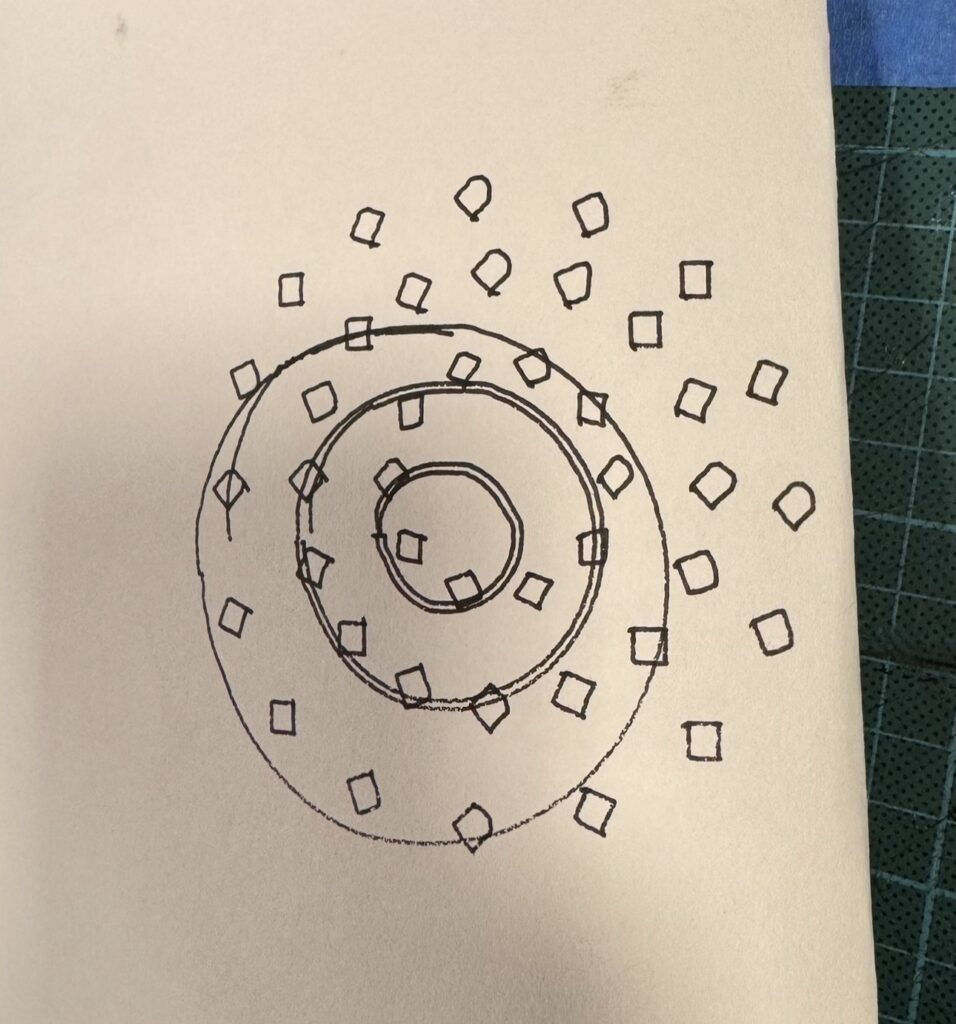
The straight-band test included incomplete diamonds, uneven line darkness, and extra strokes passing through parts of the pattern. In the early circular test, some circles were irregular and motifs appeared displaced from their intended bands. Other attempts produced open shapes and unwanted connecting marks.

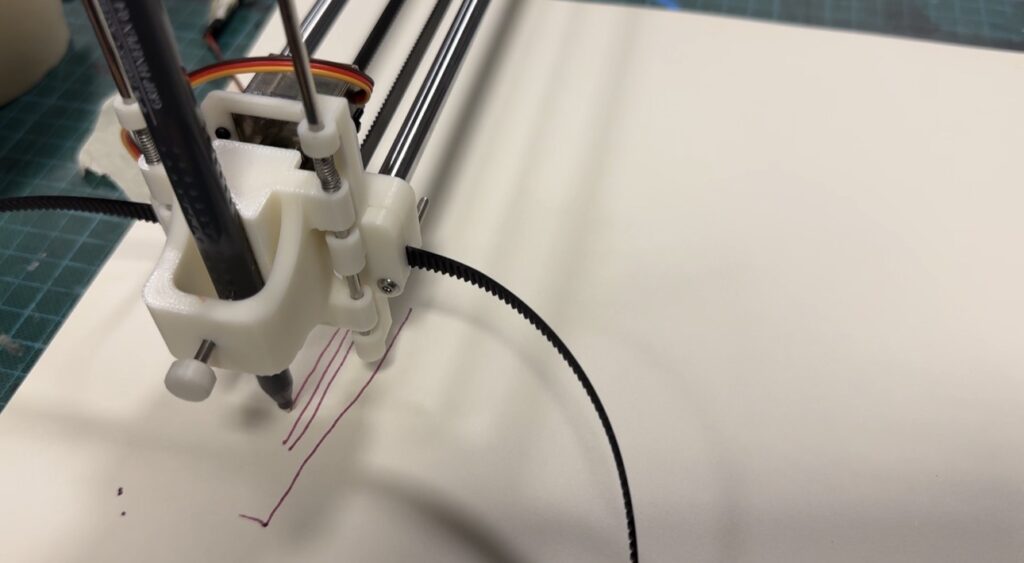
The difficult part was that these problems did not always have the same cause. Sometimes the pen was positioned too high or too low in the holder. Its height affected whether it contacted the paper properly and whether it could lift clear of the surface during travel.

At other times, the issue involved the wiring between the Arduino and its shield. This meant that troubleshooting had to include the electronics, rather than focusing only on the drawing file or pen holder.

There were also problems with software settings and the sizing of the template or document in Inkscape. Even when the design looked correct in p5.js, the way it was prepared and converted could affect where and how it was plotted.

Because there were so many possible causes, it took time to work out which part needed attention. A poor result did not immediately tell us whether the problem was mechanical, electrical, or digital. We had to investigate the pen placement, wiring, settings, and file preparation rather than assume that one adjustment would fix everything.

This became an important part of the project. I learned to think about the workflow as a connected system. The geometry could be correct while the pen contact was wrong, or the machine could move while the sizing and positioning were incorrect.

The repeated patterns helped make inconsistencies visible. A missing corner stood out against neighboring diamonds, and a shifted circle disrupted the relationship between the bands. The structure of the design therefore became a way of examining the machine’s behavior.

I kept the unsuccessful tests because they explain the development of the final work. They show the investigation behind the drawings and why the plotter needed to be treated as part of the creative process.

Drawing Tools and Material Experiments

One of the most useful experiments was comparing markers with fineliners.

I initially tested markers because their stronger marks could make the patterns more visible. However, the thicker lines made the smaller details harder to distinguish. Nested outlines lost some of their separation, and closely spaced elements became visually heavier.

This mattered because the design depended on the spaces between lines. The smaller outlines inside each motif were part of its structure, rather than simply extra decoration. When the marks became too thick, those relationships were less clear and the pattern looked less intricate.

The tests showed me that a more prominent line was not necessarily a more effective line. I needed a tool that could preserve the detail generated by the algorithm.

I chose fineliners for all three final drawings because they maintained clearer separation between neighboring paths. This allowed density to build through repetition while keeping the individual shapes readable.

I also expirmented with different papers and paper thickness and found that normal paper doesnt really respond to tension and pressure of the plotter if it presses down to hard or goes to fast, so I found thicker art paper works the best for the pen plotter drawings.

The decision came from physical testing rather than from the digital preview. The screen could show thin outlines, but it could not fully predict how a particular pen would reproduce them on paper. The drawing tool directly shaped which version of the design could work successfully.

Color and Layering

Color allowed me to explore different readings of the shared geometric structure.

In the monochrome drawing, the elements came together as one continuous visual family. The warm-red version made the relationship between layers more apparent, while the pink-and-purple version gave the simplified composition a different character.

Physical layering also introduced practical considerations. Changing color meant replacing the pen and drawing another group of paths in the same coordinate space. The layers needed to remain aligned so that the nested outlines and circular strands retained their relationships.

This made color part of the fabrication process. It was not only a palette selected in p5.js; it involved physical tools, pen placement, and registration.

Keeping fineliners across the final series helped maintain a consistent emphasis on fine detail. I could vary the colors and compositions without losing the delicate line quality that the marker tests had shown was important.

The Final Series

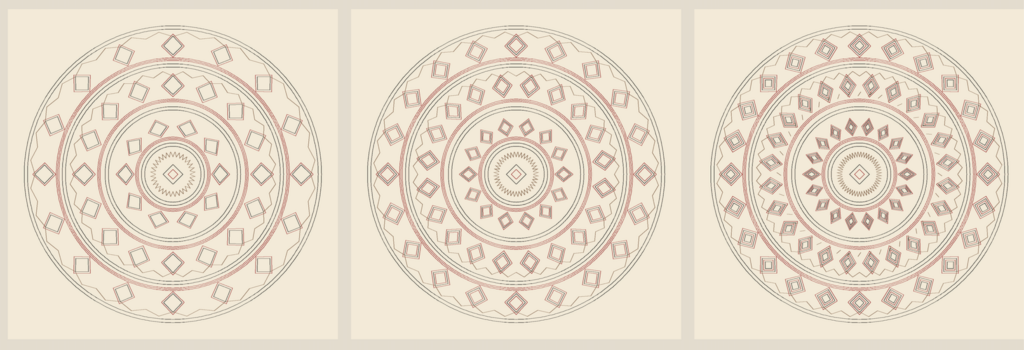
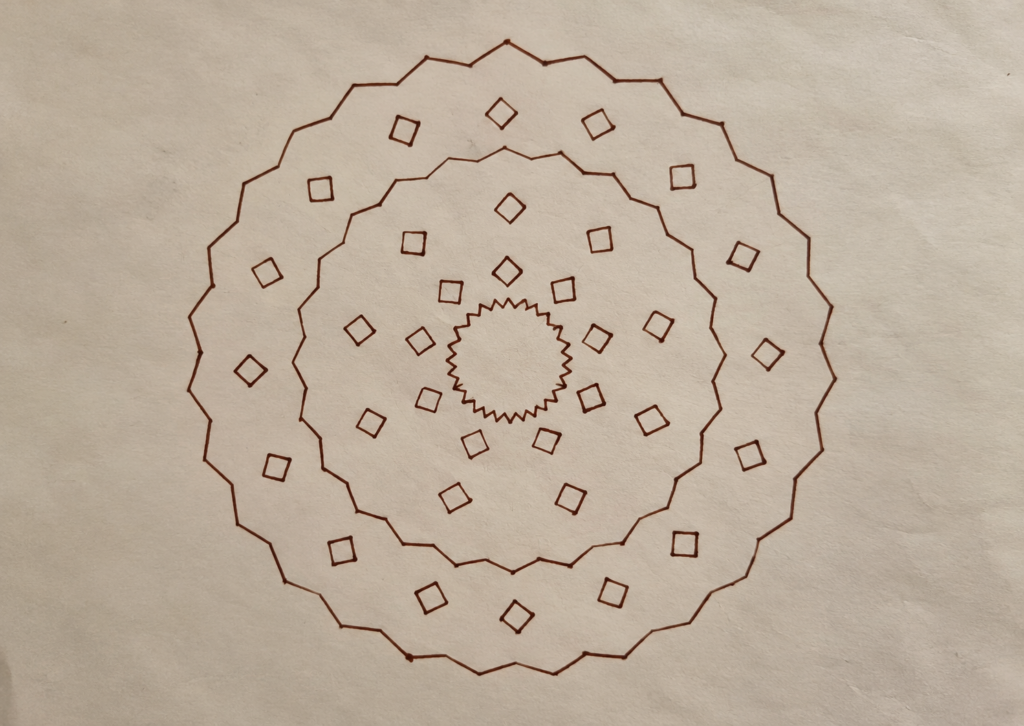
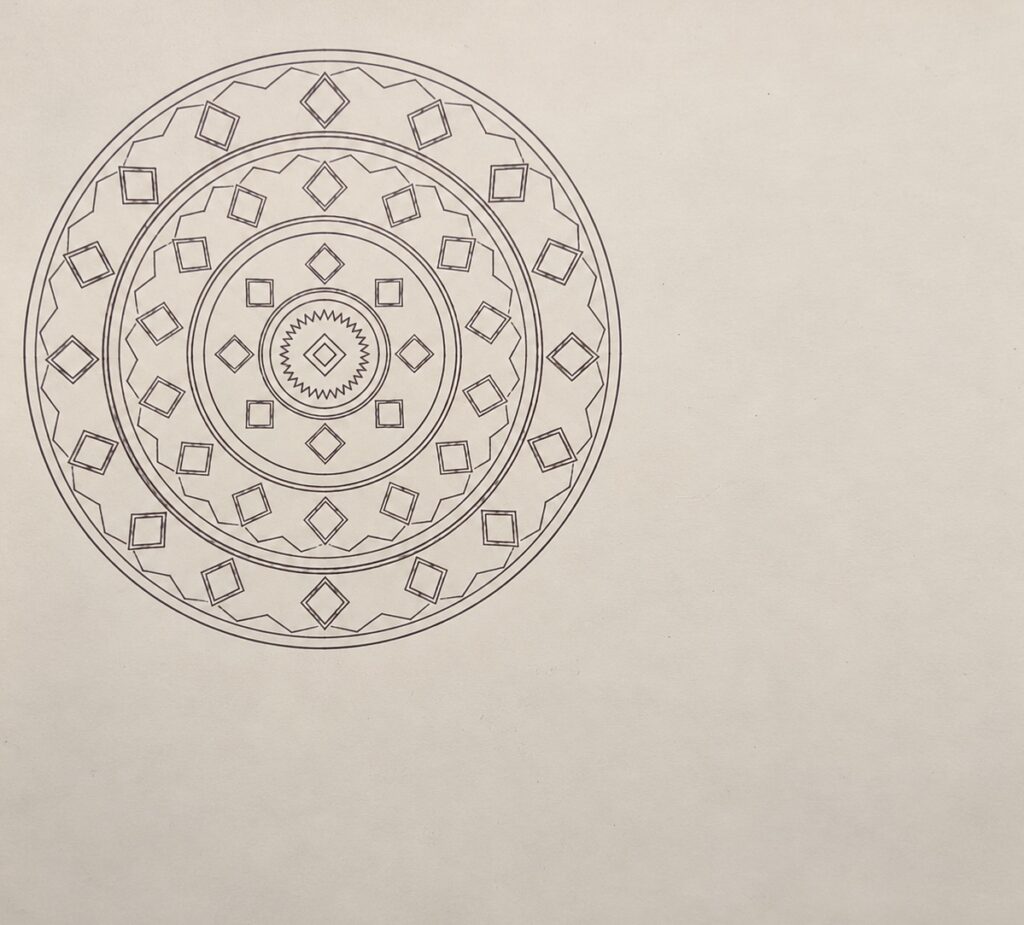
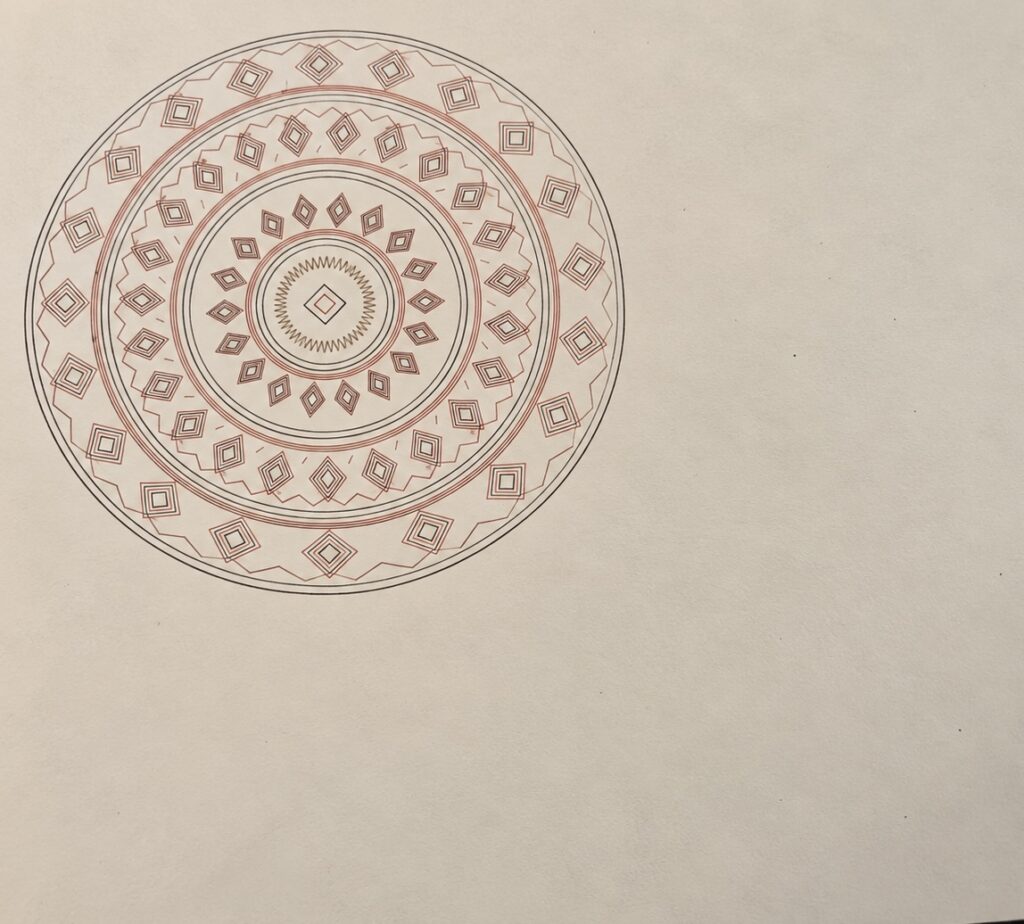
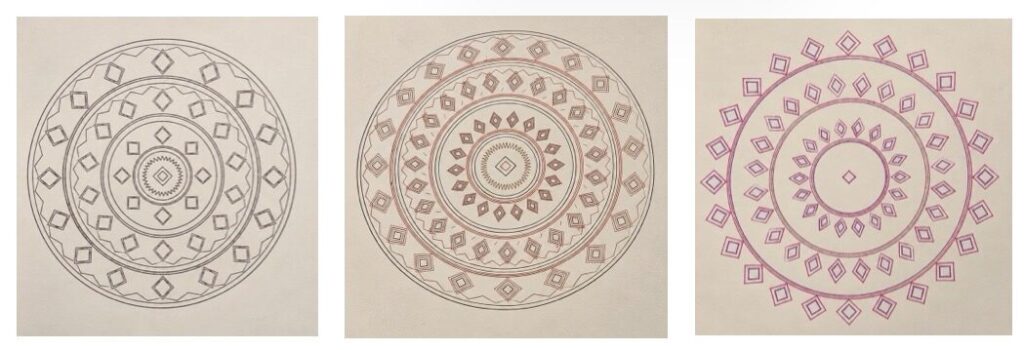
The final series consist of three physical circular drawings. They share repeated diamond like motifs, concentric organization, nested outlines, and an emphasis on line rather than fill. Their differences come from density, palette, and the amount of enclosing structure.

The first drawing uses a dark monochrome treatment. Its circles, diamonds, and zigzags read as parts of one structure. Closely spaced outlines create denser areas, while the gaps between bands keep the composition readable. This drawing establishes the visual grammar of the series without a strong color hierarchy.

The second drawing combines warm red with darker outlines. The contrasting colors make the patterned areas and parallel strands more distinct. Its denser detail creates more activity within the bands, while the fineliner marks preserve separation between the smaller outlines. This version shows how color can change the reading of a composition without replacing its underlying rules.

The third drawing uses pink and purple with a more open arrangement. I removed the sawtooth borders and some enclosing elements, allowing the motifs to carry more of the structure. The center has more empty space, and the outer diamonds are less contained.

This variation helped me see that developing a series does not always mean adding complexity. Removing elements gave the existing shapes a different role. The paper became more visible, and the composition felt more open while still belonging to the same system.

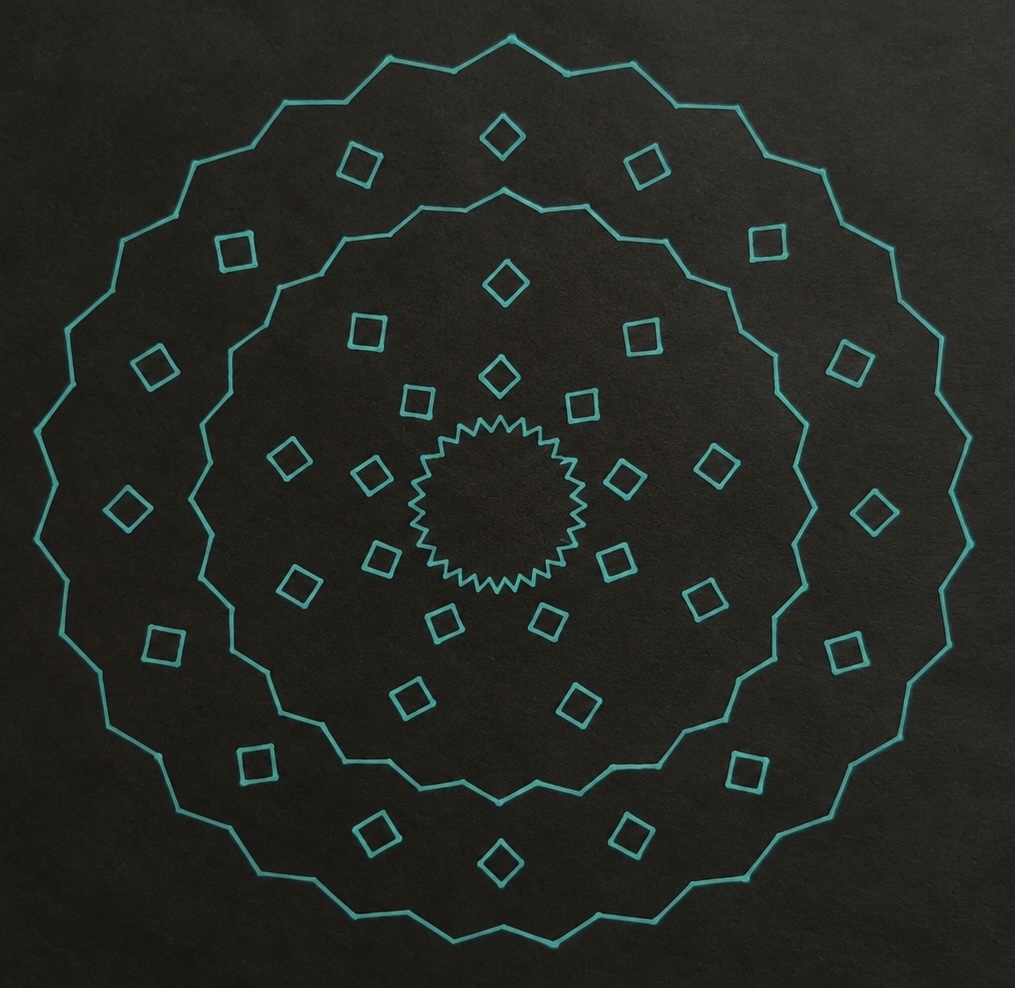
Bonus piece (not apart of final series)

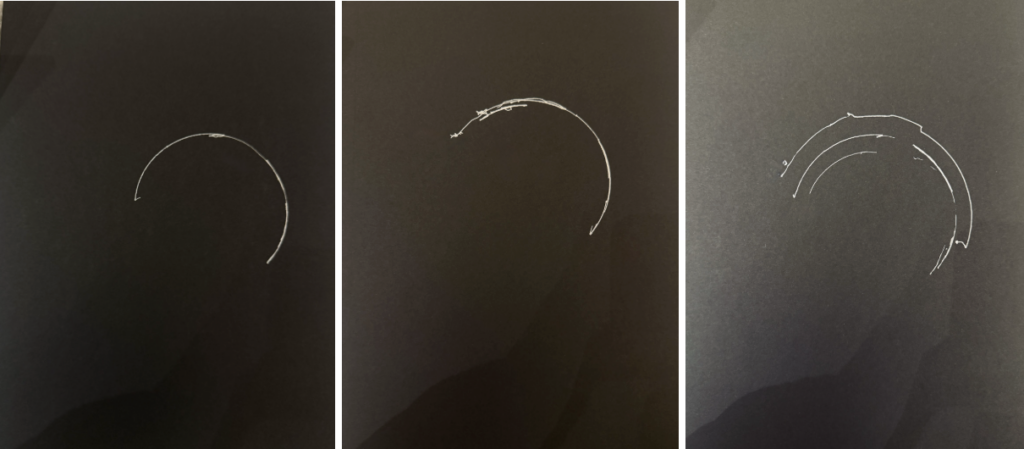
I experimented with black paper and bright teal ink because I wanted to give the traditional Emirati-inspired patterns a more futuristic, almost AI appearance. The contrast makes the geometric shapes look like they are glowing, almost like a digital design on a screen rather than a physical drawing. I liked how changing just the colors could make a pattern inspired by cultural heritage feel modern and technological.

Critical Reflection

The most important lesson from this project was the difference between specifying a path and producing a mark.

In p5.js, a circle is a predictable sequence of coordinates. On paper, it becomes ink deposited through movement and contact. The tests showed that a repeatable digital instruction could still produce uneven, incomplete, or displaced marks when another part of the process was not working consistently.

The troubleshooting made the idea of physical computing much more concrete for me. Code did not act on its own. It depended on the Arduino and shield, the machine’s movement, the pen holder, the conversion settings, and the drawing surface. Investigating those connections became part of understanding how the artwork was made.

The marker experiments were especially important because they connected the algorithm to the material. The code could generate detailed nested outlines, but the tool determined whether that detail remained visible. Selecting fineliners was therefore a design decision as much as a practical one.

The paper also played a role because the drawings were built from outlines. It remained visible inside the motifs and between the bands. Those open areas helped organize the density and made the intricate geometry easier to read. The simplified third drawing brought this relationship forward by giving empty space a larger role.

Returning to the theme, I found the contrast between Al Sadu and physical computing more interesting after working with the machine. At first, I was thinking mainly about bringing a traditional pattern into a contemporary process. During production, I became more aware that both processes depend on material actions and knowledge.

The plotter follows numerical instructions, but those instructions still need a physical setup that works. Al Sadu develops through a different kind of skilled material practice. My project does not equate the two, but it creates a space to consider how repetition connects them and how changing the medium changes the result.

If I continued the project, I would record the settings and adjustments for each test more systematically. This would help me connect individual changes to particular improvements. I would also investigate the relationship between pen width and motif spacing more closely, since that comparison had a clear effect on the final series.

Circular Threads developed through geometric rules, failed attempts, troubleshooting, and material choices. The circular format gave the drawings a shared structure, the fineliners preserved their intricacy, and color and simplification allowed each work to offer a different interpretation of the same system. The final pieces reflect both the computational design and the physical process required to make it.

AI Disclosure

I used ChatGPT to assist with revising the p5.js code and organizing the documentation. 
References

UNESCO. “Al Sadu, Traditional Weaving Skills in the United Arab Emirates.”

https://ich.unesco.org/en/decisions/20.COM/7.C.1

J Tech Photonics. “J Tech Photonics Laser Tool.”

https://github.com/JTechPhotonics/J-Tech-Photonics-Laser-Tool

Universal Gcode Sender documentation.
https://winder.github.io/ugs_website

Course materials on fabrication, pen plotter assembly, firmware, and plotting experiments, provided through NYU Brightspace.

Week 5 (Pen Plotter Assembly)

Photos/videos of the assembly process

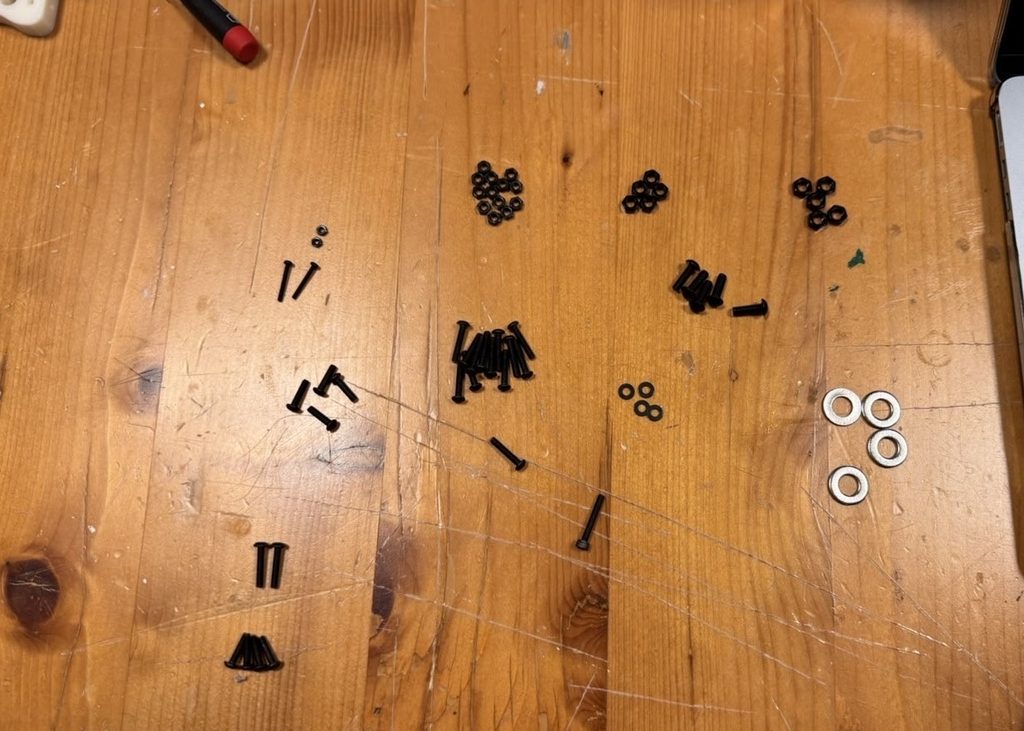
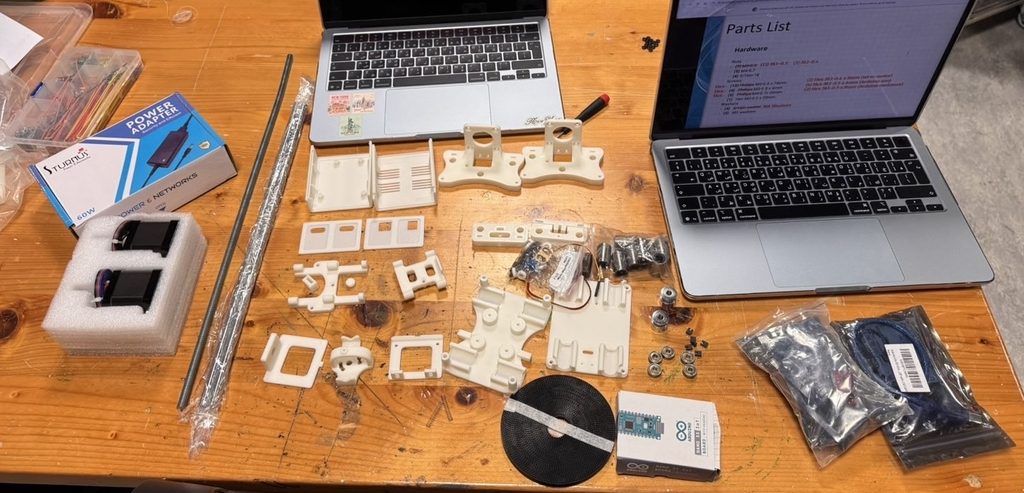
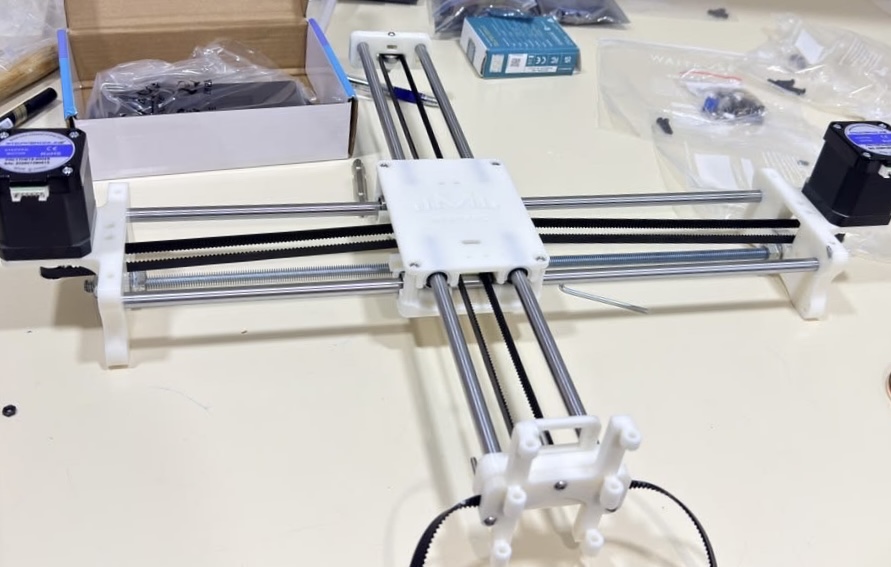
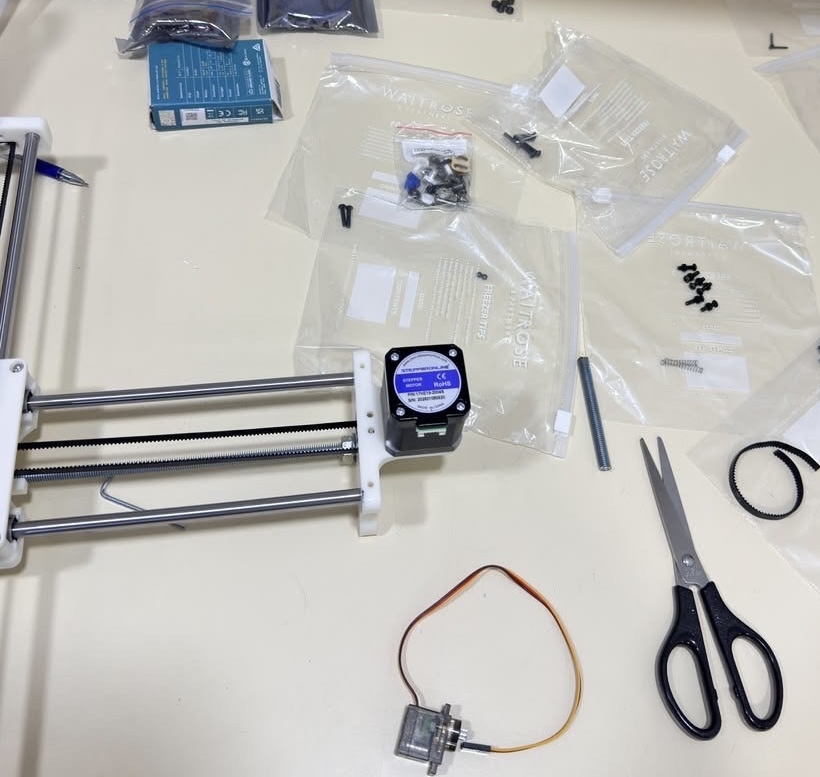
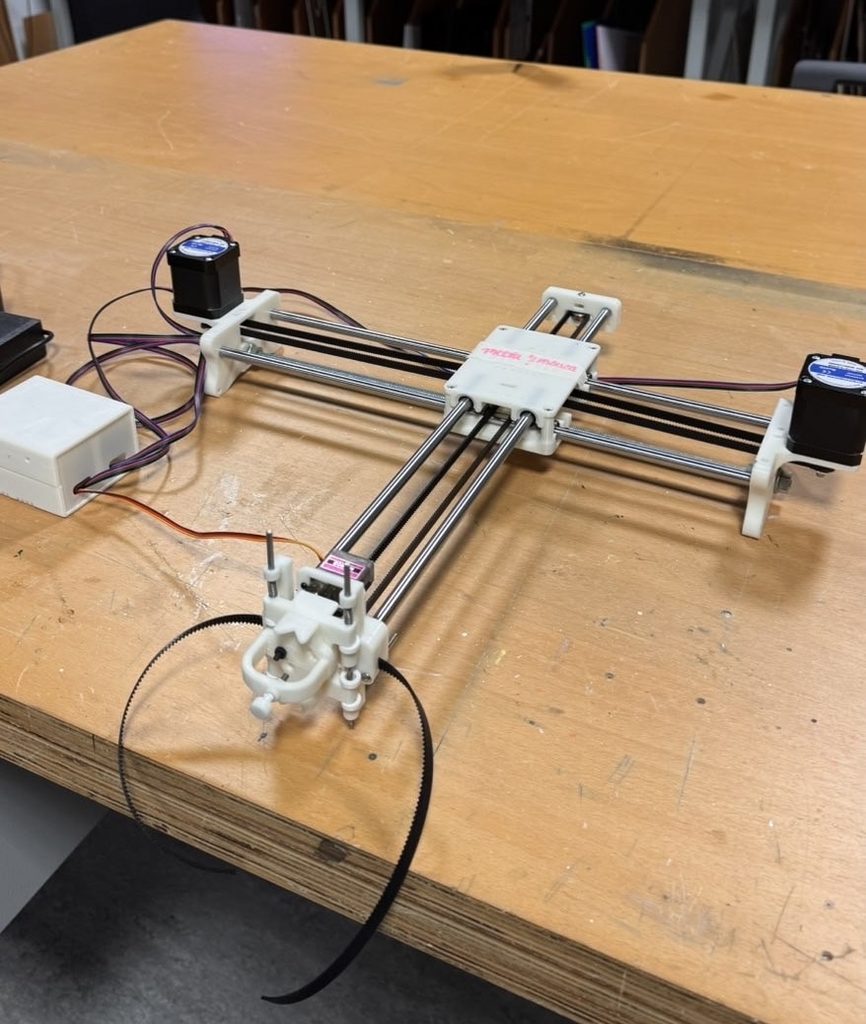
Step 1 – Collecting all parts for smoother assembly process

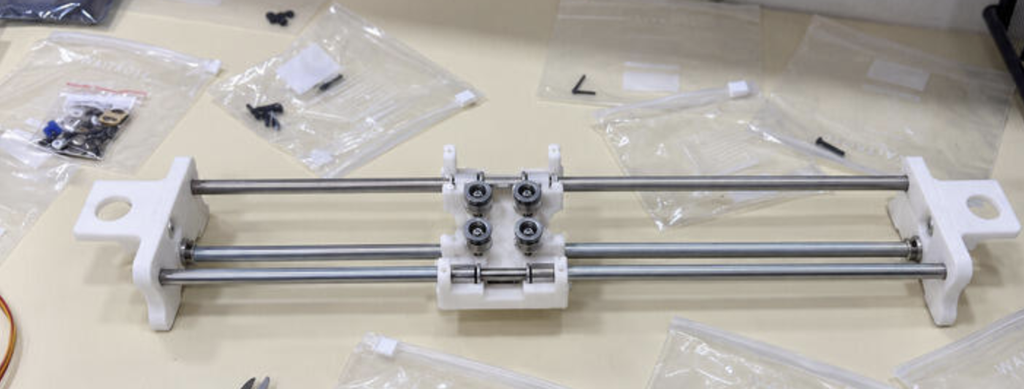
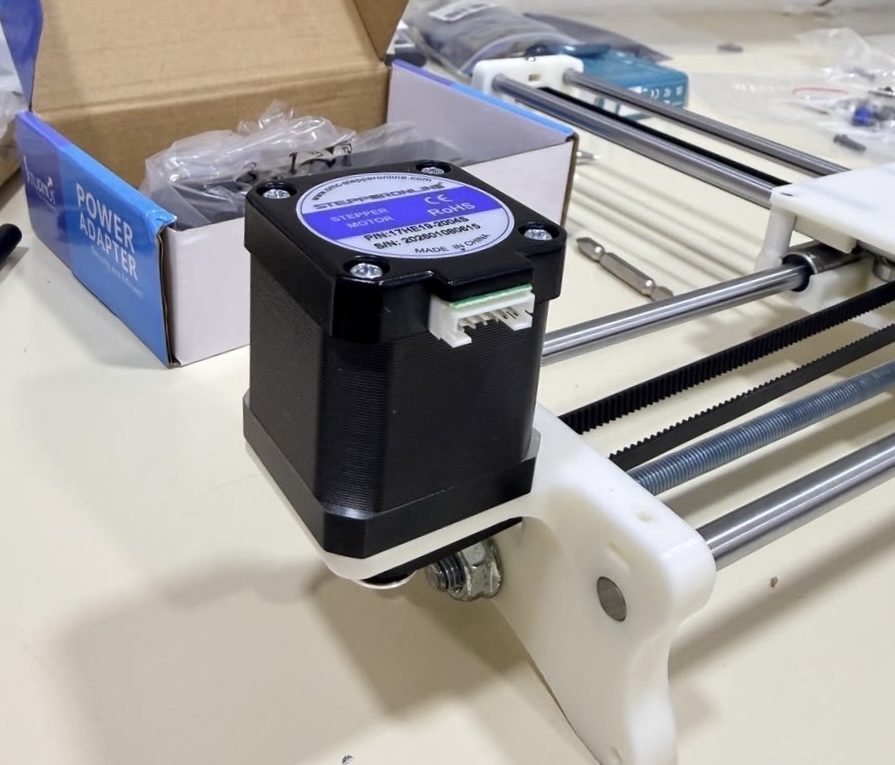
Step 2-Assembling X axis 

Step 3 – Attaching Y axis and looping belt

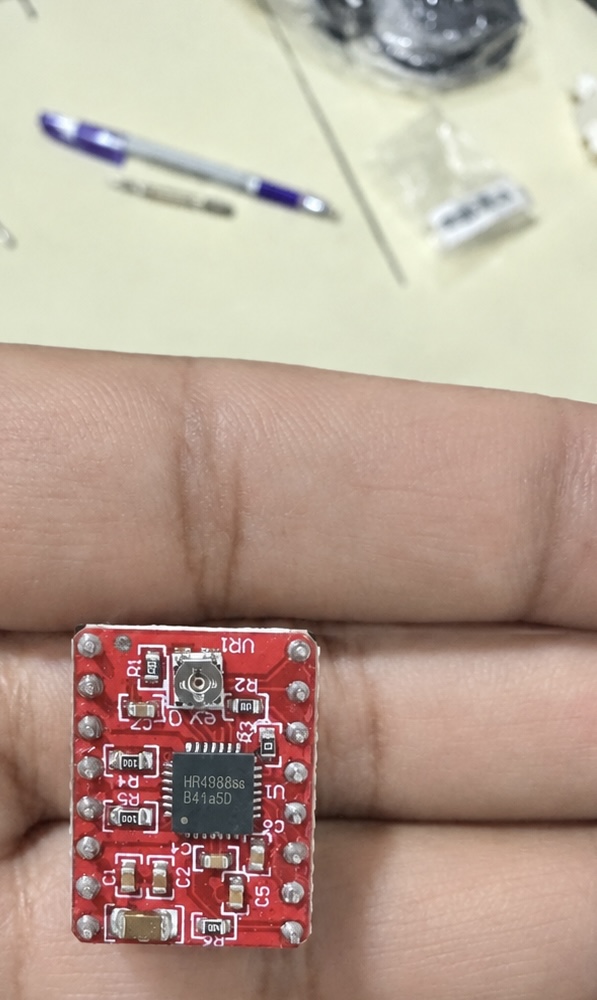
Step 4- Wiring and connecting Arduino to Pen Plotter

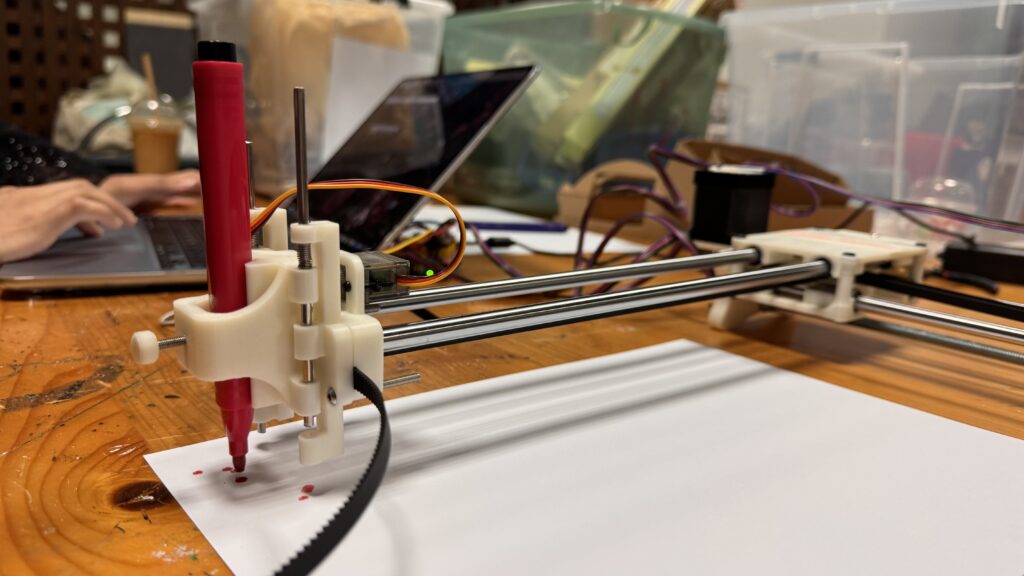
Photo of the completed assembly

Video of the completed assembly

Problems encountered and how you addressed them

One of the main problems we encountered was assembling all the parts correctly. There were many small pieces, and some of the screws and bolts looked very similar, so it was easy to use the wrong one in the wrong place. To make the process easier, we laid out all the parts before starting and separated the screws, bolts, and other pieces into individual bags. This helped us stay organized and made it easier to know which parts we needed for each step. We also checked the fit of the pieces before tightening everything so we would not have to take the machine apart again.

Another problem we encountered was using the correct screws. Some screws were only the same size but different lengths. Keeping the different screws separated helped a lot because we could quickly see which ones were meant for each section.

We also had some difficulty with the belt alignment. The belts needed to be straight and tight enough for the pen plotter to move smoothly along the frame. At first, the belt was not sitting correctly, which could have caused uneven or unstable movement. We adjusted the belt a few times and checked how it moved across the rails until it was properly aligned. We also made sure it was not too loose or too tight, since both could affect the movement of the machine.

Overall, the assembly process involved a lot of trial and error. We sometimes had to remove a part and put it back together differently after realizing it was not positioned correctly. Working together helped because one of us could hold or align the parts while the other attached the screws. As we continued building, the process became easier because we understood how the different parts connected and how the movement of the pen plotter depended on everything being properly aligned.

Week 4 3D Printing

Concept

For this project, I wanted to explore how repetition and variation in p5.js could create a three dimensional object that would be difficult to design manually. I also wanted the final object to have some kind of function rather than being completely decorative.

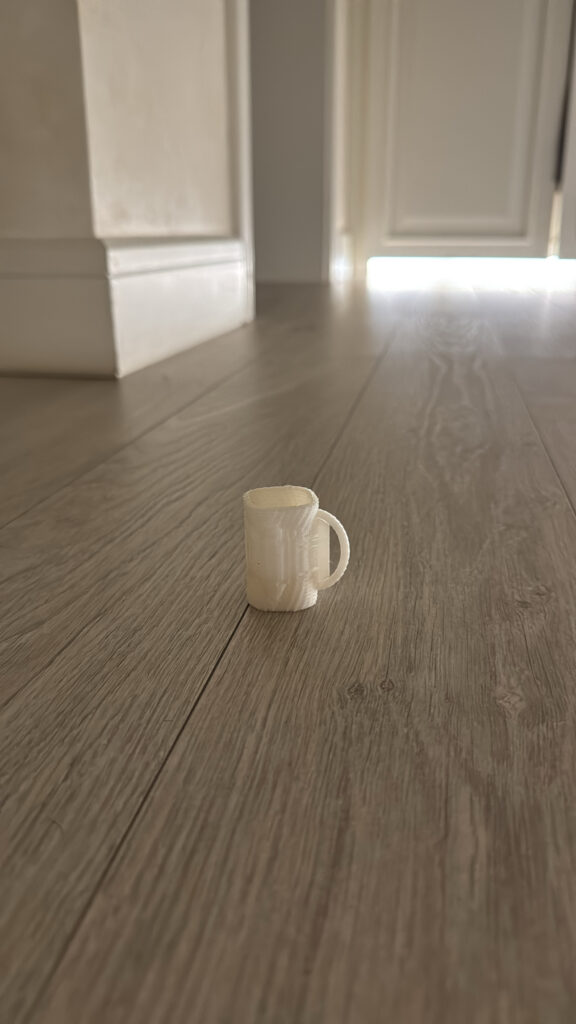
I experimented with a few different ideas before reaching my final design. My first idea was a small mug, and after that I experimented with a more abstract form. Through these tests, I eventually developed the final vase.

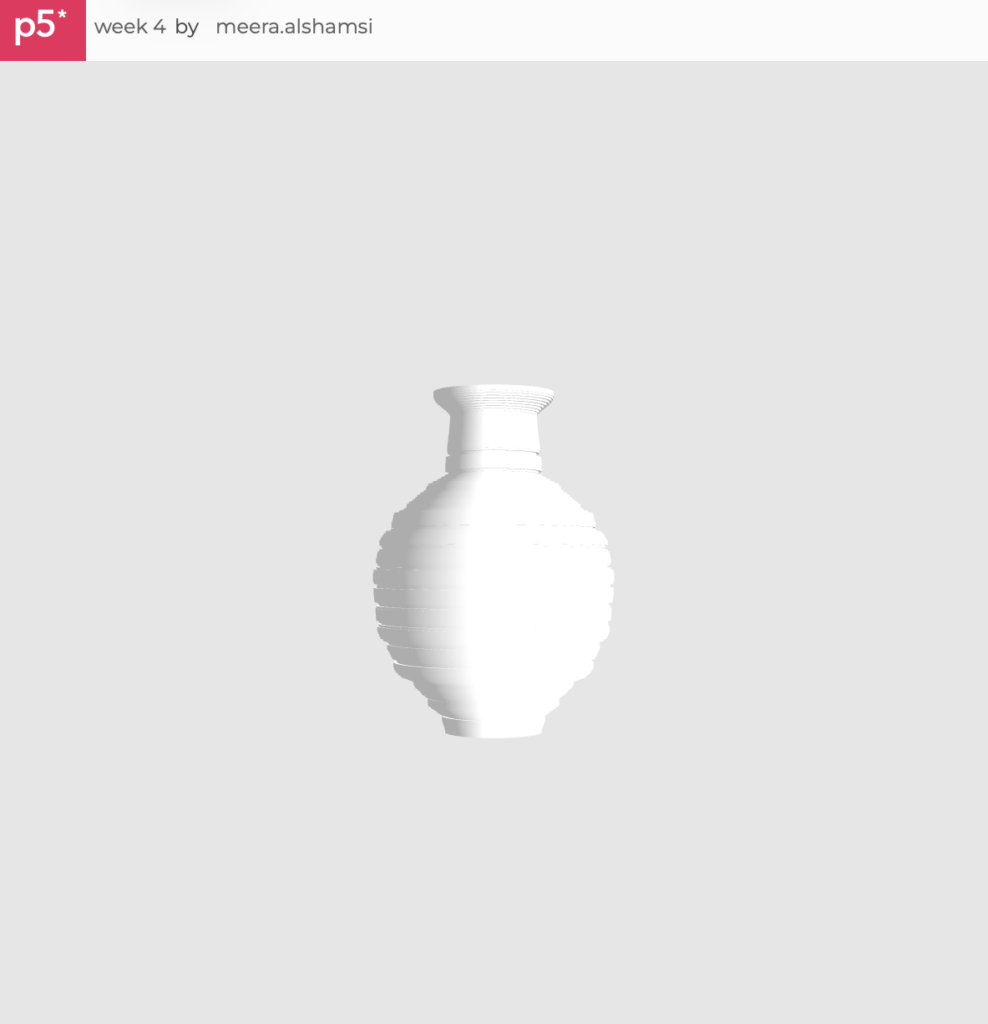
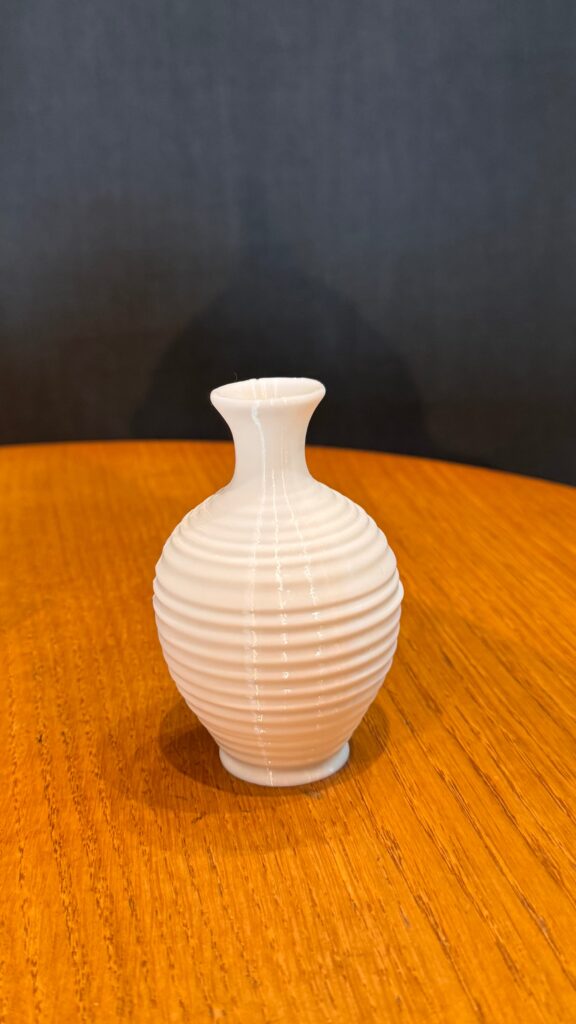
For the vase, I used repeated layers to gradually build the form vertically. The dimensions of the layers change as they move upward, creating the rounded body and narrower neck. The repeated horizontal layers also became a visible part of the final aesthetic, which I really liked because they show how the form was generated rather than hiding the computational process.

I also wanted to push the vase beyond the basic requirement of creating a printable 3D form. Rather than using one repeated shape at a constant size, I used repetition together with gradual variation to control the entire silhouette. The form continuously expands, contracts, and changes as it moves upward, creating the rounded body, narrow transition, and opening at the top while still remaining one connected structure. This meant I had to think about the vase as both an algorithm and a physical object at the same time. I also intentionally kept the repeated ridges visible instead of trying to make the surface completely smooth, because they reveal how the form was constructed and give the final object its own texture and visual rhythm. Making it hollow and functional added another level of difficulty, since I had to consider the interior space, wall thickness, stability, and printability alongside the exterior appearance. For me, going further with this project meant not just generating an unusual shape, but using the algorithm to control structure, function, texture, and form all at once, while making sure the final result could successfully exist outside the screen.

p5.js Sketch

https://editor.p5js.org/meera.alshamsi/full/1M5nv6Xss

I developed the form using p5.js in WEBGL. Instead of modeling the vase manually, I used code to control its overall structure and generate the repeated layers.

The main elements I experimented with were the number of layers, height, width, rotation, and how much the form expanded or contracted at different points. Small changes to these values could completely change the silhouette.

This was one of my favorite parts of the project because I could keep changing the algorithm and immediately see different versions of the same basic idea.

3D Design and Workflow

My workflow was much more experimental than I originally expected.

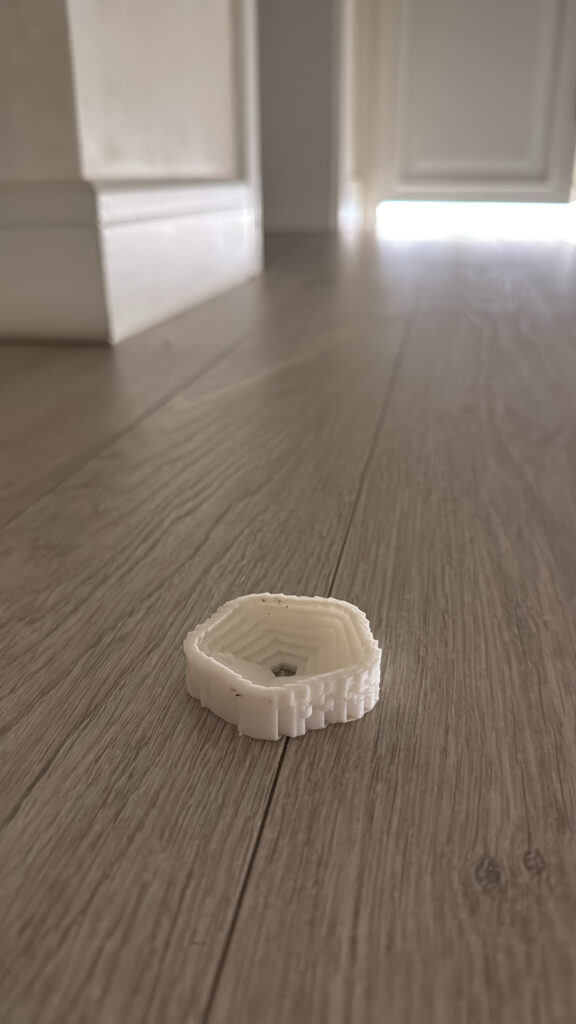
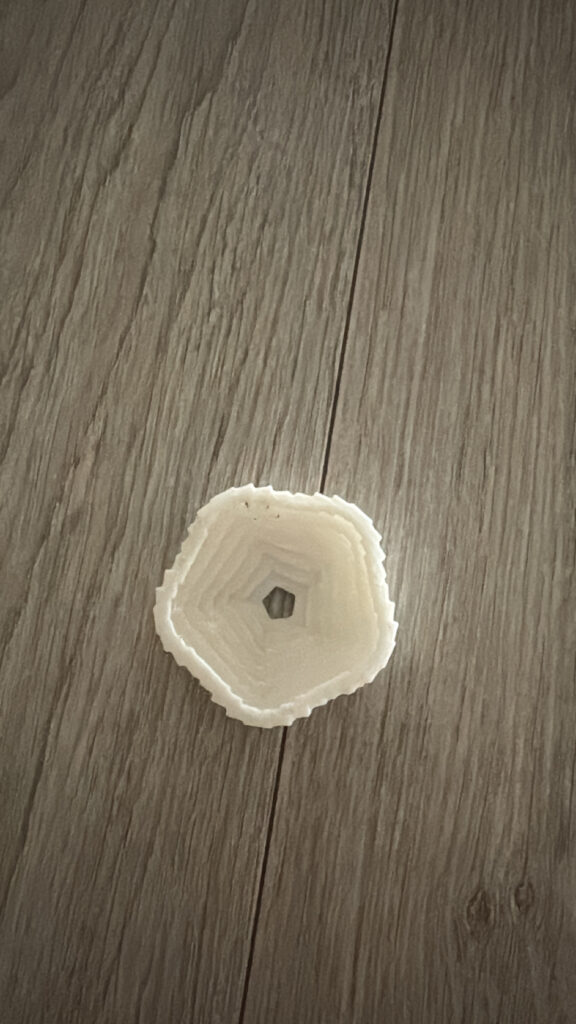
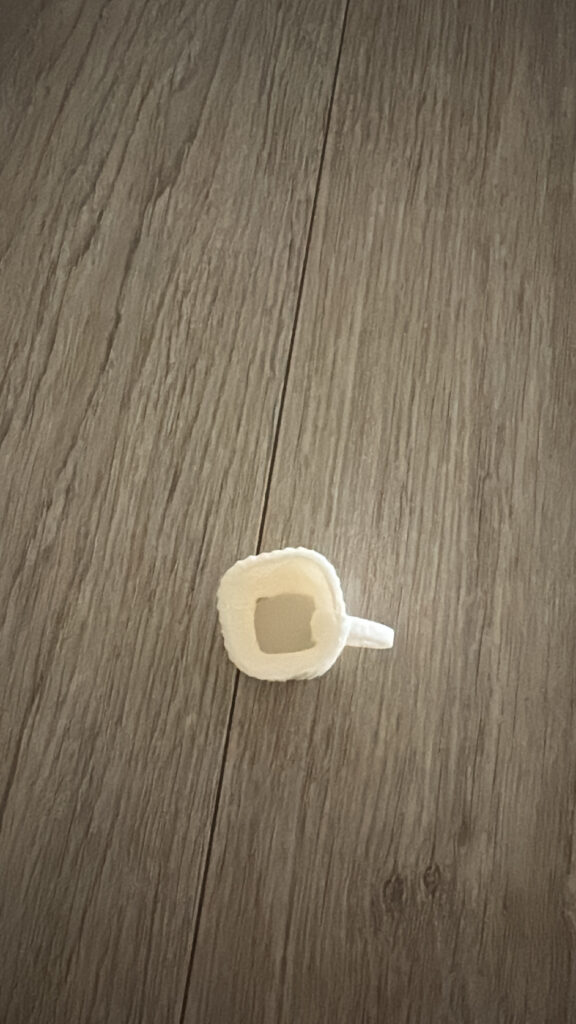
I began by testing a mug because I wanted to create a recognizable and usable object. The mug did successfully print, including the handle and hollow interior, but it came out much smaller than I intended. I was having trouble understanding how the scale of my digital model would translate into the final print.

After the mug, I decided to experiment with a more abstract algorithmic form. I wanted to push the design further and create something less predictable using repeated geometry.

However, this test stopped printing partway through because there were problems with the design itself. Some parts of the geometry were not suitable for the printer, so the printer could not successfully continue building the object.

At first this was frustrating, but it became one of the most useful tests because it showed me that creating an interesting 3D form on a screen is very different from creating an interesting form that can actually exist physically.

After these experiments, I redesigned the form as a vase. For this version, I paid much more attention to making the geometry continuous and connected while still keeping the algorithmic qualities I wanted.

Final 3D Print – Vase

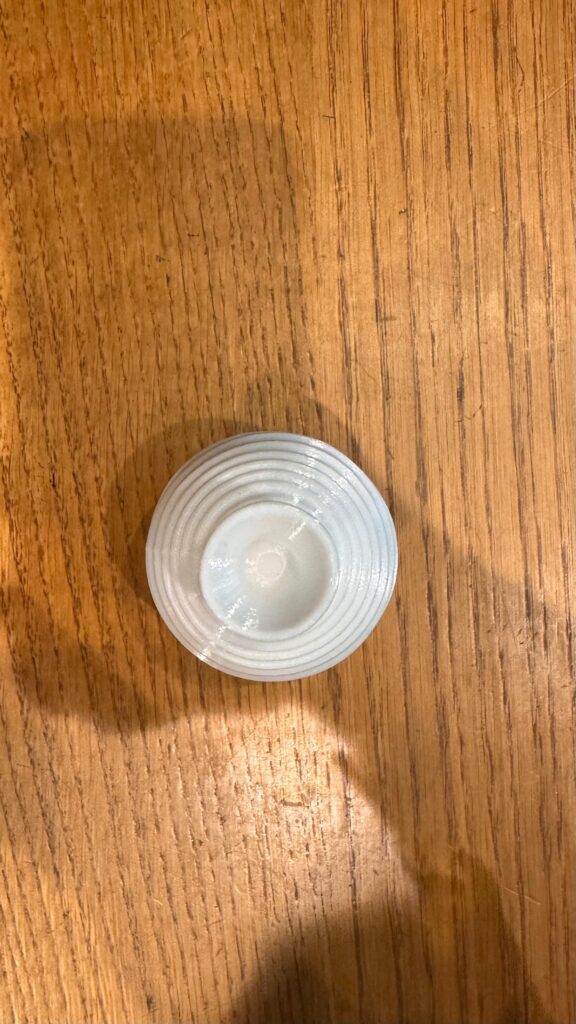
My final piece is the vase.

The vase uses repetition throughout its structure, but the repeated layers gradually vary in size to create the overall silhouette. The lower section expands outward into a rounded body before gradually becoming narrower toward the neck and opening again slightly at the top.

What I especially like about the final print is that the repetition is still visible. The horizontal ridges give the vase texture and make the process of building the form layer by layer noticeable in the physical object.

Compared with my earlier tests, the vase also feels much more resolved. It is still clearly an algorithmically generated object, but it has a recognizable and practical function.

Process and Challenges

The biggest challenge throughout this project was learning that a 3D model that looks correct on the screen is not necessarily suitable for 3D printing.

I ran into this problem several times. My first mug successfully printed, but it was much smaller than expected because I was struggling with scaling the model correctly. This taught me that dimensions have to be considered much earlier in the process instead of only when I am ready to print.

My second experiment created a different problem. I tried making a more abstract object, but the print stopped because of an issue with the geometry. Parts of my design worked digitally but were not structured correctly for fabrication. This made me go back into the design and think much more carefully about connections, thickness, openings, and whether the printer could physically build each part.

Making the vase required several adjustments for exactly this reason. There were many moments where I liked how something looked digitally but had to change it because it would not print successfully. I eventually learned to think about the printer while I was coding instead of treating printing as something that only happens after the design is finished.

Another challenge was time. Every failed print meant going back to the design, changing something, exporting it again, preparing it for printing, and testing it again. Because 3D printing itself takes time, even a small design problem could slow down the entire process.

Reflection

This project probably taught me more through the things that went wrong than through the things that immediately worked.

At the beginning, I was mainly asking myself, “Does this look good in p5.js?” By the end, I was also asking, “Can this actually be printed?”

That completely changed the way I approached computational design. The small mug taught me about scale. The failed abstract piece taught me about geometry and printability. The vase brought those lessons together because I had to create something that was visually interesting, algorithmic, connected, and physically printable at the same time.

I also realized that 3D printing places limitations on computational design, but those limitations can actually improve the design. I had to simplify certain ideas, strengthen connections, think about wall thickness, and make sure the form worked as one continuous object. Instead of seeing those limitations only as problems, I started using them as design decisions.

My final vase is very different from where I started, and I think that progression is an important part of the project. I did not simply create a digital object and send it to the printer. The failures of the physical prints changed the code and ultimately shaped what the final object became.

That was probably my biggest takeaway from this assignment that computational design and fabrication are not two separate stages at all, they directly affect each other.

Week 3 Assignment (Laser Cutting)

Concept

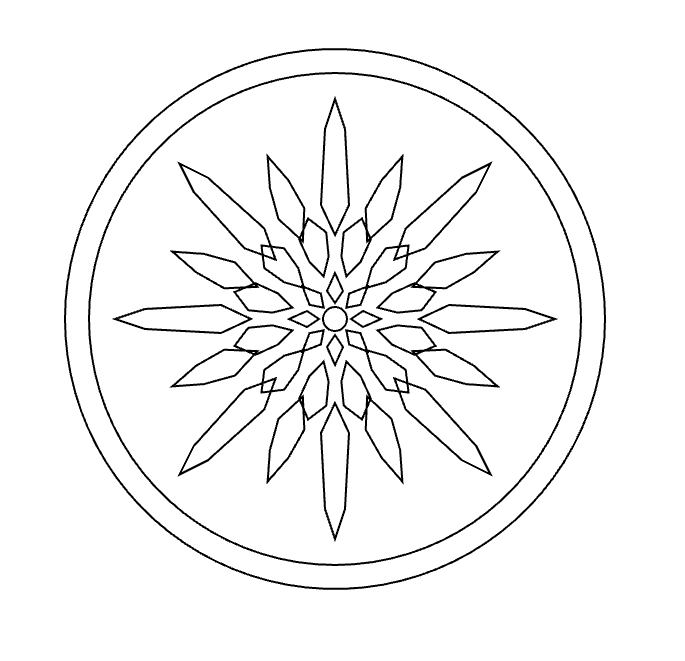
For this project, I wanted to create a radial design based on repetition and rotation. I started with one simple geometric shape and used p5.js to repeat and rotate it around a center point. I liked how a basic shape could become something much more complex just by changing its position and angle.
And i made two variatiosn of the design in order to play around with the code a little. The final designs started to remind me of a mix between a mechanical object, a flower, and a sunburst. I added the circular borders around it because I wanted the repeated shapes to feel contained instead of floating on their own, in a way.

I also wanted to experiment with how the same idea would look when fabricated using different materials, and ways of fabrication. I decided to test it first on wood and then on black acrylic. This allowed me to experiment with both engraving and cutting, rather than only producing the same result twice.
p5.js Sketch / Code

The main rule was to create one geometric shape and then rotate it around the center multiple times.

Instead of manually drawing every section, I used a loop so that p5.js could calculate the rotation for me. This made the pattern very even and symmetrical. I also used multiple circles to create the outside border and smaller shapes toward the center to make the pattern more detailed.

One thing I liked about working this way was that changing one number in the code could affect the entire design. For example, changing the number of sections, the size of a shape, or its distance from the center could create a completely different variation.
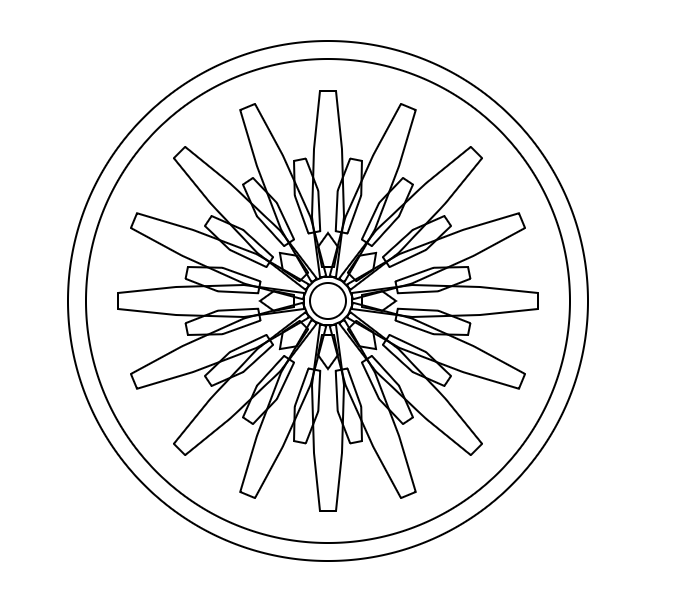
const W = 400;
const H = 400;

function setup() {
  createCanvas(W, H, SVG);
  angleMode(DEGREES);
  noLoop();
}

function draw() {
  background(255);
  translate(width / 2, height / 2);

  noFill();
  stroke(0);
  strokeWeight(1);

  circle(0, 0, 260);
  circle(0, 0, 242);

  let sections = 16;

  for (let i = 0; i < sections; i++) {
    push();
    rotate(i * (360 / sections));

    beginShape();
    vertex(12, -4);
    vertex(42, -8);
    vertex(76, -7);
    vertex(105, -4);
    vertex(105, 4);
    vertex(76, 7);
    vertex(42, 8);
    vertex(12, 4);
    endShape(CLOSE);

    pop();
  }

  for (let i = 0; i < sections; i++) {
    push();
    rotate(i * (360 / sections) + 11.25);

    beginShape();
    vertex(35, -3);
    vertex(55, -6);
    vertex(72, -3);
    vertex(72, 3);
    vertex(55, 6);
    vertex(35, 3);
    endShape(CLOSE);

    pop();
  }

  let innerSections = 8;

  for (let i = 0; i < innerSections; i++) {
    push();
    rotate(i * 45);

    beginShape();
    vertex(17, -3);
    vertex(27, -5);
    vertex(34, 0);
    vertex(27, 5);
    vertex(17, 3);
    endShape(CLOSE);

    pop();
  }

  circle(0, 0, 18);
}

function mouseClicked() {
  save("version1.svg");

}
const W = 400;
const H = 400;

function setup() {
  createCanvas(W, H, SVG);
  angleMode(DEGREES);
  noLoop();
}

function draw() {
  background(255);
  translate(width / 2, height / 2);

  noFill();
  stroke(0);
  strokeWeight(1);

  circle(0, 0, 270);
  circle(0, 0, 246);

  let sections = 16;

  for (let i = 0; i < sections; i++) {
    push();

    rotate(i * (360 / sections));

    let end;

    if (i % 2 === 0) {
      end = 110;
    } else {
      end = 88;
    }

    beginShape();

    vertex(42, 0);
    vertex(57, -7);
    vertex(end - 15, -5);
    vertex(end, 0);
    vertex(end - 15, 5);
    vertex(57, 7);

    endShape(CLOSE);

    pop();
  }

  let secondRing = 12;

  for (let i = 0; i < secondRing; i++) {
    push();

    rotate(i * (360 / secondRing) + 15);

    beginShape();

    vertex(22, 0);
    vertex(31, -5);
    vertex(43, -7);
    vertex(52, 0);
    vertex(43, 7);
    vertex(31, 5);

    endShape(CLOSE);

    pop();
  }

  let centerPetals = 8;

  for (let i = 0; i < centerPetals; i++) {
    push();

    rotate(i * 45);

    beginShape();

    vertex(8, 0);
    vertex(14, -4);
    vertex(23, 0);
    vertex(14, 4);

    endShape(CLOSE);

    pop();
  }

  circle(0, 0, 12);
}

function mouseClicked() {
  save("version2.svg");

}

Vector Design

After creating the designs in p5.js, I exported them as an SVG so that they could be prepared for the laser cutting.

At this stage, I realized that something looking correct on my laptop did not automatically mean that it would work correctly with the laser cutter. I had to pay much more attention to the vector lines, especially their thickness and how close they were to each other.

I also had to think about the designs for when I wanted to engrave and when I wanted to cut. This became especially important when I moved from wood to acrylic.

Test 1 – Wood

For my first physical test, I used wood. I mainly experimented with engraving the design into the surface.

I liked this version because the wood kept a lot of the smaller details from my original digital design. The repeated lines were clearly visible, and I could see the different layers of the pattern.

This test helped me understand how the laser translated my vector lines into an actual material. It also showed me that line thickness and laser settings mattered much more than I originally expected.

Test 2 – Black Acrylic

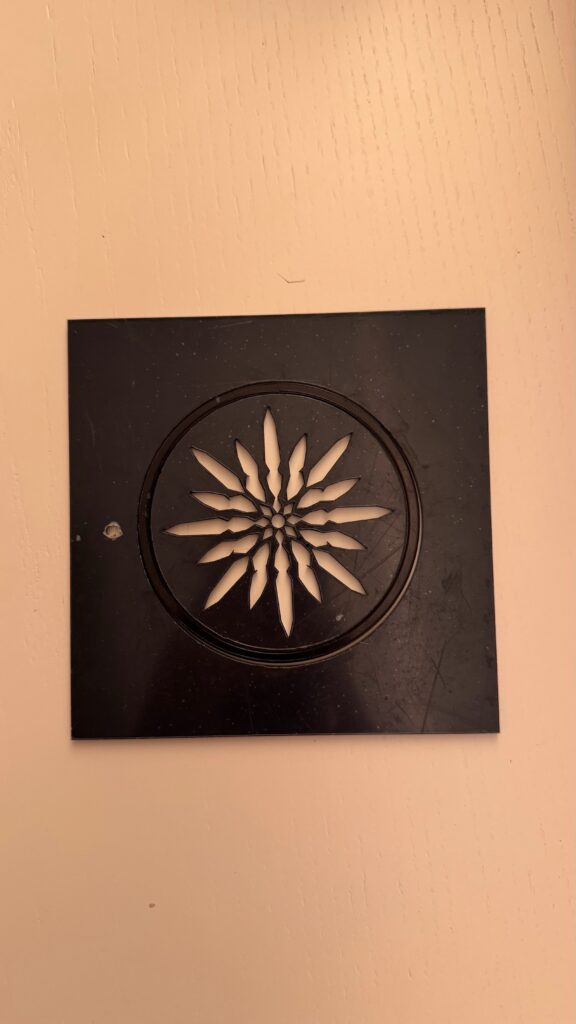
For my second version, I changed the material to black acrylic and experimented more with cutting and negative space.

This produced a very different result even though it came from the same original idea. Instead of only seeing lines engraved onto a surface, parts of the repeated pattern were physically removed.

I actually liked how the acrylic version simplified the pattern. The empty spaces became part of the design and made the radial shape stand out more strongly.

I expirmented with and without the surrounding circle because the lines engraving and cutting were giving me a hard time with my specfic design so that definitely helped me gain the skill to perfect the design for the given task.

Process and Challenges

One of my biggest challenges was making sure that my design was actually suitable for laser fabrication. The lines looked clear on the computer, but I had to make sure that their thickness was appropriate and that the laser settings were correct for both engraving and cutting. If the lines were too thin or the settings were not strong enough, some details would not be visible. At the same time, I did not want the lines to become so heavy that I lost the smaller details of the pattern.
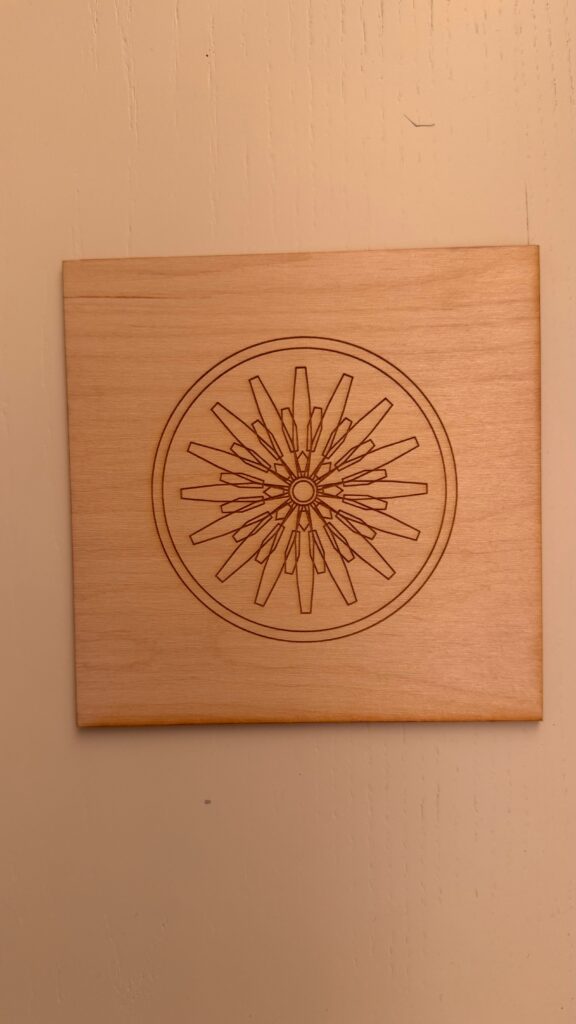
Another challenge was working with the difference between engraving and cutting. The wood version could keep many overlapping lines because they were engraved onto the surface, while with the acrylic version I had to think about what would physically happen when areas were completely cut out. This made me pay much more attention to negative space and the connections between shapes.

A more practical challenge was booking time in the IM Lab. I didnt realize that i had booked time just for one of the tiles, so I had to book another appoinment in order to laser cut the second variation. Next time, I would book my lab time for longer so that I have more time for testing and making adjustments if something does not work as expected.
Reflection

This project changed the way I think about computational design because I realized that the code is only one part of the final result.

When I first created the design in p5.js, I was mostly thinking about what looked interesting on the screen. Once I started using the laser cutter, I had to think about completely different things, like line thickness, material, engraving, cutting, negative space, and whether small details would actually survive fabrication.
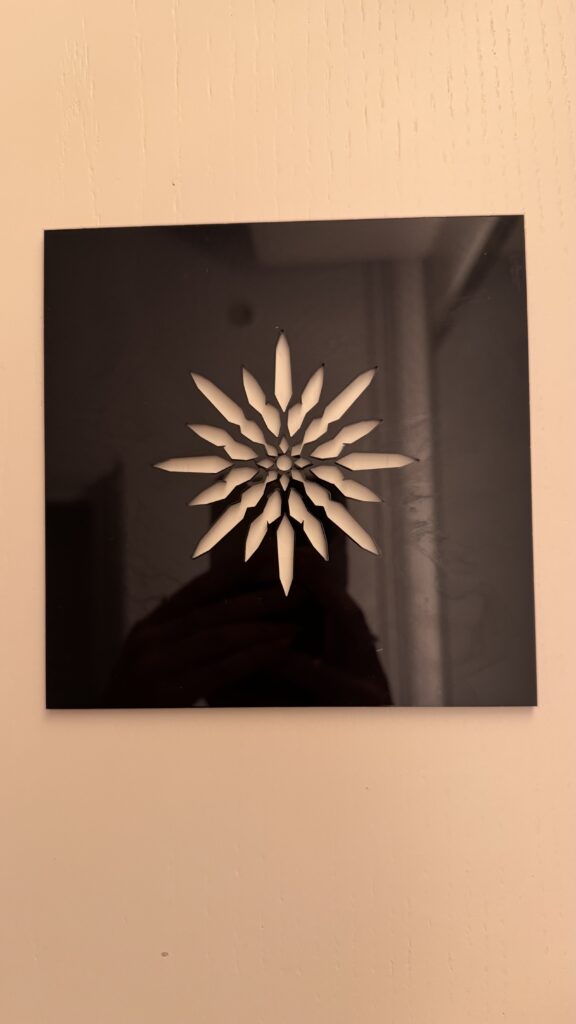
The biggest difference for me was seeing the wood and acrylic versions next to each other. The wood kept more of the detailed line work, while the acrylic created stronger negative spaces because parts of the material were cut away. I did not expect the material to change the feeling of the design this much.

I also learned that testing is really important. A design can look finished digitally but still need changes once it becomes physical. If I continued developing this project, I would experiment with changing the number and size of the repeated shapes and possibly create more variations using different materials.

Overall, laser fabrication did not just reproduce my computational design. It actually changed the way I designed it, because I had to start thinking about how every digital line would behave as a physical object.

week 2

Concept

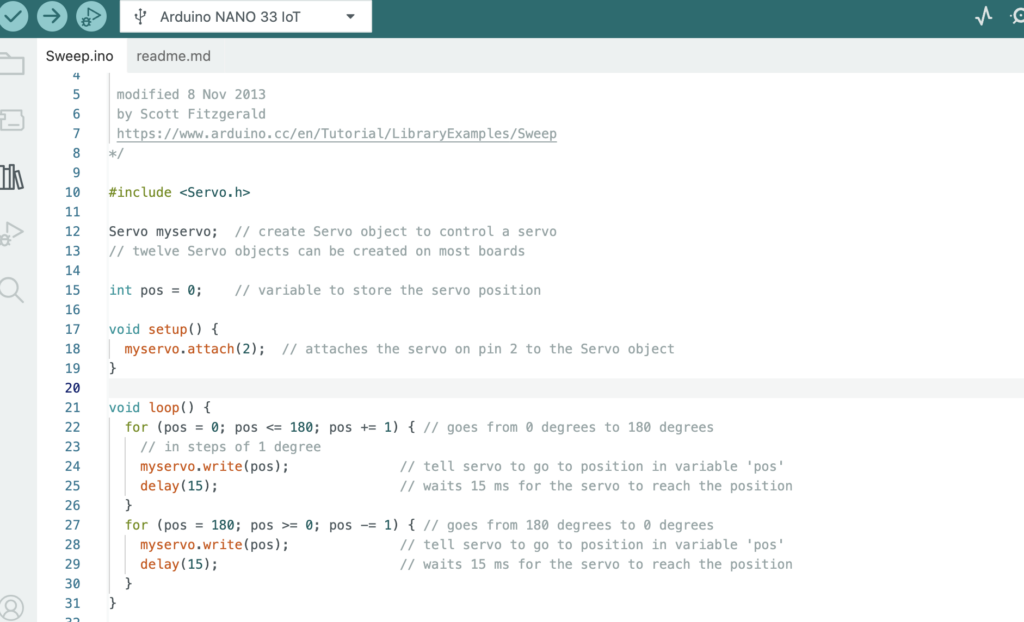
Our concept was to create abstract geometric drawings using curved lines. We connected the pen to a long arm attached to the servo motor so that the movement of the servo naturally creates smooth curves. The potentiometer controls the position of the servo, so as we continue turning it back and forth, the pen shifts within a certain range and creates more curves on top of each other. This allows the drawing to build up over time and create different geometric patterns.

Process and Challenges

One of the main challenges was building the physical machine itself. It was difficult to make the structure stand properly while also keeping the servo and pen stable. We experimented with different ways of attaching the arm and positioning the pen. Some designs were either too unstable or did not allow the pen to move smoothly. After experimenting, we found that having one long arm connected directly to the servo was the most effective design because it was simple, stable, and produced smooth curves.

Another challenge was the pressure of the pen on the paper. If the pen was pressing too hard, the servo struggled to move. We had to adjust the pen so that it was touching the paper lightly while still being able to draw.

Video

compressed video file

Drawing Outputs

For the different outputs, we experimented with how we moved the potentiometer. Moving it across a larger range created wider curves, while using a smaller range created more concentrated curves. We also changed how quickly and how often we turned the potentiometer, which caused the lines to overlap differently. Even though the machine uses the same basic movement, each drawing developed into a slightly different pattern.

Reflection

The mechanism had a large effect on the resulting marks. Since the pen is connected to a fixed arm, its movement naturally follows a curved path instead of moving in a straight line. The length and position of the arm also determine how large the curve can be.

We also noticed that the potentiometer changes how the drawing develops. Moving it slowly creates smoother and more controlled curves, while moving it more quickly creates faster overlapping marks. Repeatedly moving between different positions builds more curves within the same area and makes the drawing more complex.

Code

Assignment #1 — Low-Tech Drawing Machine (or is this a system?)

Gravity Balls – Color Chaos

Concept

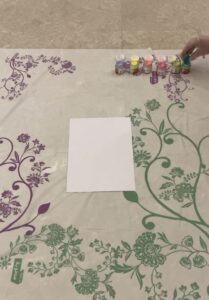
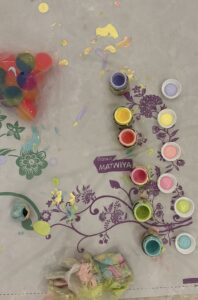
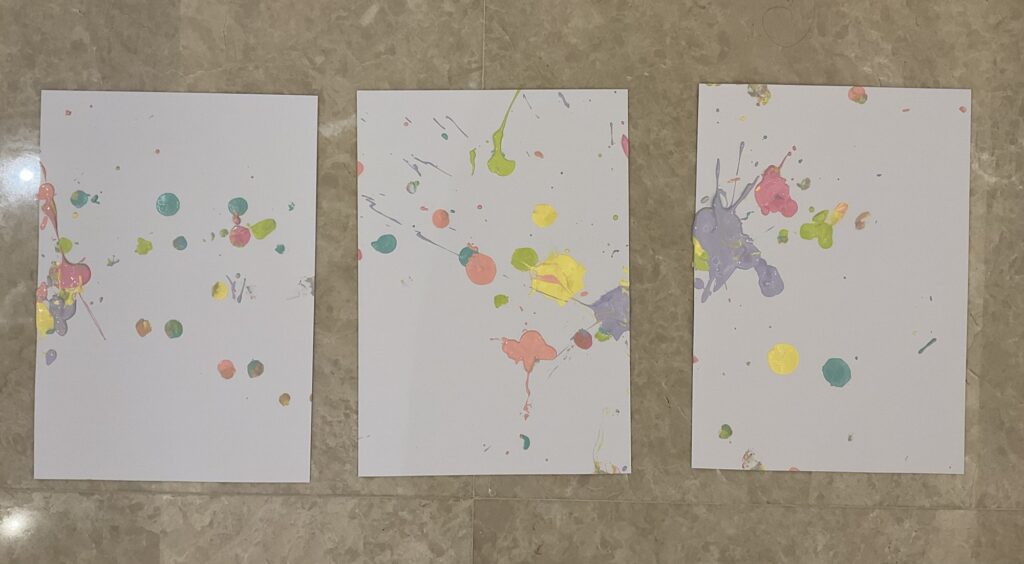
For this project, I wanted to make a drawing where I could control the idea but not really control what the final piece would look like. My idea was to take a handful of bouncy balls, dip them in different colors of paint, and drop them onto a large sheet of paper. Wherever the balls bounced and whatever marks they made would become the drawing.

I liked this idea because the setup is really simple, but the result is impossible to fully predict. Even if I repeated the exact same steps, I would never get exactly the same drawing twice.

Photos/video of the machine

For my “machine,” I used the bouncy balls, paint, gravity, and the movement created when the balls hit the floor. I basically start the process by dropping them, but after that I don’t control where they go.

Several drawing outputs

Each drawing came out differently even though I followed the same basic process and tried to drop them in the exact same way and position. Some had more concentrated marks while others were more spread out. I liked seeing how much the results could change without me purposely changing the composition.

Process and challenges

The process was pretty simple, but the hardest part was actually not interfering. Sometimes I wanted to move a ball toward an empty area or add more paint somewhere, but that would defeat the point of the project.

Another challenge was that the balls didn’t always behave how I expected. Some bounced really far, some barely bounced, and the amount of paint on each ball also changed the marks. After a few tries, I realized those unpredictable parts were actually what made the project interesting.

Reflection on control, chance, and authorship

This project made me think a lot about how much control an artist actually needs to have. I controlled the materials, colors, number of balls, and the way they were dropped, but I couldn’t control the exact marks.

Because of that, I don’t think the drawing is completely controlled by me or completely controlled by chance. It’s somewhere in between. I created the situation, but the bouncy balls and gravity decided what happened inside of it.

It also made me question authorship a little. I would still call myself the artist because I came up with the idea and created the rules, but I wasn’t directly making every mark on the paper.

In relation to Sol LeWitt’s Paragraphs on Conceptual Art, where does the “idea” of your drawing reside: in your design decisions, the machine, or the final drawing? Explain

After reading Sol LeWitt, I think the “idea” of my drawing mostly exists in my design decisions. LeWitt says that in conceptual art, the idea is the most important part and that the planning and decisions can happen before the work is actually made.

For my project, the important part isn’t one specific final drawing. It’s the decision to use painted bouncy balls and let their movement create the drawing without controlling them afterward. The machine is what carries out that idea, and the final drawing is basically evidence of what happened.

I think this became even clearer after making several drawings because they all looked different, but I still saw them as part of the same artwork. The thing connecting them wasn’t how they looked. It was the idea and the rules behind them. LeWitt says that a work begins with an idea and that the process of conception and realization is what the artist is concerned with.  That connects really well to what happened with my project.