Concept
My design explores how a simple shape can create a more complex visual pattern through repetition and variation. I began with a grid of repeated shapes and used a rule based on distance from the center. This allowed the individual shapes to change gradually across the design rather than just translating identical shapes.
I experimented with this pattern with circles and squares. In the circle design, the circles become larger toward the center and smaller toward the edges. For the square design, I added variation by changing both the size and rotation of the squares based on their distance from the center of the grid.
The goal was to see how a simple variation could produce a more complex overall physical pattern when fabricated.
Digital experimentation
I first experimented with the spacing and size of the repeated shapes in p5.js. I changed the spacing between the shapes and the maximum size of the shapes to see how these changes affected the density of the pattern.
I then used the distance of each shape from the center to control its size. This created a gradual transition from smaller shapes on the edges to larger shapes moving toward the center.
After testing the circle version, I experimented with squares. The square design introduced another variable, which is rotation. The amount of rotation changed depending on the square’s distance from the center, just like the size, creating a more dynamic pattern than the circle version.
Code for squares:
let cols = 15;
let rows = 15;
let spacing = 16;
let maxSize = 14;
function setup() {
createCanvas(250, 250, SVG);
noFill();
stroke(0);
strokeWeight(1);
drawPattern();
noLoop();
}
function drawPattern() {
let centerX = width / 2;
let centerY = height / 2;
for (let row = 0; row < rows; row++) {
for (let col = 0; col < cols; col++) {

  let x = 10 + col * spacing;
  let y = 10 + row * spacing;

  let distance = dist(
    x,
    y,
    centerX,
    centerY
  );

  let size = map(
    distance,
    0,
    170,
    maxSize,
    3
  );

  push();

  translate(x, y);

  rotate(distance * 0.03);

  square(
    -size / 2,
    -size / 2,
    size
  );

  pop();
}
}
}
function mouseClicked() {
save(“squares.svg”);
}
Code output trials:
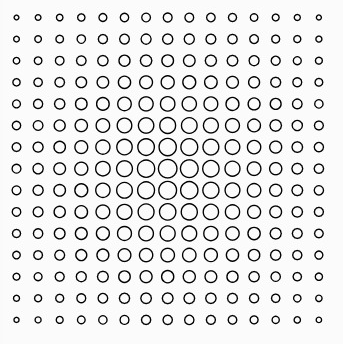
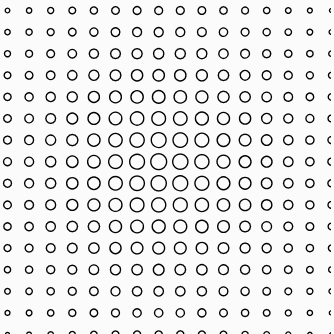
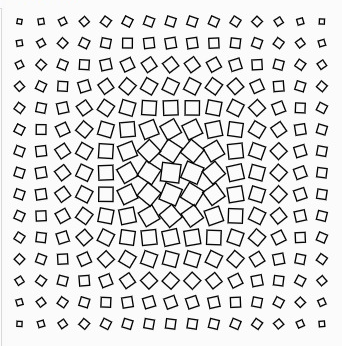
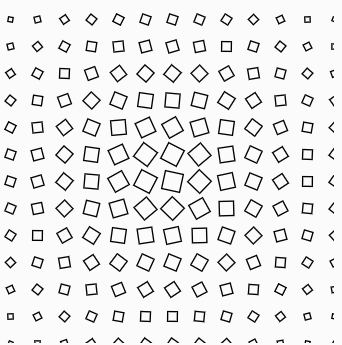
Fabrication experiments
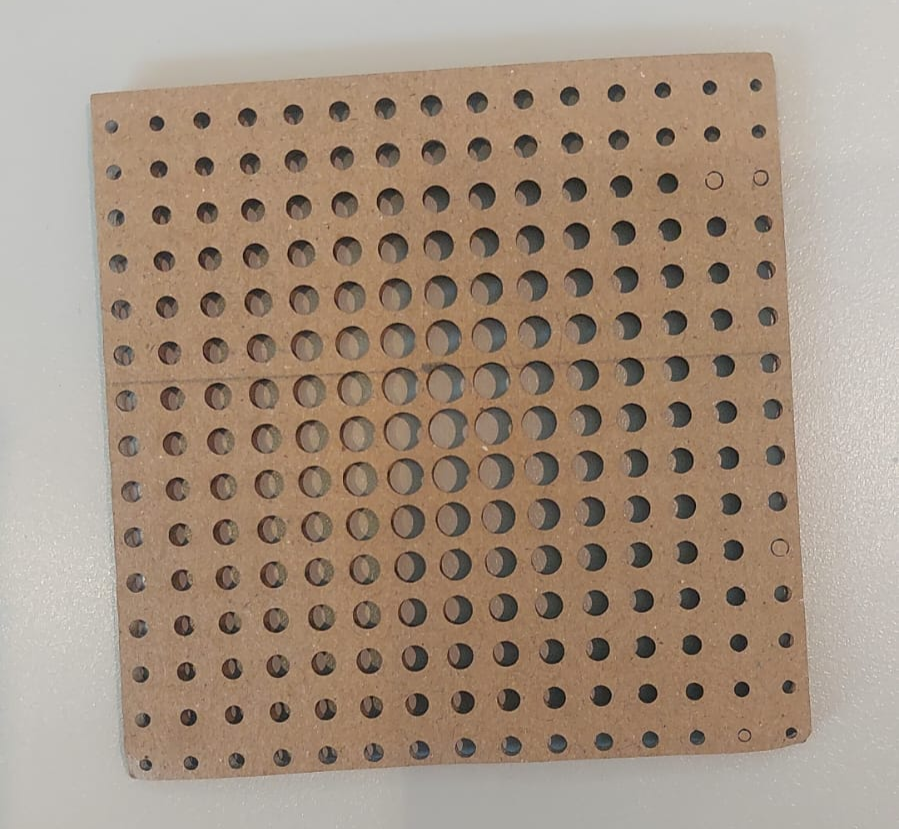
I fabricated multiple versions of the designs to compare how the digital patterns translated into physical material would look. The first physical version used the circular pattern using cardboard. The result showed a clear gradient in the size of the openings, with larger openings toward the center and smaller openings toward the edges.
Trial 1:
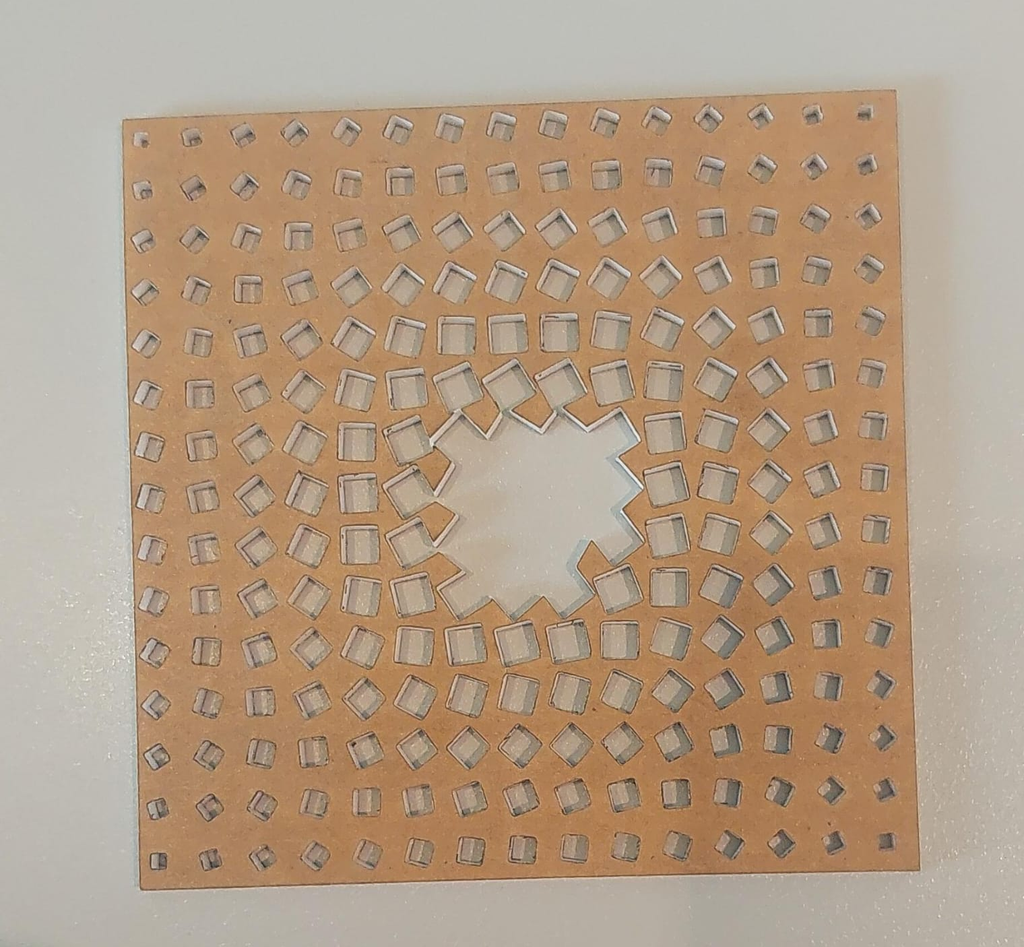
I then fabricated the square pattern using acrylic. During fabrication, I encountered a problem in the center of the design. Because the spacing and geometry caused the material between some of the openings to become too thin, the center of the piece became weaker than intended, so the pieces close to the center started falling.
Trial 2
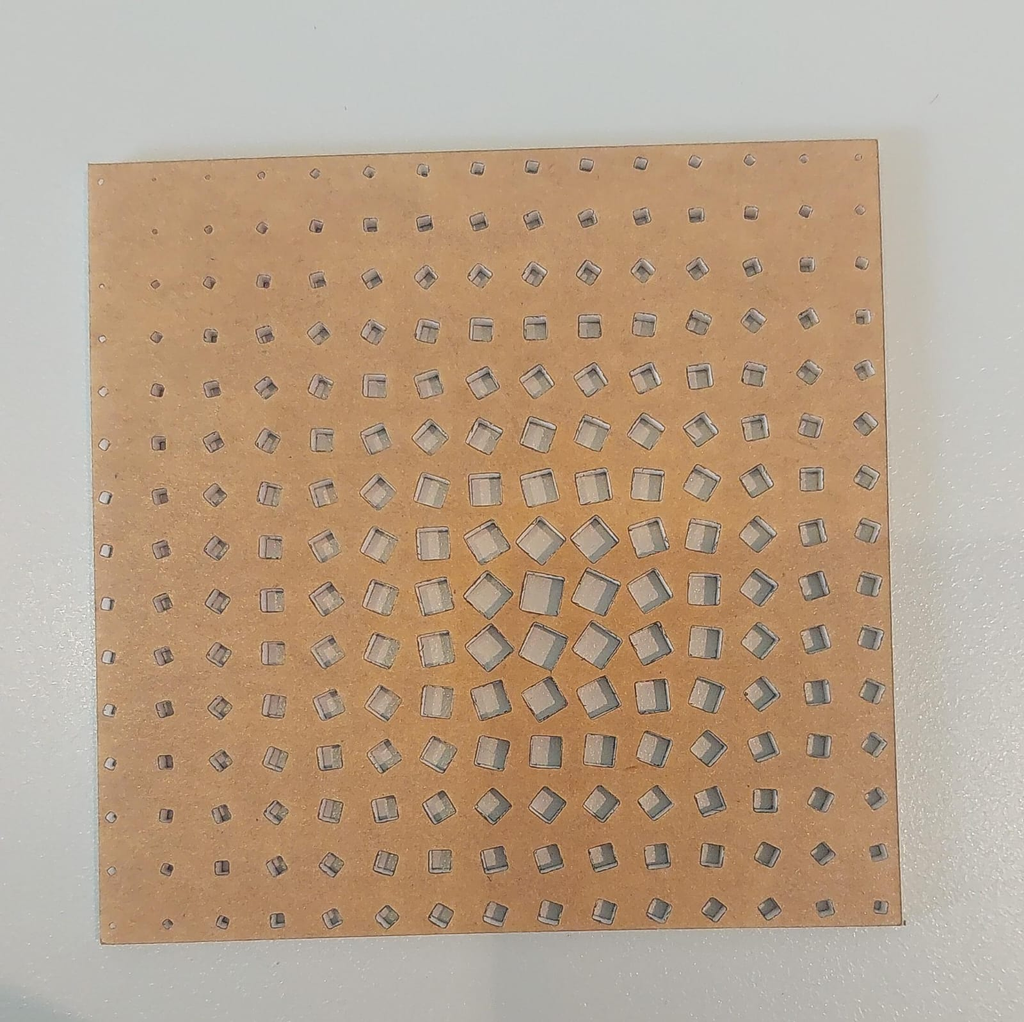
In the next version, the design remained based on the same square pattern, but the adjustment caused the overall pattern to shift slightly from the center. Although this was not exactly the result I originally intended, it became another useful observation about the relationship between the digital design on p5.js and the physical fabrication process.
Reflection
Overall, I experimented with shape, size, spacing, rotation, and the relationship between the digital pattern and the physical material. The physical results helped me understand how generative design needs to account for both visual rules and material constraints.