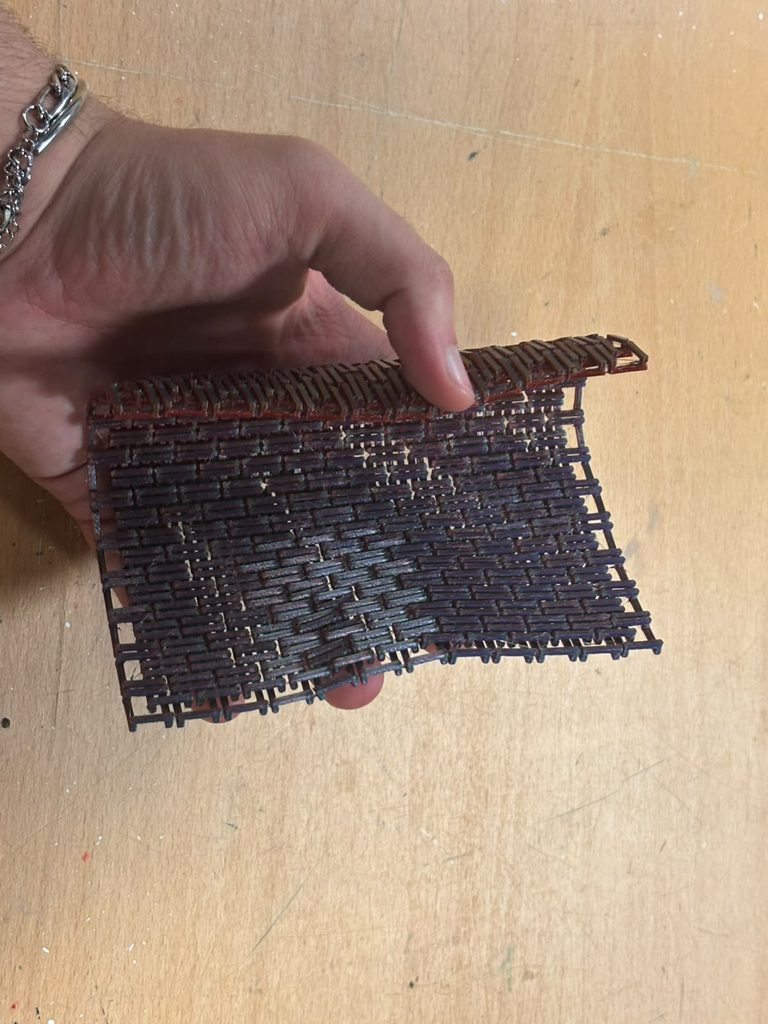
special thanks to the peer tutor Zaid (CS) and my frend Abbad Shazly (Mechanical Engineer) for their immense help! (zso211 & ahs9048)
So who wasn’t heard of the infamous Chainmail armor for minecraft.
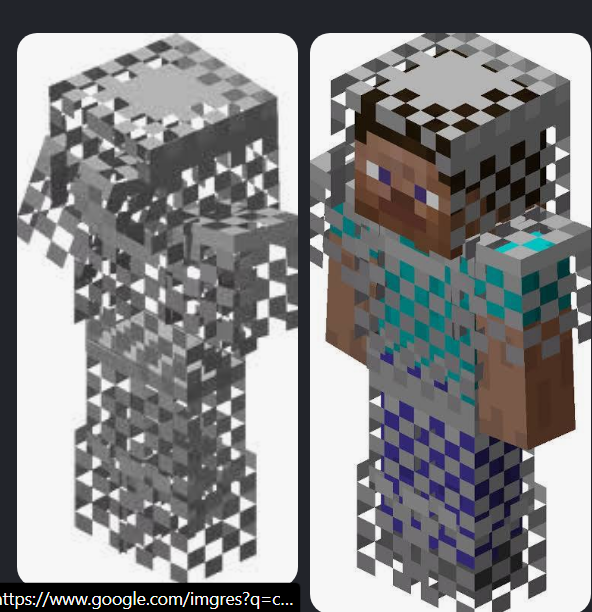
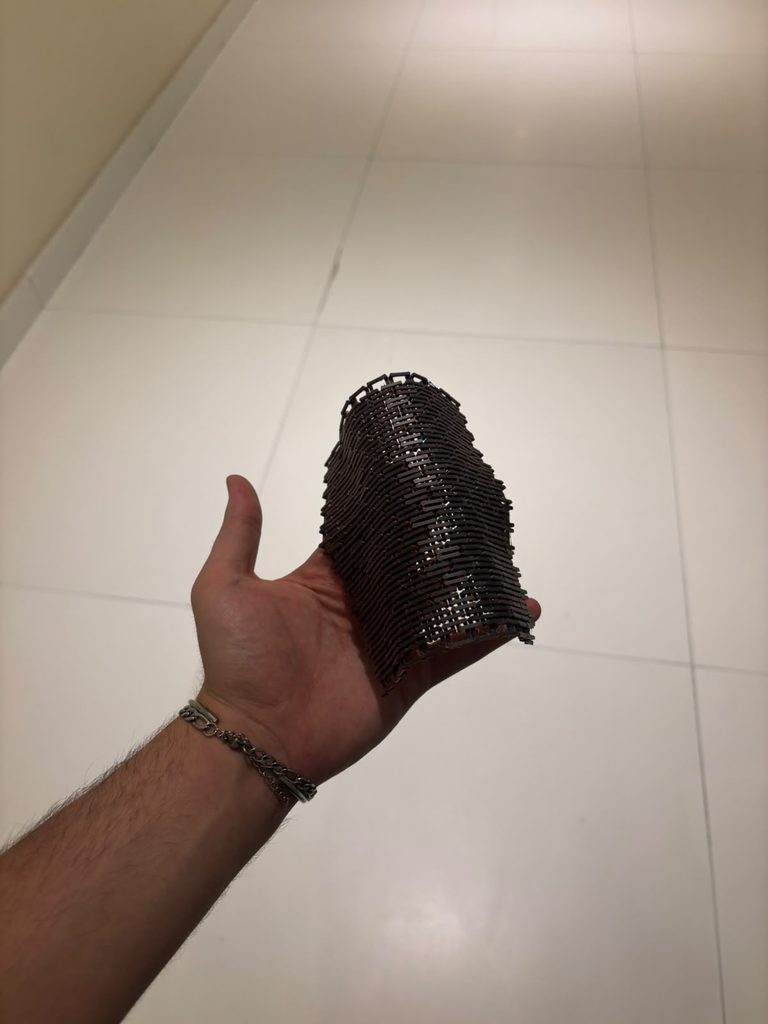
I’ve always hated and loved this thing, it was a very rare arnour created by getting the unobtainable fire object but then the recipe was removed from the game but the armour wasn’t. I wanted to create something that looked like it and based on the algorithmic design of chains linking together I knew it was able to be coded and procedurally generated. I also recently looked into the idea of making flexible things from rigid objects. This interest came from an idea the professor showed us in class called Kerf Bending. So, here’s my attempt to make a plane out of PLA that is supposed to be rigid but is not flexible because of certain algorithmic cuts. I won’t spoil, final results are at the end of the page.
p5.js Web Editor | chainmail v2
here’s some psuedocode if ur interested
I started with a basic 3x3x3 cube because that’s how you craft in minecraft. JK. it’s actually needed so I can have control on each specific bit of a chain
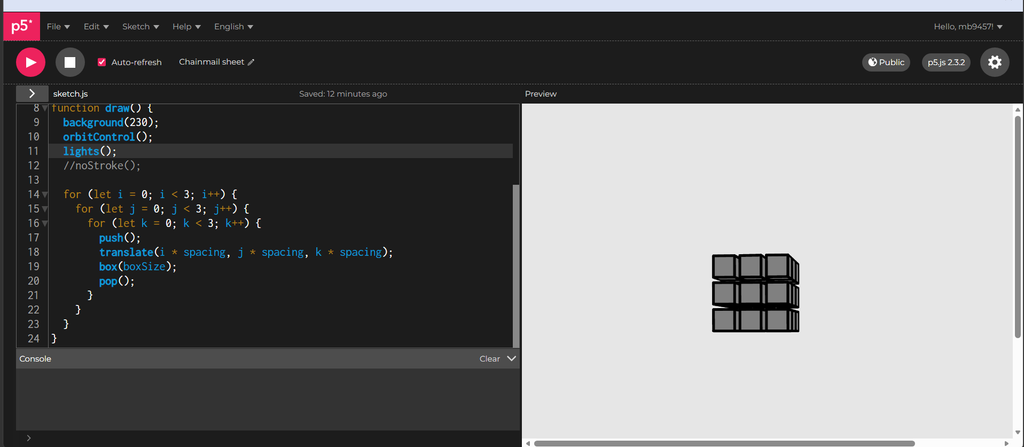
Now I wrote a function that is basically the rule that decides which of the 27 positions should exist and which should be empty. This is the part that turns a solid cube into a hollow picture-frame shape.
function isVoxelSolid(i, j, k) {
  let sideX = i !== 1;
  let sideY = j !== 1;

  if (sideX && sideY) {
    return true;
  }
  if (sideY && k === 0) {
    return true;
  }
  if (sideX && k === 2) {
    return true;
  }
  return false;
}- sideX && sideY ->solid. If you’re on an edge column and an edge row (so one of the 4 corners: (0,0), (0,2), (2,0), (2,2), at any height k), you’re a corner post. Corner posts are solid at every height that’s why there’s no k condition here; they run the full height of the link, connecting the low bars to the high bars.
- sideY && k === 0 ->solid. If you’re on an edge row (top or bottom) but in the middle column (i === 1), and you’re at the bottom layer (k === 0) you’re part of a low horizontal bar running left-right.
- sideX && k === 2 ->solid. Same idea rotated: edge column, middle row, top layer, a high bar running front-back.
- Anything else including the very center (1,1,anything) and the middle layer (anything,anything,1) when not covered above is empty. The empty middle layer at k=1 is deliberately the air gap: it’s where a neighboring link’s high bar will later pass through this link’s low bar without touching it.
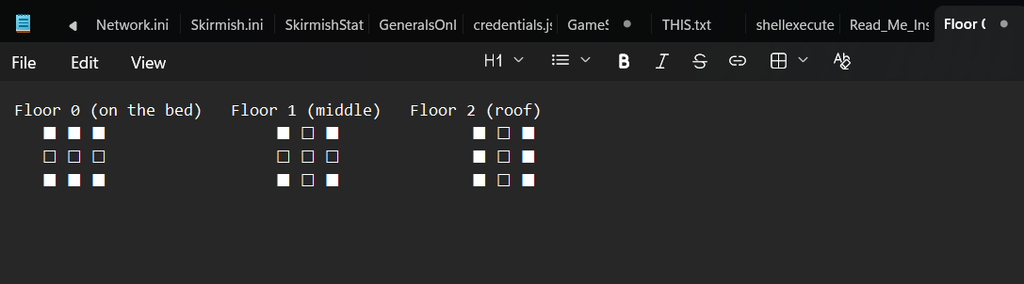
in other words:
Rule 1: corners are filled on every floor. Those are four pillars standing at the corners of the square, running from the bed to the roof.
Rule 2: on the ground floor, the front and back rows are filled. That gives two bars lying flat on the bed, running left to right between the pillars.
Rule 3: on the roof, the left and right columns are filled. That gives two bars across the top, running front to back and resting on the pillars like little bridges.
Rule 4: everything else is empty. The center is empty on every floor, and that’s the hole of the ring. The middle floor is empty except for the pillars, and that’s the air gap.
Then I applied this checker to each of the cubes when drawing them.
  for (let i = 0; i < 3; i++) {
    for (let j = 0; j < 3; j++) {
      for (let k = 0; k < 3; k++) {
        if (isVoxelSolid(i, j, k)) {
          push();
          translate(i * spacing, j * spacing, k * spacing);
          box(boxSize);
          pop();
        }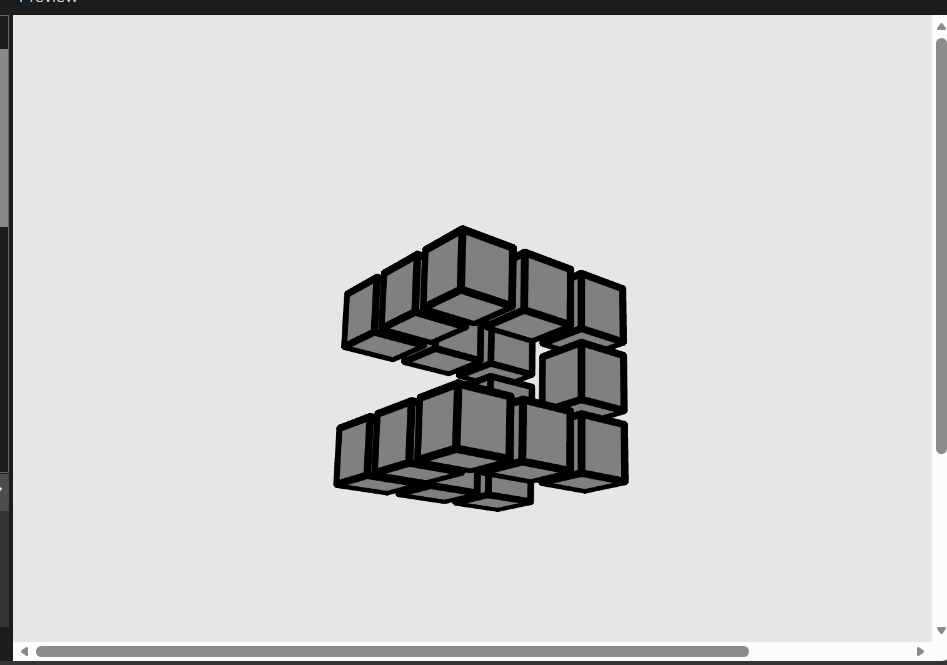
Right now each solid voxel is its own separate box() if you tried to export that as an .obj, you’d get 12 overlapping little boxes per link instead of one clean, watertight shape. To 3D print correctly, we need real triangles. This undesrtanding comes from my extensive work in 3D modeling before. I used to make those 2016 youtube intros that dance around and stuff.
I will use AI to explain this part here because I don’t know how to convey it correctly:
- The
if (!isVoxelSolid(neighbor))checks are the actual new idea. For each solid voxel, we look at its 6 neighbors (one step in each of +x, -x, +y, -y, +z, -z). If a neighbor is empty, that means this voxel has a visible face on that side — so we draw a quad there. If a neighbor is solid, that face is buried inside the shape (touching another solid voxel) and should not be drawn — otherwise we’d have invisible internal walls inside a supposedly-hollow print, wasting material and confusing the slicer. This is the difference between “27 separate boxes” (step 4) and “one shell” (this step): we’re not drawing each voxel as a whole box anymore, we’re drawing only the outward-facing skin of the whole cluster. addQuad(cornerA, cornerB, cornerC, cornerD)— a quad (4-cornered flat face) isn’t a primitive p5/GPUs understand directly; everything ultimately has to be triangles. So this helper takes 4 corners going around in order, and splits them into 2 triangles:(A,B,C)and(A,C,D). That diagonal split is why it looks a little odd — those 2 triangles share the edge from A to C, and together they cover the same square the 4 corners describe.beginShape(TRIANGLES)/endShape()— this tells p5 “I’m about to feed you a flat stream of triangle corners viavertex()calls, group every 3 into one triangle.” That’s different frombox(), which was a single self-contained call. Here we control every vertex ourselves, which is exactly what we need for a custom, exportable shape.xLo/xHi/yLo/yHi/zLo/zHi— for one voxel at center(x,y,z)with half-widthhalf, these are just “the low edge and high edge of this box on each axis.” We computed them once per voxel and reused them in all 6 face checks rather than recomputing each time.- Each face’s 4 corners are listed in a consistent rotational order (not scrambled) — this matters because the order determines which way the triangle “faces” (its normal direction). Get it backwards and the face renders as invisible/inside-out from outside the shape.
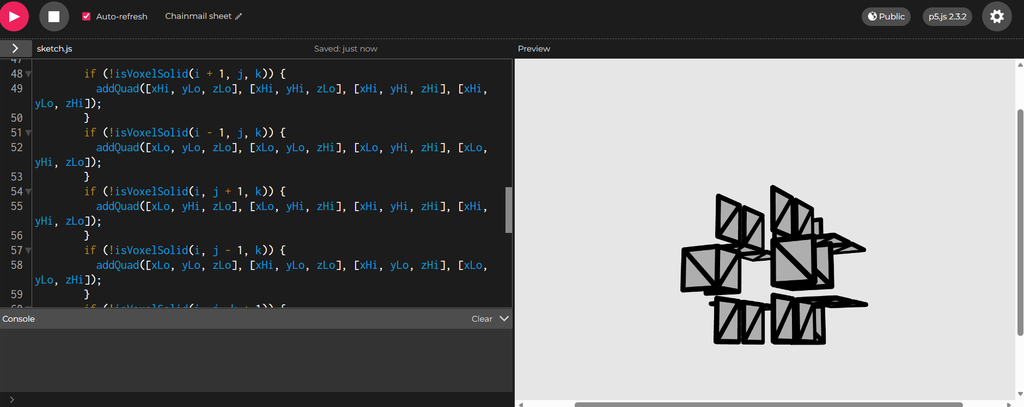
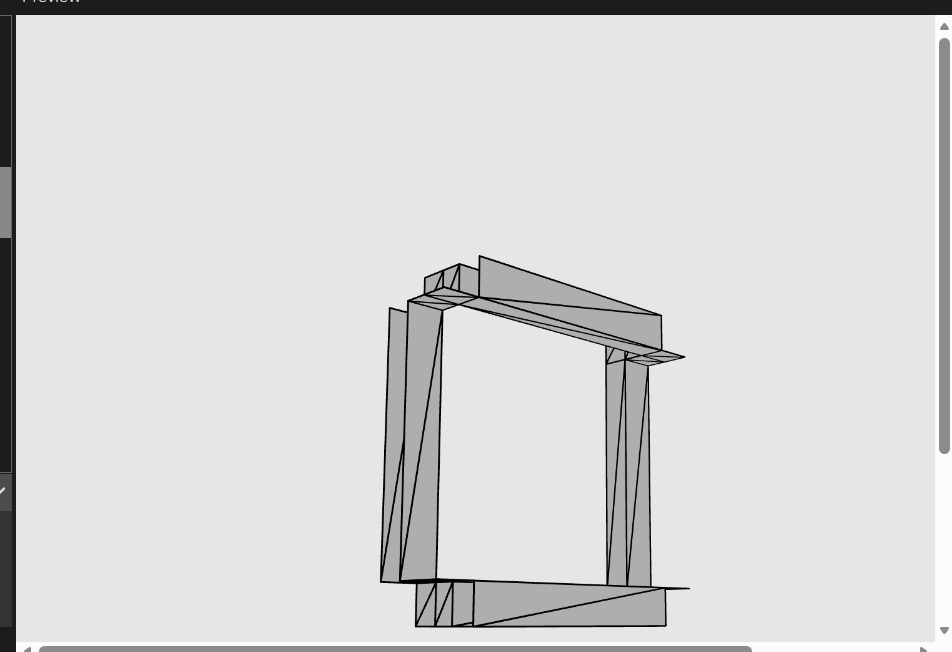
The function drawLinkShell(cx,cy) is basically a translate function but except we’re doing the offset manually in the coordinates themselves rather than moving the whole coordinate system with translate. we do this because ware inside of 1 beginShape and you can not push pop translate inside of the beginshape. The mathematical formula for the spacing is is 4 * (barWidth + gapXY) easoning: the pitch needs to be big enough that a link’s bar width plus its clearance gap (gapXY, the horizontal breathing room between neighboring links so they don’t fuse together when printed) fits proportionally into the repeating grid unit. The 4 * factor comes from how the link’s frame geometry divides into that spacing.
linkHalfSize = (3 * linkPitch) / 8 is how far each link’s frame extends from its own center, as a fraction of the pitch. This specific ratio (3/8) is what makes the next link’s frame, placed one pitch away, land its bars exactly inside this link’s gap, not too far in and not too shallow (they wouldn’t overlap at all, so no interlock).
function drawLinkShell(centerX, centerY) {
  let halfBarWidth = barWidth / 2;
  let xEdges = [-linkHalfSize - halfBarWidth, -linkHalfSize + halfBarWidth, linkHalfSize - halfBarWidth, linkHalfSize + halfBarWidth];
  let yEdges = xEdges;
  let zEdges = [0, barThickness, barThickness + gapThickness, sheetThickness];

  for (let i = 0; i < 3; i++) {
    for (let j = 0; j < 3; j++) {
      for (let k = 0; k < 3; k++) {
        if (!isVoxelSolid(i, j, k)) {
          continue;
        }

        let xLo = centerX + xEdges[i], xHi = centerX + xEdges[i + 1];
        let yLo = centerY + yEdges[j], yHi = centerY + yEdges[j + 1];
        let zLo = zEdges[k], zHi = zEdges[k + 1];

        if (!isVoxelSolid(i + 1, j, k)) {
          addQuad([xHi, yLo, zLo], [xHi, yHi, zLo], [xHi, yHi, zHi], [xHi, yLo, zHi]);
        }
        if (!isVoxelSolid(i - 1, j, k)) {
          addQuad([xLo, yLo, zLo], [xLo, yLo, zHi], [xLo, yHi, zHi], [xLo, yHi, zLo]);
        }
        if (!isVoxelSolid(i, j + 1, k)) {
          addQuad([xLo, yHi, zLo], [xLo, yHi, zHi], [xHi, yHi, zHi], [xHi, yHi, zLo]);
        }
        if (!isVoxelSolid(i, j - 1, k)) {
          addQuad([xLo, yLo, zLo], [xHi, yLo, zLo], [xHi, yLo, zHi], [xLo, yLo, zHi]);
        }
        if (!isVoxelSolid(i, j, k + 1)) {
          addQuad([xLo, yLo, zHi], [xHi, yLo, zHi], [xHi, yHi, zHi], [xLo, yHi, zHi]);
        }
        if (!isVoxelSolid(i, j, k - 1)) {
          addQuad([xLo, yLo, zLo], [xLo, yHi, zLo], [xHi, yHi, zLo], [xHi, yLo, zLo]);
        }
      }
    }
  }
}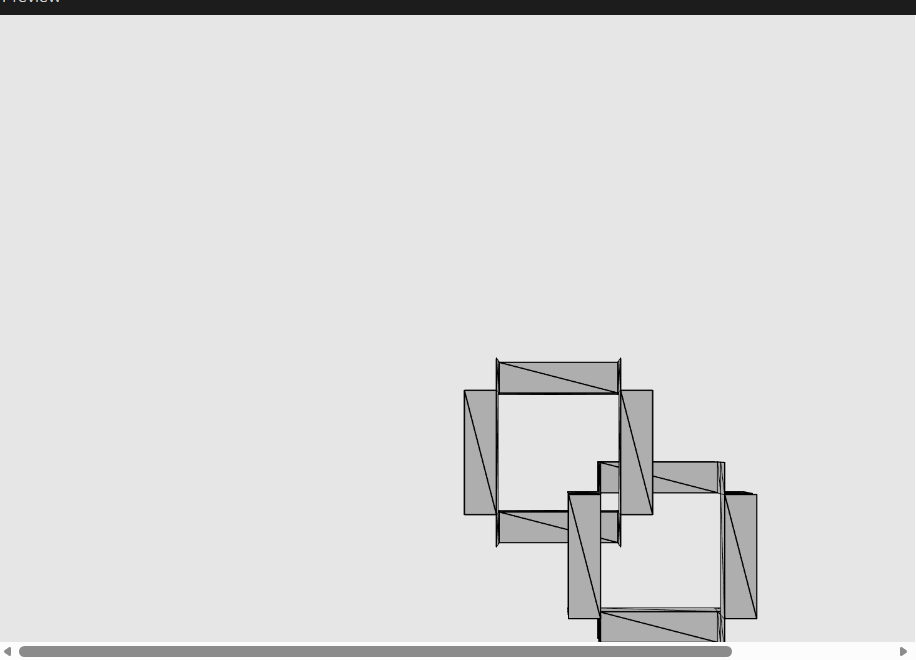
This is how gradually adding the links looks like
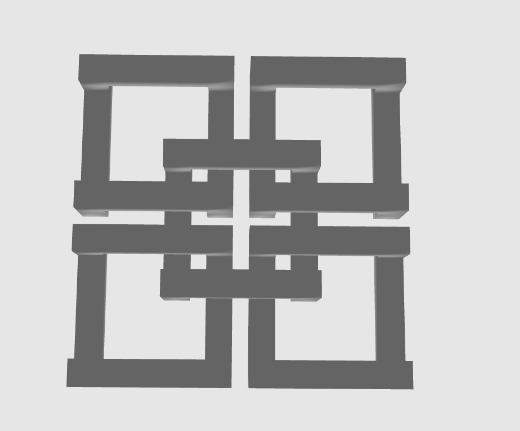
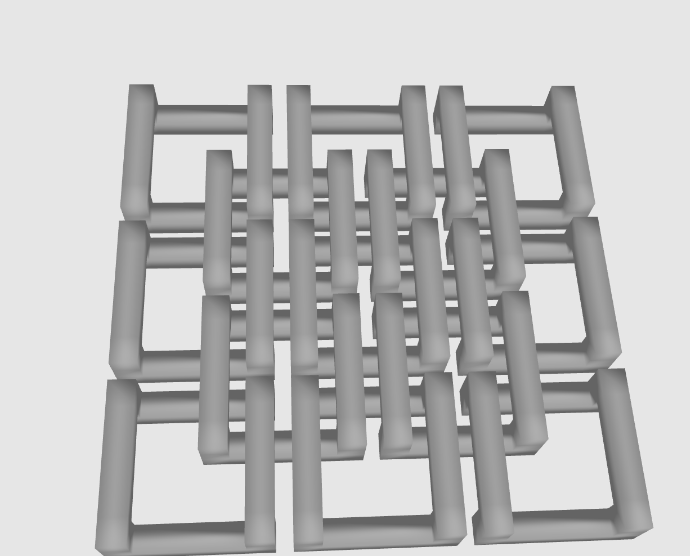
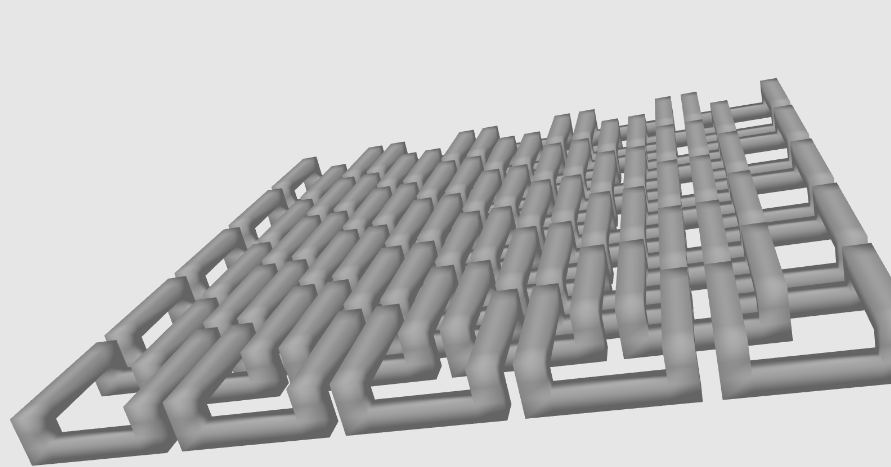
So with basically repeating this idea, we geat something like this with some rotation here and there on different axis.
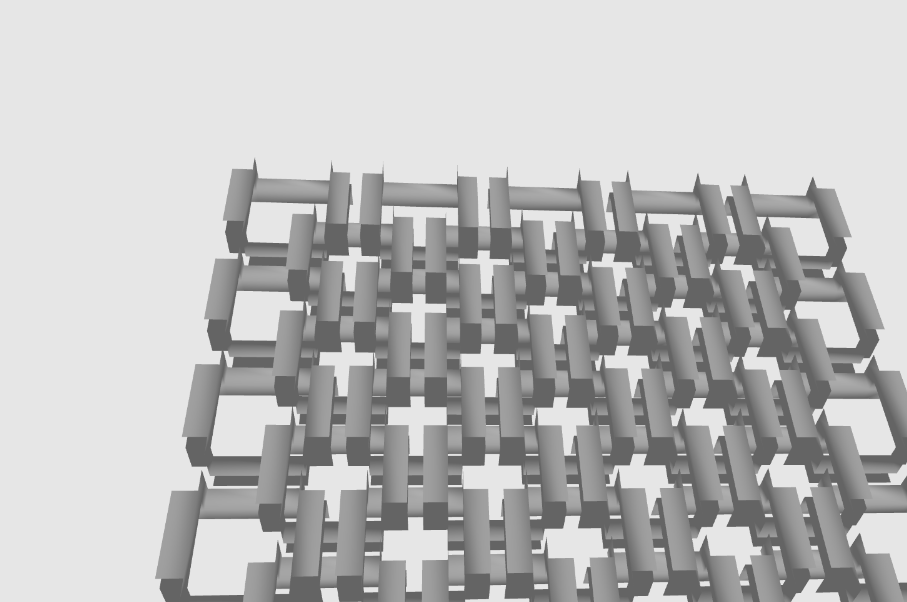
play with the parameters and add some config and you’ll get the final design
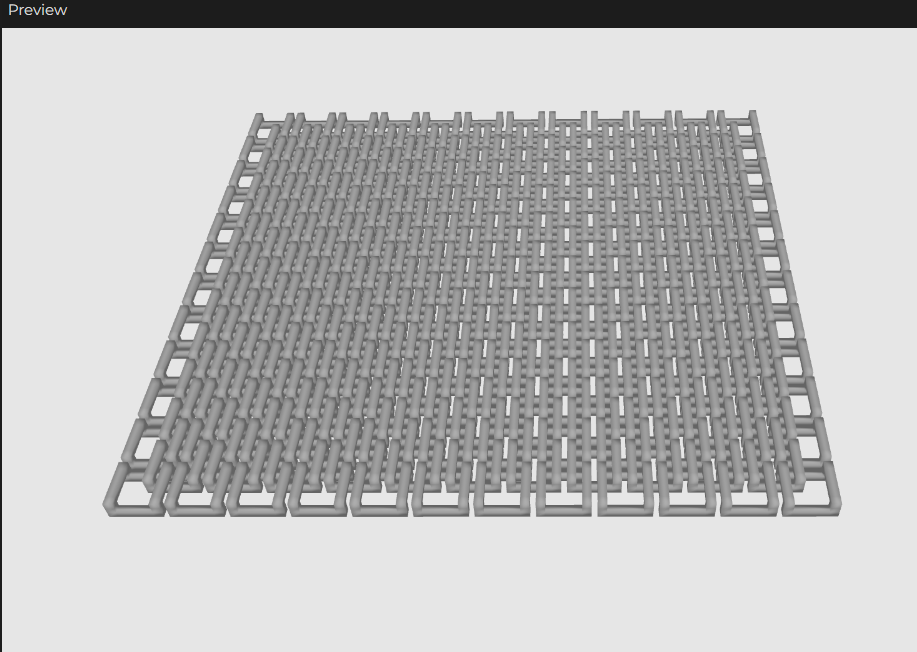
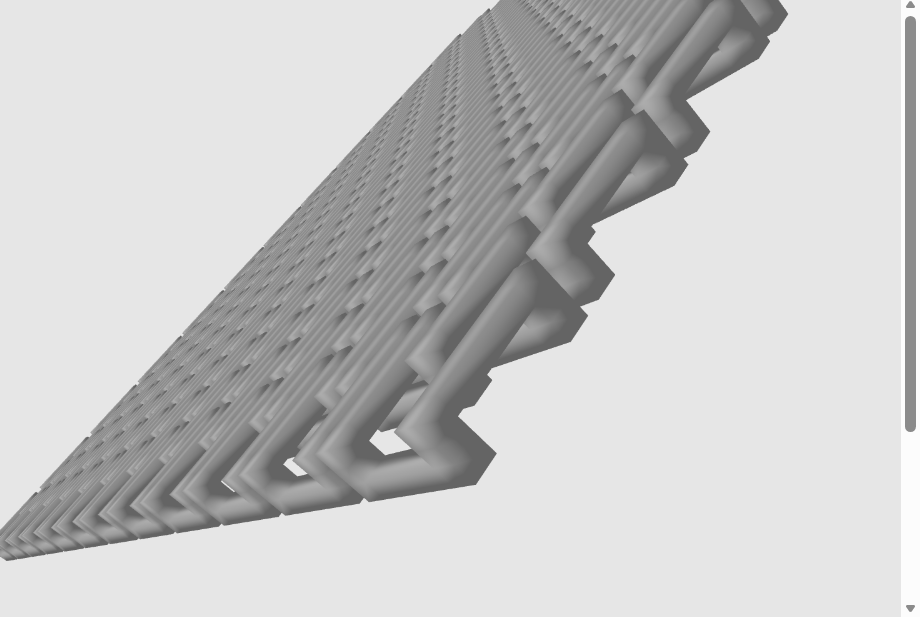
So now, putting everything together, let’s explain this mess haha.
The parameters at the top control the whole sheet. cols and rows set the grid size. shape cuts the sheet into a rectangle or a circle. barWidth and layerHeight describe the physical dimensions the printer uses. Everything else in the file comes from these few numbers.
snapToLayerHeight rounds a thickness to the nearest whole multiple of the print’s layer height. A wall that isn’t layer-aligned comes out thin or warped. This function makes barThickness and gapThickness land on a clean layer boundary. It sets a floor of one full layer.
inShape decides if a given grid point exists. For a rectangle, it returns true always. For a circle, it checks the distance from the point to the center of the grid against the radius. This lets the same code produce a square panel or a round panel. The shape variable controls the choice.
if (neighbors.length >= 2) {
  offsetLinks.push([(i + 0.5) * linkPitch, (j + 0.5) * linkPitch]);
linkCenters decides the layout. The grid holds two kinds of links. Main-grid links sit on the intersection points. Offset-grid links sit at the center of every 2×2 block of them. An offset link gets created only if at least two of its four adjacent main-grid points exist. This lets the circle cut produce a fully connected mesh near the edges, without loose half-links. Any main-grid point that never gets claimed by a neighbor gets dropped. A link with nothing to interlock with ends up as a loose piece in the print.
if (sideX && sideY) return true;
if (sideY && k === 0) return true;
if (sideX && k === 2) return true;
isVoxelSolid gives one link its shape. Each link gets modeled as a 3x3x3 grid of tiny voxels. A rule sets which voxels are solid. The four corners stay solid at every height. Those corners become the posts. The middle-edge voxels stay solid only at the bottom on two sides and only at the top on the other two. Those become the low bars and the high bars. The middle layer stays empty. That gap lets an adjacent link’s high bar pass through this link’s low bar. The two never touch.
linkCenters decides the layout. The grid holds two kinds of links. Main-grid links sit on the intersection points. Offset-grid links sit at the center of every 2×2 block of them. An offset link gets created only if at least two of its four adjacent main-grid points exist. This lets the circle cut produce a fully connected mesh near the edges, without loose half-links. Any main-grid point that never gets claimed by a neighbor gets dropped. A link with nothing to interlock with ends up as a loose piece in the print.
buildChains is the simple part. It gets every position from linkCenters. For each position, it stamps down the same triangle list from unitLinkTriangles. Each stamp shifts by that link’s x and y. All of this happens inside one beginShape(TRIANGLES) block. The whole sheet becomes one continuous mesh, not dozens of separate objects.
I then exported the OBJ and opened it in Rhino. Rhino showed the mesh cleanly. I checked the geometry for naked edges. A naked edge means the mesh is not watertight there. I also checked wall thickness against the printer’s nozzle size. I checked the overlap between neighboring links. Rhino’s section tool let me slice through a link and see the gap directly. The gap measured correctly. I moved the file to the slicer after that.
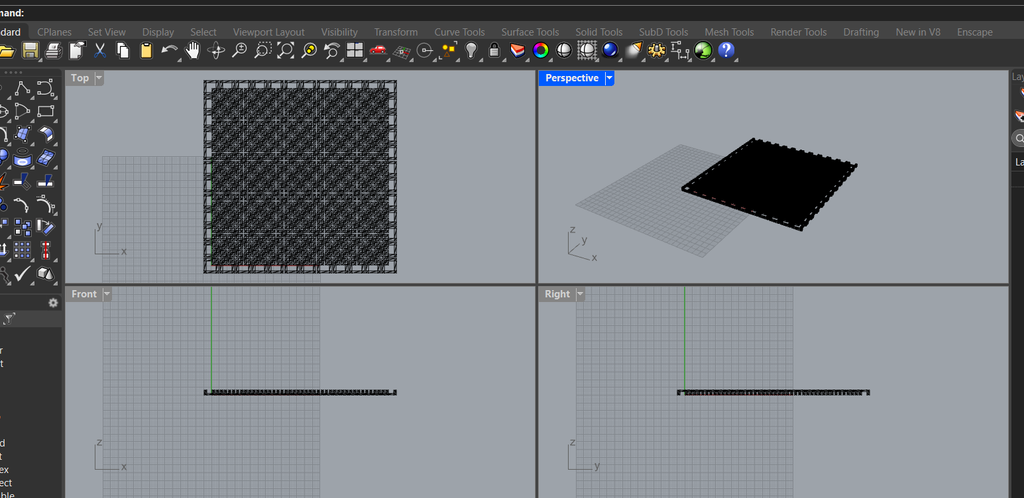
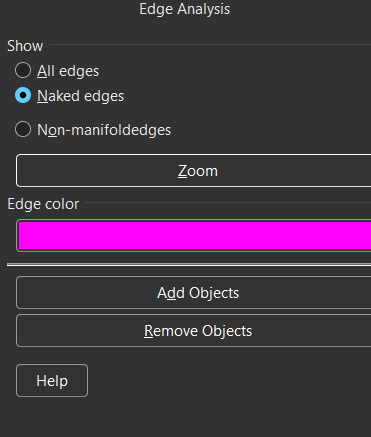
And you can see there are no pink edges so there are no naked edges and no manifolded edges
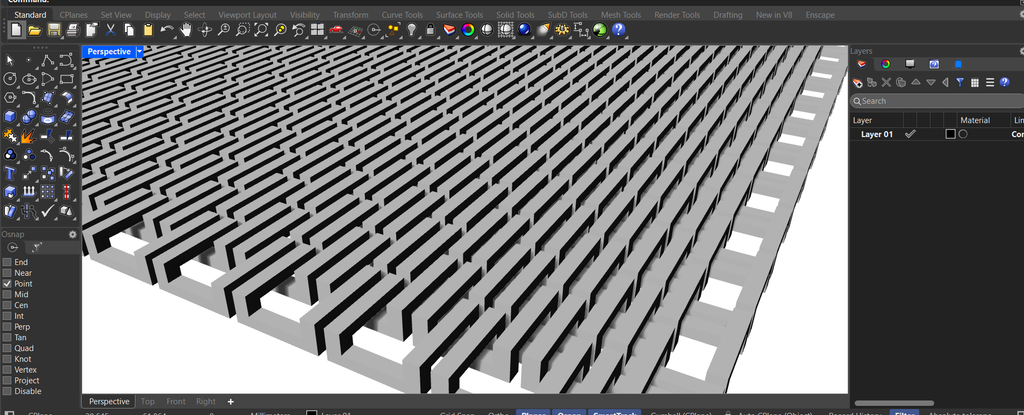
I also checked the volume command to verify the mesh is closed. It only returns a number if a mesh is closed.

Then I checked the barThickness/gapThickness/sheetThickness. the mesh can be perfectly watertight and still have the gap sized wrong, which would print the links fused together.
BTW, here’s what circular sheet looks like
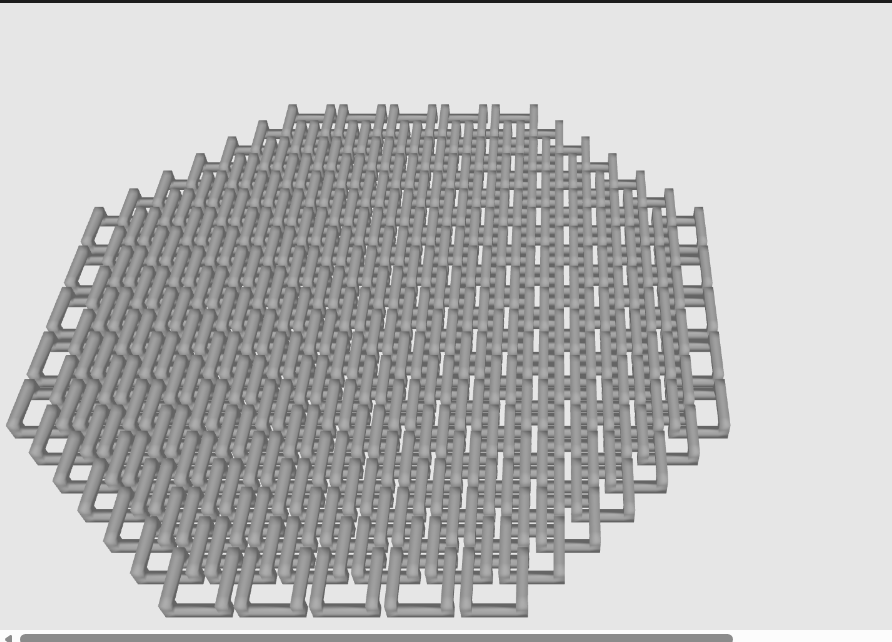
A
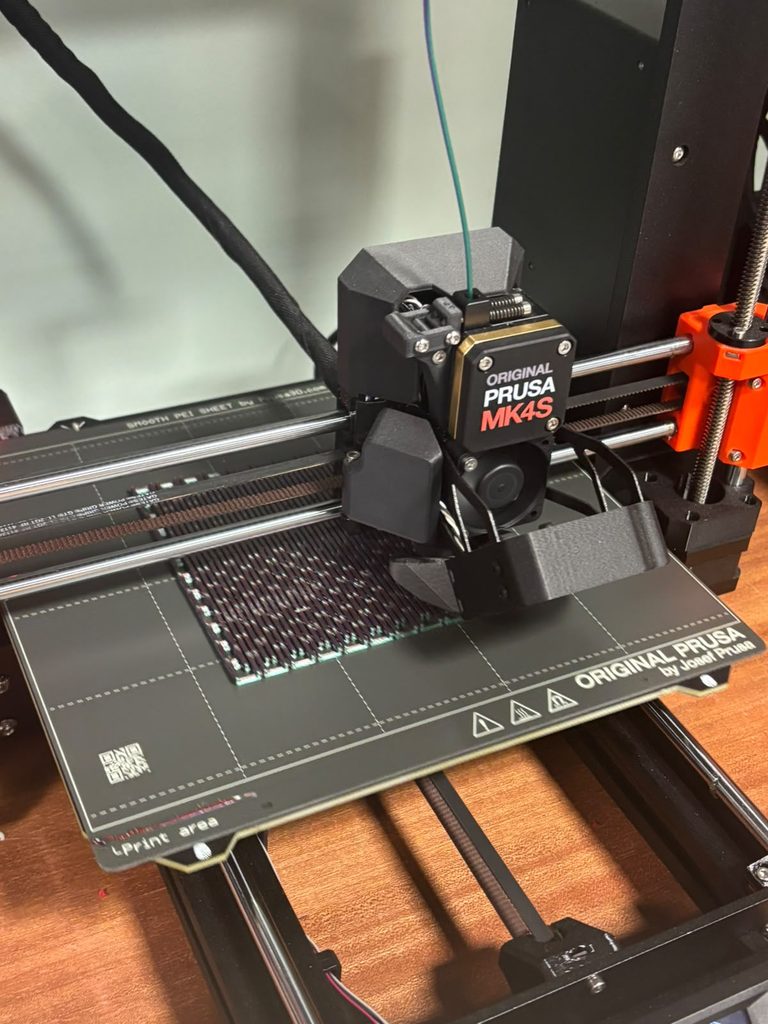
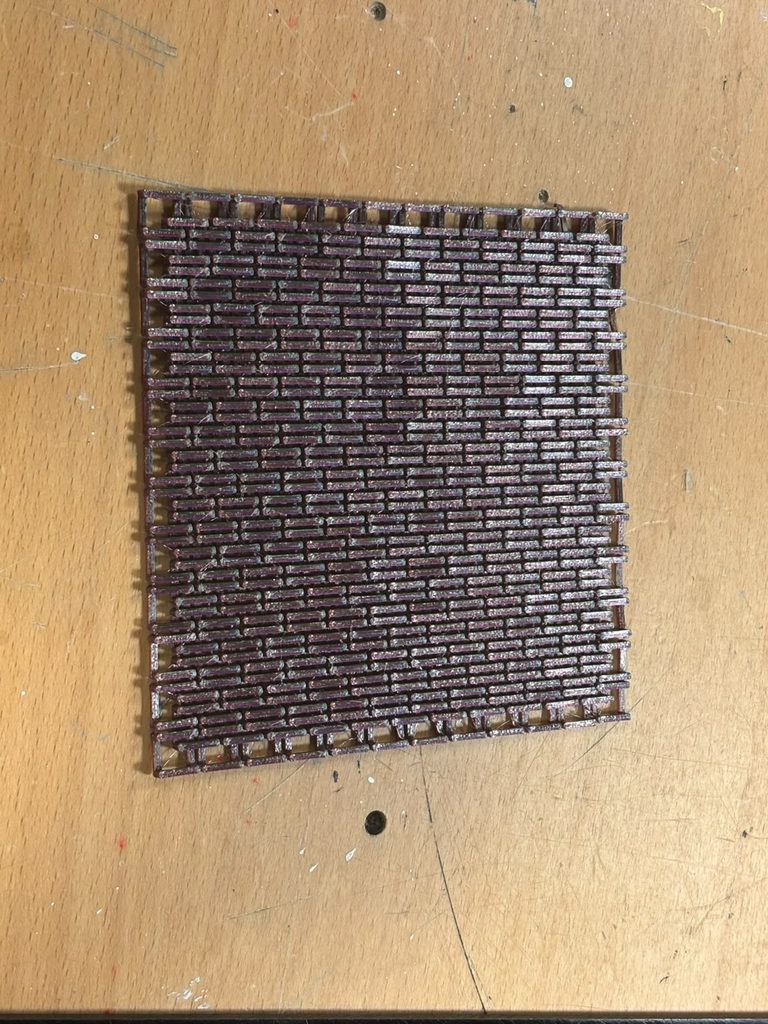
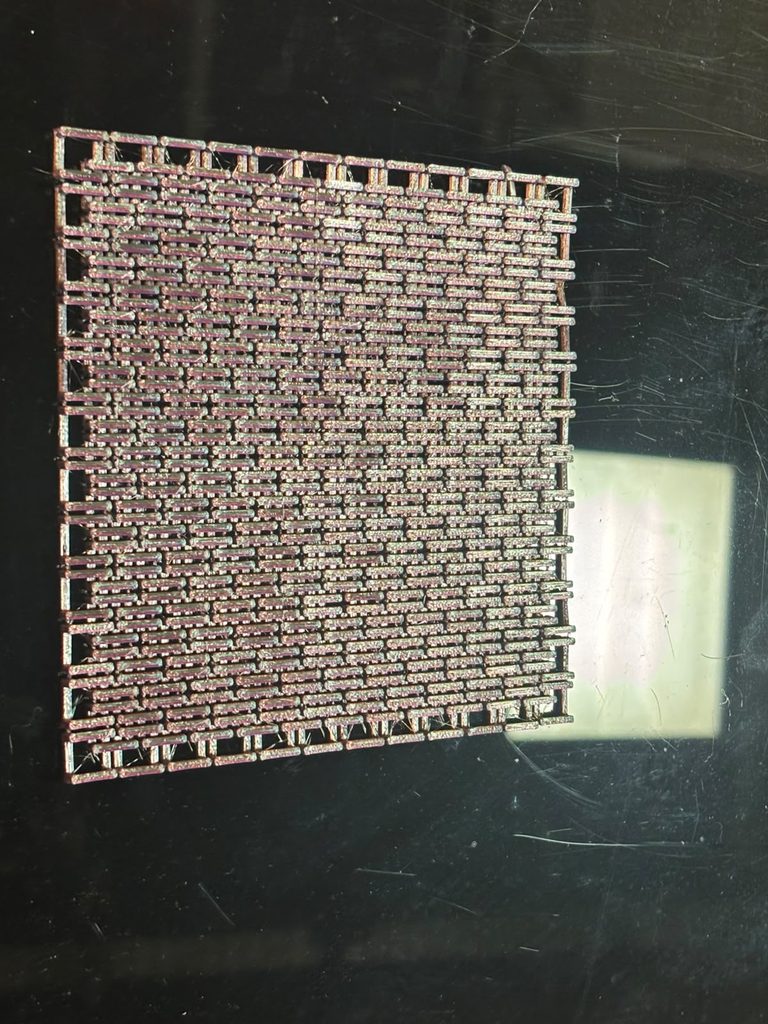
nd then, you print! This turned out beautifully.