Picture a coffee table where a steel ball rolls through a bed of sand and traces spirals on its own. This is Sisyphus, a kinetic sculpture by the artist Bruce Shapiro (Colossal). The secret sits under the sand. A two-motor robot, the Sisbot, moves a magnet, and the magnet pulls the ball along (Design Milk). One motor swings an arm around the center, and the other slides the magnet along that arm. Shapiro compares it to the two knobs of an Etch A Sketch (Midwest Design). Each drawing lives in a track file, a list of angle and radius points. The table plays these tracks in playlists, the way a music player plays songs (Sisyphus community).
For this assignment, we chose to research a kinetic drawing machine that moves a steel ball through sand to create patterns. Our main reference is Sisyphus by Bruce Shapiro.
Sisyphus uses a polar system, which combines movement around a centre with movement towards or away from that centre. Together, these movements allow the magnet to reach different points across the circular drawing area. The controller coordinates the motors so the ball follows a programmed path.
I think what makes this interesting is how much of the drawing you get to watch happen. The finished pattern looks cool, but I feel like watching it being made is a big part of why you would want this machine in the first place. And then it draws over the existing drawing again and that’s also what I like about using sand. The previous drawing can still be there while the new one starts forming, and you get this overlap before it’s eventually replaced.
It’s also why this stood out to us and seemed more unique that most other drawing machines. With a pen, we could lift it and move somewhere else. Here, the ball is still touching the sand when it moves across the surface, so that movement also becomes part of the drawing. We would have to plan how the lines connect, including the parts where we’re just trying to get from one place to another.
For actually building something like this, we would need a shallow tray, fine sand, a steel ball and a magnet underneath. Then we need a frame and a mechanism to move the magnet, whether that’s a rotating arm or a belt-driven system.
We also came across Jean-Pierre Hébert’s Ulysse, also referred to as Ulysses. This installation uses a slowly moving ball to draw in sand, with each drawing being replaced by the next. Hébert connects this to impermanence, which makes sense when the material itself allows the drawing to be erased and changed so easily. The work was first presented at SIGGRAPH in 1999.
I like this idea of making a drawing that is so impermanent. Usually we’re trying to preserve the final output but here you would have to take a photo or just let it go.
Concept 2: Soft robotics Tentacle
This project uses strings to control a soft, 3D-printed tentacle. The tentacle consists of many separate segments, which makes it highly flexible and lets it move in a very organic way. The core challenge and interesting bit lies in the logic and the math required to move it the way we intend.
We do not aim to build a precise drawing machine. The tentacle will develop its own way of drawing, and its outputs will reflect its physical limits along with the new constraints we discover as we work on it. A brush attached to the tip of the tentacle will serve as the drawing tool.
The technical setup is simple. Maybe it’s not, IDK. We will 3D print the tentacle and connect its strings to feedback servos. Standard continuous rotation servos lack position feedback and cannot track where they are. Feedback servos keep the continuous rotation and also report their position. This gives us control over the length of each string.
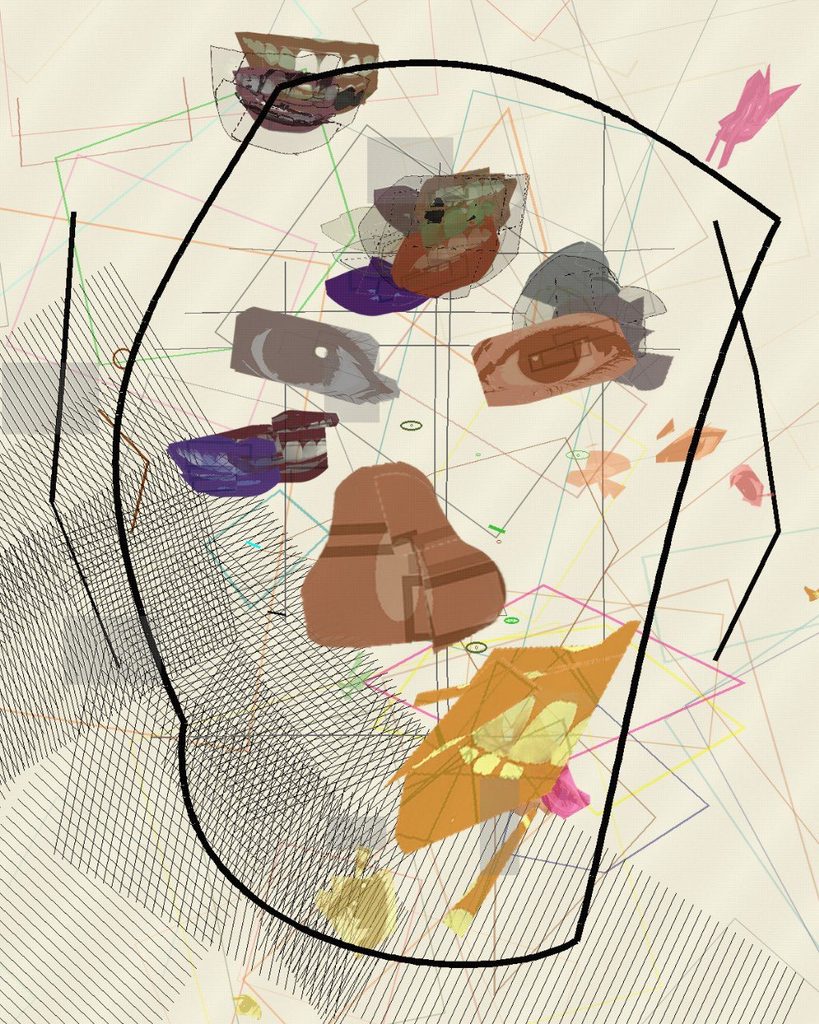
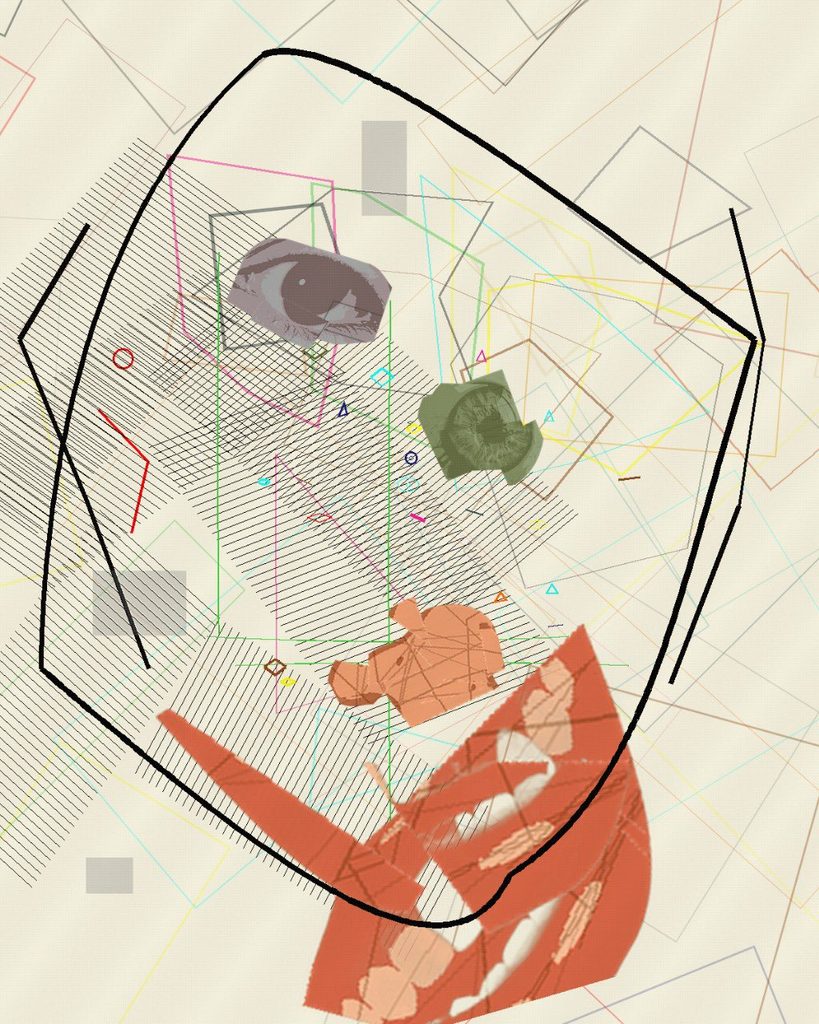
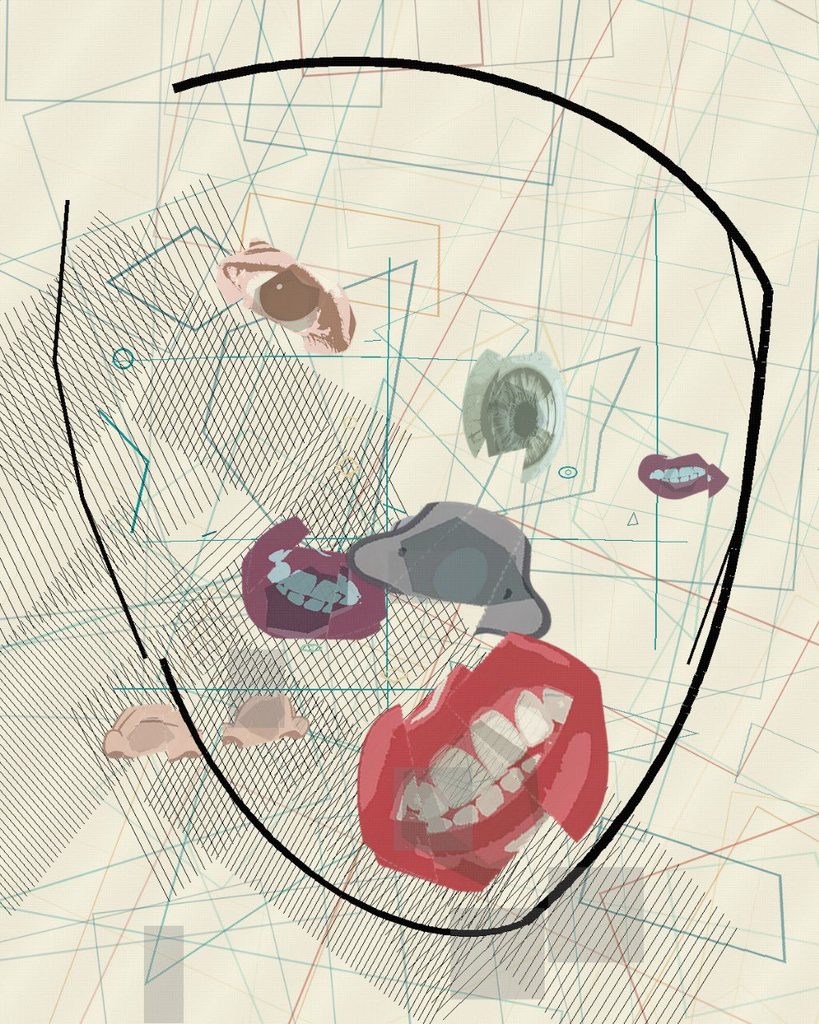
Two years ago I made Dichotomy, a Cubist series that broke a face apart to show a mind divided between mania and depression. Mixed States is its continuation. It keeps the same rule-based, chance-driven method, but it leaves the face behind and moves from the screen onto paper, drawn line by line by a pen plotter.
Dichotomy is a conceptual, cubist series that explores the fractured identity of the disorder. Positioned between mania and depression, it invites viewers to look through the lens of a mind at war with itself.
The intent of this piece is to externalize the inner duality of bipolar disorder through a Cubist deconstruction of the face, using rule‑based procedures and chance. The piece’s thesis is that identity is an algorithmic concept that is continuously recombined by perception, memory, and mood states.
This series draws deep inspiration from Picasso’s Cubism, particularly his ability to fragment the human form to reveal multiple perspectives at once. Just as Picasso broke away from traditional representation to expose the hidden dimensions of reality, Dichotomy fractures the face to externalize the inner conflict of bipolar disorder. His radical deconstruction of identity became a framework for us to translate psychological dualities into visual form, where the chaotic overlap of lines and shapes mirrors the volatility of the mind.
Coming back to the series, I wanted to test the claim at its center: that identity is algorithmic and constantly recombined by mood. Dichotomy showed that recombination in a portrait. This new work asks what happens to the drawing when the two states stop taking turns and begin to happen at the same time, which is a real state that a person with bipolar disorder, called a Mixed State.
The word dichotomy means a division into two opposite parts. The first series was built on that split: blue for depression, warm colours for mania, two sides of one face in conflict. Looking back, that framing was clear but incomplete.
Bipolar disorder is not always a clean switch between two poles. Clinicians describe mixed features, when the energy and restlessness of mania arrive together with the low mood of depression. Many people describe these periods as among the hardest to live through, because there is no single state to name or wait out.
Mixed States is my attempt to draw that overlap. Instead of placing the two moods side by side, it gives each one its own behaviour and then lets them occupy the same space.
Dichotomy looked at the person from the outside. Its subject was a face, and the disorder showed up as distortion: features moved, split and placed by rules. In Mixed States there is no face. The drawing tries to show the state itself, the inner weather that the face in Dichotomy was reacting to.
The Cubist thread continues, but it shifts from Picasso’s fractured portraits toward the flatter, grid-like planes of Analytic Cubism, where a subject dissolves into small facets of the same surface. Here the facets are the whole picture.
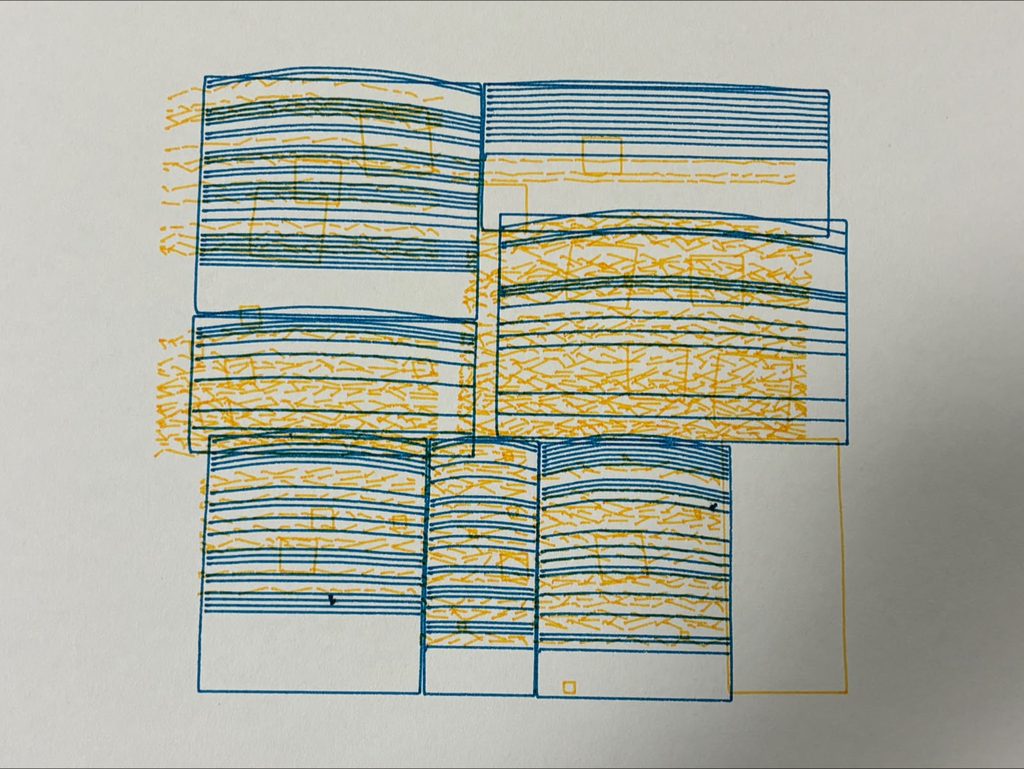
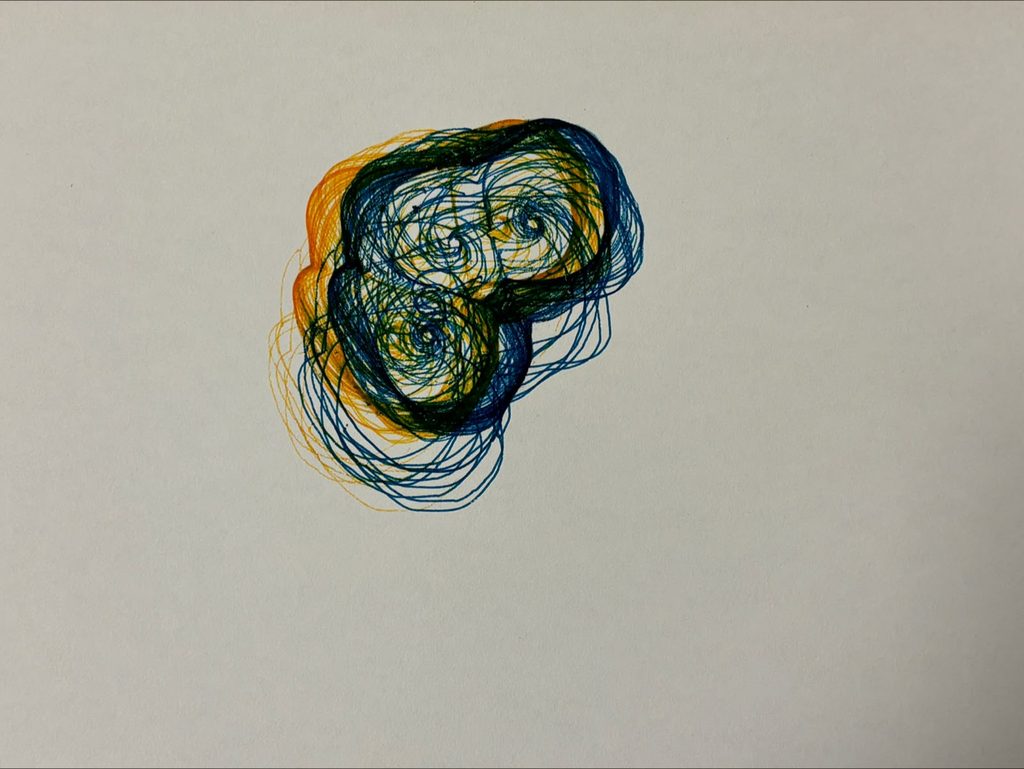
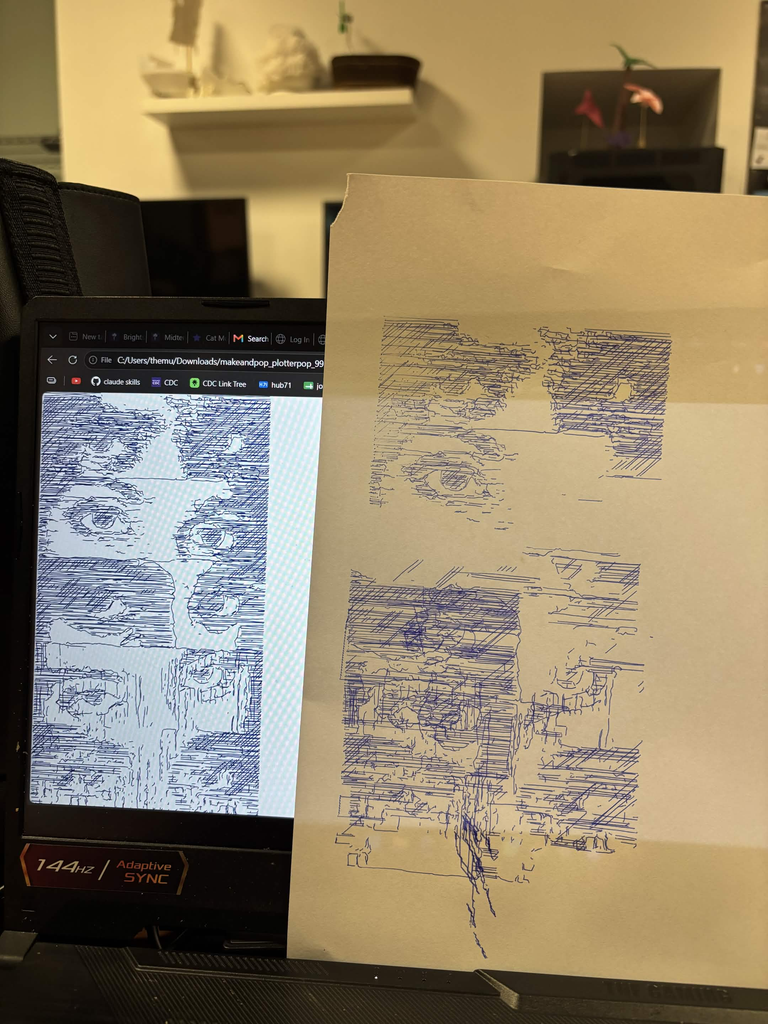
In this sheet the two moods share the whole page. Blue hatching fills every block, and orange dashes crack through the lines. Small tilted squares crowd the heavy blocks. On the left edge the orange marks spill past the blue outlines onto bare paper. Nothing on this sheet stays still.
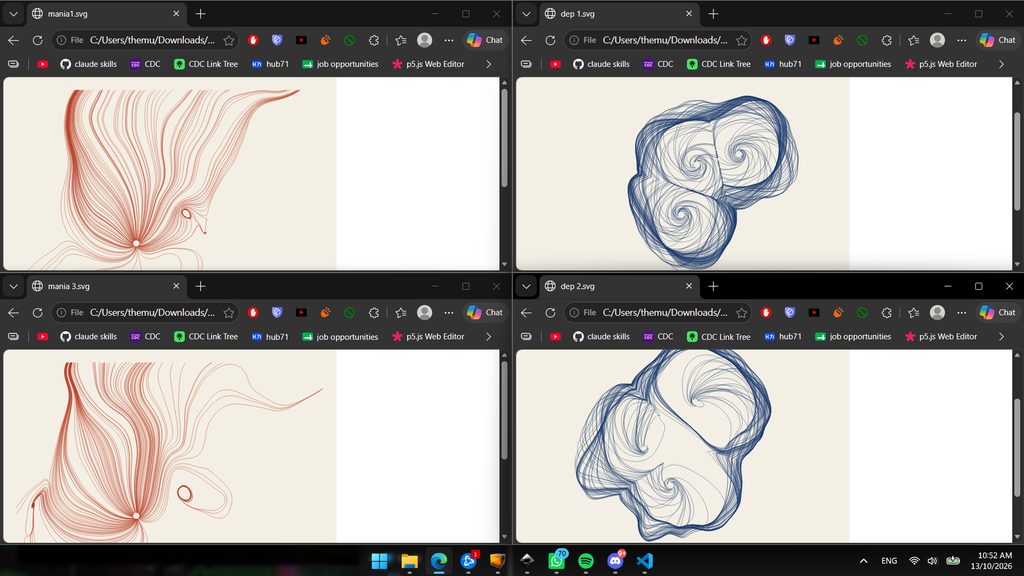
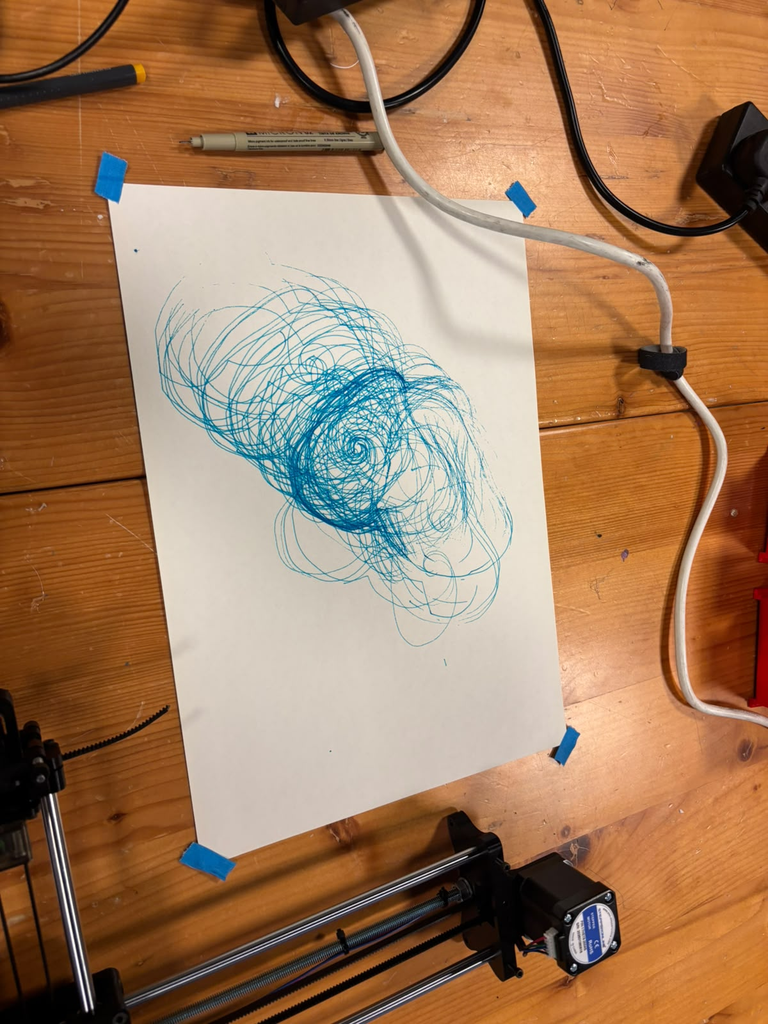
This drawing comes from the earlier line system that I will show below. The blue lines circle three centres and pile up against a wall they cannot pass. The orange lines wrap around the same knot. Where the two inks cross, the paper turns a deep green. The overlap gives a colour that neither pen carries alone.
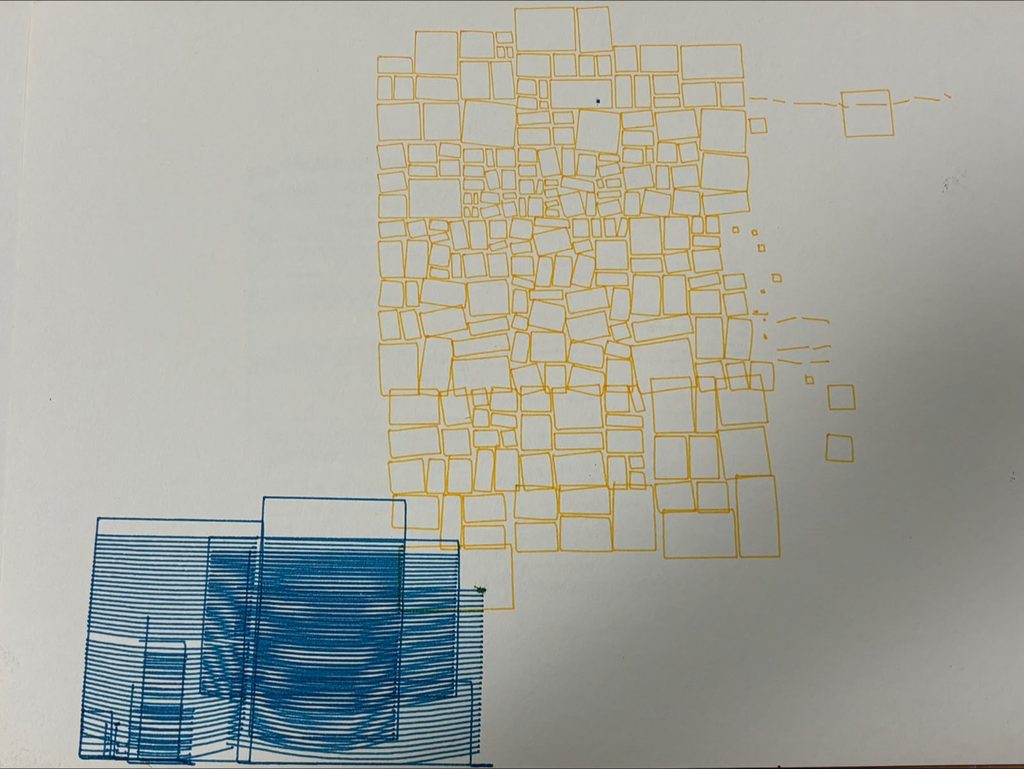
This sheet keeps the two moods apart and utilizes negative space. Orange tiles shatter into smaller pieces in the upper right, and a few loose fragments drift toward the edge. The blue blocks sink into the lower left corner and run off the paper. Their hatching stacks into a dark, heavy mass. Most of the sheet stays blank, and the empty paper holds the quiet of the depressive state.
The color and texture of the paper is very intentional, I wanted to convey the complexity of a brain mood state through a grainy texture and an atypical off-white color for the paper.
The papers are also uncut to convey the manic state of starting something you’re really drawn to and stopping mid-way as you fade from the manic state to the depressive state, hence a step against perfecting the drawing by not adding last touches like cutting the papers and getting rid of the points where the pen drops at the beginning of the sketch.
From the feedback: This piece gives a feeling of discomfort, which is conceptually what I wanted to convey. Discomfort comes from something you don’t fully understand and you’re not fully familiar with, this encapsulates my concept as every mixed state is exactly the confusion a person with bipolar feels. A person with bipolar also can not certainly recognize whether they’re having a depressive or a manic episode, and this introspective clarity is very important to deal with this disorder.
The algorithm’s implementation:
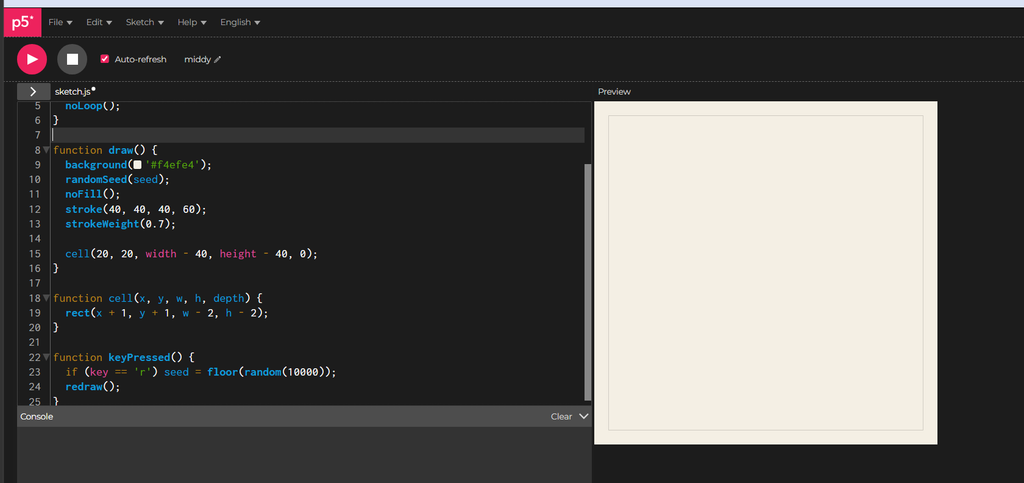
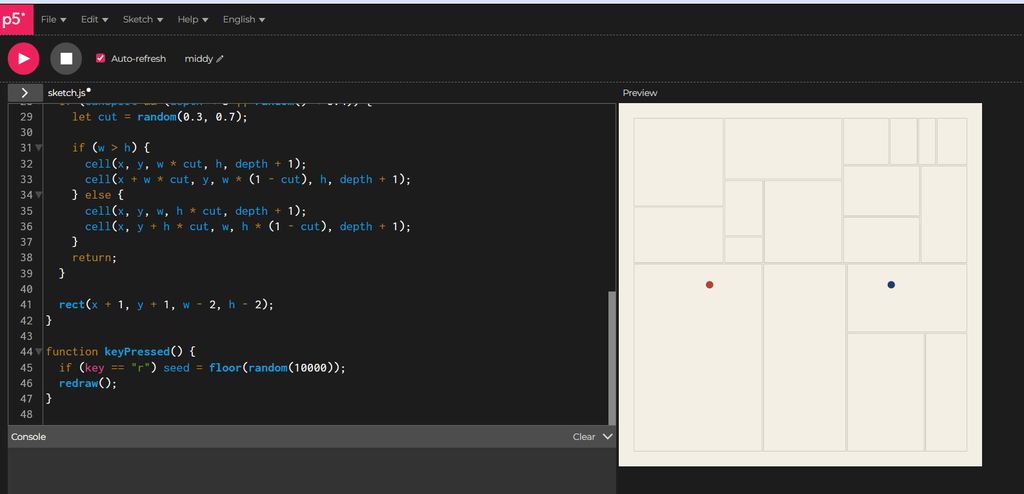
I first started with the skeleton, setting a seed and making the cell function function cell(x, y, w, h, depth) { rect(x + 1, y + 1, w - 2, h - 2); }
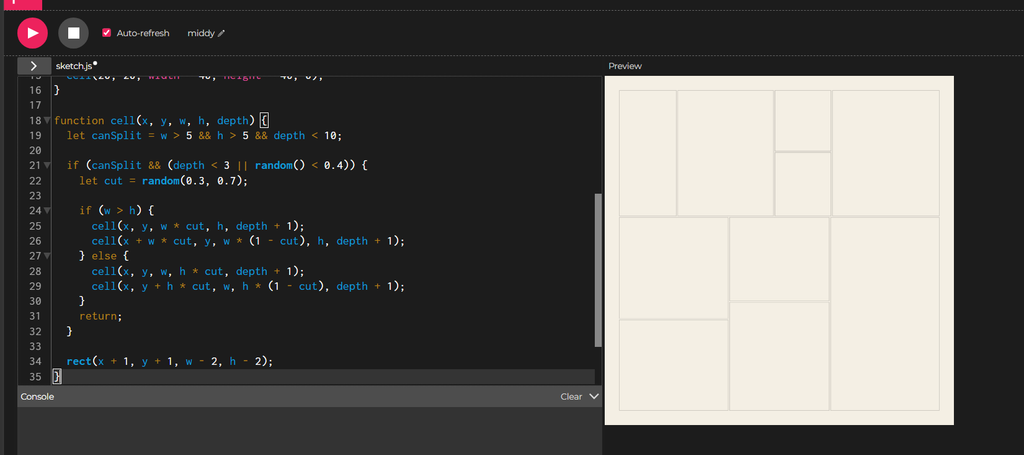
I then implement something called recursive subdivision,I think of the canvas as a sheet of paper that I keep cutting in two. Each piece can get cut again, and the code does this by letting a cell hand its area to two smaller cells.
I set a floor on the size. A piece that gets too small stops splitting. I also cap how many rounds of cutting can happen. These two rules give the process an end.
Early on, I force the cutting. The first few (3) rounds always cut, which gives me a handful of pieces to start with and keeps the page from staying one big box. After that, each piece flips a weighted coin and splits about four times in ten. Some areas keep breaking into smaller pieces while others stay whole. That difference gives the image its uneven texture.
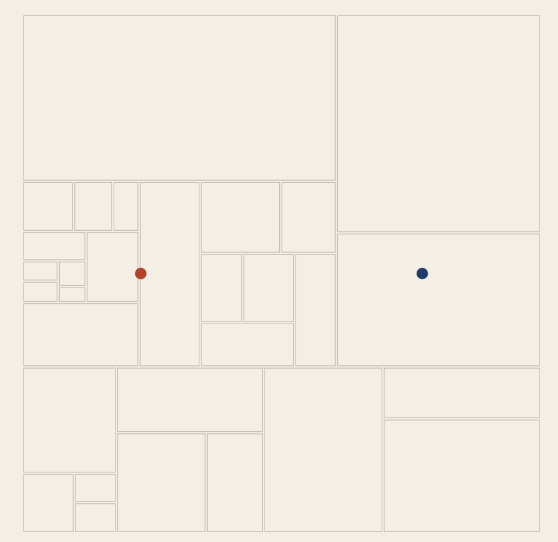
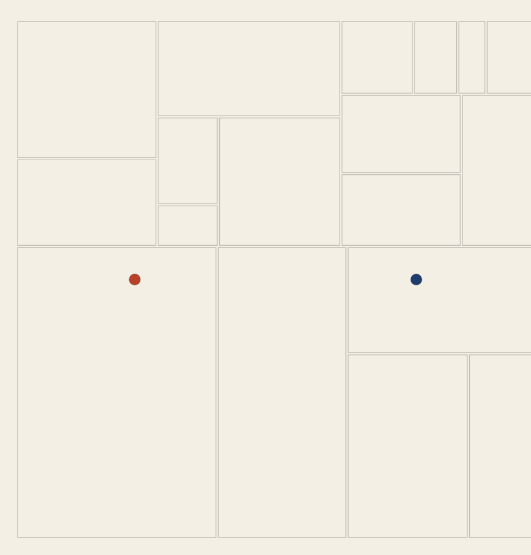
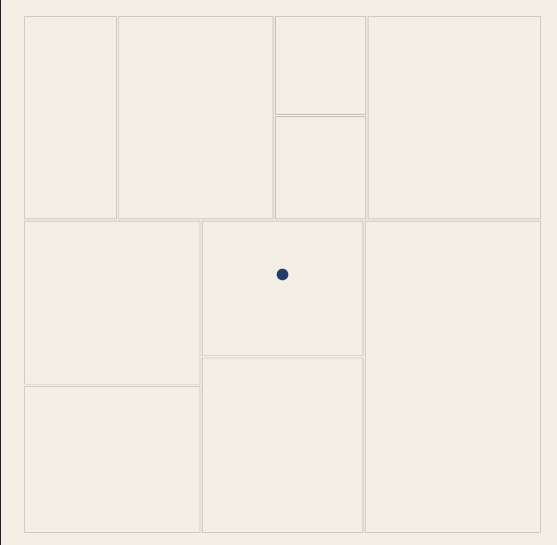
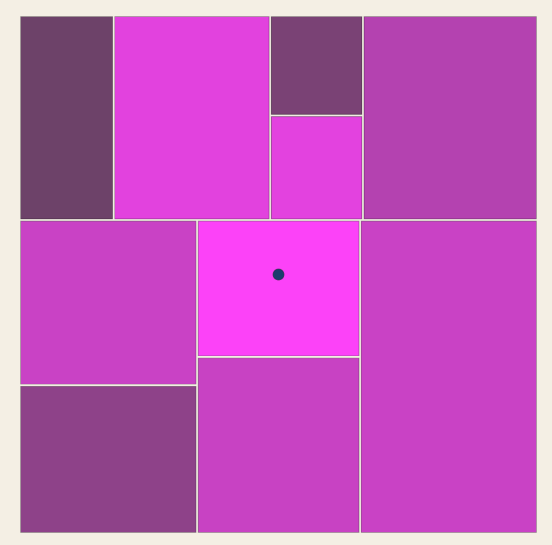
I imagine two invisible sources of emotion on the canvas. One is mania and the other is depression. Each source is a single point, and the rest of the piece will react to how close each cell sits to those points.
I place mania on the left and depression on the right, both halfway down the page.
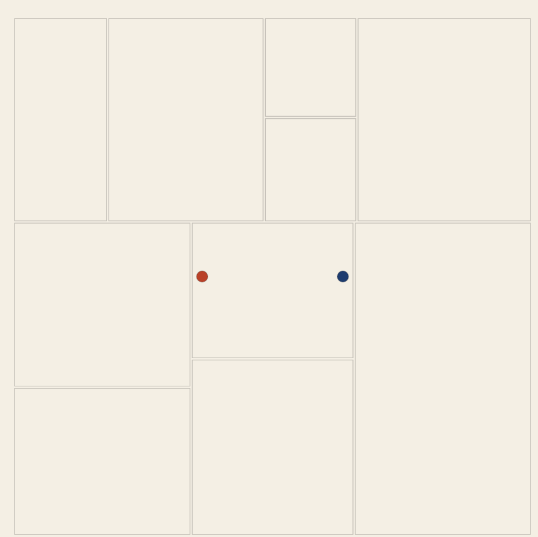
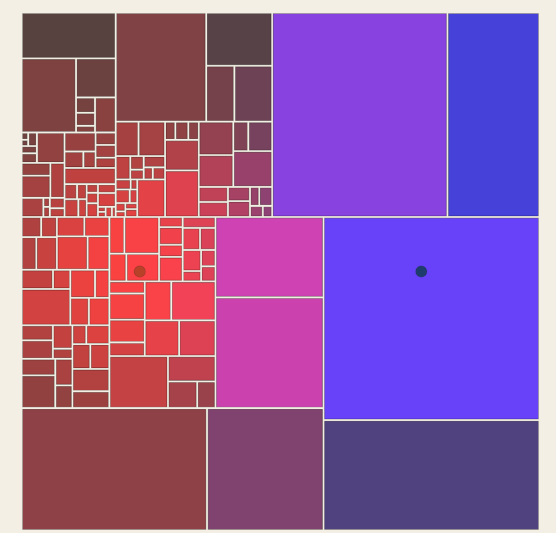
The two dots are scaffolding. They make the invisible centers visible while I build, and I delete them later. The red-orange and the blue are the same colors the finished piece uses for the two emotions.
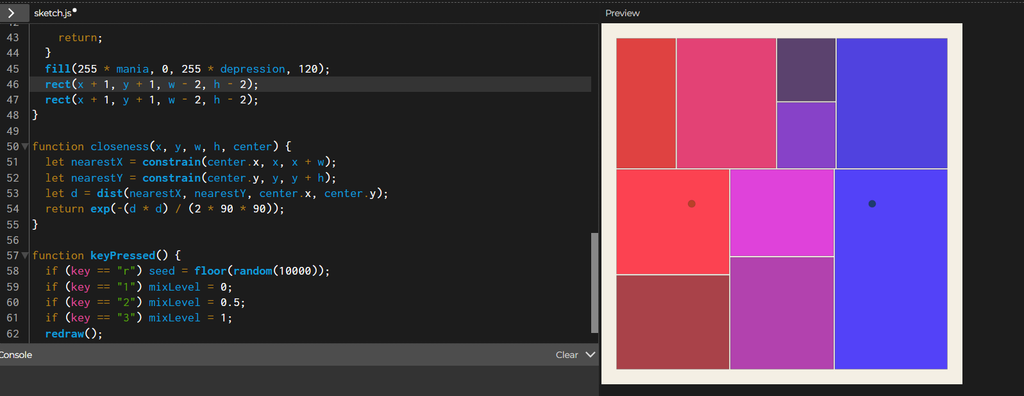
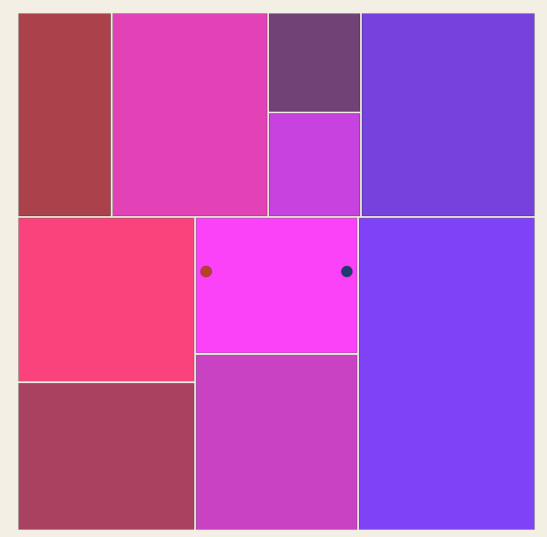
Then I add some code to control where the points are based on 1,2,3 inputs.
I want every cell to know how much of each emotion reaches it. The function closeness answers that with a number between 0 and 1. A cell sitting right on a center scores 1, and a cell far away scores close to 0.
function closeness(x, y, w, h, center) {
let nearestX = constrain(center.x, x, x + w);
let nearestY = constrain(center.y, y, y + h);
let d = dist(nearestX, nearestY, center.x, center.y);
return exp(-(d * d) / (2 * 90 * 90));
}
(AI disclosure: this I didn’t know how to write this function so AI helped me here, thanks Claude!)
The first two lines find the point inside the cell that sits nearest to the center. A cell that contains the center gets that very point back, and a cell elsewhere gets the closest spot on its edge. Measuring from the nearest point treats big cells fairly. A big cell that touches the center feels the full emotion, even when the middle of that cell lies far from it.
The last line turns the distance into a score. Zero distance gives 1, and the score falls away smoothly as the distance grows, along a bell curve. The 90 sets how wide the bell is. A larger number spreads each emotion across more of the canvas, and a smaller number squeezes it into a tight area around the center.
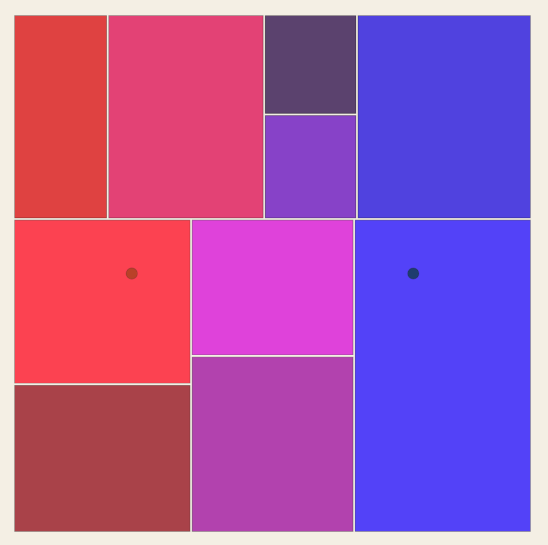
The fill is temporary. Red grows with mania and blue grows with depression. I delete this fill when the real styling arrives.
Then I make the split based on this:
let maniaWins = mania > depression;
let splitChance = 0.4 - depression * 0.4;
if (maniaWins) splitChance = 0.4 + mania * 0.6;
if (canSplit && (depth < 3 || random() < splitChance)) {
Now I remove the fill and add this instead:
if (depression > 0.35) {
stroke(30, 60, 110, 170);
rect(x + 1, y + 1, w - 2, h - 2);
} else if (mania > 0.2) {
stroke(185, 65, 40, 180);
rect(x + 1, y + 1, w - 2, h - 2);
} else {
stroke(40, 40, 40, 60);
rect(x + 1, y + 1, w - 2, h - 2);
}
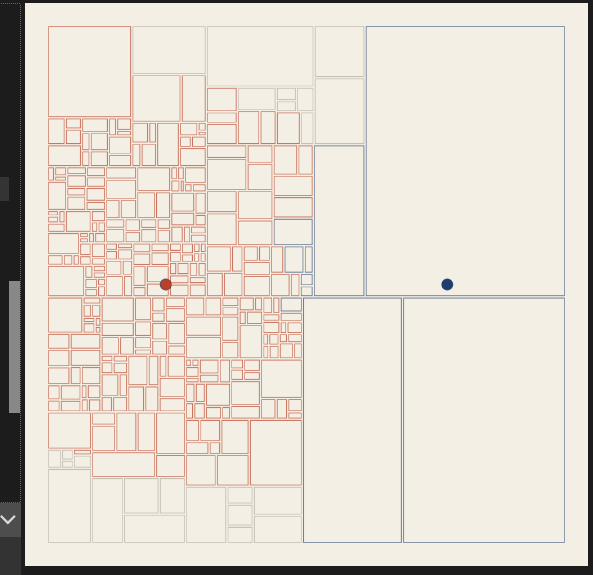
The checks run in order, and the first one that passes decides the style. Depression comes first. A cell that feels depression above 0.35 gets a blue outline. A cell that fails that check moves on to the next one, where mania above 0.2 gives it a red-orange outline. A cell that feels neither strongly enough keeps a faint gray outline.
} else if (mania > 0.2) {
restless(x, y, w, h, mania);
} else {
function restless(x, y, w, h, energy) {
stroke(185, 65, 40, 180);
push();
translate(x + w / 2, y + h / 2);
rotate(random(-1, 1) * energy * 0.4);
rectMode(CENTER);
rect(0, 0, w - 2, h - 2);
pop();
}
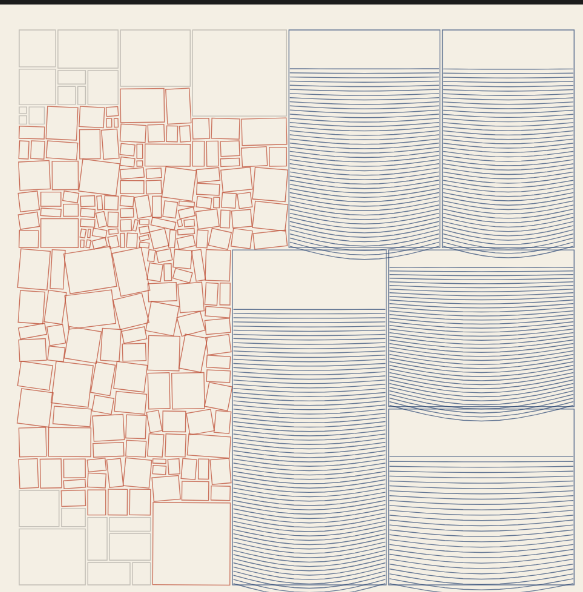
Each blue cell becomes a container that fills from the bottom, like liquid settling. The depression score decides how full it gets. A higher score gives a taller fill, tighter lines and a deeper sag.
The lines start at the bottom and climb. Each one bows downward in the middle. The function sin(t * PI) is 0 at both ends and 1 in the center, and y grows downward on the canvas, so adding it pulls the middle of the line down. The bend shrinks as the lines climb. The lowest lines carry the most weight and sag deepest, and the top lines sit almost flat.
Scrapped concepts:
This like failed hard when I tried to draw it.
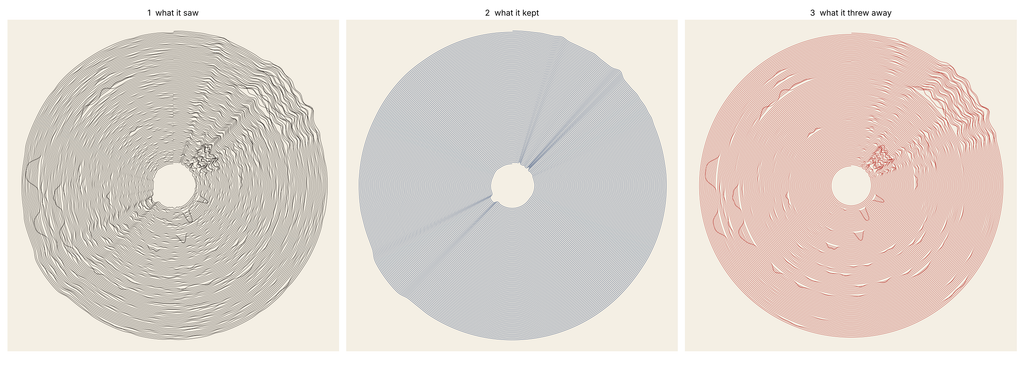
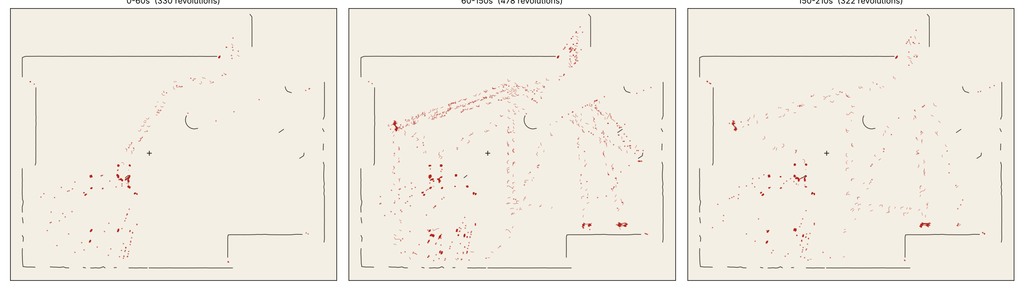
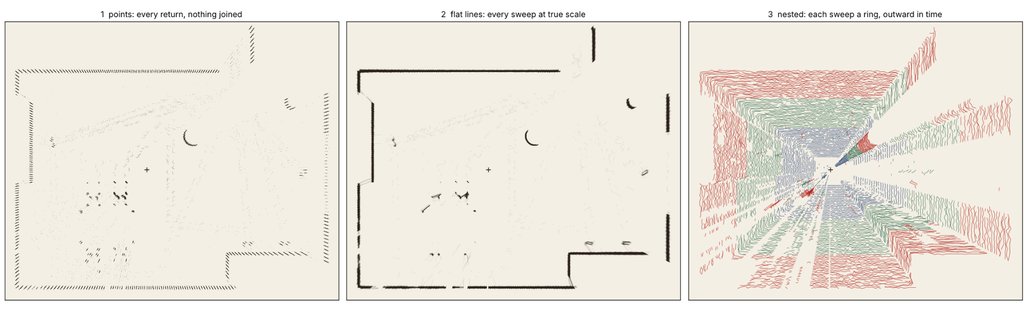
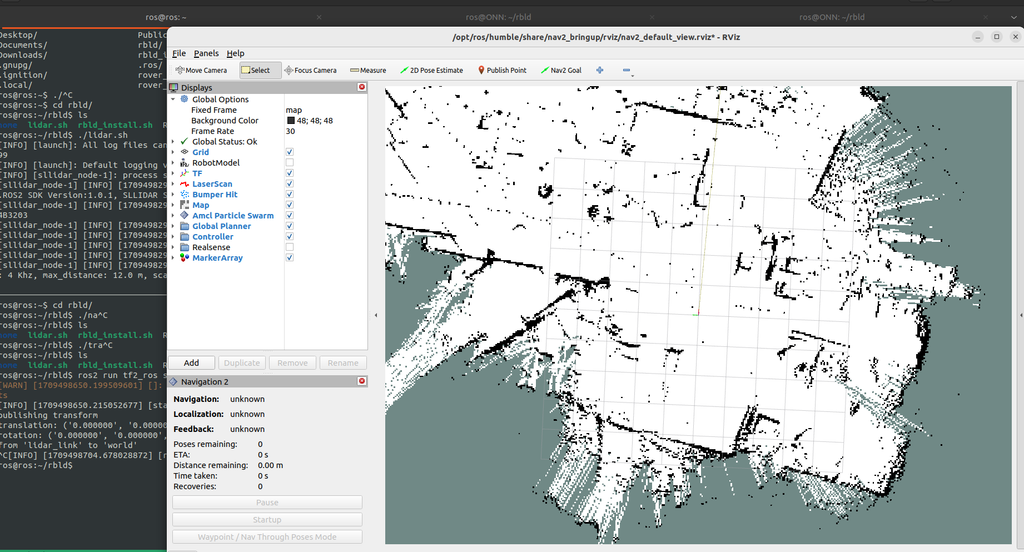
2. The first direction for this project came from a LIDAR sensor. In my robotics research, my hand once entered the sensor’s field, and the screen showed it as a loose cluster of points. The points of my hand looked the same as the points of the wall behind it. I planned to turn that moment into drawings. A robot maps a room by keeping whatever stays still and discarding whatever moves, and the people in the room become noise in that map. The drawings separated the room the robot keeps from the bodies it throws away. A second machine, the pen plotter, drew both layers with the same indifferent line. The idea built on Deborah Lupton’s argument that data represents bodies in “very limited, impoverished ways” from the book The Quantified Self.
3) I wanted to map music into something. I just didn’t do anything for this idea just scrapped it fully.
4) I didn’t know how to build upon Dichotomy so I tried this
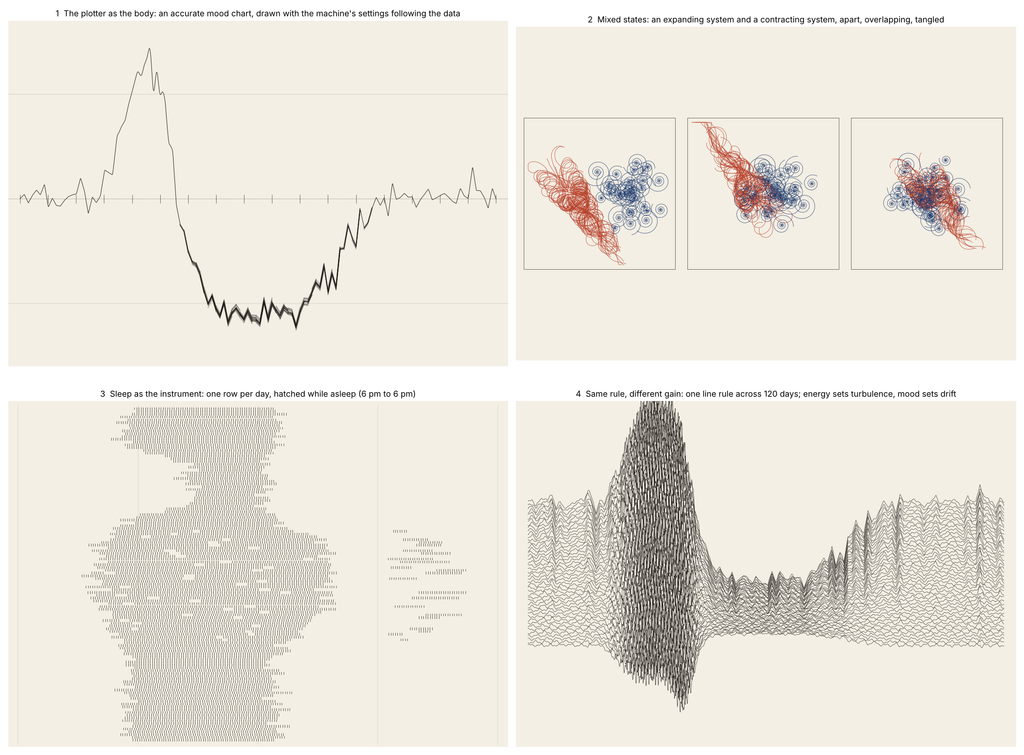
I took the idea of mixed states and turned it into Geometry. Here’s my Gcode and my SVGs
Here are also some scrapped implementations
also here’s a failed attempt
Here are some other random attempts as well for random things:
critical reflection on how the pen plotter shaped the final work.:
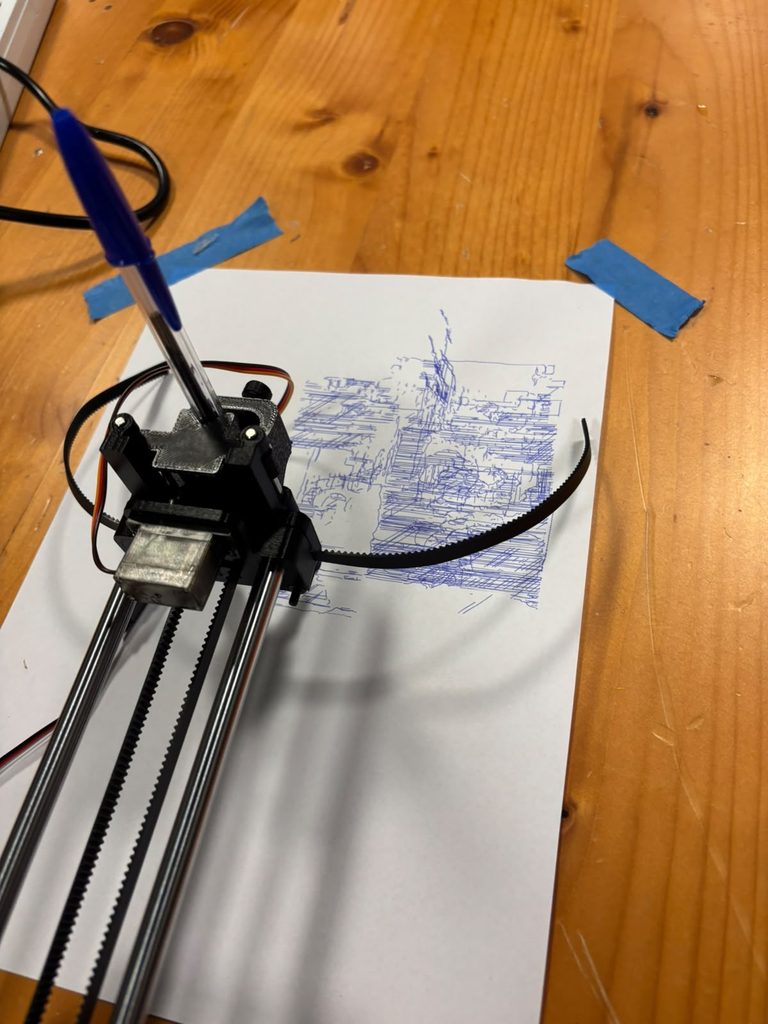
The plotter changed this work more than any line of code did. On screen, the lines were see-through and the blocks looked light. Every pass puts down full ink, and the blocks on paper came out way heavier than the preview. In the code, the blue hatch lines sat three to six pixels apart. On paper the ink spread into those gaps, and the lines melted into one dark mass. At first I thought I’d messed up. Now I think the heavy blocks fit depression better than my screen version ever did.
I kept the colours from Dichotomy: blue for depression, warm colours for mania. For mania I went with an orange pen. Orange feels restless on white paper, and it stays lighter than the blue. Then the flow field sheet surprised me. Where the orange and blue lines crossed, the inks mixed into a deep green. The mixed state made its own colour on the paper, and I never coded any green.
Each mood saves as its own SVG layer, and the plotter draws one layer per pen. I swapped the pens by hand in between. The second layer didn’t land in exactly the same spot as the first. On the tangled sheet, the orange dashes spill a few millimetres past the left edge of the blue blocks. In the code every dash stays inside its block, and the shift came from the machine and the paper. I left it in. The restless marks escape the heavy blocks, and honestly the image is better for it.
Layering shaped the empty parts too. The grey cells in the neutral zone only showed up on screen. The export skipped them, and on paper that whole area went blank. On the apart sheet, blank paper takes up most of the page. I didn’t plan that space. Now it holds the quiet of depression.
The paper and pens left their own traces. You can see small ink blots where the pen paused at the start of a line. On the apart sheet the drawing sat low on the page, and the blue blocks run off the bottom edge. The weight sinks right out of the frame.
The plotter also showed me where the system falls short. The hatching ate up most of the plotting time. On the tangled sheet the orange covers a lot of the blue, and the heavy blocks lose their shape. Next time I want wider hatch spacing and fewer cracks on the tangled sheet. The screen preview hid all of this. The first plot on paper showed it right away.
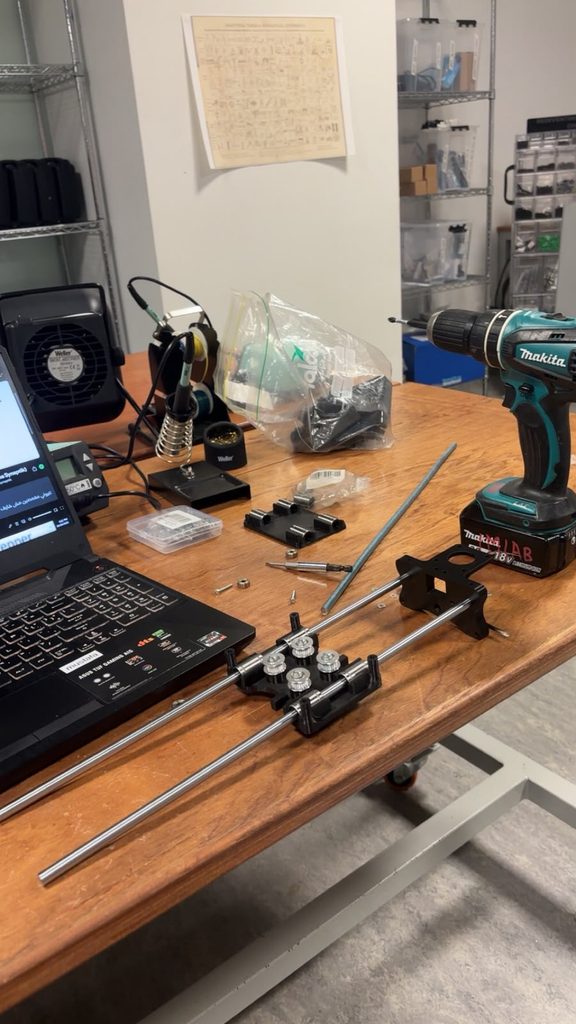
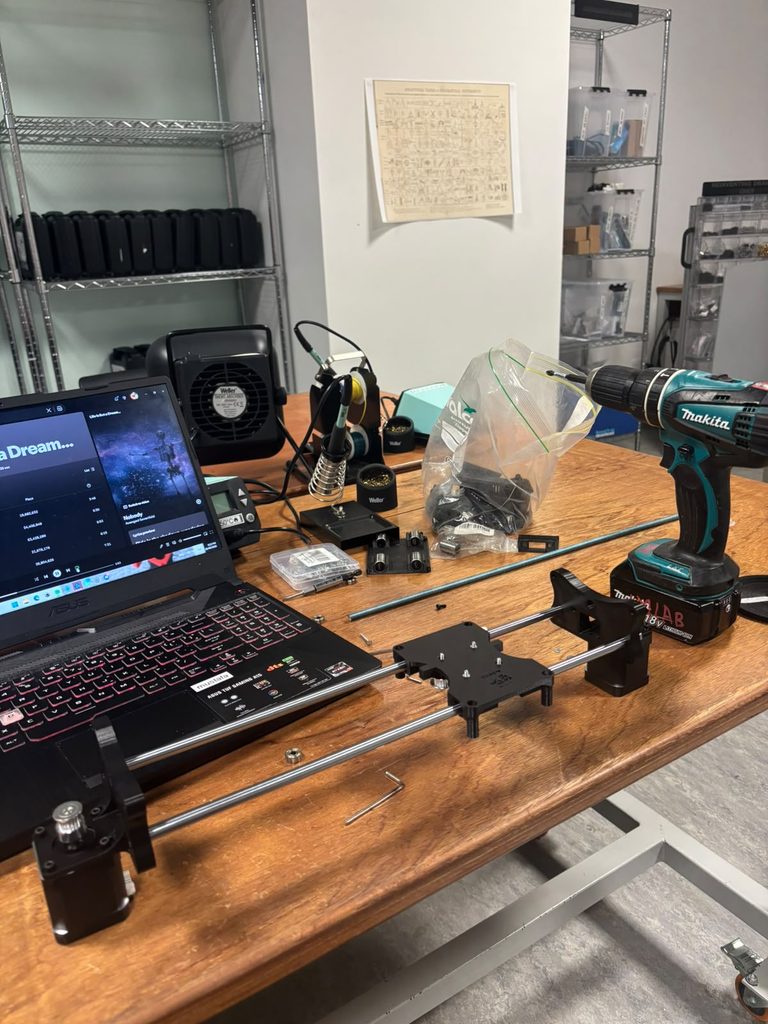
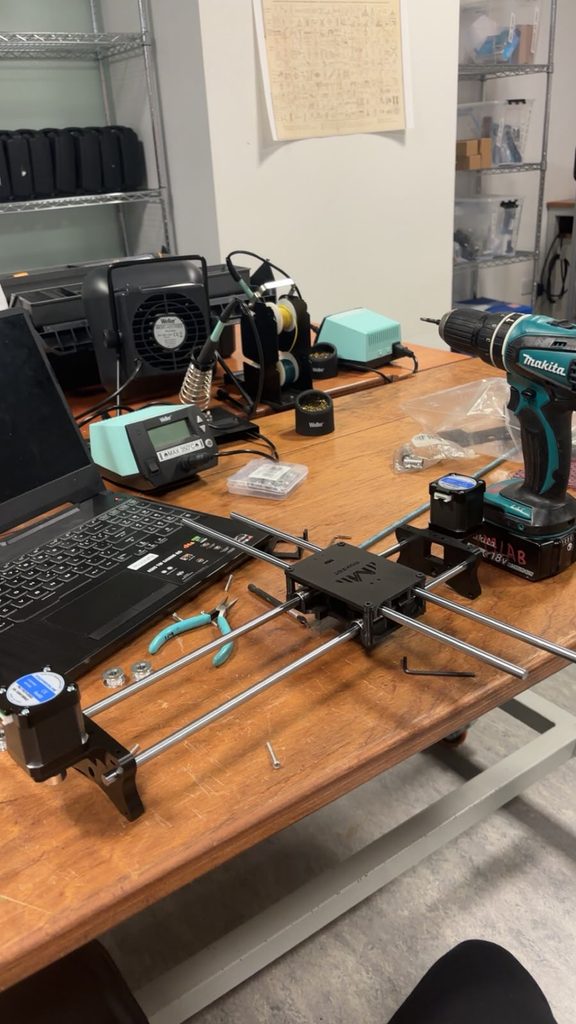
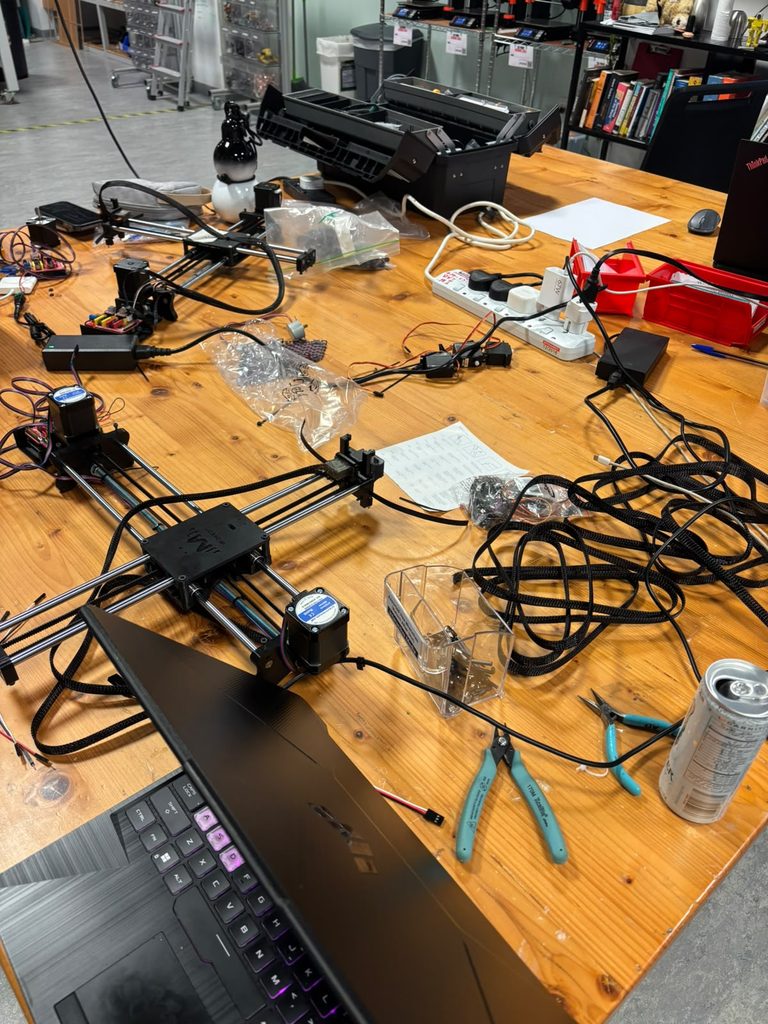
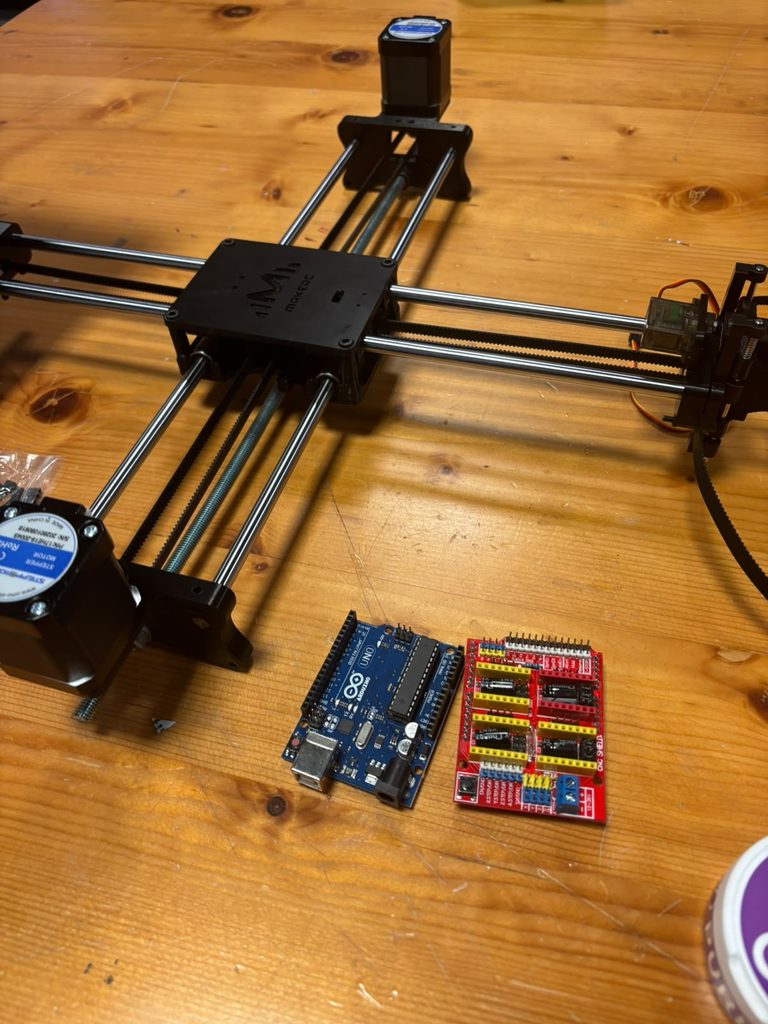
Genuinely speaking though, I have learned A LOT while doing this. The best skill I’ve learned is identifying sizes of like screws and wrenches much better than before just by seeing them.
The assembly process also gave me good senses to when we should brute force thnigs with a mallet for example and when we have to be gentle and actually screw things in lol.
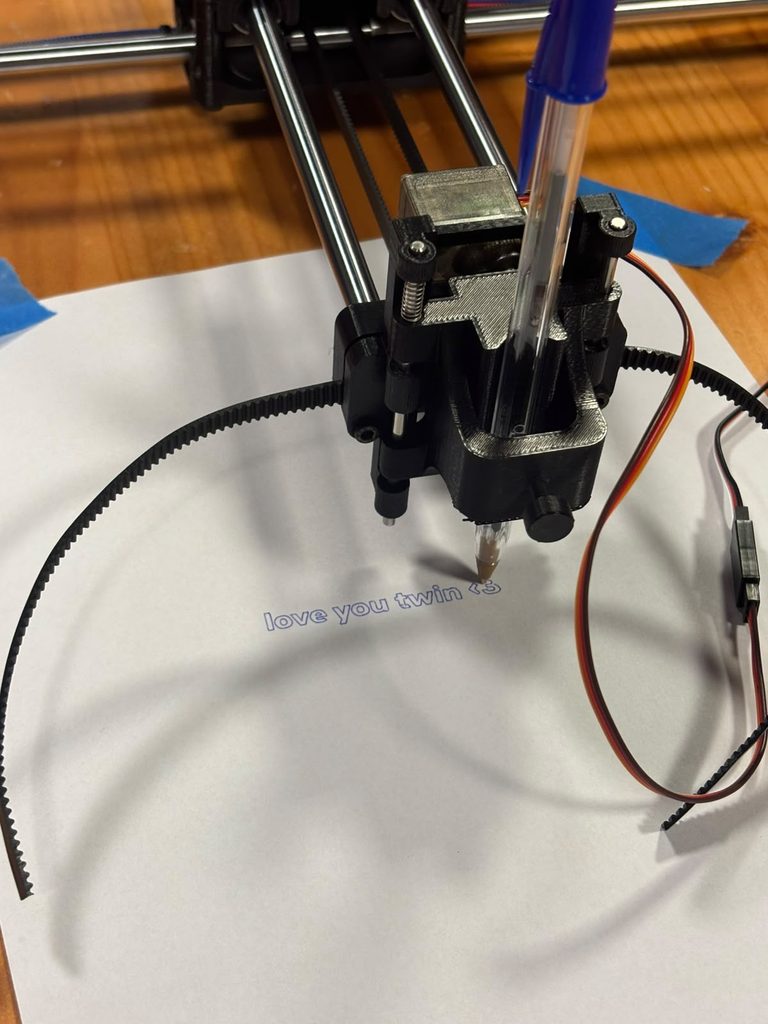
The hardest part about all of this was the belt, undoubtedly. it was so hard I couldnt have done it without the professor. So thank you prof Jack!
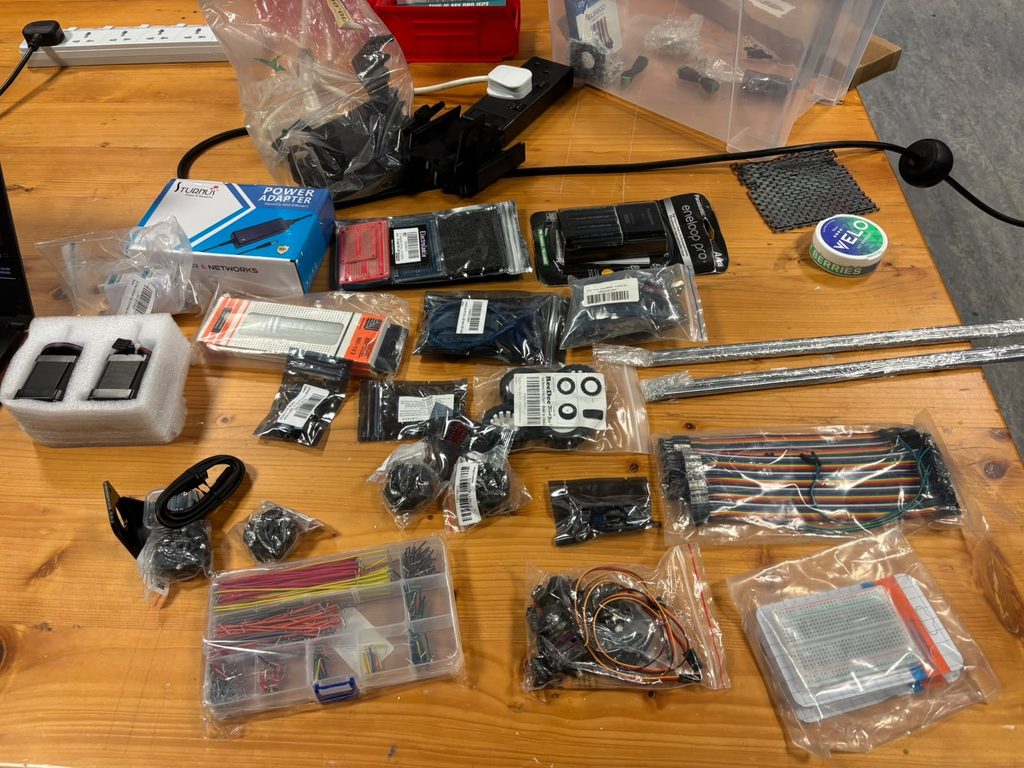
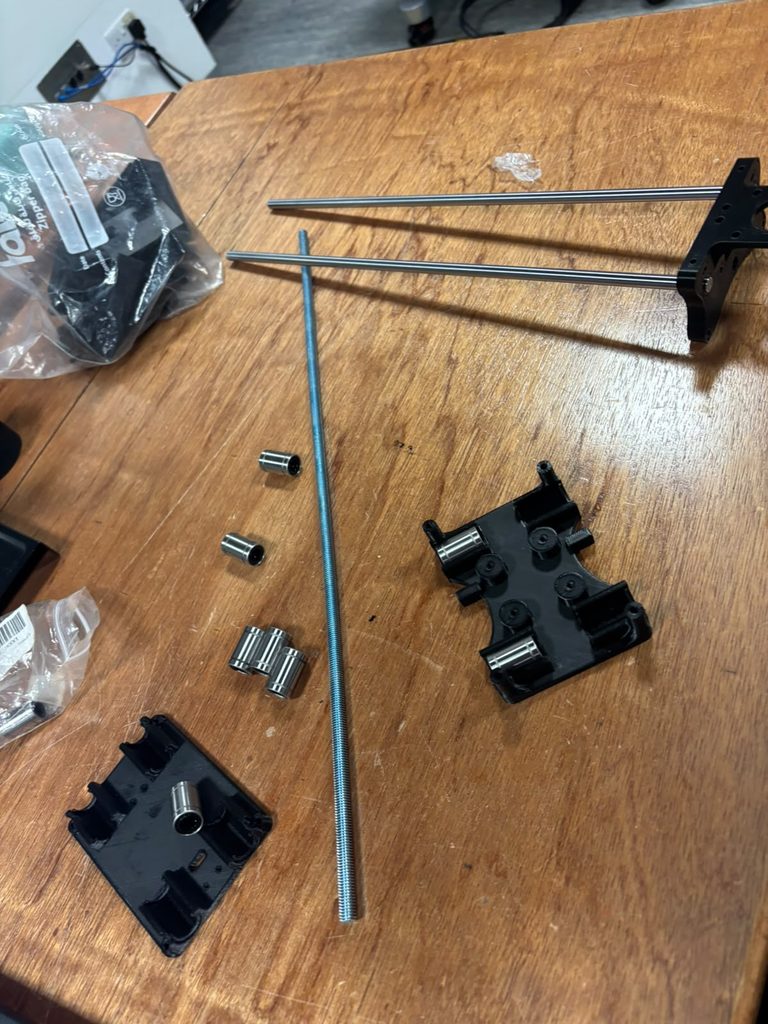
Debugging random issues was fun too, like steppers not working, not finding M8 nuts, metal rod being too long I had to saw it, not finding the right length dowels, 3D printed parts had supports inside of screw holes, figuring out which stepper motor horn we should use, everything was but apart from the belt.
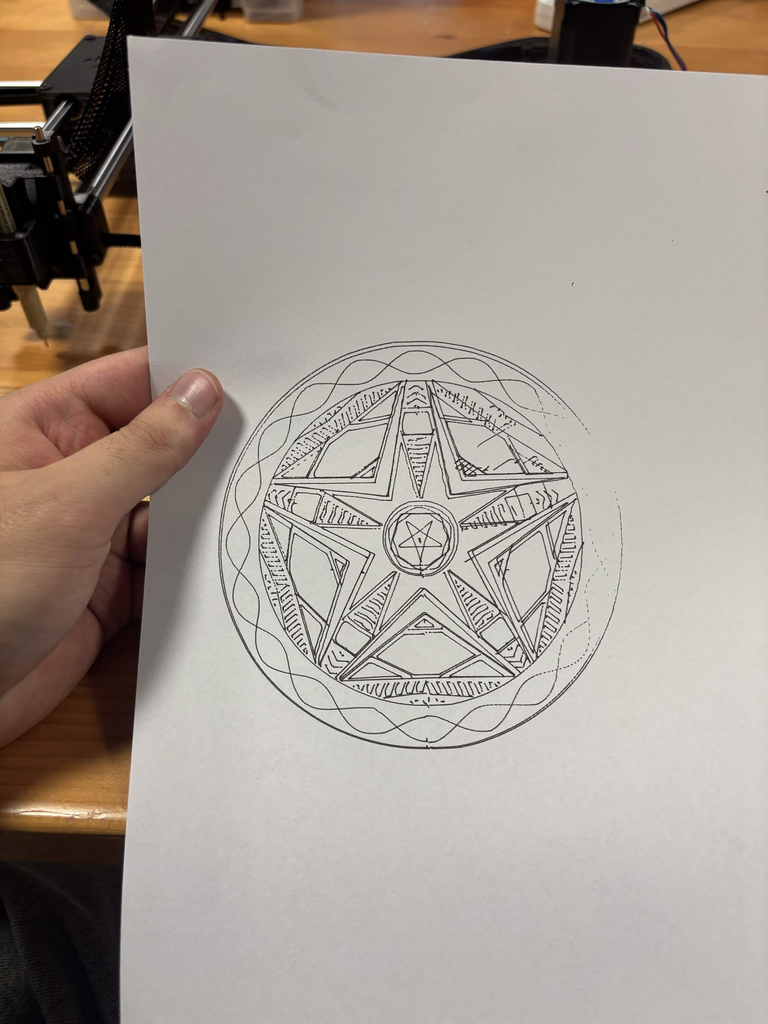
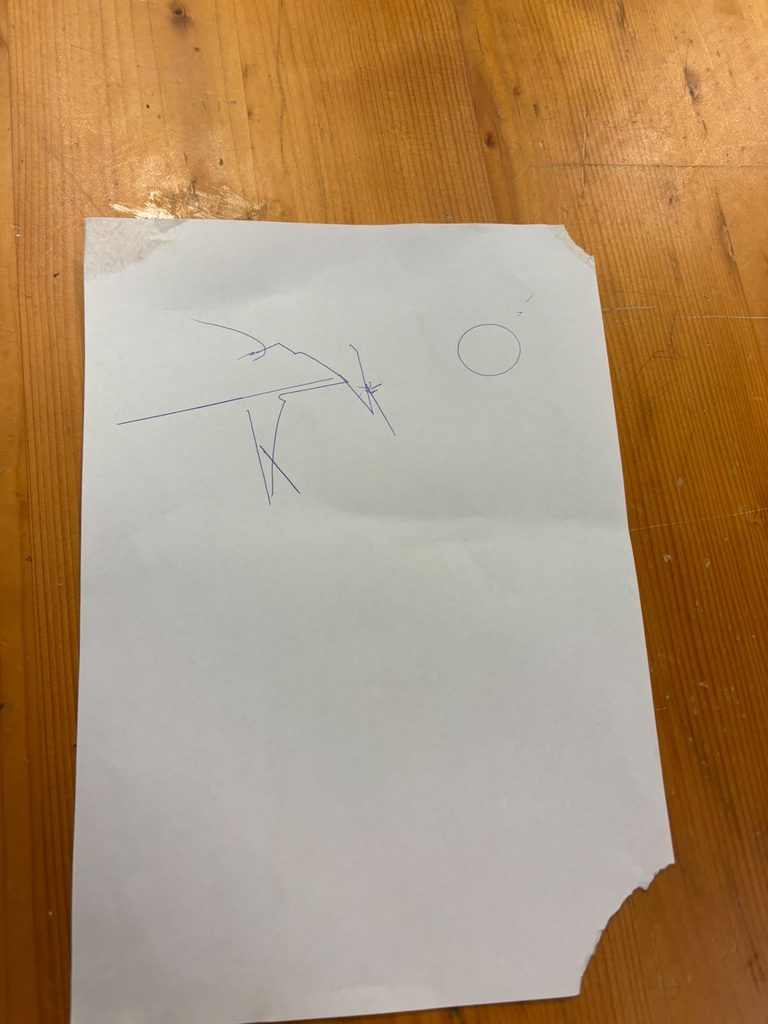
Here are some outputs and the process! (for now thats all I have I don’t have time to draw more lol sorry)
special thanks to the peer tutor Zaid (CS) and my frend Abbad Shazly (Mechanical Engineer) for their immense help! (zso211 & ahs9048)
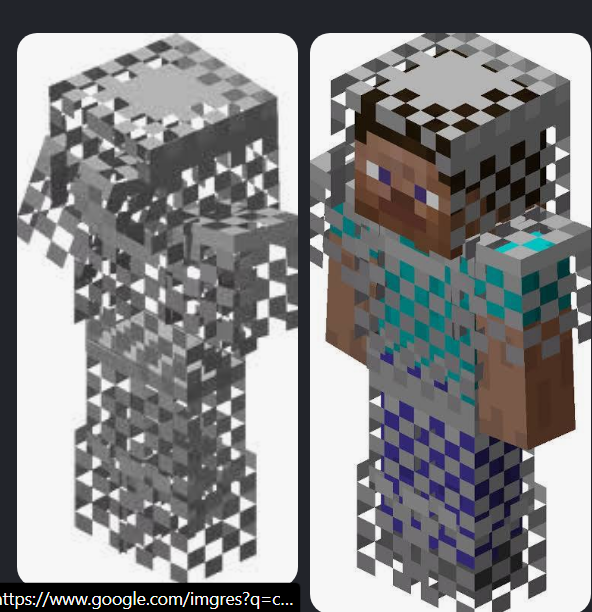
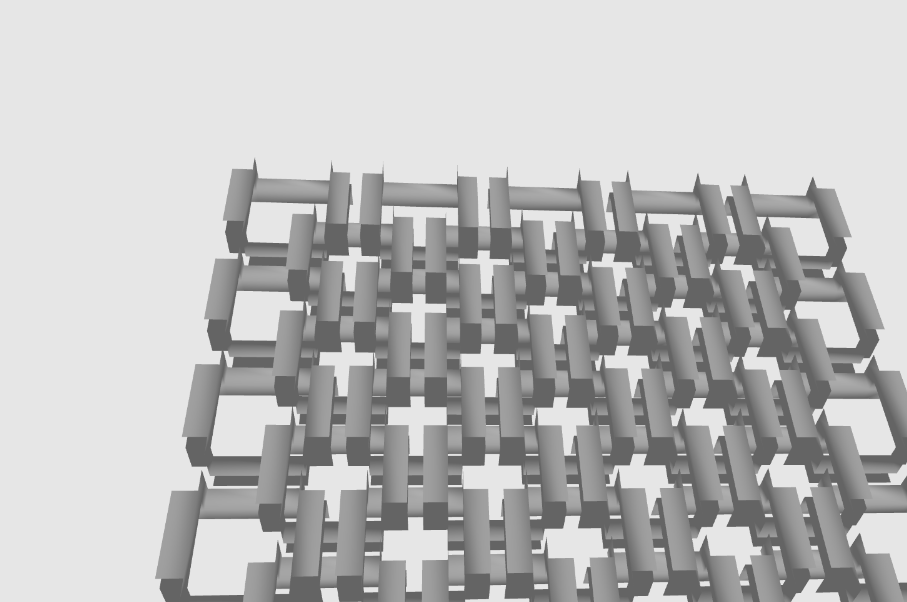
So who wasn’t heard of the infamous Chainmail armor for minecraft.
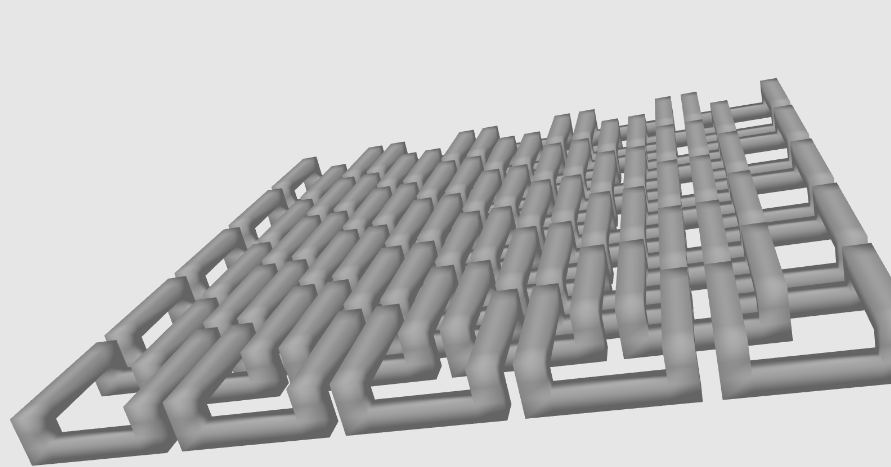
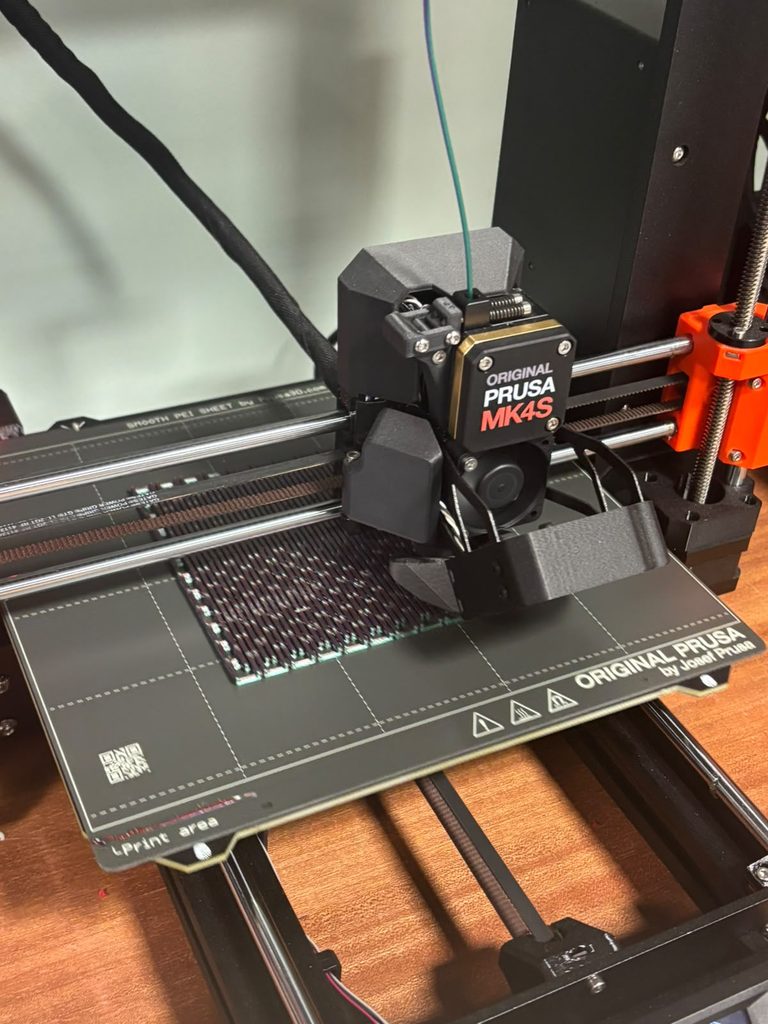
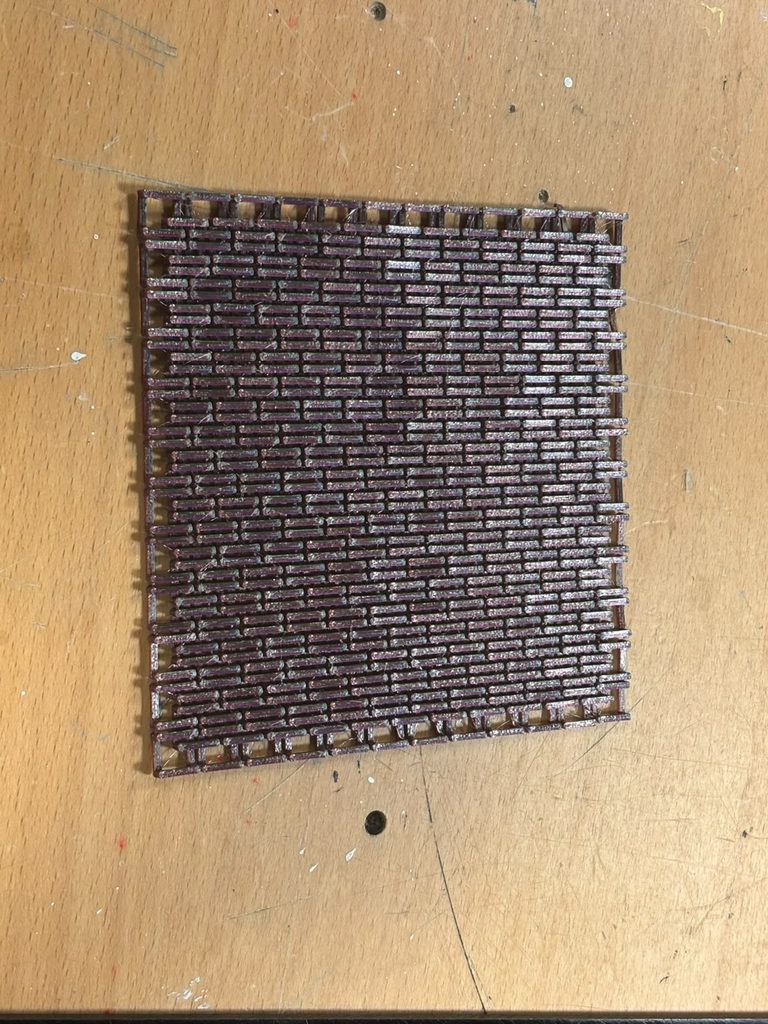
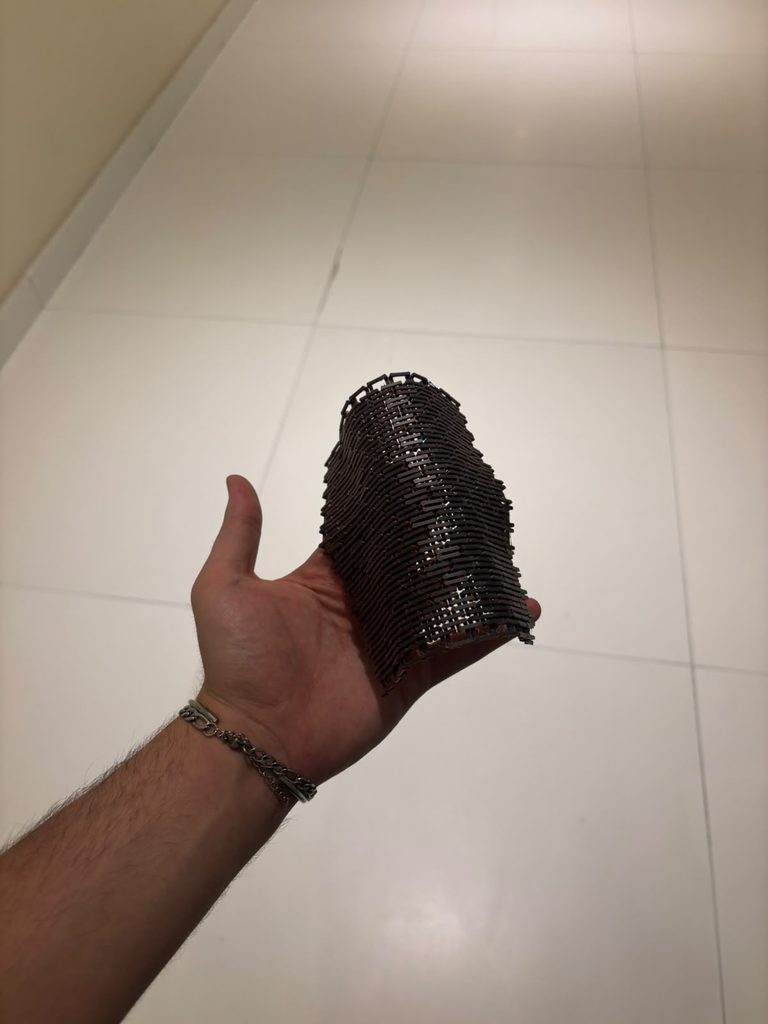
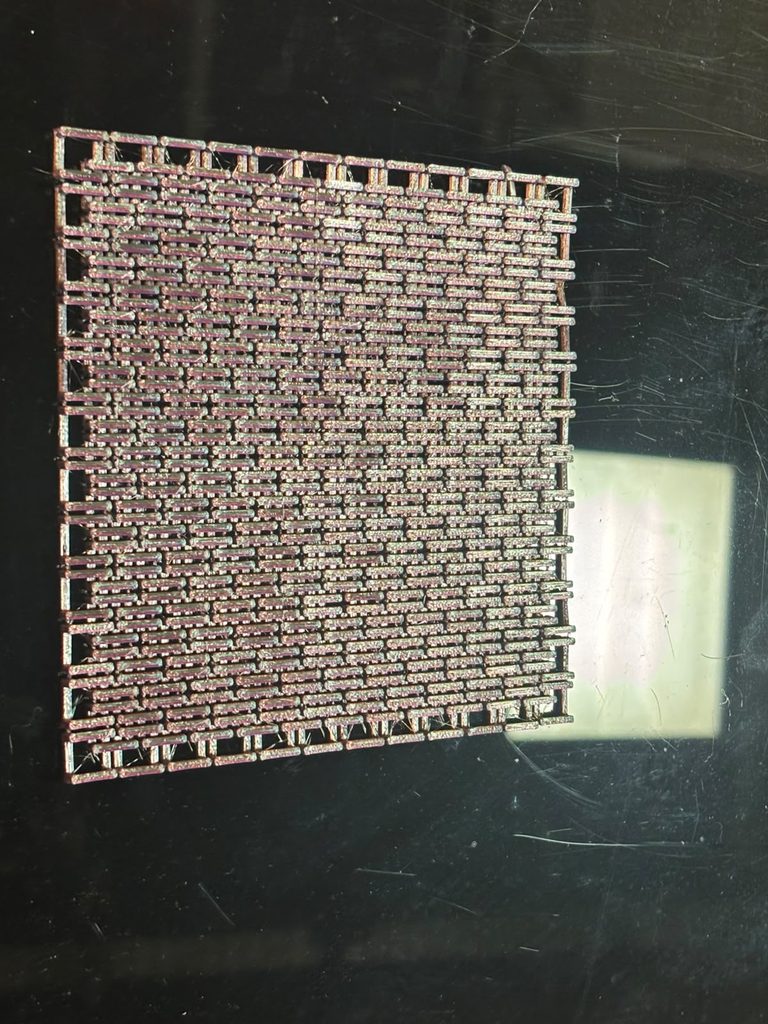
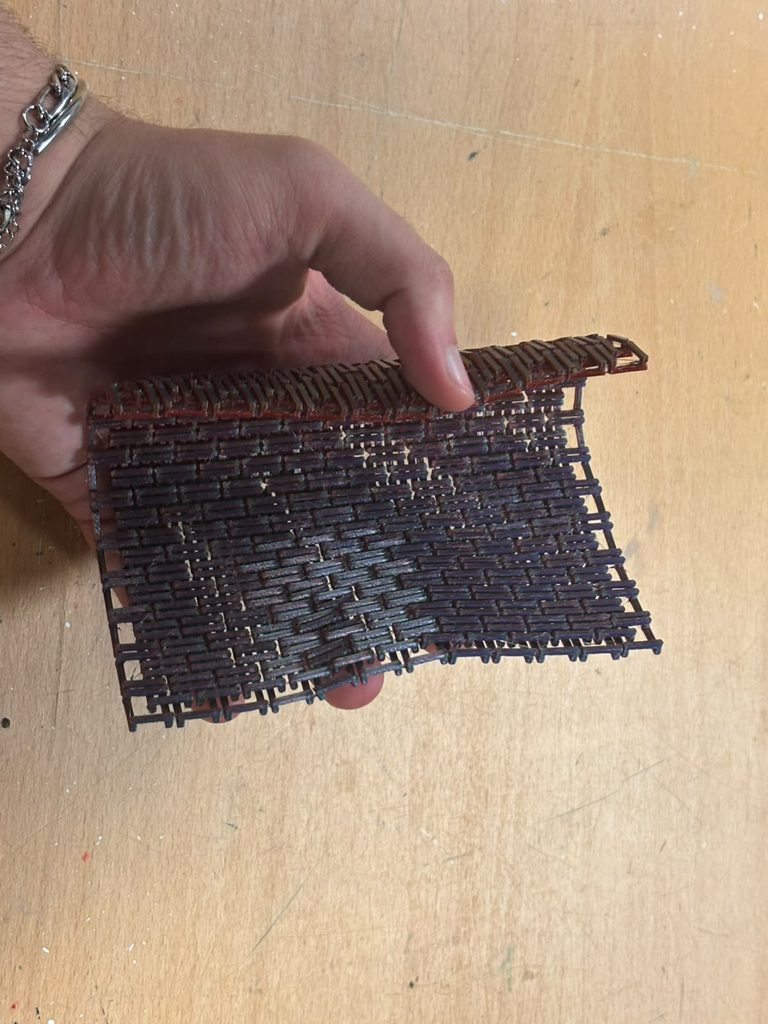
I’ve always hated and loved this thing, it was a very rare arnour created by getting the unobtainable fire object but then the recipe was removed from the game but the armour wasn’t. I wanted to create something that looked like it and based on the algorithmic design of chains linking together I knew it was able to be coded and procedurally generated. I also recently looked into the idea of making flexible things from rigid objects. This interest came from an idea the professor showed us in class called Kerf Bending. So, here’s my attempt to make a plane out of PLA that is supposed to be rigid but is not flexible because of certain algorithmic cuts. I won’t spoil, final results are at the end of the page.
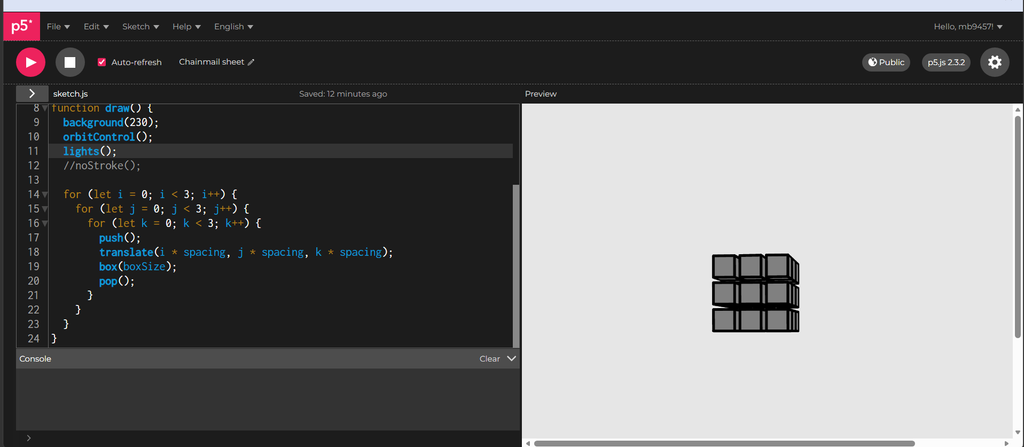
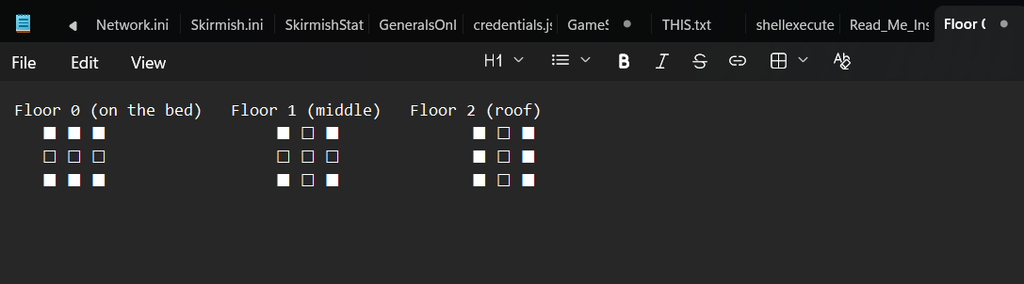
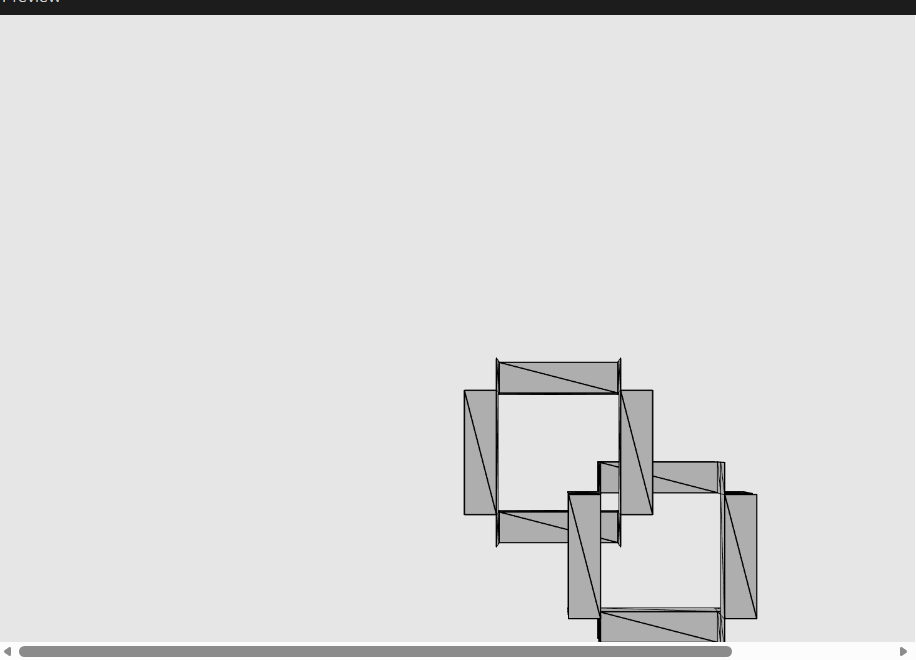
I started with a basic 3x3x3 cube because that’s how you craft in minecraft. JK. it’s actually needed so I can have control on each specific bit of a chain
Now I wrote a function that is basically the rule that decides which of the 27 positions should exist and which should be empty. This is the part that turns a solid cube into a hollow picture-frame shape.
function isVoxelSolid(i, j, k) {
  let sideX = i !== 1;
  let sideY = j !== 1;

  if (sideX && sideY) {
    return true;
  }
  if (sideY && k === 0) {
    return true;
  }
  if (sideX && k === 2) {
    return true;
  }
  return false;
}
sideX && sideY ->solid. If you’re on an edge column and an edge row (so one of the 4 corners: (0,0), (0,2), (2,0), (2,2), at any height k), you’re a corner post. Corner posts are solid at every height that’s why there’s no k condition here; they run the full height of the link, connecting the low bars to the high bars.
sideY && k === 0 ->solid. If you’re on an edge row (top or bottom) but in the middle column (i === 1), and you’re at the bottom layer (k === 0) you’re part of a low horizontal bar running left-right.
sideX && k === 2 ->solid. Same idea rotated: edge column, middle row, top layer, a high bar running front-back.
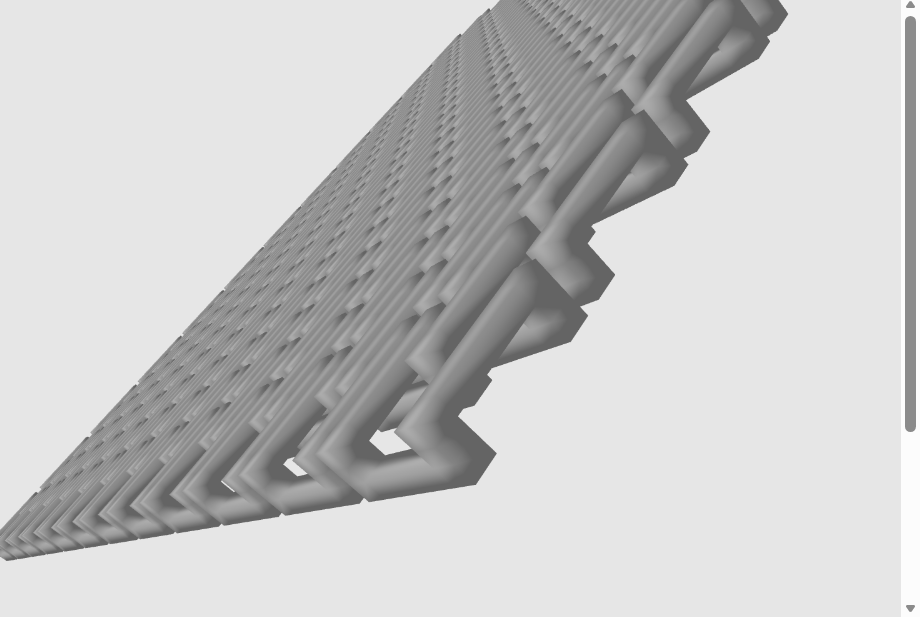
Anything else including the very center (1,1,anything) and the middle layer (anything,anything,1) when not covered above is empty. The empty middle layer at k=1 is deliberately the air gap: it’s where a neighboring link’s high bar will later pass through this link’s low bar without touching it.
in other words:
Rule 1: corners are filled on every floor. Those are four pillars standing at the corners of the square, running from the bed to the roof.
Rule 2: on the ground floor, the front and back rows are filled. That gives two bars lying flat on the bed, running left to right between the pillars.
Rule 3: on the roof, the left and right columns are filled. That gives two bars across the top, running front to back and resting on the pillars like little bridges.
Rule 4: everything else is empty. The center is empty on every floor, and that’s the hole of the ring. The middle floor is empty except for the pillars, and that’s the air gap.
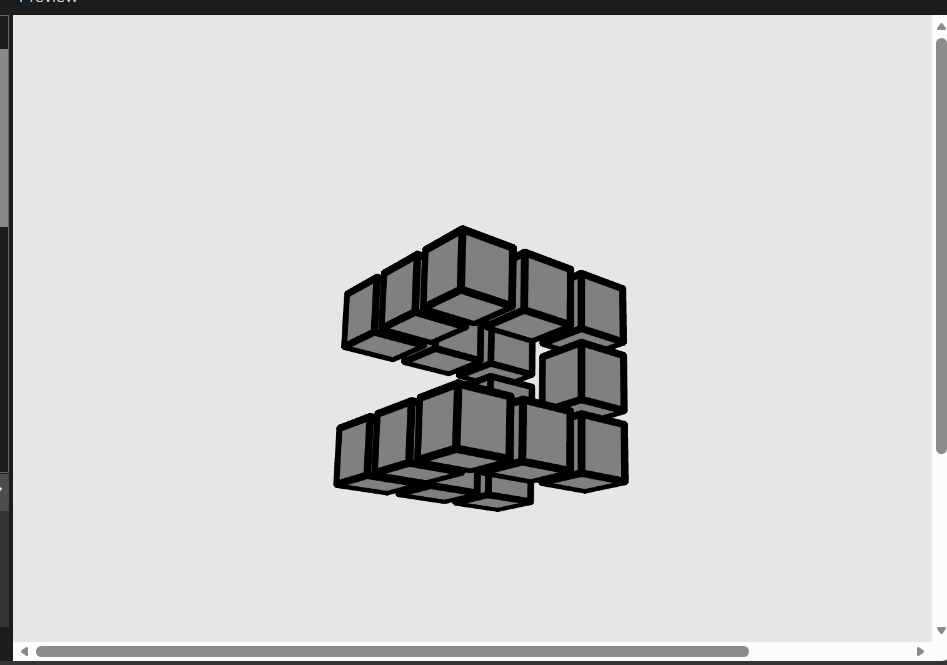
Then I applied this checker to each of the cubes when drawing them.
  for (let i = 0; i < 3; i++) {
    for (let j = 0; j < 3; j++) {
      for (let k = 0; k < 3; k++) {
        if (isVoxelSolid(i, j, k)) {
          push();
          translate(i * spacing, j * spacing, k * spacing);
          box(boxSize);
          pop();
        }
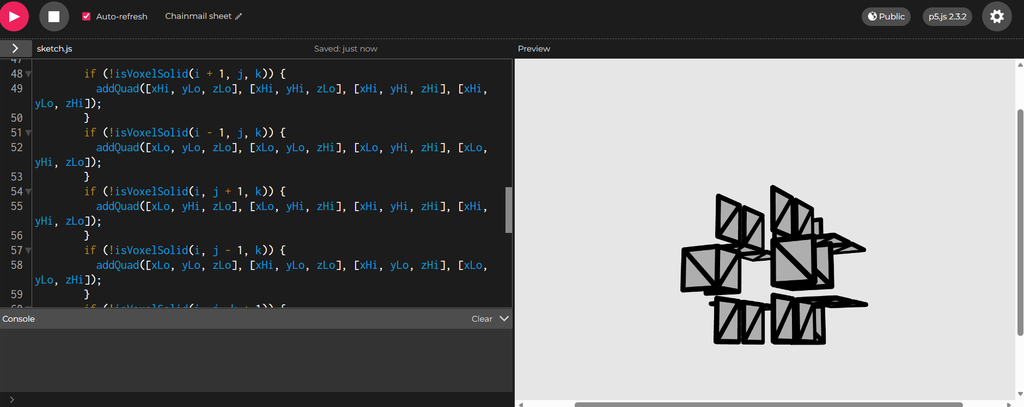
Right now each solid voxel is its own separate box() if you tried to export that as an .obj, you’d get 12 overlapping little boxes per link instead of one clean, watertight shape. To 3D print correctly, we need real triangles. This undesrtanding comes from my extensive work in 3D modeling before. I used to make those 2016 youtube intros that dance around and stuff.
I will use AI to explain this part here because I don’t know how to convey it correctly:
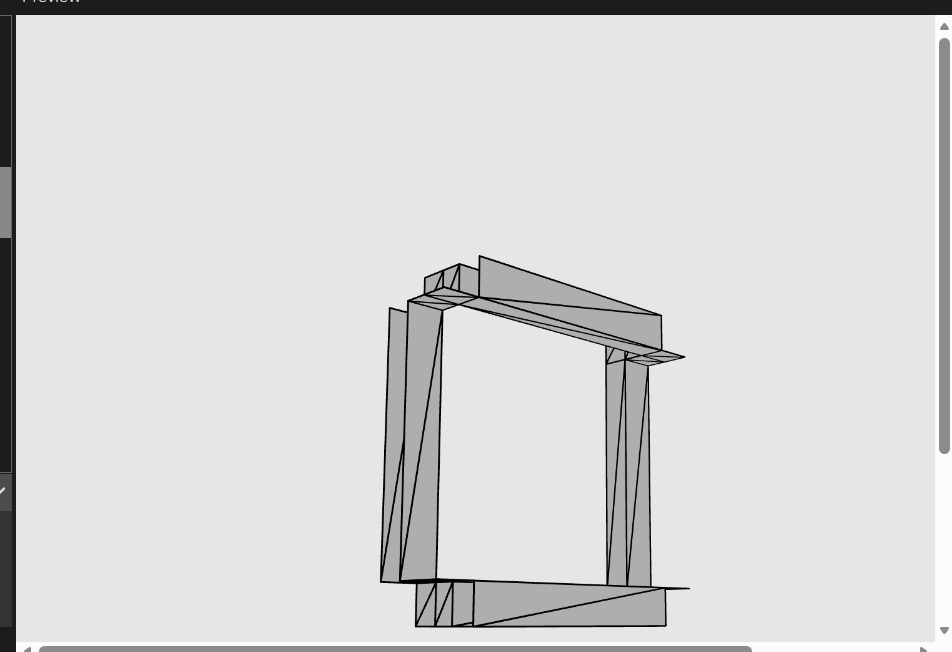
The if (!isVoxelSolid(neighbor)) checks are the actual new idea. For each solid voxel, we look at its 6 neighbors (one step in each of +x, -x, +y, -y, +z, -z). If a neighbor is empty, that means this voxel has a visible face on that side — so we draw a quad there. If a neighbor is solid, that face is buried inside the shape (touching another solid voxel) and should not be drawn — otherwise we’d have invisible internal walls inside a supposedly-hollow print, wasting material and confusing the slicer. This is the difference between “27 separate boxes” (step 4) and “one shell” (this step): we’re not drawing each voxel as a whole box anymore, we’re drawing only the outward-facing skin of the whole cluster.
addQuad(cornerA, cornerB, cornerC, cornerD) — a quad (4-cornered flat face) isn’t a primitive p5/GPUs understand directly; everything ultimately has to be triangles. So this helper takes 4 corners going around in order, and splits them into 2 triangles: (A,B,C) and (A,C,D). That diagonal split is why it looks a little odd — those 2 triangles share the edge from A to C, and together they cover the same square the 4 corners describe.
beginShape(TRIANGLES) / endShape() — this tells p5 “I’m about to feed you a flat stream of triangle corners via vertex() calls, group every 3 into one triangle.” That’s different from box(), which was a single self-contained call. Here we control every vertex ourselves, which is exactly what we need for a custom, exportable shape.
xLo/xHi/yLo/yHi/zLo/zHi — for one voxel at center (x,y,z) with half-width half, these are just “the low edge and high edge of this box on each axis.” We computed them once per voxel and reused them in all 6 face checks rather than recomputing each time.
Each face’s 4 corners are listed in a consistent rotational order (not scrambled) — this matters because the order determines which way the triangle “faces” (its normal direction). Get it backwards and the face renders as invisible/inside-out from outside the shape.
The function drawLinkShell(cx,cy) is basically a translate function but except we’re doing the offset manually in the coordinates themselves rather than moving the whole coordinate system with translate. we do this because ware inside of 1 beginShape and you can not push pop translate inside of the beginshape. The mathematical formula for the spacing is is 4 * (barWidth + gapXY) easoning: the pitch needs to be big enough that a link’s bar width plus its clearance gap (gapXY, the horizontal breathing room between neighboring links so they don’t fuse together when printed) fits proportionally into the repeating grid unit. The 4 * factor comes from how the link’s frame geometry divides into that spacing.
linkHalfSize = (3 * linkPitch) / 8 is how far each link’s frame extends from its own center, as a fraction of the pitch. This specific ratio (3/8) is what makes the next link’s frame, placed one pitch away, land its bars exactly inside this link’s gap, not too far in and not too shallow (they wouldn’t overlap at all, so no interlock).
function drawLinkShell(centerX, centerY) {
  let halfBarWidth = barWidth / 2;
  let xEdges = [-linkHalfSize - halfBarWidth, -linkHalfSize + halfBarWidth, linkHalfSize - halfBarWidth, linkHalfSize + halfBarWidth];
  let yEdges = xEdges;
  let zEdges = [0, barThickness, barThickness + gapThickness, sheetThickness];

  for (let i = 0; i < 3; i++) {
    for (let j = 0; j < 3; j++) {
      for (let k = 0; k < 3; k++) {
        if (!isVoxelSolid(i, j, k)) {
          continue;
        }

        let xLo = centerX + xEdges[i], xHi = centerX + xEdges[i + 1];
        let yLo = centerY + yEdges[j], yHi = centerY + yEdges[j + 1];
        let zLo = zEdges[k], zHi = zEdges[k + 1];

        if (!isVoxelSolid(i + 1, j, k)) {
          addQuad([xHi, yLo, zLo], [xHi, yHi, zLo], [xHi, yHi, zHi], [xHi, yLo, zHi]);
        }
        if (!isVoxelSolid(i - 1, j, k)) {
          addQuad([xLo, yLo, zLo], [xLo, yLo, zHi], [xLo, yHi, zHi], [xLo, yHi, zLo]);
        }
        if (!isVoxelSolid(i, j + 1, k)) {
          addQuad([xLo, yHi, zLo], [xLo, yHi, zHi], [xHi, yHi, zHi], [xHi, yHi, zLo]);
        }
        if (!isVoxelSolid(i, j - 1, k)) {
          addQuad([xLo, yLo, zLo], [xHi, yLo, zLo], [xHi, yLo, zHi], [xLo, yLo, zHi]);
        }
        if (!isVoxelSolid(i, j, k + 1)) {
          addQuad([xLo, yLo, zHi], [xHi, yLo, zHi], [xHi, yHi, zHi], [xLo, yHi, zHi]);
        }
        if (!isVoxelSolid(i, j, k - 1)) {
          addQuad([xLo, yLo, zLo], [xLo, yHi, zLo], [xHi, yHi, zLo], [xHi, yLo, zLo]);
        }
      }
    }
  }
}
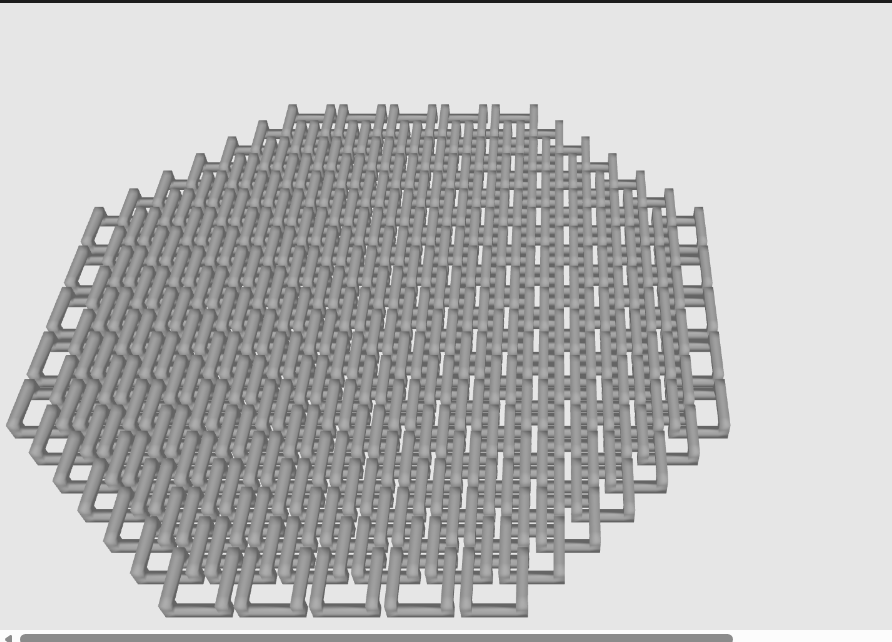
This is how gradually adding the links looks like
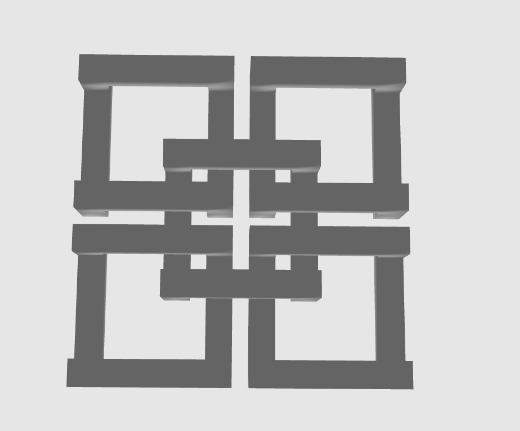
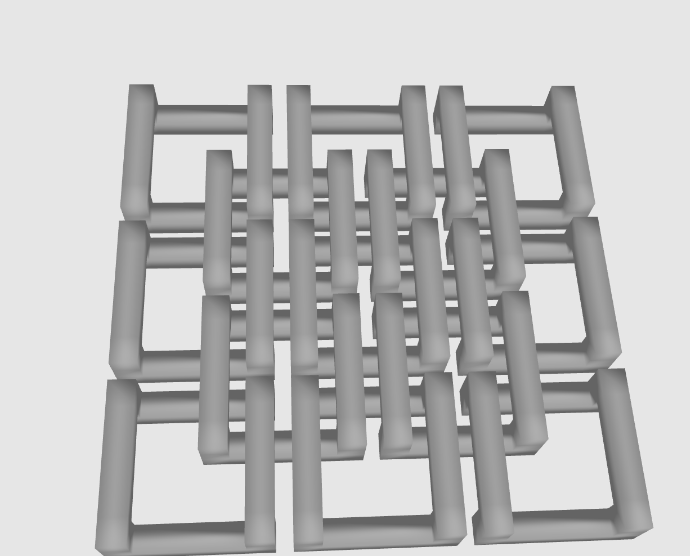
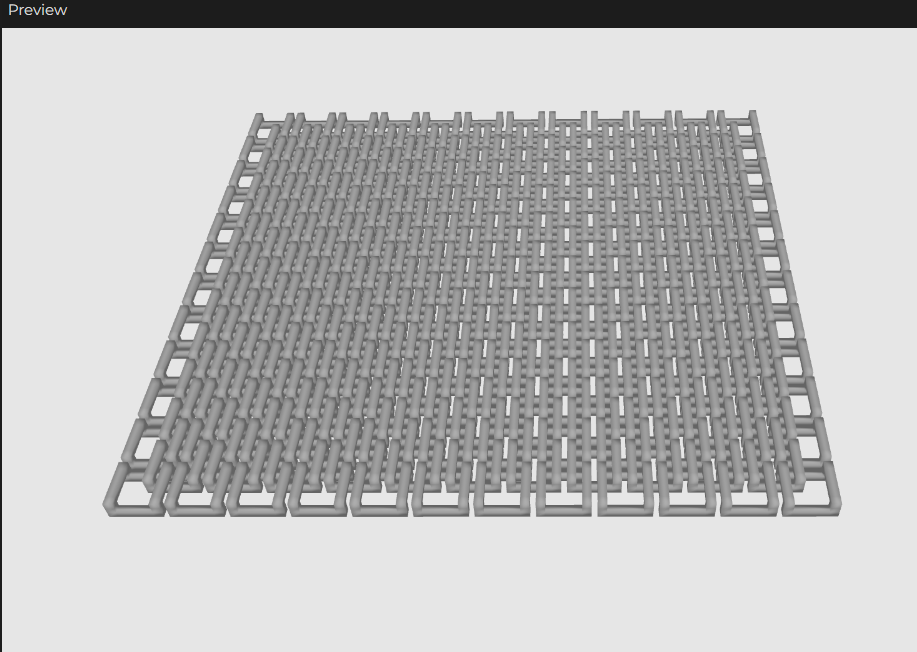
So with basically repeating this idea, we geat something like this with some rotation here and there on different axis.
play with the parameters and add some config and you’ll get the final design
So now, putting everything together, let’s explain this mess haha.
The parameters at the top control the whole sheet. cols and rows set the grid size. shape cuts the sheet into a rectangle or a circle. barWidth and layerHeight describe the physical dimensions the printer uses. Everything else in the file comes from these few numbers.
snapToLayerHeight rounds a thickness to the nearest whole multiple of the print’s layer height. A wall that isn’t layer-aligned comes out thin or warped. This function makes barThickness and gapThickness land on a clean layer boundary. It sets a floor of one full layer.
inShape decides if a given grid point exists. For a rectangle, it returns true always. For a circle, it checks the distance from the point to the center of the grid against the radius. This lets the same code produce a square panel or a round panel. The shape variable controls the choice.
linkCenters decides the layout. The grid holds two kinds of links. Main-grid links sit on the intersection points. Offset-grid links sit at the center of every 2×2 block of them. An offset link gets created only if at least two of its four adjacent main-grid points exist. This lets the circle cut produce a fully connected mesh near the edges, without loose half-links. Any main-grid point that never gets claimed by a neighbor gets dropped. A link with nothing to interlock with ends up as a loose piece in the print.
if (sideX && sideY) return true;
if (sideY && k === 0) return true;
if (sideX && k === 2) return true;
isVoxelSolid gives one link its shape. Each link gets modeled as a 3x3x3 grid of tiny voxels. A rule sets which voxels are solid. The four corners stay solid at every height. Those corners become the posts. The middle-edge voxels stay solid only at the bottom on two sides and only at the top on the other two. Those become the low bars and the high bars. The middle layer stays empty. That gap lets an adjacent link’s high bar pass through this link’s low bar. The two never touch.
linkCenters decides the layout. The grid holds two kinds of links. Main-grid links sit on the intersection points. Offset-grid links sit at the center of every 2×2 block of them. An offset link gets created only if at least two of its four adjacent main-grid points exist. This lets the circle cut produce a fully connected mesh near the edges, without loose half-links. Any main-grid point that never gets claimed by a neighbor gets dropped. A link with nothing to interlock with ends up as a loose piece in the print.
buildChains is the simple part. It gets every position from linkCenters. For each position, it stamps down the same triangle list from unitLinkTriangles. Each stamp shifts by that link’s x and y. All of this happens inside one beginShape(TRIANGLES) block. The whole sheet becomes one continuous mesh, not dozens of separate objects.
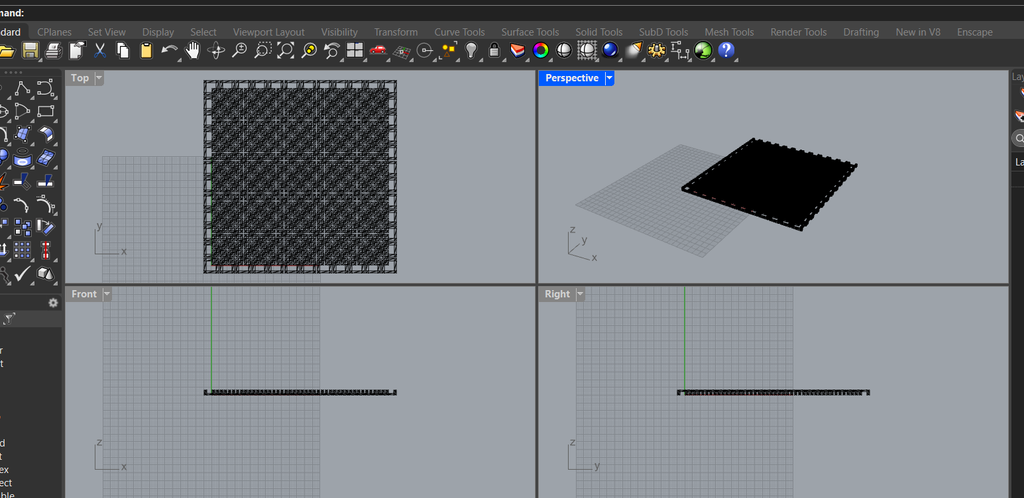
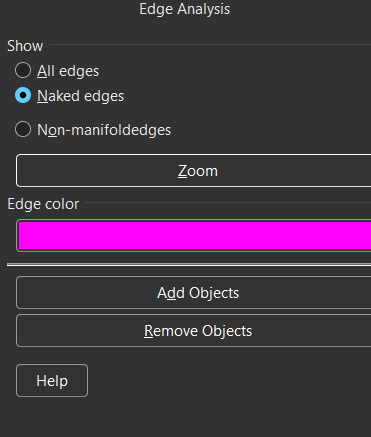
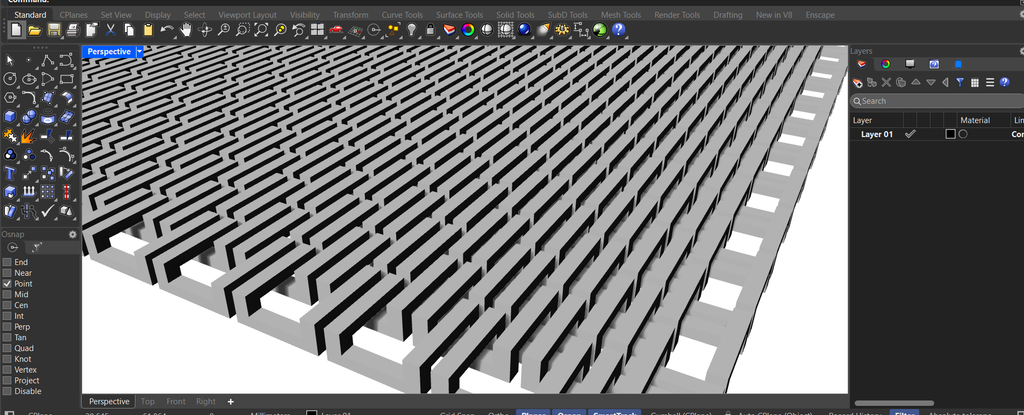
I then exported the OBJ and opened it in Rhino. Rhino showed the mesh cleanly. I checked the geometry for naked edges. A naked edge means the mesh is not watertight there. I also checked wall thickness against the printer’s nozzle size. I checked the overlap between neighboring links. Rhino’s section tool let me slice through a link and see the gap directly. The gap measured correctly. I moved the file to the slicer after that.
And you can see there are no pink edges so there are no naked edges and no manifolded edges
I also checked the volume command to verify the mesh is closed. It only returns a number if a mesh is closed.
Then I checked the barThickness/gapThickness/sheetThickness. the mesh can be perfectly watertight and still have the gap sized wrong, which would print the links fused together.
I’ve been a motion graphics designer for almost 10 years now. I used After Effects for years but now I am learning this new node-based motion tool called Cavalry. I knew I wanted to do something with text and/or with psychedelic visuals as this is an aesthetic I am pretty known for. I looked through this website where people share their projects called Scenery.io. I suggest everyone to check it out as what this program can do with very little nodes is just amazing. Anyway, I found a lot of isnpirations but what caught my attention the most is text. I love typography. Most of my projects are typography based like this Unfinished project that I worked on for a couple of days.
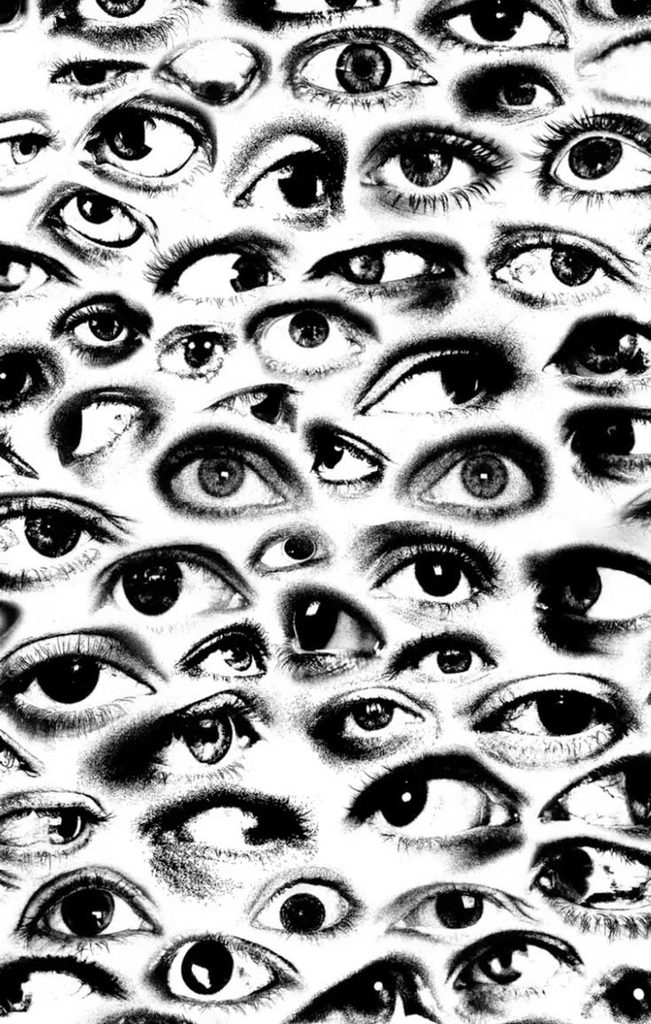
But I got stuck with the project being static as it needs to be laser cut because I really wanted to make motion graphics with code through p5 but I understand this might be a little too challenging and not even suitable for the assignment and I tried to recreate a picture I saw before expermenting with the final design with text. Here’s the picture I found.
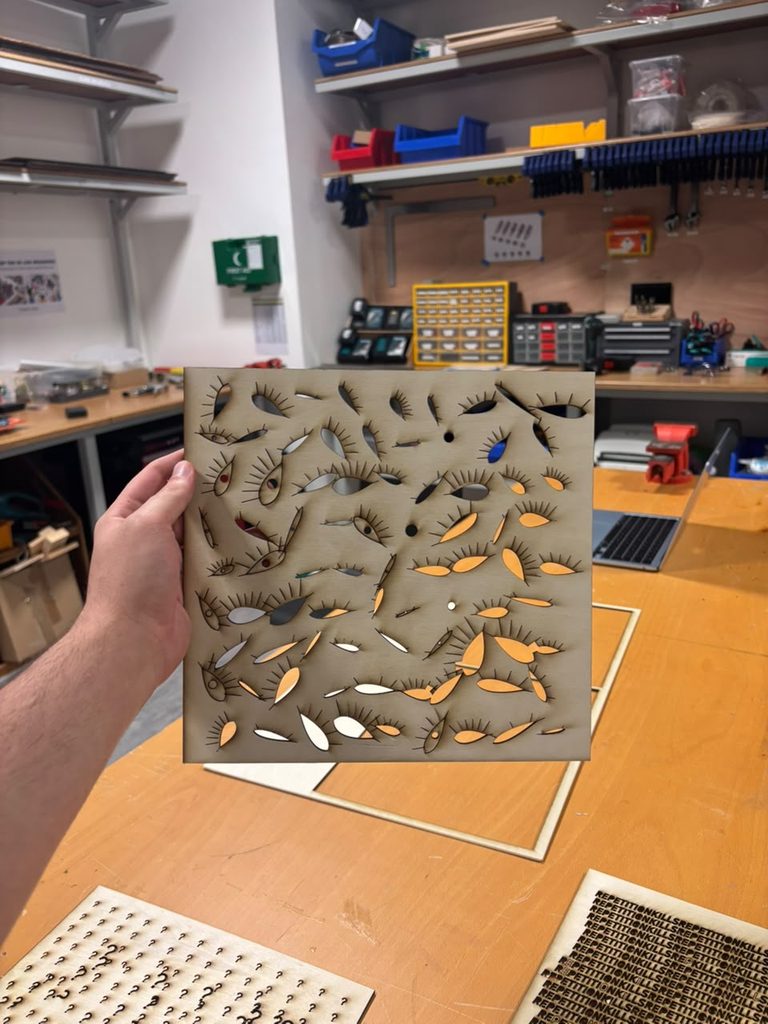
So here’s my best attempt at it, the eyes generate procedurally and randomly. through a function and different parameters. (I added background to the sketch)
I was like ok. cool. not how i like it but cool. let me try with text. Little did I know that that was a mistake because had I laser cut this before coding the next sessions I would have learned about an issue that I will talk about later in this post.
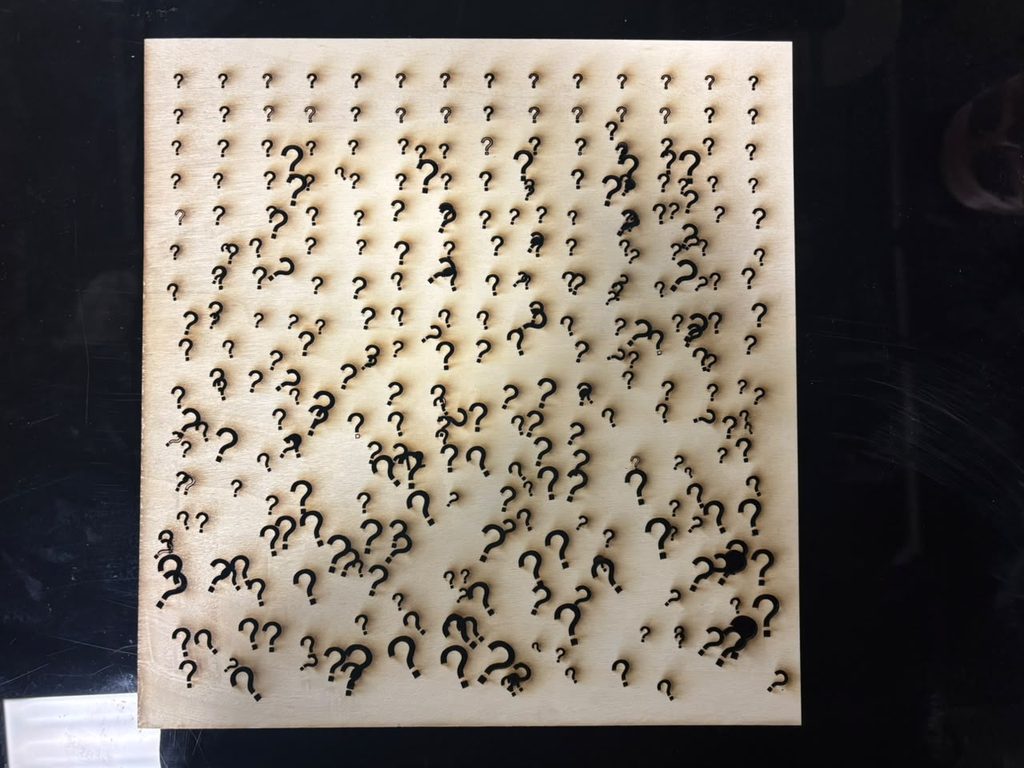
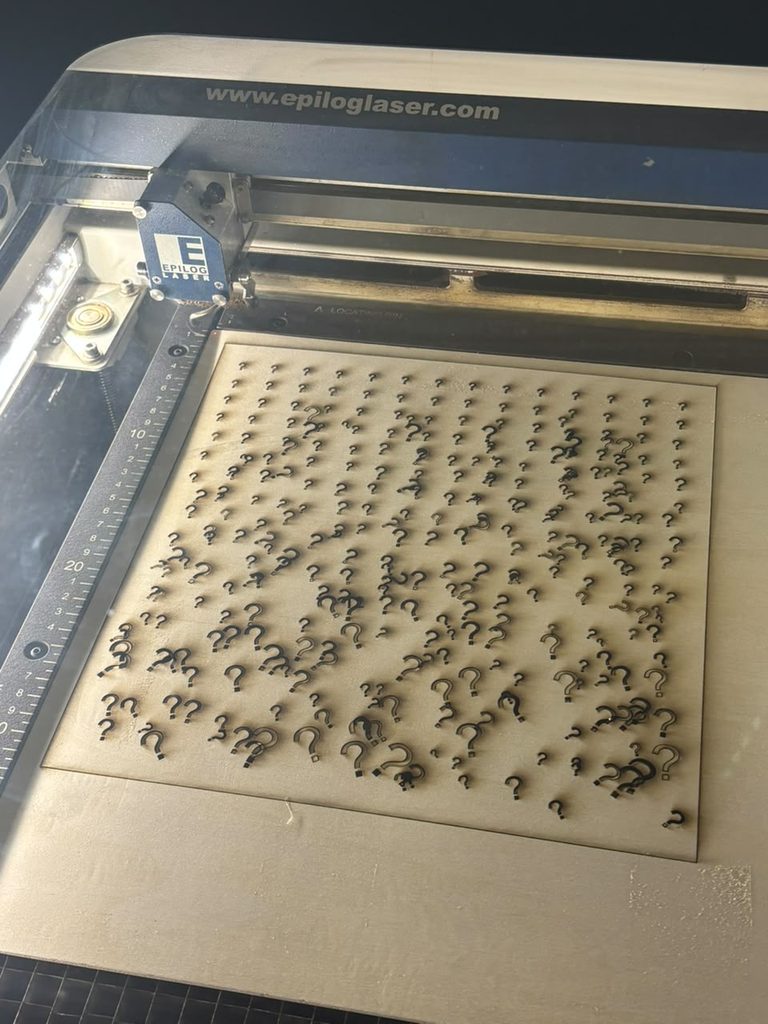
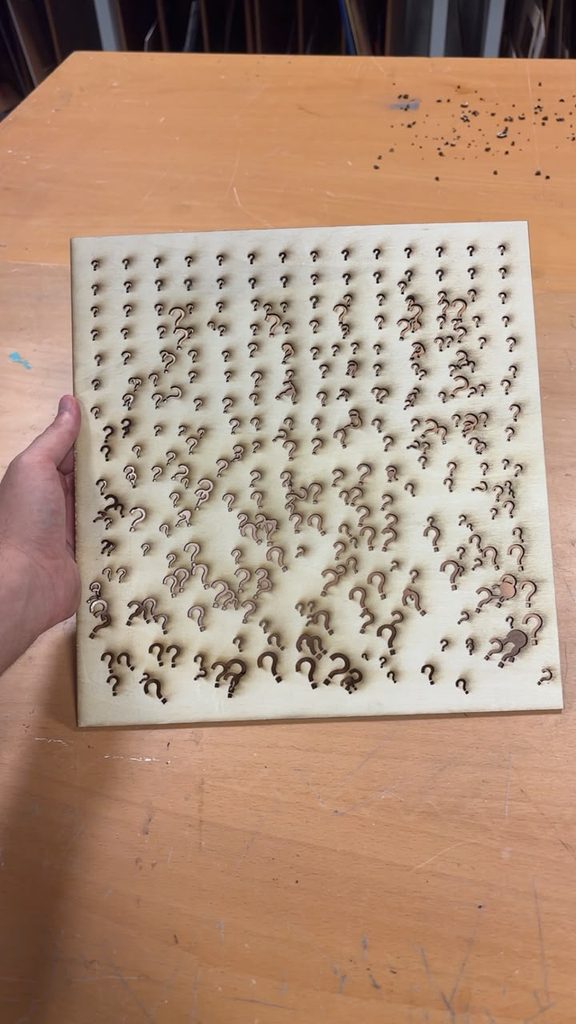
I got inspired by one of the sketches professor jack showed us where he tried to replicate randomness and I wanted to do it with question marks. Here’s my attempt at that (I love it). It is also randomly generated.
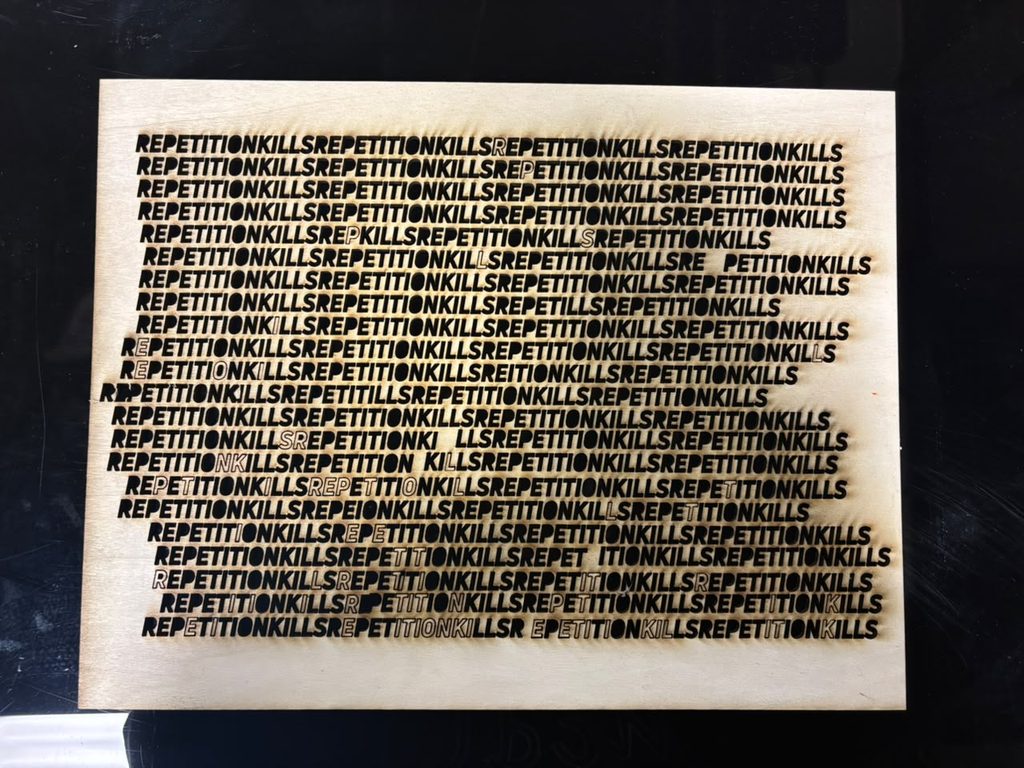
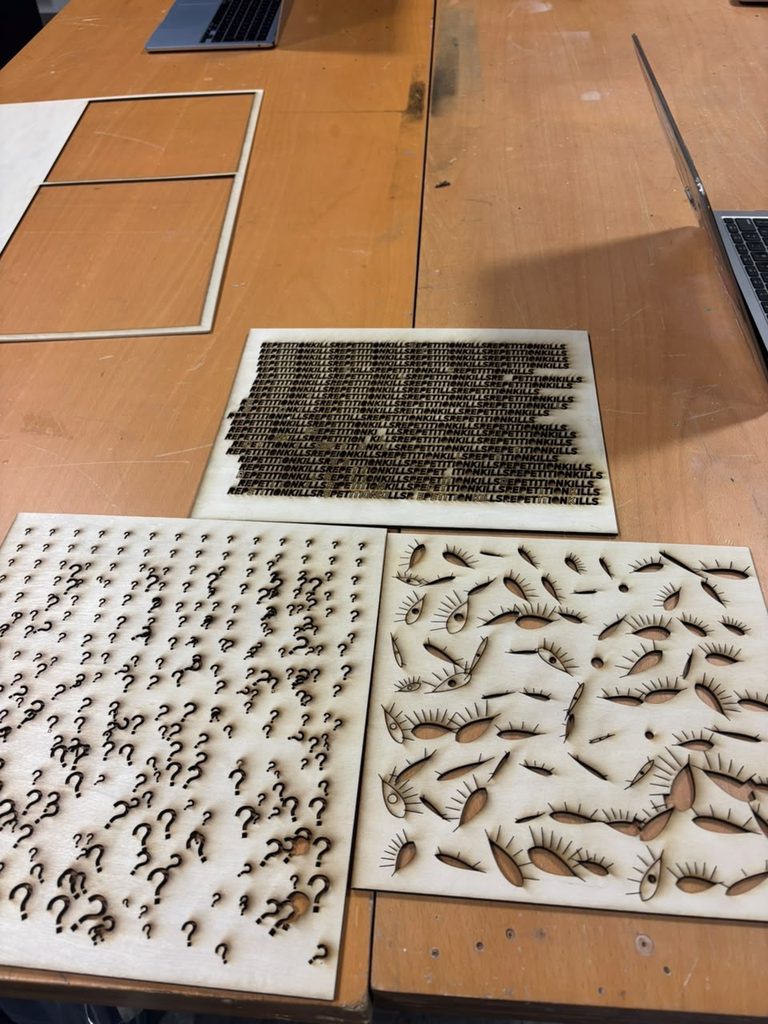
The last attempt was with text. This cut took 35 freaking minutes!!!! Now I know to go for more simplistic designs haha. I also used the custom font UniNeue-Trial-HeavyItalic.ttf
I would say the issues I have had with minimal as I am comfortable with laser cutting. This is probably the assignment I enjoyed the most in uni and I will be doing a lot of this to decorate my room. I just need to keep in mind the print time. I really wanted to work with etching and engraving but the lab assistants told me lets not do that for now. maybe next time 🙂
I think the thing that really challenged my way of thinking is that I always like to go for colors. This time since i am laser cutting, I payed special attention to contrast and to not worry about that honestly I just went for black and white. but still, the possibilties are endless! what if I could tell the machine at some parts to not burn as hard while im engraving and create shades? also, the burn marks that are left on the wood really added to my design aesthetics: here are the final results:
You can see the eye one got messed up because I didnt think that I was also cutting around the puple and that there will be nothing to hold the pupils in the middle. So, the more you learn!
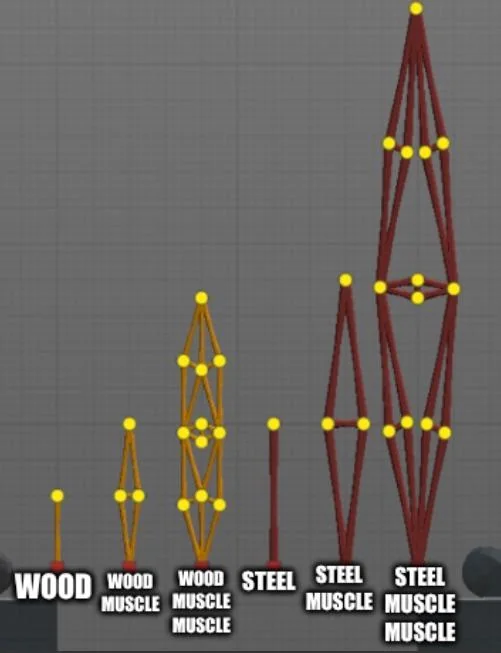
The original concept for this machine comes from a design of a “muscle” from the game poly bridge, which a game about building bridges. Here is what steel/wooden muscles look like:
This inspiration comes from how those wood/steel segments remind me of linkages. The game also has a mechanical part with hydraulics that I could have used as a reference as well because I think it’s relevant since we are using servos.
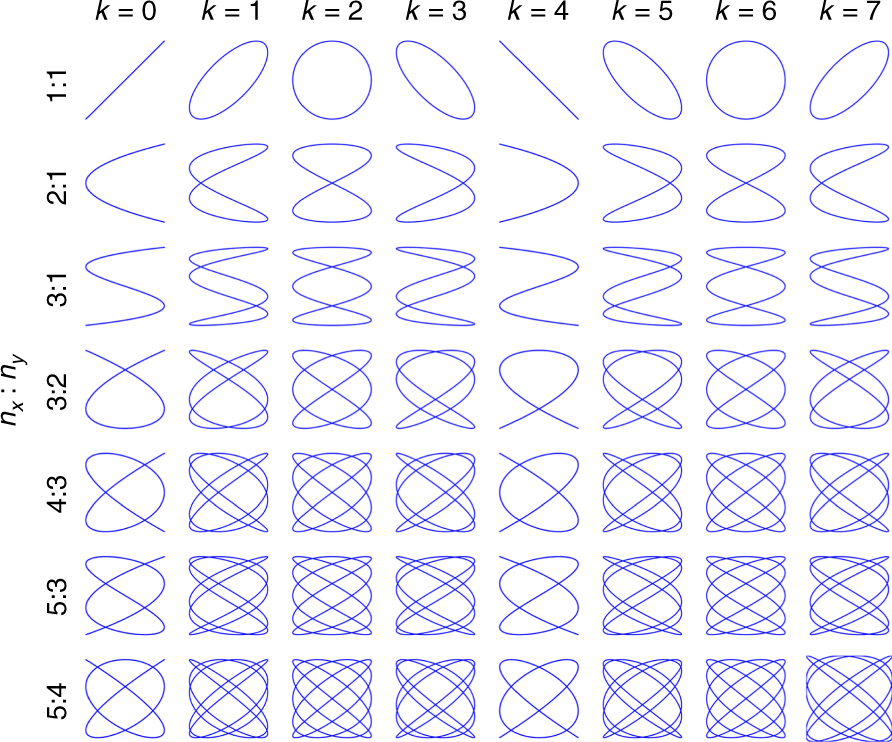
I also am inspired by Lissajous patterns, Lissajous patterns are elegant mathematical patterns formed when two oscillating motions act at right angles to each other.
Before trying to implement something similar, I prototyped with random linkages and random anchors here and there.
This allowed me to understand how each link could influence and limit the other. I think I found this assignment particularly difficult because it was supposed to be a group assignment and due to circumstances with my teammate I had to do it alone. I ran into a couple of issues like fitting the horns on the servo and the chicago screws on the horns which I realized then I have to use a mallet to push them in slightly.
I then implemented the linkage system in my mind and moved it manually with my hands before writing code to see how things would turn out. Also before this step, I marked each starting and ending point of the servos to understand their range of motion from 0-180 to know what to expect movemenet wise before I start moving the linkages with code.
I then took inspiration from the sweep code and offset the servos a little bit but you can see that the movement s pretty limited and I couldn’t really figure out how to change the linkages in a way that keeps the original idea but also draw better results and not get stuck
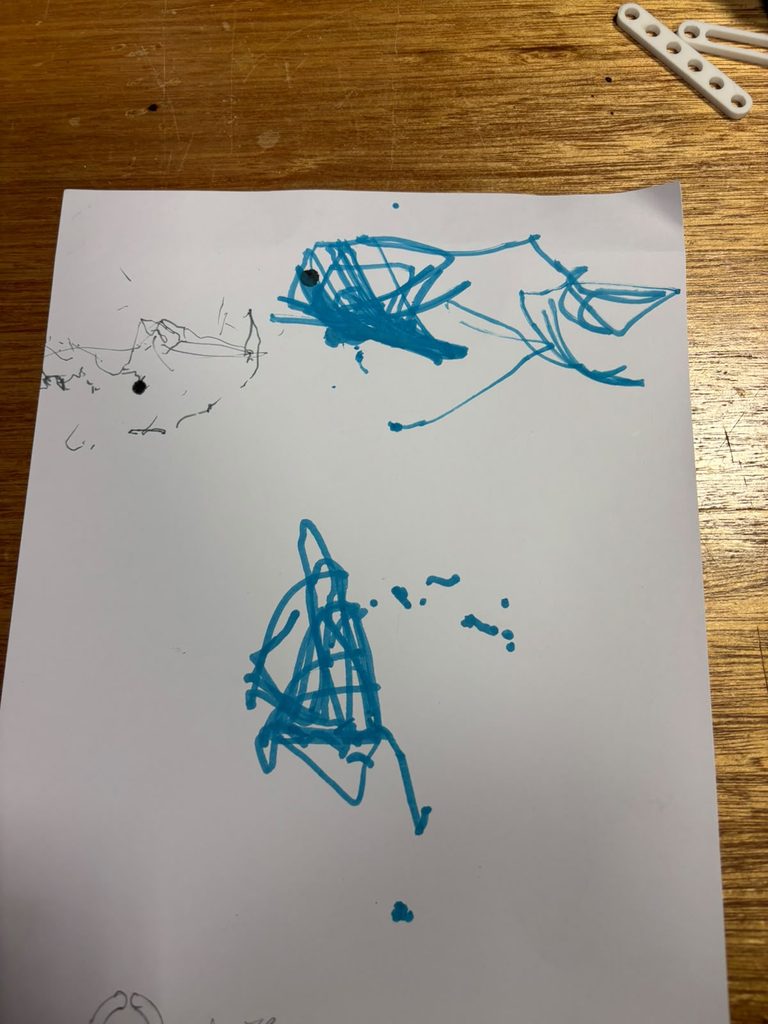
This design produced these results in blue.
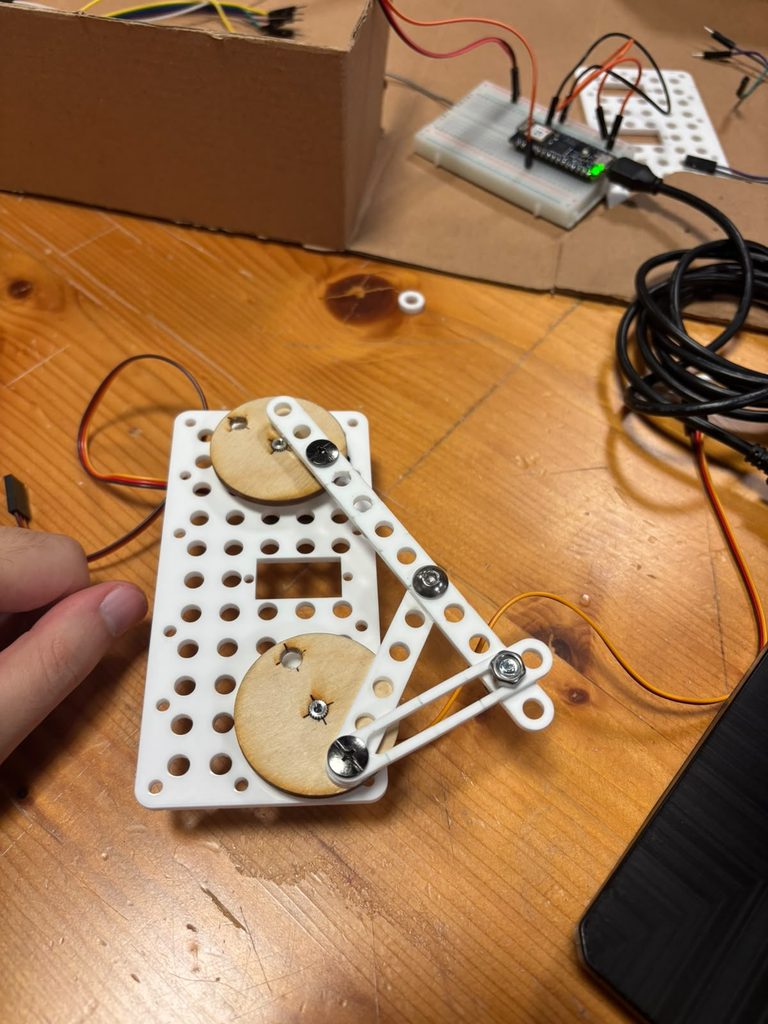
I realized that the anchor would start moving after a bit and the design isn’t really looking how I want it to look, so I experimented with a different design using slotted parts as professor jack instructed during office hours and instead of using a sharpie I used a finer pen. Moreover, the system wasn’t very stable so I drilled into a wooden board and I screwed the project on it using m5 bolts and nuts.
Here’s the final design
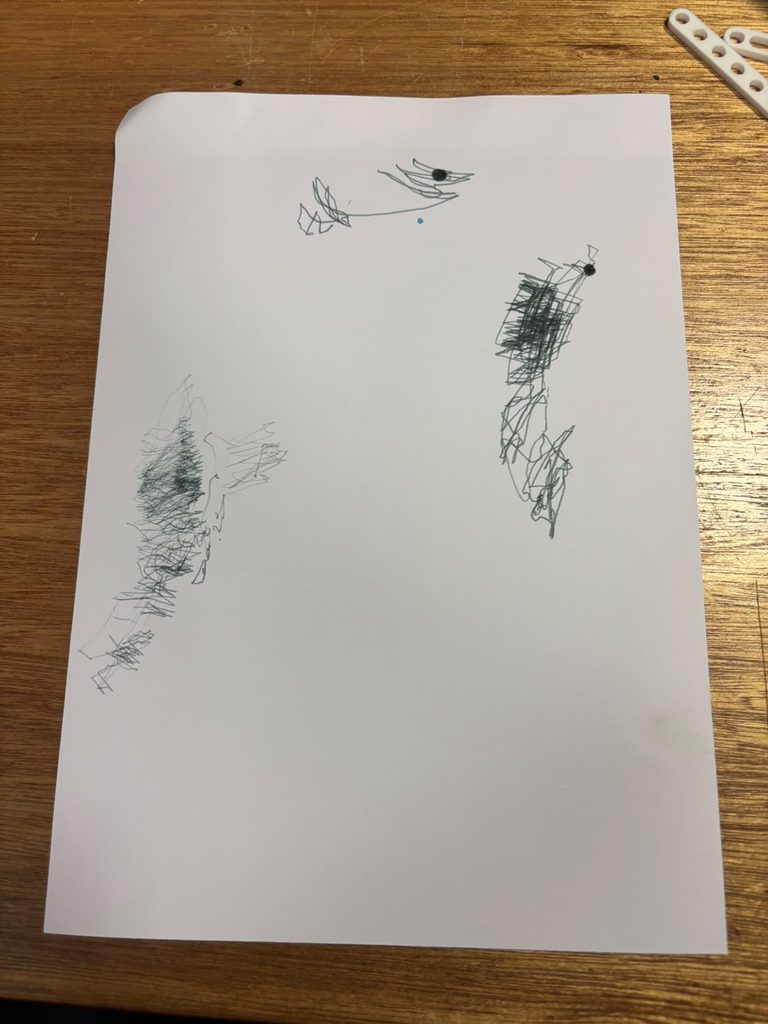
Here are some drawing outputs, each block of drawing is a different iteration.
Honestly I am not too happy with this how turned out as I couldn’t create something that slightly resembles Lissajous patterns but I definitely learned a lot. Hopefully later on if we revisit the assignment in a different form I would definitely be more prepared for it. Overall though I think this class really pushes you to learn something different and new and I believe it should be a 3000 level course.
I think changing the drawing instrument here really affected how the result looks, i think a finer pen worked really well in demonstrating the robotic movements of this system. Also, switching from normal linkages to slotted ones added a very fast shift every now and then that added a lot of life and scale to the drawing.
My concept comes from the motion of doing simple things daily. I tried to get inspiration from mechanical things we utilize everyday and after a session of brainstorming I got up from my chair and opened my door. But there it was, that motion of holding the door handle and pushing it down inspired me to trace the arch that forms from moving this handle. So I attached a pen to the handle and tried to trace that motion
I unfortunately do not have paper and couldn’t get access to it as there aren’t bookstores near the area I live in (I live off campus) even though I could swear I had a note book somewhere. I will figure this out on Monday as I buy a notebook from the bookstore for this purpose.
Revision after getting paper:
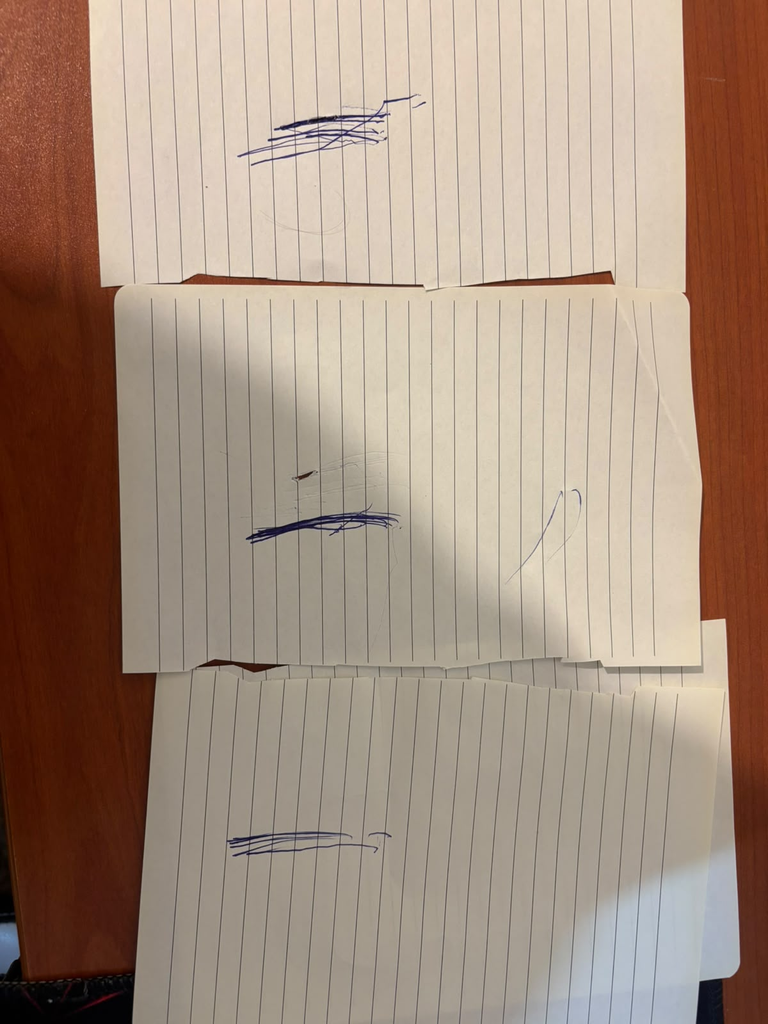
These drawings are ordered from top to bottom as first to last. The first iteration was pretty chaotic and it scratched my door so that’s 500 AED i gotta pay for the landlord at some point, the second iterationi got the hang of the motion more and put the right amount of pressure on the pen and the motion was seamless.
To be honest this is not what I expected AT ALL. I expected a smooth curve that looks like an arc thats situated on the same spot, but I instead got a lot of jagged and staggered lines, which is interesting. What is interesting to me also is that the drawing could really scale up or down depending on where you put the pen on the handle, say you put it directly on the center of the knob, it wouldnt move at all, while on the other side a clear arc will form.
Some of the challenges that I faced is genuinely the simplicity of the assignment. I found it really hard to think of something low tech and because of the video we saw during lecture of a pen attached to a fan, my brain was fixated on using a machine that has a perpetual motion that I can replicate like the fan video. I am happy that I instead came up with an original idea of using the door handle and didn’t tunnle vision on the video we saw.
my other idea was dipping a marble in a jar of ink and spinning it in a bowl with a paper inside and trace this motion, but I found the concept of the door handle more appealing to me.
Thinking about control, chance, and authorship in this assignment, I’d say I’m mostly in control but I did leave room for a little bit of chance. I decided the handle, the pen placement, and the general shape of the motion, so the core idea is fully mine, but the exact line that gets traced depends on small things I can’t fully predict, like how steady my hand is when I press the pen against the handle or how the pen reacts to the material of the paper on the door. So even though I set up the whole system, the actual mark has a bit of its own personality that comes out once I let it run. In terms of authorship, I still think of myself as the artist here even though the handle is technically doing the “drawing.” I’m the one who noticed the motion, chose it over other ideas, and built the mechanism to capture it, so the authorship comes from that decision-making process rather than from physically holding the pen and drawing the line myself. It’s kind of similar to what LeWitt says about the artist selecting “the basic form and rules that would govern the solution of the problem,” where after that point, the fewer decisions I make, the more the piece is really about the idea instead of my hand.
The idea of my drawing definitely comes from the design decisions I made and not the machine or the final drawing itself. The handle and pen setup is really just a tool, it just repeats whatever motion I already picked out for it. The final drawing hasn’t even happened yet since I don’t have paper, but I already know exactly what the concept is and how it will look, which kind of proves that the idea existed before any physical form was made. LeWitt talks about how “the idea becomes a machine that makes the art,” and I think that fits here because once I made the decision to use the handle, the rest is just letting it play out.