Concept:
For this project, I wanted to see how far I could push one simple shape: a cube. Instead of designing an object by placing every part individually, I wrote rules in p5.js that repeated cubes in rings and layers. I could then change a few values, such as the number of cubes, the radius of each ring, or the rotation of each layer, and watch the entire form change. I was really interested in how my sketch reached a point where a repeated geometric pattern begins to look like something organic or sculptural.
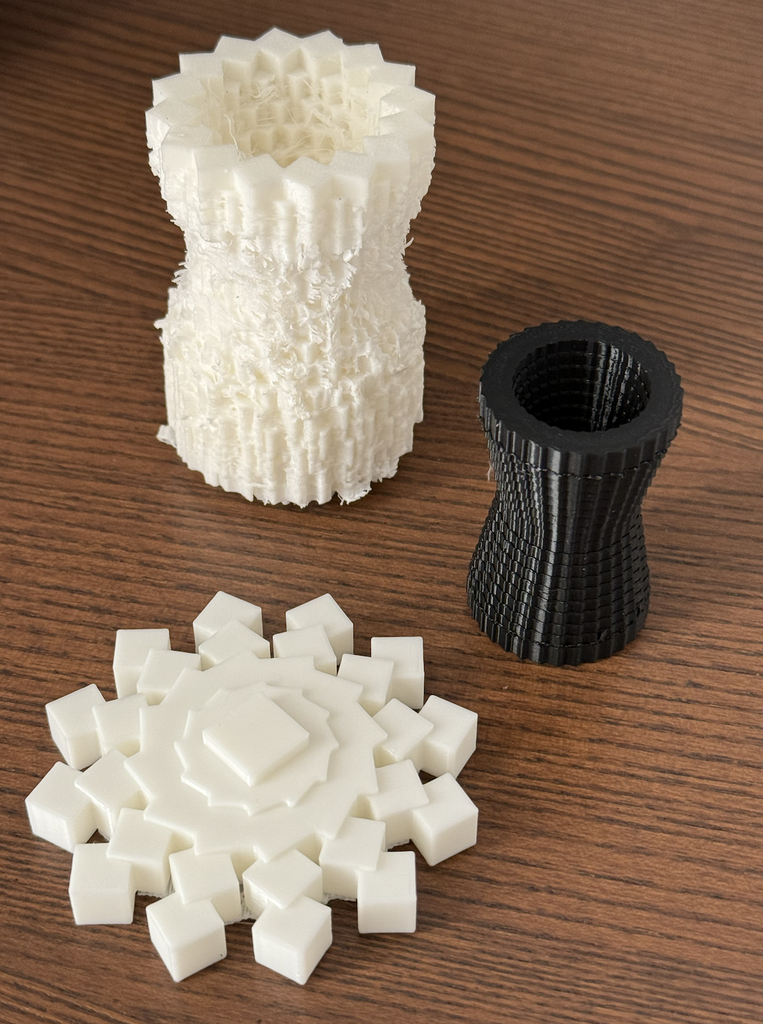
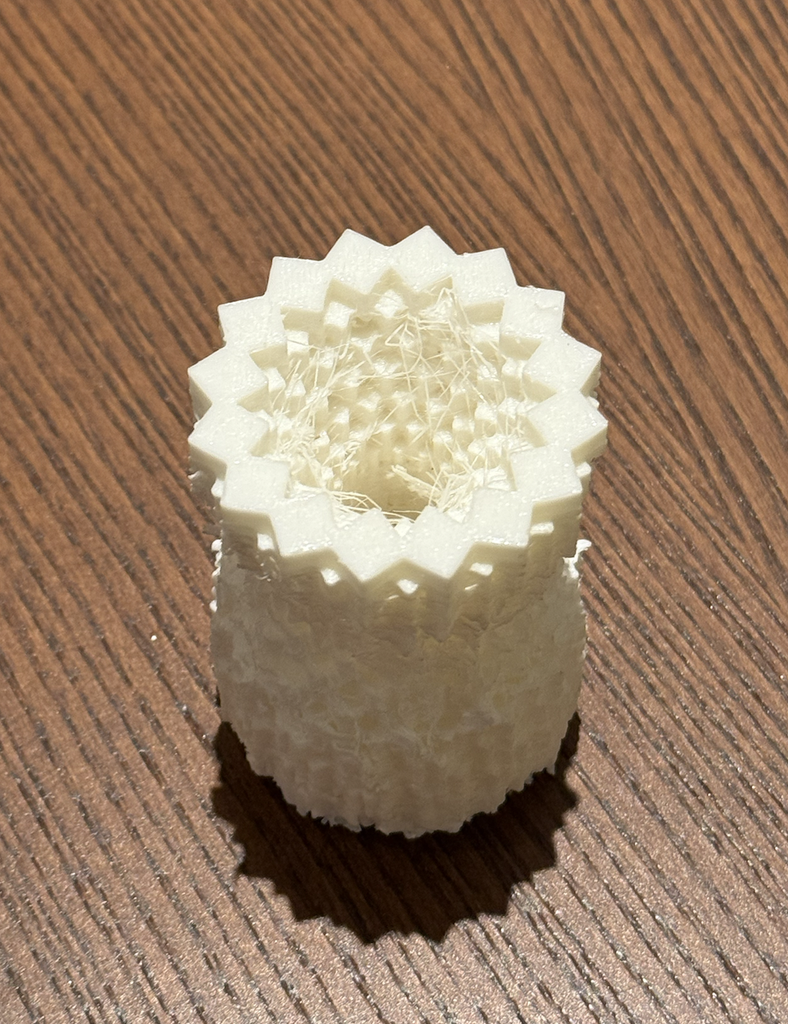
My design developed through three experiments. The first began as a flower, but the repeated cubes created a more angular snowflake shape, so I decicded to print it in white PLA which really made it come to life. For the second, I moved from a mostly horizontal form to a tall, twisted cube vase. I liked its movement and its unusual silhouette, but the print required too many supports and did not come out as I had imagined. I used what I learned from that failure to make my final design: a cube hourglass. It kept the narrow waist and layered texture I liked while giving me a form with a better chance of printing successfully. I also learned very quickly that bigger 3D prints don’t always mean they are more stable, so I sized my last print down a little.
How I Used Code to Build the Forms:
Link to Snowflake Sketch:
https://editor.p5js.org/AsmaAlMurr/sketches/J6tcXd-dO
Link to Twisted Cube Sketch: https://editor.p5js.org/AsmaAlMurr/sketches/nNeUmYNae
Link to Hourglass Sketch:
https://editor.p5js.org/AsmaAlMurr/sketches/PZ-kuRUmY
All three designs were made in the p5.js using WEBGL. Rather than drawing a flat outline and extruding it, I positioned cubes directly in three-dimensional space. Each sketch uses loops to repeat the same cube according to a rule. buildGeometry() collects the cubes into a model, which I exported as an OBJ file by clicking the canvas. I then opened the OBJ in PrusaSlicer to examine it as a potential print. (Using STL to save the file didnt work for me, and im still unsure if that was an error in my code or if its an issue with p5js or my browser has it blocked on my laptop.)
Quick Overview of My Code:
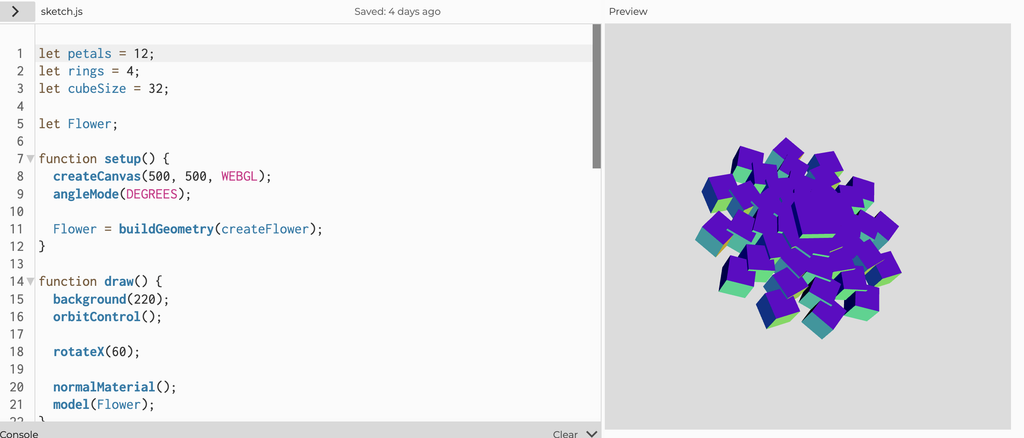
In the first sketch, I used 12 cubes around each of four rings, with a larger radius for every new ring. The code rotates each cube around the center, moves it outward, and slightly changes its height and angle. I originally thought of these repeated units as petals. Once I saw the form, however, the sharp edges and radial symmetry reminded me more of a snowflake. That unexpected change was one of the most interesting parts of working with an algorithm: I set up the rules, but the overall character of the object emerged from their repetition.
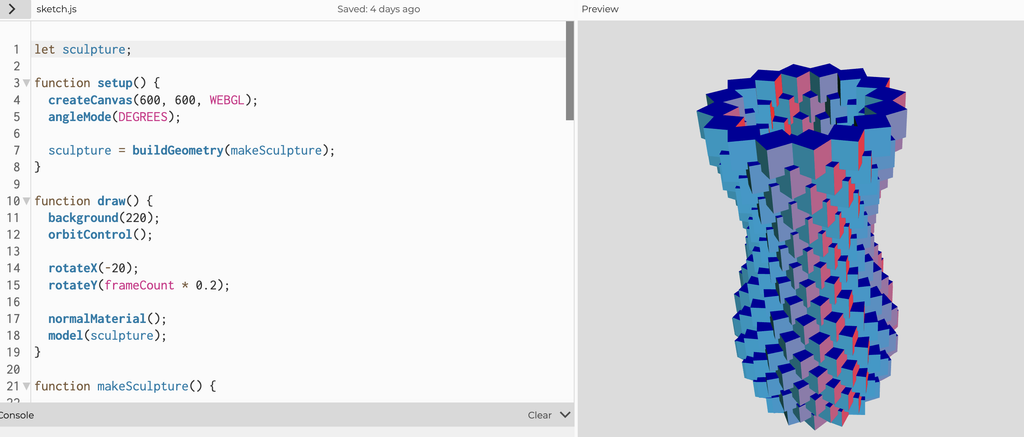
For the twisted cube design, I changed the structure from rings spreading outward to 18 rings stacked vertically. Each ring contains 16 cubes. The twist value increases with each layer, so the cubes gradually rotate as they rise. I also used a sine function to vary the radius, making the outline expand and contract. From the side, the stacked rings show a twisting structure, but from above they reveal the individual cubes that create it. I liked how the form seemed to move even though it was made entirely of identical, rigid blocks.
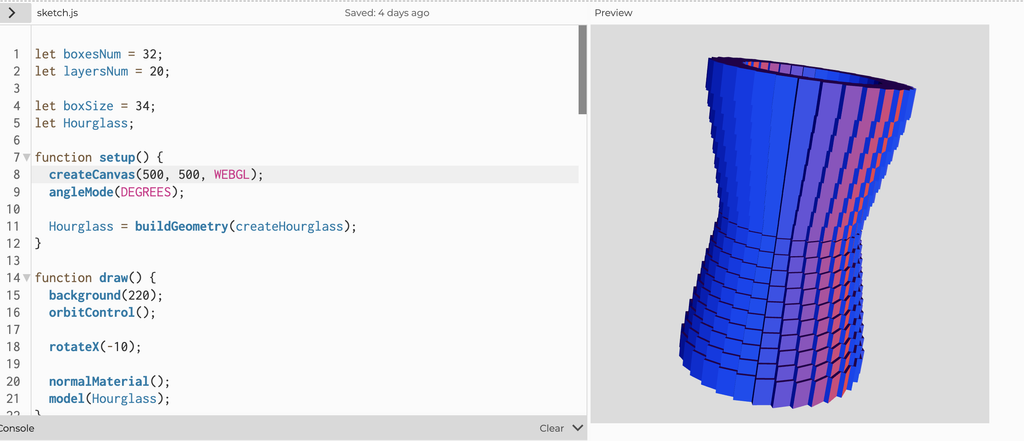
For the final hourglass, I kept the idea of stacked rings but changed the rule that controlled their shape. Instead of twisting every layer further than the last, I used 32 cubes in each of 20 layers and gradually reduced the radius from 100 to 65 before increasing it again. This created the narrow center of the hourglass. The code still produces a detailed surface through repetition, but the overall structure is more regular. It felt like a better balance between the complexity I wanted and the physical requirements of printing.
Code Snippet I Found Interesting:
(This code snippet is from experiment 3: hourglass)
if (l < layersNum / 2) {
  r = map(l, 0, layersNum / 2, 100, 65);
} else {
  r = map(l, layersNum / 2, layersNum - 1, 65, 100);
}
Here, l is the current layer and r is the distance of its cubes from the center. In the first half of the form, map() gradually reduces that distance from 100 to 65. In the second half, it increases the distance back to 100. I found this interesting because such a short piece of code controls the silhouette of the entire object. Rather than positioning hundreds of cubes by hand, I could change two radius values and immediately see a different hourglass shape. It also helped me respond to experiment 2 which was a failed print. I could keep the dramatic narrow middle I liked while making the layers more structural for the final printed design.
3D Design Screenshots and Workflow:
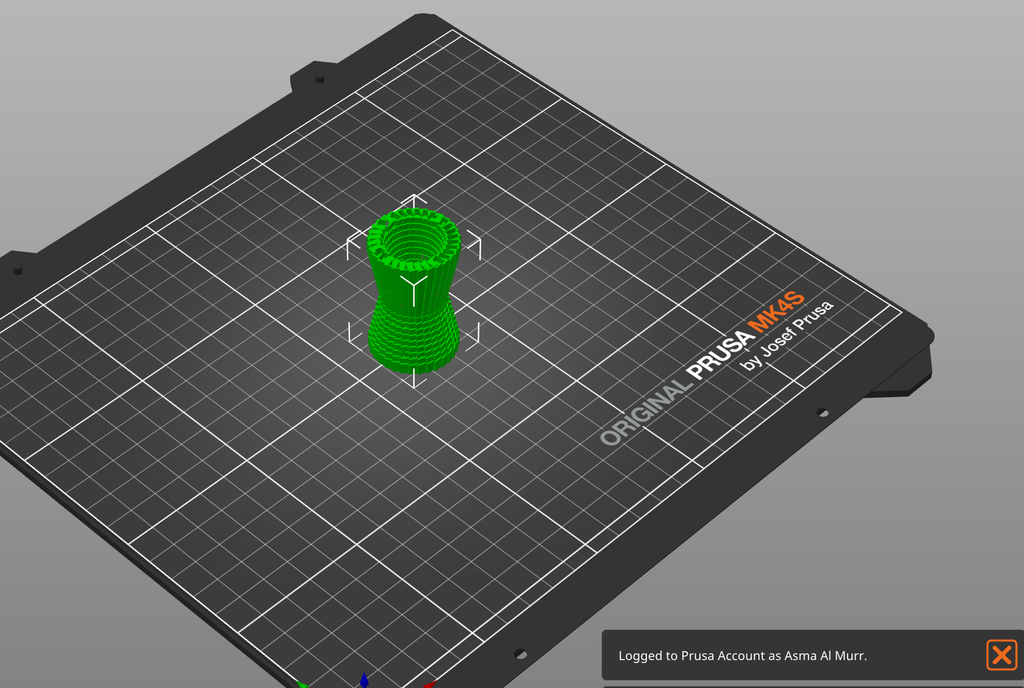
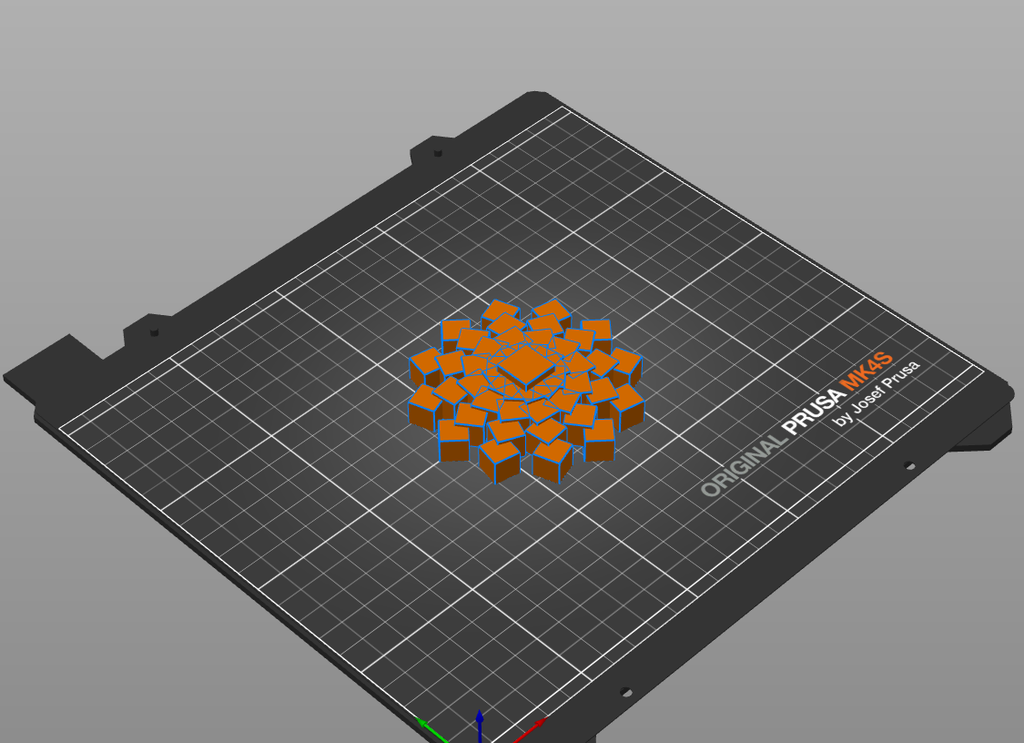
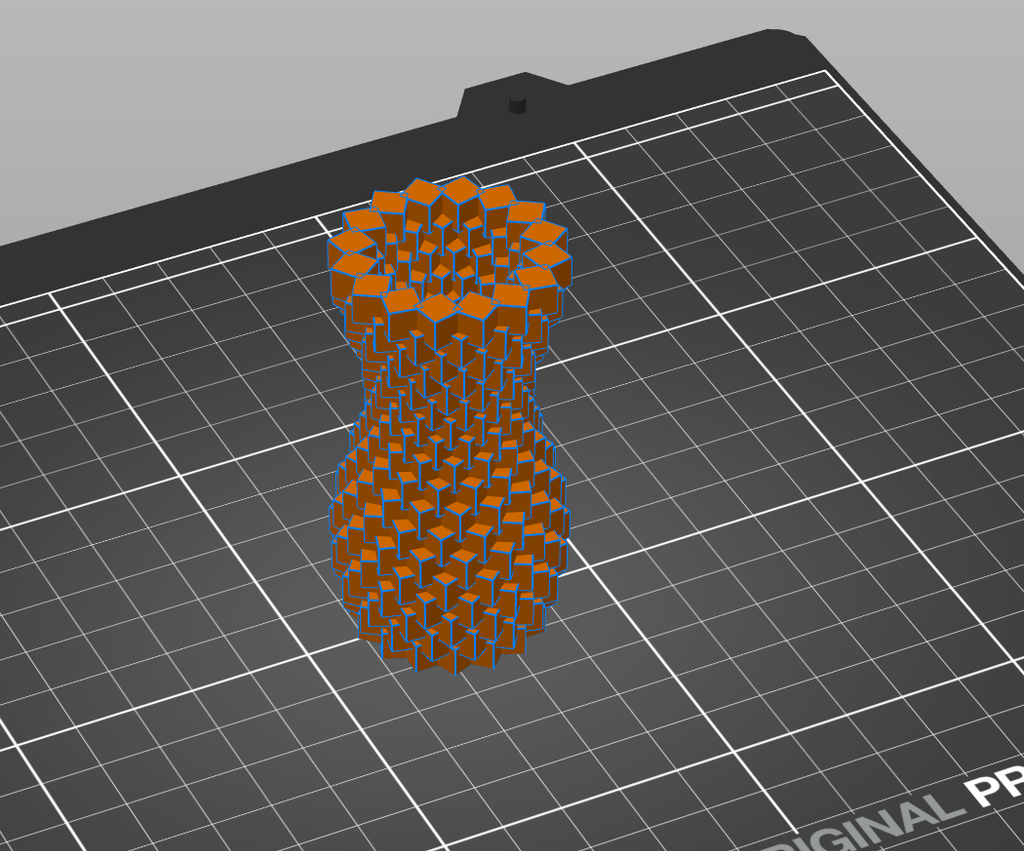
My workflow moved back and forth between the p5.js preview and PrusaSlicer. In p5.js, I could rotate the view and quickly change numbers in the code to explore different arrangements. This made it easy to experiment with forms that would have taken a long time to build cube by cube. After exporting each OBJ, I opened it in PrusaSlicer to see the model on the print bed and consider how it might behave as a physical object. The p5.js previews were useful for judging the shape and overall structure of the cubes. PrusaSlicer made me look at the same designs differently. I had to think about the base, the gaps between cubes, the overhanging areas, and where support material might be needed. It quickly made me realize A form that looked convincing on screen was not necessarily straightforward to print.
Print Tests and Final Result:
Experiment 1: Snowflake
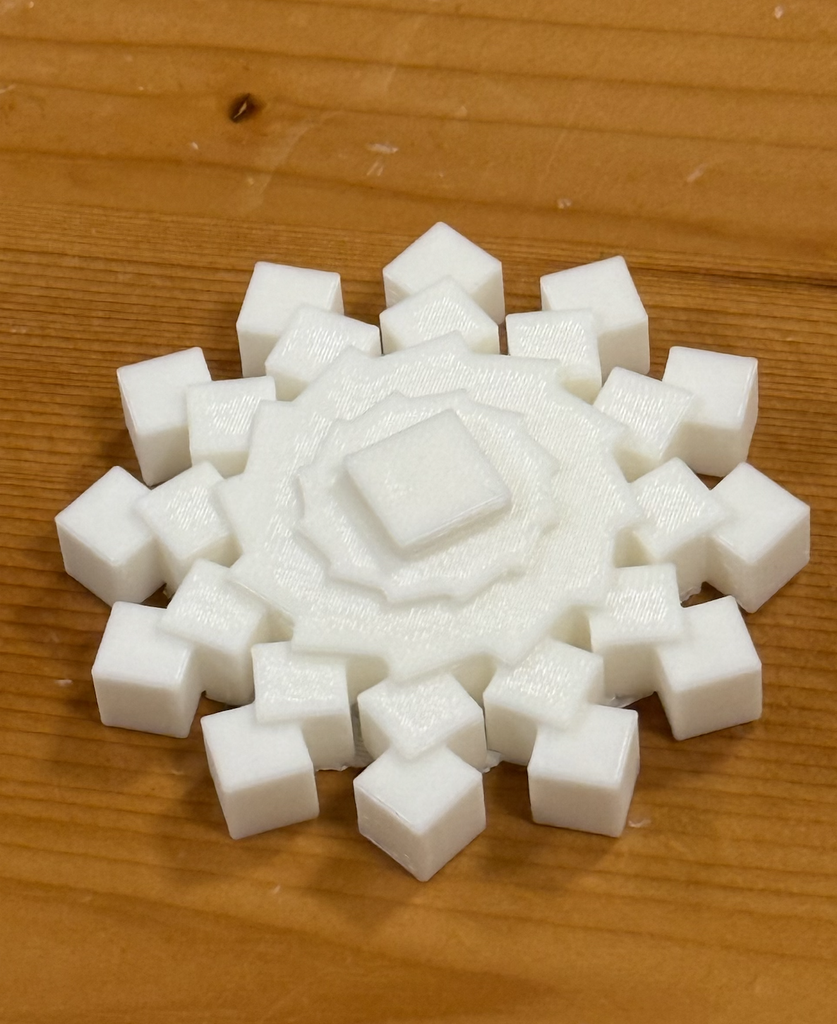
The first printed experiment was the white snowflake, that was originally supposed to be a flower but I felt like after going through the code and printing it in white PLA, it really resembled a snowflake that would be used as a Christmas / winter decoration. I liked how clearly the individual cubes remained visible, while the repeated rings still formed a recognizable pattern. The physical print made the design feel different from the screen preview because the cubes cast small shadows on one another, and the raised center gave the object more depth than a flat flower illustration would have had. Although I was pleased with it, I wanted to challenge myself to make a more three-dimensional form.
Experiment 2: Twisted cube vase (Failed)
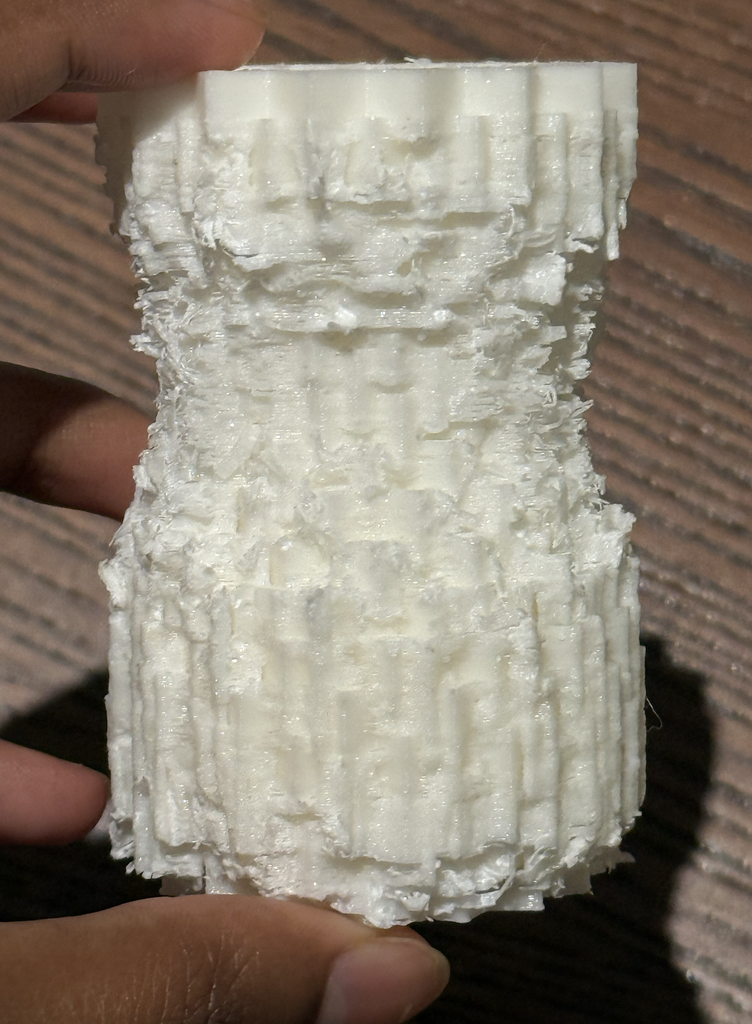
My next print was the twisted cube vase. This was the most ambitious experiment, and it did not produce the clean result I expected. Its unconventional shape needed a large amount of support material. I made the mistake of printing the object right before the IM lab closes so I had to wait until the next day to try to remove the supports. They were difficult to take off! After many attempts of trying to cut off the supports, the white printed result had a rough, intricate surface and an interesting shape of its own, but many of the crisp cube details became obscured. It looked almost like an artifact or a textured column. However, I do appreciate that accidental quality, even though it was not the object I had set out to make.
Experiment 3: Hourglass made of cubes
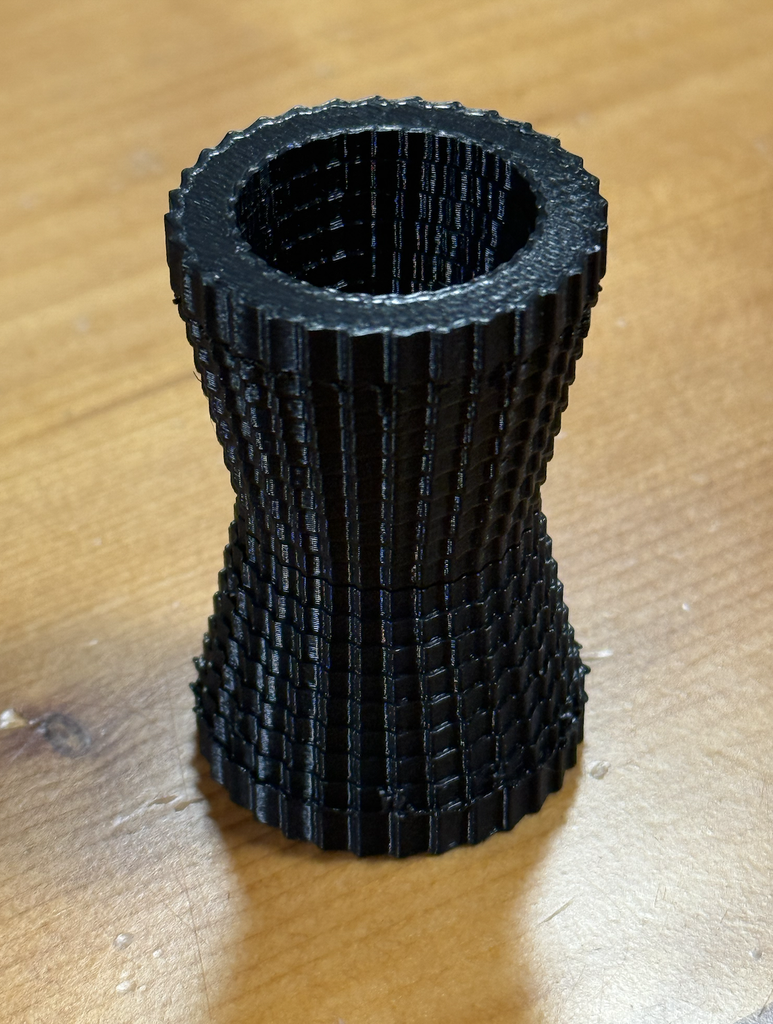
The final print was the black cube hourglass. Its outline widens at the top and bottom and narrows at the center, while the repeated cubes give the surface a detailed texture. The dark material also makes the shadows between the cubes more visible. Compared with my previous print, this result was SO MUCH BETTER and actually communicates the complexity of the form much more clearly. It is still recognizably made from an algorithm, because the same unit appears again and again, but the units work together to make a complete sculptural object that looks really unique.
Process and Challenges:
The biggest challenge was understanding the difference between a visually exciting digital model and a successful physical print. When I first saw the twisted cube sketch (experiment 2) on my screen, I was focused on its complexity. During printing, the same features created practical problems. The spaces and overhangs around the cubes required extensive supports, and removing those supports affected the surface I wanted people to see. The failed print made me reconsider the design rules of 3d printing instead of simply trying to make an object that just looks cool. I asked which qualities mattered most to me: the tall form, the narrow middle, and the texture created by repeated cubes. The continuous twist was visually interesting, but it was not essential to those ideas. By changing the radius gradually and arranging the layers more regularly, I made the hourglass. This was not a completely new direction; it was a revision based on what the previous object taught me.
Reflection:
3D printing changed the way I approached computational design because it made my code answer to physical constraints. In p5.js, I could generate hundreds of cubes and make them appear to form a continuous object. Once I tried to print that object, I had to consider how its parts connected, how it would stand, where supports would touch it, and how those supports would be removed.
I also learned that an unsuccessful print can still be a valuable part of the design process. The rough twisted print showed me both what was exciting about my idea and what needed to change. The final hourglass came from keeping the strongest visual qualities of that experiment while revising the algorithm around the realities of the printer. For me, the project became less about producing the most complicated possible shape and more about using code, testing, and material feedback together to develop a form that works in three dimensions.