Assignment 7 – Asma & Raghad

Linkage Arm Plotter: ( TRS Drawbot)

A linkage arm plotter is a category of drawing machine that uses connected mechanical arms and rotating joints to guide a pen across a surface. Rather than moving a pen along horizontal and vertical rails, it positions the pen through the combined motion of its links. These machines can have different configurations, including a jointed arm resembling a human shoulder and elbow, or multiple linked arms working together.

In motorised versions, software translates points in a digital drawing into the joint angles needed to position the pen. The motors then move in coordination to trace lines, curves, and patterns. The lengths of the arms and the joints’ movement limits determine the drawing area, while the rigidity of the links and accuracy of the motors affect the quality of the marks.

What makes this category interesting is the relationship between the mechanism and the drawing it produces. Simple rotating movements can combine to create complex paths, making the drawing process visually engaging.

The TRS Drawbot belongs to this category: its shoulder and elbow servos move a pen through instructions encoded in audio. Other linkage arm plotters use different control systems and may include a pen-lifting mechanism similar to what we assembled in class, allowing them to draw separate lines as well as continuous paths.

What the machine is and how it draws

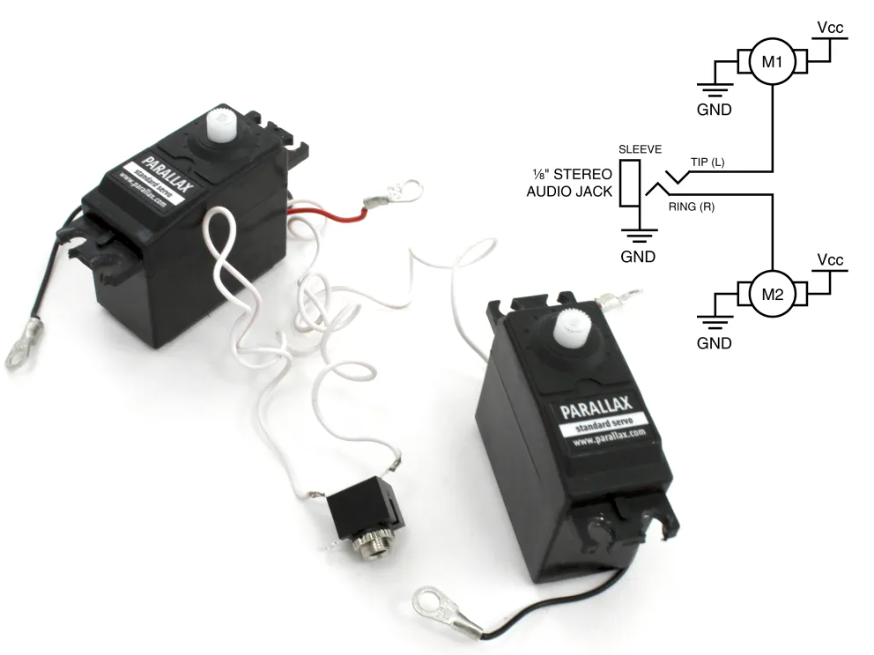
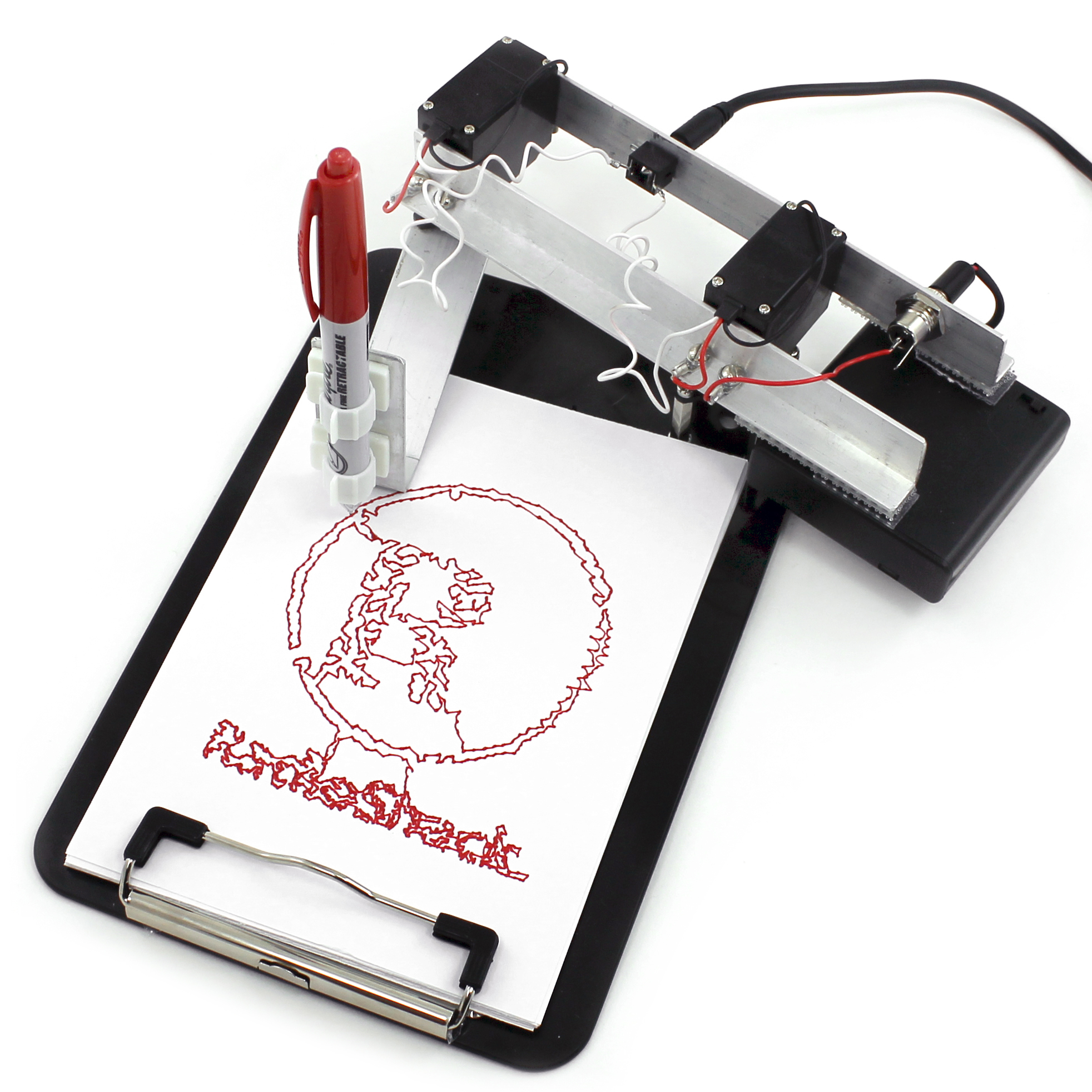
The TRS Drawbot is a drawing robot that uses a pen mounted on a mechanical arm to reproduce digital artwork on paper. Its arm has two joints, similar to a human shoulder and elbow, each controlled by a servo motor. By coordinating the angles of these joints, the robot moves the pen to different positions across the page. Its drawing instructions come from a specially generated WAV audio file. The Drawbot WAVE Synthesizer software reads points from an SVG drawing and calculates the motor angles needed to reach them, using the lengths of the arm segments. It then encodes these angles as electrical pulses in a stereo sound file. When played through a headphone jack, the left audio channel controls the shoulder motor and the right channel controls the elbow motor. A separate power source supplies electricity to the motors. 

Video: https://youtu.be/9gvkEeRP8Yk?si=zIbOVln4pmNHaGa5

What makes its approach to drawing interesting

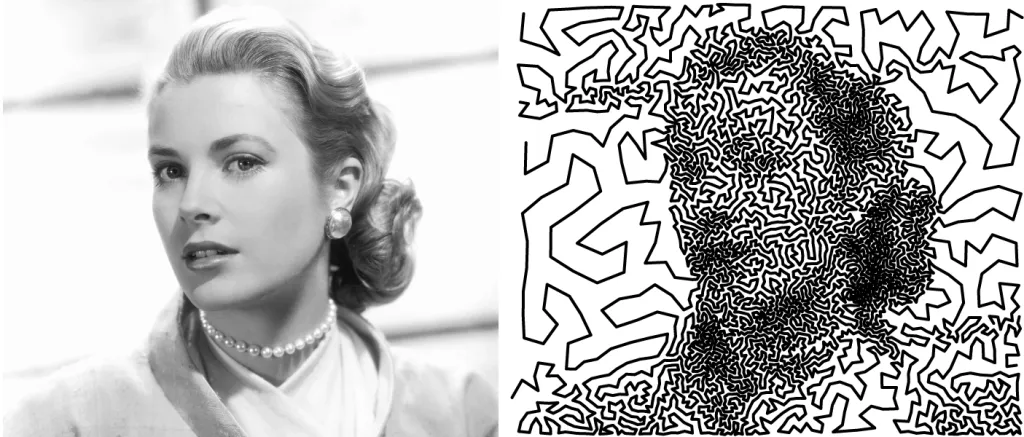
The most distinctive feature is its use of audio as a set of movement instructions. Instead of relying on an onboard microcontroller, the robot receives control signals directly from an audio player. This creates an unusual connection between sound and visual art: playing a sound file produces a physical drawing. However, it requires carefully generated control pulses rather than ordinary music. Its mechanical limitations also shape the artwork. Both stereo channels are needed to move the arm, leaving no channel for lifting the pen. Consequently, the drawing must follow a continuous path. One method converts an image into dots, then uses a Travelling Salesman Problem algorithm to connect them along a short route. The result is a recognisable image made from one unbroken line. Artistically, this makes the limitation productive: the machine’s structure helps determine the visual style of its drawings.
The essential mechanical, electronic, and software components needed to build it

The TRS Drawbot is very simple to build as it uses two servo motors and an audio signal instead of a regular microcontroller.

– Mechanical components: Two servo motors, aluminum arms to make the drawing mechanism, a clipboard to act as the base, a pen holder and screws and brackets to connect the parts.

– Electronics: a stereo TRS headphone jack, stereo audio cable, battery pack or 6V power supply, wiring to connect the servos. The motors are controlled independently by the two audio channels.

– Software: The Drawbot WAVE Synthesizer converts SVG drawings to WAV audio files. It translates the drawing coordinates to servo angles and encodes them in electrical pulses. The motors move the pen along the drawing path as the audio file is played on a computer or other compatible audio device.

The interesting thing about the system is that you do not need a microcontroller to interpret the drawing instructions. The audio file itself instead guides the movement of the machine.
Examples of drawings or artworks produced with it

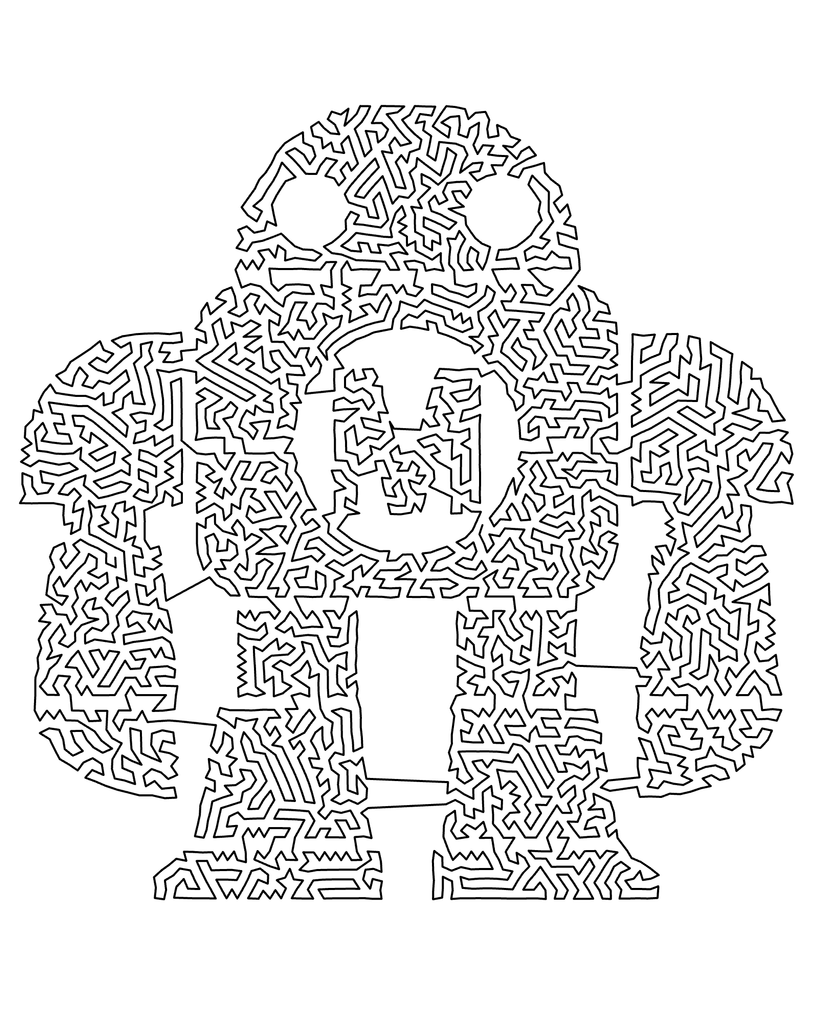
The TRS Drawbot is capable of producing various continuous-line drawings, from simple geometric figures to more intricate illustrations and portraits. The machine can not lift its pen automatically, hence the drawings need to be in a continuous path. Some examples from the original project were stars, the RadioShack logo, the Maker Faire mascot and a portrait created with the Traveling Salesman Problem (TSP) method.

The TSP drawings are particularly interesting to us because they demonstrate how a complex image can be reproduced by means of a single continuous line. First, the image is pixelated into dots and an algorithm finds a path between those dots. This enables the robot to create recognizable images within the mechanical constraints.
Relevant references, projects, or artists/designers who have explored similar systems

These references connect to the TRS Drawbot through robotic movement, algorithmic drawing, and the use of mechanical systems to make art.

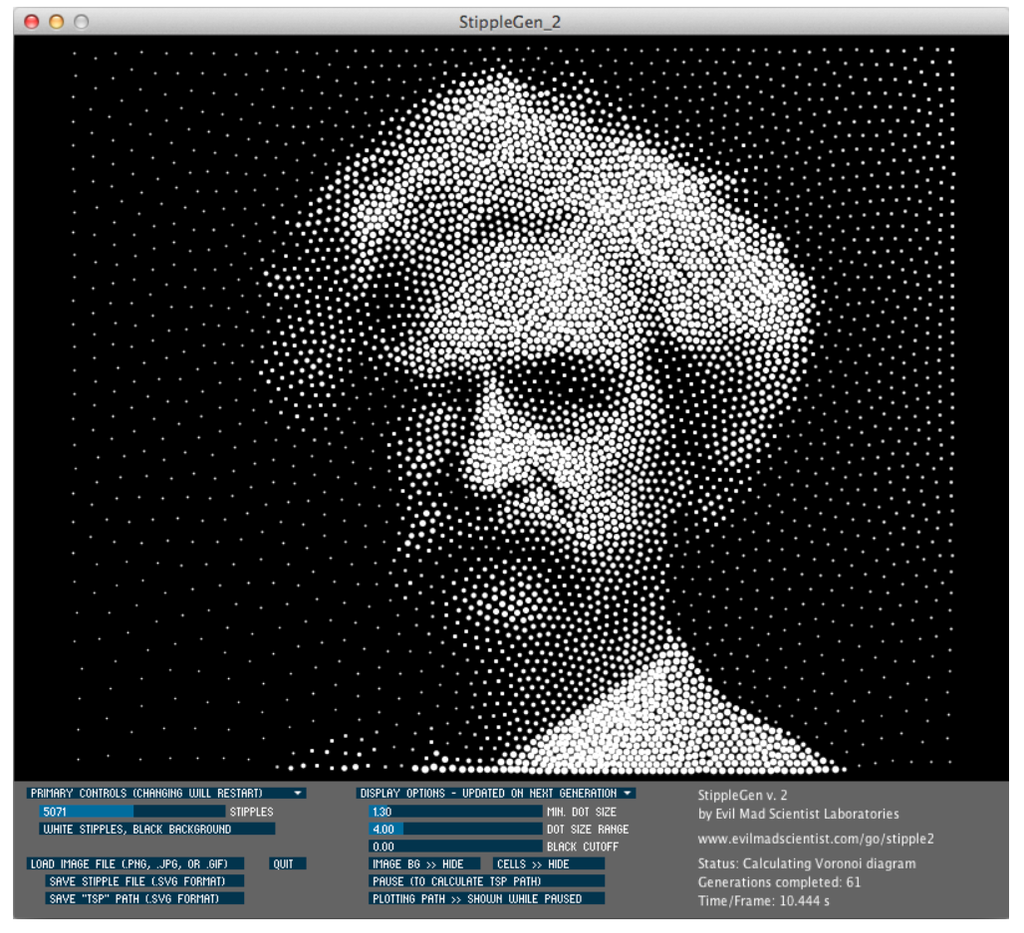
  1. StippleGen: Evil Mad Scientist Laboratories
    StippleGen converts images into arrangements of dots and can connect them into a continuous path using a Travelling Salesman Problem algorithm. It is directly relevant because the TRS Drawbot tutorial uses this software to prepare its single-line artwork. It demonstrates how an algorithm can transform a photograph into a path a machine can draw.
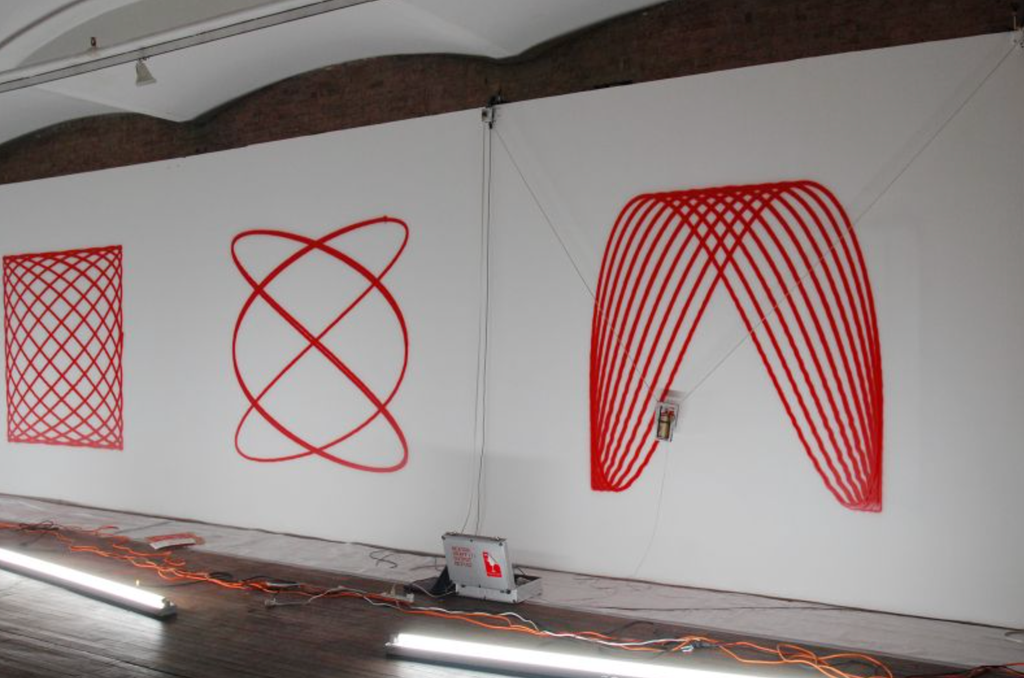
  1. Hektor: Jürg Lehni and Uli Franke, 2002
    Hektor is a computer-controlled drawing machine that moves a spray paint can using two motors and toothed belts. Its software translates digital paths into motor movements. Like the TRS Drawbot, it produces drawings through a simple mechanism, but uses a suspended spray can instead of a jointed pen arm. Its trembling and wobbling give the finished work a distinctive character, showing how mechanical imperfections can become part of an artwork’s aesthetic.
https://juerglehni.com/works/hektor?utm_
Sources:

TRS Drawbot

https://juerglehni.com/works/hektor?utm_
https://juerglehni.com/works/hektor?utm_
Midterm – Islamic Geometric Patterns Through the Pen Plotter

By: Asma Al Murr

Concept and Algorithm

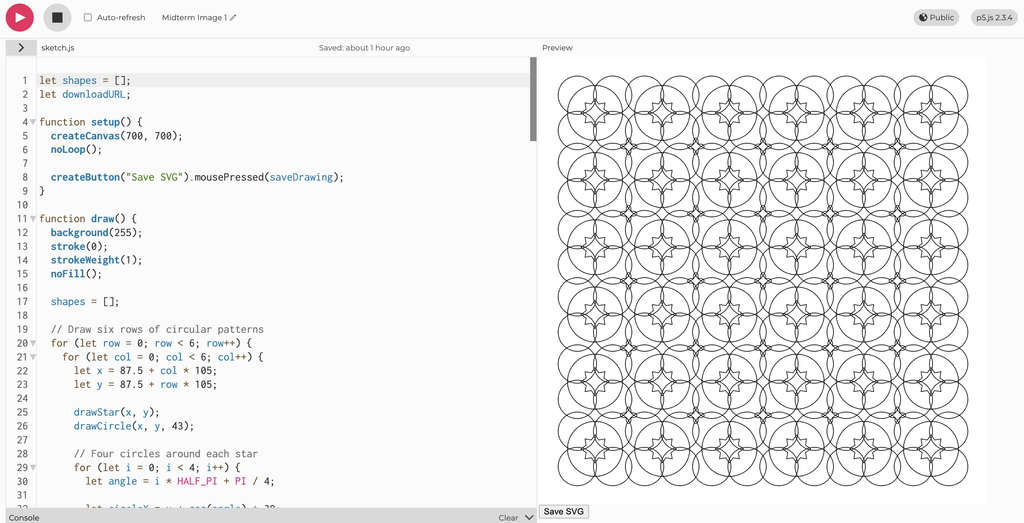
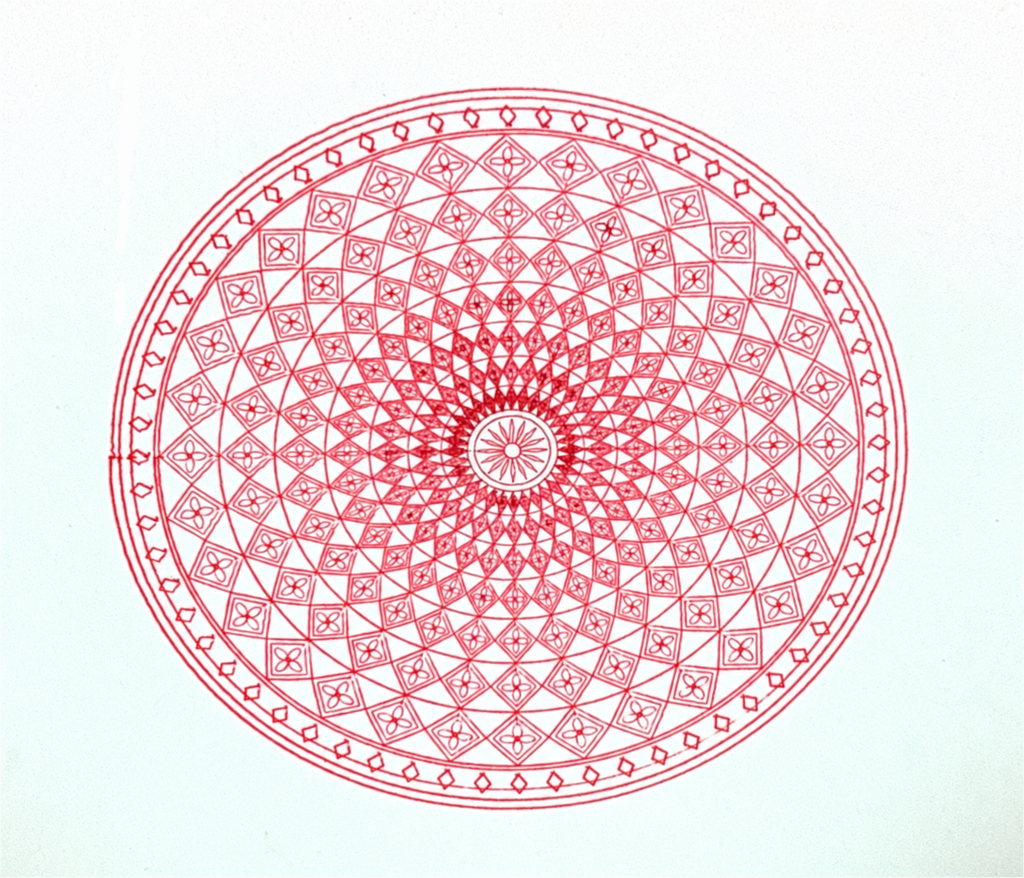
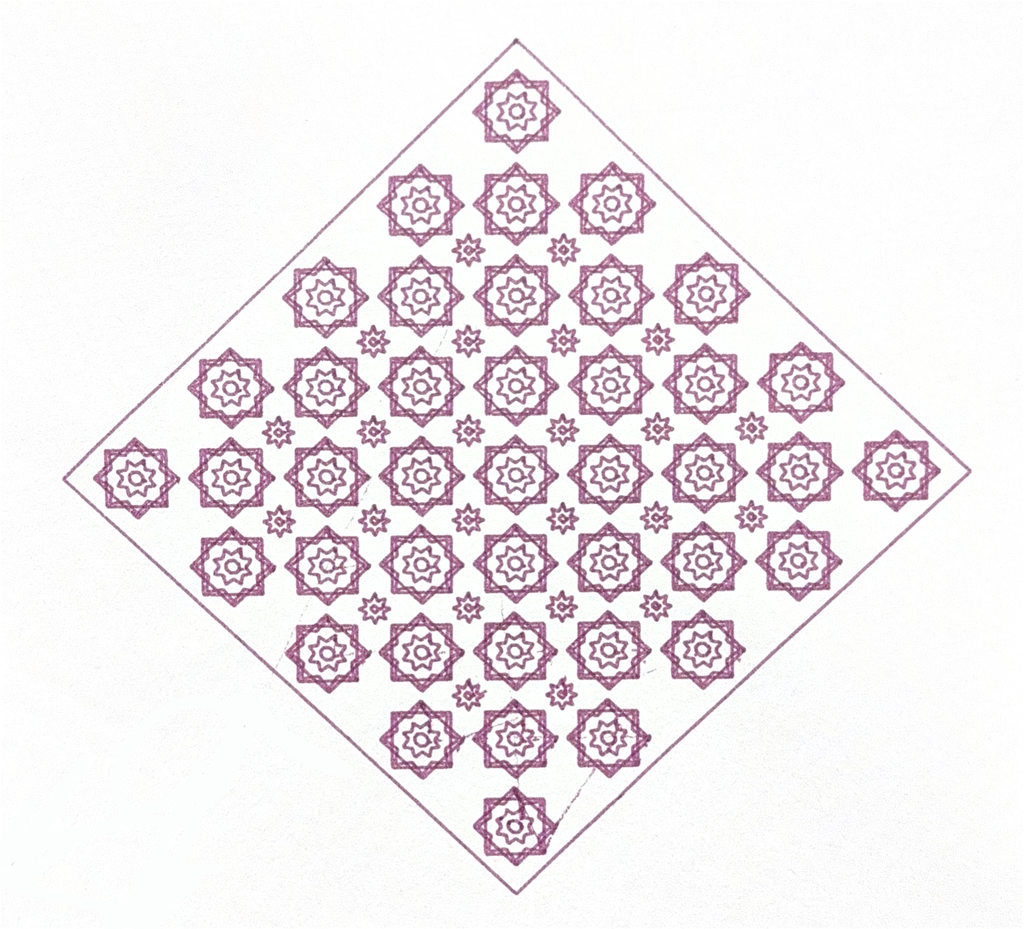
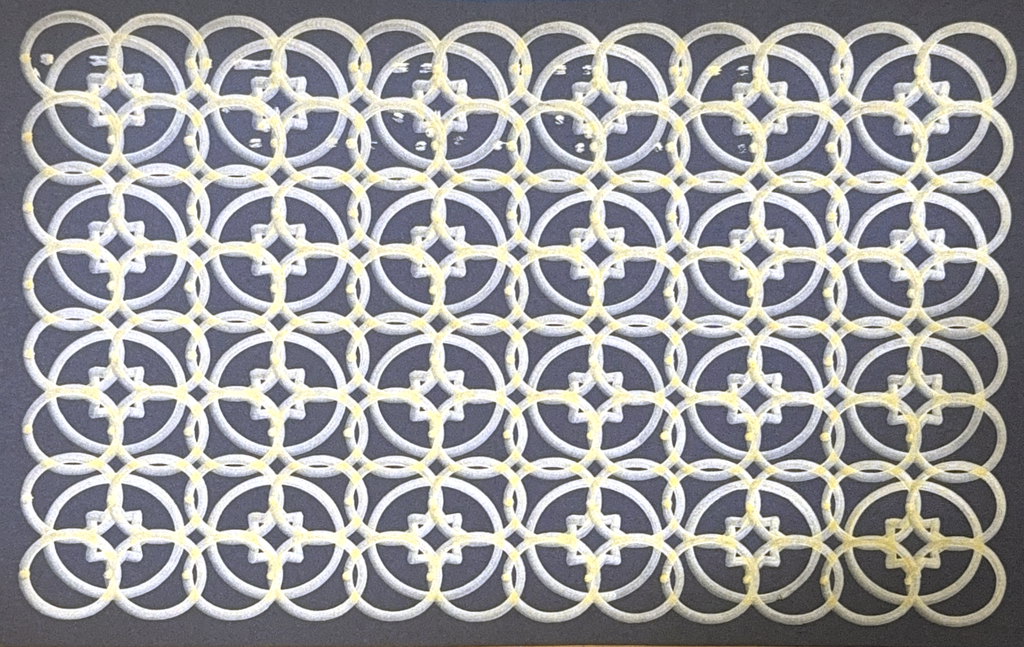
For my midterm project, I explored how Islamic inspired geometric patterns could be created through code and translated into physical pen drawings. I was interested in how simple shapes could become complex compositions through repetition, rotation, and symmetry. My three p5.js sketches use these rules in different ways: one repeats circles and stars across a grid, another arranges diamond bands and floral details around a central point, and the third repeats layered star pattern within a diamond shaped composition. I used loops to repeat the shapes and sine and cosine to calculate points around circles and position rotated details. By changing the spacing, sizes, speed of the plotter and number of repetitions, I could adjust the complexity while keeping the patterns organised. Together, the drawings explore the relationship between Islamic geometric art, computational rules, and machine controlled drawing through the pen plotter we built in class.

Inspiration:

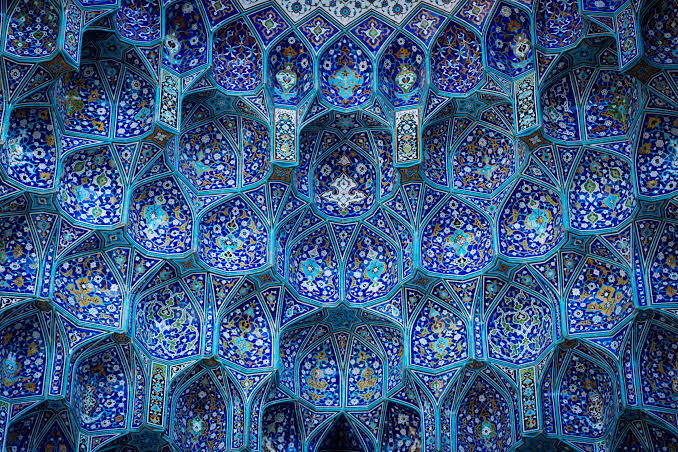
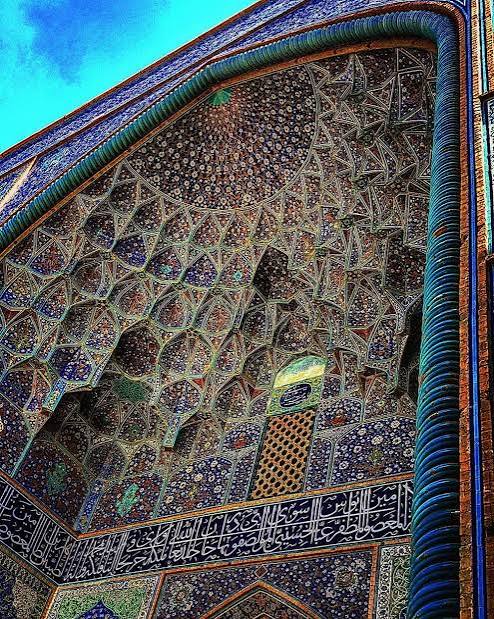
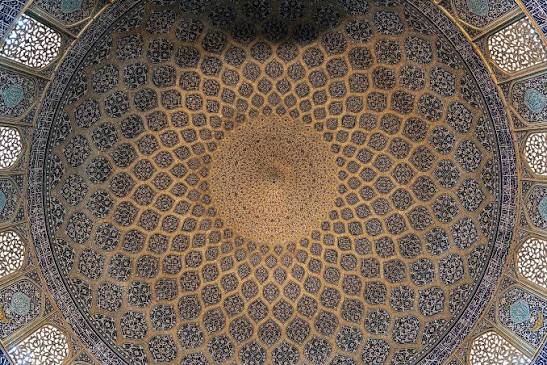
These patterns are inspired by geometric designs found in mosques and Islamic art, where repeated stars, circles, and interlocking shapes decorate tiles, carved wood, screens, walls, and ceilings. Their symmetry and repetition create intricate compositions that can appear to extend beyond their borders. In my project, I explored these visual qualities through code, using the pen plotter to translate geometric rules into ink on paper.

The Drawing Process: Pens and Paper

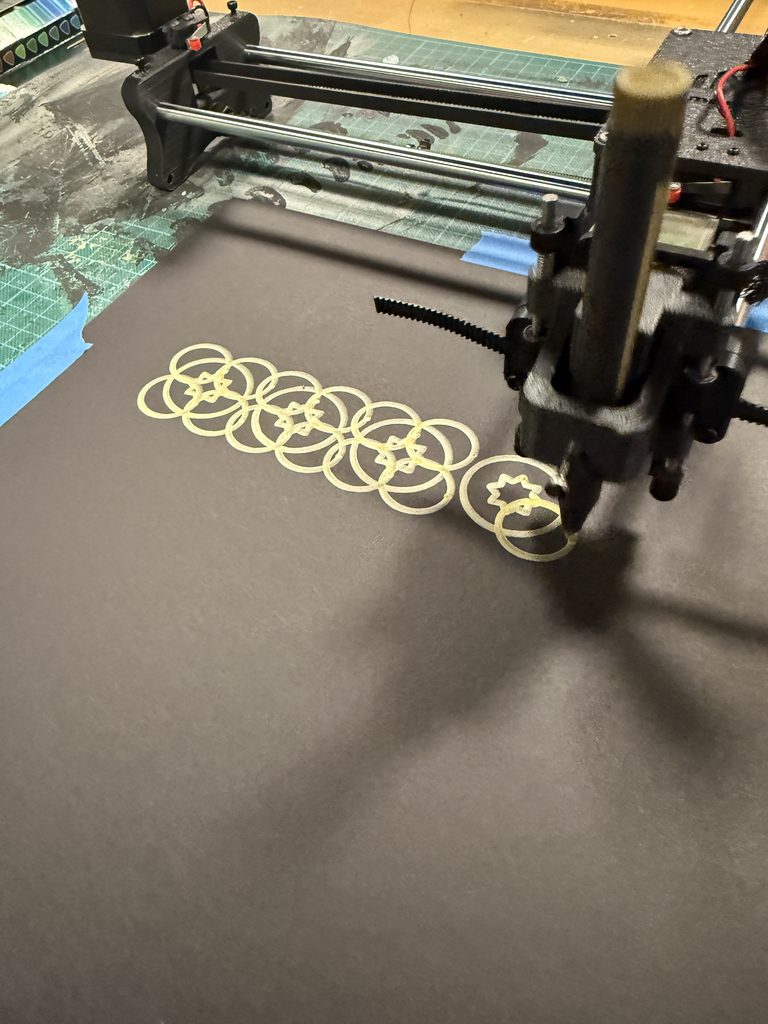
Choosing the pens and paper became an important part of designing the work. I experimented with regular white A4 paper, thicker beige A3 paper and thick A3 black paper. Also I tested out thin and thick pens, several vibrant, matte, and metallic colours. White paper allowed the finer coloured lines to remain visible, which suited the detailed mandala and star patterns but using thicker paper was better because it held the ink better. Black paper gave the metallic ink a stronger contrast and made the larger circular pattern stand out. However, I found that a thick metallic pen could obscure small shapes and curves, so I had to match the scale of the design to the width of the pen. I also checked how the pen sat in the holder and whether it maintained even contact with the paper. These decisions showed me that selecting materials was part of developing the drawing system, because the same code could produce very different results depending on the pen and surface.

SVG/G-code Workflow

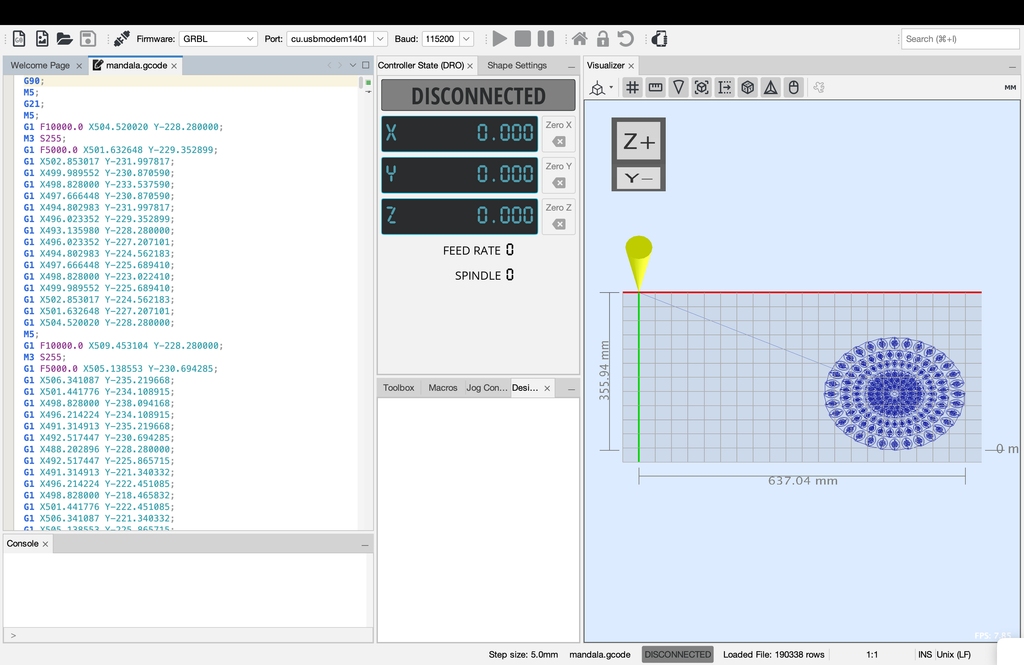
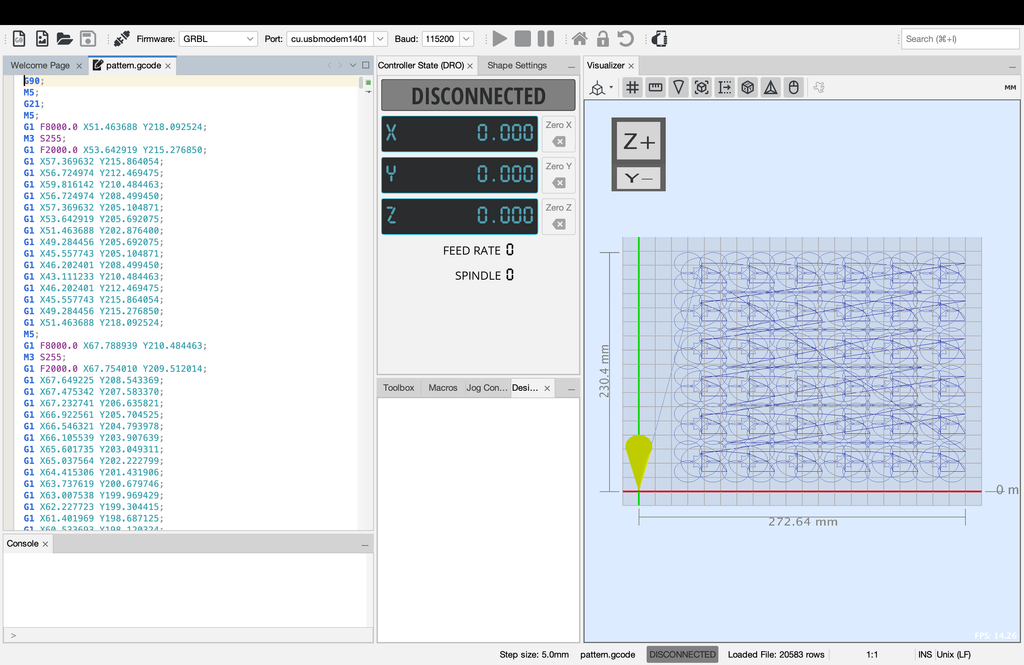
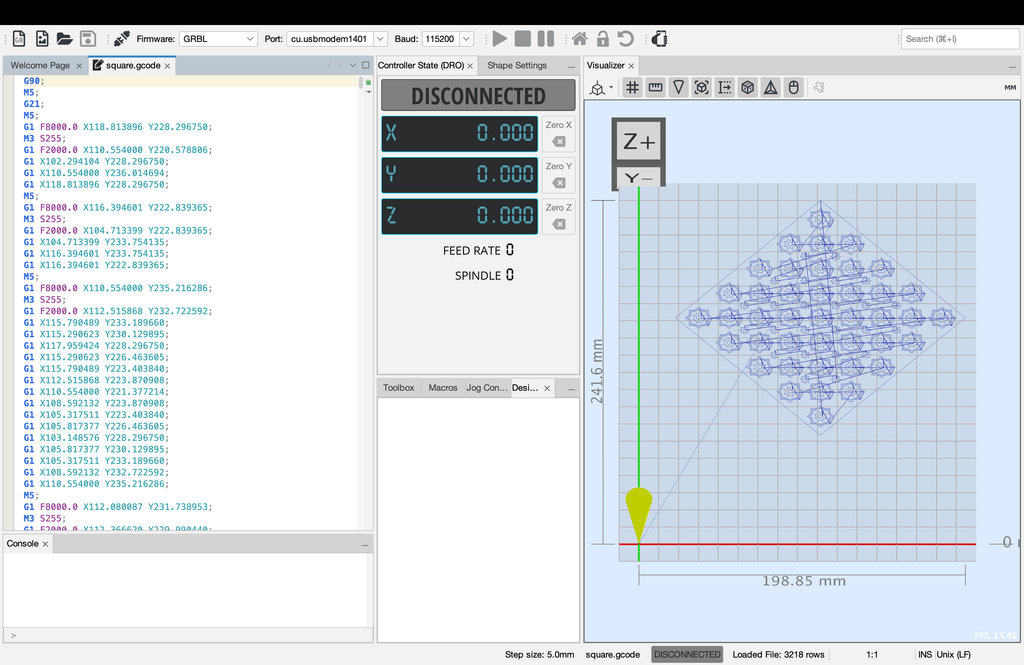
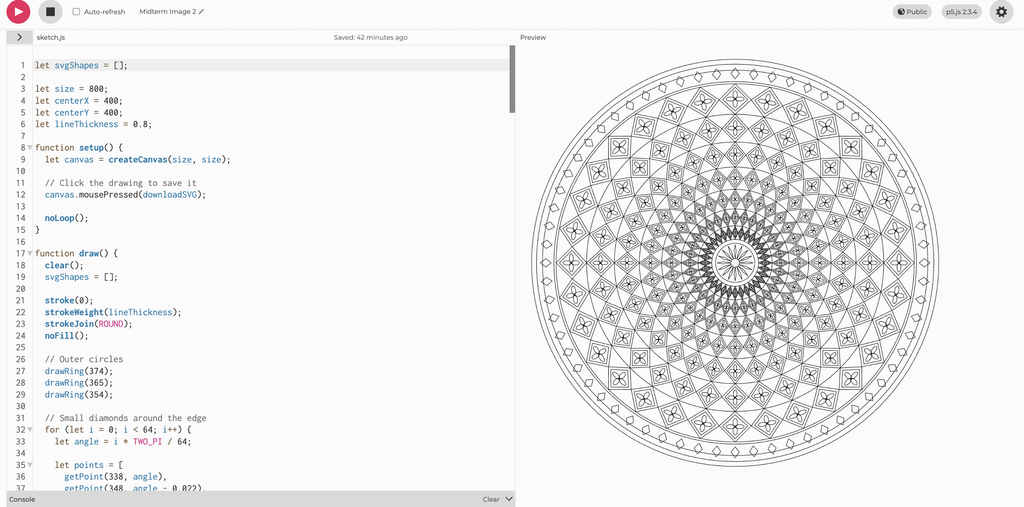
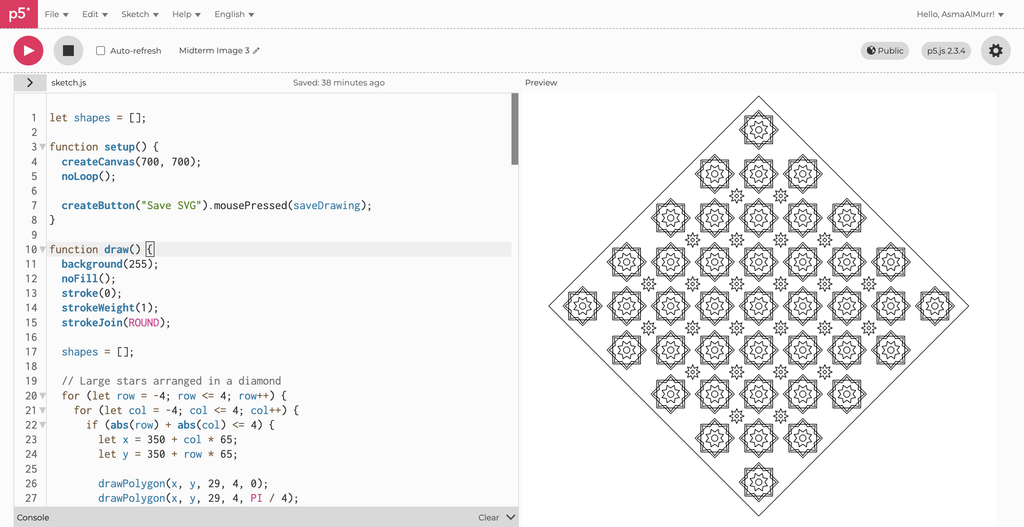
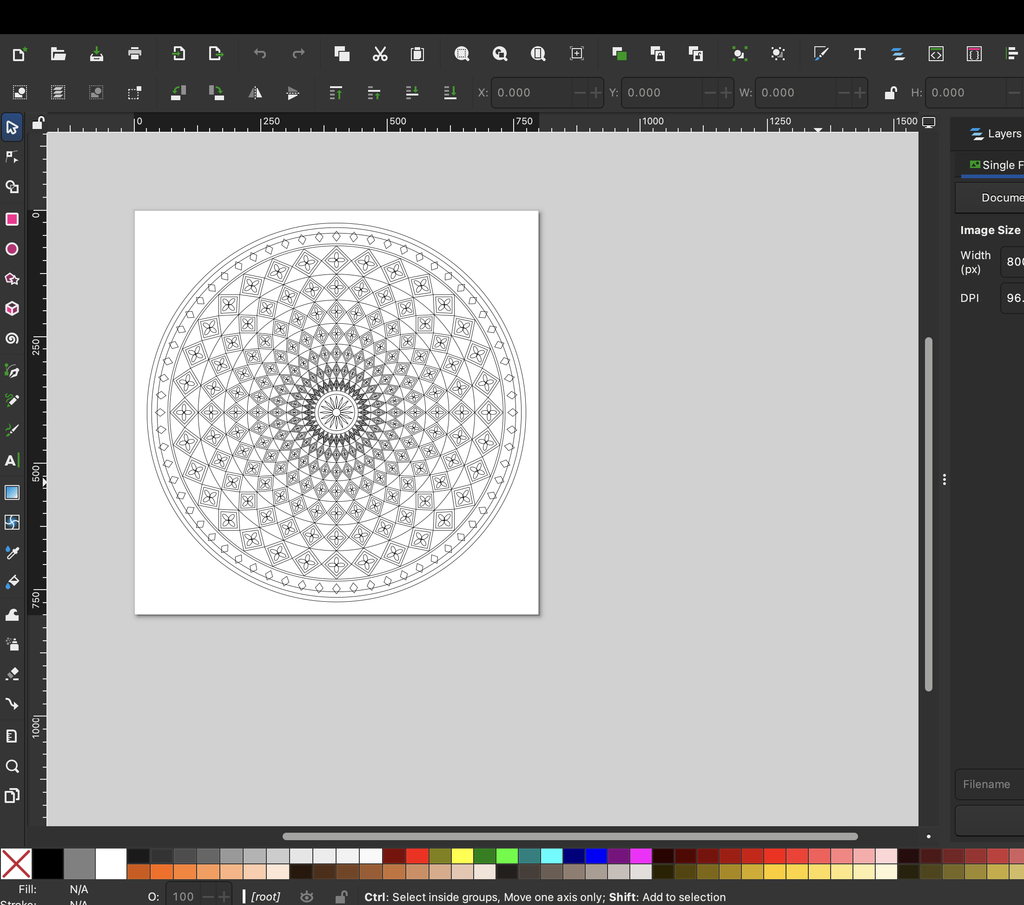
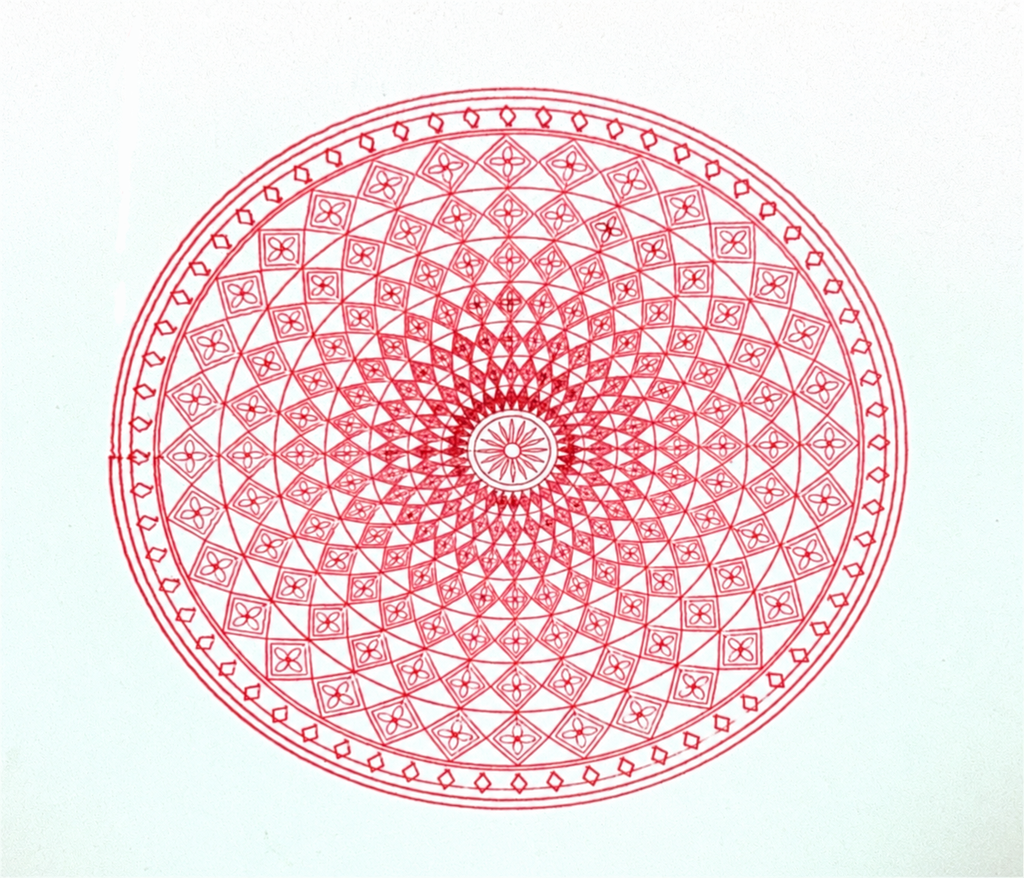
For the three final designs, I created the geometric art in p5.js and downloaded them as SVG files. The repeating circular pattern used stars, circles, and small curved shapes; the mandala used concentric circles, repeated diamonds, and four-petal details; and the diamond composition used rotated polygons and eight-point stars. The sketches exported outlines without a background, allowing the paper itself to become the background of each artwork. I opened the SVG files in Inkscape, prepared their size and placement, and converted them into G-code, which I then loaded into Universal G-code Sender to operate the plotter. This process required attention to scale, orientation, and pen-up movements between separate shapes. My tests showed that a drawing looking correct in p5.js did not automatically mean it would plot correctly, so the conversion and physical setup needed to be checked as well.

Experimentation: Test Drawings and Iterations

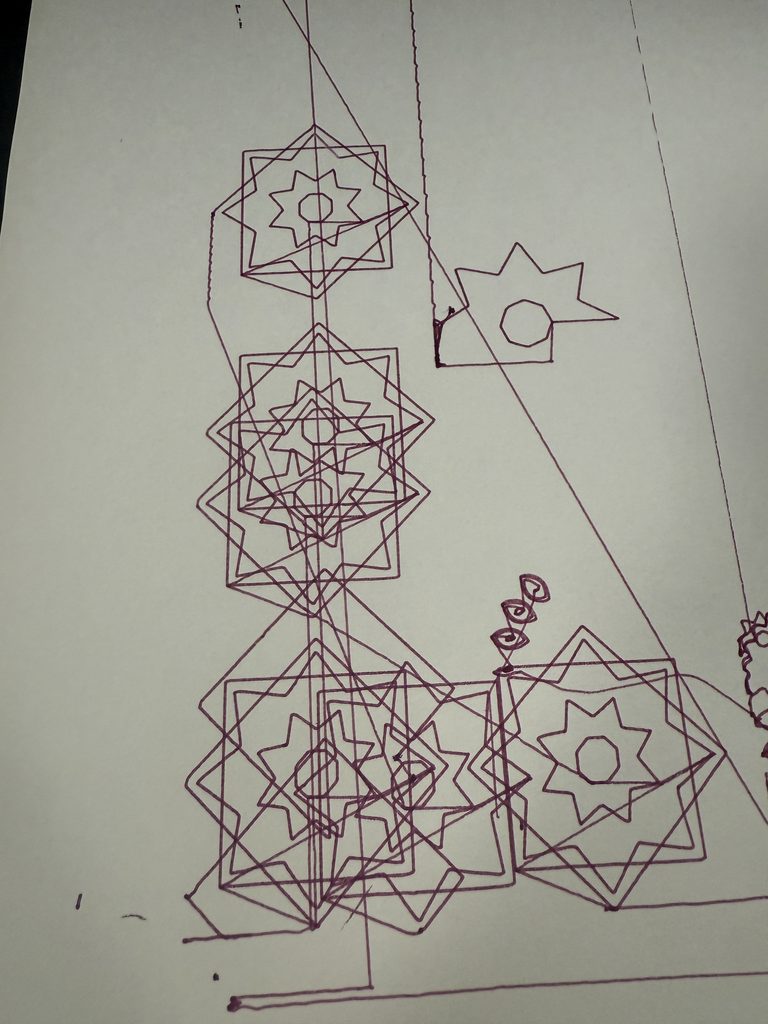
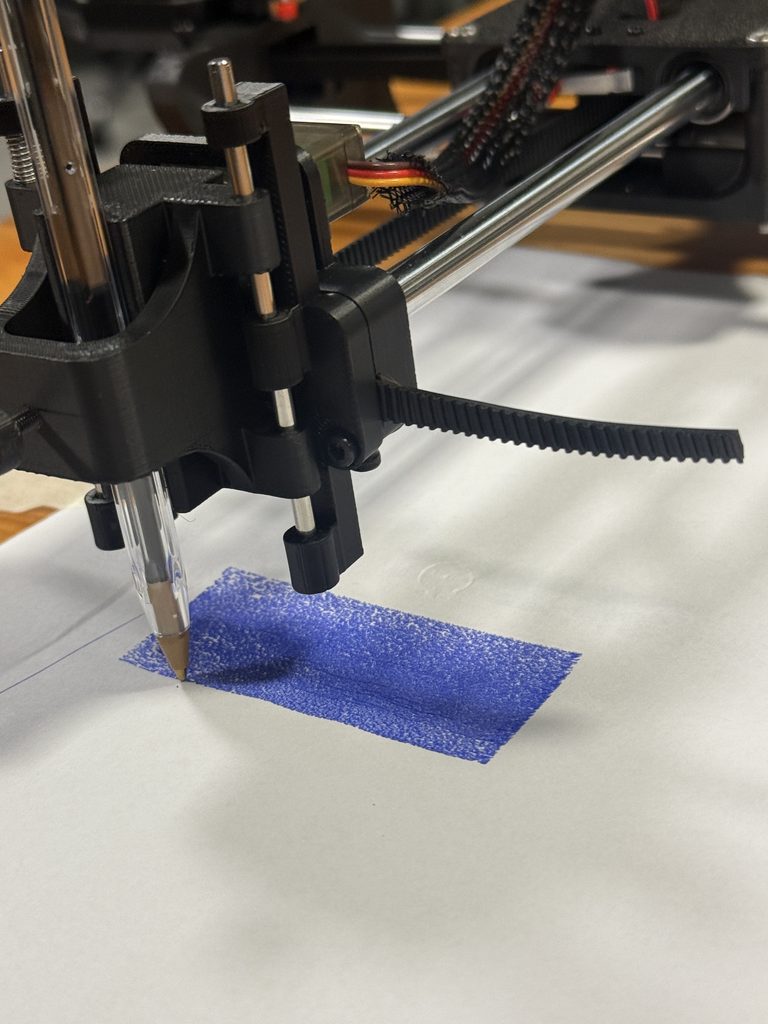
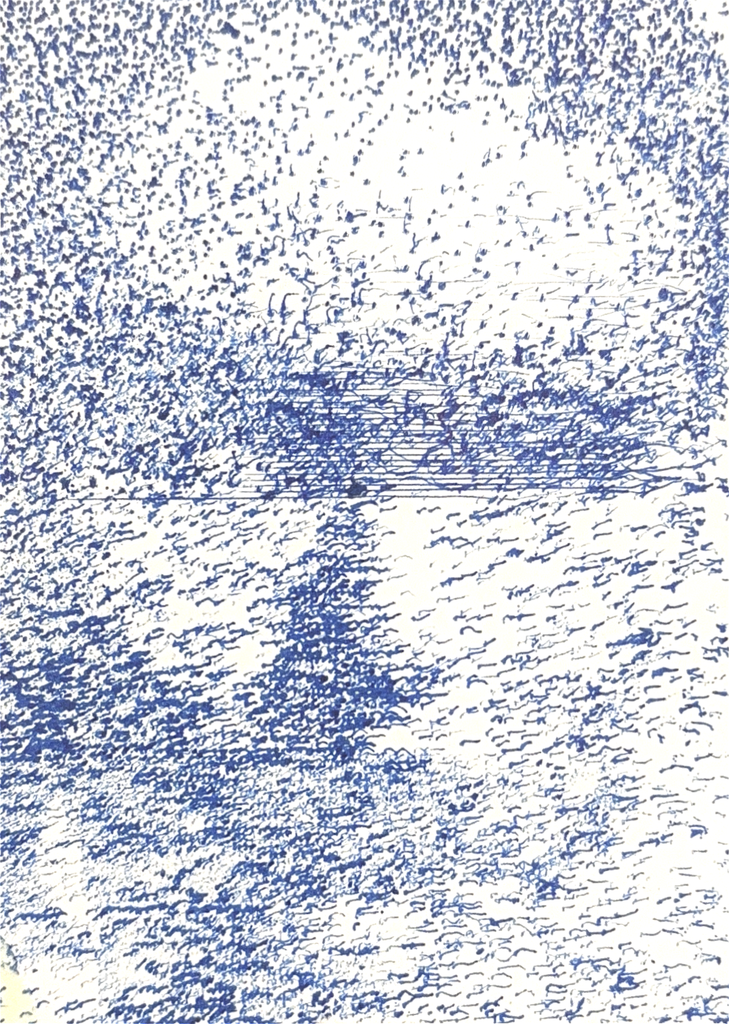
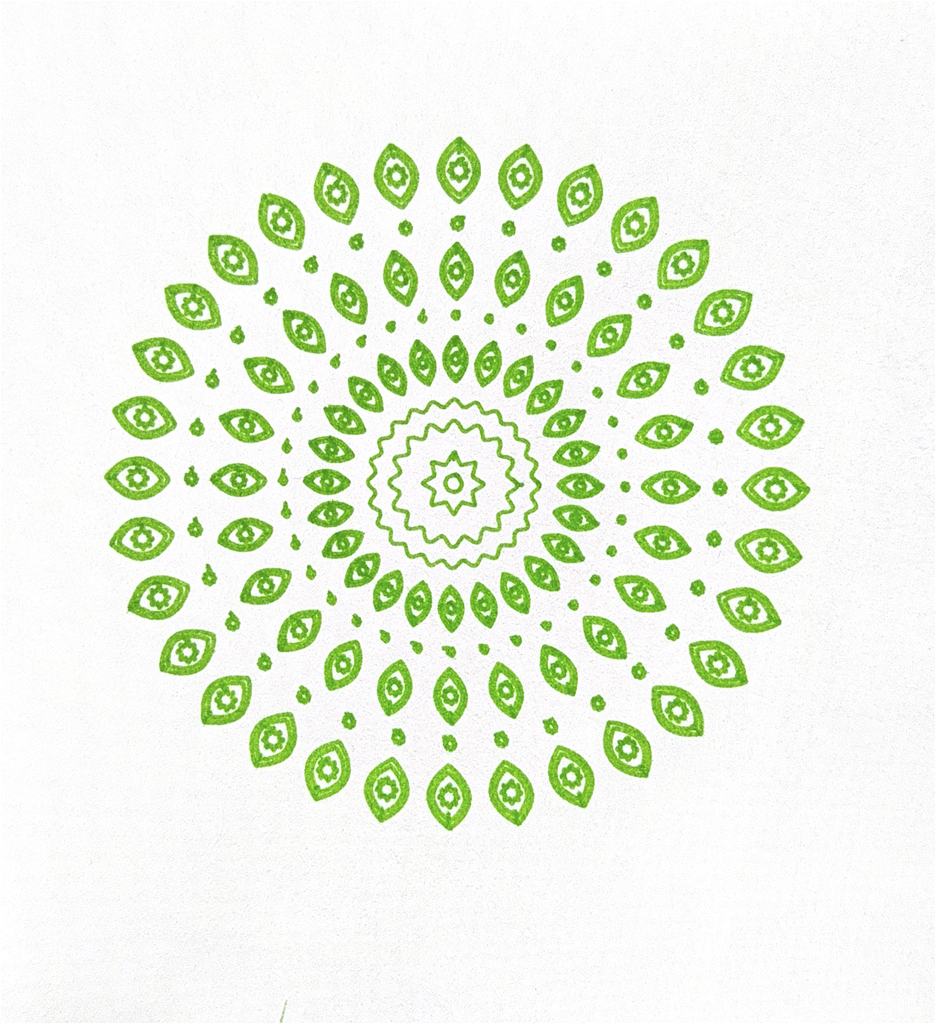
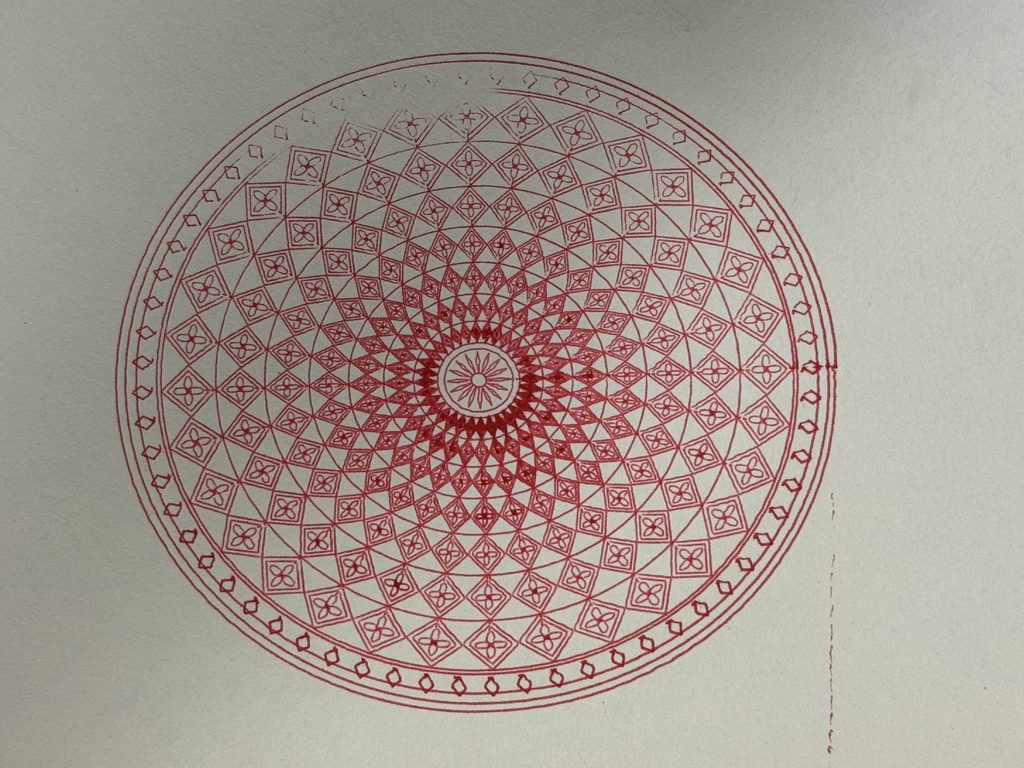
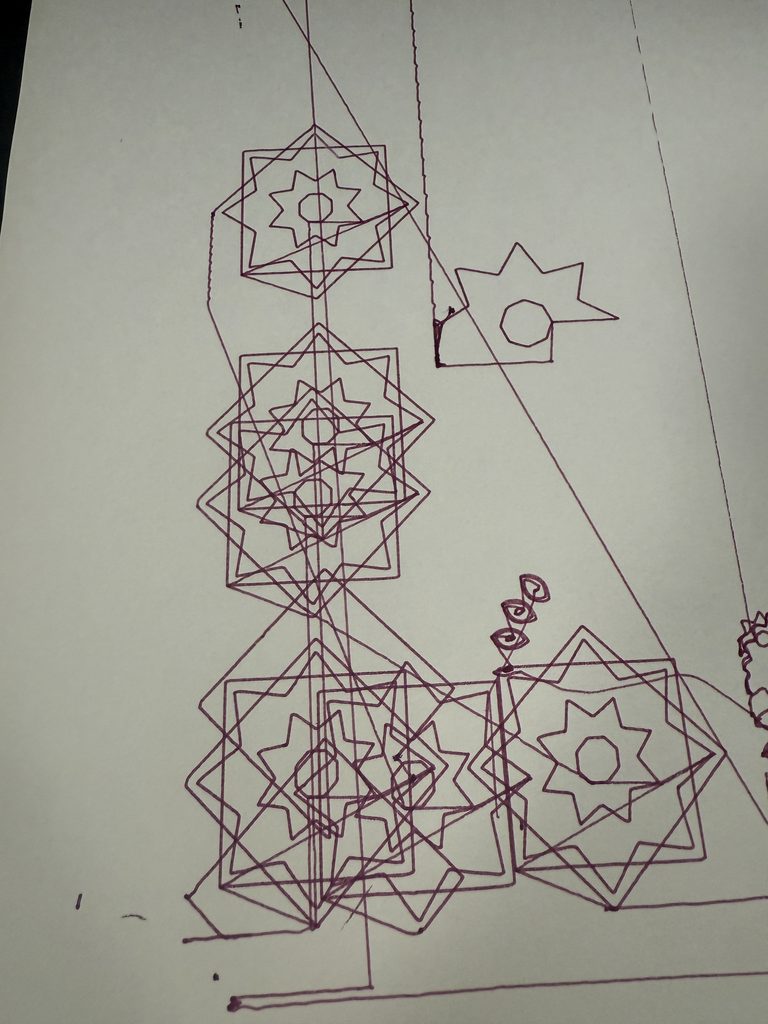
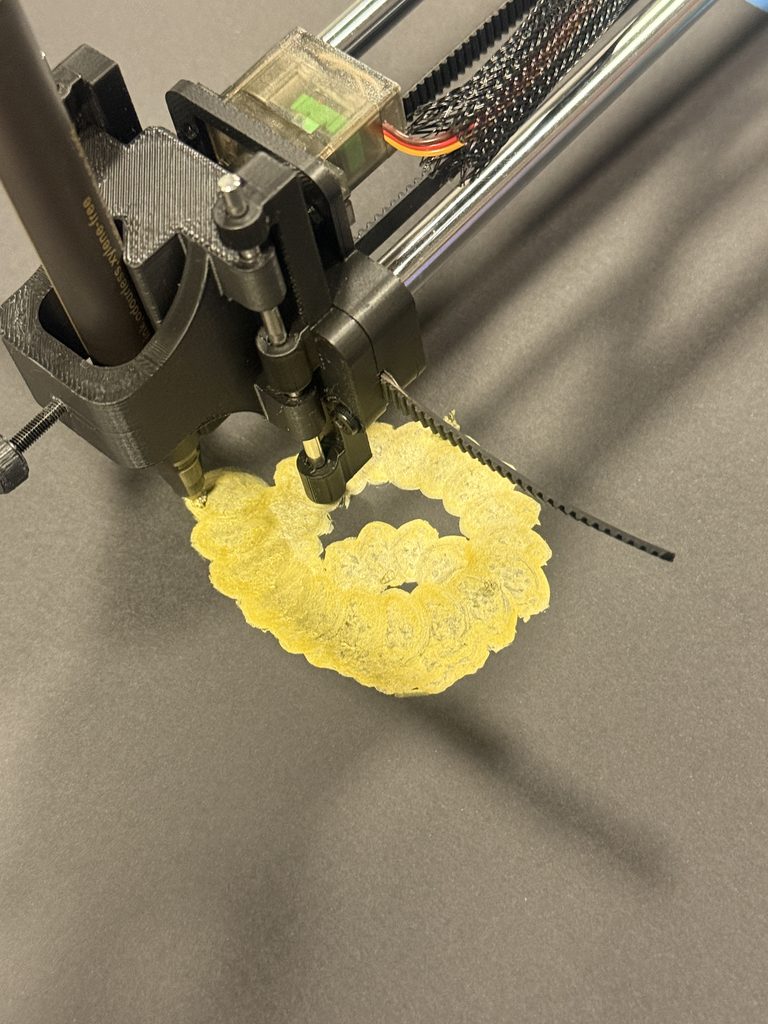
I initially experimented with stippling an artform created purely by dots. I managed to create a face using dots, but the results were inconsistent. In my test, the dots were so densely packed that the image became almost solid rectangle, which helped me understand the importance of spacing and dor density. Leaving white space for the facial features to appear was an important detail I also missed the first time. The plotter also had to lift and lower the pen hundreds of times, making each drawing take around an hour, and thicker pens made the dots merge together. I then completely changed my idea towards Islamic geometric patterns, beginning with a simpler green circular mandala before developing more detailed compositions. My first detailed red mandala faded across part of the page because the plotter was unbalanced; applying pressure to one point of the plotter while it worked on that area improved the contact and the result. The purple star test revealed problems with scale, orientation, and pen height, with the pen dragging across the paper and creating unwanted connecting lines. On black paper, thick gold ink worked well for larger patterns but turned fine details into a dense gold patch, while the thin white pen produced uneven ink and smudging. I also found that, with the materials and pressure I was using, repeatedly passing over the same area more than about five times could damage the paper causing it to rip . These experiments helped me balance detail, spacing, ink flow, and physical pressure.

Below is a breakdown of each experiment and how I revised the experiment to improve my results:

Experiment 1: Stippling: Dots Too Close Together

Experiment: My first stippling test had dots packed so closely together that the face became a nearly solid blue rectangle.

Revision: I increased the spacing and slowed the speed down, also I allowed more white to be visible in the space so the facial features could appear clearly.

Experiment 2: Developing a More Detailed Mandala

Experiment: I started with a simpler green circular pattern to explore repeated shapes and radial symmetry.

Revision: I developed a denser composition with diamond bands, floral details, and a decorative border. I added more repetition which made the overall design more complex and interesting.

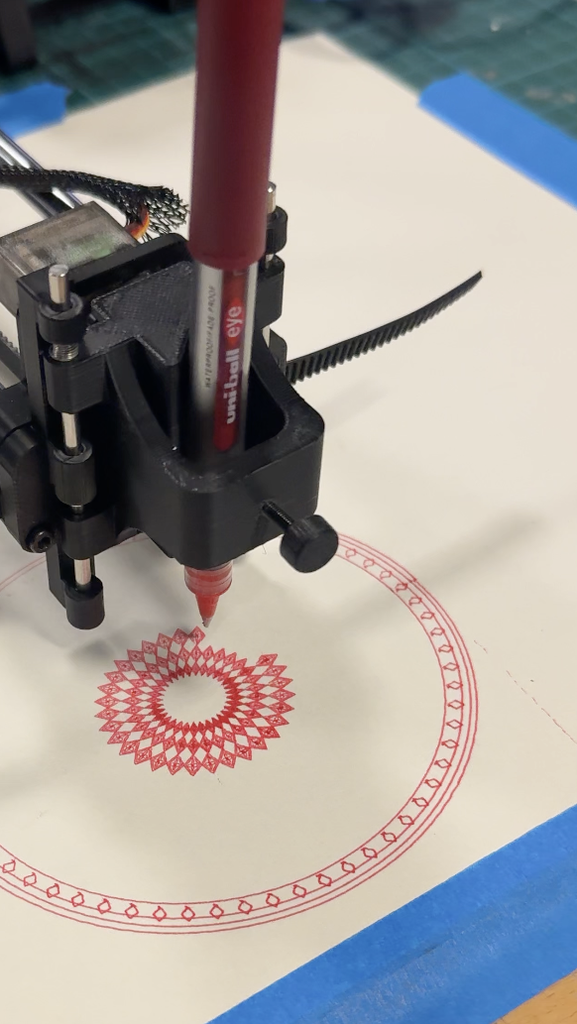
Experiment 3: Plotter Imbalance and Faded Lines

Experiment: When I tried out a more complicated pattern the mandala faded across the lower section because the plotter did not maintain even contact with the paper.

Revision: I applied pressure to one point of the plotter while it worked on that area, which improved the contact. I also slowed the speed down to 3000 to be as precise as possible when plotting the design.

Experiment 4: Drawing Size, Orientation, and Pen Height

Experiment: The purple star test was too large and incorrectly oriented. The pen also sat too close to the paper, leaving unwanted lines between shapes.

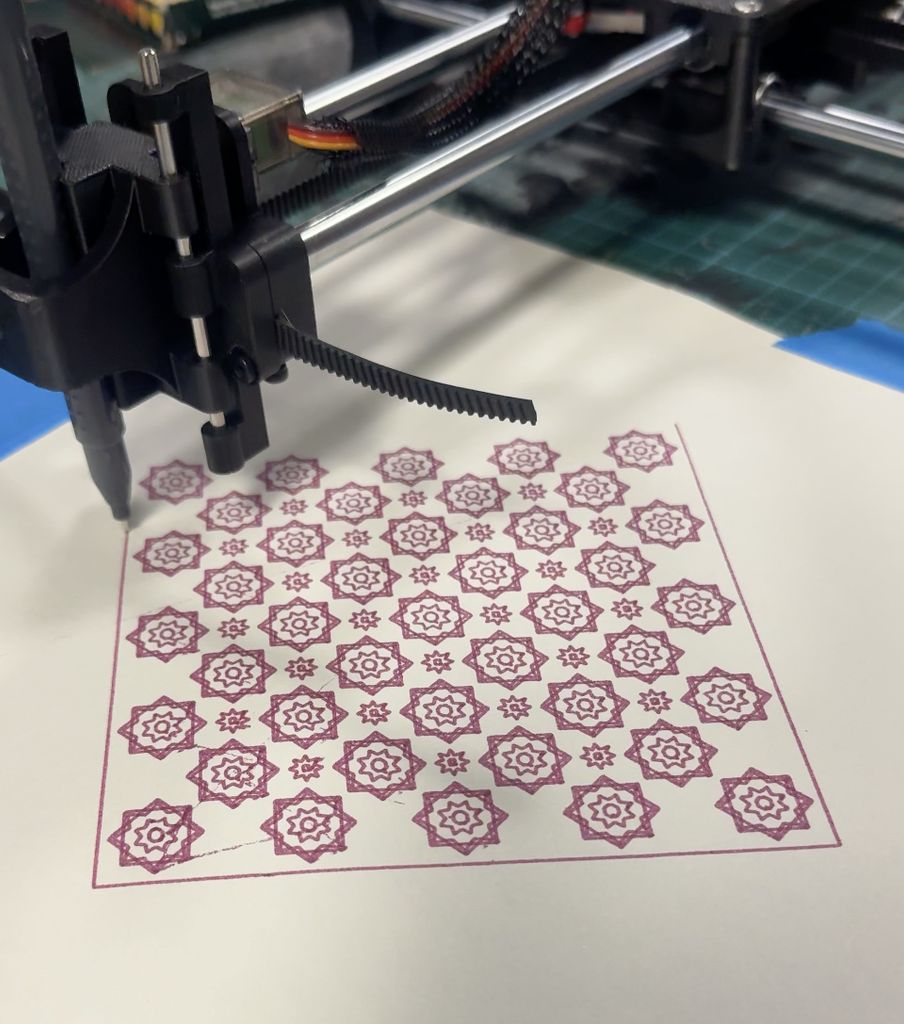
Revision: I corrected the scale, orientation, and pen position before producing the final star composition. I also played with rotation by adding squares on top of each other to make a star shape. Also, instead of creating this in a normal square I rotated it to make a diamond shape and added more details in between the stars.

Experiment 5: Thick Metallic Ink on Black Paper

Experiment: I tried a detailed pattern with a thick gold pen on black paper. The ink covered the small shapes and curves and hid all the details. This created a dense gold blob which is not the outcome I was expecting.

Revision: I used the thicker metallic pen for a larger, more open circular pattern which worked successfully.

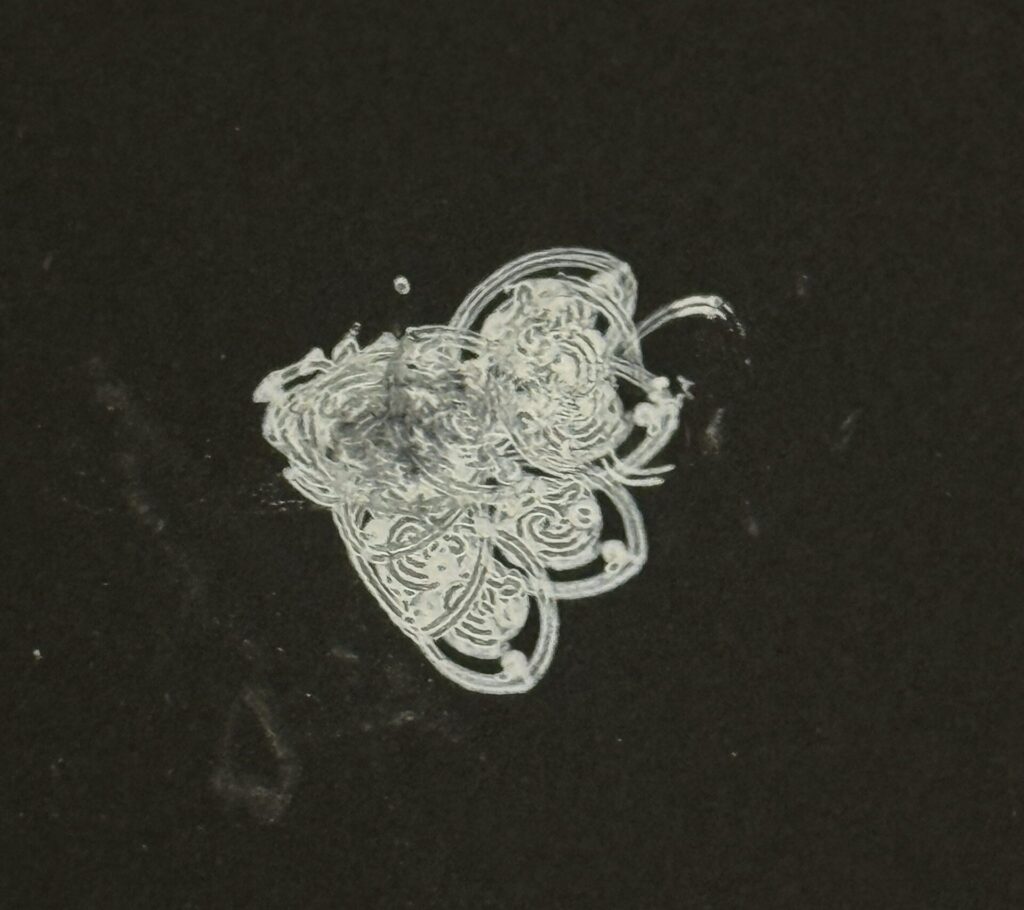
Experiment 6: Thin White Ink on Black Paper

Experiment: The thin white pen did not release ink smoothly on the black paper, producing uneven marks and smudging.

Revision: I moved away from that pen and paper combination and selected materials that produced more consistent lines instead.

Challenges and How I Overcame Them

The main challenge was getting the physical drawings to match the designs on screen. My stippling tests were too dense, so I increased the spacing and left more white space to make the face visible. However, the repeated pen lifts made this process slow and inconsistent, which led me to explore geometric patterns instead. I also encountered problems with the plotter’s balance, drawing size, orientation, and pen height. When part of the red mandala appeared faded, applying pressure to one point of the plotter improved the pen’s contact with the paper. Other tests helped me recognise that thicker pens needed larger shapes and that excessive overlaps damage the paper and causes too much ink to gather in one place and the paper eventually rips. I used these observations to simplify crowded areas and choose pens that suited each design.

My pen plotter did not work reliably because of both software and hardware issues, including a broken Arduino. As a result, I carried out most of my experimentation on Professor Jack’s plotter. Although this limited my access to my own machine, I was still able to test different patterns, pens, and papers and use those experiments to develop my final drawings.

What Went Well

The strongest part of the project was turning simple shapes into detailed patterns through repetition and symmetry. Once I found a suitable combination of design scale, pen, and paper, the plotter produced intricate drawings with clearly defined details. The metallic ink on black paper was especially successful because the contrast made the circular pattern stand out, while finer coloured pens on white paper worked well for the mandala and star composition. Developing the three drawings also allowed me to explore different arrangements while maintaining a cohesive Islamic inspired theme. The experiments helped me make more informed choices, and seeing the patterns move from code to physical drawings was rewarding.

Final Series

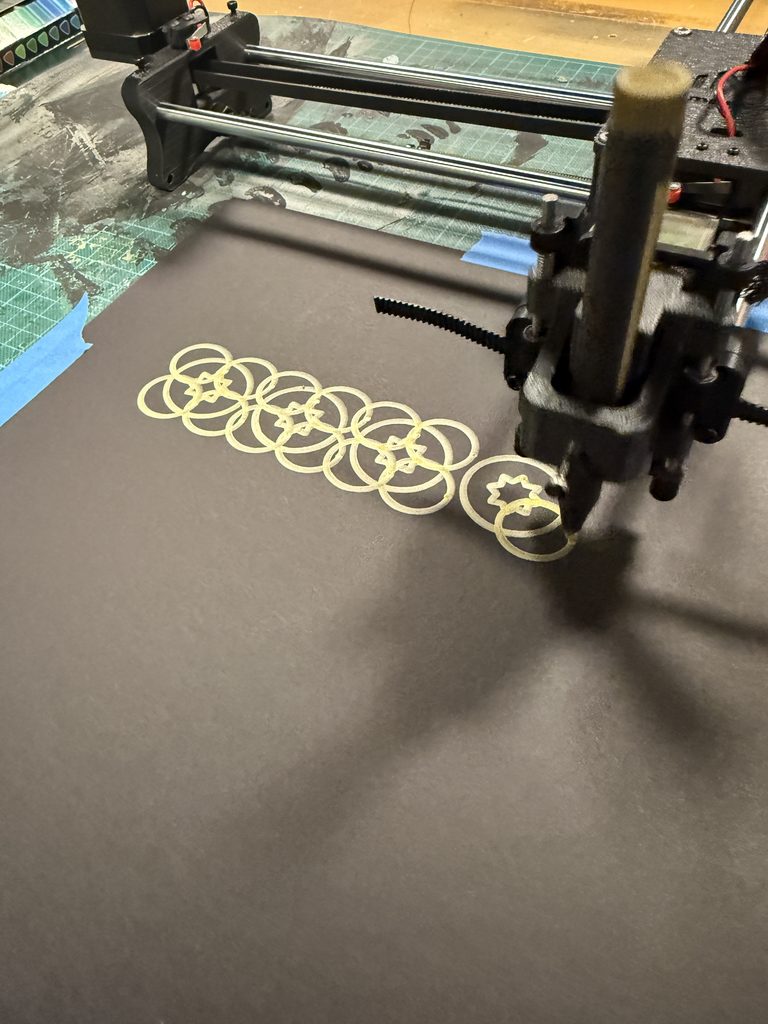
My final series consists of three drawings connected by repetition, symmetry, and Islamic-inspired geometric art. The first is is a detailed red circular mandala on white paper, built from concentric bands of diamonds, floral details, and a central flower. The second is a diamond-shaped arrangement of small stars made up of squares in purple ink on white paper, with smaller stars filling the spaces between the larger motifs . The third is a repeating pattern of interlocking circles and squares in metallic gold ink on black paper. Each drawing uses a different structure, but the series remains cohesive through its shared geometric approach, while the changes in colour, paper, and density demonstrate different possibilities of the pen plotter as a drawing medium.

1. A Circle of Harmony

    Code Here: https://editor.p5js.org/AsmaAlMurr/sketches/Cgw5wOqID

    2. A Mosaic of Stars

    Code Here: https://editor.p5js.org/AsmaAlMurr/sketches/Fg0LKC5va

    3. Rings of Repetition

    Code Here: https://editor.p5js.org/AsmaAlMurr/sketches/FMLp1fHUp

    Critical Reflection

    This project changed how I understood the pen plotter. I began by expecting it to reproduce the digital drawing accurately, but the experiments showed that ink flow, pen width, pressure, balance, and paper resistance all influence the final work. Layering added complexity, but excessive overlap could obscure the geometry or damage the surface. Colour also changed how the patterns were perceived: fine coloured lines on white paper emphasised detail, while metallic ink on black paper made the larger shapes more prominent. Applying pressure during the red mandala helped me complete the drawing, but it also showed that the machine still required my observation and intervention; a more stable setup would make future results more consistent. I learned to design for the physical behaviour of the plotter rather than only for the screen. The final drawings therefore reflect both the precision of computational rules and the variations introduced by working with real pens and paper.

    Assignment 5: Pen Plotter Assembly

    By: Asma + Shamsa

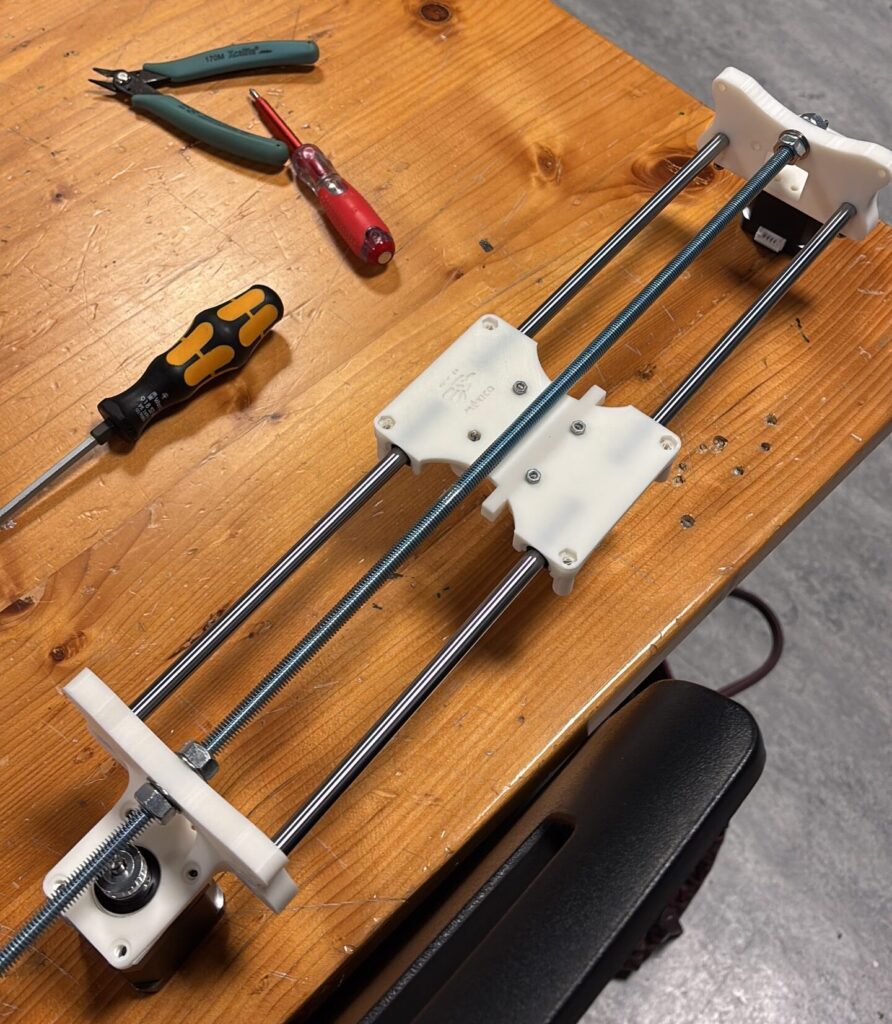
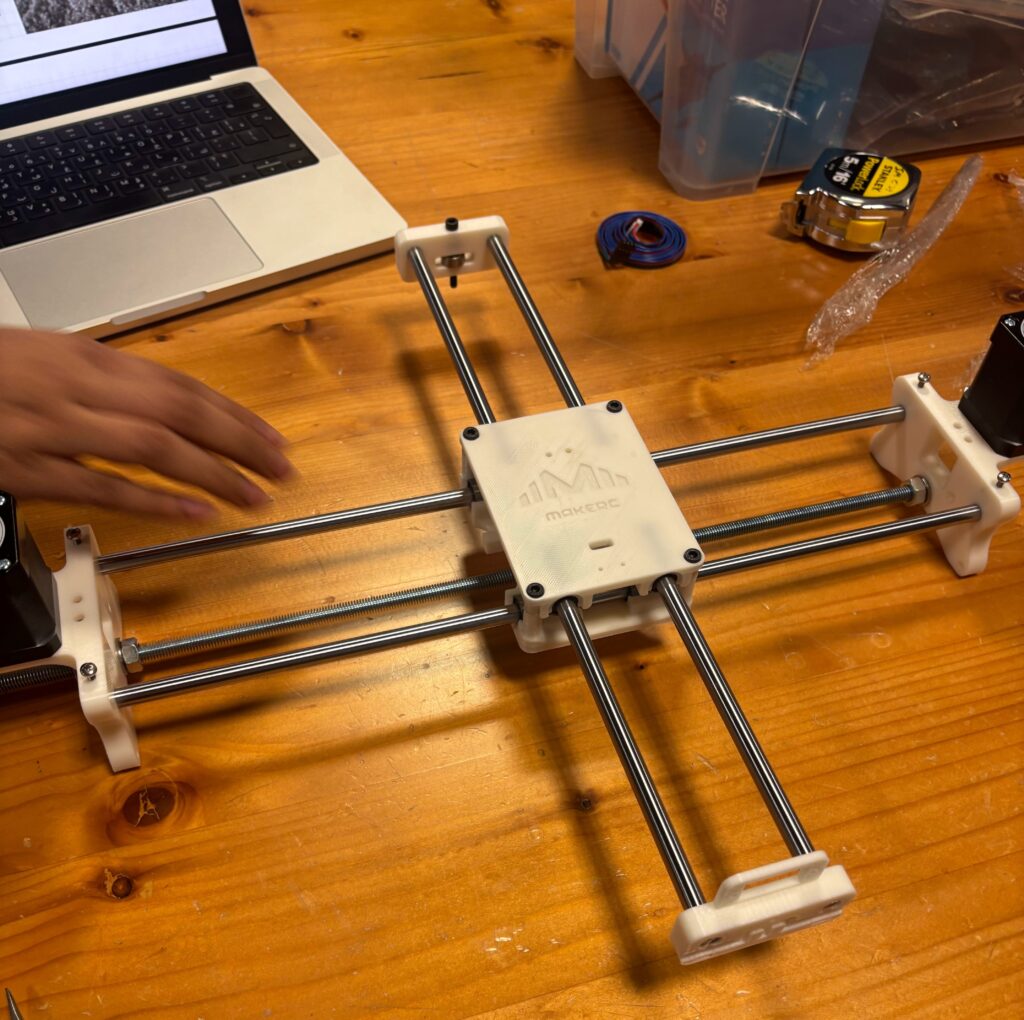
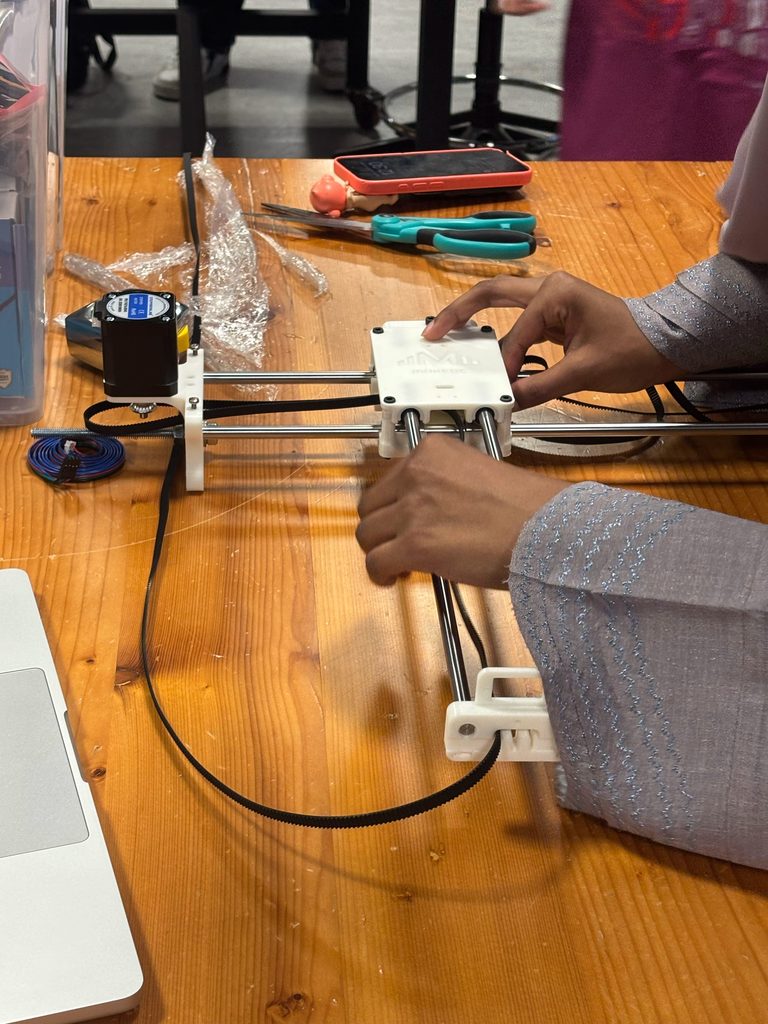
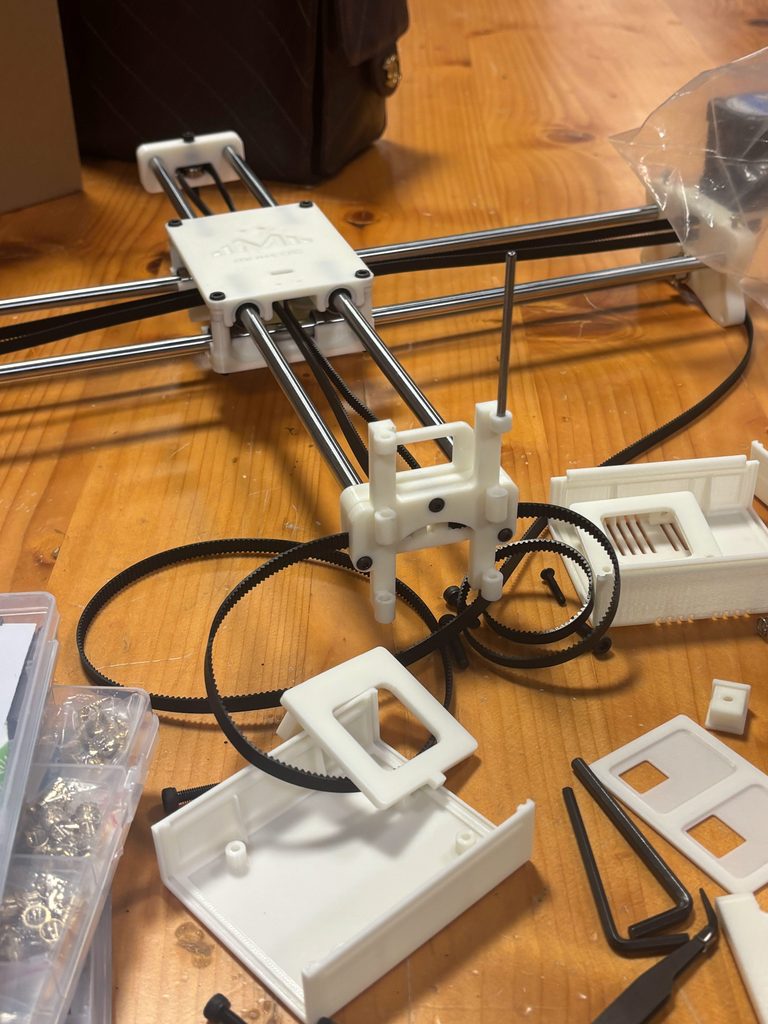
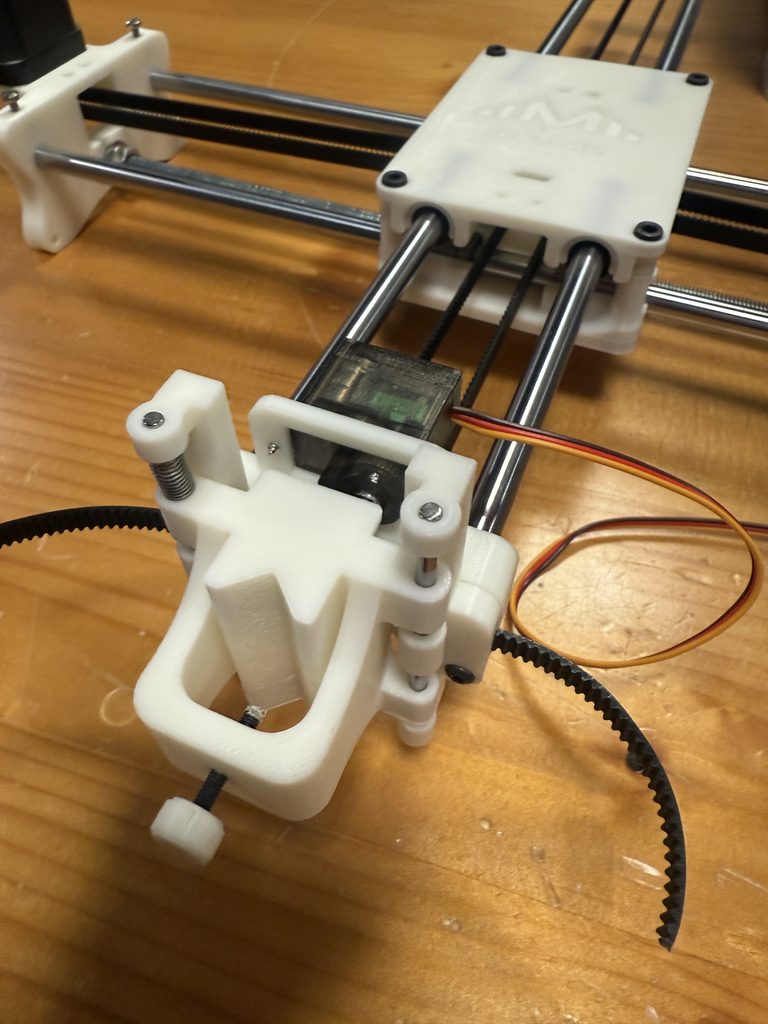
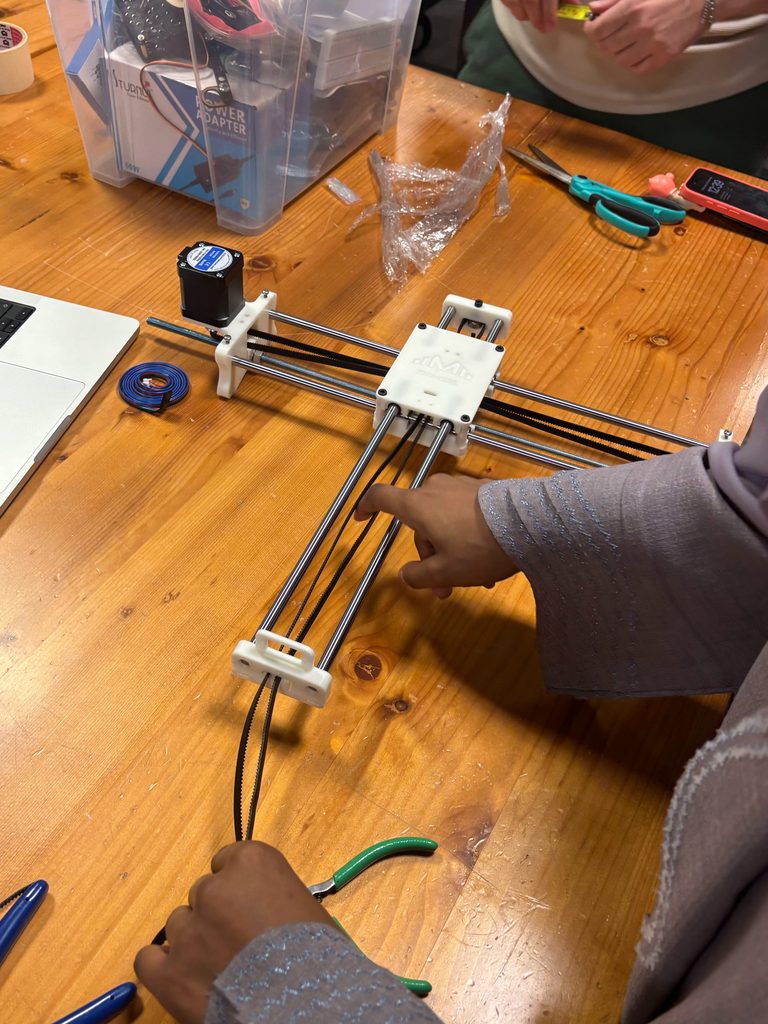
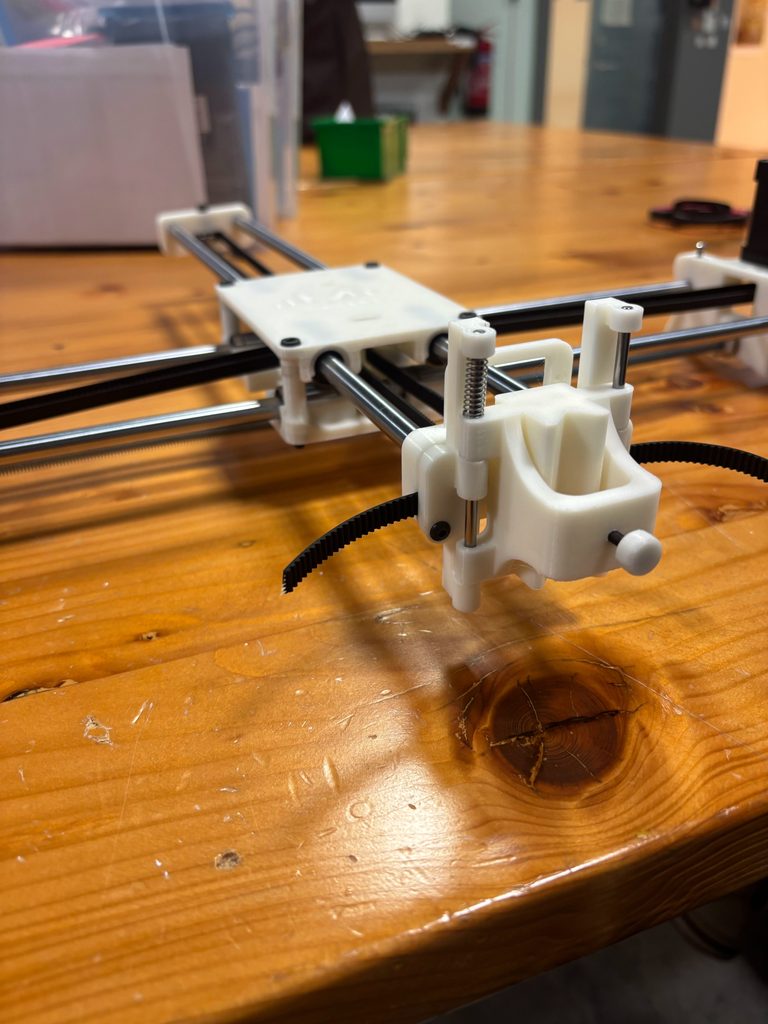
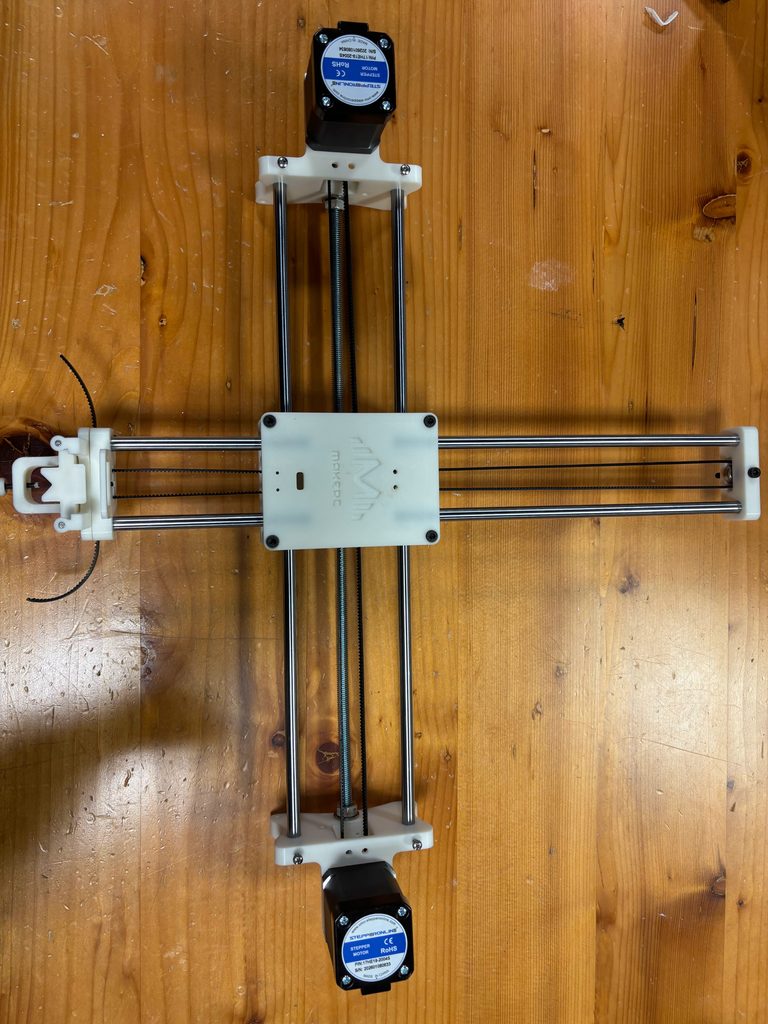
    For this assignment, we assembled a pen plotter using 3D-printed parts, metal rods, bearings, stepper motors, and a timing belt. We followed the provided instructions and referred to the accompanying images whenever we were unsure about a step.

    Stage 1: (x-axis)

    Stage 2:(y-axis)

    Stage 3: (looping the belt)

    Stage 4:(attaching the pen holder)

    Stage 5:(adding the servo)

    What Went Well

    We worked well as a team and knew where to find most of the parts, which helped the assembly process run smoothly. We coordinated lab hours that worked for both of us and completed the entire plotter in approximately four and a half hours, much faster than we had expected. The supports were easy to remove from the 3D-printed parts, and the bearings were straightforward to work with. The rods also slid through the bearings without any issues.

    Process and Challenges

    We began by removing the support material from the printed parts. We then fitted the rods, linear bearings, and threaded rod into the Y-axis assembly and mounted the first stepper motor. Although we followed the instructions closely, some steps were unclear and required us to check the images carefully.

    During the early stages, we used regular screws instead of the required hex, or Allen, screws, so we had to unscrew and reassemble the base twice. We also needed to replace the longer threaded rod with a shorter one. Since we live in different emirates, coordinating our time in the lab was sometimes difficult. However, starting early gave us enough time to complete most of the assembly without rushing.

    Installing the belt was the most tedious part of the process. Feeding it around the loops and making sure the teeth faced the correct direction required patience. We had to loosen the screws on the Y-axis base to adjust the belt, then tighten both sides carefully to keep the parts aligned. At one point, the belt slipped off a loop after the base had already been assembled and parts of the belt were under tension, making it difficult to reattach. We also realised that we had forgotten to include a spring in the Y-axis base and had to return to that step to install it.

    How We Overcame the Challenges

    We corrected the screw issue early in the assembly by replacing the regular screws with hex screws. To manage the belt, we used pliers to get a better grip and feed it through the opening. This also helped us reattach it when it slipped off the loop. The mallet helped us fit parts into place, making the assembly process quicker. Throughout the process, we checked the instructions and images together and adjusted parts as needed.

    Final Assembly and Reflection

    Overall, this assignment taught us the importance of building a strong, well-aligned base and checking each component before moving to the next step. We completed the plotter successfully, but several mistakes required us to undo and repeat parts of the assembly. Next time, we would read the instructions more carefully before beginning, confirm which screws and components are needed at each stage, and make sure all support material has been removed properly. These checks would help us work more efficiently and reduce unnecessary reassembly.

     Assignment #4: 3D Design in p5.js

    Concept:

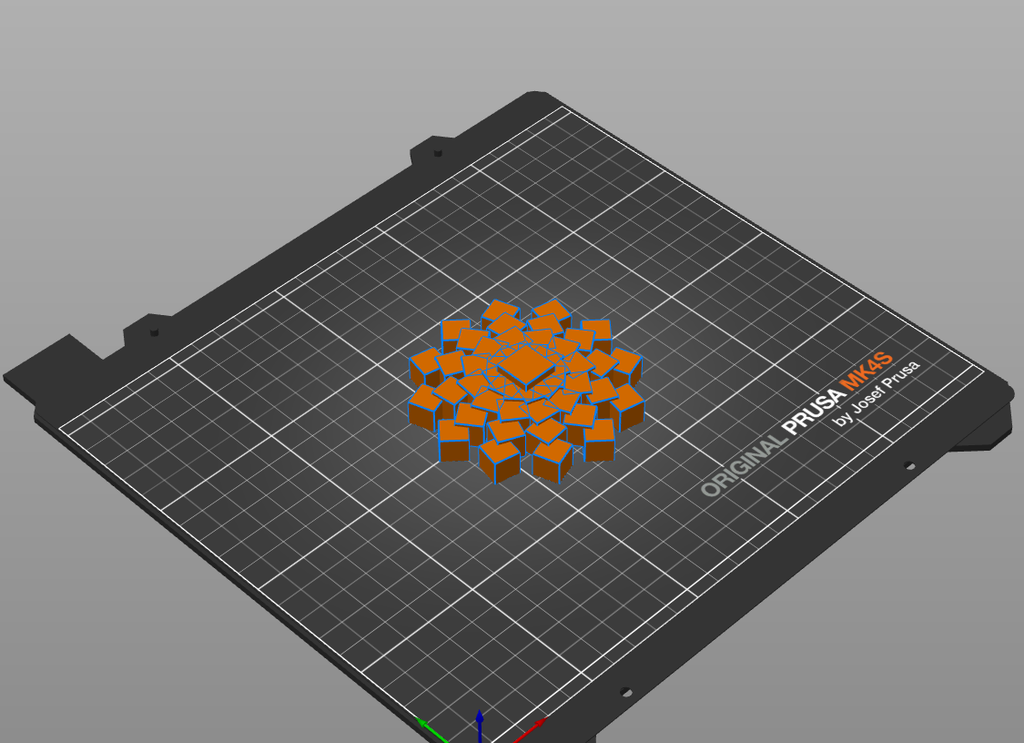
    For this project, I wanted to see how far I could push one simple shape: a cube. Instead of designing an object by placing every part individually, I wrote rules in p5.js that repeated cubes in rings and layers. I could then change a few values, such as the number of cubes, the radius of each ring, or the rotation of each layer, and watch the entire form change. I was really interested in how my sketch reached a point where a repeated geometric pattern begins to look like something organic or sculptural.

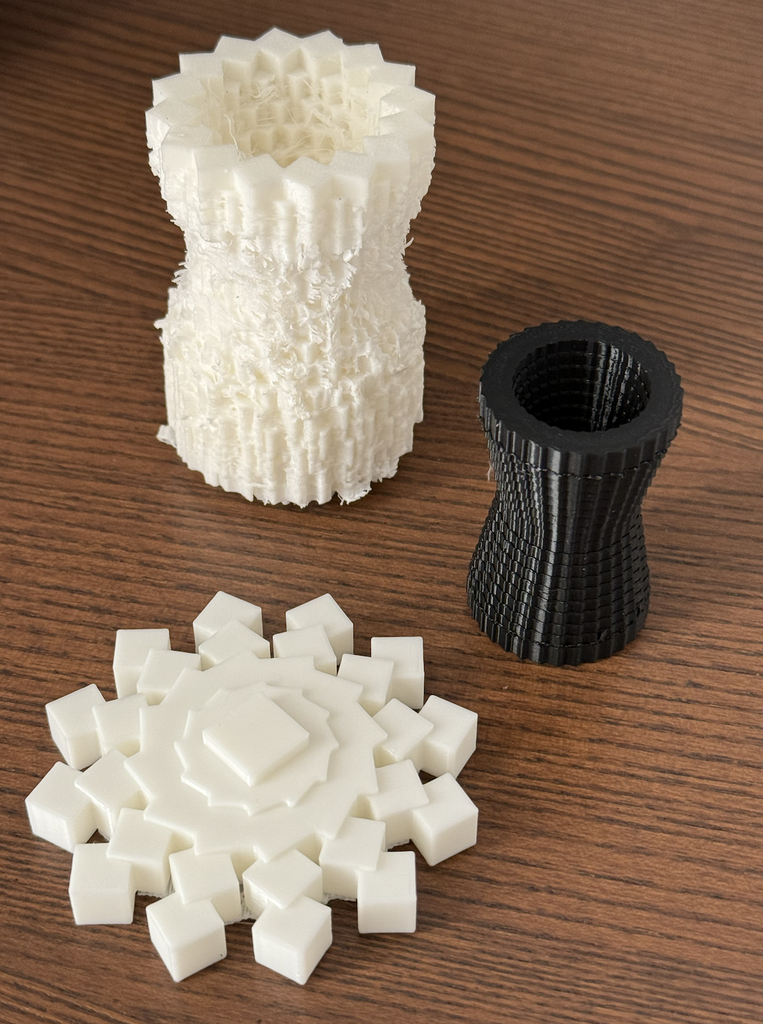
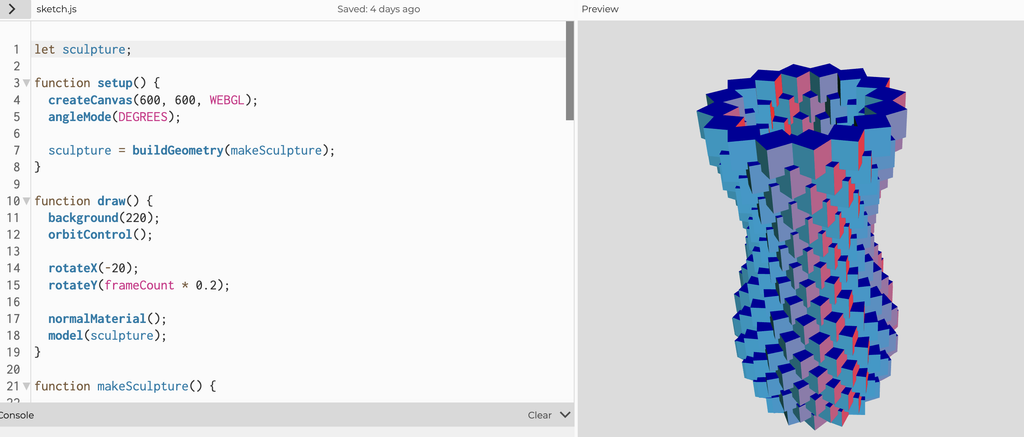
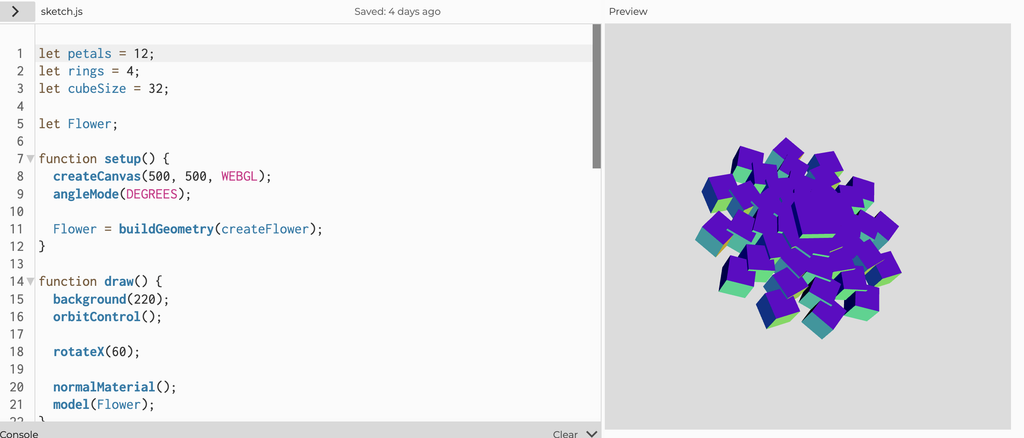
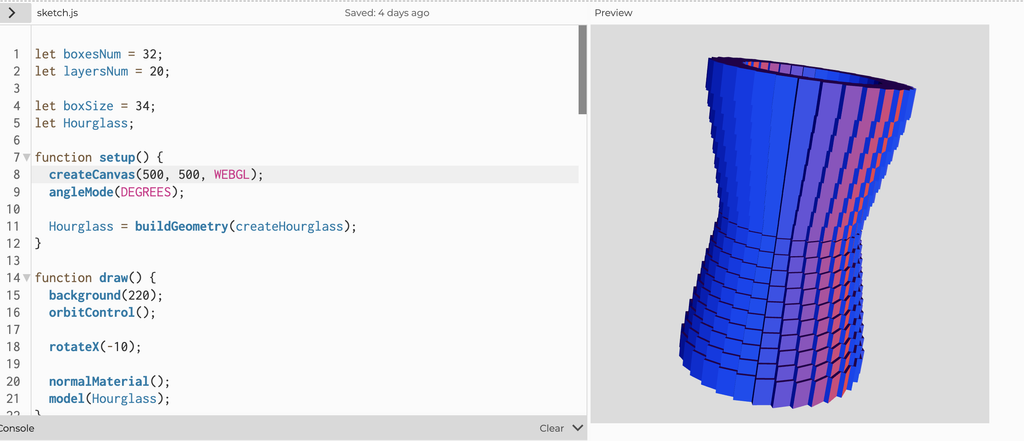
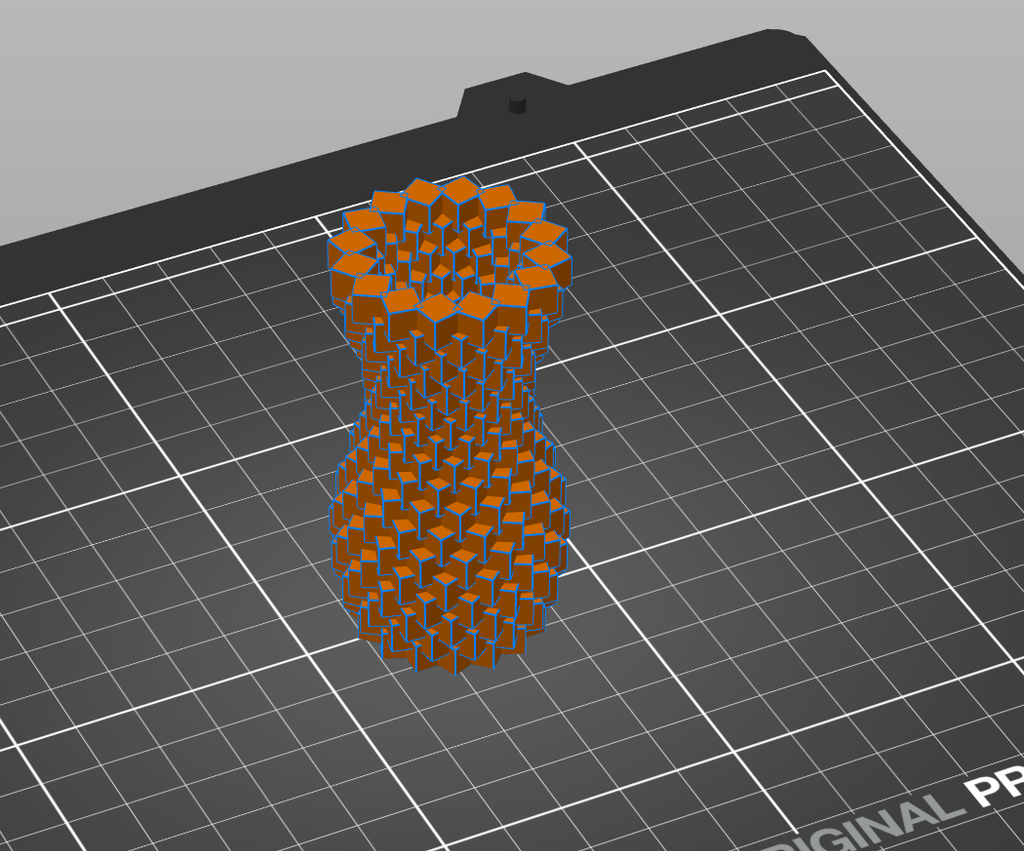
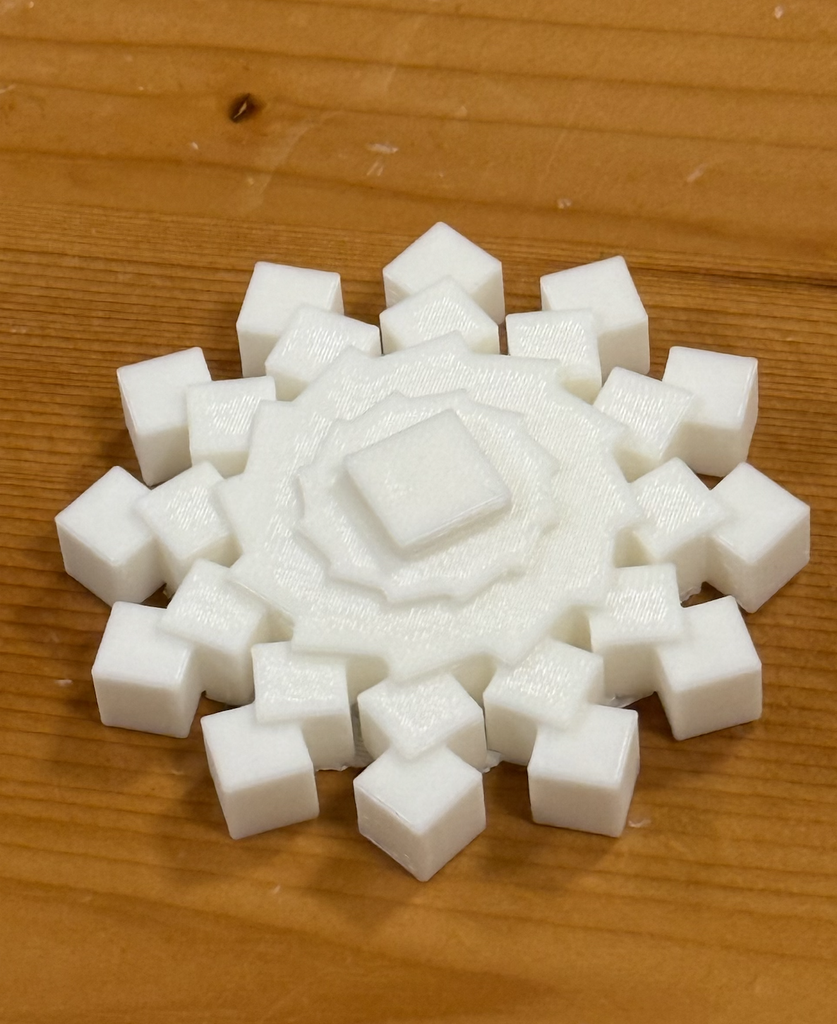
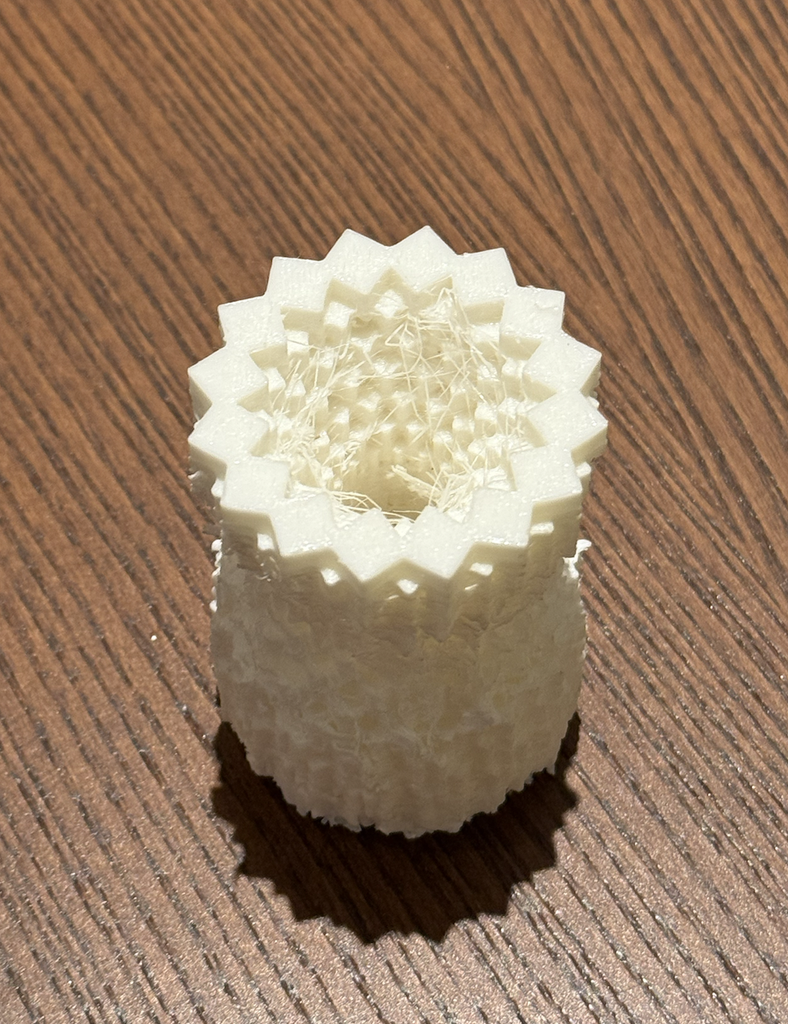
    My design developed through three experiments. The first began as a flower, but the repeated cubes created a more angular snowflake shape, so I decicded to print it in white PLA which really made it come to life. For the second, I moved from a mostly horizontal form to a tall, twisted cube vase. I liked its movement and its unusual silhouette, but the print required too many supports and did not come out as I had imagined. I used what I learned from that failure to make my final design: a cube hourglass. It kept the narrow waist and layered texture I liked while giving me a form with a better chance of printing successfully. I also learned very quickly that bigger 3D prints don’t always mean they are more stable, so I sized my last print down a little.

    How I Used Code to Build the Forms:

    Link to Snowflake Sketch:

    https://editor.p5js.org/AsmaAlMurr/sketches/J6tcXd-dO

    Link to Twisted Cube Sketch: https://editor.p5js.org/AsmaAlMurr/sketches/nNeUmYNae

    Link to Hourglass Sketch:

    https://editor.p5js.org/AsmaAlMurr/sketches/PZ-kuRUmY

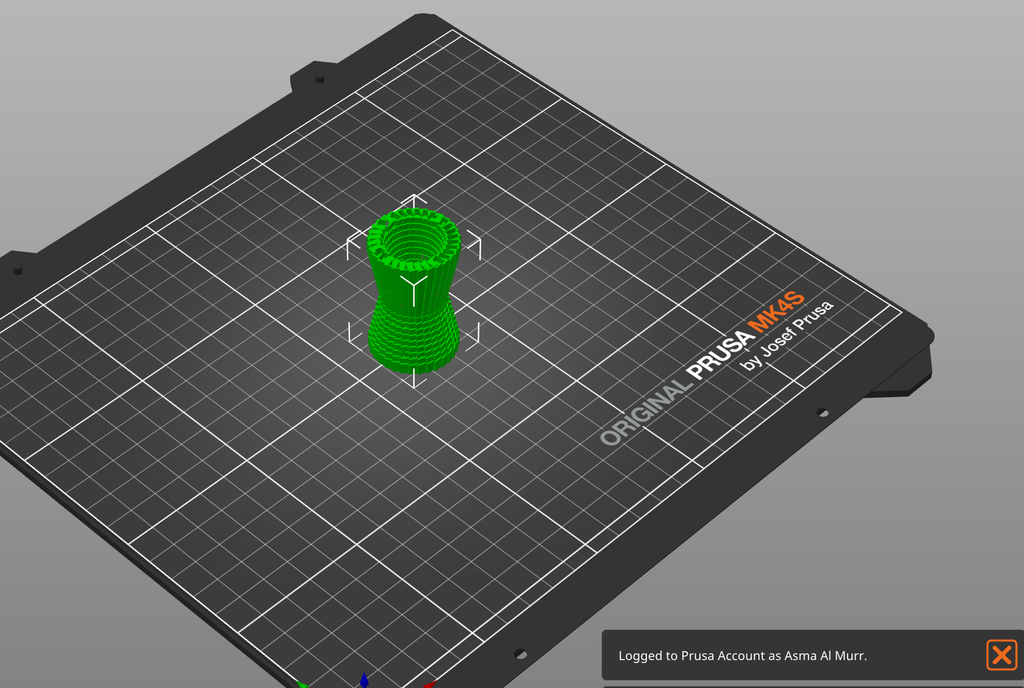
    All three designs were made in the p5.js using WEBGL. Rather than drawing a flat outline and extruding it, I positioned cubes directly in three-dimensional space. Each sketch uses loops to repeat the same cube according to a rule. buildGeometry() collects the cubes into a model, which I exported as an OBJ file by clicking the canvas. I then opened the OBJ in PrusaSlicer to examine it as a potential print. (Using STL to save the file didnt work for me, and im still unsure if that was an error in my code or if its an issue with p5js or my browser has it blocked on my laptop.)

    Quick Overview of My Code:

    In the first sketch, I used 12 cubes around each of four rings, with a larger radius for every new ring. The code rotates each cube around the center, moves it outward, and slightly changes its height and angle. I originally thought of these repeated units as petals. Once I saw the form, however, the sharp edges and radial symmetry reminded me more of a snowflake. That unexpected change was one of the most interesting parts of working with an algorithm: I set up the rules, but the overall character of the object emerged from their repetition.

    For the twisted cube design, I changed the structure from rings spreading outward to 18 rings stacked vertically. Each ring contains 16 cubes. The twist value increases with each layer, so the cubes gradually rotate as they rise. I also used a sine function to vary the radius, making the outline expand and contract. From the side, the stacked rings show a twisting structure, but from above they reveal the individual cubes that create it. I liked how the form seemed to move even though it was made entirely of identical, rigid blocks.

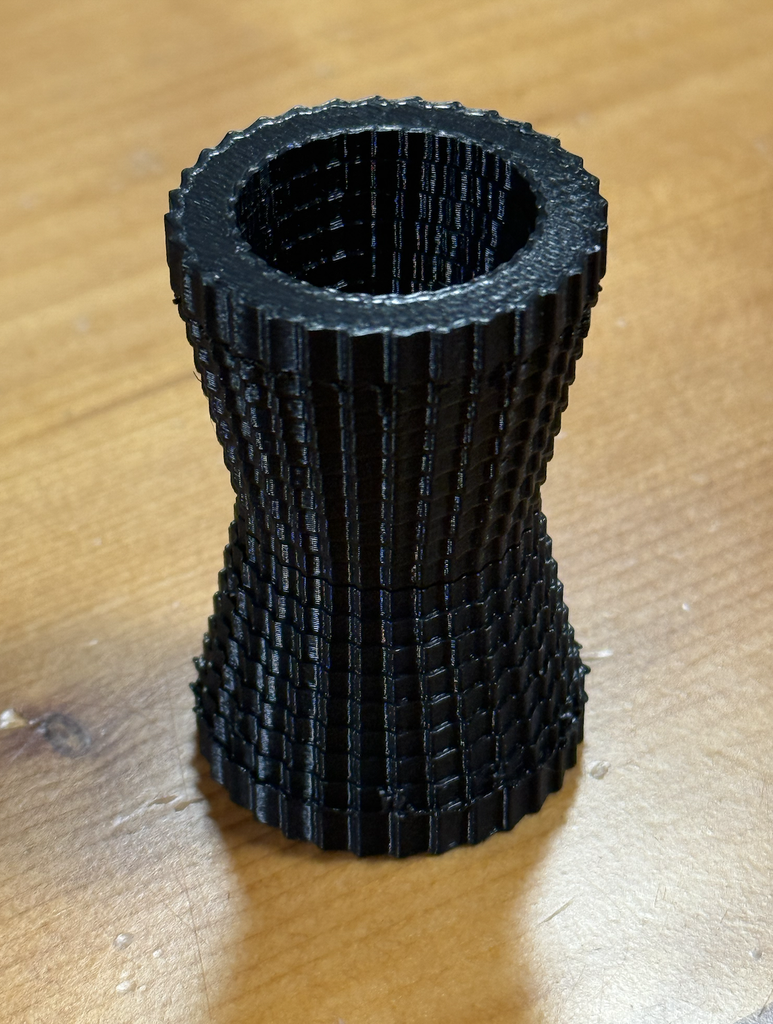
    For the final hourglass, I kept the idea of stacked rings but changed the rule that controlled their shape. Instead of twisting every layer further than the last, I used 32 cubes in each of 20 layers and gradually reduced the radius from 100 to 65 before increasing it again. This created the narrow center of the hourglass. The code still produces a detailed surface through repetition, but the overall structure is more regular. It felt like a better balance between the complexity I wanted and the physical requirements of printing.

    Code Snippet I Found Interesting:

    (This code snippet is from experiment 3: hourglass)

    if (l < layersNum / 2) {
      r = map(l, 0, layersNum / 2, 100, 65);
    } else {
      r = map(l, layersNum / 2, layersNum - 1, 65, 100);
    }

    Here, l is the current layer and r is the distance of its cubes from the center. In the first half of the form, map() gradually reduces that distance from 100 to 65. In the second half, it increases the distance back to 100. I found this interesting because such a short piece of code controls the silhouette of the entire object. Rather than positioning hundreds of cubes by hand, I could change two radius values and immediately see a different hourglass shape. It also helped me respond to experiment 2 which was a failed print. I could keep the dramatic narrow middle I liked while making the layers more structural for the final printed design.

    3D Design Screenshots and Workflow:

    My workflow moved back and forth between the p5.js preview and PrusaSlicer. In p5.js, I could rotate the view and quickly change numbers in the code to explore different arrangements. This made it easy to experiment with forms that would have taken a long time to build cube by cube. After exporting each OBJ, I opened it in PrusaSlicer to see the model on the print bed and consider how it might behave as a physical object. The p5.js previews were useful for judging the shape and overall structure of the cubes. PrusaSlicer made me look at the same designs differently. I had to think about the base, the gaps between cubes, the overhanging areas, and where support material might be needed. It quickly made me realize A form that looked convincing on screen was not necessarily straightforward to print.

    Print Tests and Final Result:

    Experiment 1: Snowflake

    The first printed experiment was the white snowflake, that was originally supposed to be a flower but I felt like after going through the code and printing it in white PLA, it really resembled a snowflake that would be used as a Christmas / winter decoration. I liked how clearly the individual cubes remained visible, while the repeated rings still formed a recognizable pattern. The physical print made the design feel different from the screen preview because the cubes cast small shadows on one another, and the raised center gave the object more depth than a flat flower illustration would have had. Although I was pleased with it, I wanted to challenge myself to make a more three-dimensional form.

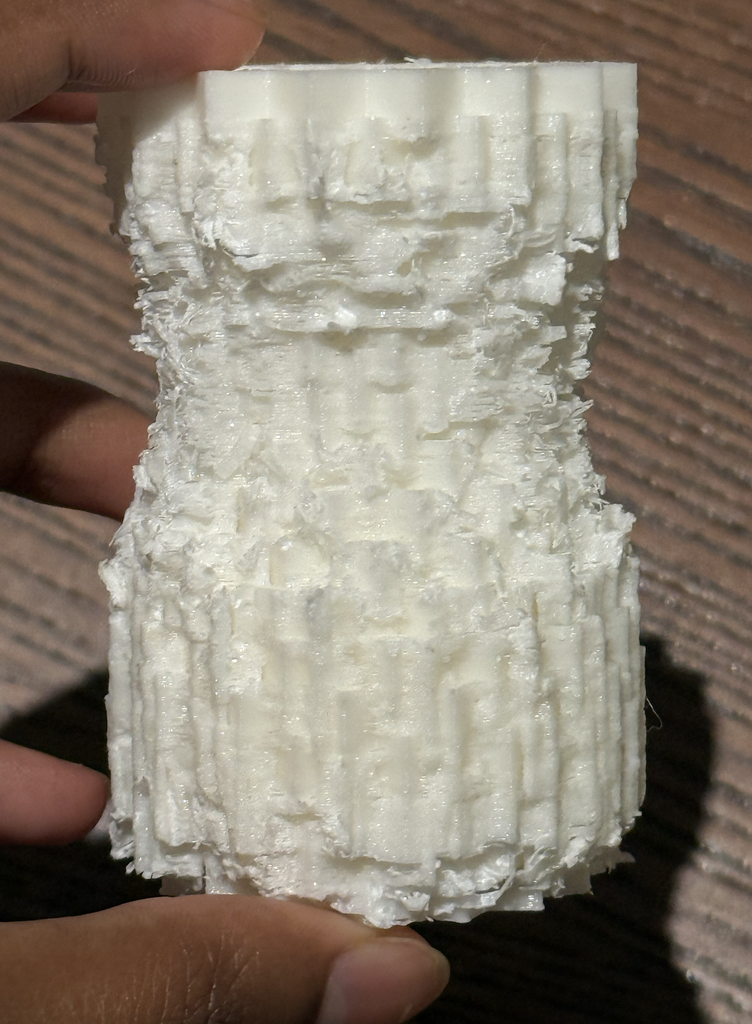
    Experiment 2: Twisted cube vase (Failed)

    My next print was the twisted cube vase. This was the most ambitious experiment, and it did not produce the clean result I expected. Its unconventional shape needed a large amount of support material. I made the mistake of printing the object right before the IM lab closes so I had to wait until the next day to try to remove the supports. They were difficult to take off! After many attempts of trying to cut off the supports, the white printed result had a rough, intricate surface and an interesting shape of its own, but many of the crisp cube details became obscured. It looked almost like an artifact or a textured column. However, I do appreciate that accidental quality, even though it was not the object I had set out to make.

    Experiment 3: Hourglass made of cubes

    The final print was the black cube hourglass. Its outline widens at the top and bottom and narrows at the center, while the repeated cubes give the surface a detailed texture. The dark material also makes the shadows between the cubes more visible. Compared with my previous print, this result was SO MUCH BETTER and actually communicates the complexity of the form much more clearly. It is still recognizably made from an algorithm, because the same unit appears again and again, but the units work together to make a complete sculptural object that looks really unique.

    Process and Challenges:

    The biggest challenge was understanding the difference between a visually exciting digital model and a successful physical print. When I first saw the twisted cube sketch (experiment 2) on my screen, I was focused on its complexity. During printing, the same features created practical problems. The spaces and overhangs around the cubes required extensive supports, and removing those supports affected the surface I wanted people to see. The failed print made me reconsider the design rules of 3d printing instead of simply trying to make an object that just looks cool. I asked which qualities mattered most to me: the tall form, the narrow middle, and the texture created by repeated cubes. The continuous twist was visually interesting, but it was not essential to those ideas. By changing the radius gradually and arranging the layers more regularly, I made the hourglass. This was not a completely new direction; it was a revision based on what the previous object taught me.

    Reflection:

    3D printing changed the way I approached computational design because it made my code answer to physical constraints. In p5.js, I could generate hundreds of cubes and make them appear to form a continuous object. Once I tried to print that object, I had to consider how its parts connected, how it would stand, where supports would touch it, and how those supports would be removed.

    I also learned that an unsuccessful print can still be a valuable part of the design process. The rough twisted print showed me both what was exciting about my idea and what needed to change. The final hourglass came from keeping the strongest visual qualities of that experiment while revising the algorithm around the realities of the printer. For me, the project became less about producing the most complicated possible shape and more about using code, testing, and material feedback together to develop a form that works in three dimensions.

    Assignment #3: Laser Cutting & Fabrication

    Concept:

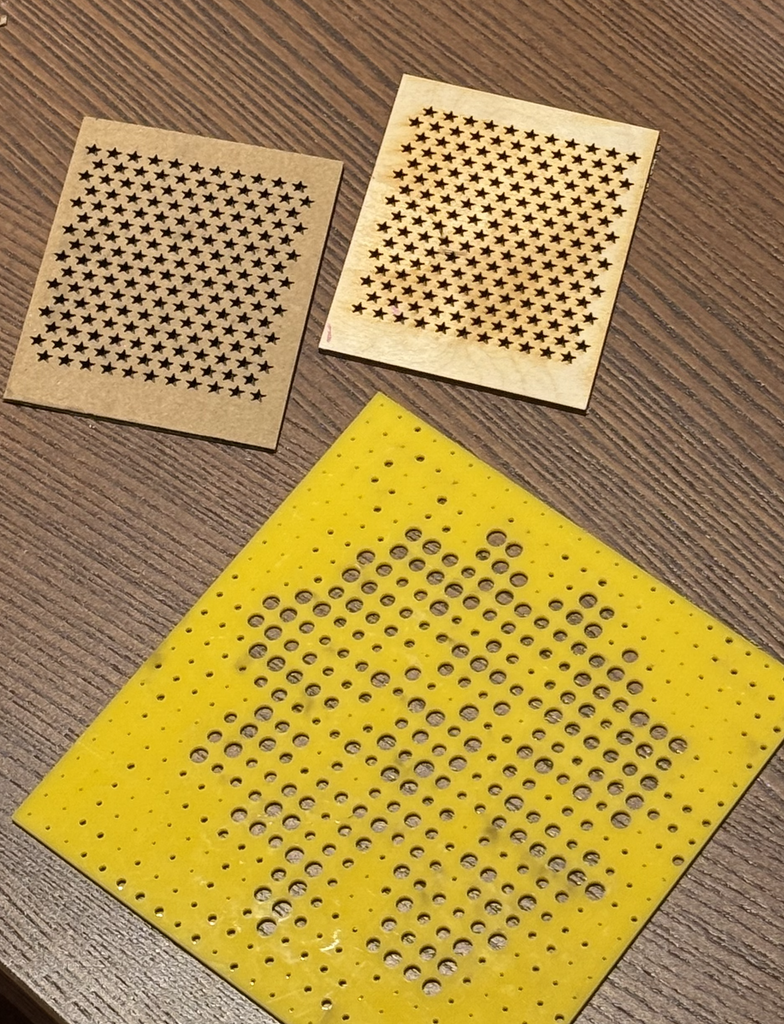
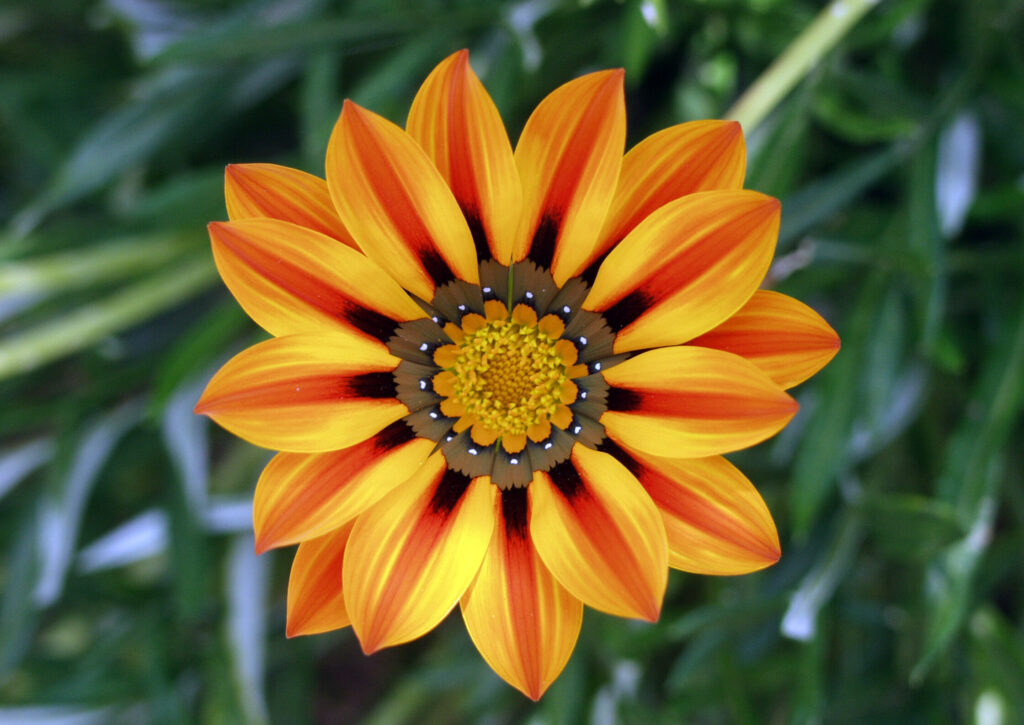
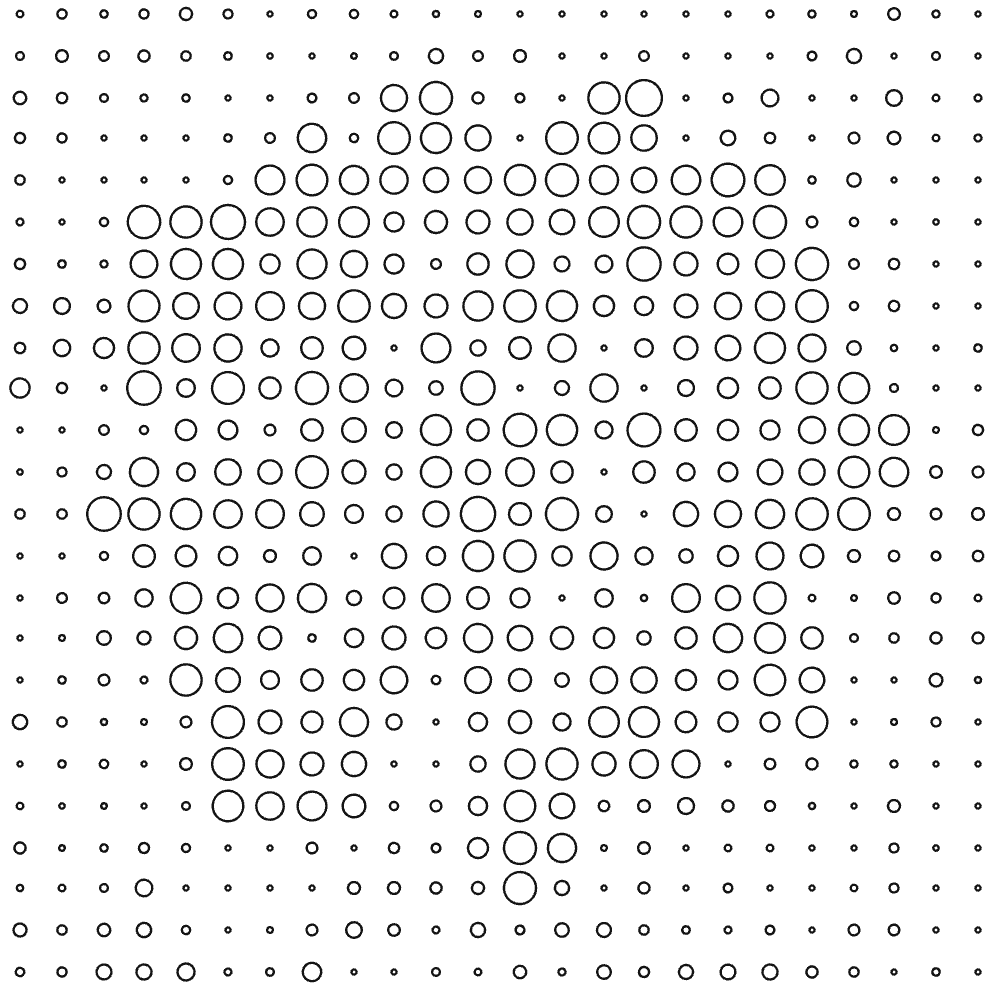
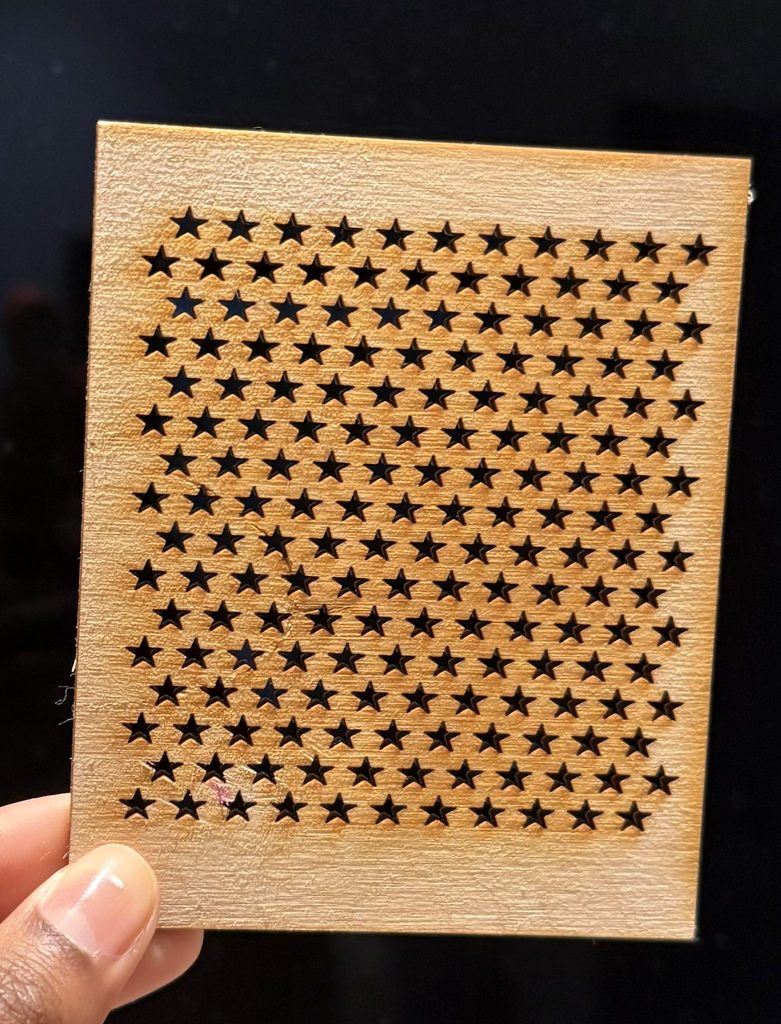
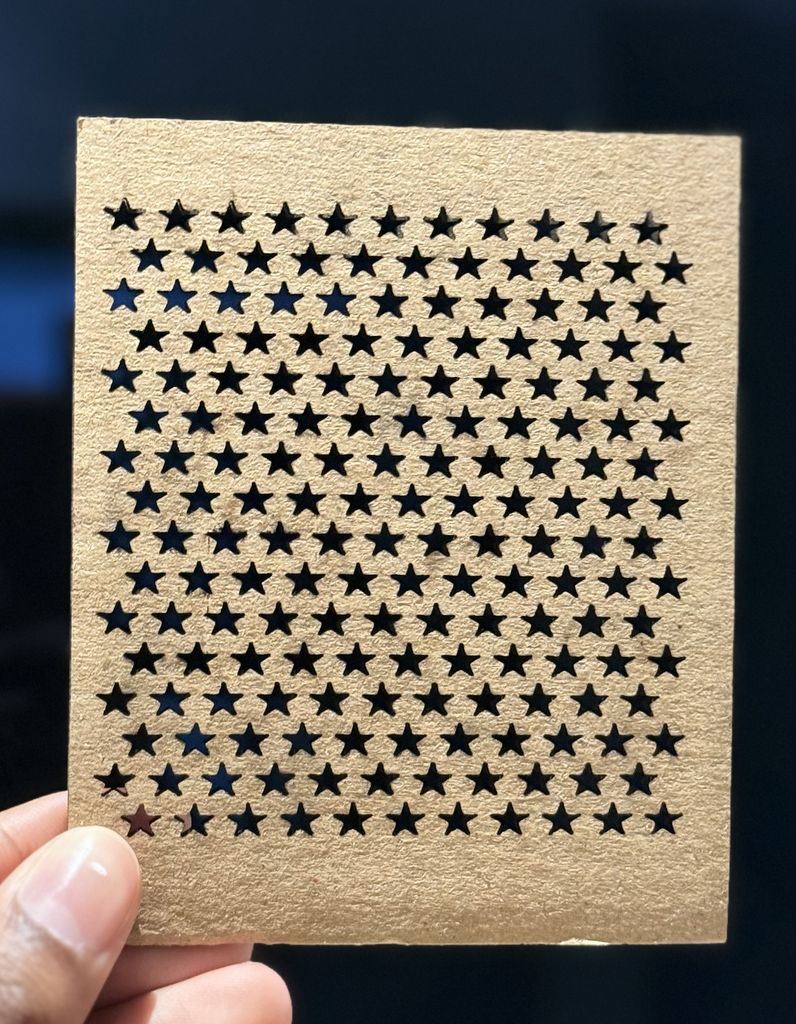
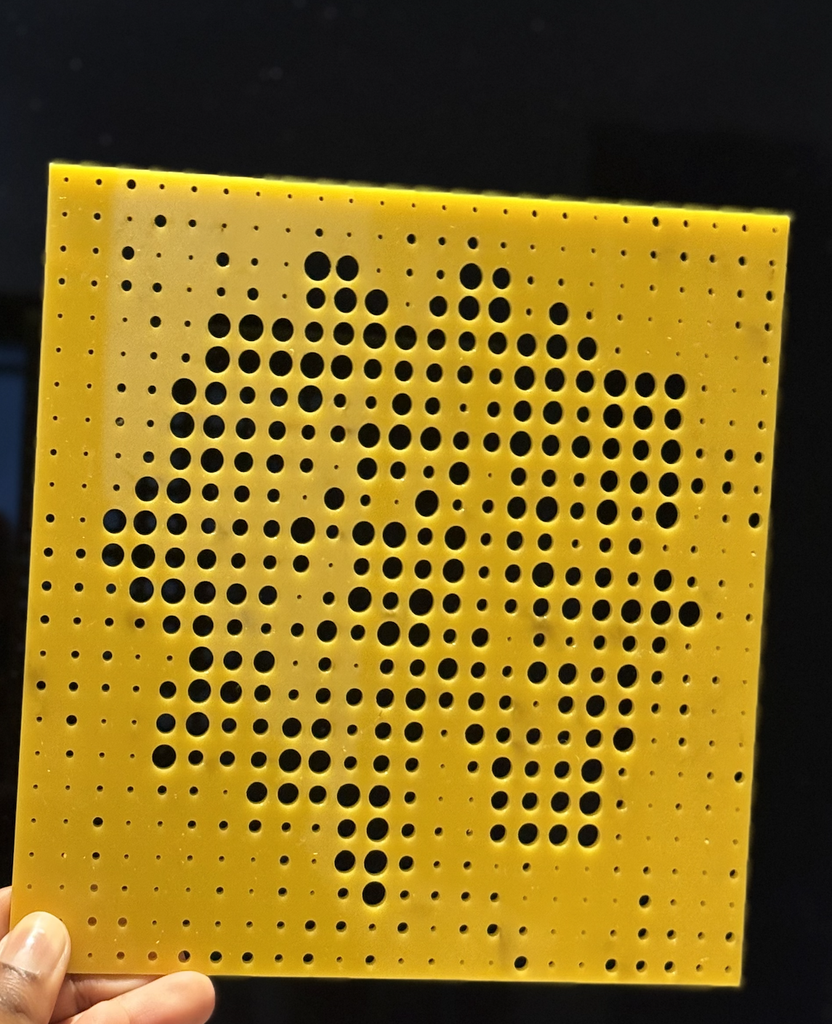
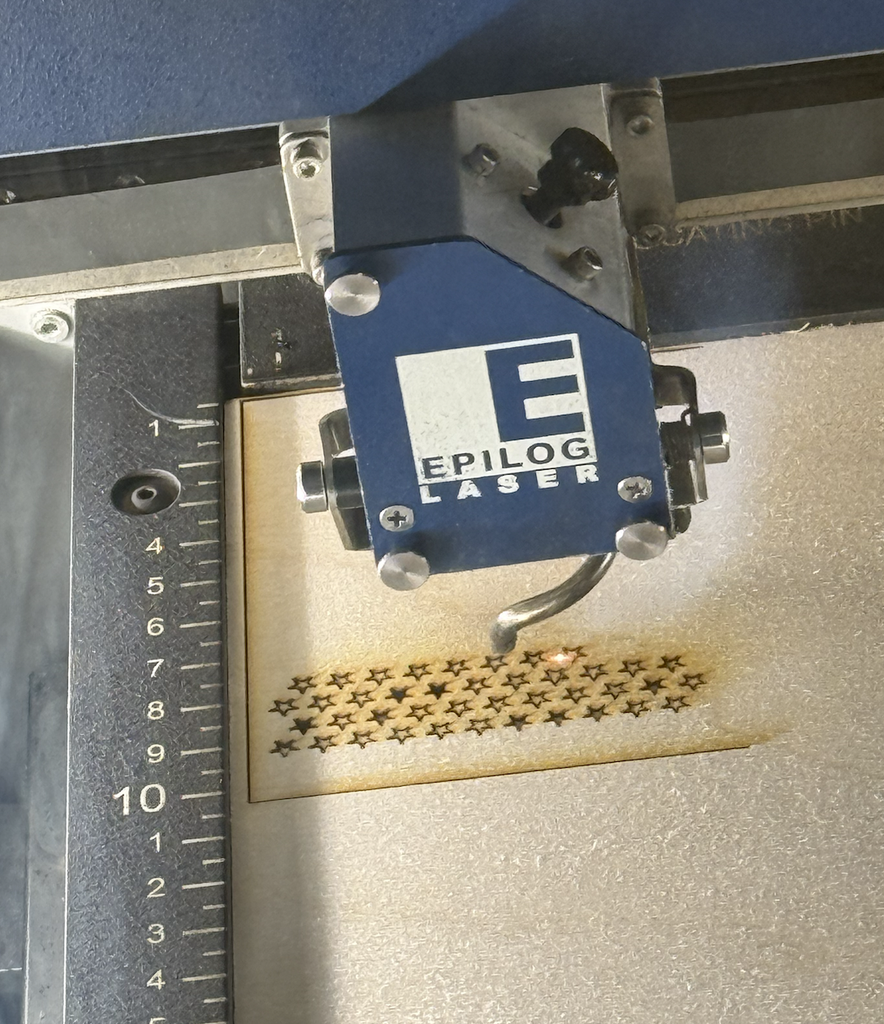
    For this assignment, I wanted to explore how a simple computational pattern could become a physical object through laser cutting. I created two different designs and executed them on three different materials: wood, cardboard, and acrylic. The first was a repeated star pattern arranged in rows, which I laser cut on both cardboard and wood. The second design was based on a flower image. I used a similar code to what we learned in class on Wednesday to translate the image into a grid of circles with different sizes, where the larger and smaller circles helped show the shape and details of the flower. I laser cut this design onto acrylic. I liked using these two designs because one was based on a very regular geometric pattern, while the other used an image to create a more organic pattern. Although it was difficult to learn how to draw a star on P5 js, I looked through many online tutorials to get the shape I was looking for.

    The designs also used simple rule-based systems to create repetition and variation. In the star pattern, I repeated the same shape across a grid and shifted every other row, which created a consistent rhythm while still making the layout feel less rigid. In the flower design, the circles repeated across the whole surface, but their sizes changed depending on the image data, so the variation came from the photograph rather than randomness. Because I was designing specifically for laser fabrication, I had to think about negative space, spacing between shapes, and how much material would remain after cutting. Very small gaps or shapes placed too close together could weaken the material and maybe cause a crack, so the digital pattern had to work physically as well as visually.

    I also chose the materials based on both the fabrication process and experimentation. I used cardboard first because it was useful for testing the design quickly and seeing whether the scale and spacing worked before using a more permanent material. I then used wood for the star pattern because it felt stronger and more finished, so the final design had a more permanent quality. I used acrylic only once for the flower because it took the longest to laser cut, so I wanted to save it for the more detailed design where the material and spaces would have the most visual impact. All of the materials were recycled from the IM Lab, which also influenced my choices because I wanted to focus on reusing available resources rather than using new material.

    Code:

    Link to Flower Sketch: https://editor.p5js.org/AsmaAlMurr/full/jpV4ZFNyV

    Flower Code:

    let flower;
    let cols = 24;
    let rows = 24;
    
    let img;
    let targetR;
    let targetG;
    let targetB;
    
    function preload() {
      flower = loadImage("flower.jpg");
    }
    
    function setup() {
      createCanvas(500, 500, SVG);
    
      img = createGraphics(500, 500);
      img.pixelDensity(1);
    
      // draw the flower image onto the hidden graphics canvas
      img.image(flower, 0, 0, width, height);
    
      img.loadPixels();
    
      findFlowerColor();
      drawCircles();
    }
    
    
    function findFlowerColor() {
    
      let totalR = 0;
      let totalG = 0;
      let totalB = 0;
      let count = 0;
    
      // look at the middle part of the image
      for (let y = 100; y < 350; y += 4) {
    
        for (let x = 100; x < 400; x += 4) {
    
          let index = (x + y * width) * 4;
    
          totalR += img.pixels[index];
          totalG += img.pixels[index + 1];
          totalB += img.pixels[index + 2];
    
          count++;
        }
      }
    
      // average flower color
      targetR = totalR / count;
      targetG = totalG / count;
      targetB = totalB / count;
    }
    
    
    function drawCircles() {
    
      background(255);
    
      noFill();
      stroke(20);
      strokeWeight(1.2);
    
      let spaceX = width / cols;
      let spaceY = height / rows;
    
      for (let x = 0; x < cols; x++) {
    
        for (let y = 0; y < rows; y++) {
    
          let posX = x * spaceX + spaceX / 2;
          let posY = y * spaceY + spaceY / 2;
    
          let index = (floor(posX) + floor(posY) * width) * 4;
    
          let r = img.pixels[index];
          let g = img.pixels[index + 1];
          let b = img.pixels[index + 2];
    
          // compare pixel color with flower color
          let colorDifference = dist(
            r,
            g,
            b,
            targetR,
            targetG,
            targetB
          );
    
          // closer colors make bigger circles
          let circleSize = map(
            colorDifference,
            0,
            160,
            spaceX * 0.95,
            spaceX * 0.12
          );
    
          circleSize = constrain(
            circleSize,
            spaceX * 0.12,
            spaceX * 0.95
          );
    
          ellipse(
            posX,
            posY,
            circleSize,
            circleSize
          );
        }
      }
    }
    
    
    // click to download SVG
    function mouseClicked() {
      save("flower.svg");
    }

    Link to Stars Sketch: https://editor.p5js.org/AsmaAlMurr/full/dnxKPiX7G

    Stars Code:

    let scale = 6;
    
    function setup() {
      createCanvas(105 * scale, 148 * scale, SVG);
      noLoop();
    }
    
    function draw() {
      background(255);
    
      noFill();
      stroke(255, 0, 0);
      strokeWeight(1);
    
      // border
      rect(
        1.5 * scale,
        1.5 * scale,
        102 * scale,
        145 * scale
      );
    
      // rows of stars
      for (let row = 0; row < 16; row++) {
    
        let y = (148 - (18.5 + row * 7)) * scale;
    
        let offset = 0;
    
        if (row % 2 == 1) {
          offset = 4;
        }
    
        // stars in each row
        for (let col = 0; col < 11; col++) {
    
          let x = (9 + offset + col * 8) * scale;
    
          star(x, y);
        }
      }
    }
    
    
    function star(x, y) {
    
      let outer = 3 * scale;
      let inner = 1.15 * scale;
    
      beginShape();
    
      for (let i = 0; i < 10; i++) {
    
        let angle = radians(-90 + i * 36);
    
        let radius;
    
        if (i % 2 == 0) {
          radius = outer;
        } else {
          radius = inner;
        }
    
        let starX = x + cos(angle) * radius;
        let starY = y - sin(angle) * radius;
    
        vertex(starX, starY);
      }
    
      endShape(CLOSE);
    }
    
    
    // click anywhere to save
    function mouseClicked() {
      save("stars.svg");
    }

    Vector Designs:

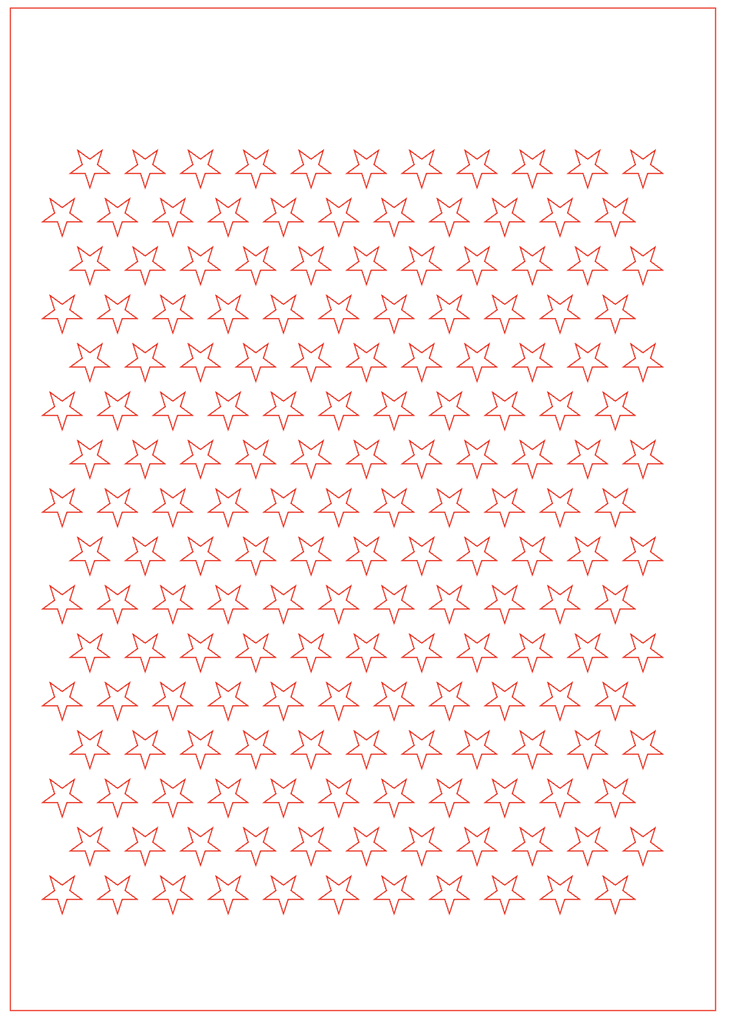
    Design #1: Stars

    Design #2: Flower

    Final Results:

    I’m really happy with how the final pieces turned out. Since this was my first time ever using a laser cutter, it was exciting to see my digital designs become real physical objects. I learned a lot through testing different materials and understanding how the laser responds to each one. Overall, it was a really good first experience with laser cutting, and it made me more confident and interested in experimenting with digital fabrication in future projects.

    Process and Challenges:

    I created the vector designs using p5.js and exported them as SVG files so they could be used with the laser cutter. For the star design, I used loops to repeat the same star across the page and offset some of the rows to create a packed pattern. For the flower, the code looked at the colors in the original photograph and changed the size of each circle depending on the image. This was my first time working with this type of computational design and laser cutting, so one challenge was understanding how something on the computer would actually translate into a physical material. I also had to think about spacing, the size of the shapes, and whether the laser could successfully cut very small details. An issue I ran into was that my star shape was so small on the material that it didn’t just cut smoothly, I had to push it out of the wood and cardboard because the shape was getting stuck. This process was very tedious because it took a while to push all the stars out of the materials and took the efficiency out of the laser cutting process.

    Using three materials also showed me that the same type of digital design can behave very differently depending on what it is cut into. The stars worked well on both cardboard and wood, but each material gave the pattern a different appearance. The cardboard felt lighter and more experimental, while the wood made the repeated stars look more finished and polished. The acrylic flower was more challenging because it contained many circles of different sizes. Some of the smallest holes were very delicate and I had to push the circles out of the acrylic material because like the small stars they also got stuck, while the larger circles made the flower image much easier to recognize, especially when light passed through the acrylic.

    Reflection:

    Overall, I really enjoyed this assignment! Laser fabrication changed the way I thought about my computational designs because I had to design for a physical process instead of only thinking about how the pattern looked on a screen. While coding, it is easy to make shapes extremely small or place them very close together, but laser cutting made me think more carefully about material thickness, spacing, scale, and how much material would remain between each cut. The flower design especially showed me that changing only the size of repeated circles could transform a photograph into a physical image.

    I also liked seeing the difference between the SVG vector designs and the final laser-cut pieces. The digital file looked very clean and exact, but the material added texture, depth, shadows, and small imperfections. This made the final outcomes more interesting to me. The process helped me understand that computational design does not have to stay on a screen, and code can become a tool for making real physical objects, and the limitations of fabrication can actually influence and improve the design.

    Assignment #2: Servo Driven Drawing Machine

    By: Asma Al Murr

    Two pens, one motor

    Compressed Video Link Here: https://youtu.be/B_o49-mFXkM

    Concept & Process:

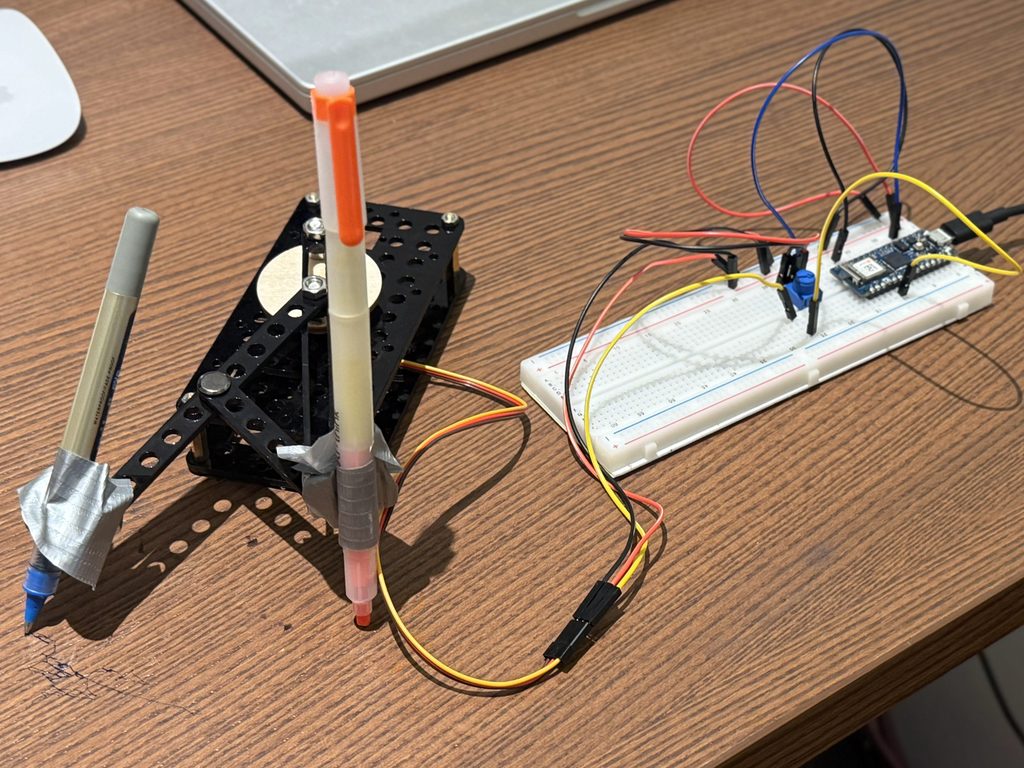
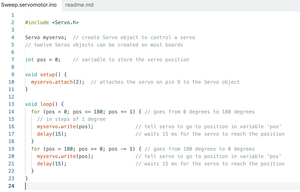
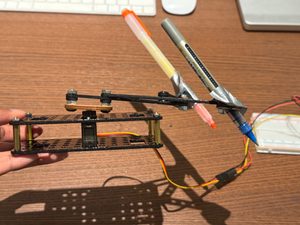
    So the basic idea behind this assignment was to build a small scale drawing machine powered by just one servo motor, but I it rigged up to control two pens at once. I ended up going with the sweep code (the classic back-and-forth servo motion) mostly because when I first tested it out, it drew these really clean, smooth semicircles and I immediately thought I can actually turn this into something. It felt like a good jumping off point since the motion was simple but had a lot of potential once I started messing with pen placement, type of pen, and timing. I mainly used the laser cut kit provided in class to build a sturdy two layer base with two arms sticking out to hold both the pens. At first, I started with one pen, but that felt too simple and I knew I could push myself further, so that’s what gave me the idea to figure out a way to still use one motor but change the output completely, with two pens.

    Sweep Code:

    Drawing Outputs:

    Attempt 1: Randomness

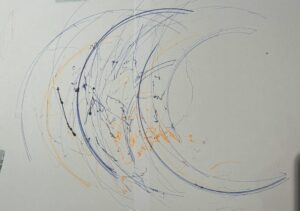
    I ran through a couple of different attempts to see what kind of marks I could actually get out of this thing. My first attempt was basically just chaos, I grabbed a bunch of random pens and markers I had lying around and let the machine go, mostly just to see what would happen. It ended up looking super scribbly and layered, honestly kind of like a tangled mess of arcs (you can see all the overlapping lines and stray dots where the pens skipped or dragged). It wasn’t pretty, but it taught me a lot about how the machine actually behaves under different pen weights and pressures.

    Attempt 2: (Rainbow)

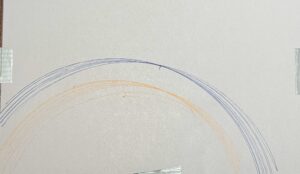
    For my second attempt I tried to be a little more intentional and went for a rainbow. This one came out way cleaner since I was only using two pens (orange and blue) and let the sweep motion do its thing without overloading it. If I had more time or a bigger base, I’d want to scale this up and add more pens so I could get a full rainbow with all the colors instead of just two arcs. That’s definitely something I want to try in a v2 of this build.

    Process and Challenges:

    Honestly, the biggest challenge I faced was the weight of the pens and markers against my base. A lot of the pens I wanted to use were just too heavy for the mechanism, and once I tried mounting two of them at once the whole thing got wobbly, unstable, and fell apart. Like it just couldn’t hold the pens steady enough to draw consistent lines. My first instinct was to screw the pens directly into the arm for a more secure hold, but that ended up making things worse because the screws added extra weight right where I didn’t want it. So I ditched that idea and just used duct tape instead, which sounds kind of messy but actually worked way better since it was so much lighter and let the arm move more freely.

    Reflection:

    Looking back, this assignment really showed me how much small changes in either the mechanism or the code can completely change the output. Something as minor as switching from screws to tape, or slightly adjusting the type of pen I used, made a noticeable difference in whether the lines came out clean and arc-like or messy and scribbly. It’s kind of a cool reminder that with these physical computing projects, the code is only half the story, the actual hardware and how it’s built matters just as much for the final result. If I kept iterating on this, I think focusing on the balance and weight distribution even more would let me get way more precise and intentional drawings out of it.

    Assignment #1 (Low-Tech Drawing Machine)

    Modified RC Car

    By: Asma Al Murr

    Video of how it works:

    Concept

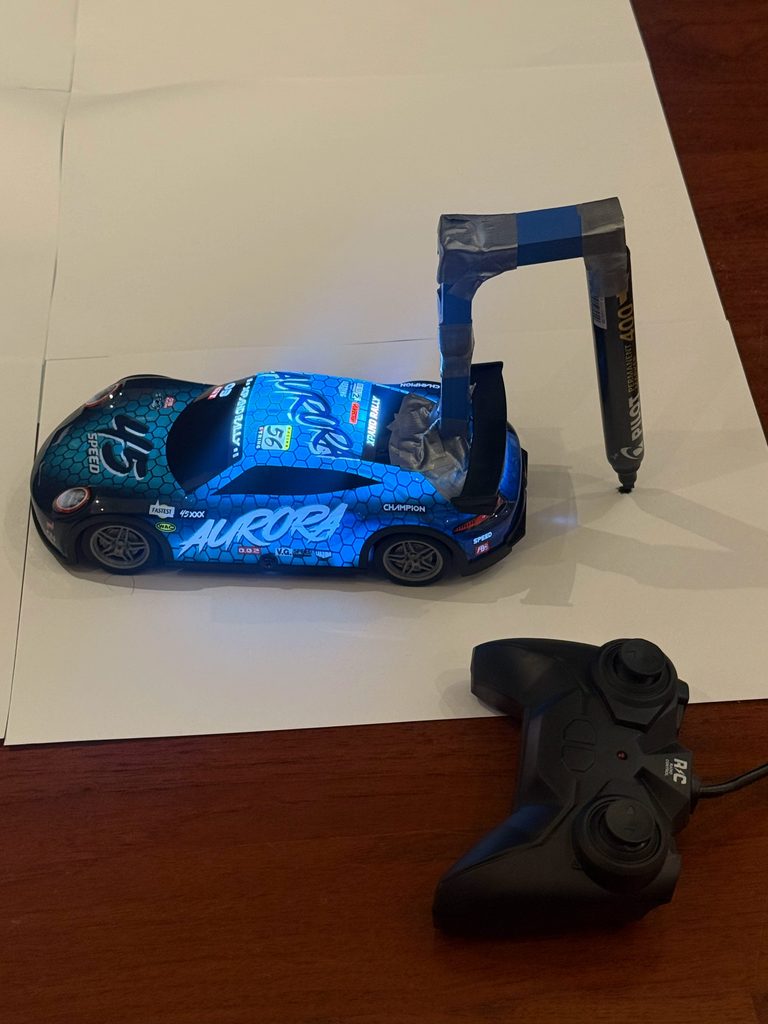
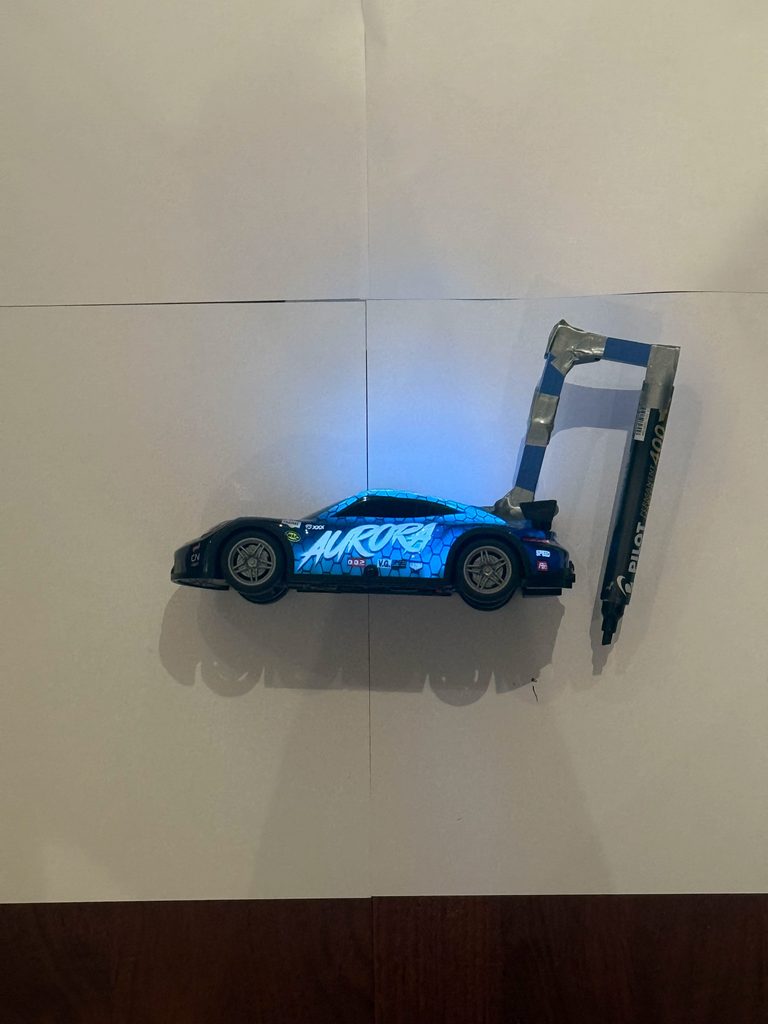
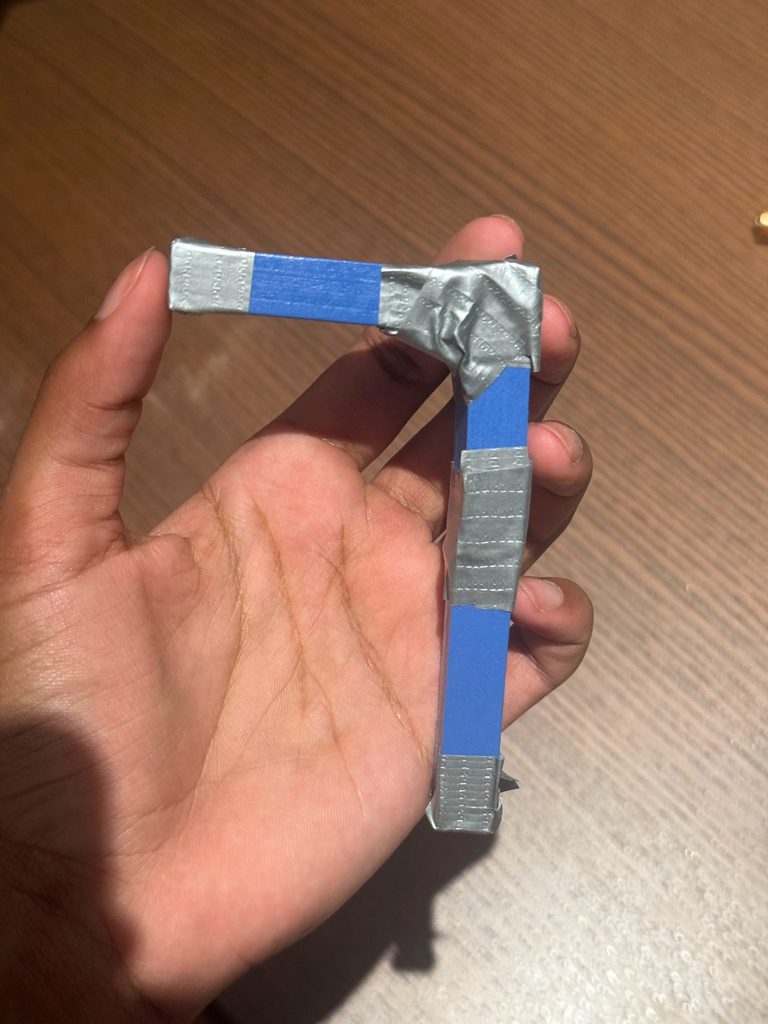
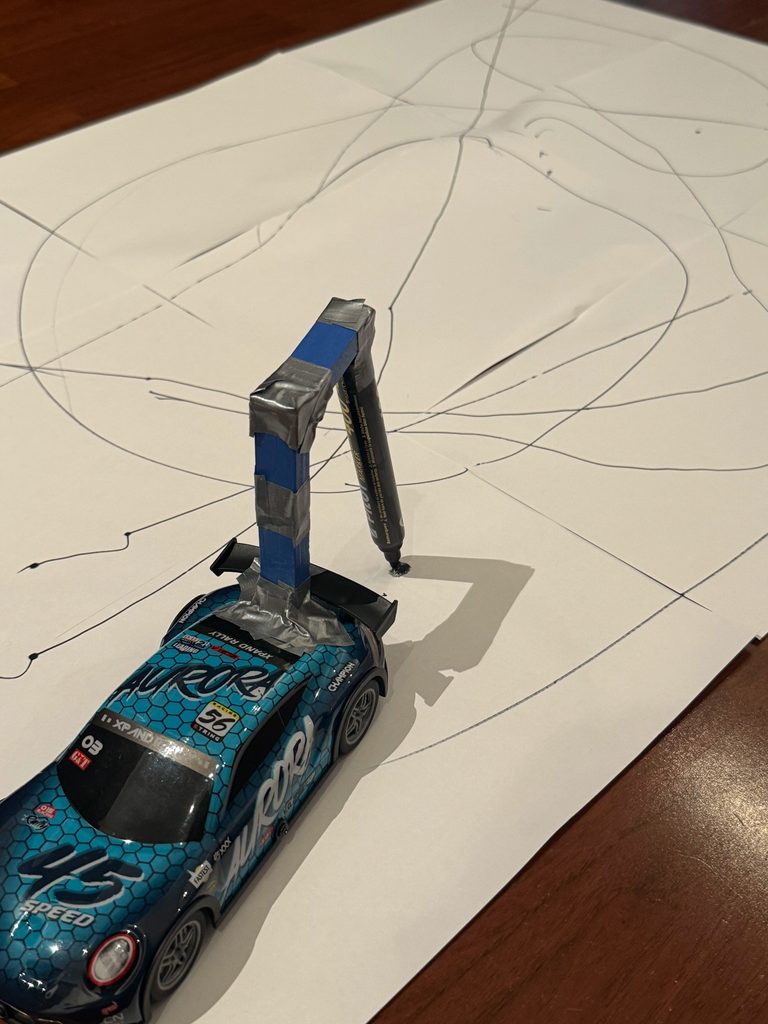
    For this assignment I took my brothers old RC car and turned it into a low tech drawing machine by taping a homemade wooden arm to the back of it. The arm is made out of three Jenga blocks stacked together with duct tape, going up and then bending back down so a marker hangs off the end, angled toward the paper. Basically the idea was that as I drive the car around, the marker drags/bounces along and draws whatever path the car takes, but not perfectly (the wobbly arm and the car’s own movement add a bunch of randomness so I’m not really in full control of the line) but it still turned out pretty good. I liked this because it’s kind of a low-tech way to get at that idea of using a machine to make marks instead of just drawing by hand.

    Process and challenges

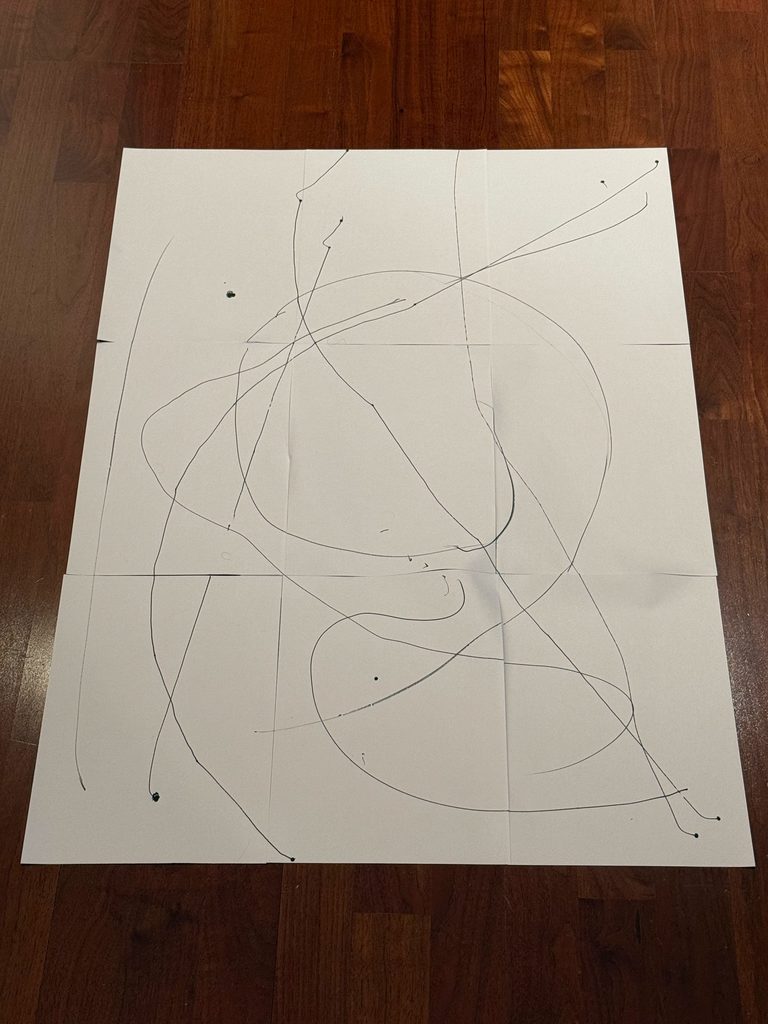
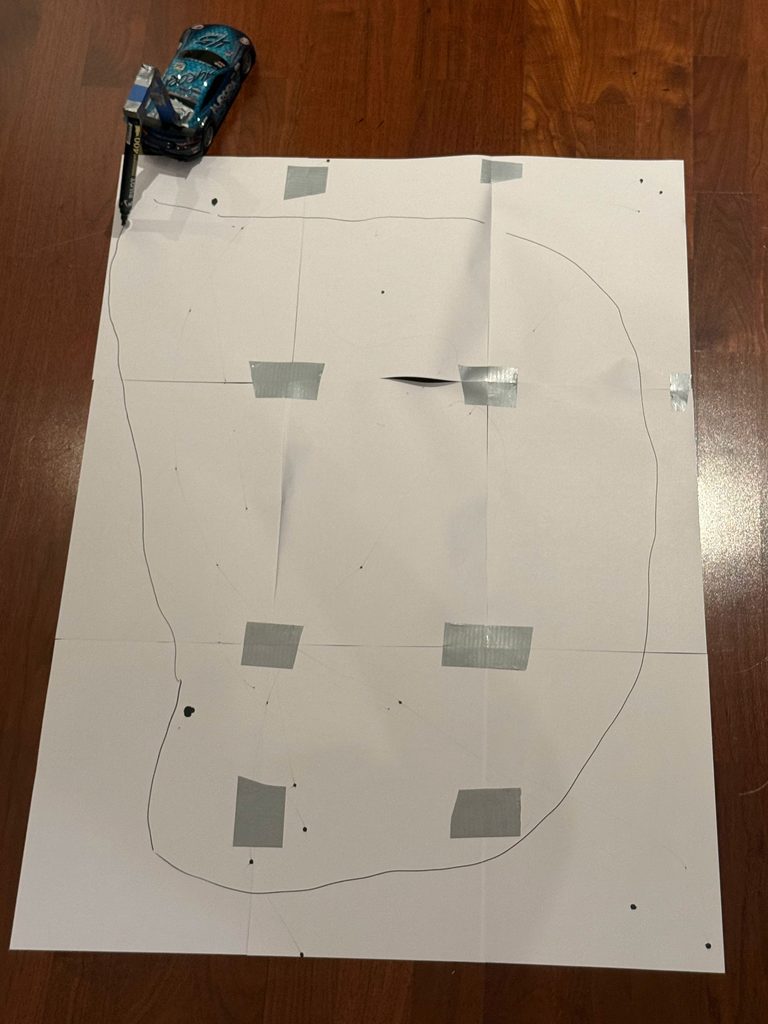
    Honestly the biggest problem I ran into had nothing to do with the car, it was the marker and the specific way I had to angle it with enough pressure to actually be visible on the page. I started out with a regular pen, but it turned out that pen only actually put down ink if it hit the paper at a hard angle with a lot of pressure, so half the time I’d drive the car around and get basically nothing, or just a faint scratchy line that barely showed up. That wasn’t the kind of unpredictability I wanted, it wasn’t adding anything interesting, it was just failing. So I swapped it for a black permanent marker instead, which lays down ink way more consistently no matter what angle it’s hitting the paper at, and that fixed most of the problem. Building the arm was also trickier than I expected because duct tape isn’t exactly a stiff joint, so every place where the Jenga blocks connect has a little bit of wobble in it, and since there are three blocks, all those little wiggles add up by the time you get to the marker at the end. So even small bumps or turns from the car turn into much bigger swings at the tip. I also had to mess around with how tight I wrapped the tape and what angle I set the marker at so it would actually stay touching the paper instead of skipping off during turns or digging in and dragging when the car slowed down. Also another major issue was SPACE! Driving around an RC car requires more space than just a regular piece of paper. So what I did was take 9 sheets of A4 paper and taped them together to give the car more room to move without ruining my floor. 

    Reflection on control, chance, and authorship

    Thinking about what I actually controlled versus what I didn’t: I picked the car, built the arm (how many blocks, how I taped them), I picked the marker, and I steered the car. But once the car was actually moving, I lost control over the exact lines it produced. How much each taped block flexed at any given moment, or how the marker’s angle shifted mid-turn, wasn’t really up to me, and sometimes the marker wouldn’t get enough pressure against the paper to leave a continuous line, so it left random gaps instead. The car’s physical limitations added their own kind of chance, too. Since it isn’t built for sharp turns, drawing anything like a square or rectangle was basically off the table so I ended up mostly getting straight lines and loose curves or squiggles instead. I also noticed that wherever I stopped the car, the marker would sit in place just long enough to bleed into a little ink blot, so the drawing ended up dotted with these small dark patches marking every pause. And since the car could only move forward, not backward, I couldn’t retrace a line or correct a mistake once I’d made it, which made every move final and took away the chance to “undo” and pushed even more of the results out of my hands.

    Relation to Sol LeWitt

    This assignment connects to what LeWitt says about “the idea becoming the machine that makes the art” which I actually learned in the course Understanding Interactive Media. The machine is basically the tool that carries out that idea, and the drawing is just proof that it happened. When we look at LeWitt’s thinking, the actual “art” isn’t the drawing itself, it’s the system behind it. So if someone else built the exact same setup using my instructions and ran it themselves, the drawing they got would look different in the details, but it would still count as my piece. That’s because what I actually created was the idea and how it works, not the specific lines that ended up on the paper. The arm and car setup is the “machine,” and it’s carrying out a plan I made (wooden arm and a marker that reliably makes contact) without me controlling every single line by hand.  I think the idea in this piece lives mostly in the design choices I made before I even started drawing anything. For example choosing to use three loosely taped blocks instead of one stiff arm, and figuring out the marker issue so the randomness I wanted would actually show up as ink instead of just not drawing at all. Even switching the pen wasn’t really changing my idea, it was just making sure the idea could actually come through on paper instead of getting lost because the tool wasn’t cooperating. So in LeWitt’s terms, I’d say the idea is in the setup/design, and the final drawing and art is just what’s left over after the system (machine) runs.

    Results:

    attempt 1: (total randomness)

    attempt 2: (trying to draw a circle)