Concept
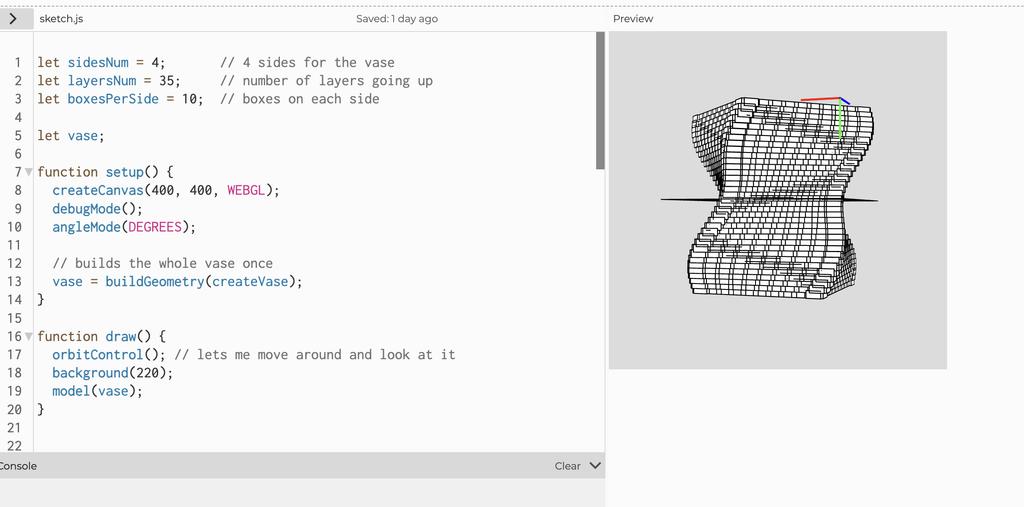
For this assignment, I wanted to create a vase-like sculptural form using repetition and twisting. I didn’t want to make a normal smooth shape, so I used small boxes repeated around four sides and stacked them in layers. As the layers move upward, they slowly rotate, which creates the twisted form.
I also changed the size slightly throughout the layers using a sine function. This makes the sides curve in and out instead of staying completely straight. The object is open at both the top and bottom, so my focus was more on the shape and structure rather than making a functional vase. I liked how the form looks different depending on which angle you view it from, especially because you can look through it and see the twisting structure inside.
p5.js Sketch
https://editor.p5js.org/mharaalnuaimi/full/bfulypwVC
Process and Challenges
My first attempt at printing did not work. I had booked a 3D printing session, but when I tried to prepare my design, there was a problem with the file and the printer was not able to recognize it properly. Because of this, the print never actually started and a lab assistant sent me an email stating it did not work out and that I had to book another session. So, I later did that.
When I came back for my second session, the lab assistant helped me properly prepare the file and set everything up for the printer. This time it worked, and the print started successfully. I was a little worried that I might have another issue, but thankfully the printing process went smoothly and the final object came out successfully.
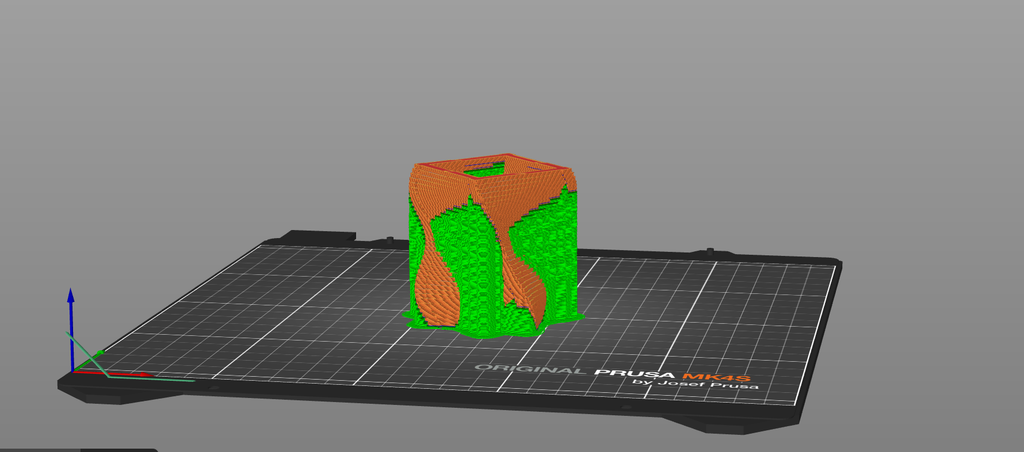
One challenge I didn’t expect was removing the supports after the print was finished. Because my design twists and has open spaces inside, there were supports inside the form that were difficult to reach and remove. The lab assistant gave me a tool that helped, but it still required a lot more strength and patience than I expected. I also had to be careful while removing them because I didn’t want to accidentally damage the actual print.
Even though I didn’t make a separate physical test print, the failed first session helped me understand that preparing the digital file correctly is just as important as the design itself. After fixing that issue, I was really glad that I didn’t have any other major problems and that my final print came out successfully.
Prototype:
On Prusa Slicer:
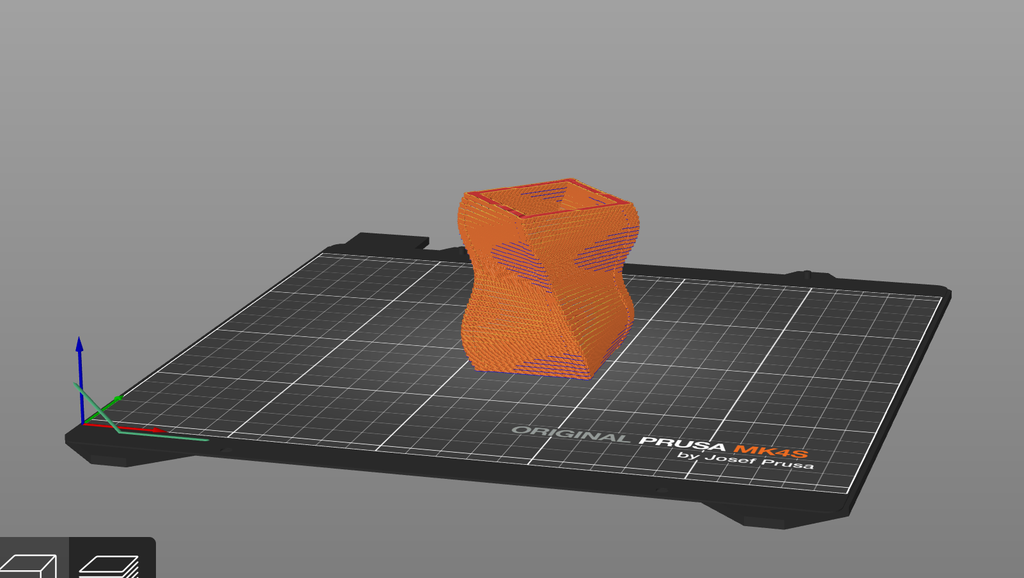
With Supports:
Final Result
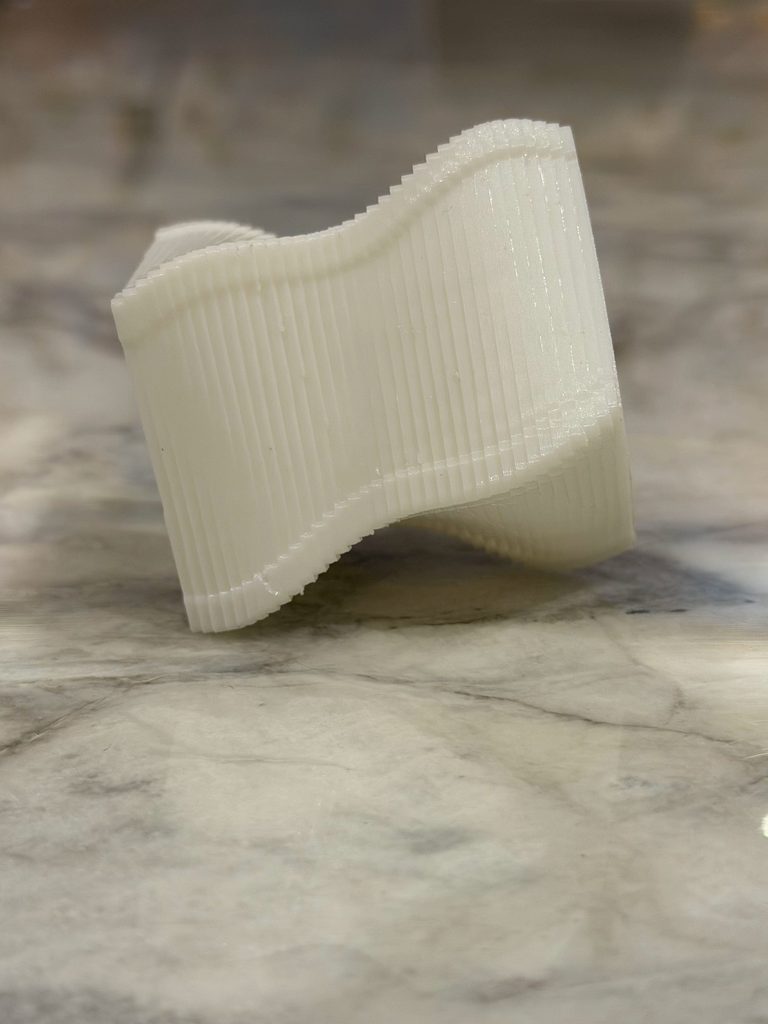
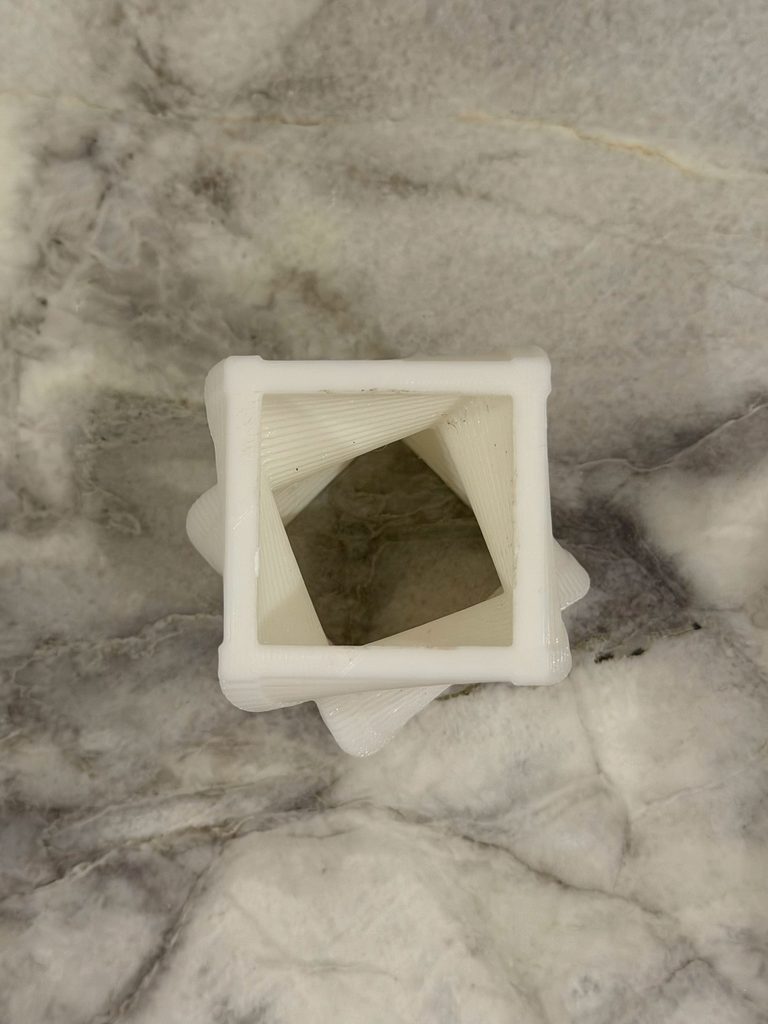
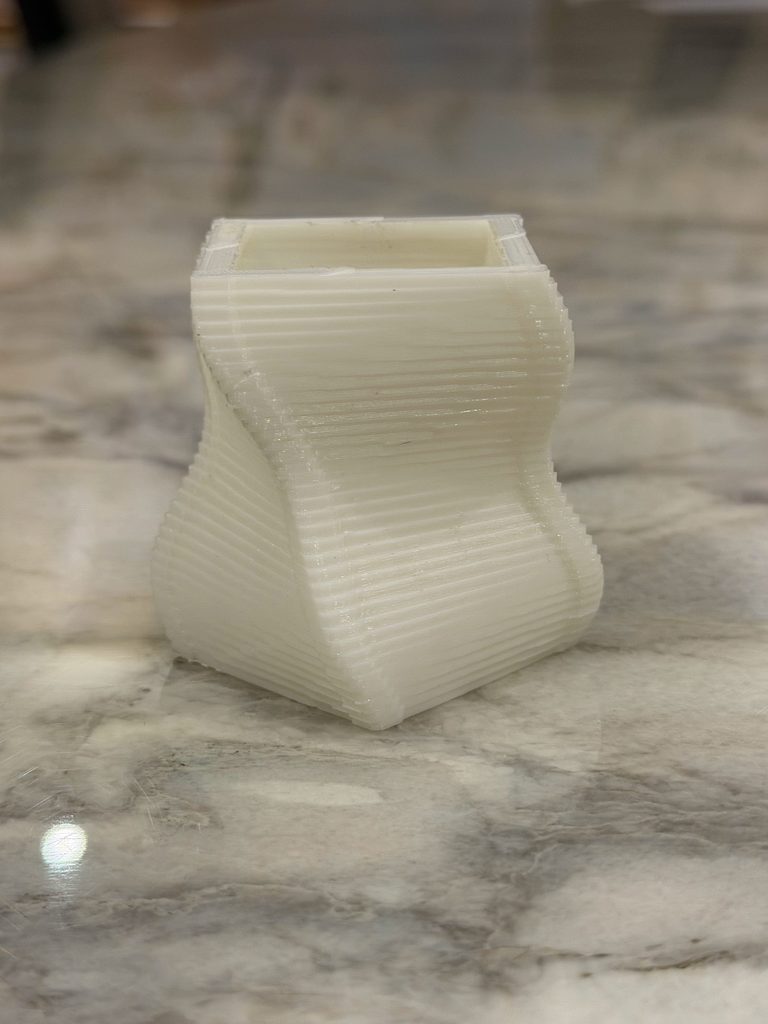
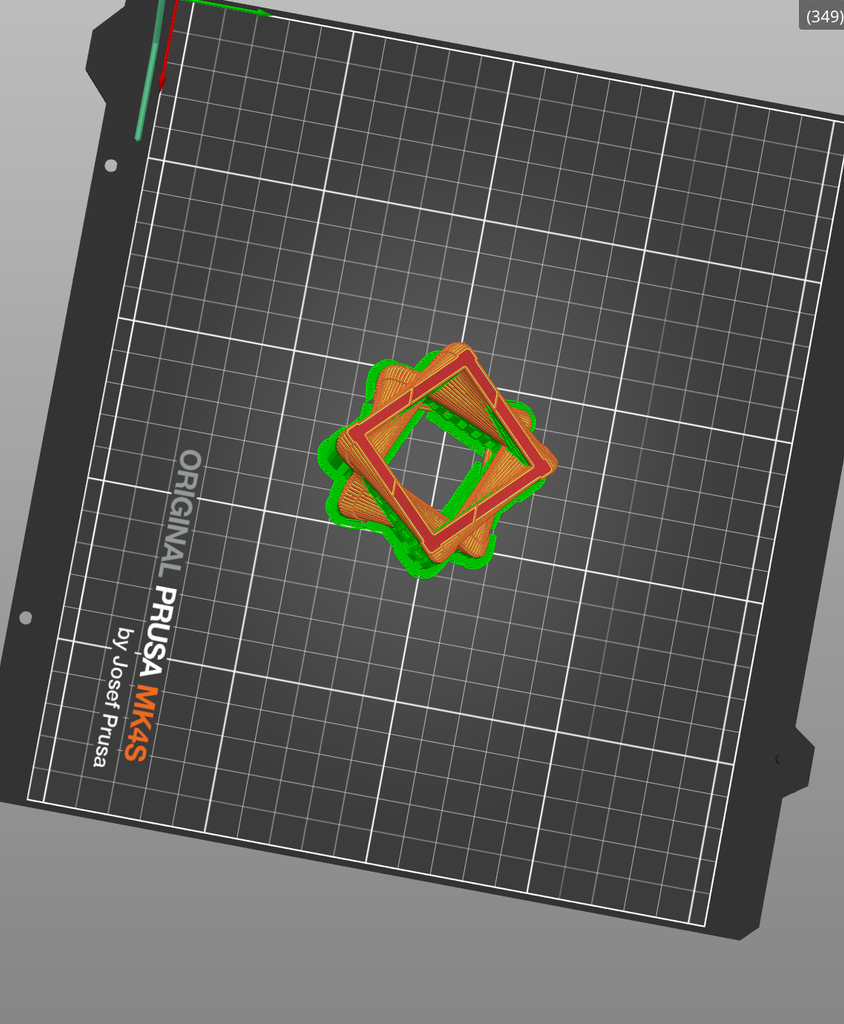
I was really happy with how the final print came out. The twisting effect from the code is very visible in the physical object, especially from the sides. From the top, you can also see how the square opening gradually rotates through the object.
Something I also noticed after printing was the layer lines. On the computer, the design looked much smoother, but in the physical print you can clearly see the layers that built the object. I actually like this because it shows how the object was made and makes the repetition in my code visible in a different way.
The object also looks quite different depending on the angle. From the side, it looks more like a curved and twisted vase, while from the top you can see the square geometry and the rotation much more clearly.
Reflection
This assignment made me realize that designing something digitally and actually 3D printing it are very different. When I was working in p5.js, I was mainly thinking about what the shape looked like on the screen. Once I had to print it, I had to think more about whether the geometry could actually exist physically and how the printer would build it.
The supports were probably the biggest example of this. I didn’t really think about them while coding, but once the object was printed, they became an important part of the process because I had to remove them without damaging the actual design.
I also think the physical result made the algorithm easier to understand. The repeated boxes, changing size, and gradual rotation are things I created through code, but in the final object they become actual curves, layers, and textures that I can hold and look at from different angles.
Overall, I’m glad that after the problem with my first printing session, the second attempt worked without any major issues. It also made me more comfortable with the process of taking something from p5.js and turning it into an actual 3D-printed object.