Concept
For this assignment, I worked with Voronoi patterns, which are created from the divisions of a surface into organic cells depending on the distance to randomly placed points. The main reason for choosing this design was the discovery that this structure appears in architectural designs, and how the shapes connect to each other reminded me of spider webs, since both rely on thin structural connections to hold divided space together.
Final Sketch: https://editor.p5js.org/sa8831/sketches/S_5pHkohS
Process and Challenges
Going into this process, I often wondered how I would turn a rule-based system into something you can both physically hold and physically cut. The initial inspiration was broken glass since each time glass breaks it produces a unique pattern of sharp-edged, irregular shapes that fit together without overlapping. I found that Voronoi diagrams work the same way since the patterns are never identical yet always follow the same underlying rule of dividing space based on distance to the nearest point. When applying this computationally, the algorithm divides a surface into irregular polygonal shapes based on randomly placed points, producing a different arrangement every time the code runs.
The code was written at first with a sketch that used pixel sampling to make drawings based on image brightness. I kept the same structure for SVG export but replaced the image-based input with randomly placed points that generate Voronoi cell boundaries across the canvas.
When researching how to implement this, I came across a public p5.js sketch (https://editor.p5js.org/bulkan/sketches/qbbxZzm4v) that used the D3-Delaunay library (Github: https://github.com/d3/d3-delaunay and Library: https://d3js.org/d3-delaunay/delaunay) which is an open source library that handles calculating Voronoi cells (irregular polygonal shapes). The sketch already had the library imported in its HTML, so I used that structure and added the p5.js SVG import to get both working together cleanly.
Code Snippet of HTML
<!DOCTYPE html>
<html lang="en">
  <head>
    <meta charset="utf-8">
    <!-- D3-Delaunay library -->
    <script src="https://cdn.jsdelivr.net/npm/p5@1.11.3/lib/p5.js"></script>
    <script src="https://cdn.jsdelivr.net/npm/p5.js-svg@1.6.0"></script>
    <script
      src="https://cdn.jsdelivr.net/npm/d3-delaunay@6.0.4/dist/d3-delaunay.min.js"
      integrity="sha256-78cmqorqCJf23aGYdHCdCf15F4EgjtWEfvH9NvmIaxg="
      crossorigin="anonymous"
    ></script>
    <link rel="stylesheet" type="text/css" href="style.css">
  </head>
  <body>
    <main></main>
    <script src="sketch.js"></script>
  </body>
</html>
Vector Designs
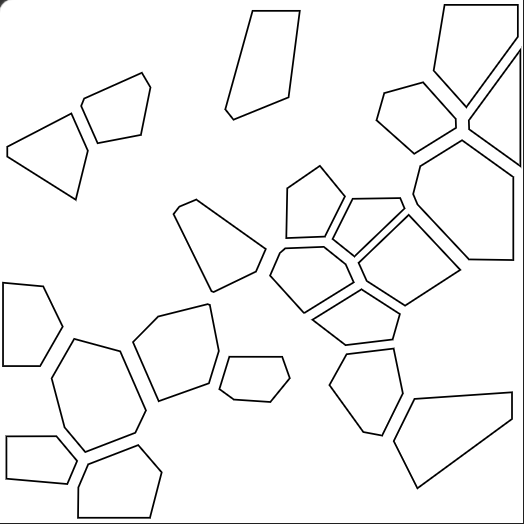
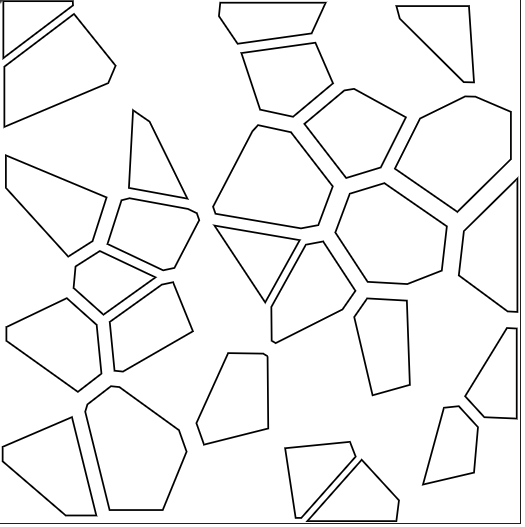
Left: SVG Design 1 (Trials 0–2). Right: SVG Design 2 (Trial 3).
Initial Sketch
The first version drew all cells with no gaps between them. Looking at this, I predicted that if I were to cut the filled shapes, the result would look like the shapes merged together into larger holes with no visible pattern.
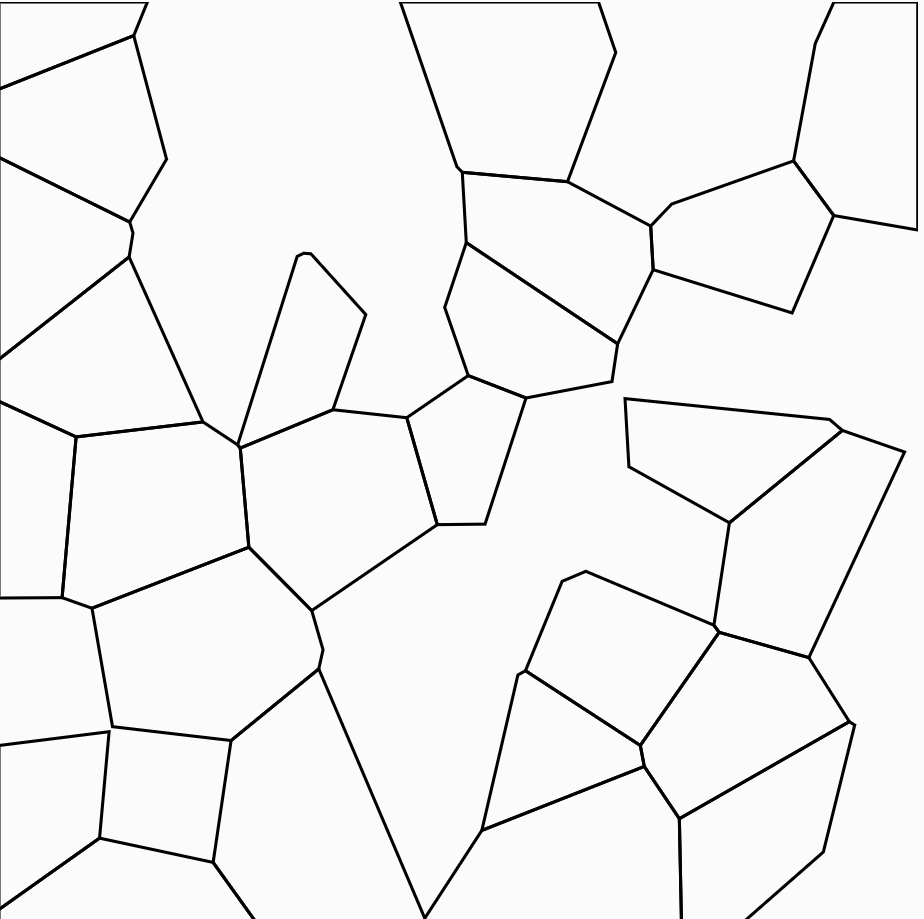
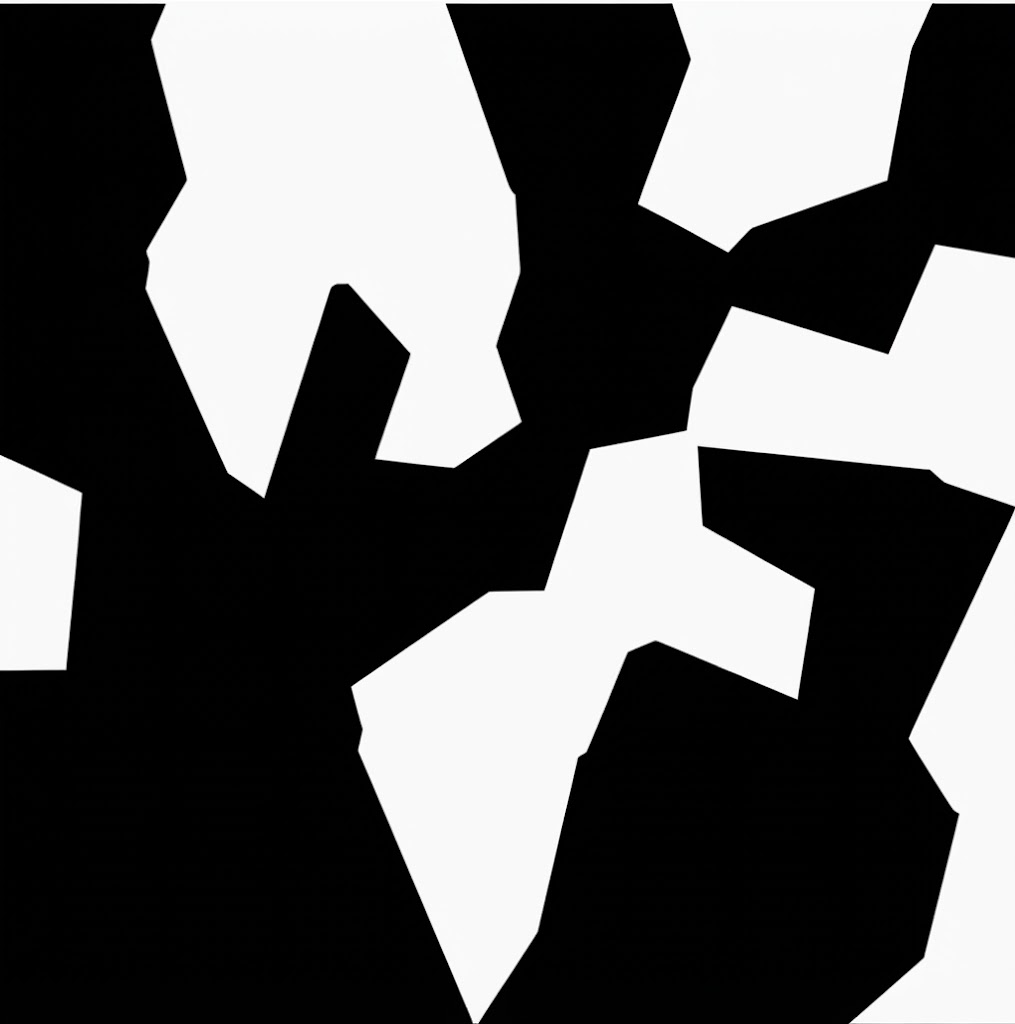
(Caption: Possible outcome of before cutting in p5.js and after cutting and what would it look like)
To fix this, I added a spatial rule that divides the canvas into a grid of zones. Each cell is assigned to a zone based on its x and y position, and cells in alternating zones get drawn while the rest become holes.
Initial Code:
let points = [];
let numPoints = 45;
let minDist = 20;
let maxTries = 2000; // safety limit to prevent infinite loop

function setup() {
  createCanvas(300, 300, SVG); // 300mm = 30cm panel
  noFill();
  stroke(0);
  strokeWeight(1);
  generatePoints();
  drawVoronoi();
}

function generatePoints() {
  let tries = 0;
  while (points.length < numPoints && tries < maxTries) {
    let candidate = [random(width), random(height)];
    let tooClose = false;
    for (let p of points) {
      let d = dist(candidate[0], candidate[1], p[0], p[1]);
      if (d < minDist) {
        tooClose = true;
        break;
      }
    }

    if (!tooClose) {
      points.push(candidate);
    }
    tries++;
  }
}

function drawVoronoi() {
  // connect each point to its nearest neighbors
  let delaunay = d3.Delaunay.from(points);

  // calculate cell boundaries from those connections
  let voronoi = delaunay.voronoi([0, 0, width, height]);

  for (let i = 0; i < points.length; i++) {

    // divide canvas into buckets and alternate keep/skip to create voids
    let bucketSize = 40;
    let bx = floor(points[i][0] / bucketSize);
    let by = floor(points[i][1] / bucketSize);
    let keep = (bx + by) % 2 === 0;

    if (keep) {

      // get the corner coordinates of this cell
      let cellPoints = voronoi.cellPolygon(i);
      if (cellPoints) {
        beginShape();
        for (let pt of cellPoints) {
          vertex(pt[0], pt[1]);
        }
        endShape(CLOSE);
      }
    }
  }
}

function mouseClicked() {
  save("voronoi_lattice.svg");
}
When writing the code and going through the D3-Delaunay library, I understood that it works by taking the randomly placed points and calculating which areas of the canvas are closest to each one, then drawing the boundaries where those territories meet. What mattered to me was that the resulting shapes and patterns were accurate and different every time, so the D3 library handled the calculation so I could focus on how the design looked and how it would behave when cut.
However, even with the filtering, the remaining cells were still touching at their edges. I added a shrinkPolygon function that pulls each cell inward toward its own center point, creating a gap between every shape.
Code Snippet (with the use of shrinkAmount ):
let shrinkAmount = 0.15;function shrinkPolygon(pts, amount) {
let cx = 0, cy = 0;
for (let p of pts) {
cx += p[0];
cy += p[1];
}
cx /= pts.length;
cy /= pts.length;
let shrunk = [];
for (let p of pts) {
let newX = lerp(p[0], cx, amount);
let newY = lerp(p[1], cy, amount);
shrunk.push([newX, newY]);
}
return shrunk;
}shrinkAmount = 0.15 tells the code to pull each cell inward toward its own center. The shrinkPolygon function does this by calculating the center point of each cell and using lerp to move every corner slightly closer to it. Without this, the laser would burn through the material between adjacent cells and either fuse them together or leave edges too fragile to hold.
Laser Fabrication
Before testing it on wood and acrylic, I was concerned about whether the thin junctions between shapes would hold since some gaps in the design were very narrow. However, after running a test cut on cardboard (Trial 0) with the first SVG design, the structure held and gave me confidence to proceed with harder materials.
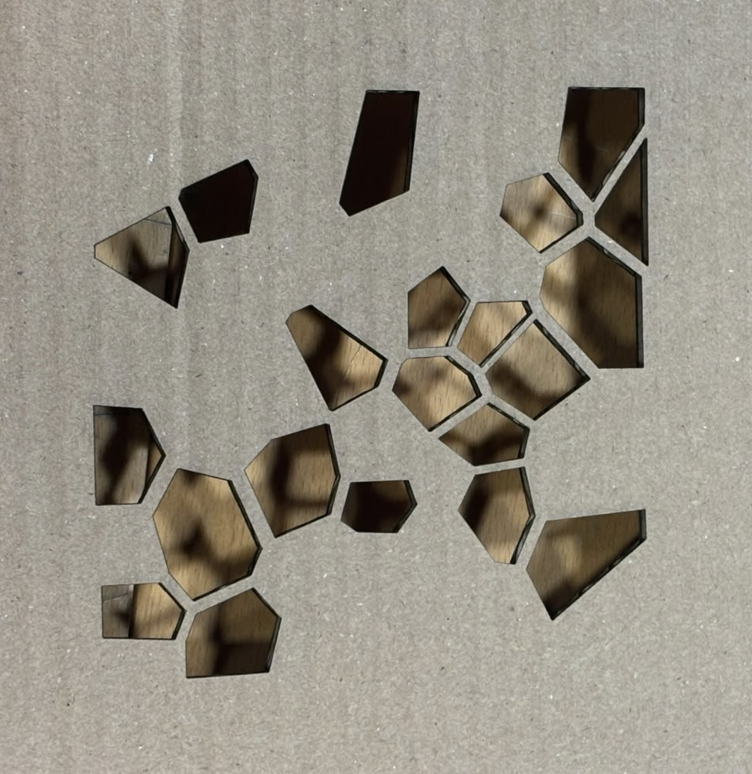
Left: SVG design. Right: Trial 0 cut in cardboard.
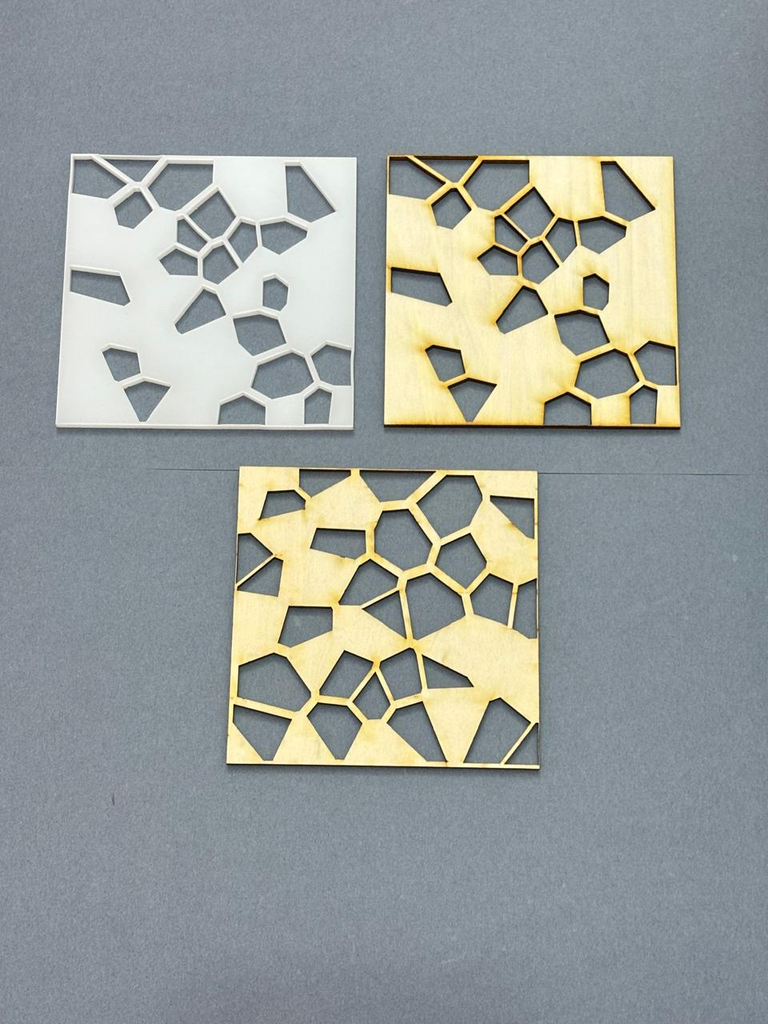
For the first trial (Trial 1), the first SVG design was cut in wood. It shows a long path pattern of shapes where the cells connect and flow into each other across the whole piece. However, the edges showed slight stress at the corners where the junctions were thinnest. Although the junctions do hold, it revealed the tolerance limits of the design.
I did a second trial with the same design but cut in acrylic to see how the same design would behave in a different material. The edges came out cleaner and sharper, and the connecting pieces between shapes were visibly thicker compared to wood.
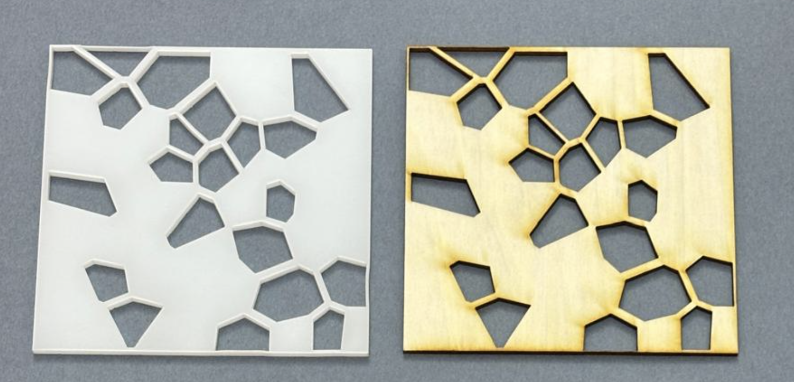
For the third trial (Trial 3), I re-ran the code to generate a new composition and cut it in wood. Even though the same rules applied, the different random seed produced a denser arrangement since the solid parts connected across the whole piece. This showed that the same algorithm can produce fundamentally different spatial outcomes depending on where the random points land.
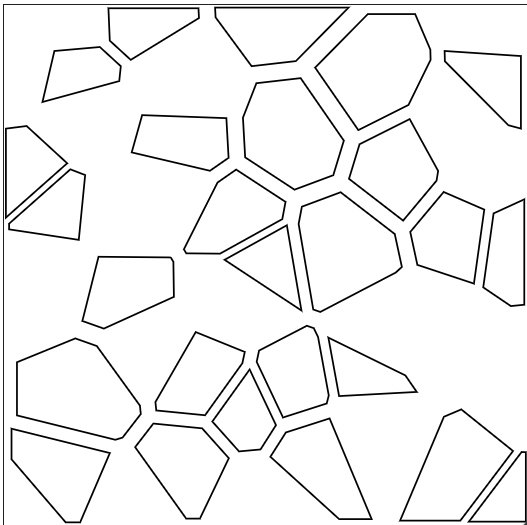
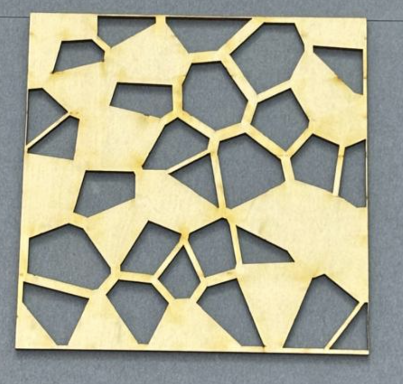
Left: SVG design. Right: Trial 3 cut in wood.
Reflection
Laser fabrication forced me to think about the design in ways that a screen-based project never would. Given that the laser removes material at a width of roughly 0.1 to 0.3mm, parts come out slightly smaller than drawn. Because of this, I used shrinkAmount to pull each cell inward, guaranteeing a physical gap between every shape so they would not fuse during cutting. Without it, the gaps between cells would have been too tight after cutting, or worse, the shapes would have fused together.
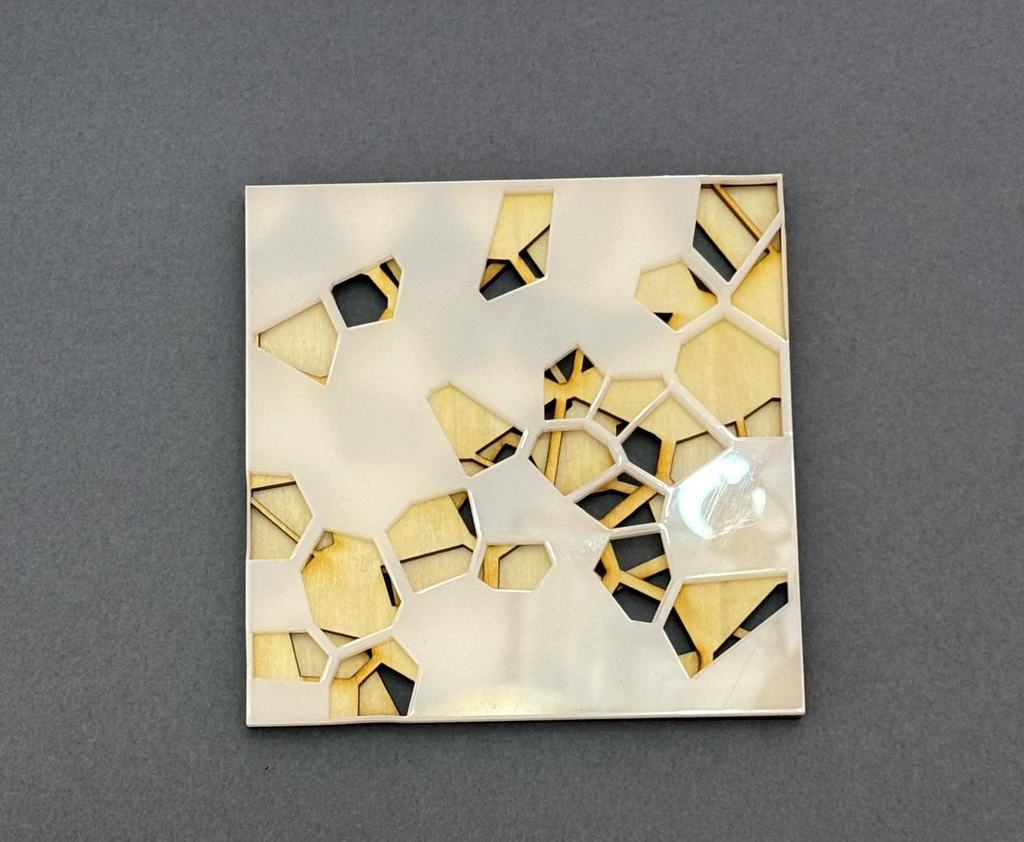
After fabricating all three trials, I stacked them together to see what would happen. Where the holes in one piece aligned with the solid parts of another, the wood showed through the acrylic creating a new composition that none of the individual pieces could produce alone. This made me think that each time the code runs, it makes a distinct piece that can interact with other runs physically.