Kinetic Drawing Machine – Sand Plotter + Tentacle drawing machine

https://www.taomc.com/sisyphus-videos-1/2015/6/3/sisyphus-time-lapse-2

Picture a coffee table where a steel ball rolls through a bed of sand and traces spirals on its own. This is Sisyphus, a kinetic sculpture by the artist Bruce Shapiro (Colossal).
The secret sits under the sand. A two-motor robot, the Sisbot, moves a magnet, and the magnet pulls the ball along (Design Milk). One motor swings an arm around the center, and the other slides the magnet along that arm. Shapiro compares it to the two knobs of an Etch A Sketch (Midwest Design).
Each drawing lives in a track file, a list of angle and radius points. The table plays these tracks in playlists, the way a music player plays songs (Sisyphus community).

For this assignment, we chose to research a kinetic drawing machine that moves a steel ball through sand to create patterns. Our main reference is Sisyphus by Bruce Shapiro.

Sisyphus uses a polar system, which combines movement around a centre with movement towards or away from that centre. Together, these movements allow the magnet to reach different points across the circular drawing area. The controller coordinates the motors so the ball follows a programmed path.

image.png
image.png
image.png

I think what makes this interesting is how much of the drawing you get to watch happen. The finished pattern looks cool, but I feel like watching it being made is a big part of why you would want this machine in the first place. And then it draws over the existing drawing again and that’s also what I like about using sand. The previous drawing can still be there while the new one starts forming, and you get this overlap before it’s eventually replaced.

It’s also why this stood out to us and seemed more unique that most other drawing machines. With a pen, we could lift it and move somewhere else. Here, the ball is still touching the sand when it moves across the surface, so that movement also becomes part of the drawing. We would have to plan how the lines connect, including the parts where we’re just trying to get from one place to another.

For actually building something like this, we would need a shallow tray, fine sand, a steel ball and a magnet underneath. Then we need a frame and a mechanism to move the magnet, whether that’s a rotating arm or a belt-driven system.

Screenshot 2026-10-26 at 12.08.44 PM.png
image.png

We also came across Jean-Pierre Hébert’s Ulysse, also referred to as Ulysses. This installation uses a slowly moving ball to draw in sand, with each drawing being replaced by the next. Hébert connects this to impermanence, which makes sense when the material itself allows the drawing to be erased and changed so easily. The work was first presented at SIGGRAPH in 1999.

I like this idea of making a drawing that is so impermanent. Usually we’re trying to preserve the final output but here you would have to take a photo or just let it go.

Screenshot 2026-10-26 at 12.10.54 PM.png
image.png
Screenshot 2026-10-26 at 11.53.14 AM.png

Concept 2: Soft robotics Tentacle

This project uses strings to control a soft, 3D-printed tentacle. The tentacle consists of many separate segments, which makes it highly flexible and lets it move in a very organic way. The core challenge and interesting bit lies in the logic and the math required to move it the way we intend.

We do not aim to build a precise drawing machine. The tentacle will develop its own way of drawing, and its outputs will reflect its physical limits along with the new constraints we discover as we work on it. A brush attached to the tip of the tentacle will serve as the drawing tool.

The technical setup is simple. Maybe it’s not, IDK. We will 3D print the tentacle and connect its strings to feedback servos. Standard continuous rotation servos lack position feedback and cannot track where they are. Feedback servos keep the continuous rotation and also report their position. This gives us control over the length of each string.
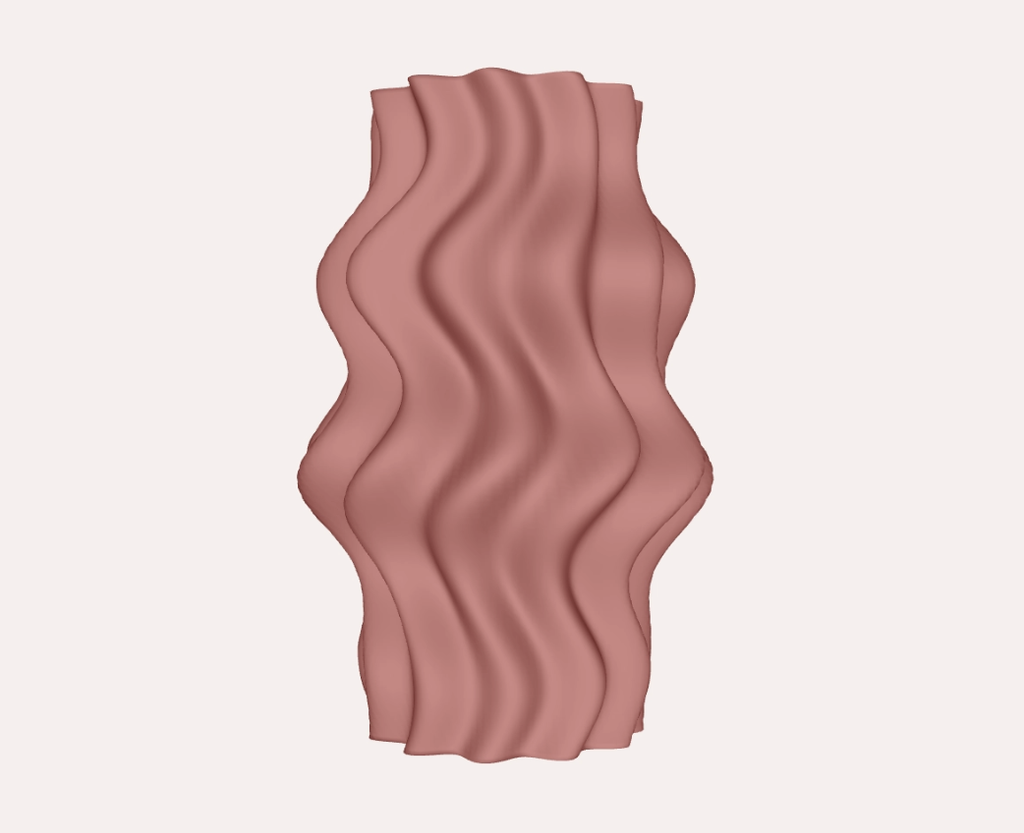
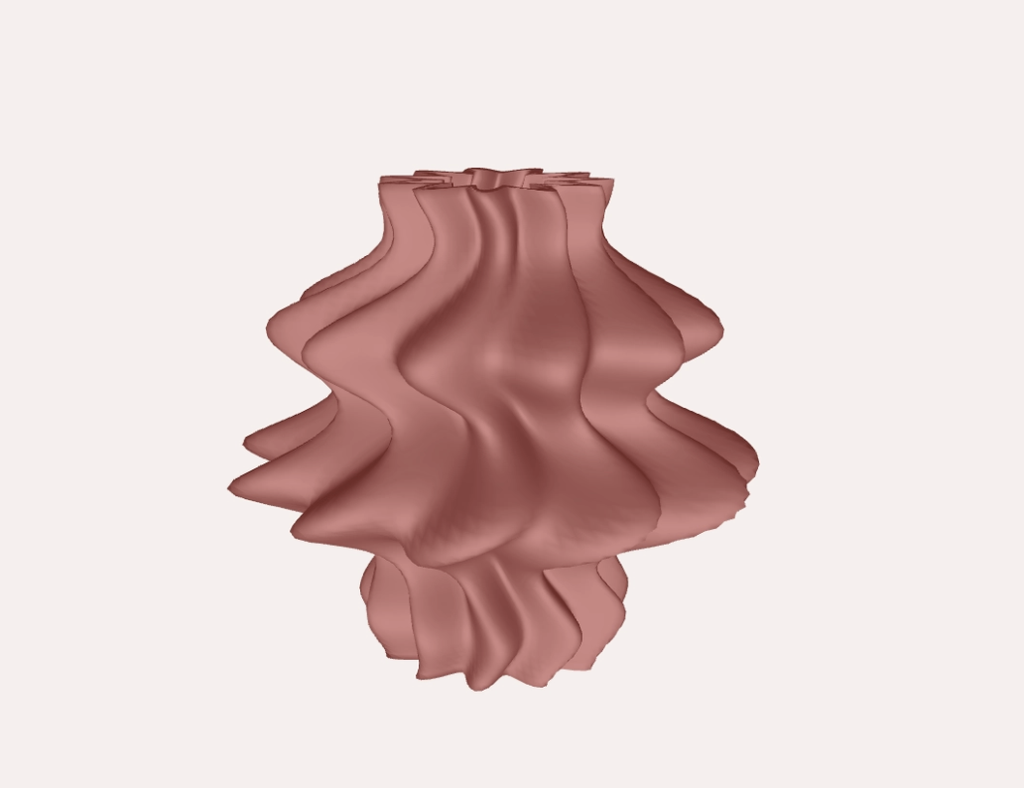
image.png

Assignment 4: A Very Wavy Vase

I started this assignment wanting to make a snowflake. Specifically, lots of little generative snowflakes connected into something that could fold and unfold. So naturally, I ended up with a vase.

As I experimented, I became more interested in making something that looked soft and almost like it was moving. I wanted folds, waves and a slightly unpredictable shape. How could I make a solid printed object feel less stiff? And could I do that through a few repeating rules instead of modelling every fold myself?

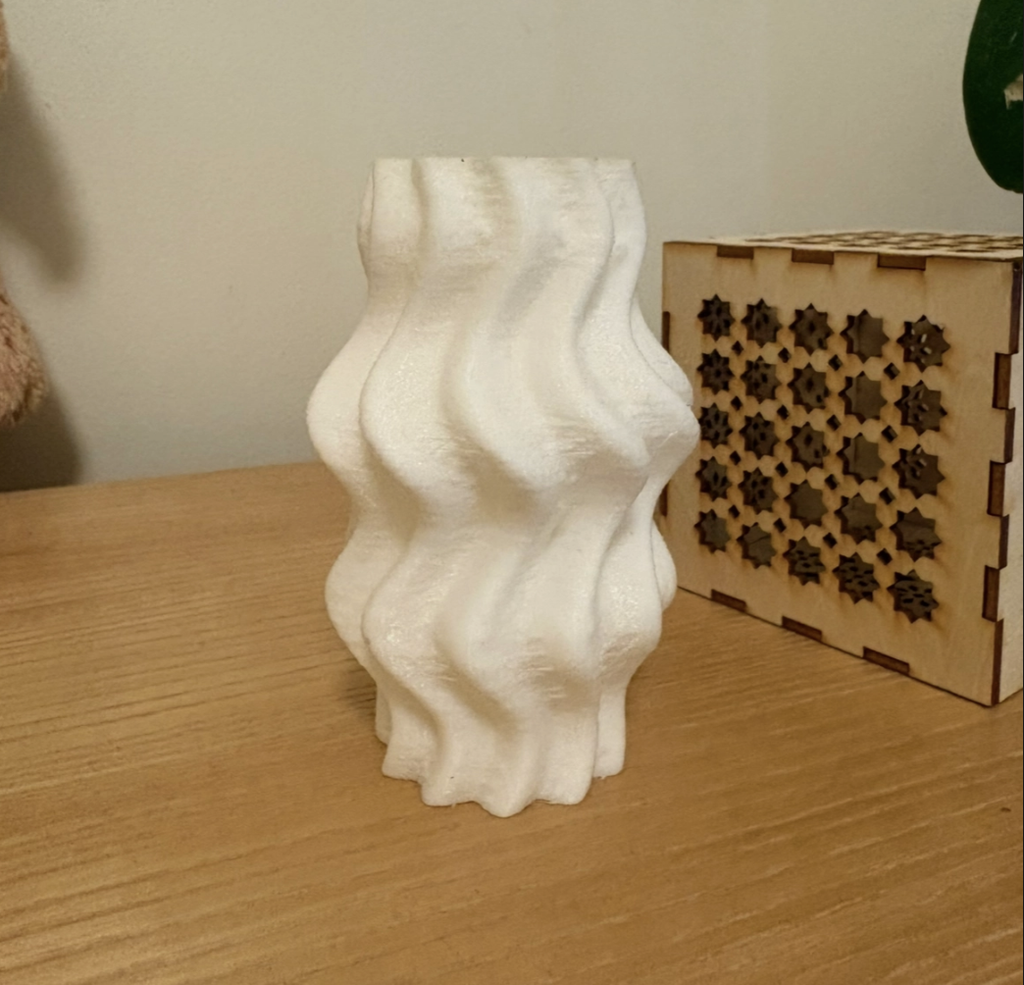
The final design is a very wavy vase. Its sides move in and out at different heights, and the ridges curve around the surface. It’s still recognisable as a familiar object, but the shape feels a little strange, which I liked.

p5.js sketch: https://editor.p5js.org/mariam4882/full/XdUTpTnpx

Shape

For my last assignment, I was making flat patterns that would become the sides of a box. This time, I had to think about the whole form, including what was happening between the parts I could see.

I built the shape in p5.js using rings of points stacked along its height. Each ring has 120 points around it, and the code calculates how far each point should be from the centre. Changing those distances changes the shape.

I liked being able to adjust the height, width, waves and ridges from the top of the sketch. I didn’t have to rebuild everything whenever I wanted to try something slightly different.

Getting the points into the right places was one part. Connecting them into something printable was another.

The code connects neighbouring points with triangles to make the surface. It creates an outer surface and a smaller inner one, with a 3 mm difference in radius between them, then connects the surfaces around the top and bottom edges.

I was initially paying much more attention to the outside. Did I like the silhouette? Were the folds interesting enough? But something can look like a complete object on screen without actually having all the parts it needs.

For example, the bottom connection in this version is a ring, rather than a solid floor. So despite calling it a vase, it’s currently more of a hollow sculptural vessel. A closed base would be the next thing to add if I wanted it to work as a functional vase.

I also added a button to export the geometry as an OBJ file so I could move it out of p5.js and prepare it for printing.

A lot of adjusting things

One of the harder parts was getting a shape I actually liked. Some of the earlier versions felt too symmetrical. I wanted something with a bit more movement, but I kept getting something that looked like a fairly regular vase. Where was the intrigue??

So I kept adjusting how the waves and ridges worked together. The outline moves in and out, while the ridges shift around it. Even though both follow repeating rules, combining them makes different parts of the object behave differently.

I was trying to find a balance where the shape still felt connected, but wasn’t completely predictable from one side to the other. I didn’t want to add variation just for the sake of it either. Sometimes changing more values made it harder to understand what was actually improving the form.

Then there was the inside. I had to think about the walls and how the surfaces joined, even though those were much less exciting to look at than the folds.

Seeing it off the screen

I really like how the white print catches the light. In p5.js, I needed the lighting to help me understand the shape. With the physical object, the folds create their own highlights and shadows, and different parts become more noticeable as I turn it.

The fine horizontal print lines are visible too. They run across the larger waves and ridges, so there’s this smaller texture sitting on top of the overall form. Something I was mostly thinking about as a smooth digital surface now has evidence of how it was made.

It sits beside the lamp from my previous assignment now, which is quite cute. Apparently, I am slowly making things for my room.

Looking back

I also liked seeing how much could come from a few rules. I didn’t draw each fold individually. Changing one value could affect the whole object, which made experimenting quite easy.

Next, I’d like to close the base and try making the form more uneven. Could some areas have much stronger waves while others stay quieter? How far could I push that before it became difficult to print? I think there’s still room to make it feel less like a regular vase without losing the parts I like.

And I do still want to make the folding snowflake. I just took a fairly large detour first hahaha.

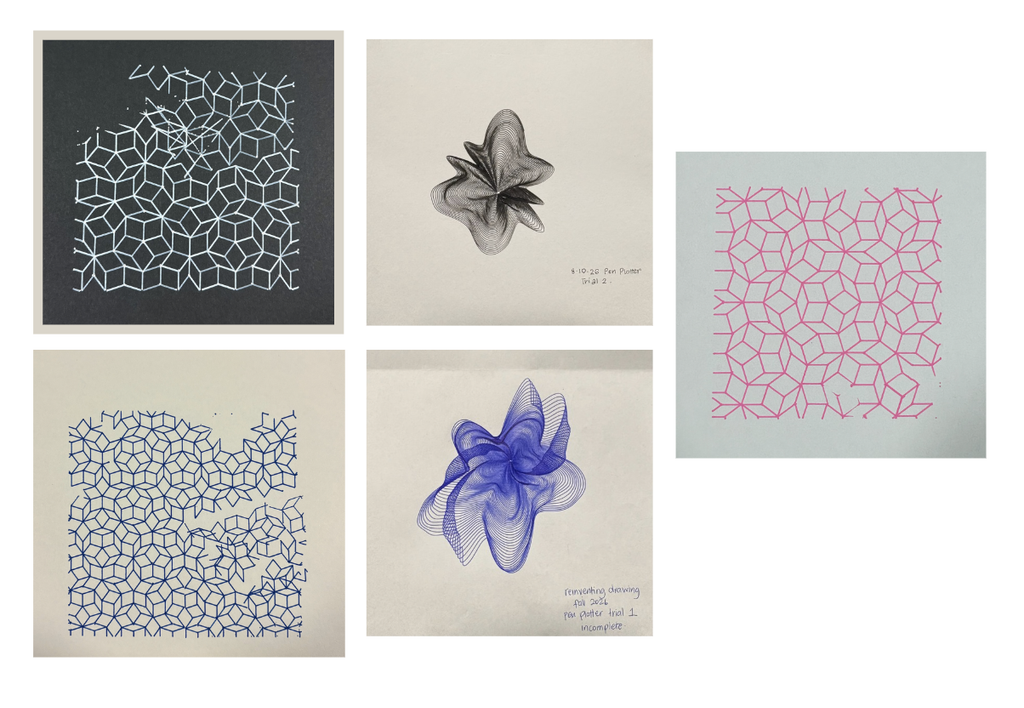
Fluidity & Rigidity: Experiments with the Pen Plotter (Midterm)

I’m either really spontaneous or really uptight. Sometimes I’m happy to see where something goes, and sometimes I need every single thing to go to plan. For this midterm, I wanted to explore those two sides through fluidity and rigidity, and also just experiment with what the pen plotter could do.

What would happen if the pen followed one continuous line? And what if the drawing was made entirely of separate straight lines? I liked that the same machine could make things that felt so different.

Fluidity

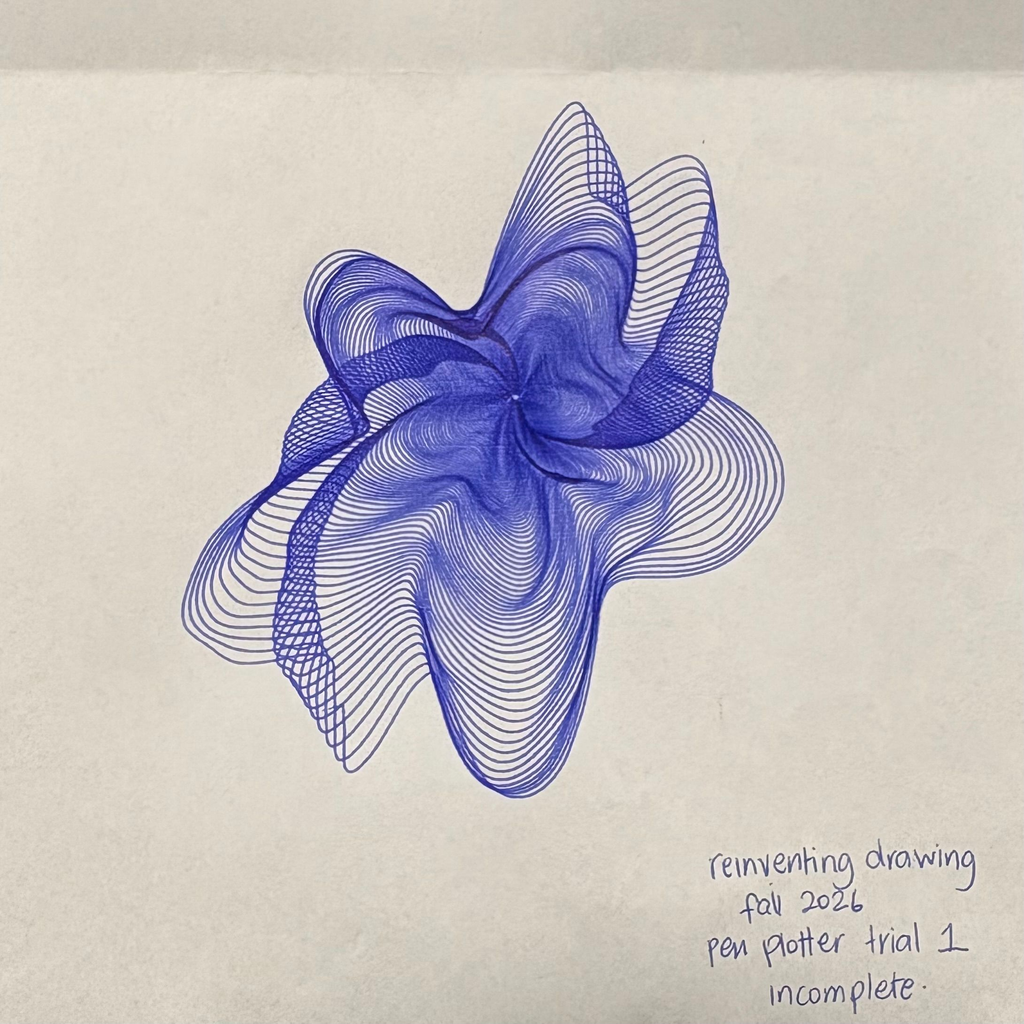
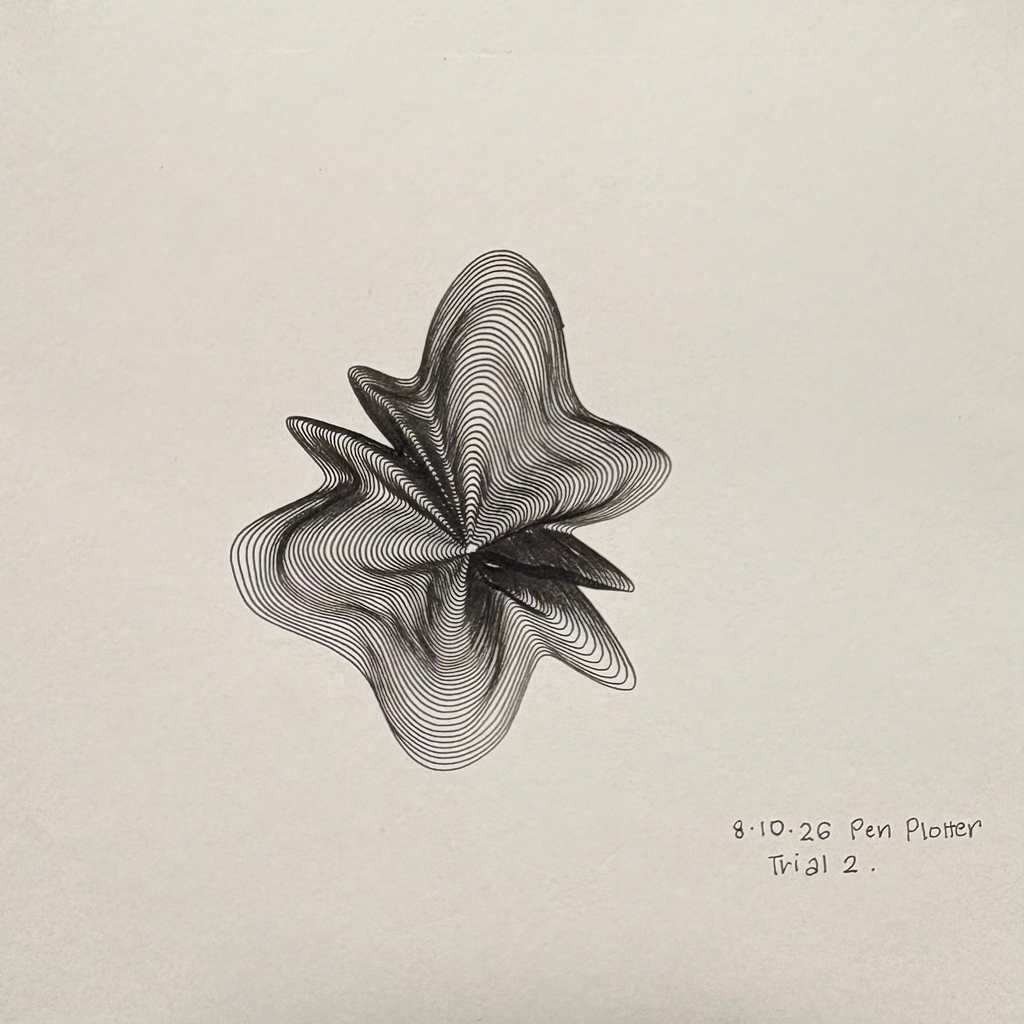
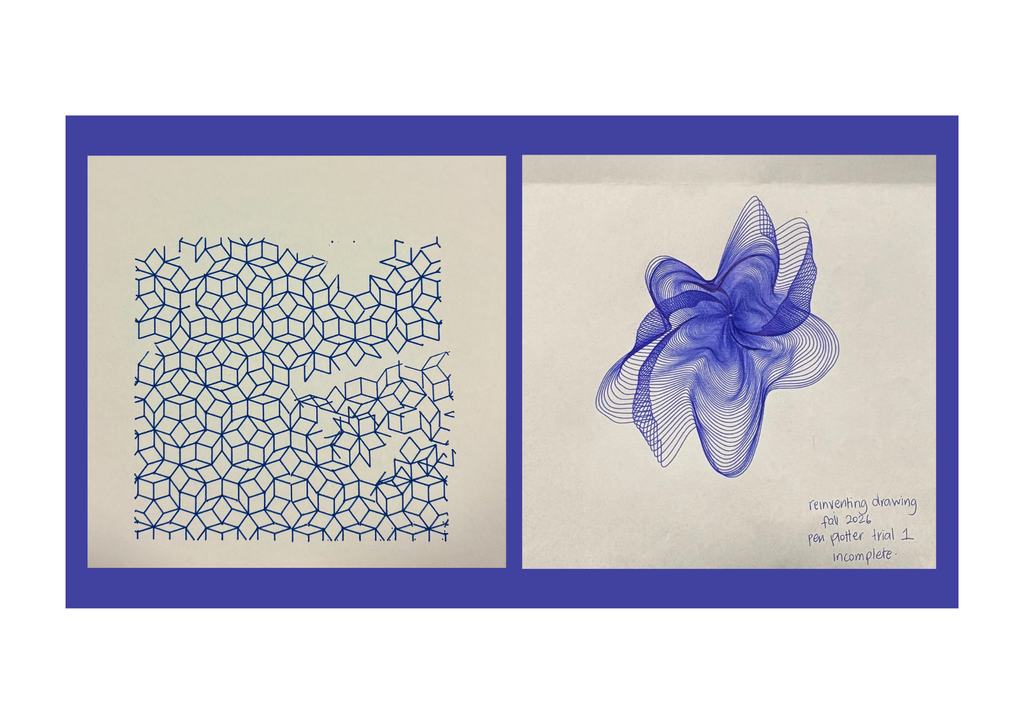
For my inspiration, I came across a reference where one continuous line spirals outwards and becomes increasingly affected by a noise field. I really liked how much could happen within that one line. It made me want to try something similar and see if I could make it feel like a flowing flower, with uneven petals and folds.

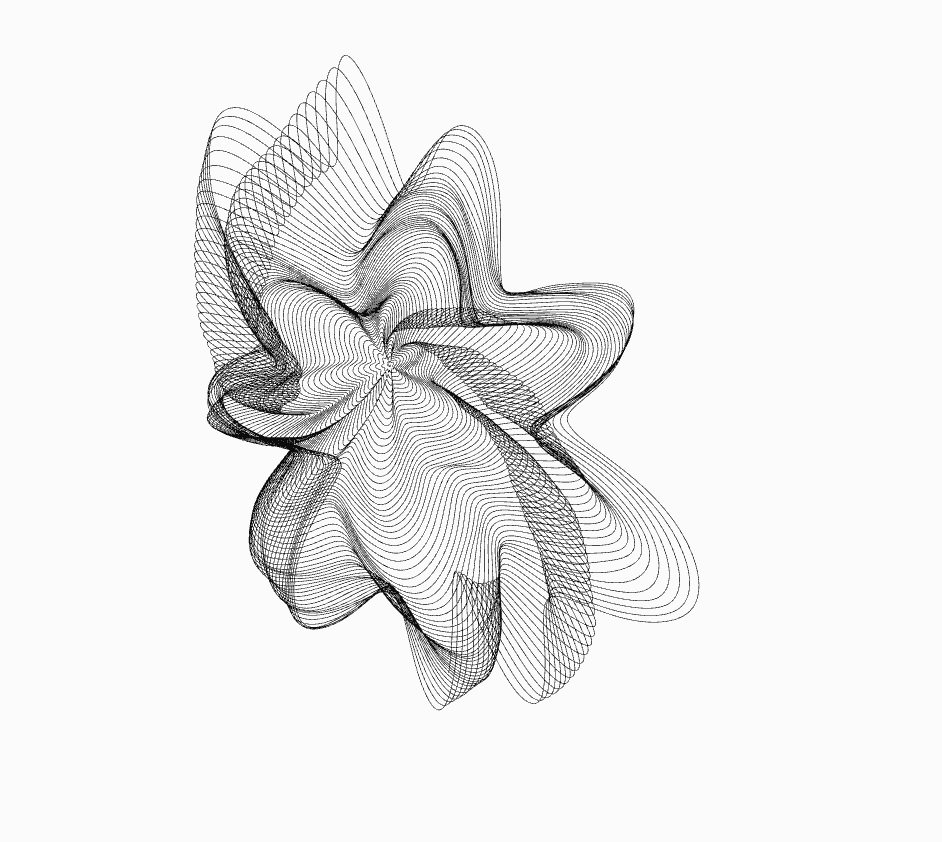
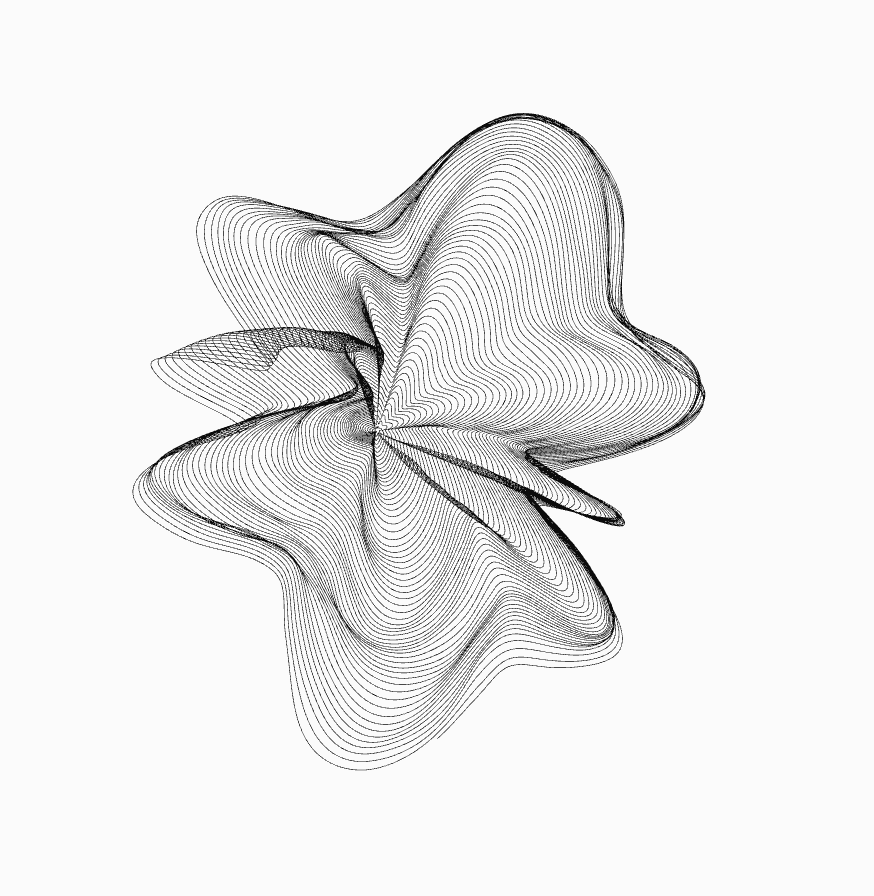
My flower starts as a spiral in p5.js. As the line goes around the centre, its radius gradually increases. Sine waves make it move in and out to create petals, and noise makes those petals uneven. The centre shifts slightly too, so the whole thing doesn’t stay perfectly symmetrical.

I experimented with the number of petals, the rotation, the twist and how much noise affected the shape. Every variation came from the same system, but some felt much more interesting than others. I could keep changing things and seeing what happened without having to redraw the whole thing myself.

I liked having that much room to experiment. Although I was still choosing which variations to keep, so I wasn’t exactly letting go of control completely hahahah.

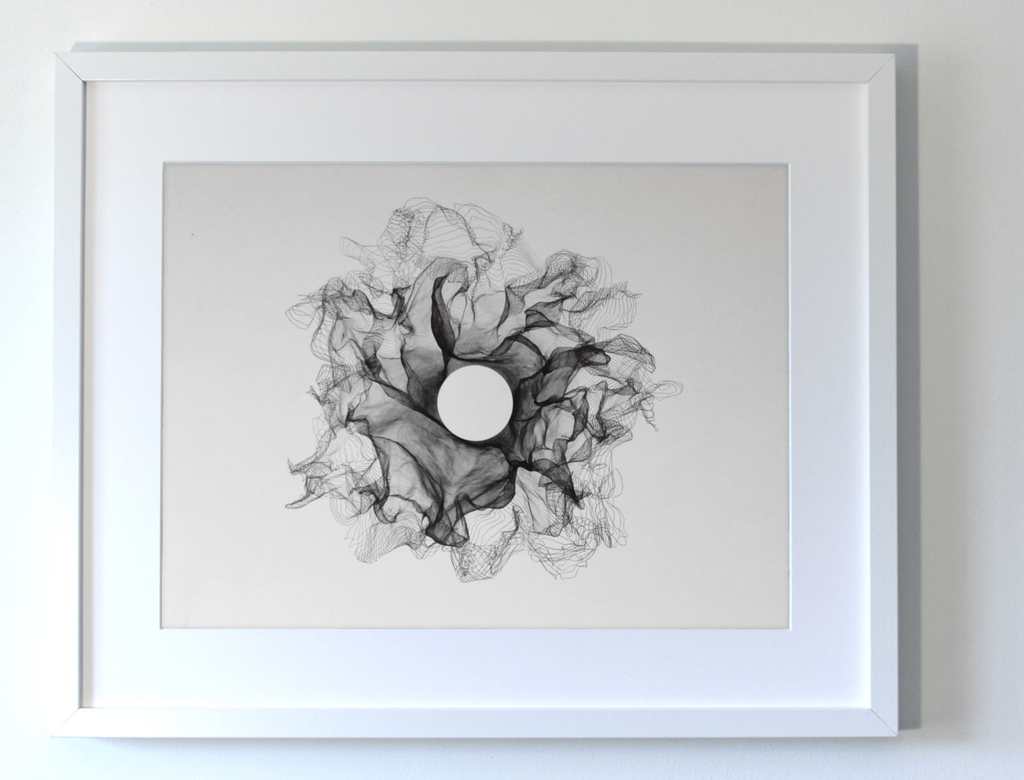
My flower trials were in blue and black. The blue one was incomplete, but it still helped me see how the lines would build up. I ended up keeping it as part of the collection.

The blue flower feels more open and stretched out to me. The black one feels tighter, with darker folds around the centre. I liked seeing how different they could look while still coming from the same approach.

It also made me realise that the pen matters more than I initially thought. A thin line on screen doesn’t necessarily stay delicate on paper. Once the lines get close together, the thickness of the ink changes how much space is left between them. Would a finer pen make the folds clearer? Or would I lose some of the darkness that makes them look 3D?

Rigidity

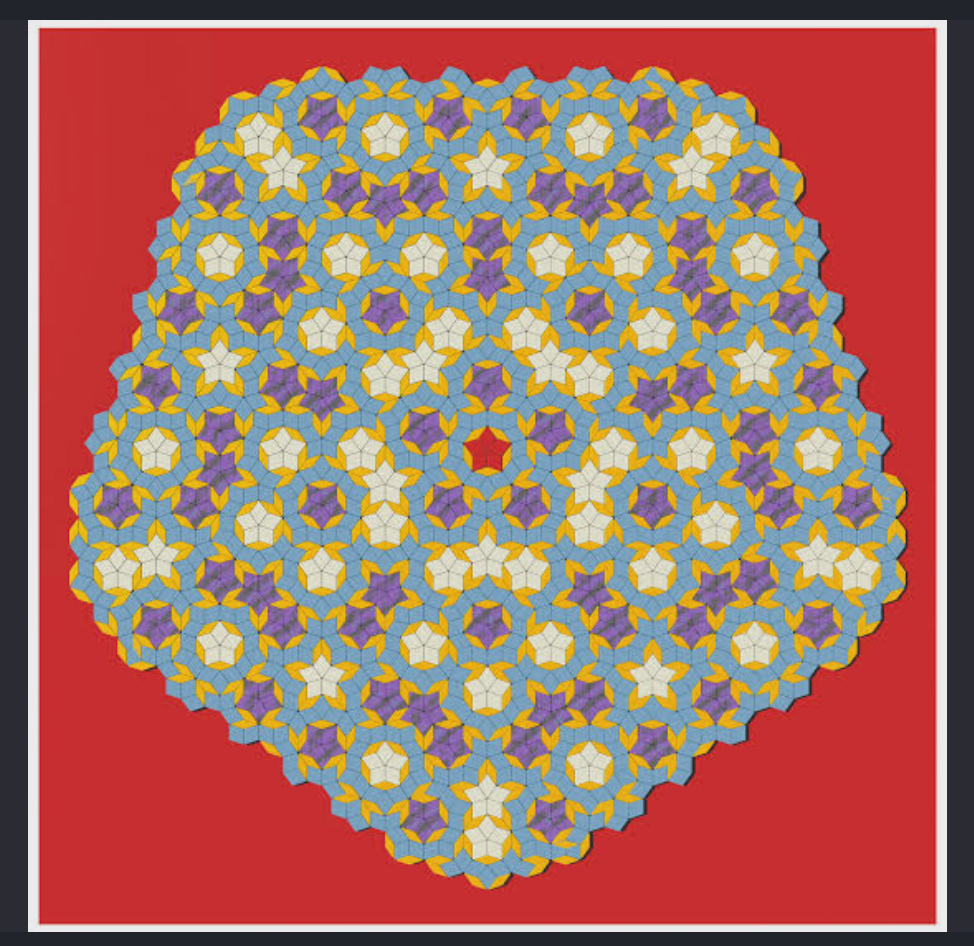
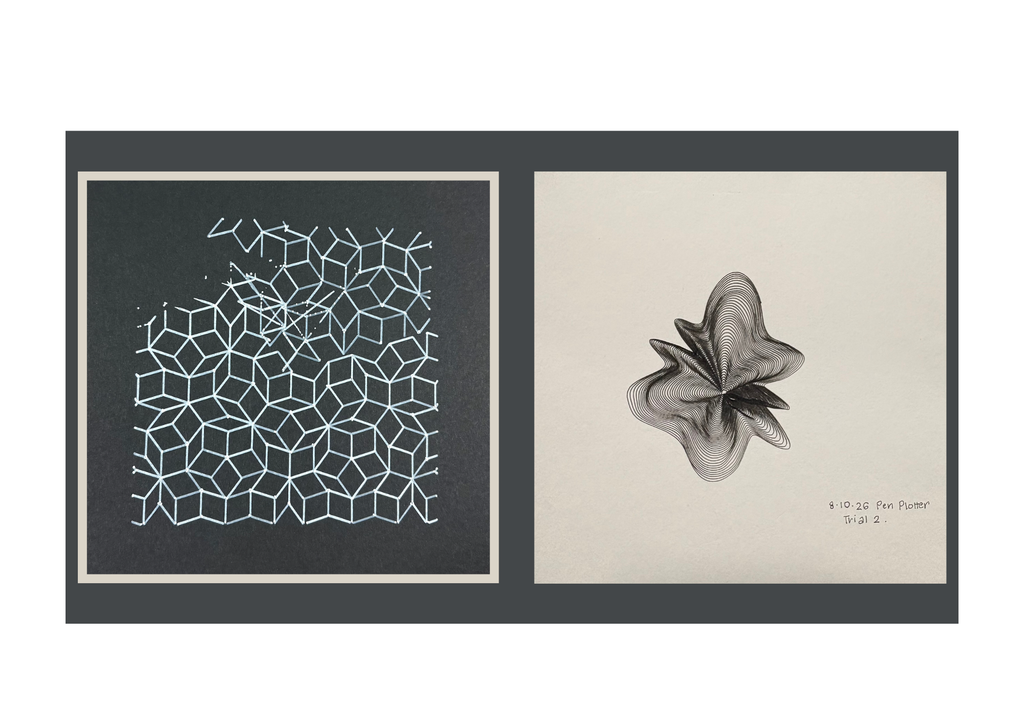
For rigidity, I explored Penrose tiling. I’ve been interested in geometric patterns since the laser-cutting assignment, and I wanted to return to that through a different tool.

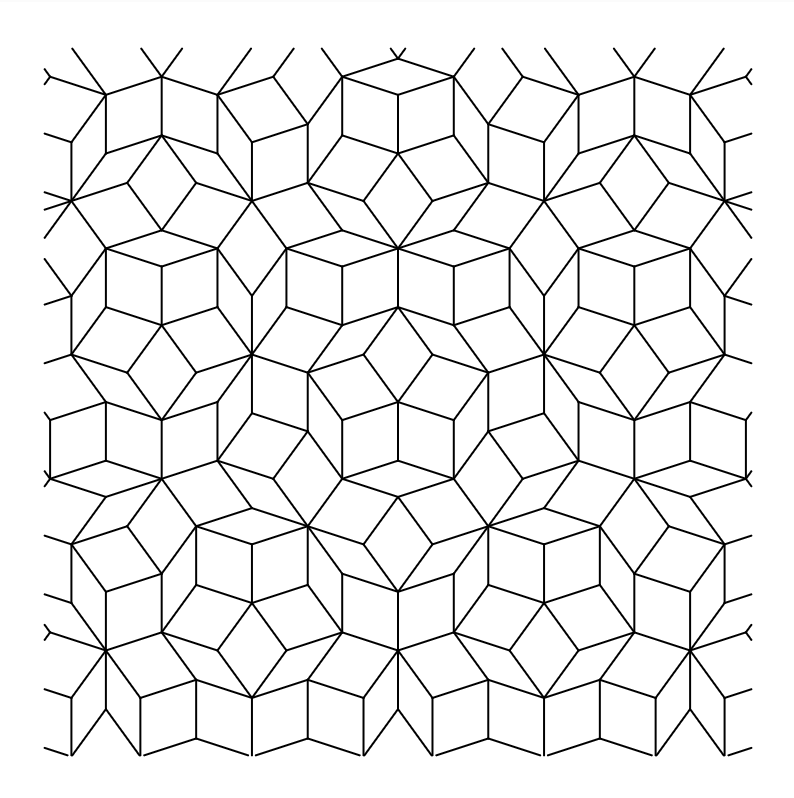
A Penrose tiling is aperiodic, meaning that smaller shapes and arrangements recur, but the whole pattern doesn’t repeat at regular intervals like a grid. I liked that it looked so organised, but wasn’t as predictable as I first thought.

I followed the triangle-subdivision method in Jeff Preshing’s Penrose Tiling Explained, with the help of AI to implement it in p5.js. Basically, it starts with ten triangles around a centre and repeatedly divides them into smaller triangles using the golden ratio. Drawing only two sides of each triangle allows neighbouring triangles to form diamond-shaped tiles.

My sketch also removes duplicate edges so the same shared line isn’t drawn twice, crops the pattern into a square and exports it as an SVG.

Watching this plot felt quite different from the flower. The flower keeps going around itself, while the Penrose keeps stopping, lifting the pen and moving somewhere else. I could see the difference in how the machine was drawing, which was a really interesting observation.

Fails(?)

The Penrose drawings have missing sections, gaps and extra lines that weren’t in the digital design. Which is a little funny considering this was supposed to represent the part of me that wants everything under control.

I found the gaps frustrating, but they also made me look at the drawing differently and surprisingly I ended up liking it more than if it was finished perfectly.

From code to the plotter

My workflow was p5.js → SVG → G-code → pen plotter.

I generated the designs in p5.js and exported them as SVGs. For the flower, the points are connected into one continuous polyline. For the Penrose, the file contains individual edges.

The SVG paths for the penrose design were then converted into G-code in inkscape. Getting the drawing to look right on screen was only one part of it. I still needed the physical tests to see whether it would actually draw the way I expected.

My p5.js sketches:

Final collection

Reflections

I started with the idea that the flowers would be fluid and the Penrose would be rigid. But the flowers need precise rules to look that loose, and the Penrose follows a strict system without regularly repeating or following a system.

I genuinely think every unexpected mark improved the final work. Some of the gaps interrupted things I wanted to keep, and I’d still like to understand what caused them but overall I’m in love with how the drawings turned out.

I wanted to experiment with control, and then found myself getting frustrated when I couldn’t control the result. Which feels fairly accurate to where I started from.

But I also like that the final collection tells a story. The incomplete blue flower, the broken geometry, the areas where the ink made random dots. Those became part of how I understood the drawings, the pen-plotter and in turn, myself.

Week 3 – Laser-cutting

Concept

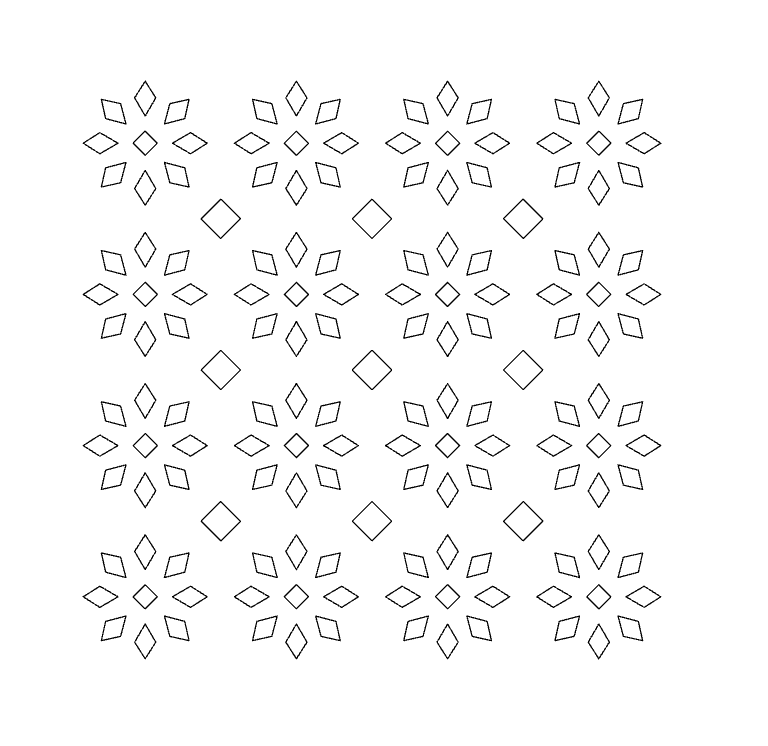
I wanted to make something I could actually keep in my room, so I decided on a small patterned lamp. I’ve made laser-cut boxes before and already knew my way around a box template. This time I wanted to design the cutouts myself. I started experimenting with geometric shapes inspired by Islamic geometric designs and motifs, especially the way a simple shape can become much more interesting and beautiful through repetition.

p5.js sketch

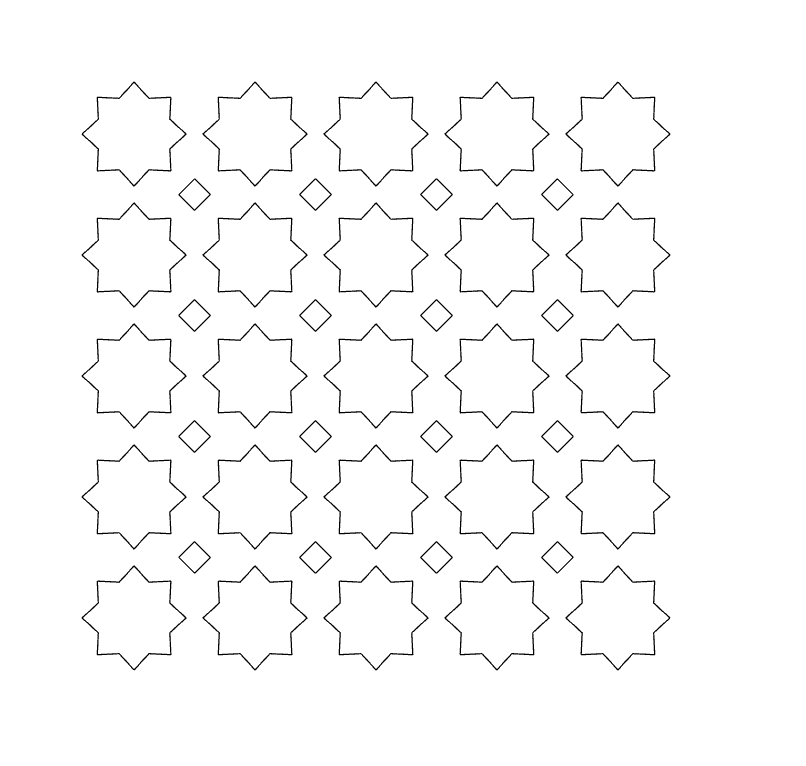
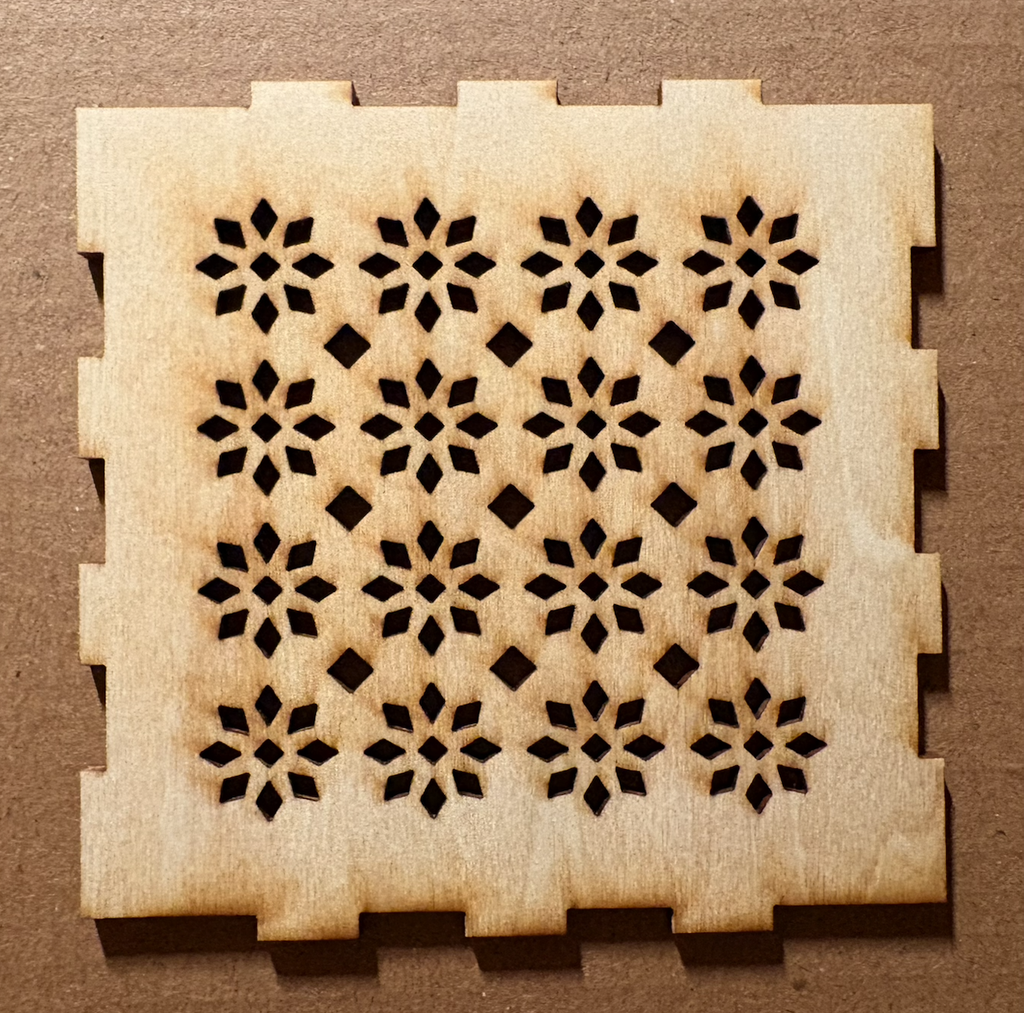
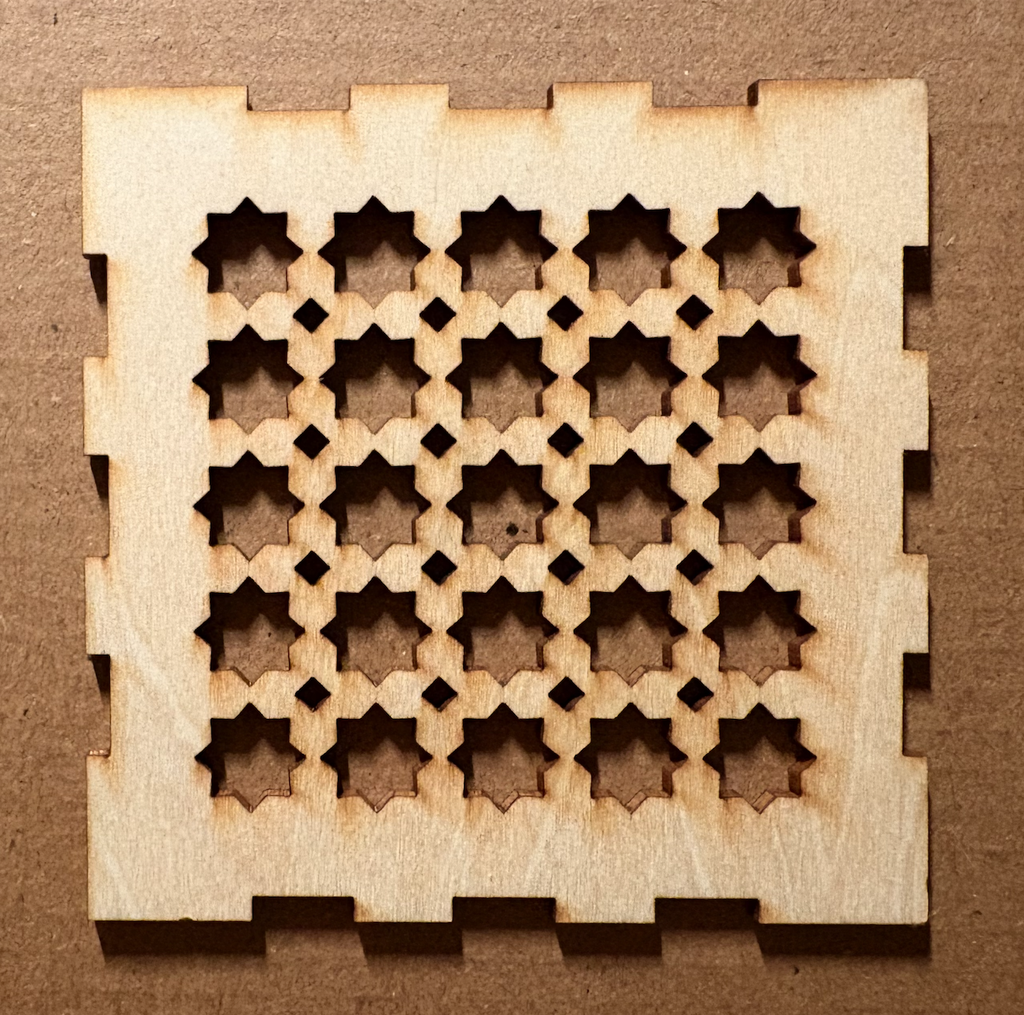
I made two patterns in p5.js. One repeats eight-pointed stars with little diamonds in the gaps. The other builds flowers from eight rotated petals, again with diamonds between them.

My first attempts had far too much wood and not enough cutout, so I kept adjusting the size and spacing of the shapes. I wanted them close together, but there still had to be enough wood between the holes for the panel to hold together.

Vector design and cutting

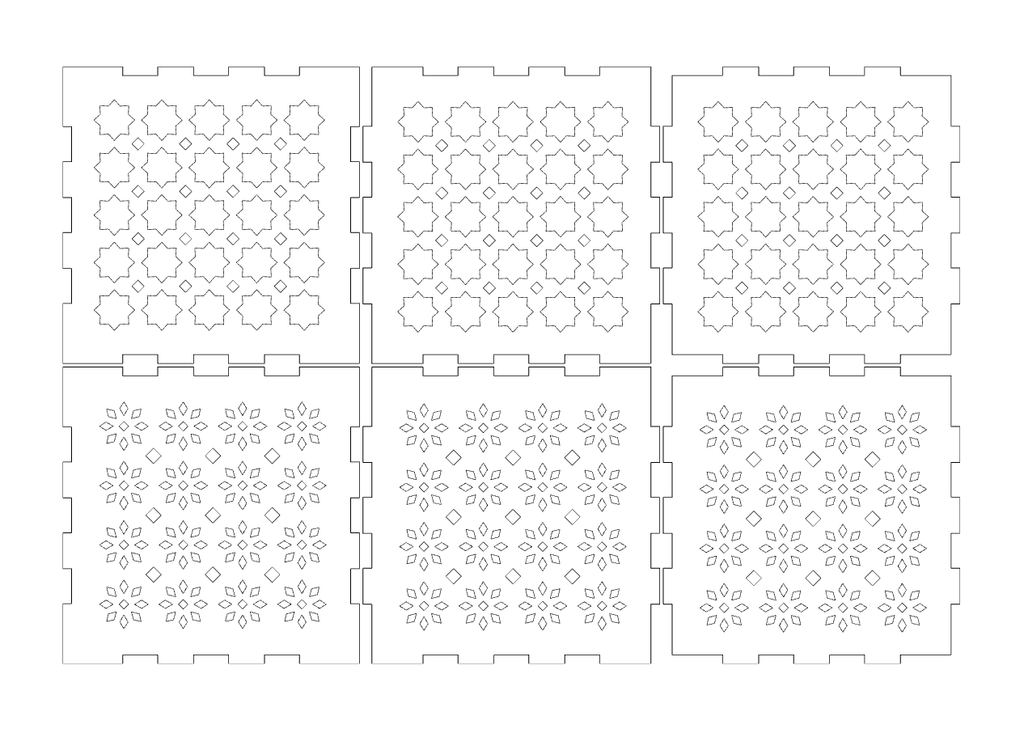
I placed the SVG patterns inside a box template, leaving a clear border for the finger joints. I planned for the box to be 12 cm, but somehow it came out 8 cm after preparing the files for cutting. I’m still not entirely sure where those four centimetres went, haha. Luckily, I like it at this size.

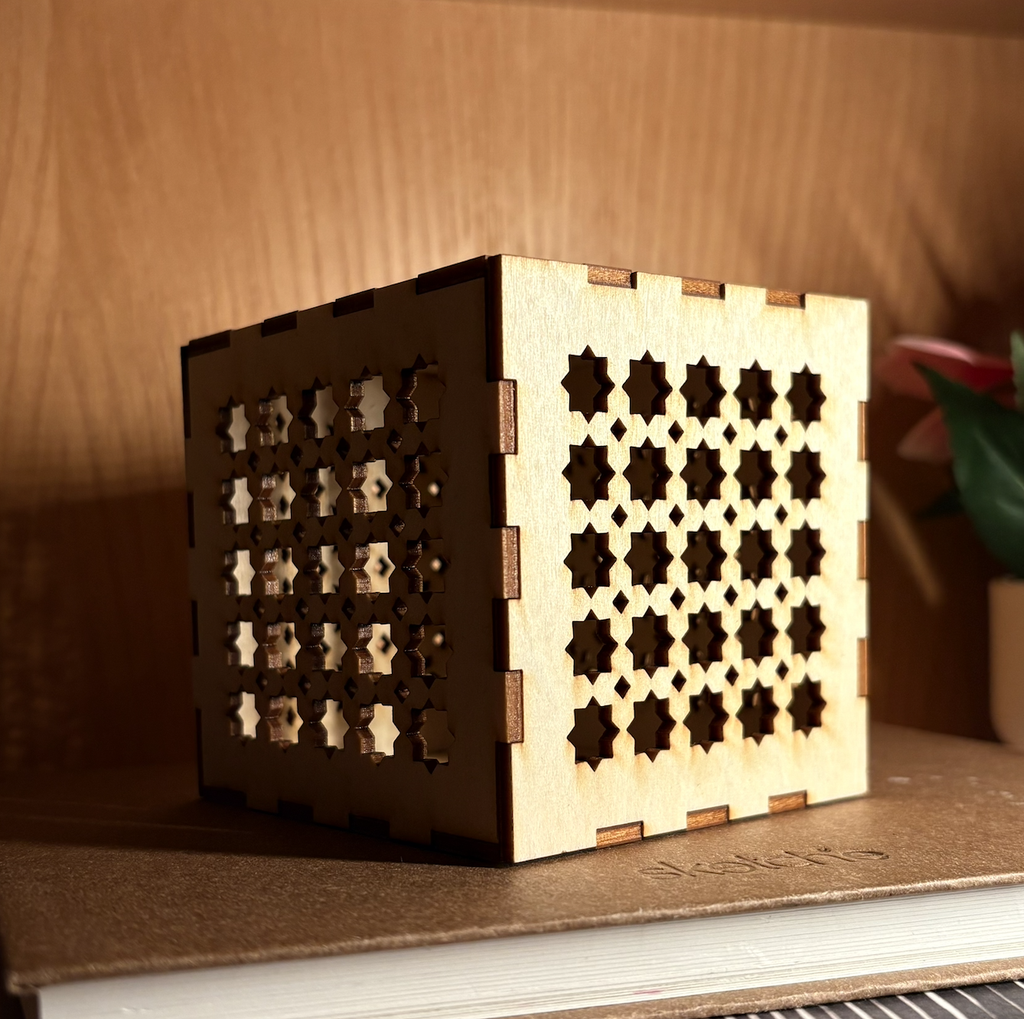
I cut both patterns as physical tests. The flower version has lots of tiny openings and looks lovely up close. The stars are bolder and much easier to read from a little farther away, so I used both for the assembled box.

Process and challenges

The main challenge was getting the density right. On the screen, I kept wanting to push the shapes closer together. Once I thought about actually cutting them, I had to pay attention to the thin strips of wood left between the holes. I also had to keep the pattern away from the joints, because making a beautiful panel that could no longer fit into the box would have been a bit unfortunate.

My favourite part of the finished box is the corner. The pattern carries onto the next face, but the two sides catch the light differently. I also really like the dark edges left by the laser. I hadn’t planned for those while drawing thin black lines on a white canvas, but they make the openings feel much more defined.

Reflection

My takeaway from this assignment is realising there are so many things I could do with laser cutting beyond making flat shapes. I’m excited to experiment more, and I’d especially love to try kerf bending next.

The box is smaller than I intended, but I’m happy with how it turned out. More importantly, it feels like something I would actually keep in my room

Assignment 2: SpiroBird / Humming-pen

Mariam & Haya

Concept

We started out really wanting to make a spirograph. Then we reread the brief and remembered we could only use servos, and our servos only turn 180 degrees, which is half a circle, which turned out to be a problem because the entire premise of a spirograph is that something goes around 360 degrees without stopping. We spent a while trying to get around this (we looked into whether ours were secretly the continuous kind, we were not so lucky) before accepting that the constraint was not going anywhere and we should probably design with it instead of against it.

The machine

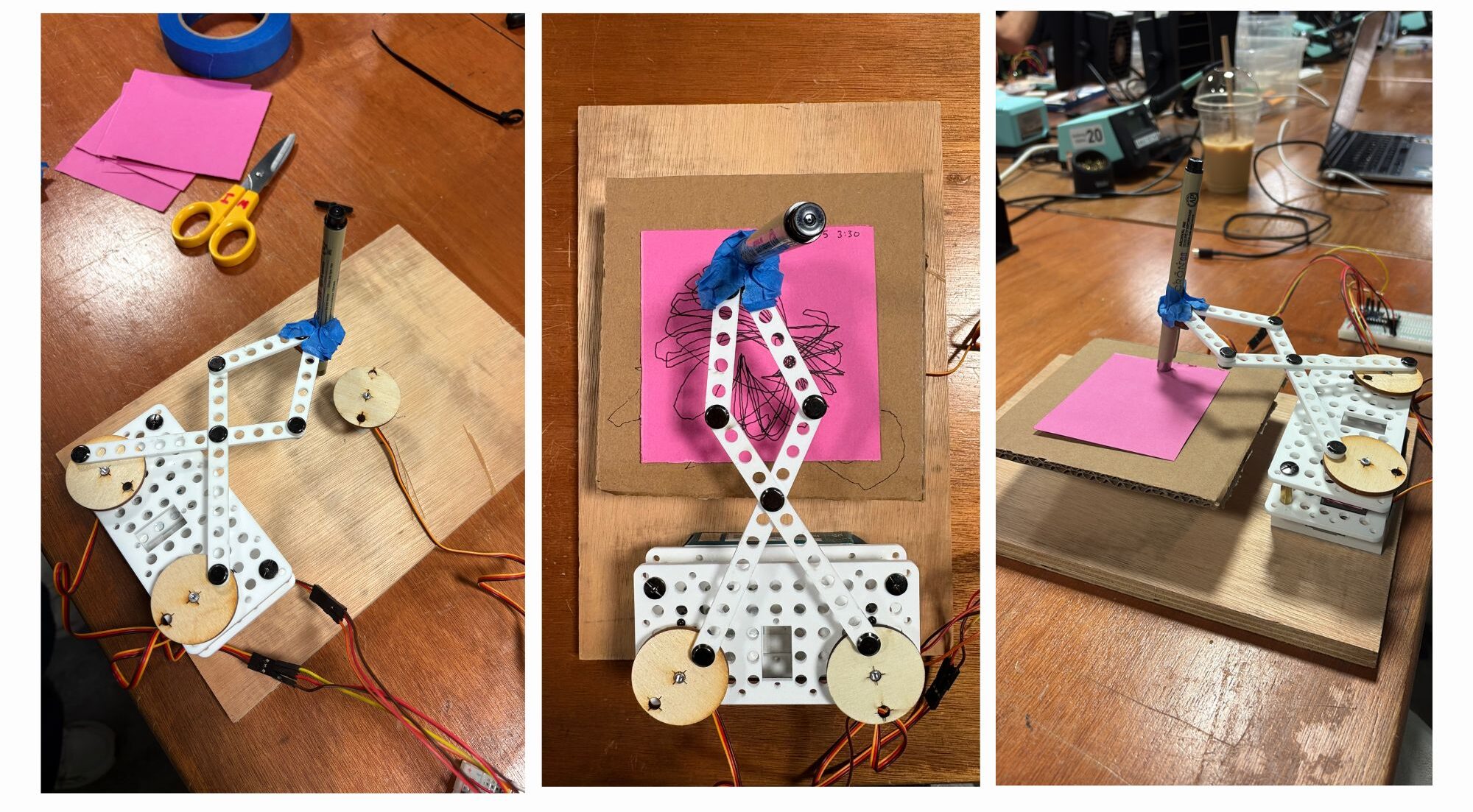
We built a four bar linkage. Two servos sit bolted to the base, each one drives a long link out to an elbow, and then two shorter links run back inward and meet at a single joint where the pen is taped. They both push at the same time and the pen goes wherever those four links allow it to go.

Then we put a third servo across this mechanism and made it turn a cardboard turn-table with the paper while the arms were drawing, and that turned out to be the backbone of our entire project. Without it the pen just retraces the same figure over and over until you stop it.

Outputs

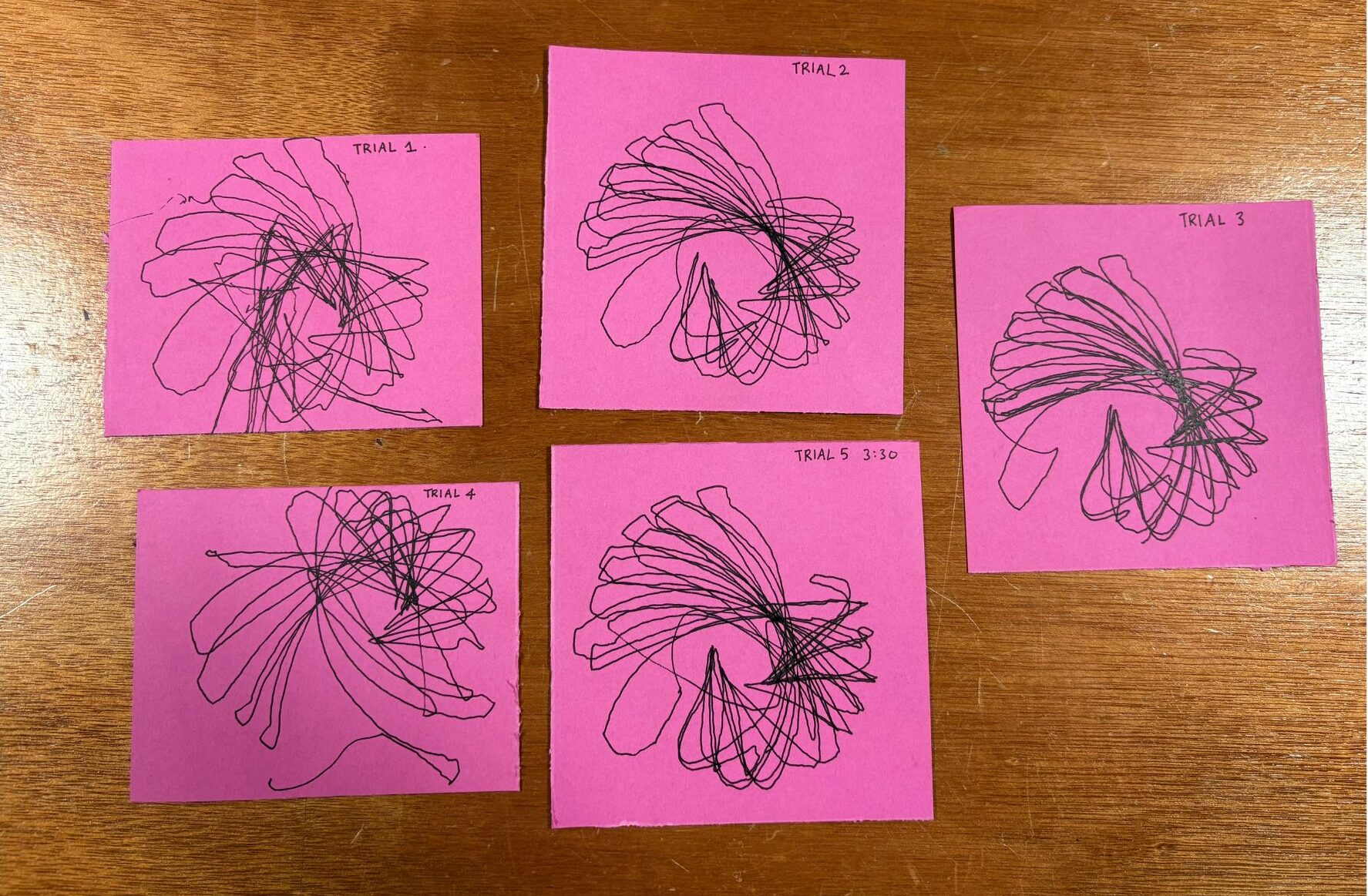
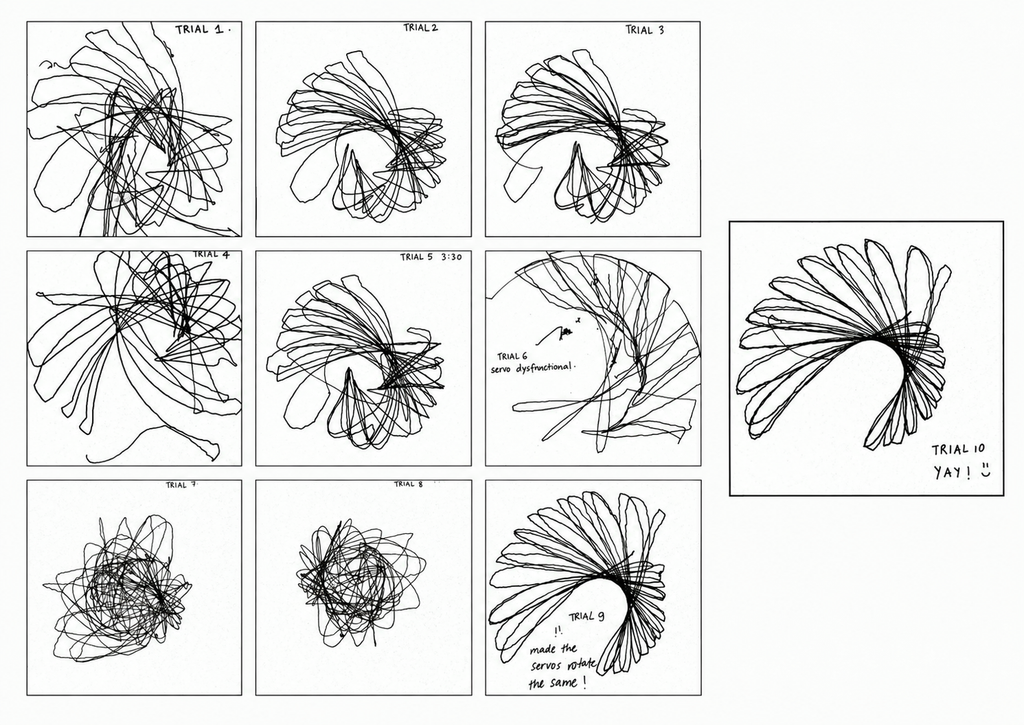
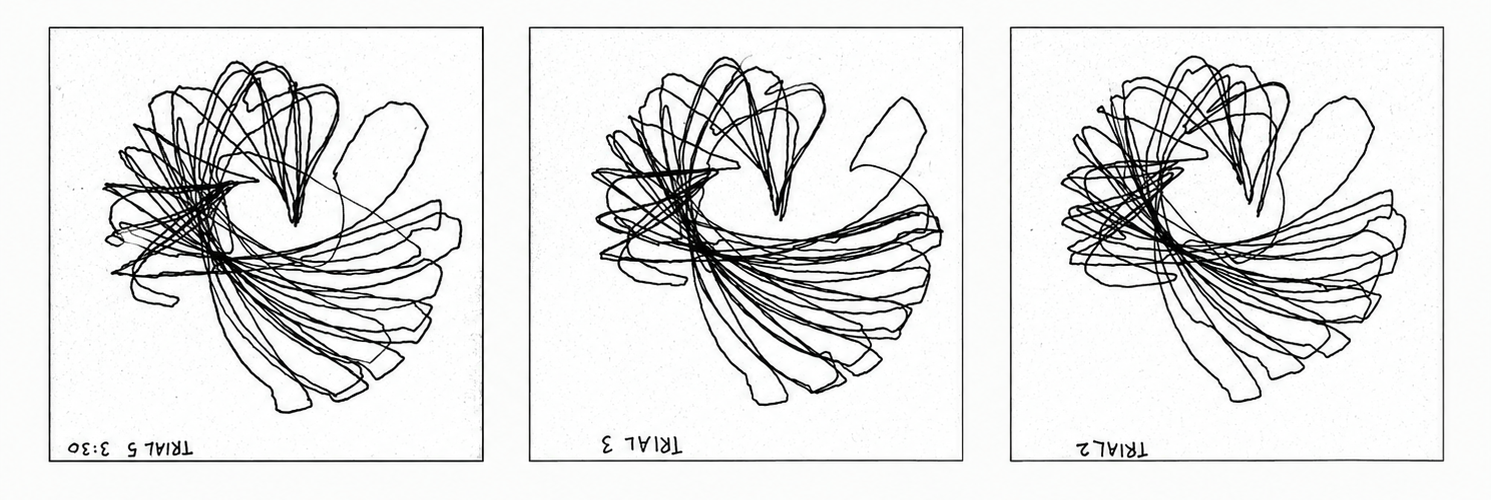
We did ten runs and the short version is that trials 1 to 5 use our first version of the code where the two arms swing in opposite directions at different speeds (the second arm running at 1.7 times the first, which is deliberately not a whole number so the two never line back up and the pattern keeps drifting), trial 6 is where a servo stopped cooperating, trials 7 and 8 are what happened when we tried to fix it and made it much worse, and trials 9 and 10 are the final version where both arms move together.

The bird

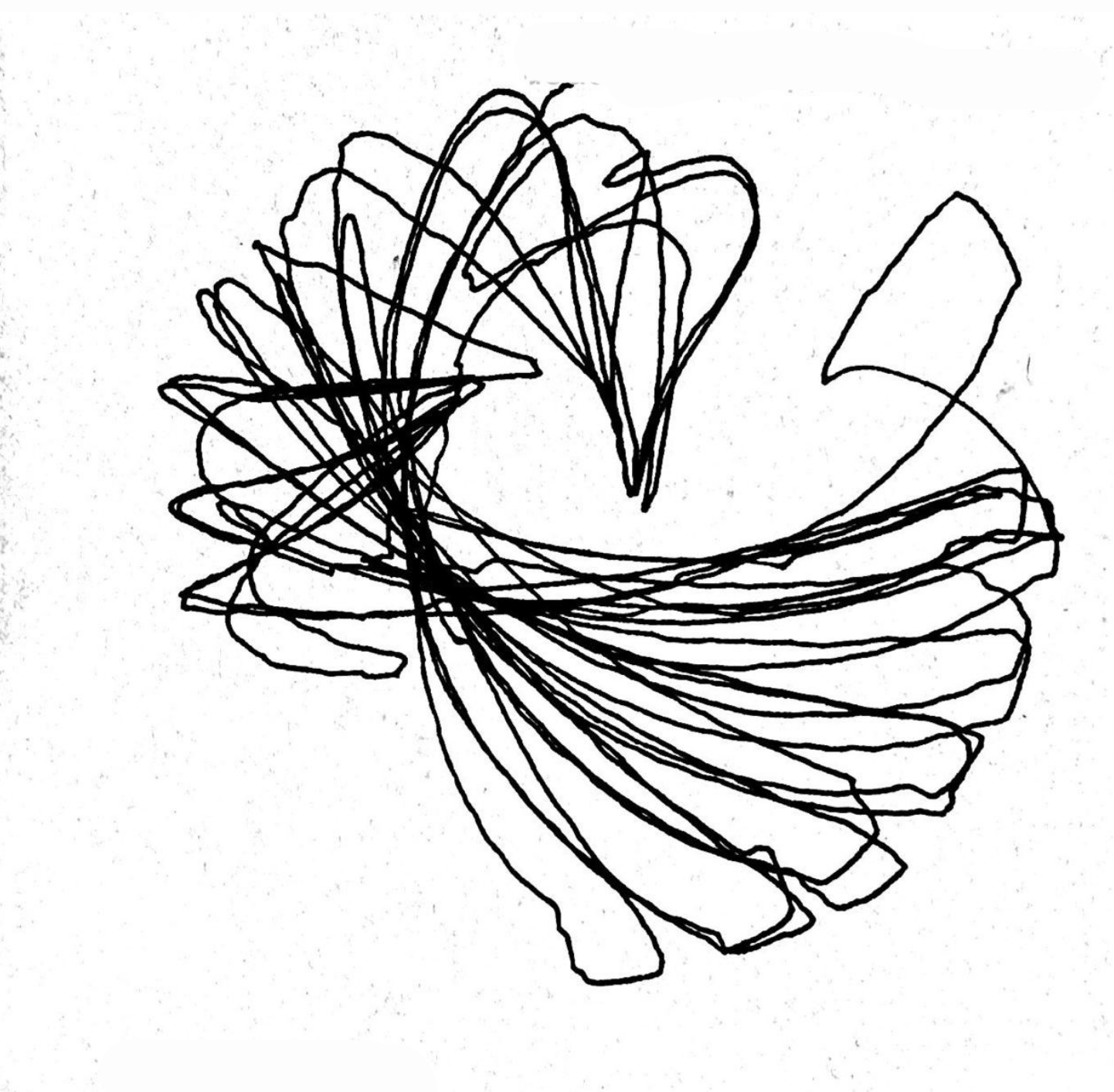
Trials 2, 3 and 5 are our favourites and here is why.

They look like a bird! which might sound like a reach until you look at one properly and cannot unsee it. There is a body in the middle where all the lines converge and get dense, there is a tail sweeping out low and wide to one side in long overlapping strokes that genuinely taper the way feathers taper, and up at the top there is a crest fanning open in these pointed loops that come to a sharp tip, which is the beak and then curl back. 

This bird is more beautiful to us than what a completed geometric spirograph ever could’ve been. 

Process and challenges

Trial 6 is where things went sideways, because one of the servos stopped holding its position properly and the other one started essentially dragging the entire linkage around by itself, and you can actually see the exact moment it happens in the drawing, because half of it has clear structure and the other half is just one arm being hauled sideways by the other

We decided the problem must be tension in the joints and loosened the screws, which felt like a reasonable thing to do at the time and was completely wrong. Trials 7 and 8 came out as a dense scribble sitting in the middle of the page with absolutely no structure holding it together, because loose joints mean every link gets to shift a little before it actually starts moving the next one along, so the whole machine wobbles instead of tracing anything.

Which is a good lesson, even though it cost us two drawings, because eight trials in, the single change that affected the marks the most was not anything in the code, it was how tight a screw was.

For the last two runs we stopped being clever about it and just made both arms move in the same direction to see what would happen, and that gave us the flower. 

Reflection

The thing we actually learned is that the mechanism and the code are not two separate variables that you tune independently. 

The screws prove it going one way, because the code was identical across trials 5 and 7 and the only thing that changed was how tight the joints were, and the drawings do not look like they came from the same machine. 

And then the code proved it going the other way, which is slightly embarrassing but is genuinely the most interesting thing we found. In the final version both arms run at the same speed in the same direction, at this point they stopped functioning as two separate inputs and started functioning as one, so the linkage effectively went rigid and stopped contributing anything, and the only part of the machine still generating a pattern was the turn-table. That is exactly why trials 9 and 10 look so clean and so resolved and so finished. 

Which is also the whole reason we prefer the bird. The petal drawings might be objectively prettier but we are prouder of the mess, because the mess is the one where all three parts of the machine were harmoniously functioning together to create this unintended but highly appreciated creature. 

Moving forward we want to try different speed ratios between the arms, add phase offsets so they start out of step with each other, and run the table much faster and much slower against the same arm motion to see how much of the character comes from that one servo. We want more birds!!! 

Assignment 1 – Low-Tech Drawing

Concept

For this Assignment, I took inspiration from Jonas Spieker’s 100 Spins, where he spins a coin marked with two lines exactly 100 times and draws a line across the paper wherever the coin lands. The result is almost entirely chance, held together by a very small set of design rules.

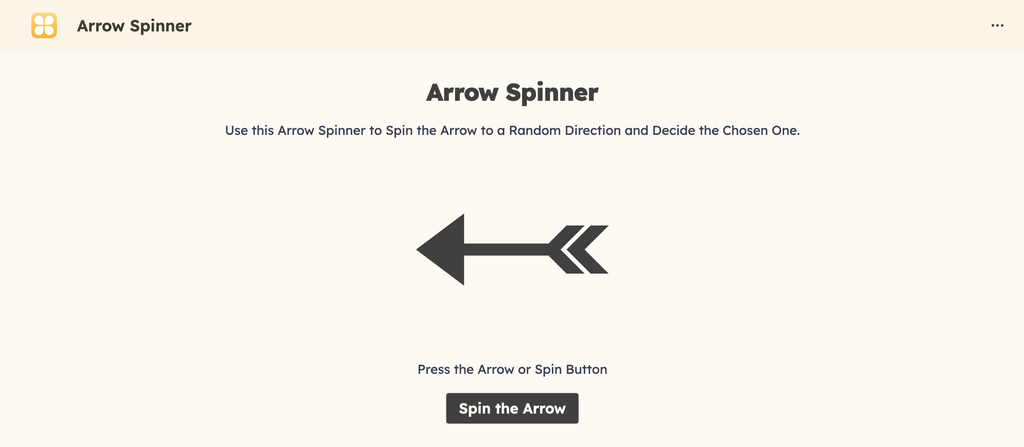
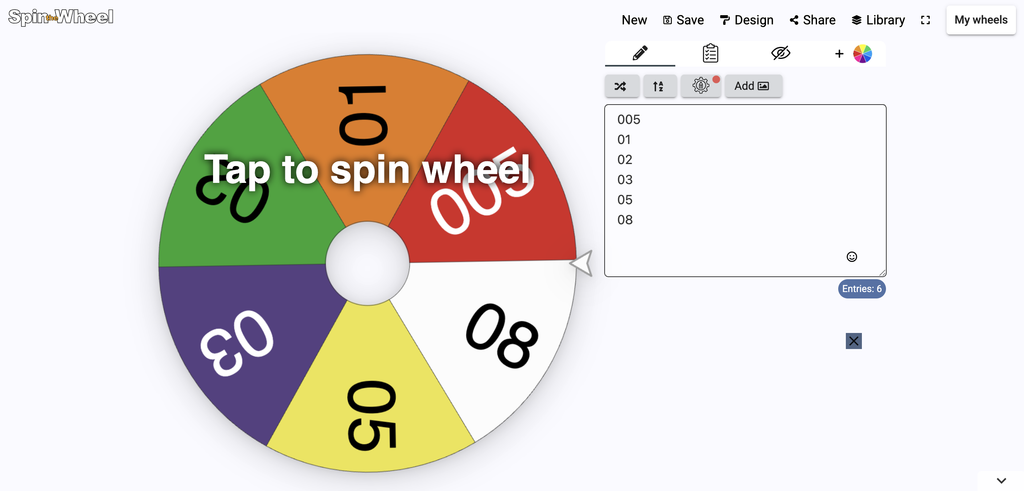
I wanted to try a similar idea but with more than one variable in play. Instead of one randomizer I used two spinners on my iPad. The first picks a pen thickness from my set of Microns (005, 01, 02, 03, 05, 08). The second picks the direction of the next line. Even though the spinners are digital, but they do the same job a coin or a dice would do.

The system

Outputs

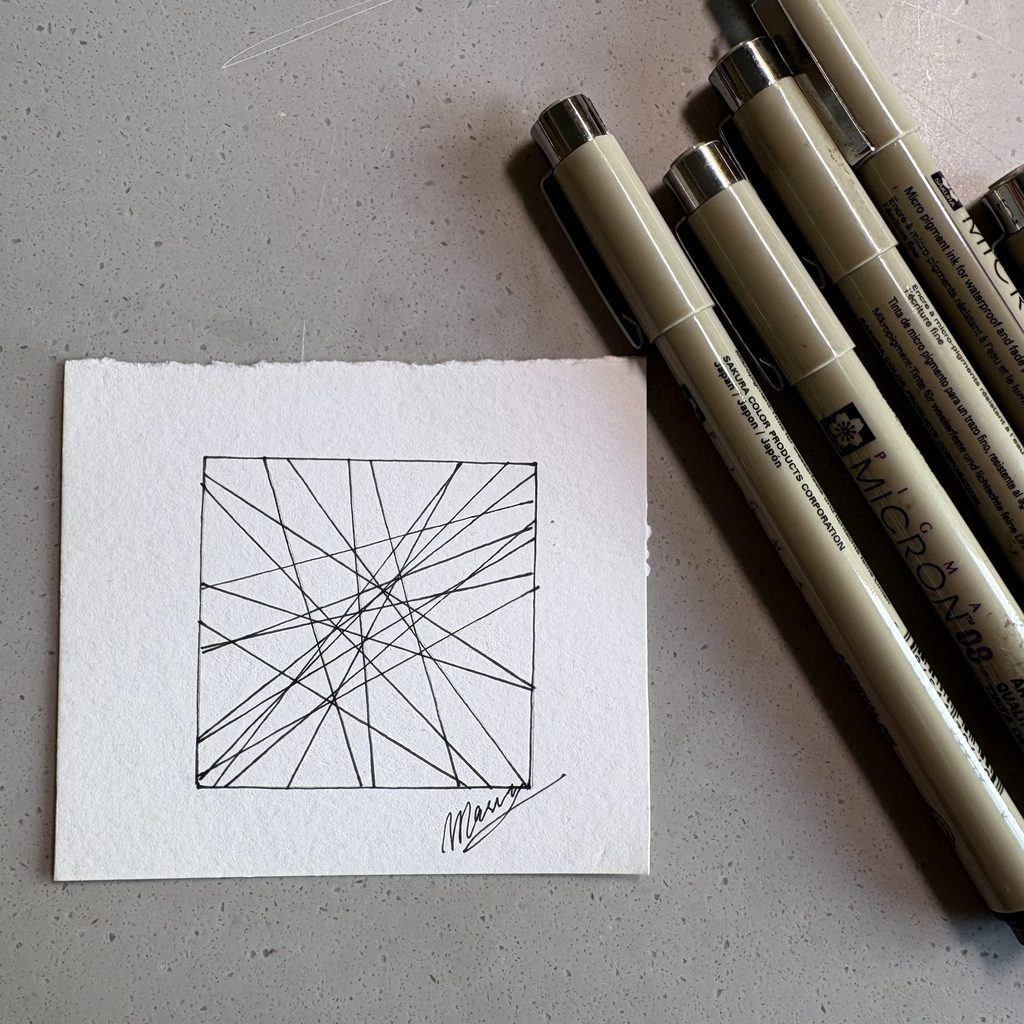
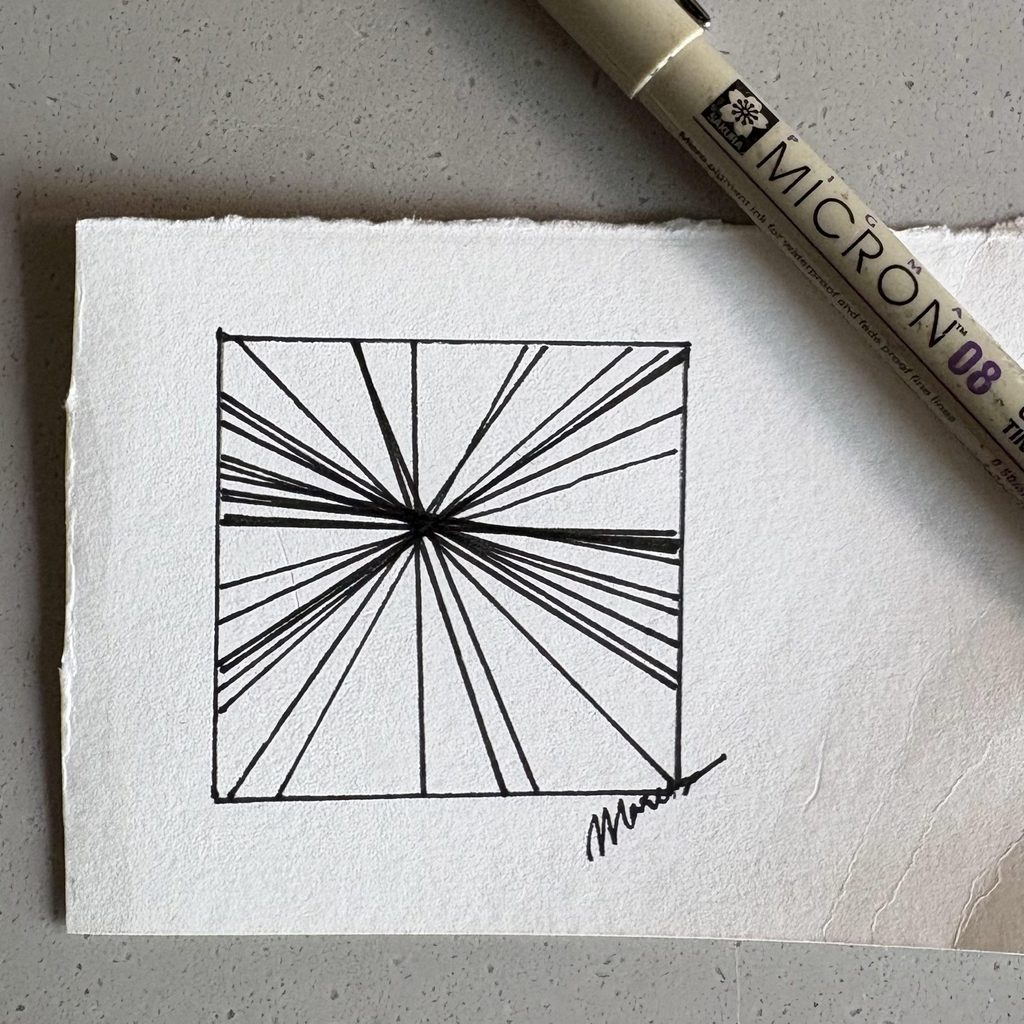
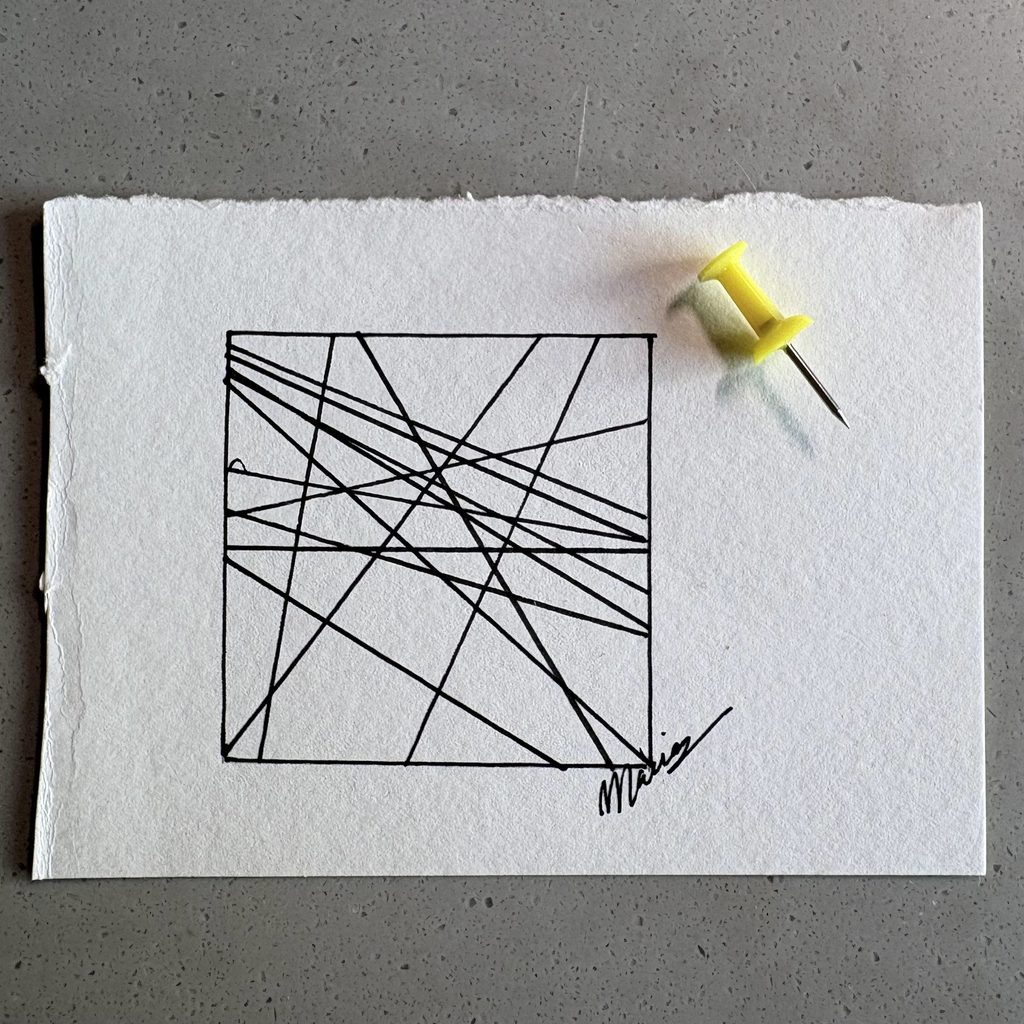
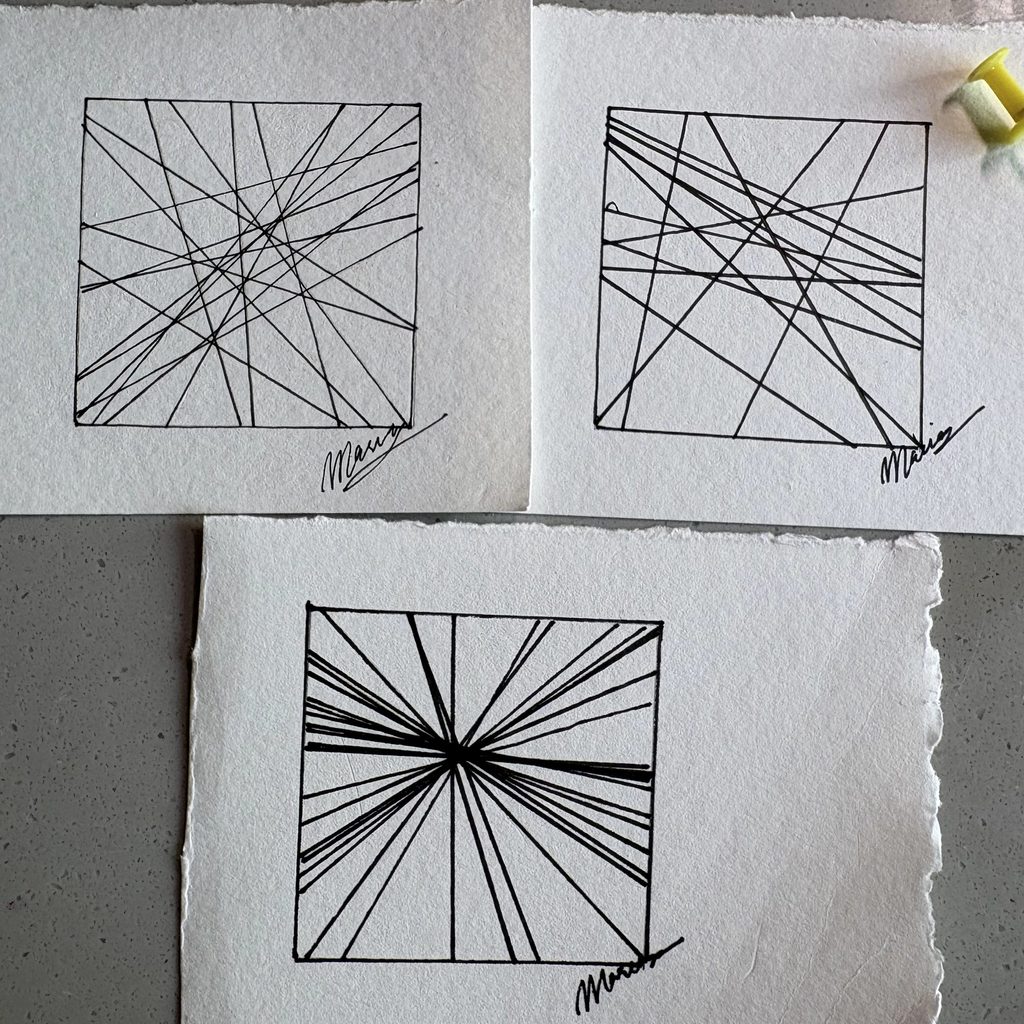
I made three drawings, each with one rule changed.

The first one is the base system. I spun for direction and drew the line, over and over, until it felt finished. Micron 02.

The second one keeps the direction spins with the arrow but forces every line to pass through a single point. Micron 08.

The third one uses a thumbtack instead of a spinner. I dropped it on the page and started each line from wherever it landed, running in whatever direction it pointed. Micron 05.

Process & Challenges

I spun for thickness before each drawing. However, what I did keep control of was when to stop. Spieker decided on 100 before he started, so the stopping point was already out of his hands. I just drew until it looked done to me. So the directions are chance but the density is mine, and I think that is one of the biggest differences between his drawings and mine.

The second drawing is the one that surprised me. It feels like the same amount of randomness as the first, but pulling every line through one point made it look planned and intentional. I did not expect one small rule to hide the chance that completely.

I also signed all three without thinking about it (out of habit). It only made me question later: how much of a drawing is truly mine if I leave it up to a protocol and chance?

Control, chance and authorship

In relation to LeWitt’s Paragraphs on Conceptual Art, the idea sits mostly in my design decisions, not in the machine.

LeWitt says that the idea becomes a machine that makes the art, and his wall drawings were installed by draftsmen he never met. That works because the instructions were complete. Nothing was left for the person holding the pen to decide.

Mine are not complete. My rule set had gaps in it: the stopping condition, the pen weight, whether to constrain the lines to a point. I filled every one of them myself, in the moment, while drawing. I could not hand this protocol to someone else and get my drawings back. That makes me the author much more than the system is.

If I ran it again I would fix N before starting and try to give the whole thing to someone else to execute. Then the answer might genuinely be the machine.