Concept
For this assignment, the drawing machine uses two servo motors connected through an acrylic linkage system to move a pen across paper. The concept of using two servos to mimic X and Y axis motions was appealing since the thought process was that if both servos had different motions, the combined output of both will result in a consistent process. However, the result was far more interesting than the initial process since the limitations of the linkages made sure that both servos could not move independently so as opposed to X and Y motions.
Process and Challenges
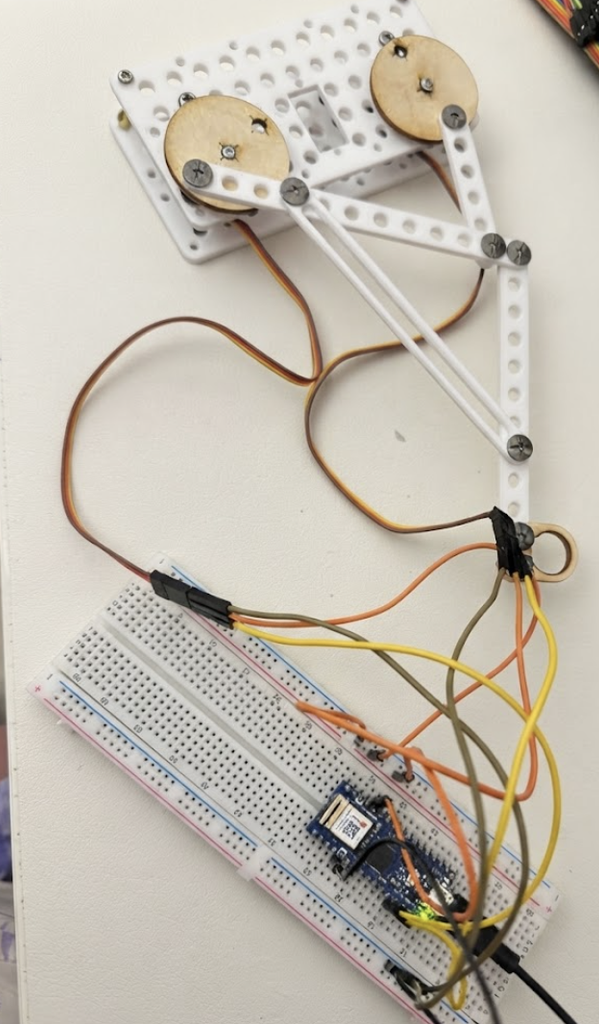
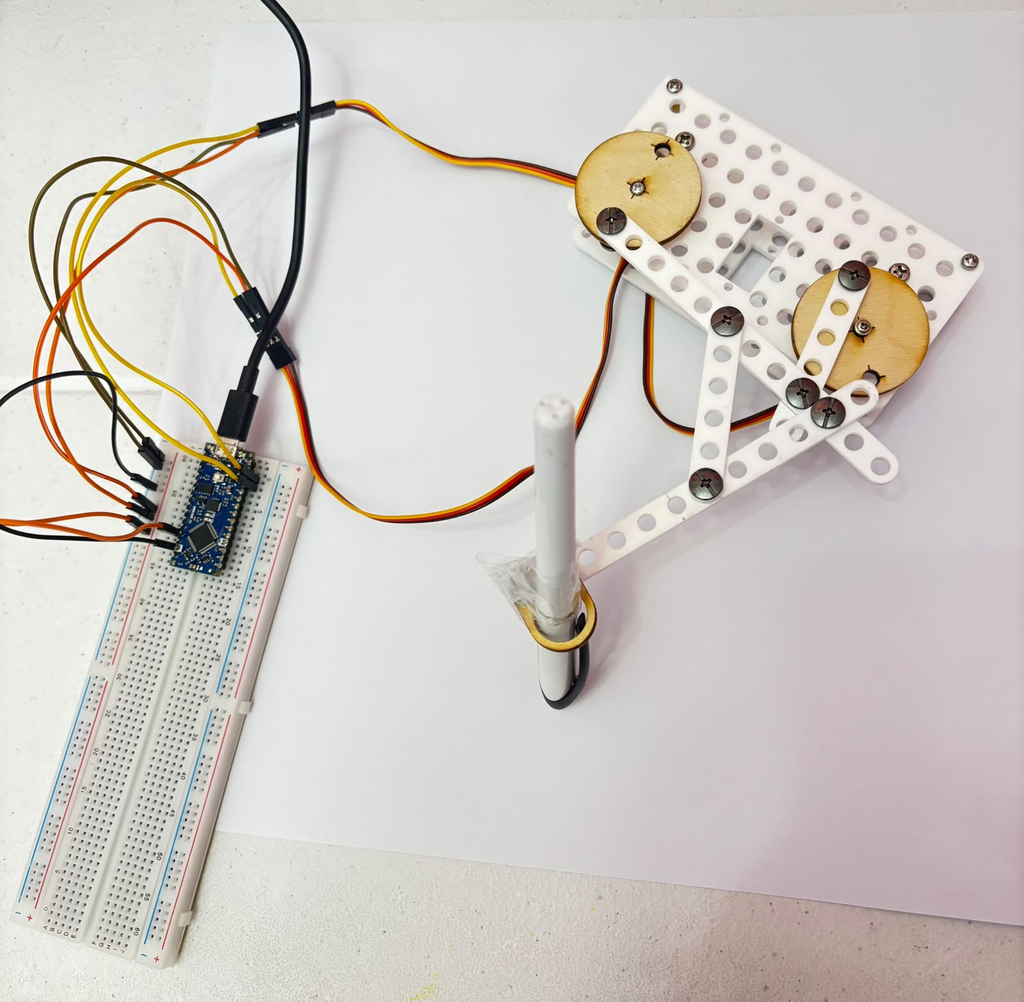
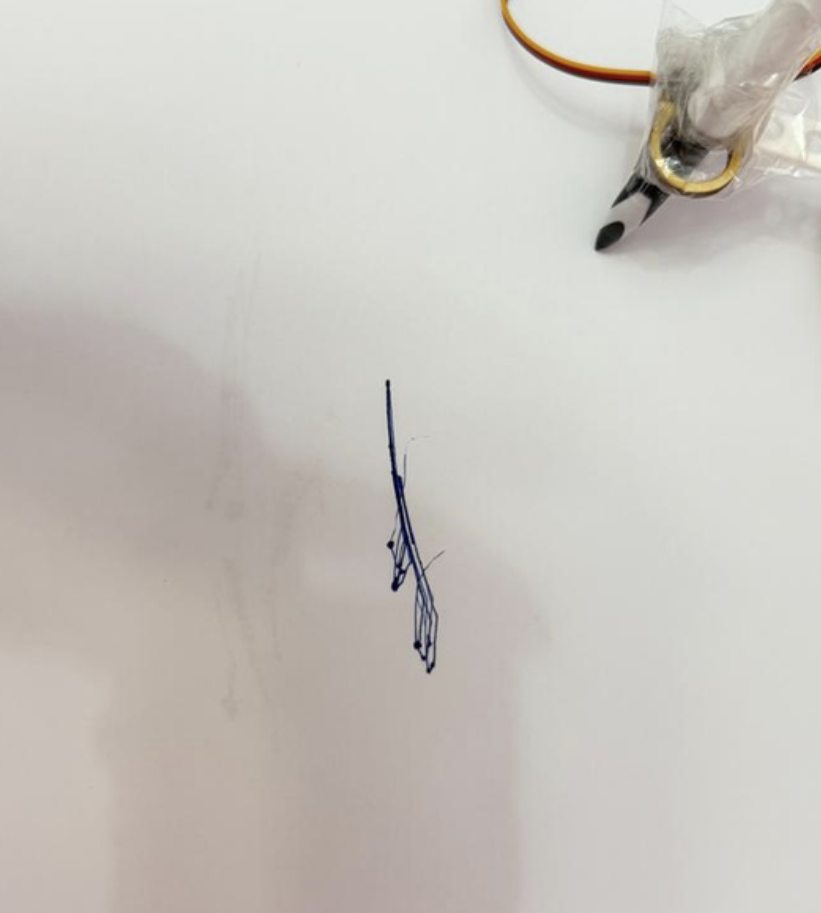
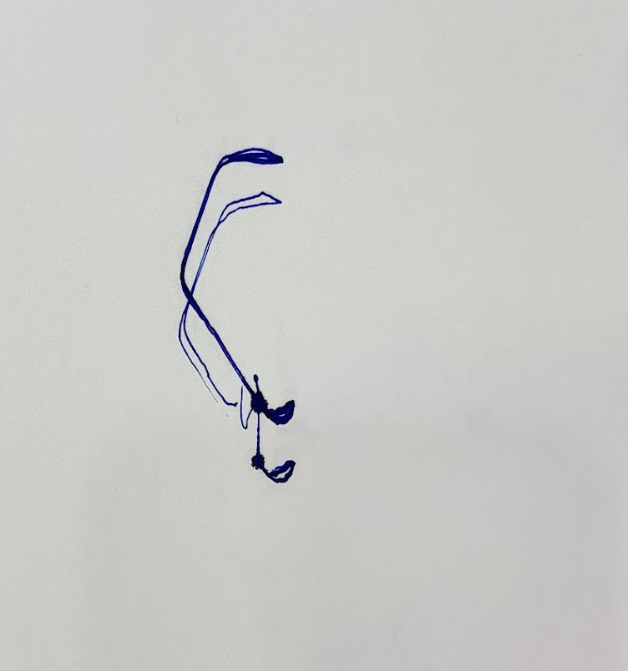
So, I decided to adjust the assembly between 4 trials to see how each change would affect the output. The first two trials (Image 1) used the original longer linkage configuration, and the last two (Image 2) used a tighter, shorter setup after I rearranged the arm positions.
Trial 1 (Both servos in opposite directions with a delay of 15ms)
Code Snippet
#include <Servo.h>

Servo servo1;
Servo servo2;

void setup() {
  servo1.attach(9);
  servo2.attach(10);
}

void loop() {
  for (int pos = 0; pos <= 180; pos++) {
    servo1.write(pos);
    servo2.write(180 - pos);
    delay(15);
  }
  for (int pos = 180; pos >= 0; pos--) {
    servo1.write(pos);
    servo2.write(180 - pos);
    delay(15);
  }
}
Video and Results
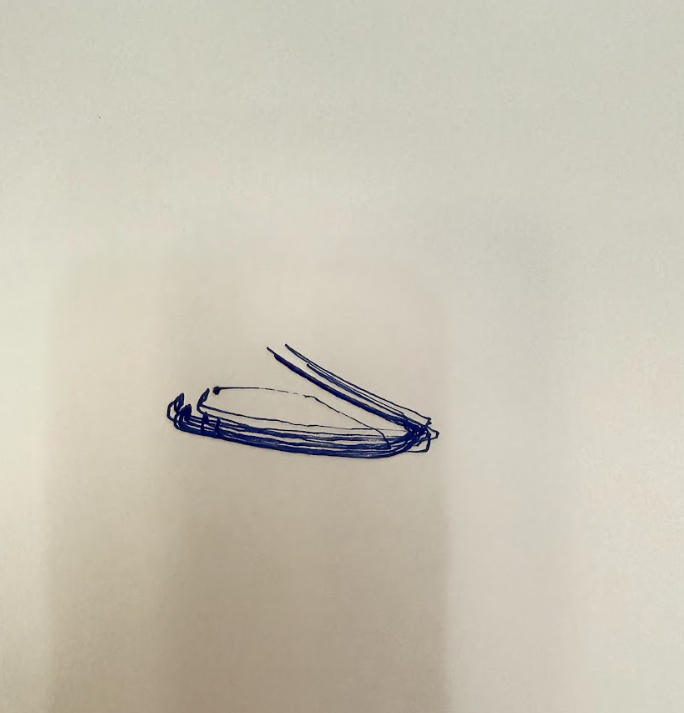
Trial 2 (Both servos in opposite directions with a delay of 5ms)
Code Snippet (only changed the delay)
void loop() {
  for (int pos = 0; pos <= 180; pos++) {
    servo1.write(pos);
    servo2.write(180 - pos);
    delay(5);
  }
  for (int pos = 180; pos >= 0; pos--) {
    servo1.write(pos);
    servo2.write(180 - pos);
    delay(5);
  }
}
Video and Results
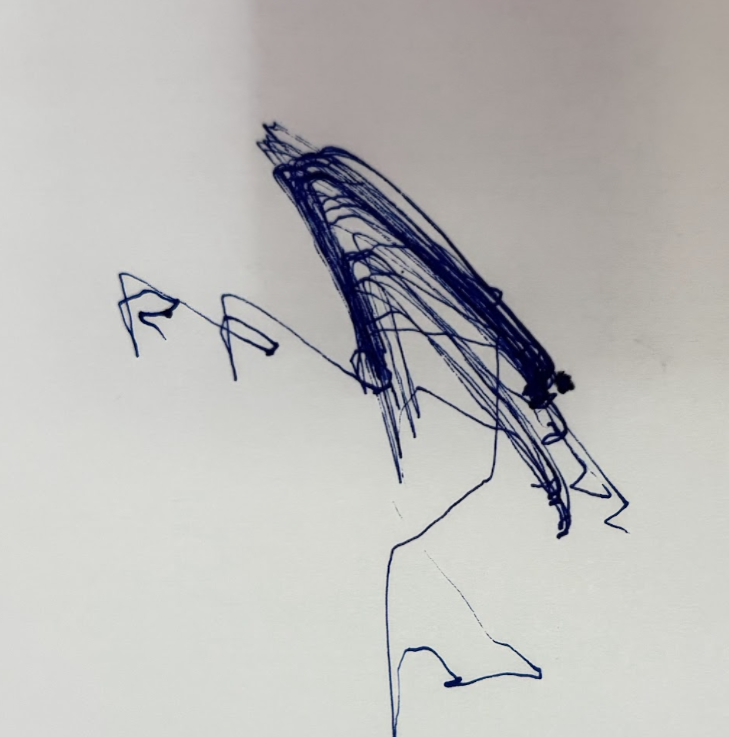
Trial 3 (both servos move in the same direction with delay of 15ms )
Code Snippet
void loop() {
  for (int pos = 0; pos <= 180; pos++) {
    servo1.write(pos);
    delay(15);
  }
  for (int pos = 180; pos >= 0; pos--) {
    servo1.write(pos);
    delay(15);
  }

  for (int pos = 0; pos <= 180; pos++) {
    servo2.write(pos);
    delay(15);
  }
  for (int pos = 180; pos >= 0; pos--) {
    servo2.write(pos);
    delay(15);
  }
}
Video and result
Trial 4 (servo 1 completes full sweep, then servo 2, with delay in 15ms)
Code Snippet
void loop() {
  for (int pos = 0; pos <= 180; pos++) {
    servo1.write(pos);
    servo2.write(pos); // same direction now!
    delay(15);
  }
  for (int pos = 180; pos >= 0; pos--) {
    servo1.write(pos);
    servo2.write(pos); // same direction!
    delay(15);
  }
}
Video and results
Reflection
In Trial 1, both servos moved in opposite directions at a delay of 15ms. The result was a compressed oval shape with two lines extending from the top right corner. The oval formed from the pen repeatedly tracing the same path, and the ink built up most where the machine slowed down to reverse direction.
In Trial 2, I increased the speed by changing the delay from 15ms to 5ms. The result is a dense, layered mass of overlapping lines in the upper area, with long loose trails extending outward. I figured the faster speed meant the pen covered the same path more times before I stopped the machine, which built up a thick textured body of marks. The trailing lines at the bottom and left look almost like the machine was reaching for something it couldn’t quite get to.
In Trial 3, I changed both servos to move in the same direction instead of opposing each other, keeping the delay at 15ms. The result was a thin vertical line with small angular marks clustered at the bottom, almost like a stick figure. When the servos oppose each other they create tension that spreads the pen across a wider area, but when they move the same way that tension disappears and the movement collapses into a much smaller, more concentrated path.
In Trial 4, I ran the servos sequentially — Servo 1 completed its full sweep first, then Servo 2 did the same. The drawing produced open crossing arcs similar to Trial 1, but with two distinct ink blobs at the bottom where each servo paused before the other took over. The crossing point in the middle is where both paths intersected, where it shows where one servo’s movement ended and the other’s began.