Concept:
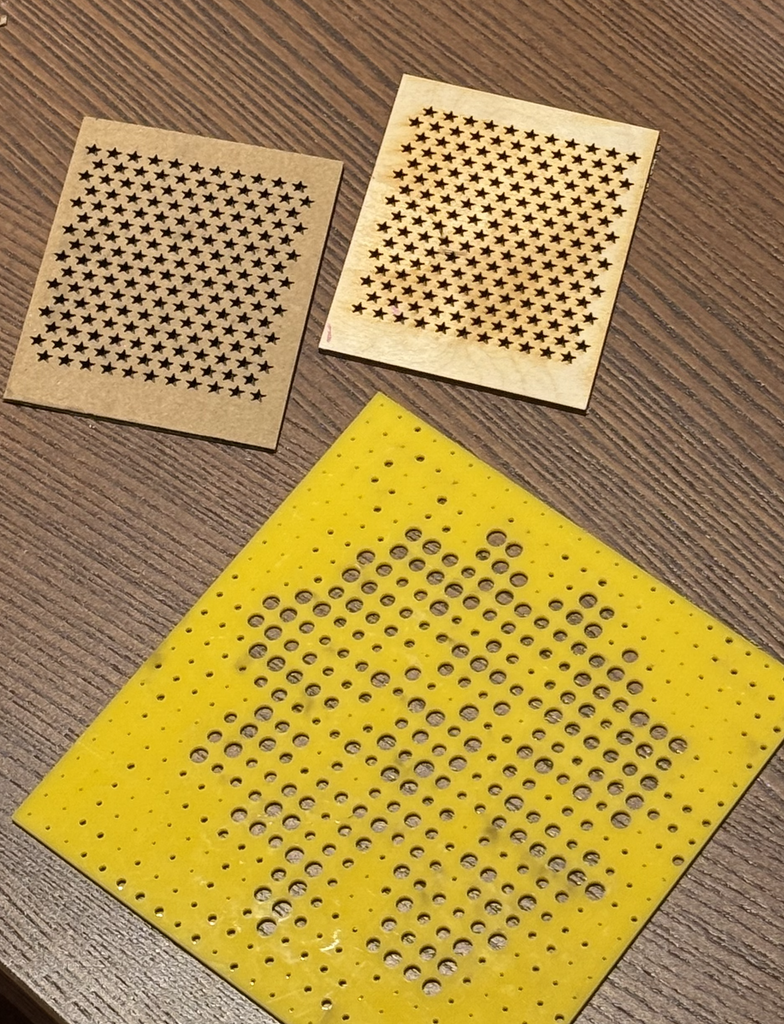
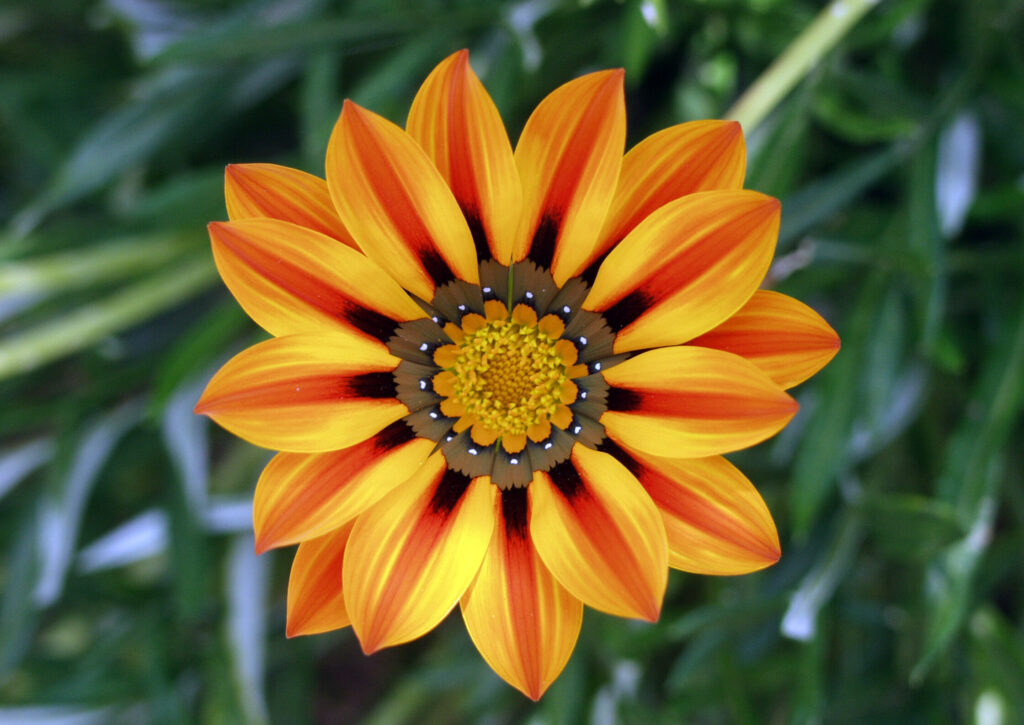
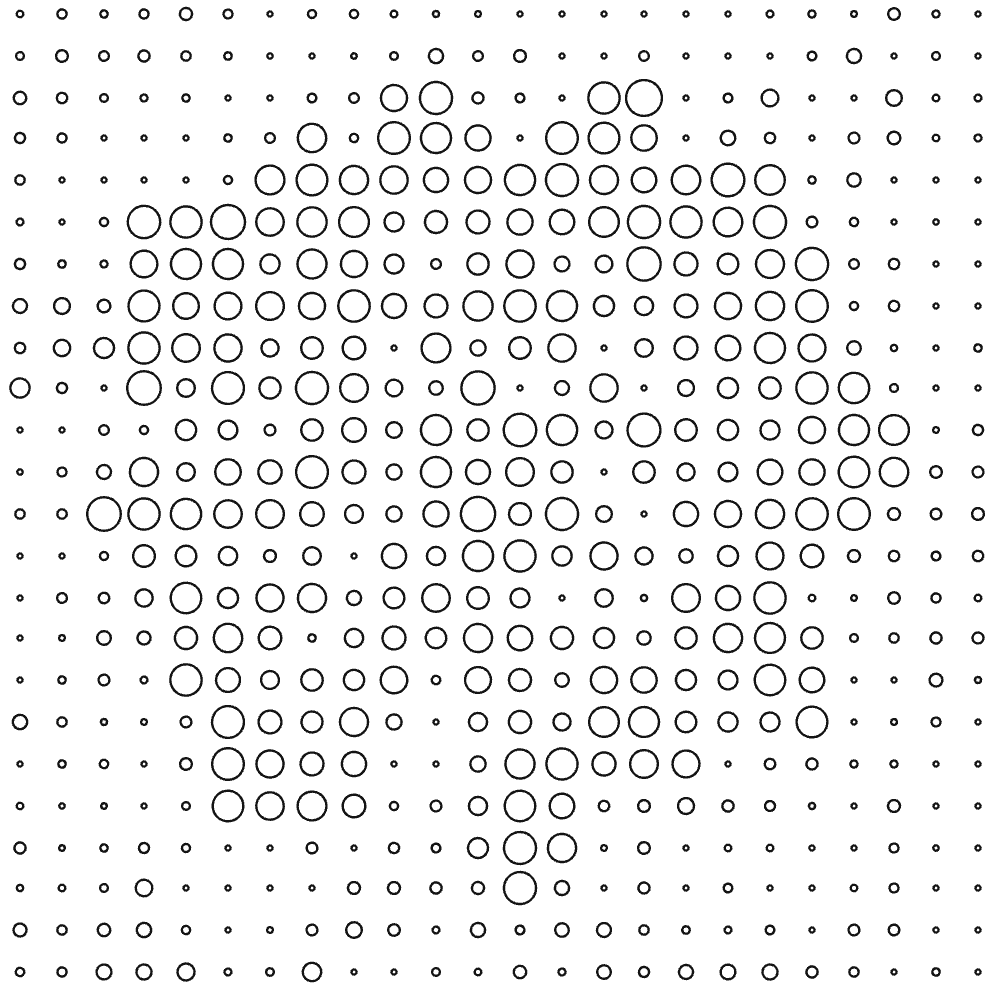
For this assignment, I wanted to explore how a simple computational pattern could become a physical object through laser cutting. I created two different designs and executed them on three different materials: wood, cardboard, and acrylic. The first was a repeated star pattern arranged in rows, which I laser cut on both cardboard and wood. The second design was based on a flower image. I used a similar code to what we learned in class on Wednesday to translate the image into a grid of circles with different sizes, where the larger and smaller circles helped show the shape and details of the flower. I laser cut this design onto acrylic. I liked using these two designs because one was based on a very regular geometric pattern, while the other used an image to create a more organic pattern. Although it was difficult to learn how to draw a star on P5 js, I looked through many online tutorials to get the shape I was looking for.
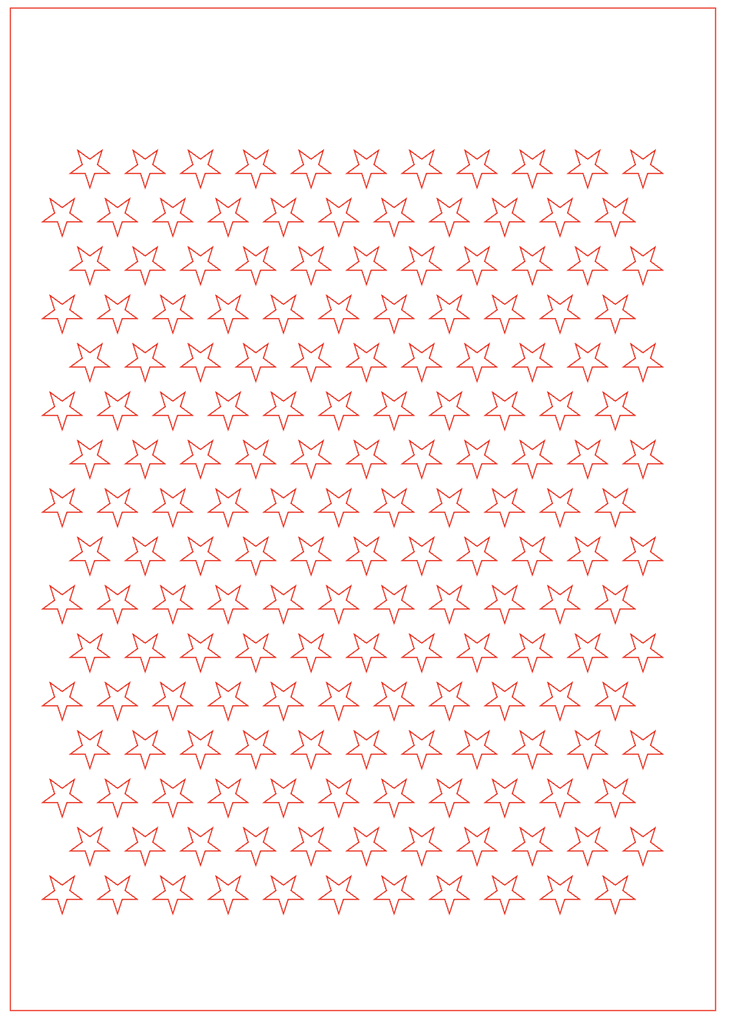
The designs also used simple rule-based systems to create repetition and variation. In the star pattern, I repeated the same shape across a grid and shifted every other row, which created a consistent rhythm while still making the layout feel less rigid. In the flower design, the circles repeated across the whole surface, but their sizes changed depending on the image data, so the variation came from the photograph rather than randomness. Because I was designing specifically for laser fabrication, I had to think about negative space, spacing between shapes, and how much material would remain after cutting. Very small gaps or shapes placed too close together could weaken the material and maybe cause a crack, so the digital pattern had to work physically as well as visually.
I also chose the materials based on both the fabrication process and experimentation. I used cardboard first because it was useful for testing the design quickly and seeing whether the scale and spacing worked before using a more permanent material. I then used wood for the star pattern because it felt stronger and more finished, so the final design had a more permanent quality. I used acrylic only once for the flower because it took the longest to laser cut, so I wanted to save it for the more detailed design where the material and spaces would have the most visual impact. All of the materials were recycled from the IM Lab, which also influenced my choices because I wanted to focus on reusing available resources rather than using new material.
Code:
Link to Flower Sketch: https://editor.p5js.org/AsmaAlMurr/full/jpV4ZFNyV
Flower Code:
let flower;
let cols = 24;
let rows = 24;

let img;
let targetR;
let targetG;
let targetB;

function preload() {
  flower = loadImage("flower.jpg");
}

function setup() {
  createCanvas(500, 500, SVG);

  img = createGraphics(500, 500);
  img.pixelDensity(1);

  // draw the flower image onto the hidden graphics canvas
  img.image(flower, 0, 0, width, height);

  img.loadPixels();

  findFlowerColor();
  drawCircles();
}


function findFlowerColor() {

  let totalR = 0;
  let totalG = 0;
  let totalB = 0;
  let count = 0;

  // look at the middle part of the image
  for (let y = 100; y < 350; y += 4) {

    for (let x = 100; x < 400; x += 4) {

      let index = (x + y * width) * 4;

      totalR += img.pixels[index];
      totalG += img.pixels[index + 1];
      totalB += img.pixels[index + 2];

      count++;
    }
  }

  // average flower color
  targetR = totalR / count;
  targetG = totalG / count;
  targetB = totalB / count;
}


function drawCircles() {

  background(255);

  noFill();
  stroke(20);
  strokeWeight(1.2);

  let spaceX = width / cols;
  let spaceY = height / rows;

  for (let x = 0; x < cols; x++) {

    for (let y = 0; y < rows; y++) {

      let posX = x * spaceX + spaceX / 2;
      let posY = y * spaceY + spaceY / 2;

      let index = (floor(posX) + floor(posY) * width) * 4;

      let r = img.pixels[index];
      let g = img.pixels[index + 1];
      let b = img.pixels[index + 2];

      // compare pixel color with flower color
      let colorDifference = dist(
        r,
        g,
        b,
        targetR,
        targetG,
        targetB
      );

      // closer colors make bigger circles
      let circleSize = map(
        colorDifference,
        0,
        160,
        spaceX * 0.95,
        spaceX * 0.12
      );

      circleSize = constrain(
        circleSize,
        spaceX * 0.12,
        spaceX * 0.95
      );

      ellipse(
        posX,
        posY,
        circleSize,
        circleSize
      );
    }
  }
}


// click to download SVG
function mouseClicked() {
  save("flower.svg");
}
Link to Stars Sketch: https://editor.p5js.org/AsmaAlMurr/full/dnxKPiX7G
Stars Code:
let scale = 6;

function setup() {
  createCanvas(105 * scale, 148 * scale, SVG);
  noLoop();
}

function draw() {
  background(255);

  noFill();
  stroke(255, 0, 0);
  strokeWeight(1);

  // border
  rect(
    1.5 * scale,
    1.5 * scale,
    102 * scale,
    145 * scale
  );

  // rows of stars
  for (let row = 0; row < 16; row++) {

    let y = (148 - (18.5 + row * 7)) * scale;

    let offset = 0;

    if (row % 2 == 1) {
      offset = 4;
    }

    // stars in each row
    for (let col = 0; col < 11; col++) {

      let x = (9 + offset + col * 8) * scale;

      star(x, y);
    }
  }
}


function star(x, y) {

  let outer = 3 * scale;
  let inner = 1.15 * scale;

  beginShape();

  for (let i = 0; i < 10; i++) {

    let angle = radians(-90 + i * 36);

    let radius;

    if (i % 2 == 0) {
      radius = outer;
    } else {
      radius = inner;
    }

    let starX = x + cos(angle) * radius;
    let starY = y - sin(angle) * radius;

    vertex(starX, starY);
  }

  endShape(CLOSE);
}


// click anywhere to save
function mouseClicked() {
  save("stars.svg");
}
Vector Designs:
Design #1: Stars
Design #2: Flower
Final Results:
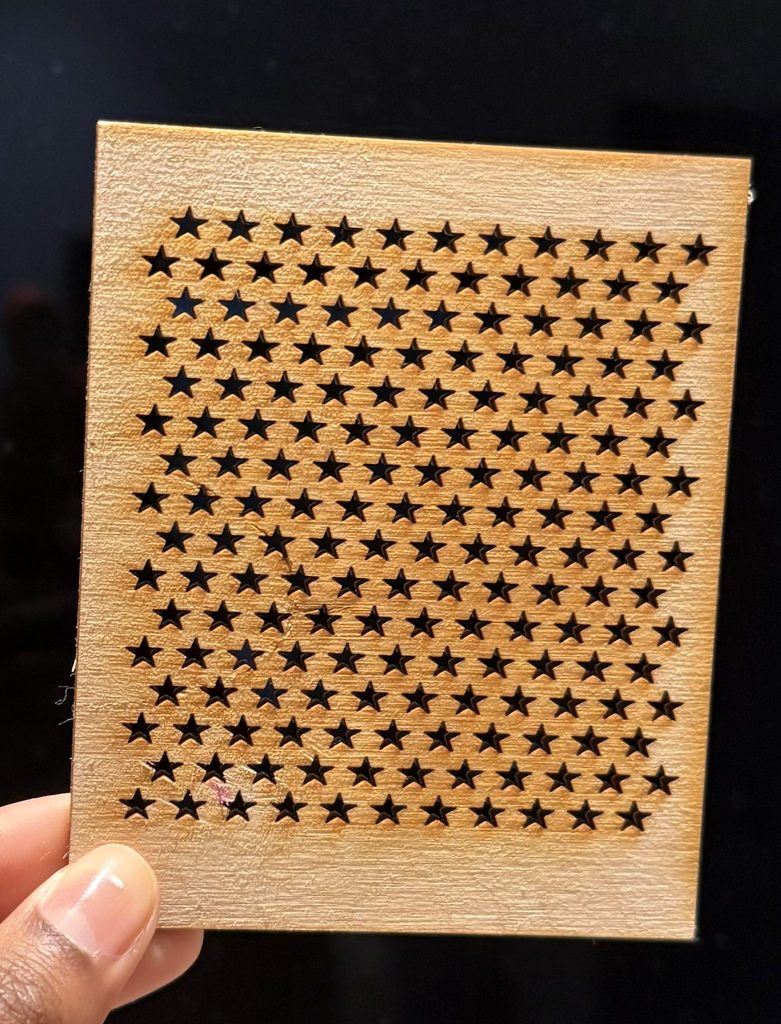
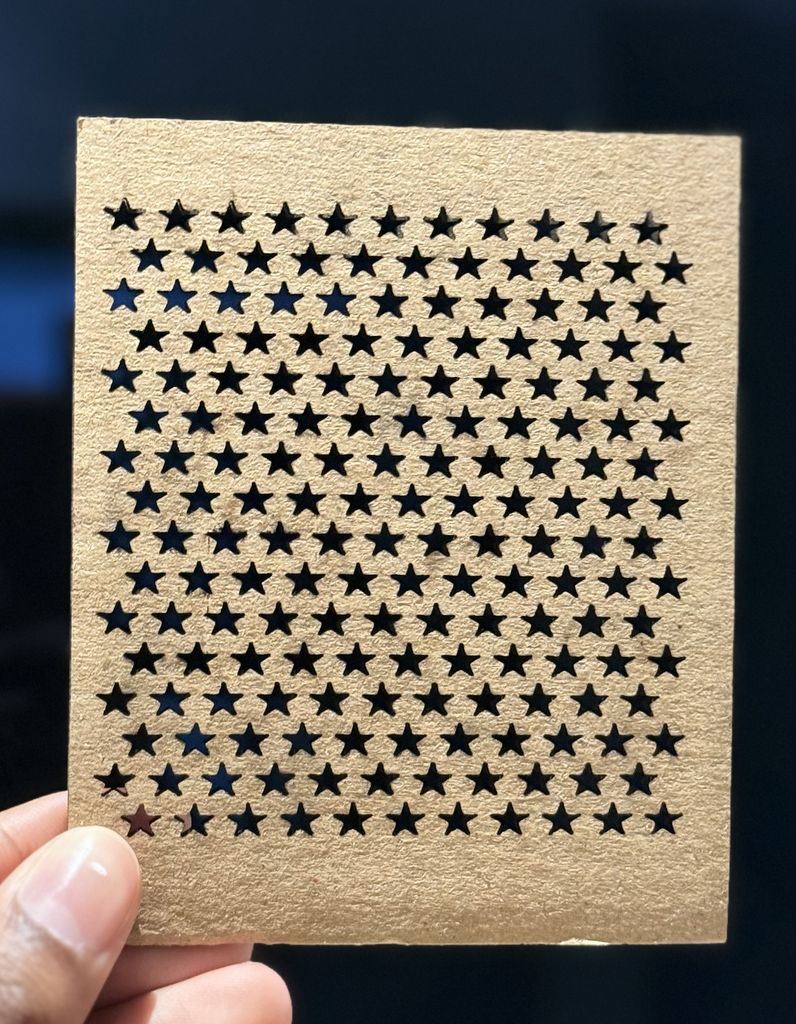
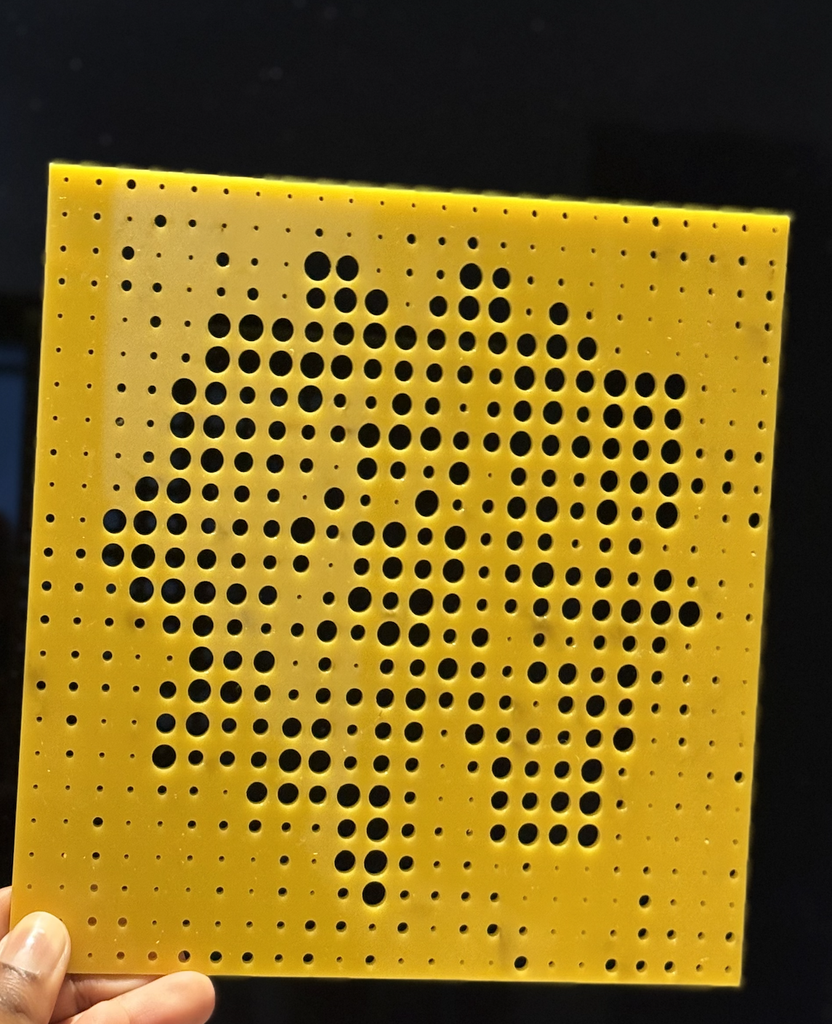
I’m really happy with how the final pieces turned out. Since this was my first time ever using a laser cutter, it was exciting to see my digital designs become real physical objects. I learned a lot through testing different materials and understanding how the laser responds to each one. Overall, it was a really good first experience with laser cutting, and it made me more confident and interested in experimenting with digital fabrication in future projects.
Process and Challenges:
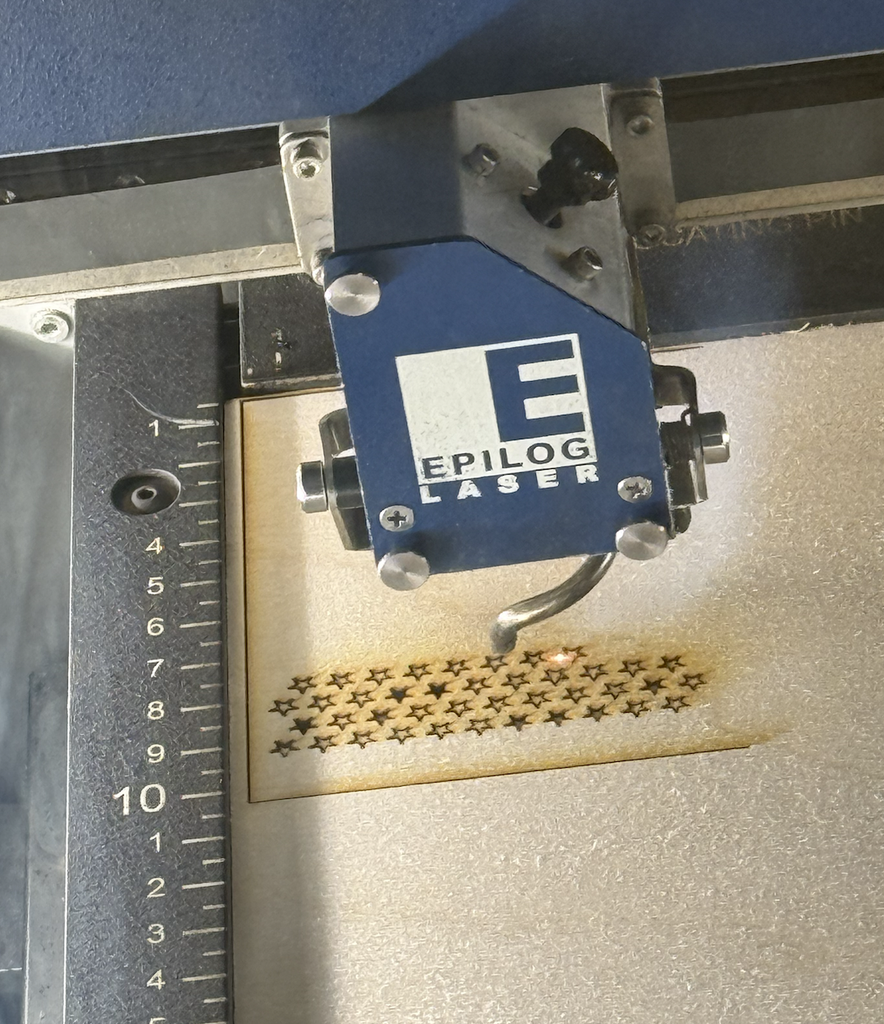
I created the vector designs using p5.js and exported them as SVG files so they could be used with the laser cutter. For the star design, I used loops to repeat the same star across the page and offset some of the rows to create a packed pattern. For the flower, the code looked at the colors in the original photograph and changed the size of each circle depending on the image. This was my first time working with this type of computational design and laser cutting, so one challenge was understanding how something on the computer would actually translate into a physical material. I also had to think about spacing, the size of the shapes, and whether the laser could successfully cut very small details. An issue I ran into was that my star shape was so small on the material that it didn’t just cut smoothly, I had to push it out of the wood and cardboard because the shape was getting stuck. This process was very tedious because it took a while to push all the stars out of the materials and took the efficiency out of the laser cutting process.
Using three materials also showed me that the same type of digital design can behave very differently depending on what it is cut into. The stars worked well on both cardboard and wood, but each material gave the pattern a different appearance. The cardboard felt lighter and more experimental, while the wood made the repeated stars look more finished and polished. The acrylic flower was more challenging because it contained many circles of different sizes. Some of the smallest holes were very delicate and I had to push the circles out of the acrylic material because like the small stars they also got stuck, while the larger circles made the flower image much easier to recognize, especially when light passed through the acrylic.
Reflection:
Overall, I really enjoyed this assignment! Laser fabrication changed the way I thought about my computational designs because I had to design for a physical process instead of only thinking about how the pattern looked on a screen. While coding, it is easy to make shapes extremely small or place them very close together, but laser cutting made me think more carefully about material thickness, spacing, scale, and how much material would remain between each cut. The flower design especially showed me that changing only the size of repeated circles could transform a photograph into a physical image.
I also liked seeing the difference between the SVG vector designs and the final laser-cut pieces. The digital file looked very clean and exact, but the material added texture, depth, shadows, and small imperfections. This made the final outcomes more interesting to me. The process helped me understand that computational design does not have to stay on a screen, and code can become a tool for making real physical objects, and the limitations of fabrication can actually influence and improve the design.