Midterm Project – Portraits of Speed

Concept

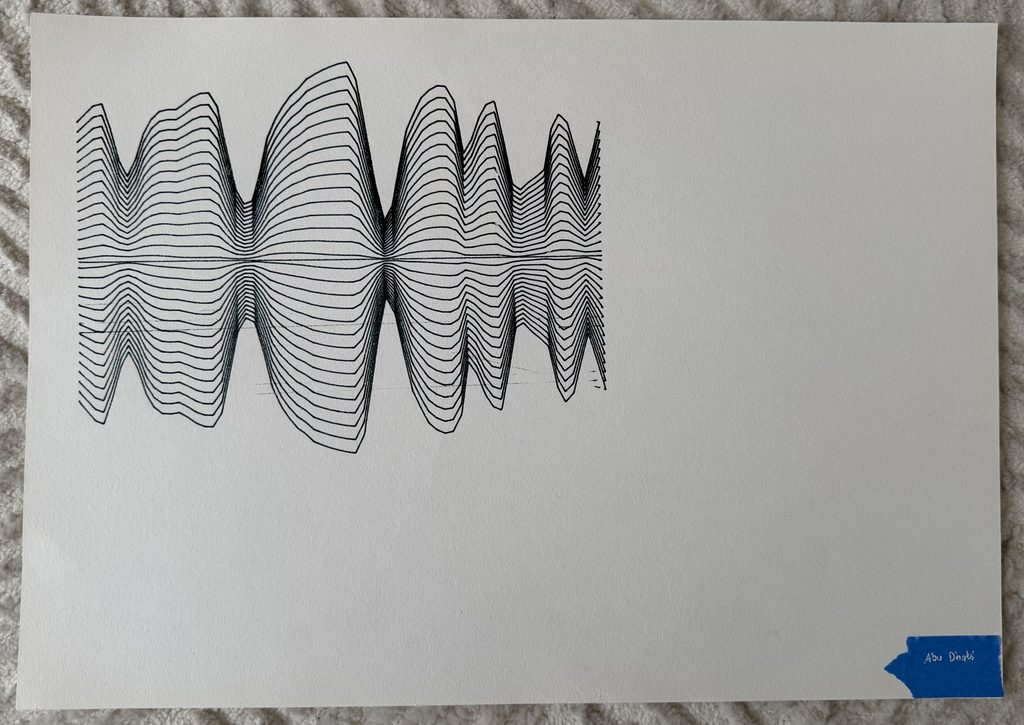
For my midterm project I wanted to combine my interests in Formula 1 and computational drawing. So I decided to investigate how speed can be turned into abstract visual patterns using a pen plotter. I concentrated on Lewis Hamilton’s 2025 races at three different circuits, Monaco, Monza and Yas Marina. I created a drawing system in p5.js that uses the speed measurements from each circuit to measure the lines expanding with high speed and getting closer with low speed. The idea was to make three drawings with the same algorithm but with different speeds, so they would produce different compositions. I also wanted to try overlapping the drawings in different colours to see how the three circuits could interact in one artwork.

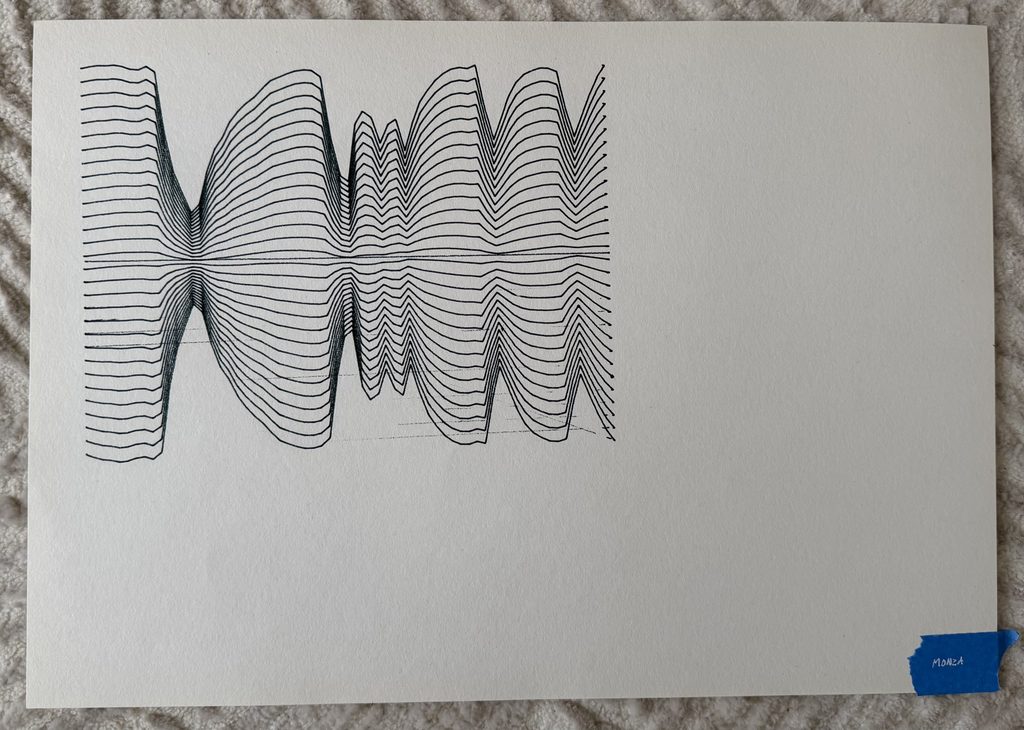
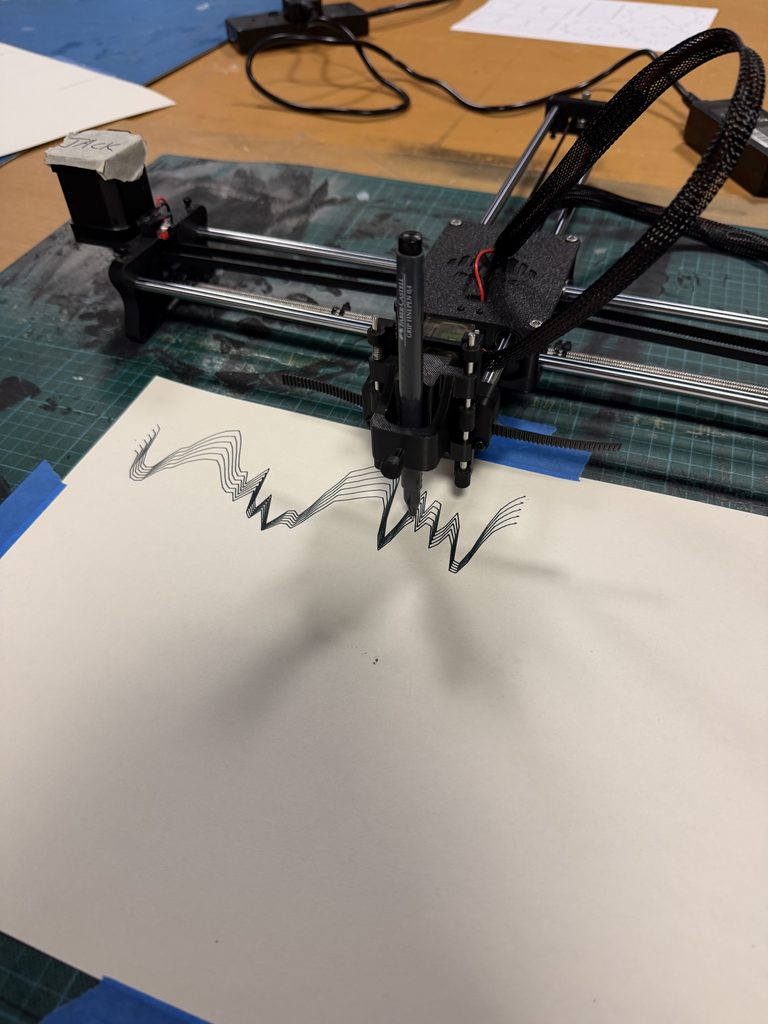
I collected speed measurements from the graphs on The Field F1 and entered them into p5.js. I then adjusted the data so that each circuit used 65 measurements. The algorithm generates 30 repeated lines, with the horizontal position representing progress through the lap and the speed controlling how far the lines expand from the centre. Faster sections create wider shapes, while slower sections bring the lines closer together. I also added a slight wave movement to make the drawings more fluid. Using the same rules for all three circuits allowed the speed data to create different patterns.

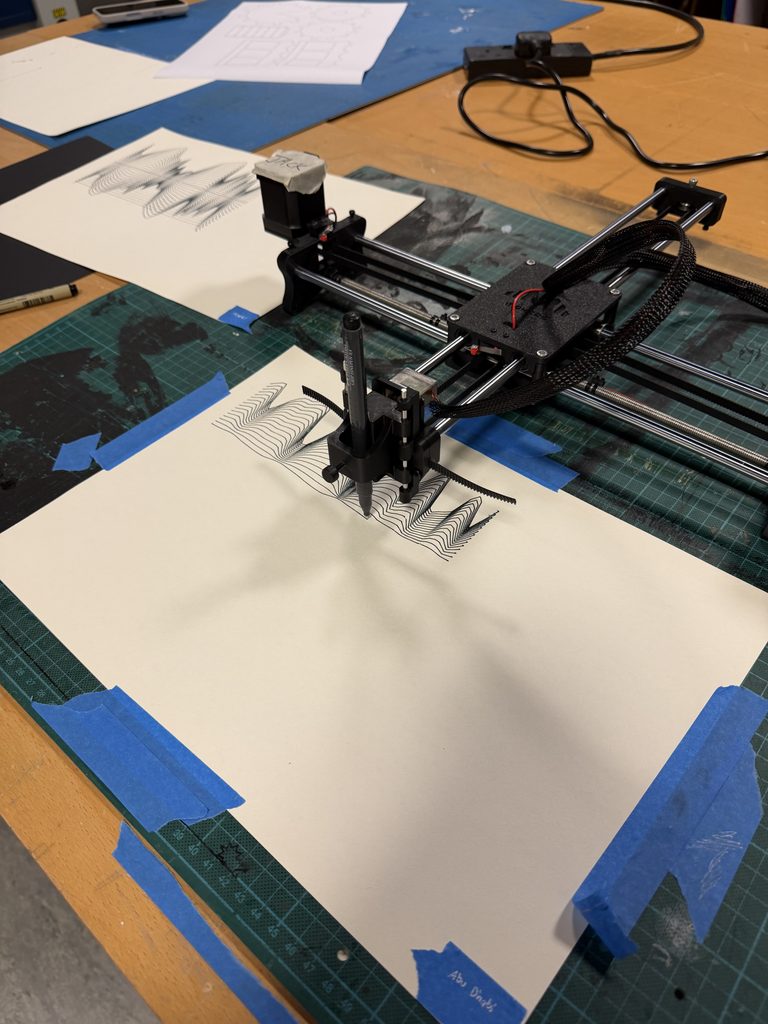
Once I was happy with the digital drawings I exported each as an SVG file directly from p5.js. I then converted the SVG files into G-code using Inkscape so the pen plotter could follow the line paths and reproduce the drawings on paper.

Speed Data Sources: 

https://www.thefieldf1.com/race/2025-monaco-grand-prix/race/compare?d=HAM&lap=73

https://www.thefieldf1.com/race/2025-italian-grand-prix/race/compare?d=HAM&lap=50

https://www.thefieldf1.com/race/2025-abu-dhabi-grand-prix/race/compare?d=HAM&lap=36

Physical Trials and Challenges

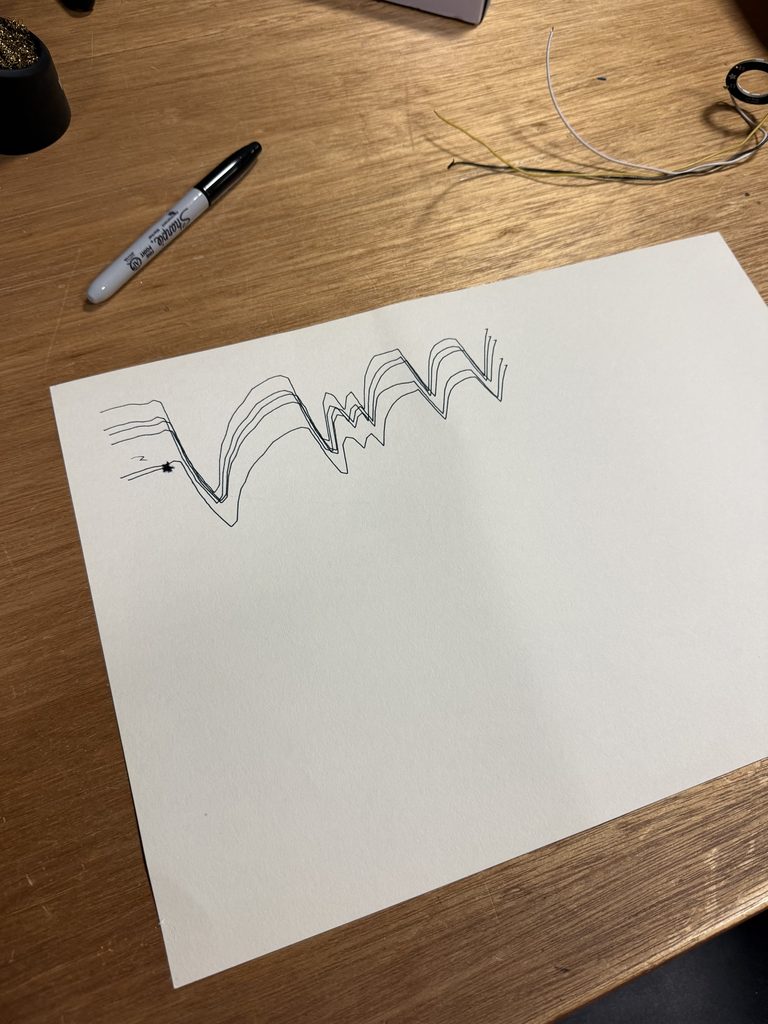
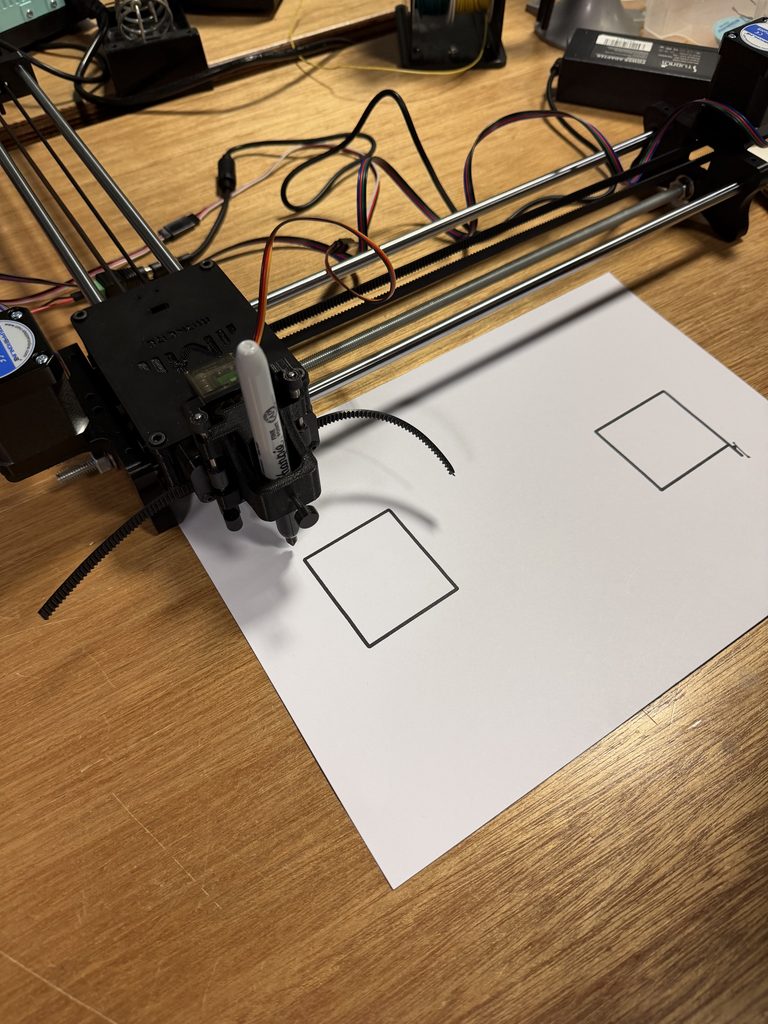
One of the biggest challenges I faced was getting the pen plotter to finish a drawing. The first few times I tried it, the machine would shut down after about 20 seconds, which made it difficult to produce a full result. Even when the machine was working I had to sometimes readjust the height of the pen. If the pen was in the wrong position you would have unwanted lines on the paper. It made me realise how much the physical setup of the machine could impact the end result even when the digital drawing would seem to be correct.
Playing with Colour and Layers

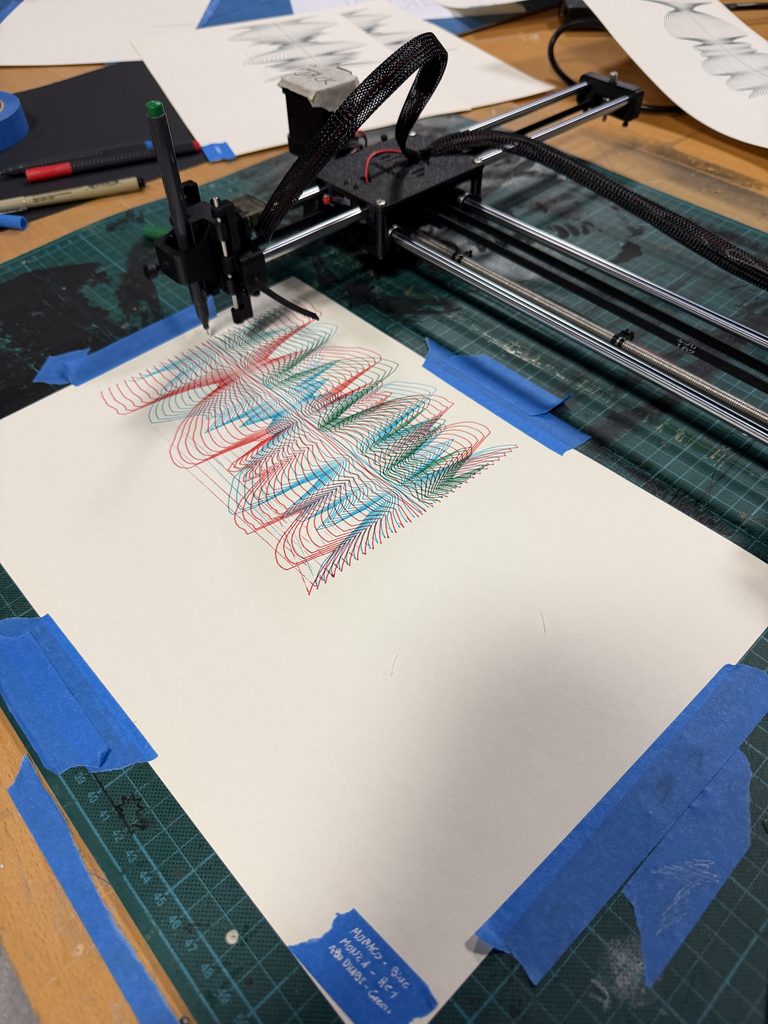
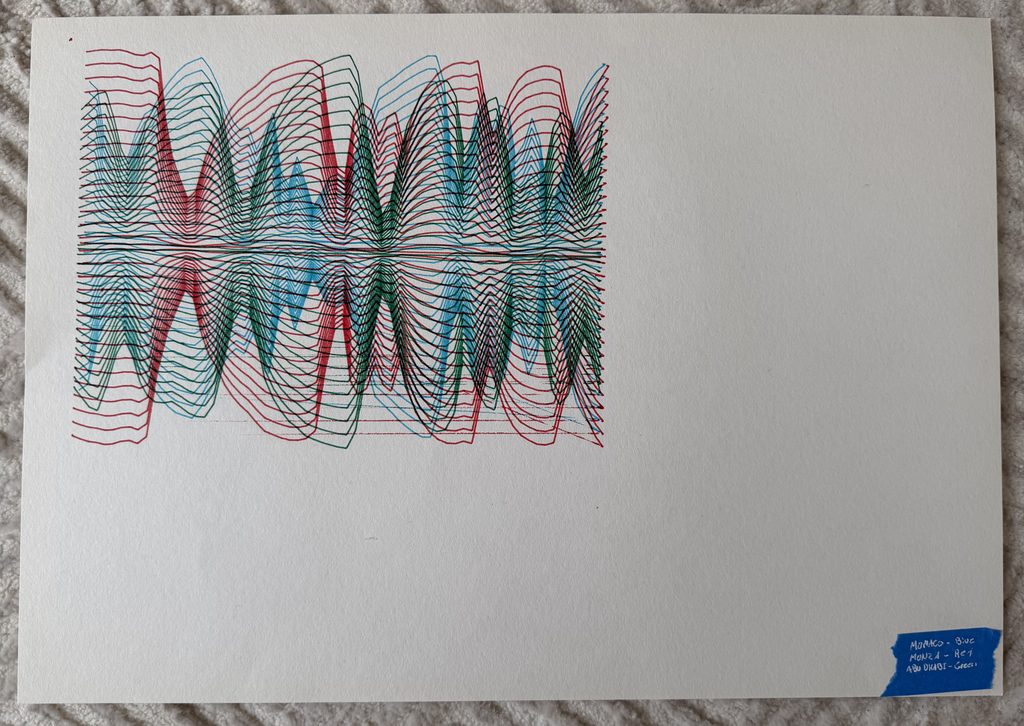
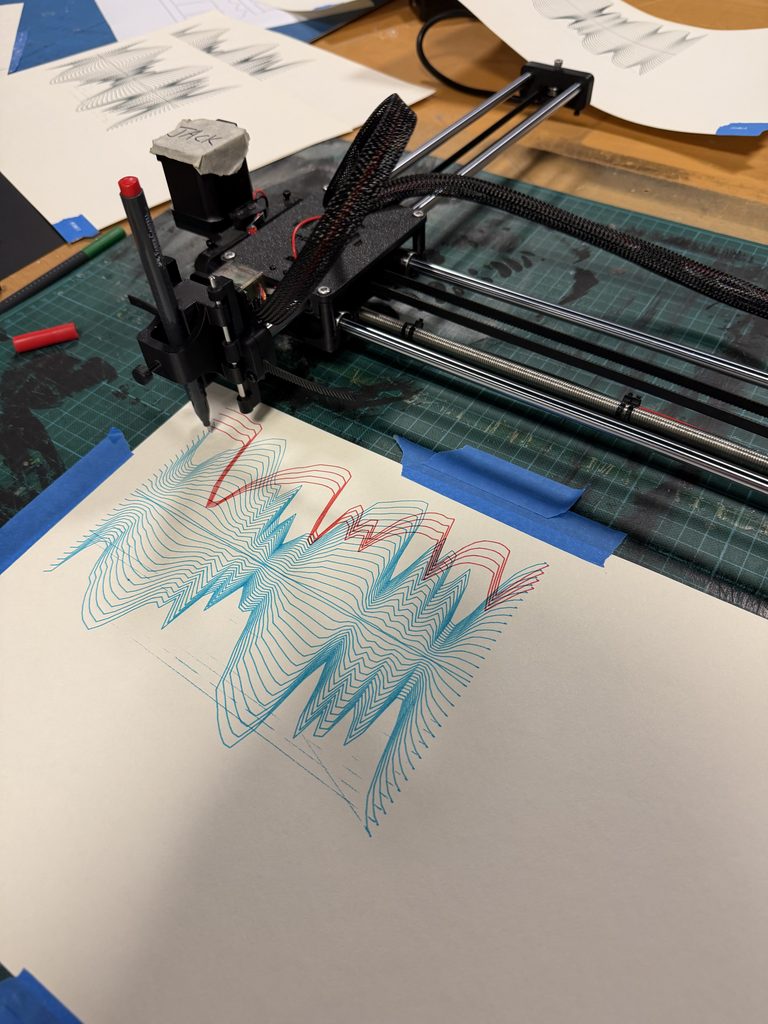
Along with the three individual circuit drawings, I also tried combining all three races into one composition using different pen colours. Each colour represented a different circuit and the drawings were layered on each other. I wanted to see how the different speed patterns would interact when layered on top of one another, rather than viewed individually. The overlapping lines made the composition more complex and let me compare the three circuits in one artwork. This experiment also gave me a chance to explore how colour and layering could change the experience of the same algorithmic drawings. 
Series Finale

My final series comprises three individual pen-plotter drawings each plotting Lewis Hamilton’s speed during his fastest lap at Monaco, Monza and Yas Marina in 2025. For all three, I used the same p5.js algorithm, letting the differences in the speed data determine how each drawing looked. I also made an experimental composition with all three circuits layered in different colours. While the individual drawings are concerned with the speed pattern of each race, the combined version is concerned with the relationship between them.

P5.js sketch: https://editor.p5js.org/raghd/sketches/hYdbKVHKo 

Final 3:
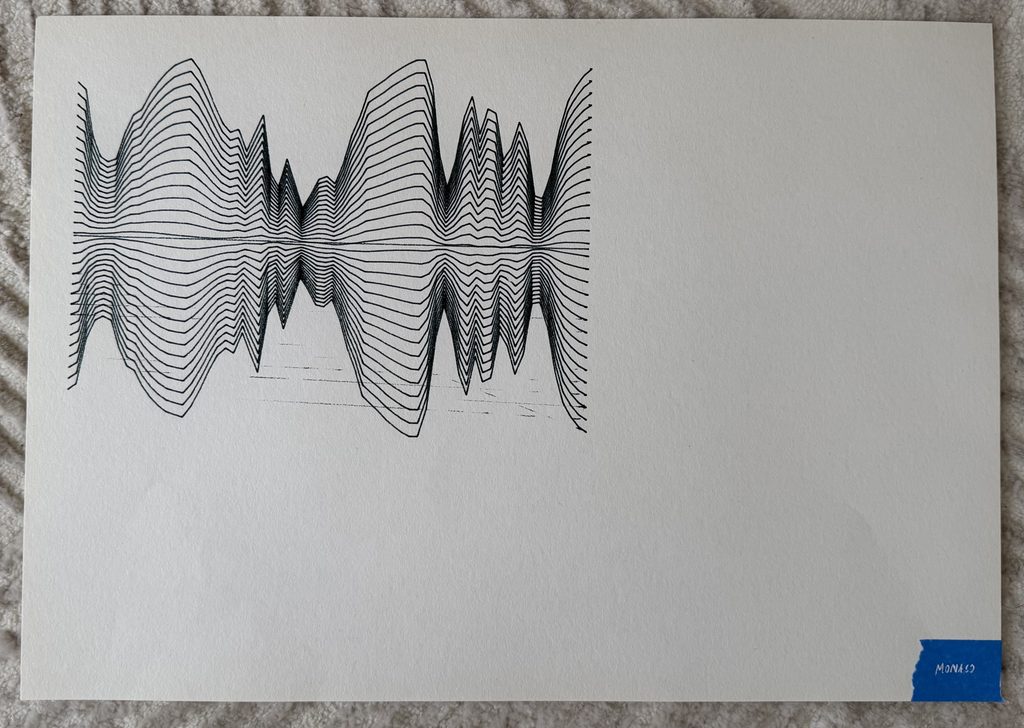
(Each race track is labeled with blue tape on bottom right corner)

Additional experiments:
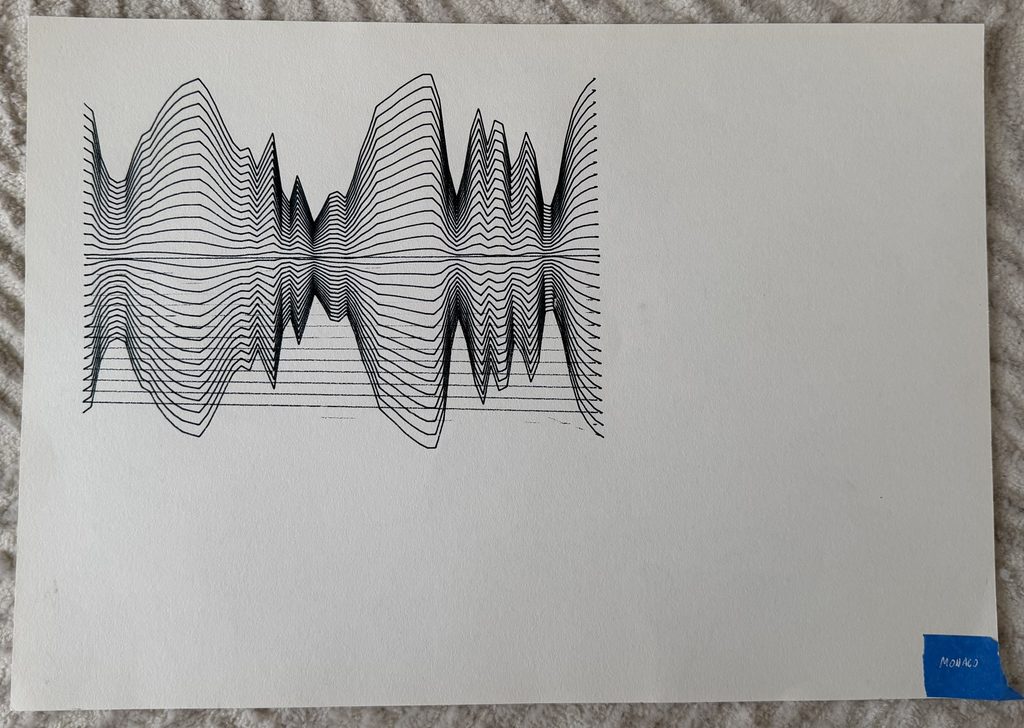
Self-reflection

With this project, I learned that drawing with code is different from drawing physically with a pen plotter. I could control the shapes and lines in p5.js but the physical process brought challenges I did not predict. During the first couple of tests, the machine kept stopping, which was frustrating because I couldn’t finish the drawings as planned. Fortunately, I was able to use Professor Jack’s pen plotter to complete the project. I also had to be careful with the pen height as even a small change could affect the quality of the line or create marks that were not part of the original design. This made me see the pen plotter as not just a tool to faithfully reproduce a digital image. Its movement, set-up and interaction with the paper will determine the final outcome.

I also had a lot of fun experimenting with overlaying the three drawings in different colours. It was interesting to see how the individual speed patterns could be combined to form a new composition but still be representing the same data. I think that was one of the most interesting parts of the project because it showed me how the same algorithm could be used to explore relationships between different sets of data rather than just visualizing them individually.

If I were to take this project further I would be interested in collecting the data of speed from all of Lewis Hamilton’s races across a whole season of Formula 1 and create a larger series of drawings. This could show how his speed patterns change across different circuits and how each track creates its own visual identity. Another approach would be to compare different drivers on the same circuit, each with a different colour, and overlap their drawings. I think this could be interesting especially as it would allow me to visualise the differences in their driving patterns and see where their speeds are similar/different throughout a lap. I could also try experimenting with layering more drawings, changing the scale or using different materials and see how these choices affect the final composition.

Overall, this project allowed me to combine my interest in formula 1 and computer art. It helped me understand the relationship between data, code and physical drawing better, and it also showed me that technical challenges and experimentation can influence the creative process. I also saw that this drawing system has the potential to go beyond the three circuits I chose and could grow into a much bigger exploration of Formula 1 data through art.
Assignment 4 – 3D Design

Concept
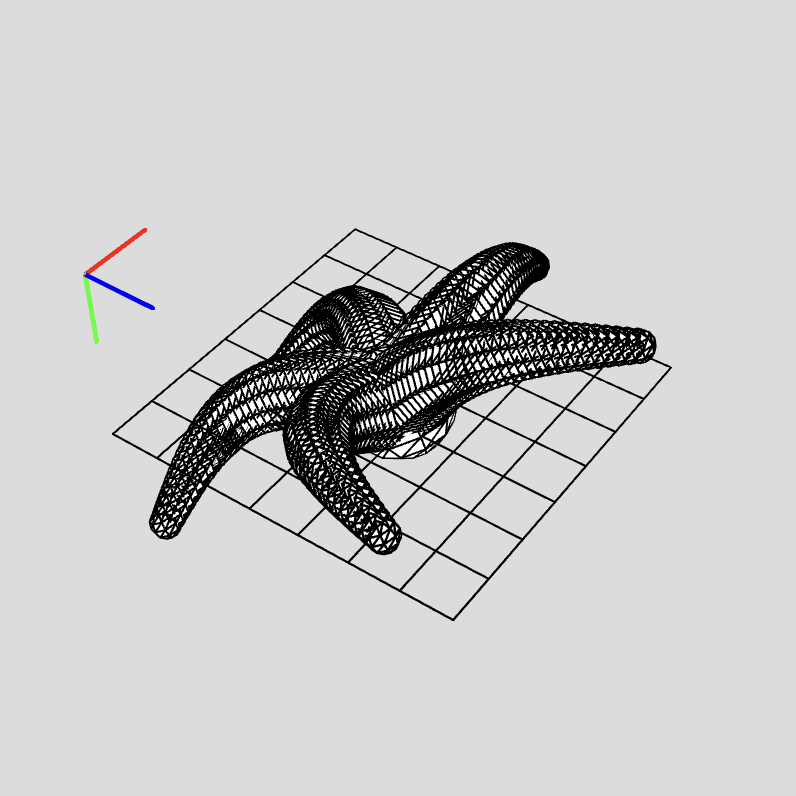
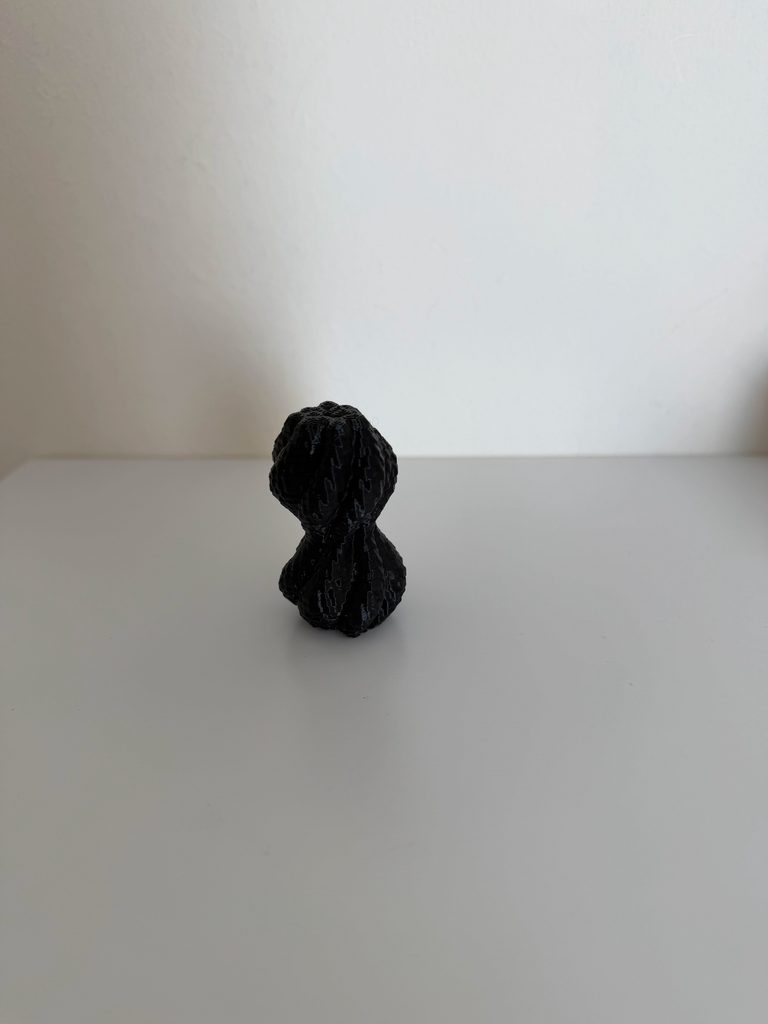
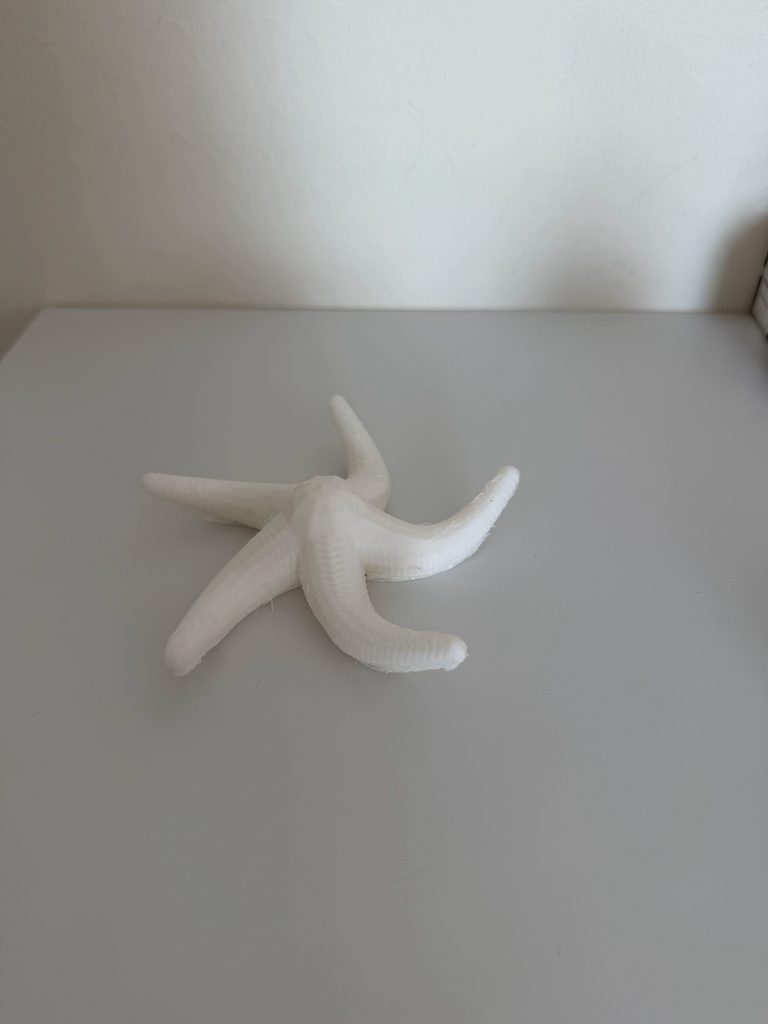
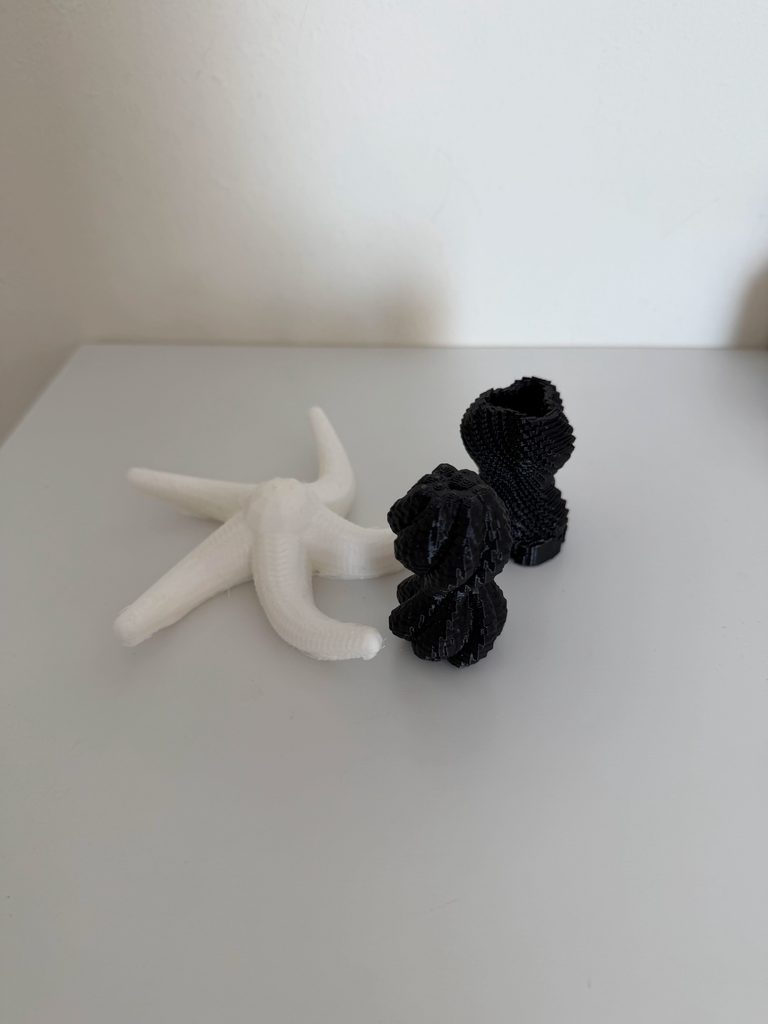
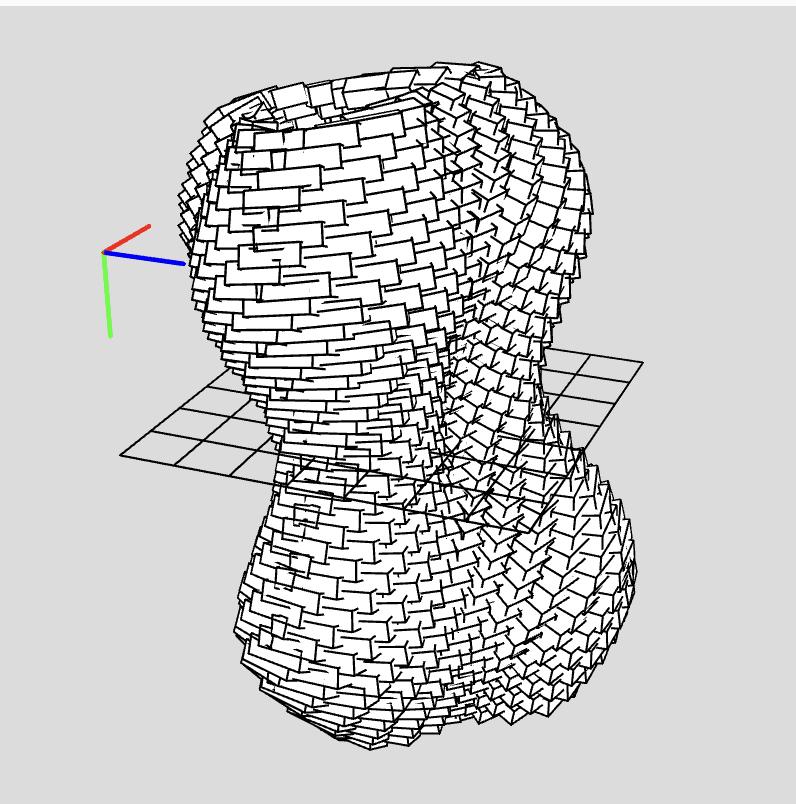
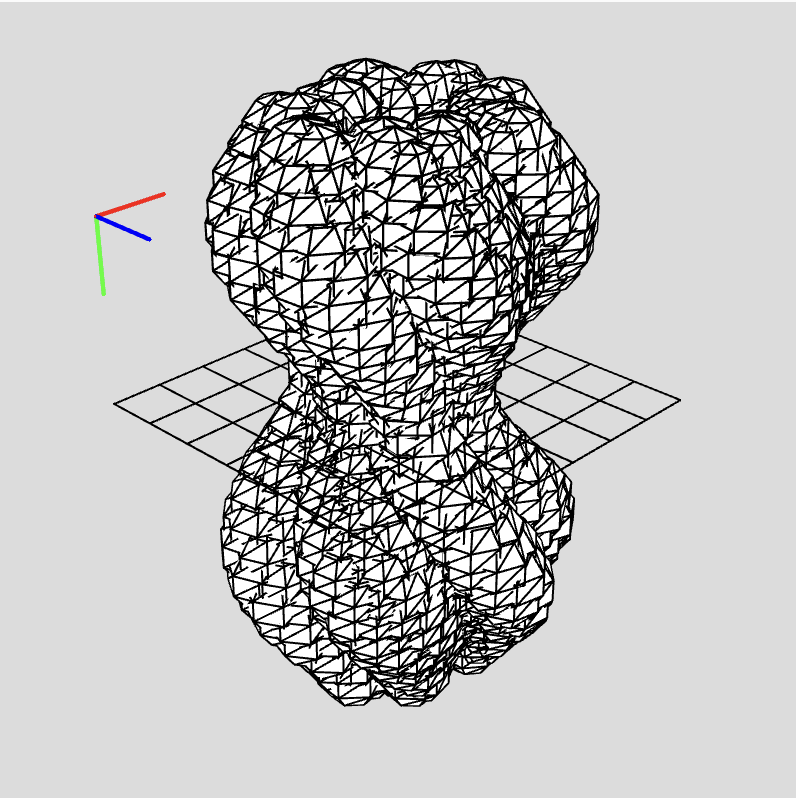
For this assignment I wanted to explore how simple repeating shapes could be used to create more complex 3D forms. I began with rules about repetition, rotation, size and movement, rather than starting with a specific object. I made three distinct designs using boxes and spheres, changing variables such as the number of layers, radius, rotation and size of each repeated shape. The first design I did is a repetition of boxes layered to create a form that twists and has waves. The second design is based on spheres of different sizes and positions which create a more organic and irregular shape. For my third design I moved away from the vertical forms and experimented with radial growth. Five curved arms growing out from a central point, gradually becoming smaller toward the ends. And I wanted to see how some mathematical rules could totally change the overall shape of a 3D design with these experiments.

p5.js Sketches
Design 1 – Tower Sculpture 1
Design 2 – Tower Sculpture 2
Design 3 – Star

3D Design Screenshots & Workflow

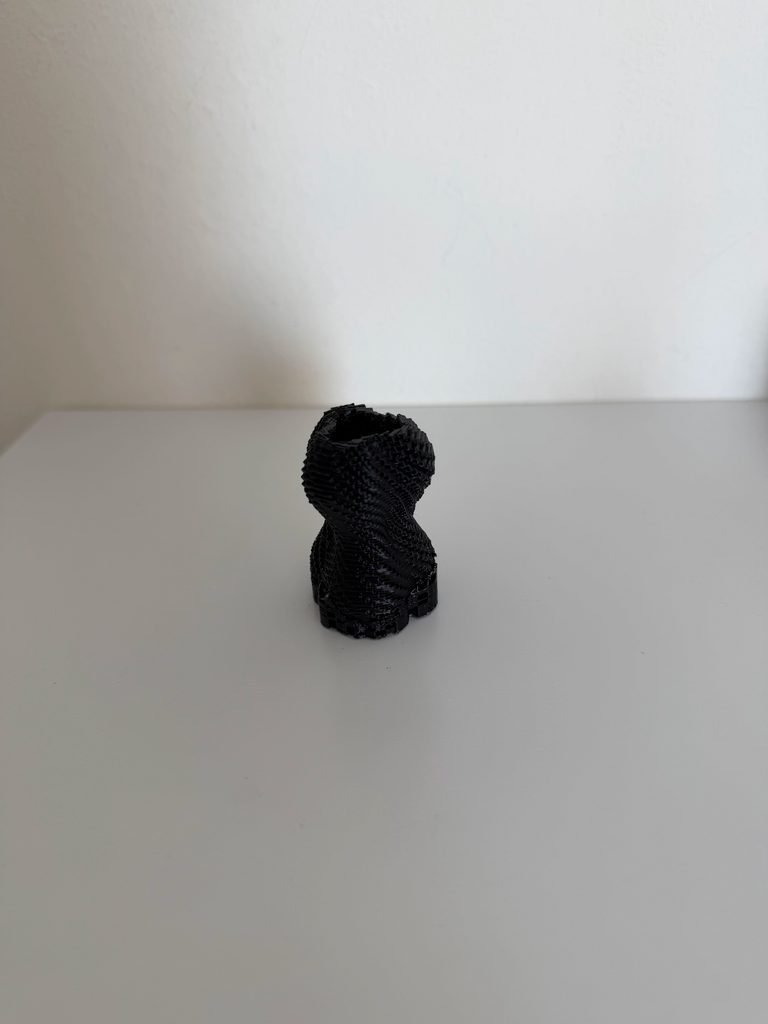
Final 3D Print


Process and Challenges
I started by playing with simple repeated shapes because I wanted to see how small changes in the code could impact the whole 3D form. One of the big things I experimented with was the relation between repetition and variation. When I used the same size and position for all repeated shapes, the designs looked too regular. The forms became more dynamic with sin(), map(), rotation and changing sizes. Another challenge was thinking of the designs as physical objects and not just looking at how they look on screen. There are some shapes that look good in the digital world, but have tiny gaps or parts that don’t connect well enough to be 3D printed. This meant that I had to think about the spacing, size and overlap of the repeated shapes when thinking about what design could be a physical object. I also experimented with different numbers of layers and repeating parts. Increasing these values led to more dense forms while decreasing them opened up the structure. Testing these variations has shown me how much the overall design can vary with only a few variables changed.

Reflection
This assignment changed the way I thought about computational design because I had to consider how the code would become a real physical object. When working only on the screen, I was mostly focused on whether the form looked interesting. When I started thinking about 3D printing, the thickness, spacing, connection, and scale became more important. I also noticed that very small changes in the code could have a big impact on the final form. Changing the number of pieces that repeat, the amount of rotation or the values inside a sine wave could completely change the shape . This made the process more experimental, since I could make different versions by changing a few variables. The difference between designing digitally and designing for 3D printing was that the end product had to work visually and physically. I started to really think a lot more carefully about the connection of the repeated shapes and how the object would exist as a structure. Overall, 3D printing made computational design feel more tied to material and physical constraints.

Assignment 3 – Laser Fabrication

Concept
For this assignment, I wanted to see how simple geometric shapes could become more complicated designs through repetition, scale and rotation. I started playing with different designs in p5.js based on rule-based systems, and then I started thinking about how to translate these from a digital design to a physical object using the laser cutter. I went through a few patterns and then narrowed it down to my two favourite designs. In both final designs I concentrated on how the position of each shape in relation to the centre could control the way in which the pattern changed.

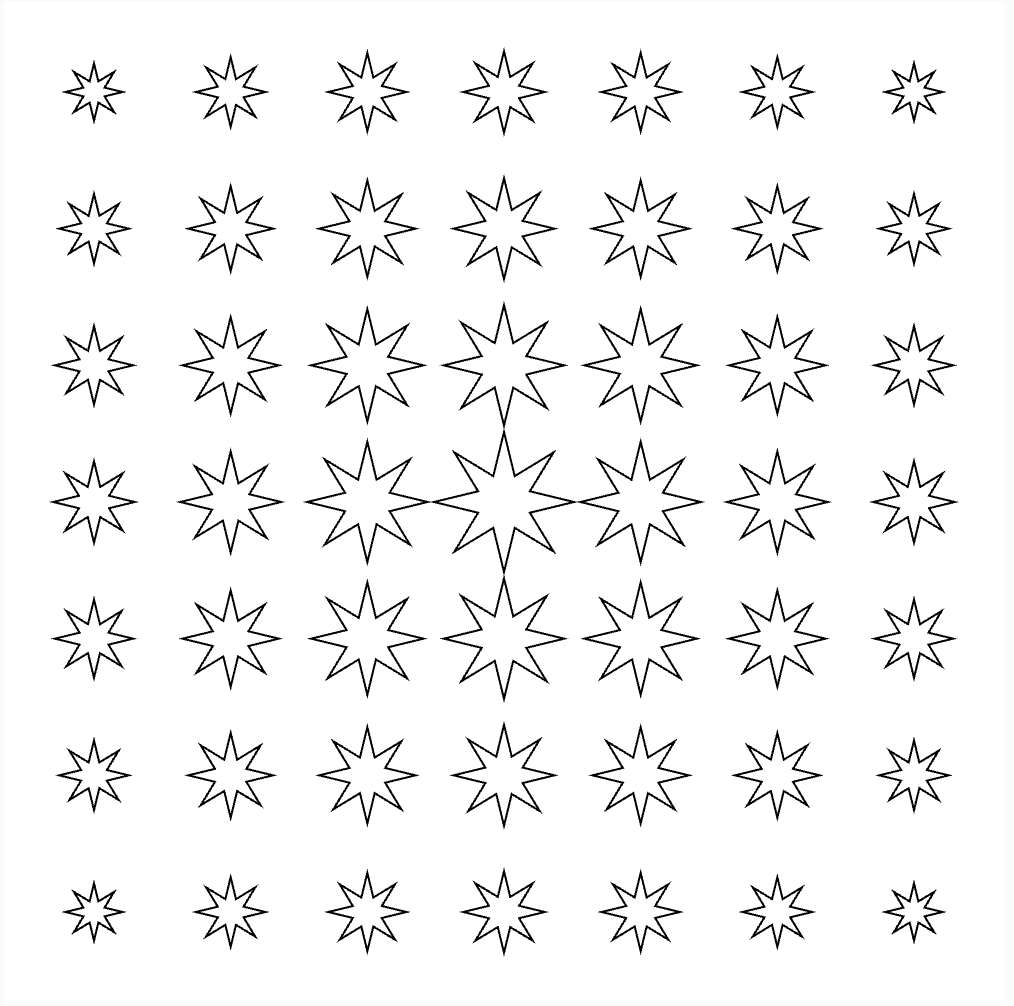
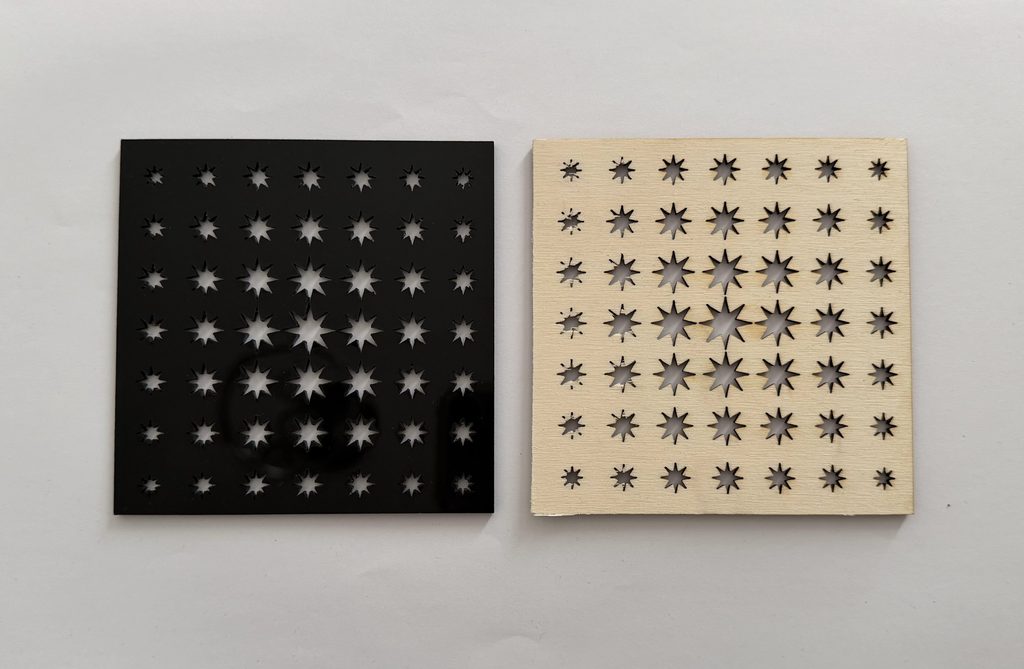
My first final design uses repeated eight-point stars. The size of each star is determined by its distance from the centre of the canvas. The stars are largest near the centre and gradually become smaller toward the edges. I really wanted this change in scale to create a clear focal point while still using the same repeated shape throughout the design.

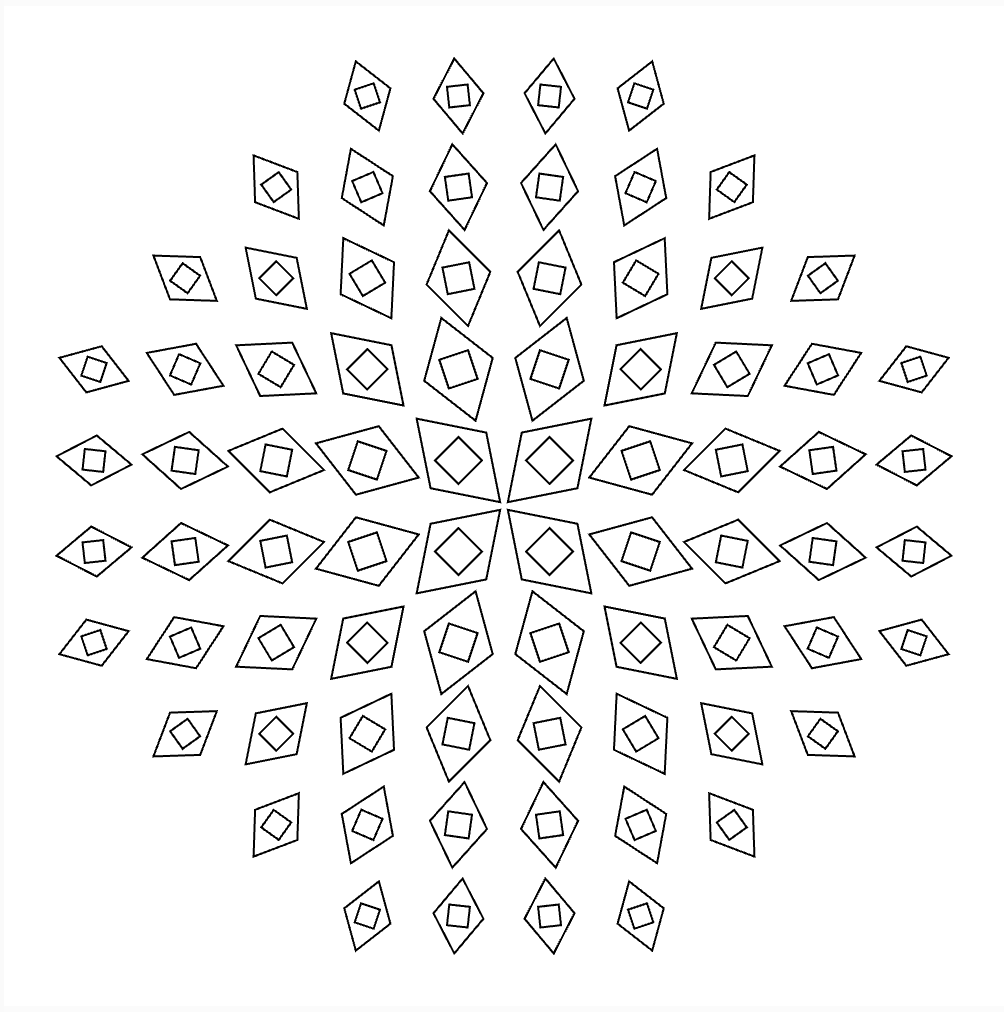
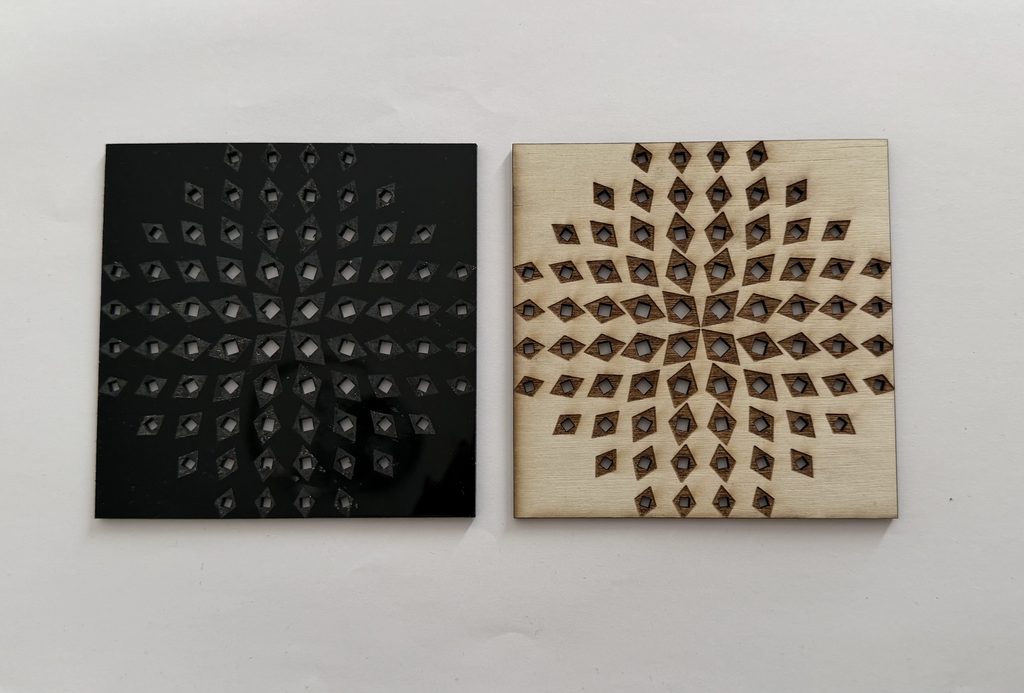
For my second design I used a motif of two diamond shapes. The motif is repeated around the composition, a larger diamond contains a smaller rotated diamond. Its size depends on how far it is from the centre, and its rotation depends on where it is around the centre. That creates a more circular, dynamic pattern, even with the shapes initially being placed on a grid.

Both start with pretty simple geometry, but the different rules used for them lead to very different results.

Design 1: Star Gradient
For my first design, I made a grid of eight-point stars then used dist() to calculate the distance between each star and the centre of the canvas. I then used map() to connect this distance to the size of the star, which means that I didn’t manually decide the size of every individual star. Instead, the code follows one rule: distance from the centre -> size of the star. So the stars closest to the centre are the largest, while the stars gradually become smaller as they move farther away.

let cols = 7;
let rows = 7;

function setup() {createCanvas(500, 500, SVG);

  background(255);
  noFill();
  stroke(0);
  strokeWeight(1);

  let margin = 45;
  let spacingX = (width - margin * 2) / (cols - 1);
  let spacingY = (height - margin * 2) / (rows - 1);
  for (let r = 0; r < rows; r++) {
    for (let c = 0; c < cols; c++) {
      let x = margin + c * spacingX;
      let y = margin + r * spacingY;
      // Distance from centre
      let d = dist(x, y, width / 2, height / 2);
      // Larger near centre
      let size = map(d, 0, 350, 35, 10);
      size = constrain(size, 10, 35);
      push();
      translate(x, y);
      drawStar(0, 0, size * 0.4, size, 8);
      pop();
    }
  }
}

function drawStar(x, y, inner, outer, points) {
  let step = TWO_PI / points;
  beginShape();
  for (let i = 0; i < points; i++) {
    let a = i * step - HALF_PI;
    vertex(x + cos(a) * outer, y + sin(a) * outer);
    let b = a + step / 2;
    vertex(x + cos(b) * inner, y + sin(b) * inner);
  }
  endShape(CLOSE);
}

function mouseClicked() {
  save("star-gradient.svg");
}

Design 2: Geometric Vortex
For my second design I wanted to play more with rotation. I made a repeated motif of one large diamond with a small rotated diamond inside it. As with the first design, I used the distance from the centre to control the scale of each motif. But I also calculated the position of each motif around the centre and used this to control its rotation. This creates a circular composition: the diamonds appear to rotate around the centre. I also confined the motifs to a circular area, rather than over the entire square canvas. The main rules for this design are: distance from centre -> size & position around centre -> rotation.

let cols = 10;
let rows = 10;

function setup() {
  createCanvas(500, 500, SVG);

  background(255);
  noFill();
  stroke(0);
  strokeWeight(1);

  let margin = 45;
  let spacingX = (width - margin * 2) / (cols - 1);
  let spacingY = (height - margin * 2) / (rows - 1);
  for (let r = 0; r < rows; r++) {
    for (let c = 0; c < cols; c++) {
      let x = margin + c * spacingX;
      let y = margin + r * spacingY;
      // Distance from centre
      let d = dist(x, y, width / 2, height / 2);
      // Only draw shapes inside a circular area
      if (d < 220) {
        // Angle of each shape around the centre
        let angle = atan2(y - height / 2, x - width / 2);
        // Outer diamonds get smaller toward the edge
        let outerSize = map(d, 0, 220, 42, 24);
        // Inner diamonds get smaller
        let innerSize = map(d, 0, 220, 25, 14);
        push();
        translate(x, y);
        rotate(angle + HALF_PI);
        drawDiamond(outerSize, outerSize * 1.5);
        push();
        rotate(radians(45));
        drawDiamond(innerSize, innerSize);
        pop();
        pop();
      }
    }
  }
}

function drawDiamond(w, h) {
  beginShape();
  vertex(0, -h / 2);
  vertex(w / 2, 0);
  vertex(0, h / 2);
  vertex(-w / 2, 0);
  endShape(CLOSE);
}

function mouseClicked() {
  save("geometric-vortex.svg");
}

Other Design Experiments
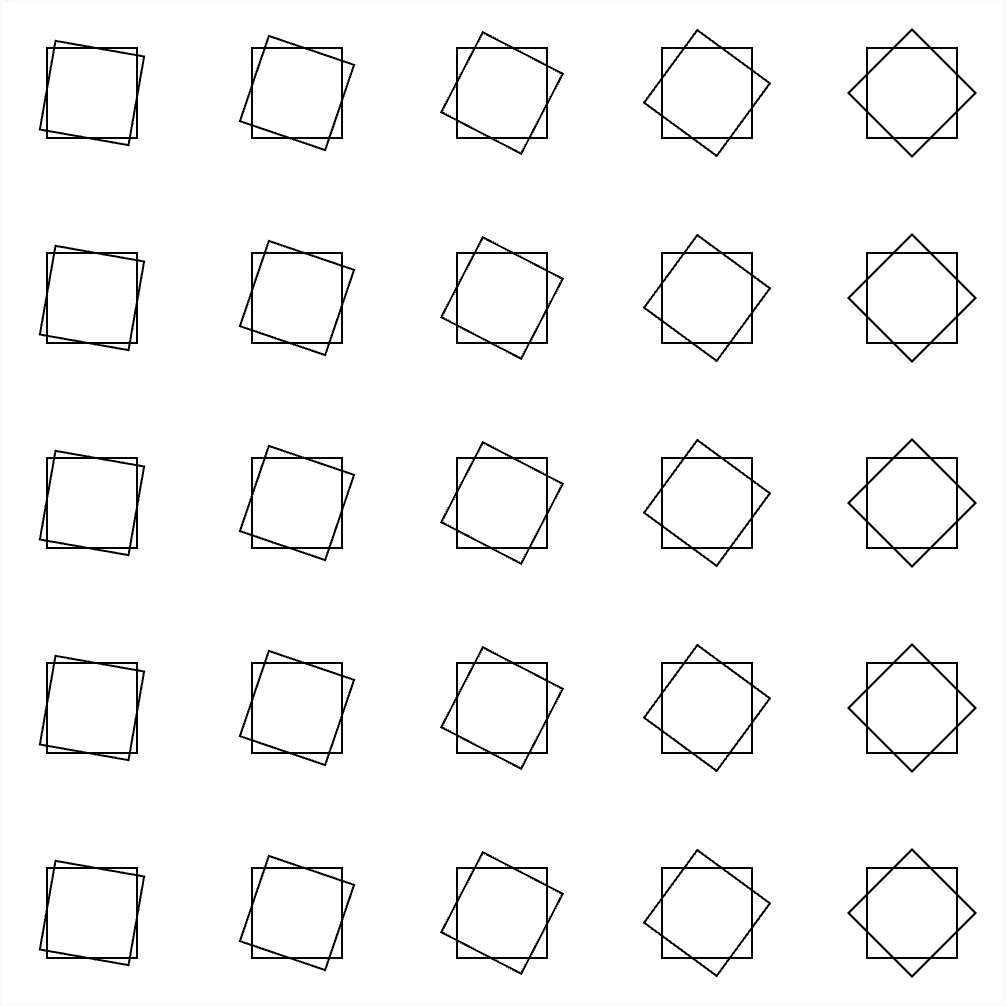
Before deciding on my final two designs, I created two other patterns in p5.js. I liked how these experiments looked digitally, but while preparing them for fabrication, I realised that they would not work properly with the laser cutter. The main issue was that I had initially been thinking about the lines as outlines on a screen rather than as actual cut paths. Some of the shapes overlapped or were positioned in ways that could create loose and disconnected pieces once the laser followed those lines.

These experiments were still useful because they changed the way I approached the final designs. They made me think more carefully about negative space, the distance between shapes, and what would actually remain after the material was cut.

Vector Designs
Once I had chosen my final two designs, I exported them from p5.js as SVG files so they could be prepared for the laser cutter. Exporting the designs as vectors was important because the laser cutter follows the paths created by the code. At this stage, I had to look at the designs differently from how I viewed them in p5.js. Instead of only considering the overall visual pattern, I had to consider what each individual line would do when it became a cut.

Design 1 – Star Gradient
SVG File
Design 2 – Geometric Vortex
SVG File

Fabrication and Testing
For my physical tests, I used the two final designs. The first test used the star gradient pattern. This allowed me to test how the gradual change in the scale of the stars translated from the digital version into a physical material. The second test used the geometric vortex pattern. This design has more detail because each repeated unit contains both an outer and inner diamond. I wanted to see how the changing scale, rotation, and smaller negative spaces would translate when fabricated.

Test 1
Design: Star Gradient
Material: Wood & Acrylic

Test 2
Design: Geometric Vortex
Material: Wood & Acrylic

Process and Challenges
One of my main struggles throughout the process was finding the balance between making the designs visually interesting and keeping the computational rules clear. Some of my first experiments were more focused on making an interesting pattern but I eventually wanted the changes in the design to have a clearer relationship to the code. This made me use position and distance as variables for controlling scale and rotation. Another challenge was understanding the difference between designing for a screen and designing for fabrication. A line in p5.js might just be an outline, but for the laser cutter the same line is an actual cut. It was especially true for the two previous designs I decided not to build. They seemed to be successful in the digital world but when cut parts of the pattern would have become disconnected or loose pieces.

I also experienced challenges during the laser-cutting stage itself. Because of difficulties with the laser cutter and the limited amount of time available to use it, I was not able to return to my two earlier designs, redesign them, and test whether I could make them suitable for fabrication. Instead, I focused the available time on testing the two designs that I had already developed further. The process therefore became partly about deciding what was realistically possible to fabricate within the available time, rather than only choosing the patterns I liked visually.

Reflection
This assignment changed the way I thought about computational design because I had to consider both the digital and physical results of my code. At the beginning, I was mainly thinking about whether a pattern looked visually interesting in p5.js. Once I began preparing the designs for laser cutting, I realised that every line generated by the code could have a physical consequence. This was especially noticeable with the two designs that I was not able to fabricate. They worked as digital patterns, but their overlapping or disconnected geometry created problems when I considered them as cut paths. This made me pay more attention to negative space, connections, spacing, and the size of smaller details.

The limitations I had with the laser cutter were part of the process also. I would have wanted to go back to my earlier experiments and redesign them based on what I had learned but time constraints did not permit me to re-test them. If I were to continue with the project I would develop those designs to make sure the separate shapes were connected and play around more with the use of negative space being incorporated into the pattern. Overall, the assignment helped me understand that designing computationally for fabrication is not only about what the code produces on screen. The material, cutting process, negative space, and limitations of the fabrication method all influence the final design.

Assignment #1 – Low-Tech Drawing Machine

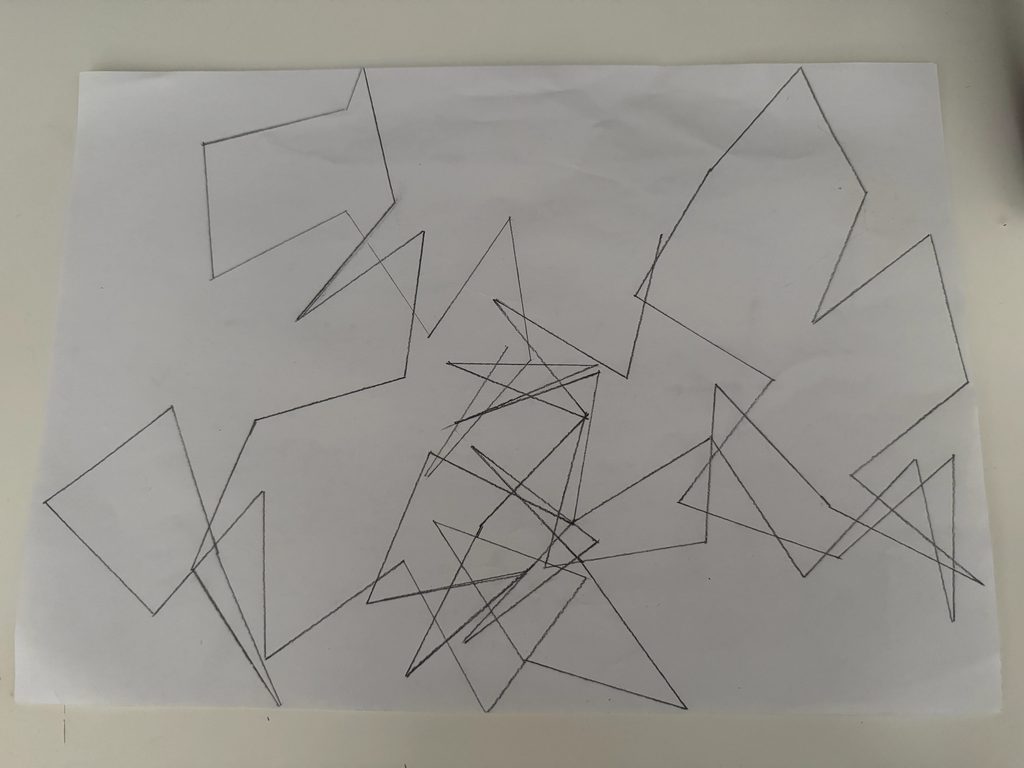
Pencil Spin

Concept
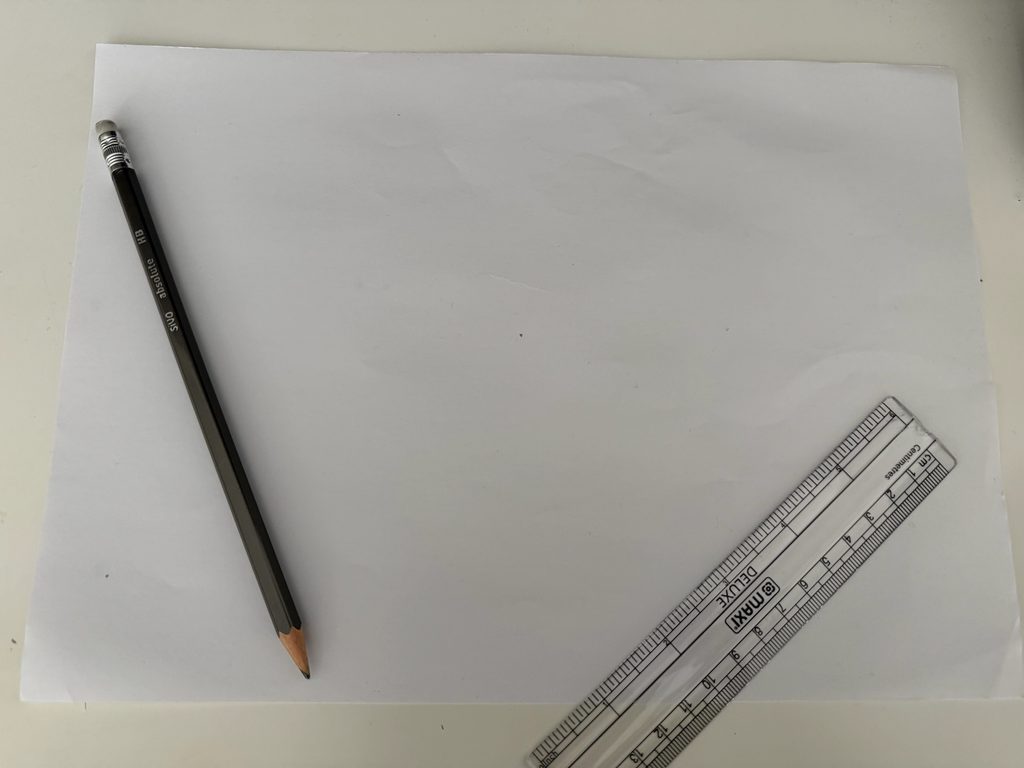
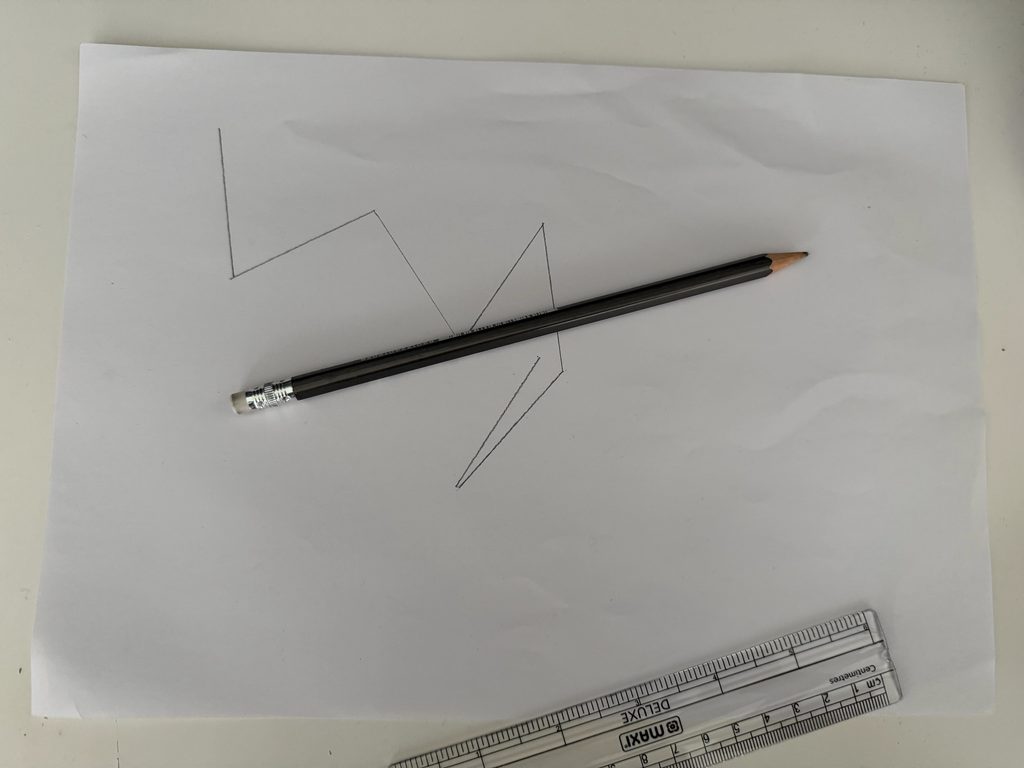
I created a simple system for my drawing machine that only requires a pencil, ruler, and paper. Instead of choosing where I wanted each line to go, I let the pencil decide. I would lay the pencil on the paper, and spin it like a bottle. I drew a straight line in the direction the tip of the pencil was pointing when it stopped. Then the end of that line became the start of the next spin.

Before I started, I came up with some rules that I had to follow throughout the drawing:

  • Each line had to be the same length (5 cm)
  • The direction had to be determined by the pencil spin.
  • I couldn’t change the direction because I thought another direction would look better.
  • After drawing the line, I had to start the next spin from its endpoint.

The purpose of the system was to take away some of my control over the final composition. While I was physically making the marks, I was no longer deciding where exactly they went.

Process
I started by marking a dot in the centre of the paper, and then spinning the pencil to see which direction to draw my first line. Wherever the sharpened end pointed when it stopped became the direction of my first line. Then I continued the same process of spinning, drawing, and moving to the new endpoint.

At the start I noticed that I kept wanting the drawing to go in certain directions, especially when I felt that one area was becoming too crowded or when I thought another direction would make the drawing look more balanced. However, I followed the system exactly instead of making decisions based on what I thought would look better.

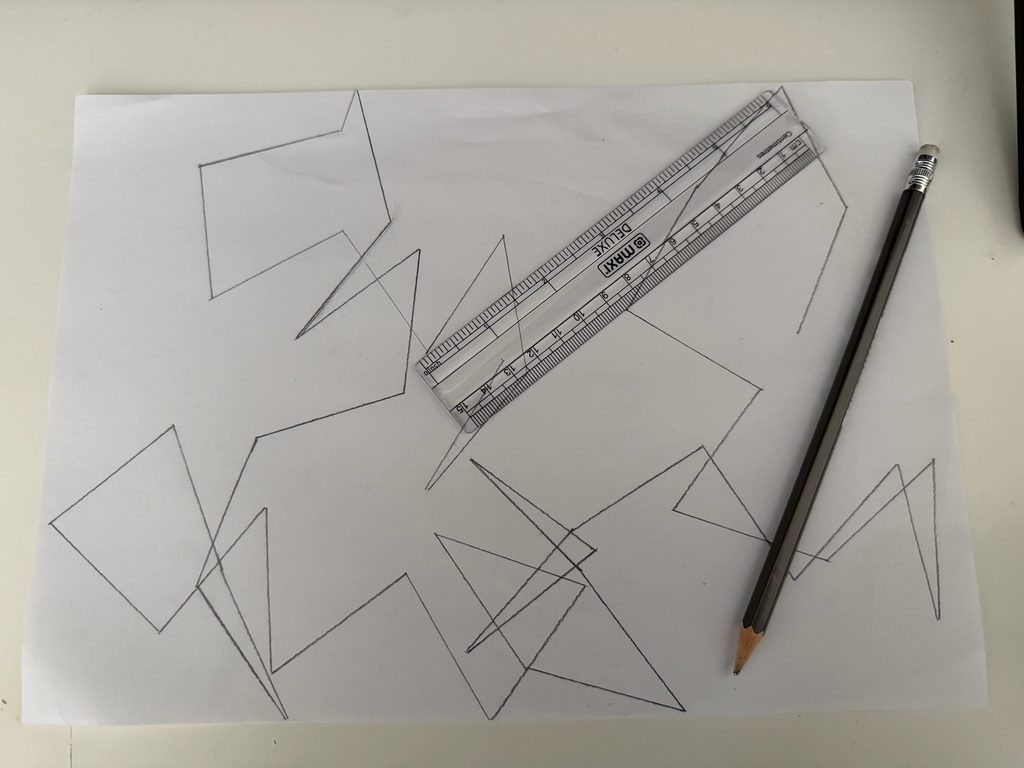
I repeated the same process to create multiple drawings using the same rules. Even though the pencil, rules, and process stayed the same, each drawing developed differently because the direction of every spin was unpredictable.

Challenges
I think one of the main challenges was trying not to interfere with the system. Sometimes the pencil would point toward a section that already had a lot of lines, and my instinct was to spin again or slightly change the direction. However, I realised that doing this would give control back to me, so I had to accept the direction the pencil landed in, even if I did not prefer the visual result.

Another challenge was to make sure that I was reading the direction of the pencil as accurately as possible. I realised that even with a system that is based on chance, it can still be difficult to totally remove human control because I was still the one spinning the pencil and translating its direction into a line.

Reflection: Control, Chance, and Authorship
Overall, I think this changed how I view how much control an artist needs to have over an artwork. I came up with the system and thought about all the rules before I started, which meant I still had an important role in creating the work. However, when I actually started, I gave up a certain amount of control over one of the most important decisions, the direction of each line. This means that chance really became an important part of the drawing process. I was not able to predict what the next spin would produce or even what the finished composition would look like. At the same time, the drawing was not completely random because it was still limited by the rules I had created. This then led me to reflect on the idea of authorship, and how I see myself more as the author of the “system” rather than the exact appearance of the final drawing. The pencil and chance influenced the result, but they were only able to do that because of the rules I created.

Connection to Sol LeWitt
My drawing system connects to Sol LeWitt’s idea that in conceptual art, the planning and decisions can be made before the artwork is actually produced. He describes this by saying that the idea can become the “machine” that makes the art. I think the idea of my drawing mainly resides in the design decisions and rules of the system, rather than in a specific finished drawing. Before I started, I already decided how the pencil would be spun, how I would respond to the direction it pointed, and how each line would be made. After I established those rules, I made as few subjective decisions as possible while creating the drawings. This is related to LeWitt’s discussion of working with a pre-set plan, where the artist chooses the basic rules and then allows the plan to determine the work.

However, my system is slightly different from LeWitt’s approach because chance is intentionally important in my project. While I knew the rules before, I did not know what the pencil would decide with each spin. Because of this, I would say the final drawing is evidence of the idea rather than the idea itself. If I gave the same instructions to another person, they could create a completely different drawing, but it would still be the same concept.

I also considered the process of an artwork to be as important as the final product. LeWitt points out that sketches, failed works, studies, conversations and other stages of a work can reveal the artist’s thought process and may even be more interesting than the final product. In my case, seeing the pencil being spun and really understanding the rules behind every line is crucial because without knowing the system, the final drawing may simply look like a collection of random lines.