Alice in Textland — Midterm Project

Concept

When I sit down at my computer to work on assignments, I put on my headphones and listen to chill music, usually synthwave. Two things inspired me to create drawings based on Alice in Wonderland. The first was a song by Memorex Memories called “Curious Alice.” The second was my work in Introduction to Digital Humanities, a class where we analyze data from texts. When we were introduced to Project Gutenberg, I thought, “Hey, why not do something with the text of Alice in Wonderland?” And that’s how Alice in Textland came about: a series of illustrations depicting key moments from the story, each shaped from the text of its corresponding chapter.
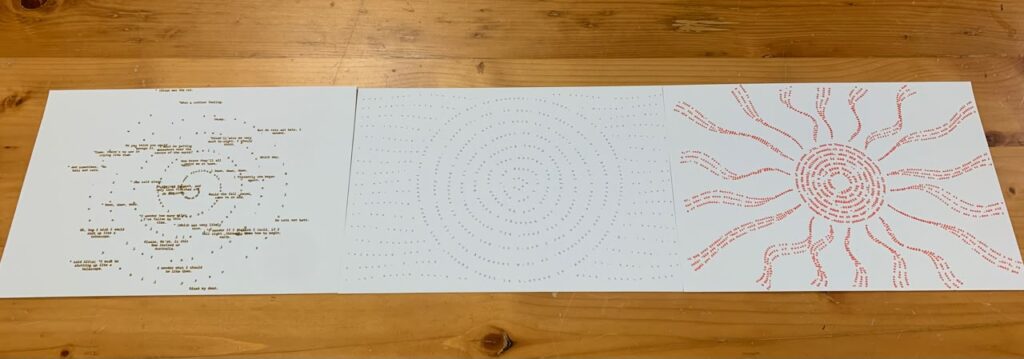
Figure 1. Final plots in one figure.

Algorithm and p5.js code

Note: Copilot helped me program since there were things I did not know how to do it.

The overall algorithm for this works in the following way:

  1. First, we load the three-chapter text files. These text files come from a single source (click me for the source!). Although, to be able to get clean text that makes sense according to the specific figure that will be drawn into the SVG, I had to manually copy this text three times. On each text file, I cleaned it so that the text that it contains is specific to its chapter. Also, an important note, since p5.js v2.0, it is necessary to use function async setup().
  2. After it loads the text files, it will randomly select one chapter.
  3. After it selects the chapter, it will clean the selected text by removing extra spaces and line breaks. This is essential because we do not want some kind of extra noise in the text. It should be ideally just cohesive written text.
  4. Then, it will choose one of the three visual styles based on the selected chapter: Chapter 1 becomes a spiral. Chapter 2 becomes a lake. Chapter 3 becomes a dodo.
  5. Then, it will place letters from the book text at calculated positions.
  6. It will create the drawing under the function async setup() with createCanvas(resolutionX,resolutionY, SVG) as an SVG so that it can be used for the pen plotter.

After all of this, it is just a matter of clicking anywhere to save the .SVG file!

For more details of the code, please check the p5.js sketch.

SVG/G-Code workflow

This part took me some significant time, why? Well because for some reason, the dimensions in Inkscape when generating the G-Code always end up being weird. For example, I tried to set up the program to keep in mind the dimensions for an A4 Paper, and I made sure to also have the correct settings on the extension itself. But again, did not work and I had to resort to come up with some dimensions that actually in good dimensions without causing chaos.
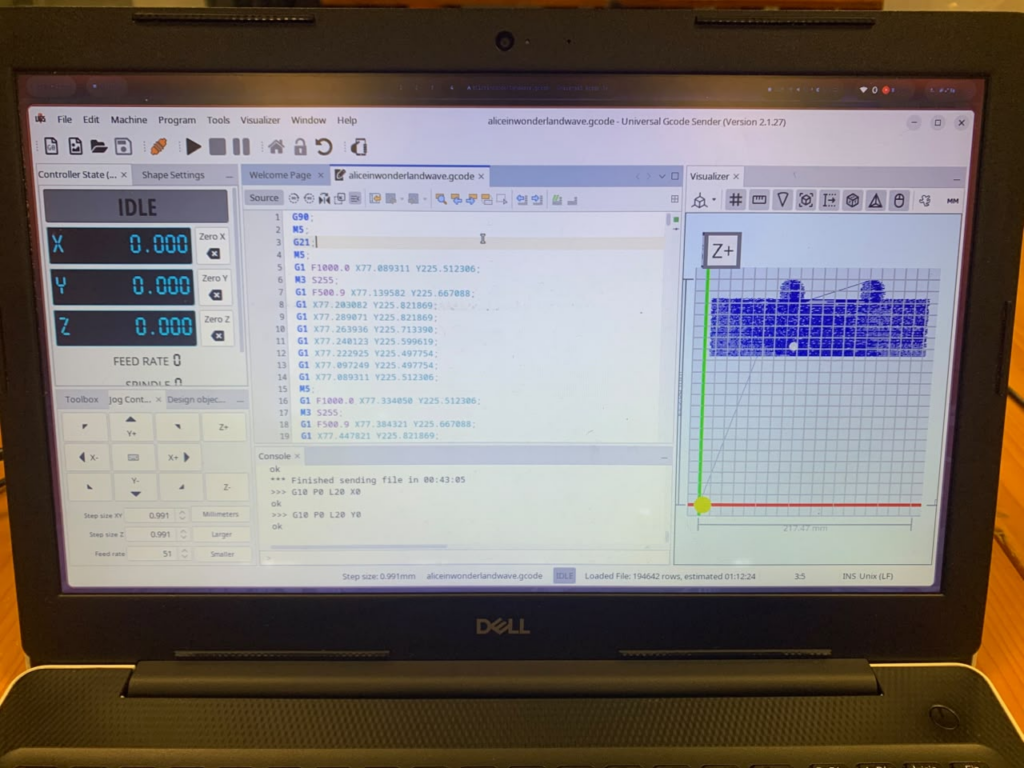
Figure 2. The gcode for the letter lake is just way too past to the top.

In this example, you can see that in some of my tests, the pen plotter tried to draw the G-code far above the intended position. I eventually found that placing the SVG in the bottom-left corner of a 230 × 200 mm page in Inkscape allowed it to draw properly without errors.

I’m sure there was a better way to set it up. I checked the example files provided in our class’s Google Drive folder and tried to replicate their settings, but they still didn’t work reliably with A4 paper. The pen plotter almost always tried to draw beyond the edge of the page.

Update: There was indeed a way! The solution to have the plots be correctly plotted was to set up the page dimensions in Inkscape to be exactly those of a A4 paper in landscape mode. As well as making sure the settings on the plotting extension are similar to the ones in the document properties. The final iterations will show how nicely they look once all the paper is used.

Test Drawings and Iterations

Before proceeding to make the final 3 pen plots, I had to first test some settings as well as general aesthethics.
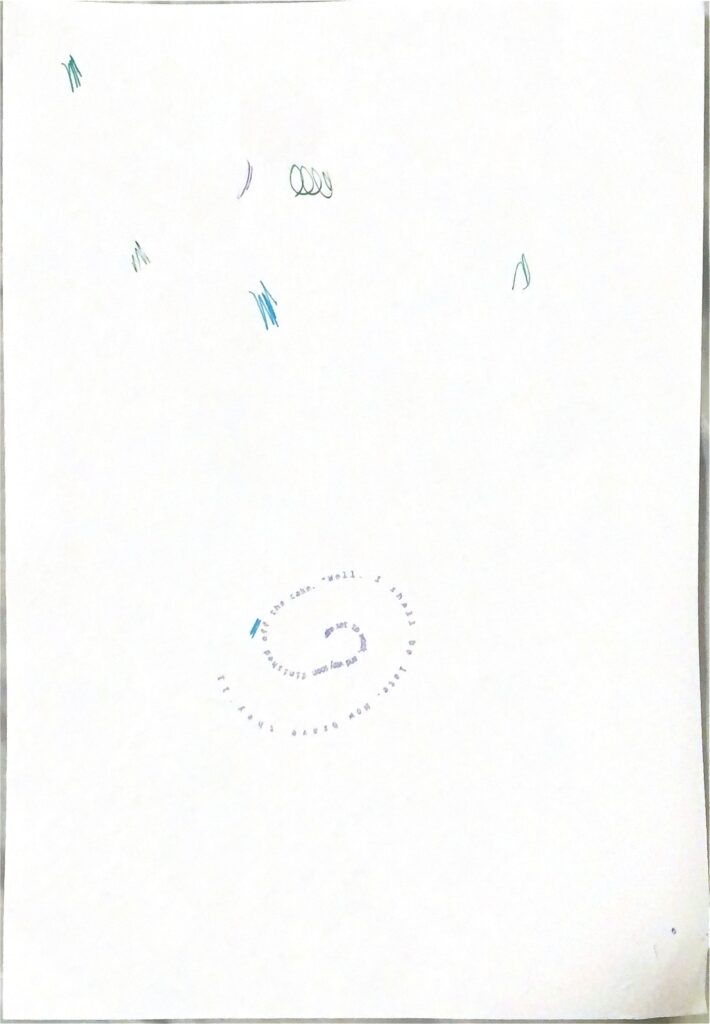
Figure 3. First test.

The intention of this test was to actually draw one final iteration, but what I noticed is that the drawing was going to be too big for the A4 paper to contain, so I had to stop it. After this, I went to configure some settings to test again.
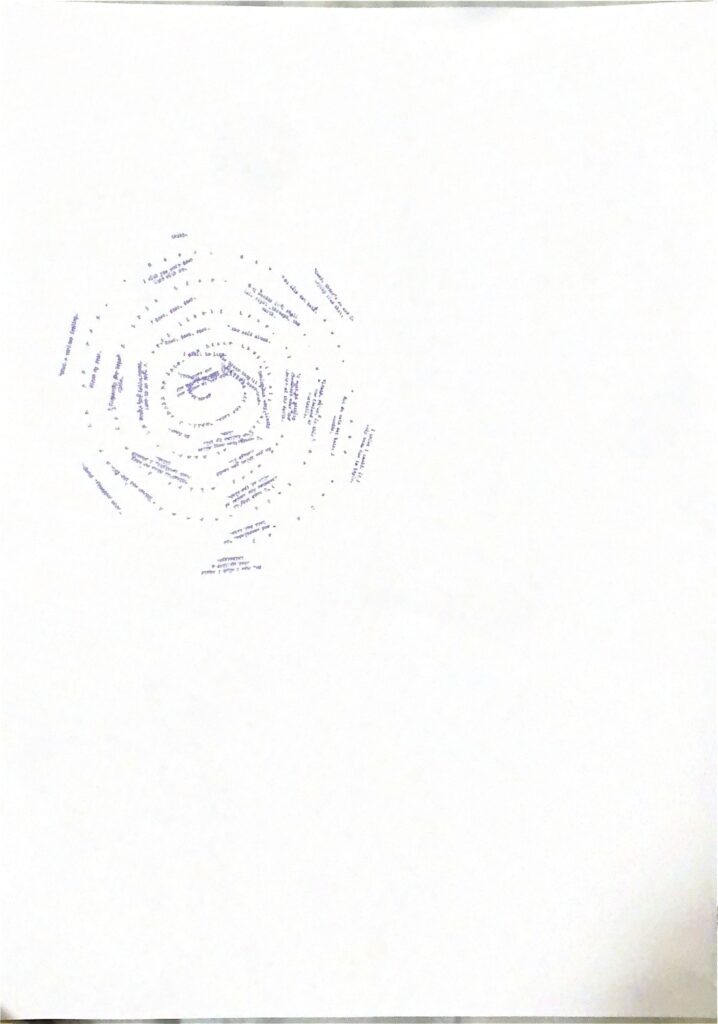
Figure 4. Second test.

The second test went nicely, but if you notice, it is located to the very bottom-left. I tried to make it center, but it proved to be difficult for whatever reason, as if I tried to do that, the pen plotter dimensions would go away from the A4 paper. Not only that, but it is also very small.
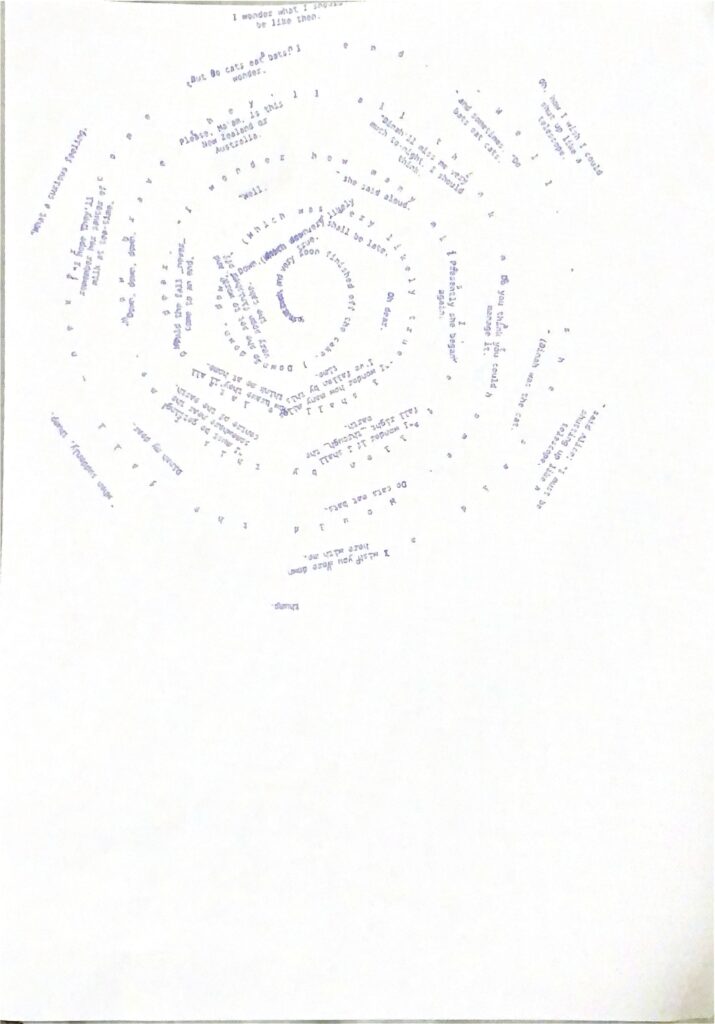
Figure 5. Third test.

After plotting this one, I had a better idea of what worked and what did not.

The 3 initial results

After testing out, I felt confident in that the final iterations will look good. However, if you notice on these 3 first results, none of them are consistent
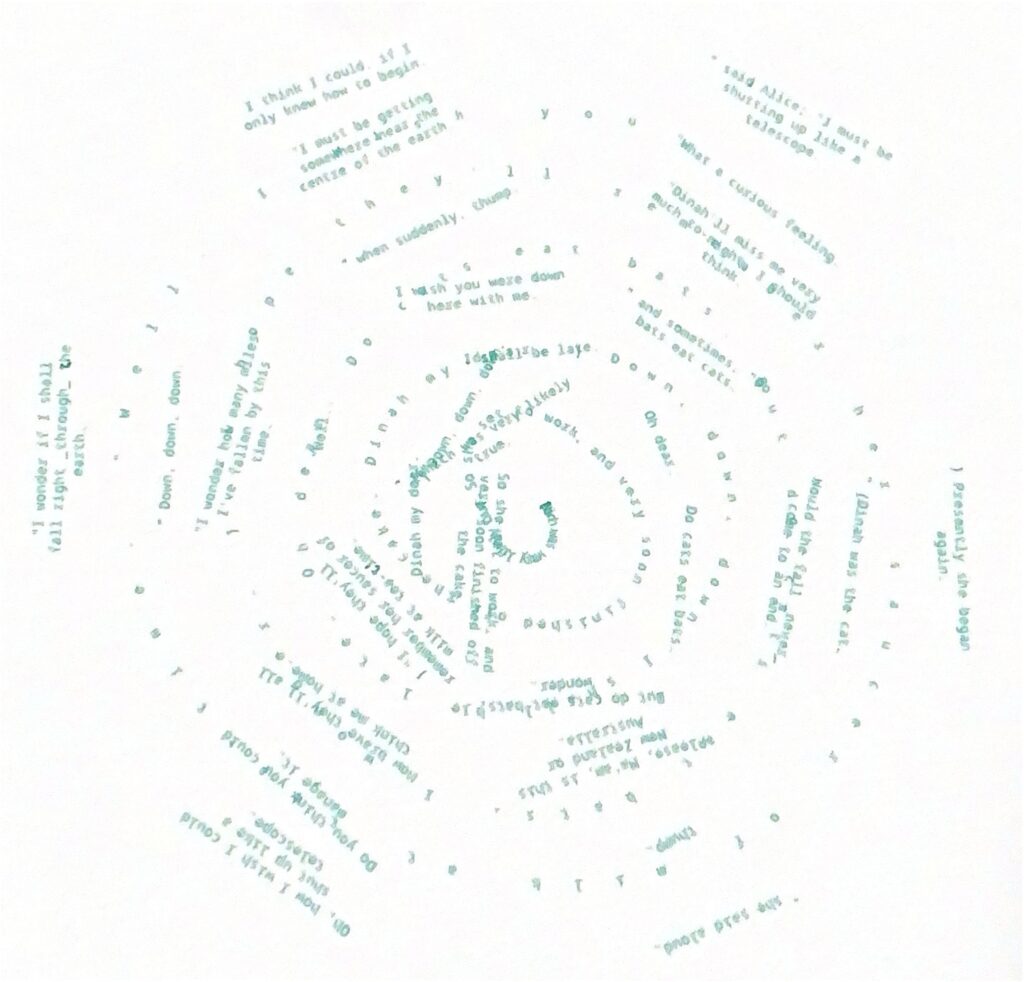
Figure 6. Spiralling into Wonderland. From the first chapter of the book: Alice falls into the rabbit hole.
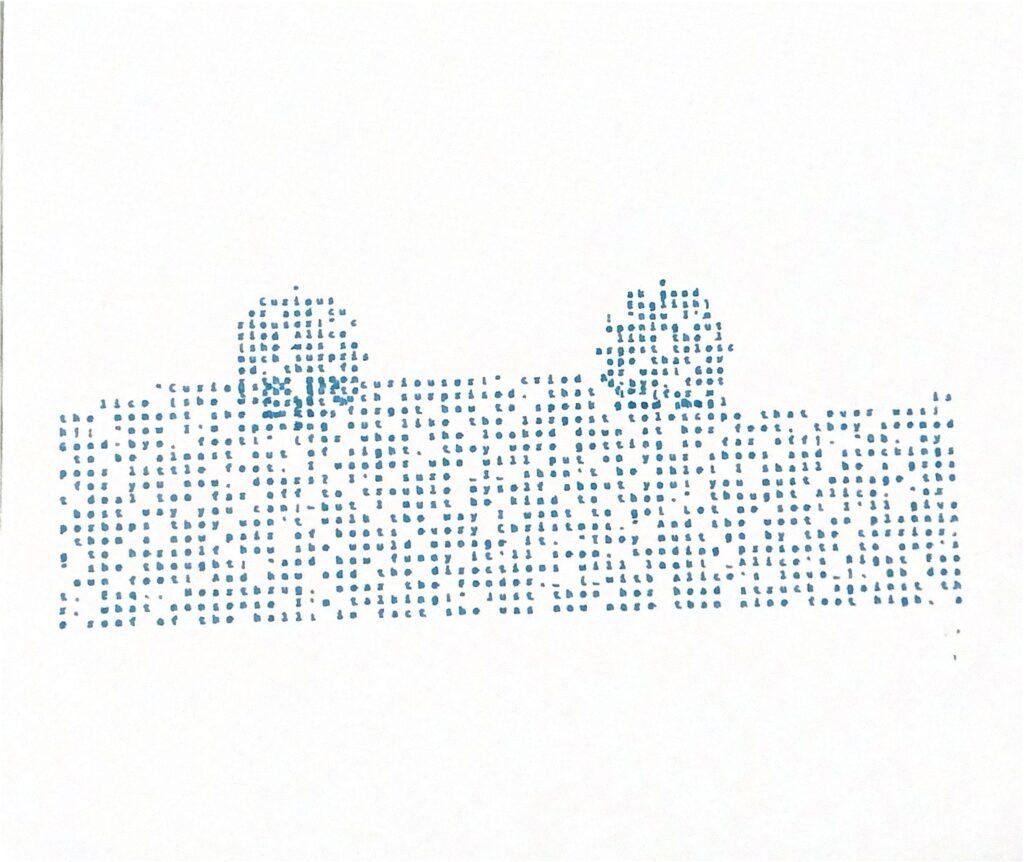
Figure 7. The Pool of Tears. From the second chapter of the book: Alice and a mouse swim on it (represented as two circles).
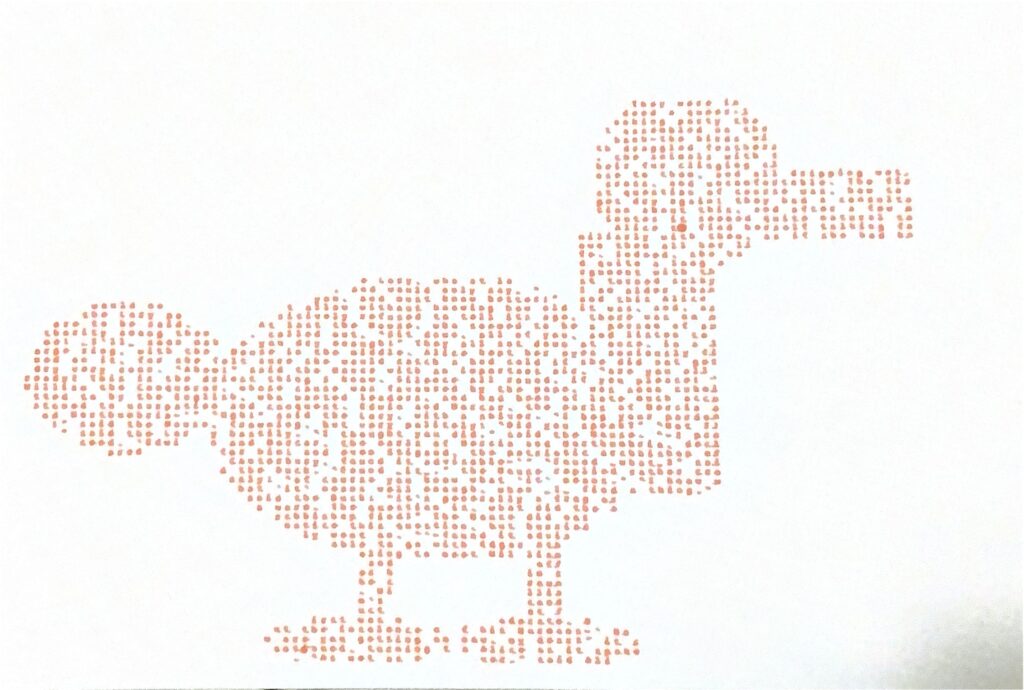
Figure 8. Dodo. From the third chapter of the book: There is a dodo that Alice meets.

There are a lot of inconsistencies when it came to pen plotting these. Even though they are in chronological order with the contents of the book, they could be improved aesthetically. Therefore, I decided to plot 3 more with a focus on making circles and spirals.
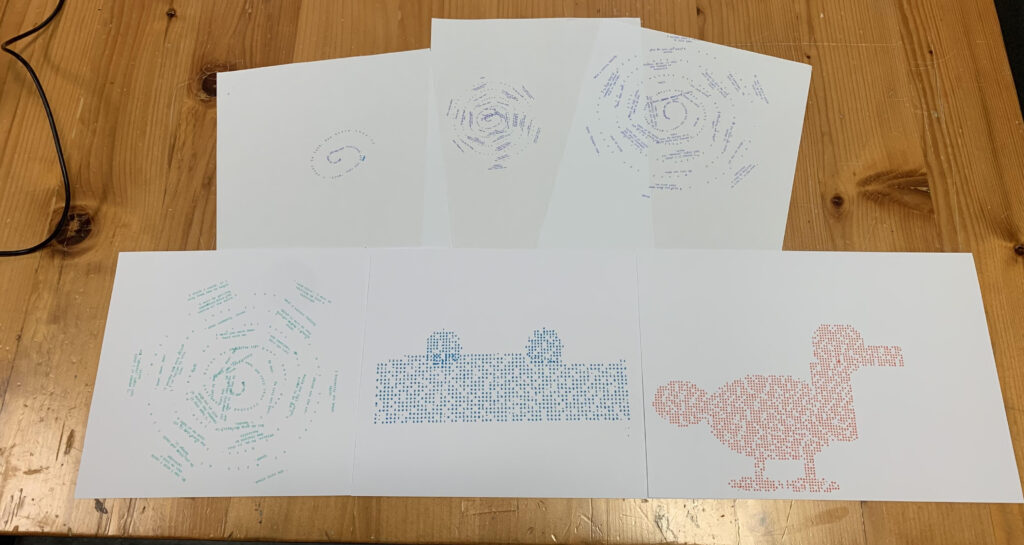
Figure 9. The test iterations. Intended to be final but it could improve!

The Final 3 iterations

The final 3 iterations try to look as similar as possible: There is almost some kind of visual trick happening with the circumference in the middle of the page.
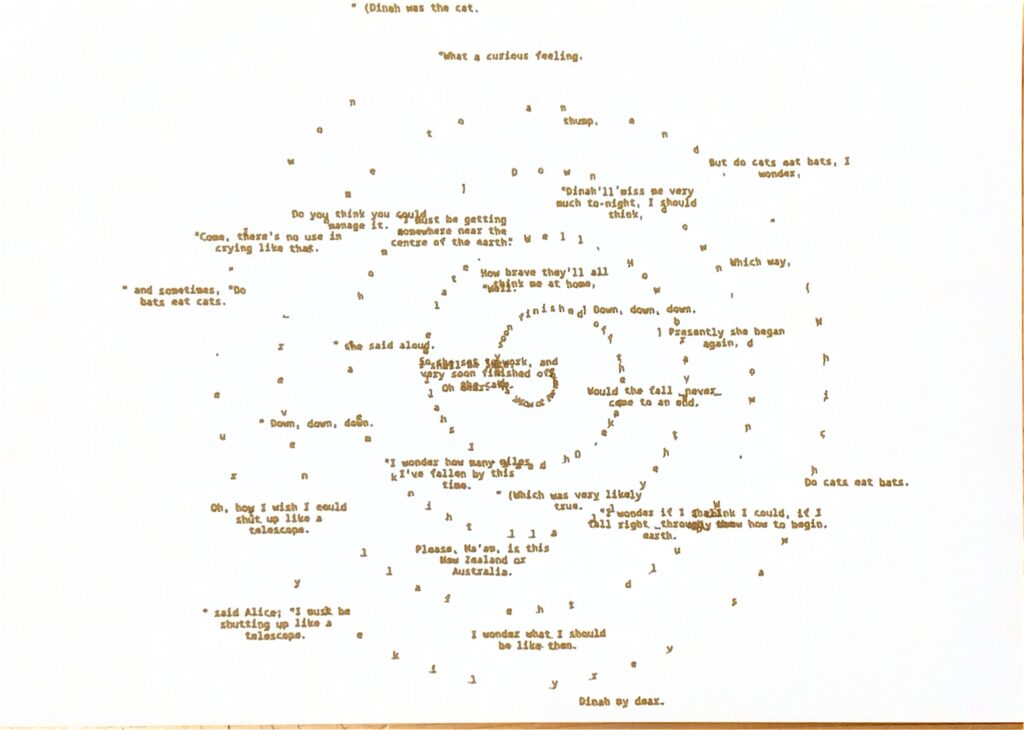
Figure 10. Spiralling into Wonderland. From the first chapter of the book: Alice falls into the rabbit hole. Final.

When Alice falls into the rabbit hole, generally on media representations of this is represented as some sort of spiral. Therefore, I wanted to communicate this idea of Alice going into wonderland with a spiral.
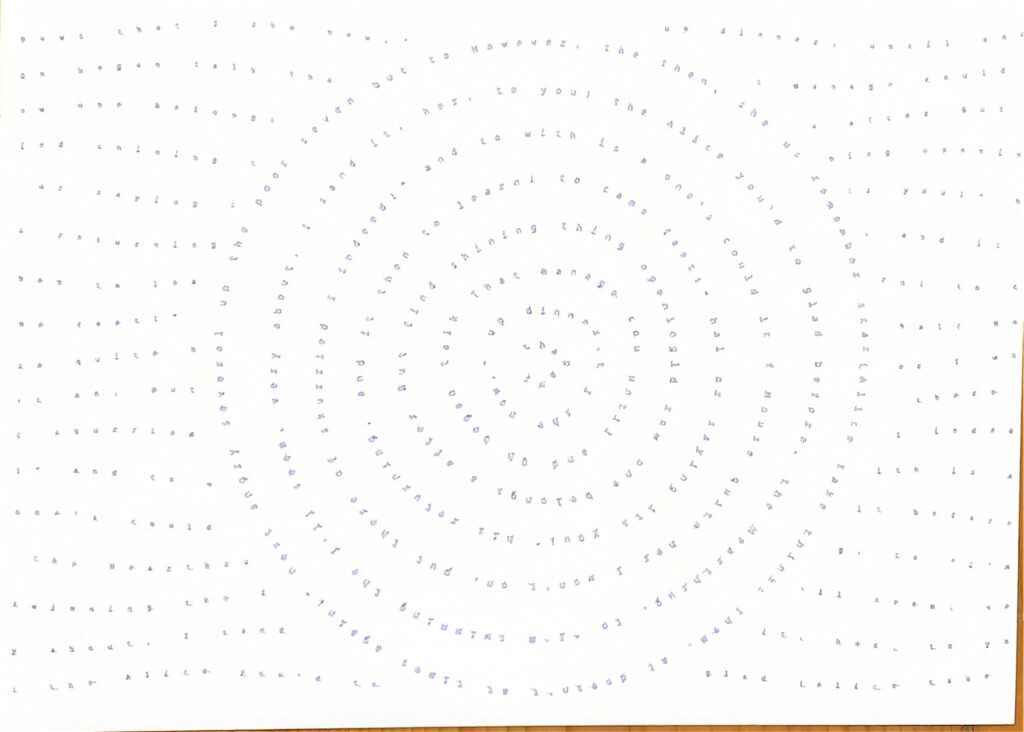
Figure 11. The Pool of Tears. From the second chapter of the book: Alice and a mouse swim on it (represented as two circles). Final.

During chapter 2, Alice travels on the lake with a mouse. I wanted to showcase this idea with some sort of water ripple that leaves a wave in the middle.
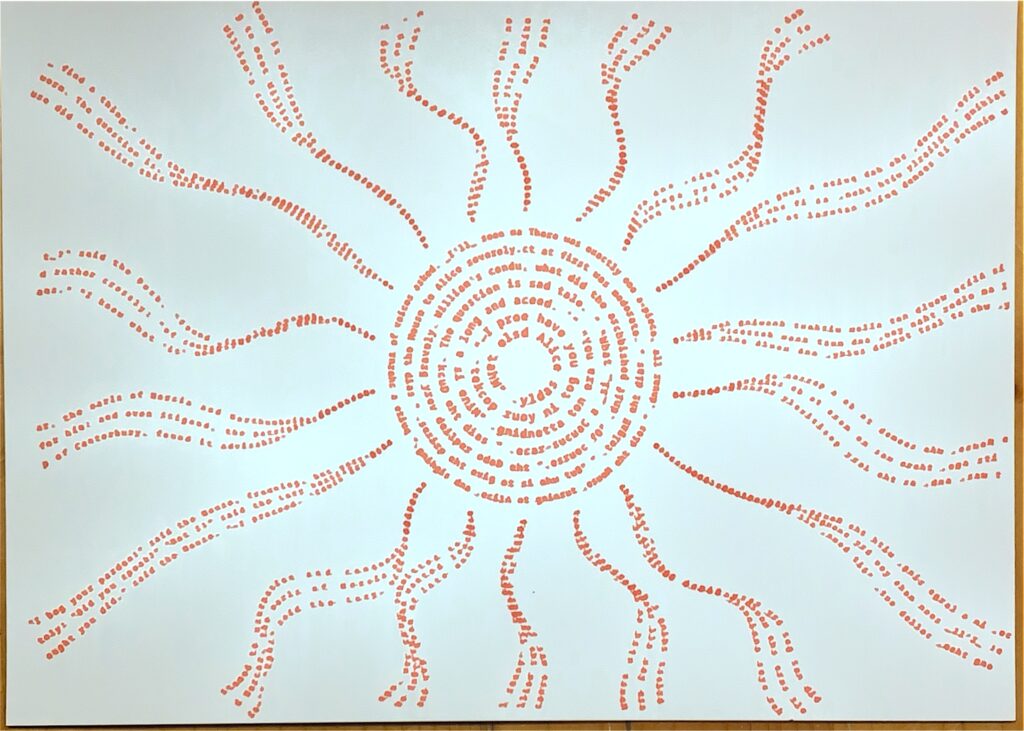
Figure 12. The race. From the third chapter of the book: There is a race that happens and these trails represent the flow of movement.

During chapter 3, there is some sort of race going on, but if you notice, there are some patterns that are emerging from the sides of the page. These are inspired by these kinds of lines that are visible in the book:
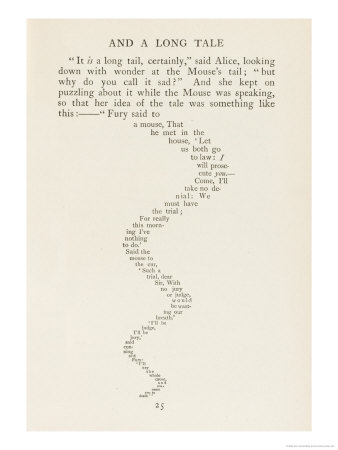
Figure 13. How these lines look in the third chapter of the book.

I am happy with the final results of these pen plots. I believe that the only way I could see the potential in this was through feedback. And I am happy I did get feedback. Also, pen plotting these was easier now that I figured out the settings on.

Reflection

This midterm project was fun, painful and time-consuming (especially when building the pen-plotter), but still fun. I learned so many new things about DIY Arduino that did not imagine before, as well as build up a bit more of persistence when debugging problems.

Using this machine made me think differently of my plotting. Of course as with previous assignments, I was conscious that I had to make a design under certain limitations, but this time, these limitations were very hidden, and I honestly did not know what and where to look for them. The only way to notice these limitations was through testing: I had to check whether the pen was appropriate for drawing small letters, whether the speed was appropriate and if the decision to use A4 paper was the ideal one (at the end I ended up using something with similar dimensions but a bit more thick).

There are some changes and experimentation that I would have to equally try, for example, making the pen plotter draw quicker with a pen to see what kind of results it produces. Or try to plot something that can take up to 2 hours. This at least I did not try to do since it was risky and time-consuming.

But well, answering the question of how the pen plotter, color, layering, and physical materials shaped the final work, it did ultimately shape how it looks. If I happened to use a very precise pen, then the letters would have been more visible, but I found that it would have a texture that is not very appealing. And also, if I happened to use the A4 paper that I was using at first, I noticed that again, the results were not as appealing, and the letters did not stand out much. So there were many factors at play that again, for me the only way to notice was through testing.

I wish and expect that, for future plotting that I do, I try to do more complicated designs instead of playing “safe” for saving time. Of course, there are some realistic expectations to keep in mind, but that is, a wish and an expectation that I hope it comes into fruition.

Extra: Video of a plotting

This is just a small video of the process of plotting the gcode for the spiral (test plot result #1).

And this one below is from the final plot #3 from the third chapter of the book.
Assignment 5: Pen Plotter Assembly

By: Marcos Hernández and Hubert Chang

The Assembly Process

Note: This is told as if it was some sort of story, that is why the photos are not labelled. You see the photo, then read what we have to say. :)

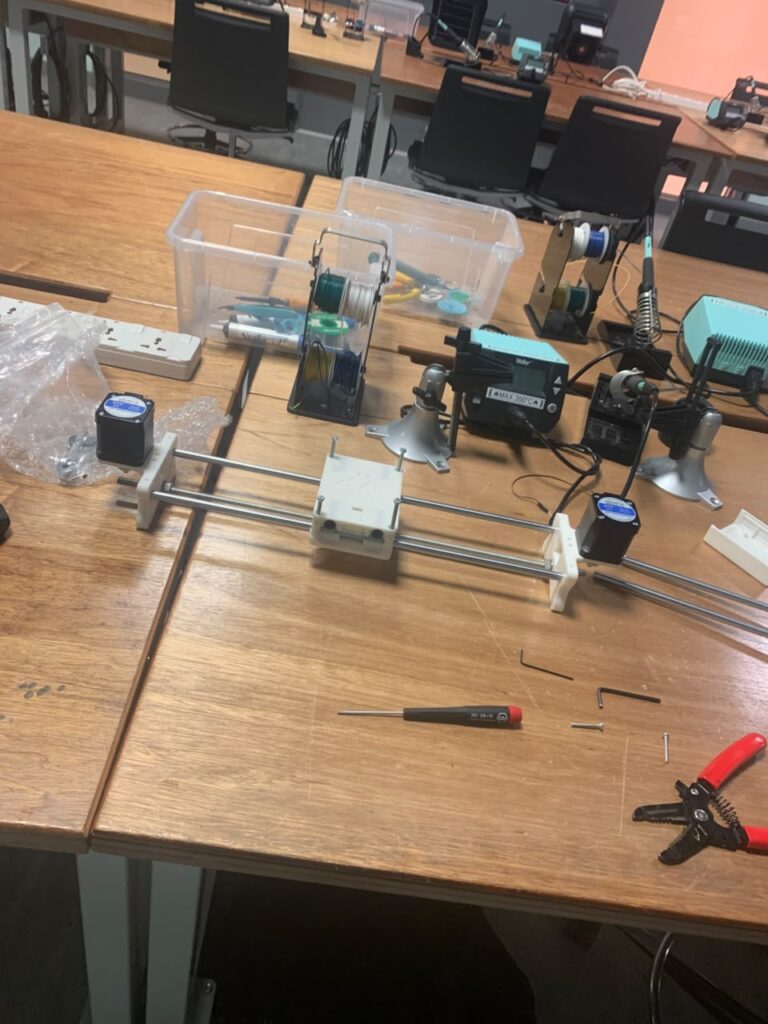
Building this machine proved to be very time-consuming. We did not expect it to take so many hours between assembling and testing why some screws worked while others did not at all. In other words, while we expected it to take not much time, it proved to be very time-consuming.

Nevertheless, we found the process interesting, painful, but interesting.

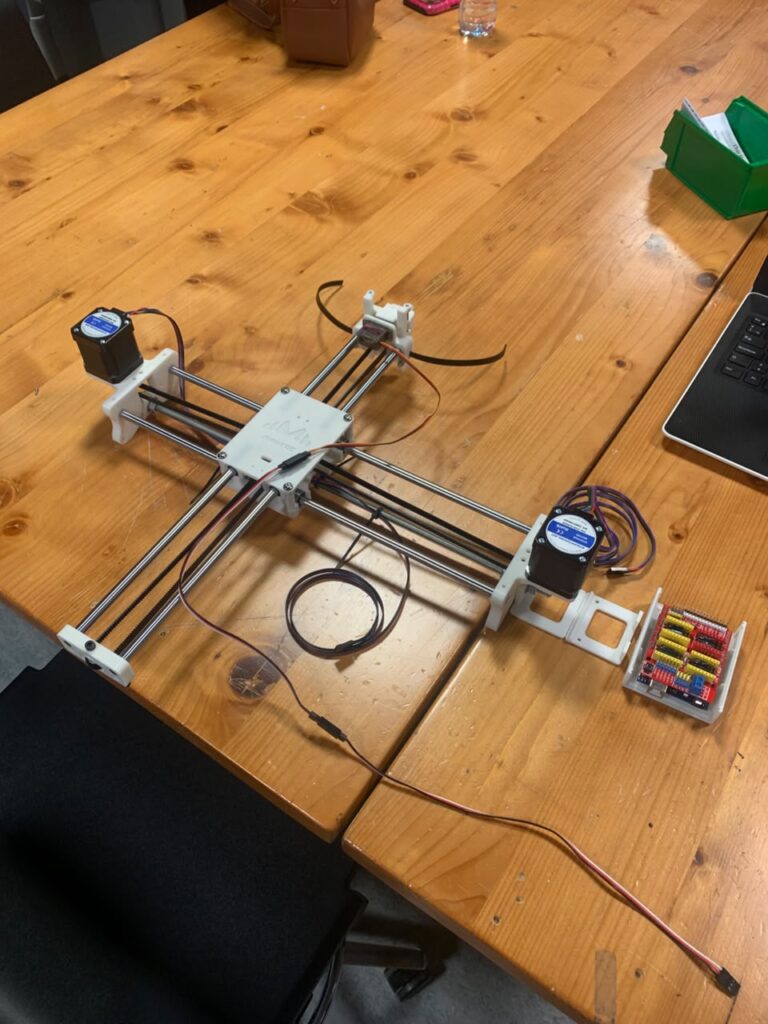
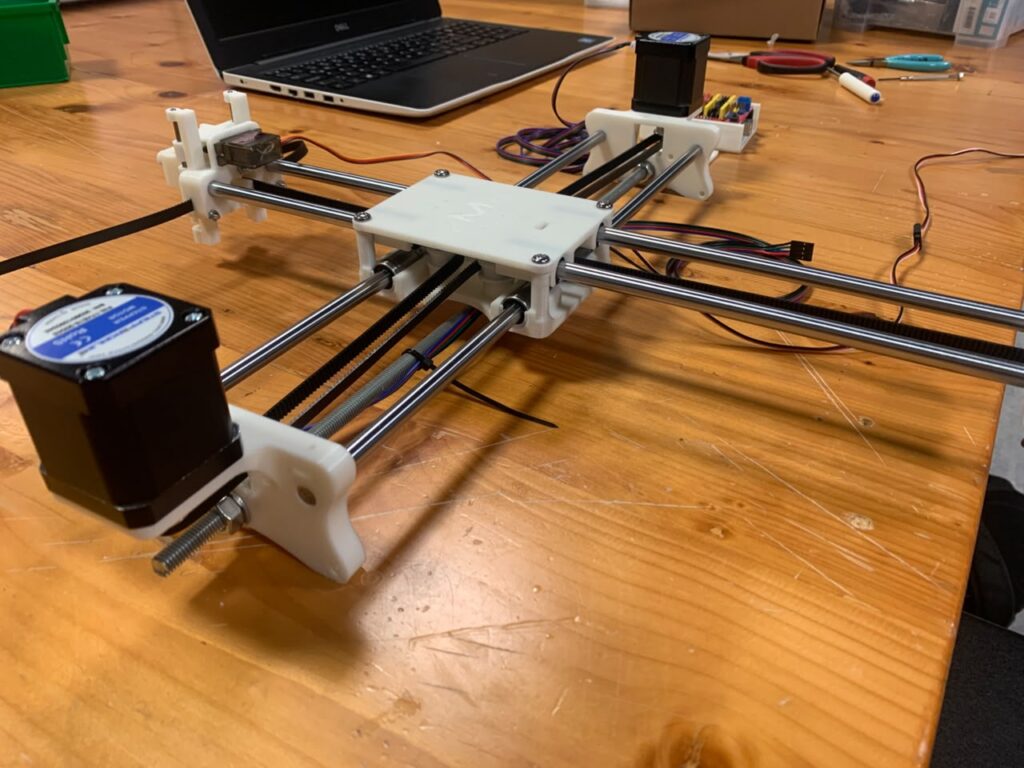
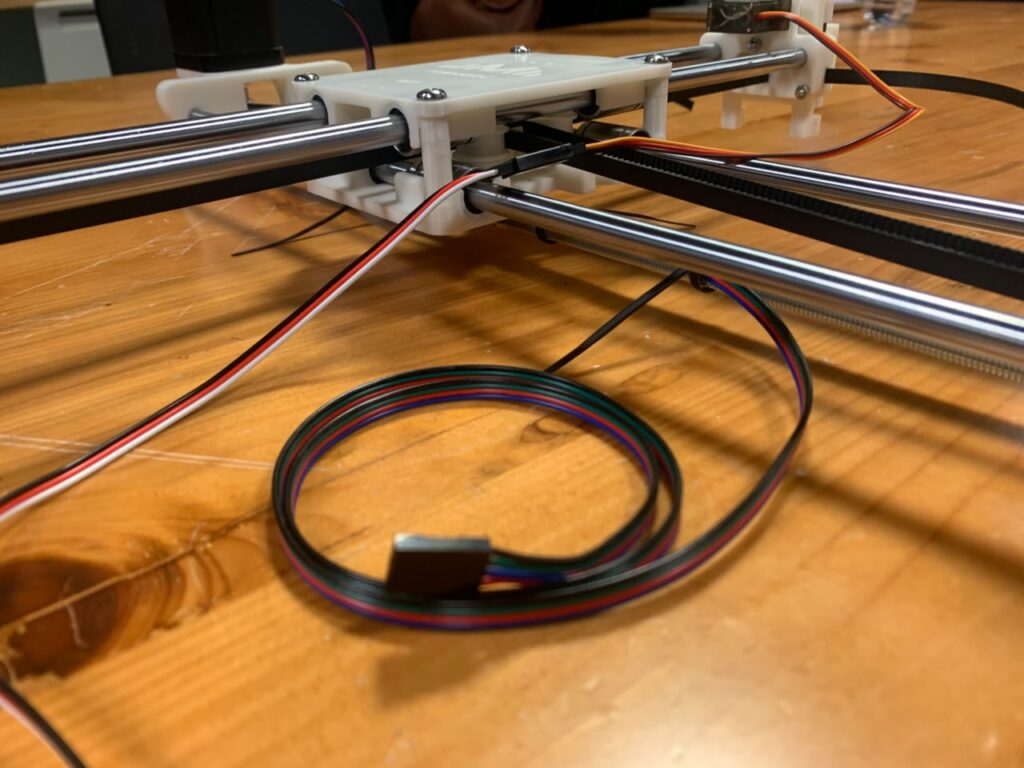
Here are the pictures of the process with some relevant caption with some difficulties we found:

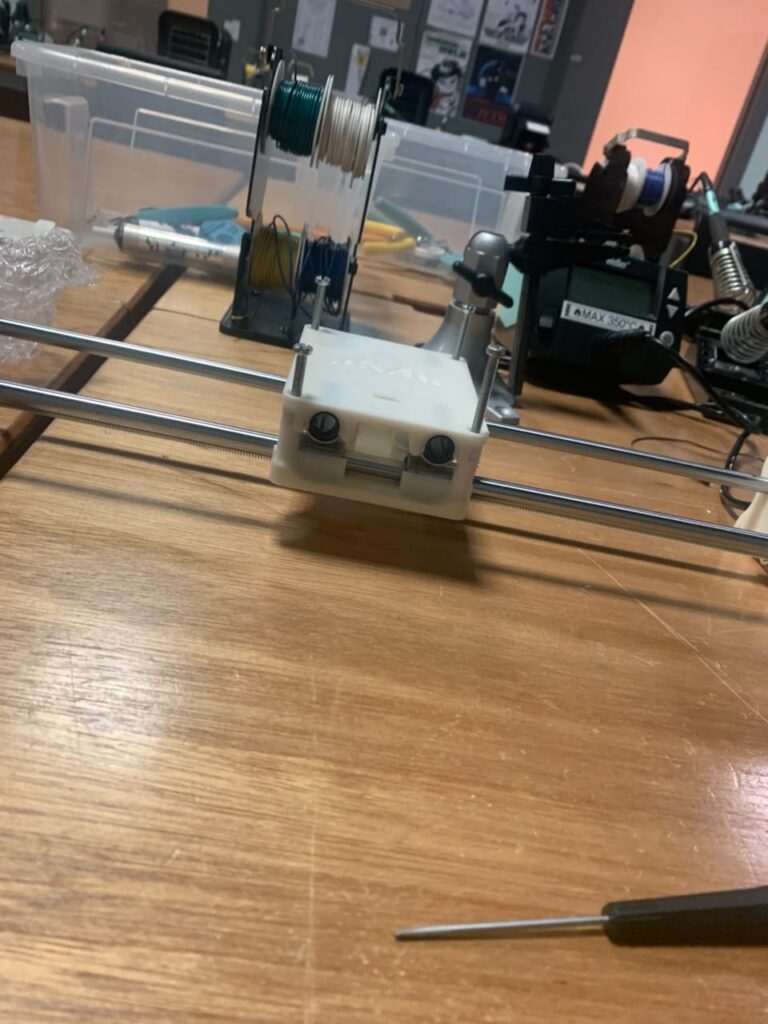
These two pictures represent hours of suffering. As you might notice, these are not the screws that were originally intended to be used. Sadly, due to maybe a printing issue, the original screws proved to be impossible to add. Not only this, but there were also many mistakes that we did, such as putting screws that were too long and interfered with some parts.

We should have read better the instructions before going speedy, but at least when we tried some screws that were less wide they went through normally.

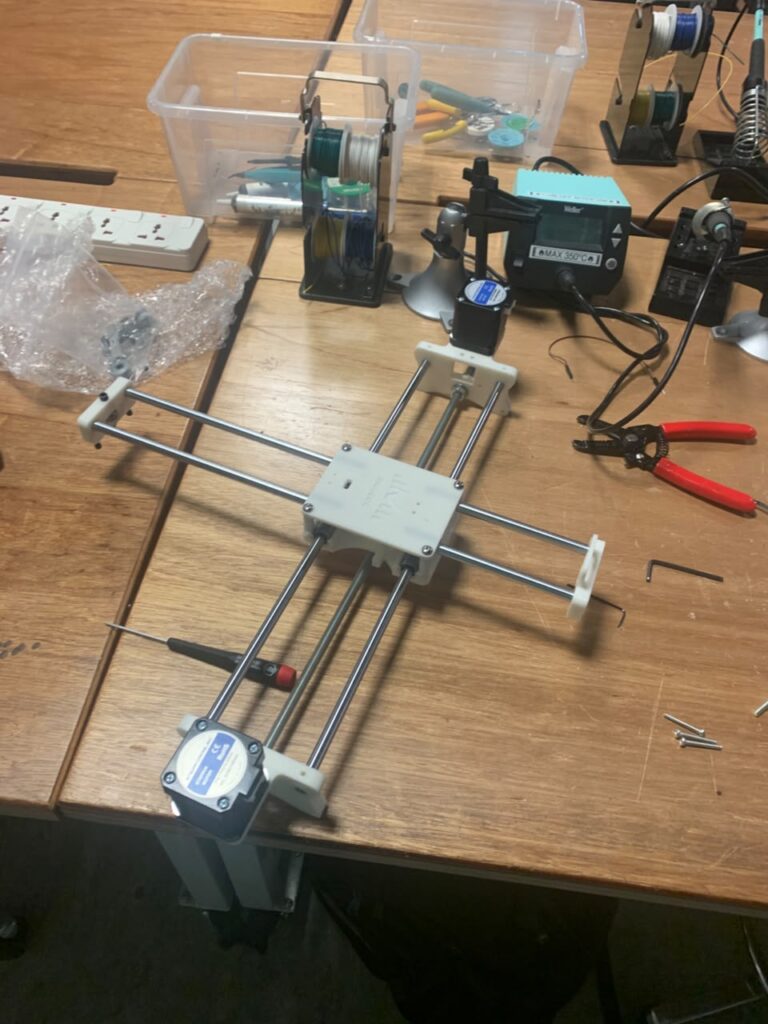
Now, here during this step there was another flaw that we got due to not reading enough… The four spacers. When we put the top carcass, we noticed that the top rods did not go through at all. Even when we pushed and moved the circles that are on the bottom carcass, they still did not go through. And as you might know now why… it is because we missed THE FOUR 3D PRINTER SPACERS!

Still, at least we noticed, but it did not make the problem of the screws any easier. At least we found a trick by then.

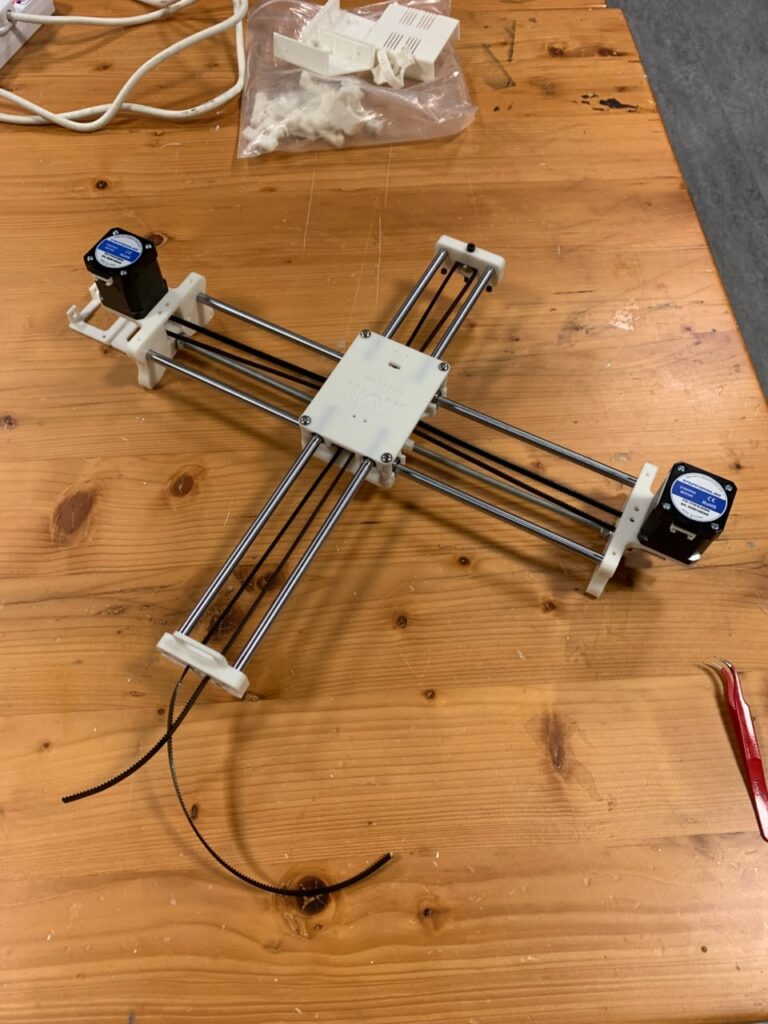
When we were working with the belt, this step was surprisingly easy for us. We were at first confused as to why the belt was not strong or straight at first, but we just needed to pull it a bit more.

Also, compared to other steps, this was the less painful one. Maybe most people had issues with the assembly of the part that gave us problems? Probably.

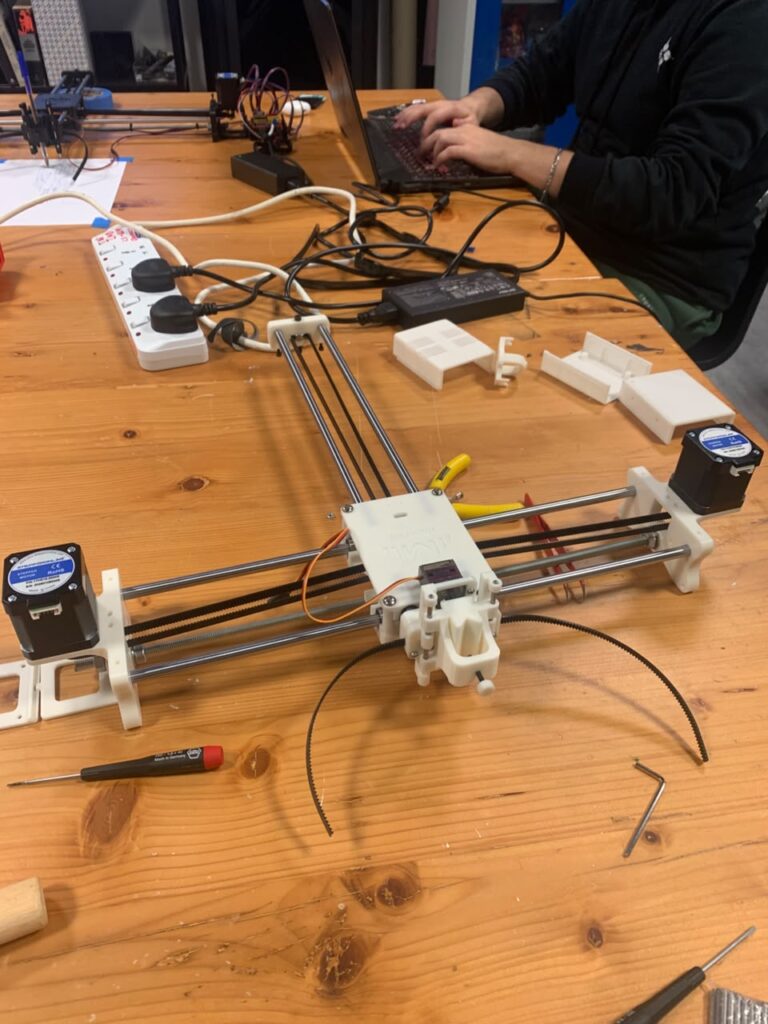
After some final cable installation and cable management, here is the final result:

In conclusion, this drawing machine proved to be painful (at least Marcos’s hand was left hurting) and time-consuming. Although, it would be a lie to say that we did not learn from this experience. There is an interesting aspect to it, the fact that with sufficient time and planning, we can make such machines come into fruition.

Of course, the scheme, and materials were already handed to us, but there is a world out there in which such machines exist, and it is a matter of just exploring them.

Assignment #4 — Deathmatch Scenario Generator

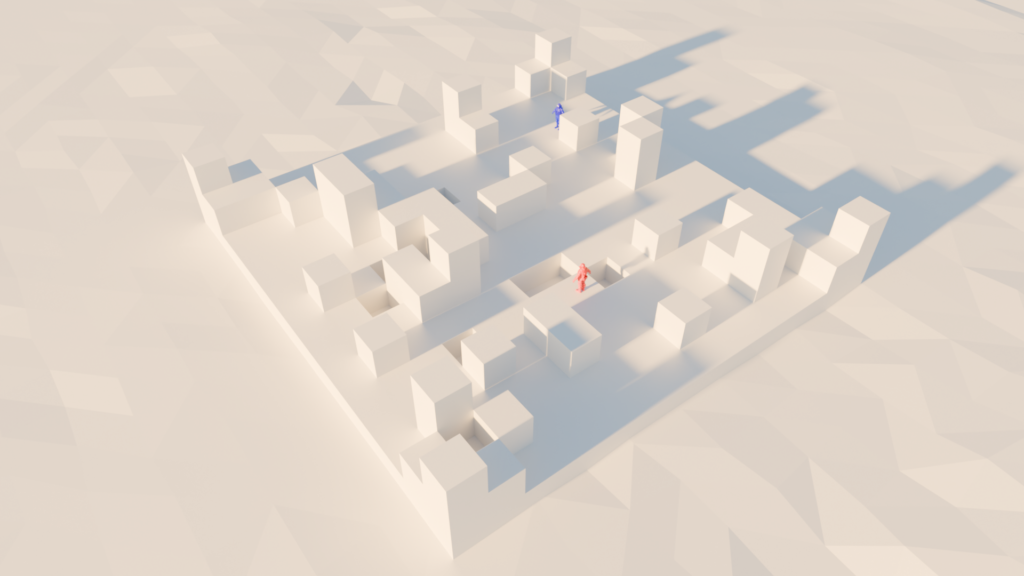
I am fond of video games, I play generally a lot of them and one of the genres I play the most is the First-Person Shooter genre. Due to this, and from experimenting with the algorithm we created in class, I wanted to modify it in order to be able to create randomly generated scenarios. These scenarios could theoretically work in a multiplayer map for players to battle each other.

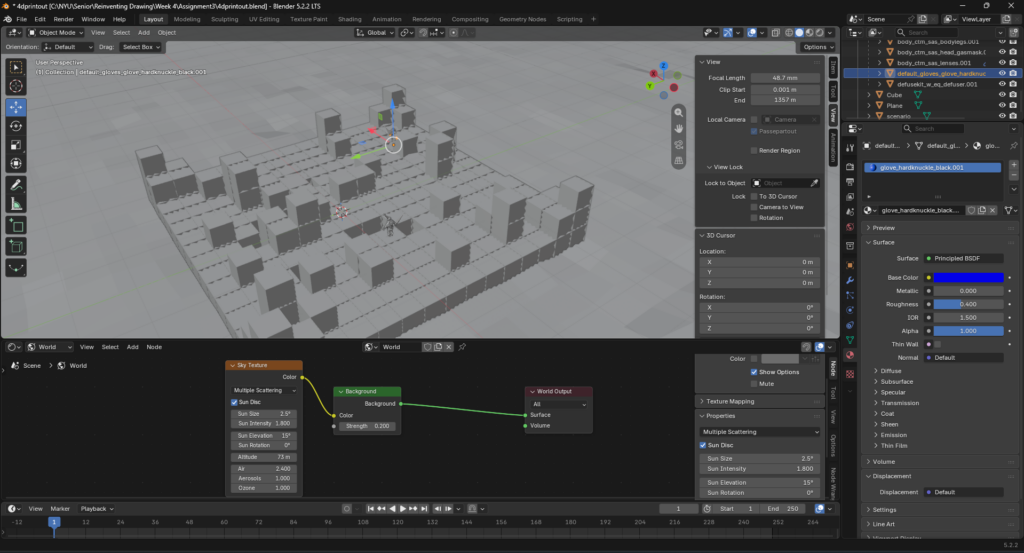
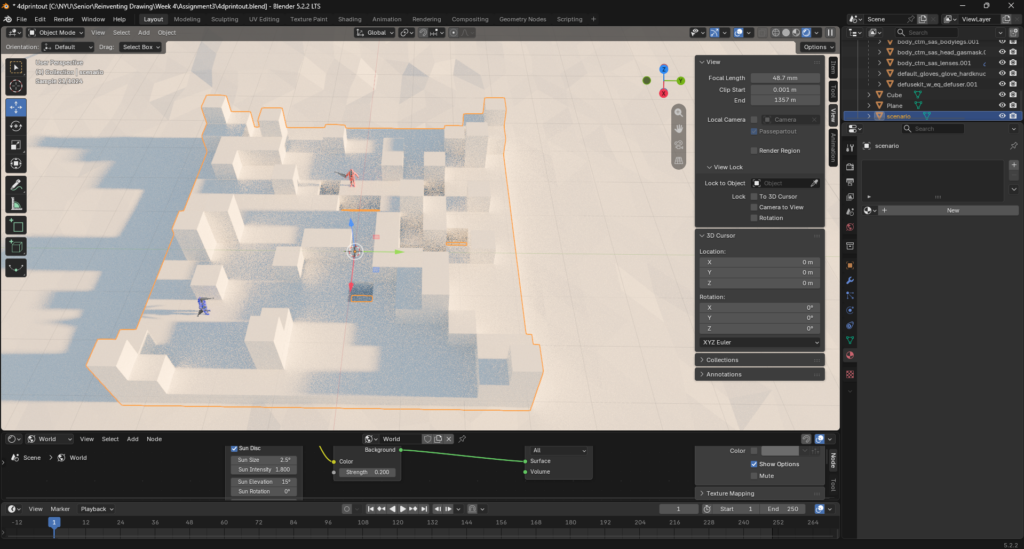
Render showcasing the .obj outputted from the p5js sketch and the imported into Blender using the Cycles Engine. The two characters that are there are just for showcases purposes for scale.

Inspiration

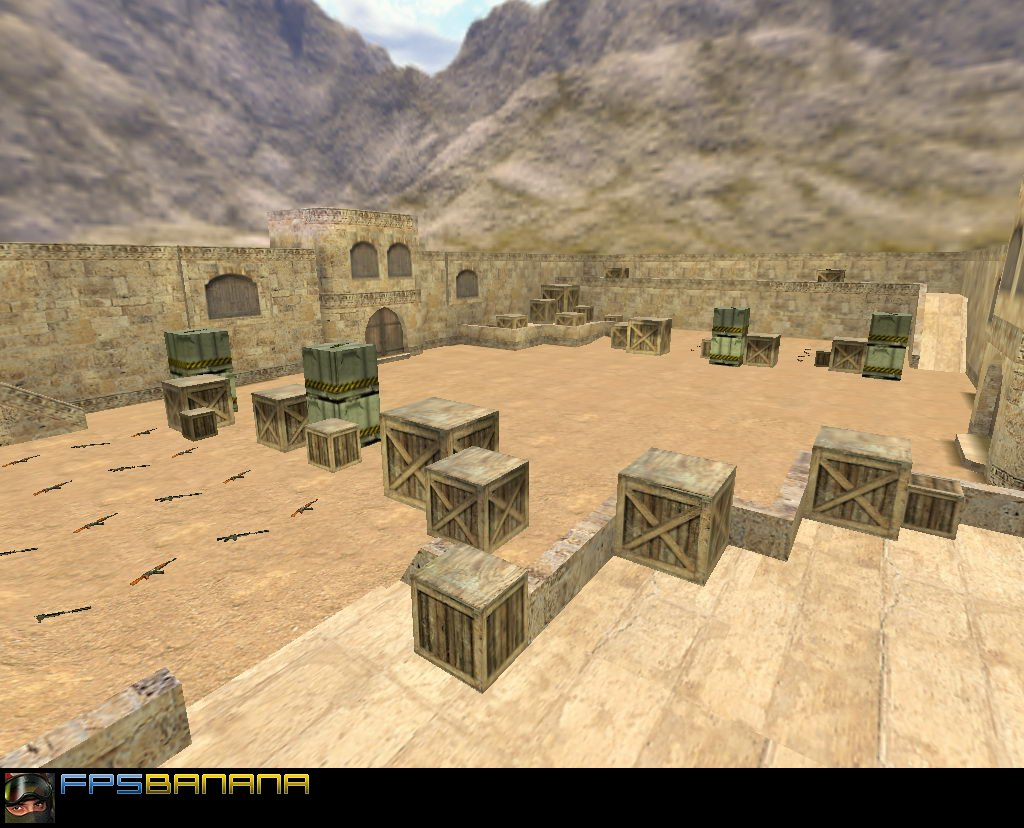
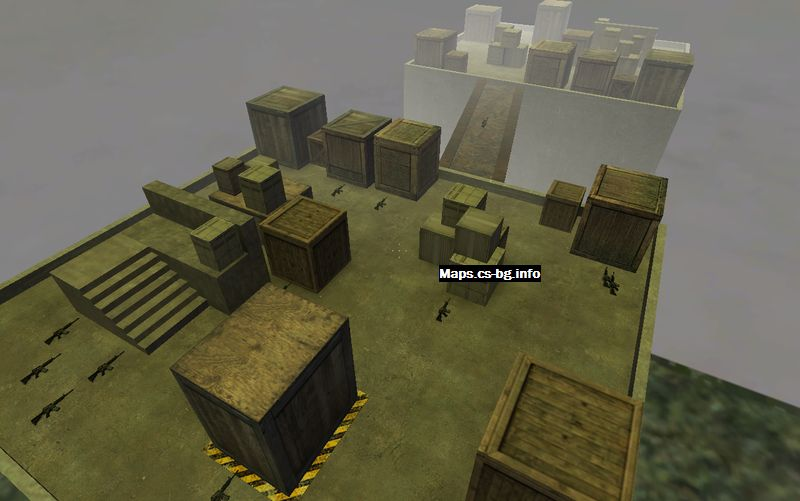
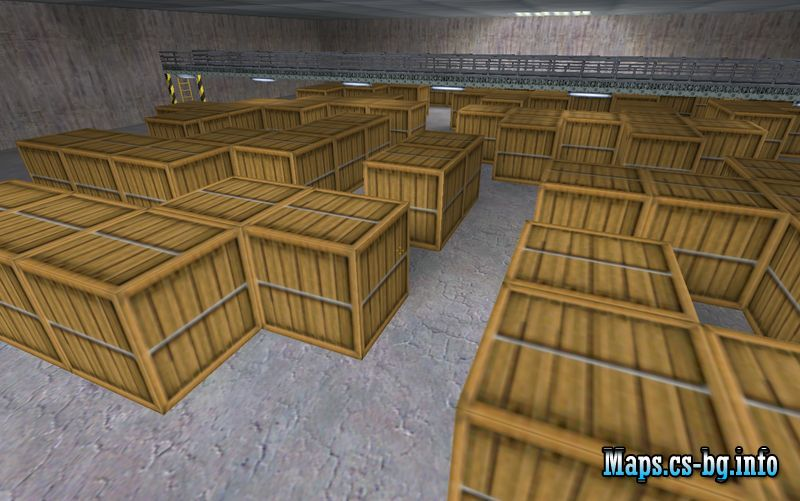
I was mainly inspired by some Counter Strike maps generated by the player base. For example, these are some of the maps that came into my mind when thinking about this idea:

As you can see, there is an emerging pattern in some of these. They feature cover that are sometimes seemingly random, and certain patterns that could be easily translated into some algorithm.

The P5js Sketch and its explanation

Link to the sketch: https://editor.p5js.org/mdh8552/sketches/SLLx1hDnz

Note: While the logic is mine, Gen A.I. helped me program some technicalities.

Update as of September 28th, 2026: I purged some parts that were entirely made with A.I. as it was complicated for no reason.

My approach to coding this was the following:

  • Do I mathematically know how to do this?
  • Can I expand on what was taught in class?
  • Can I expand on what was taught previously regarding randomness?

Especially, I did overestimate what kind of knowledge you require in order to actually make interesting designs in 3D. Sadly, I do not possess enough mathematical knowledge to make complicated designs, but at least I am able to think in 3D dimensions using boxes and for loops.

Now, regarding how the code works, basically, three main things are happening:

  1. The first for loop starts with the Y elevation, starting at a value of 0 (the floor).
  2. Then, the Z position is chosen to start, again at 0 (top left).
  3. Then, the for loop for the X position (the filling part) begins, starting at the initial Z position.
  4. This repeats until all the required boxes are finished.

There are variations in each part of the for loop. For example, when it starts to fill the boxes in step number 3, there is a chance that a box will not be generated and therefore, there will just be a blank space. However, these blank spaces are only generated when the Y value is 0 and the X and Z values are between 1 and the last number before the maximum number of boxes.

Also, when it starts to move to new elevations in the Y value, there are certain things happening. For example, at level Y=1, all the corners will have a generated shape. They will also generate a box within the range of 1 and the maximum number allowed inside X and Z. At Y=2, there is a chance that a box will generate only on the spots where a box was generated at Y=1. Not always, just a chance.

All of this then hopefully creates something that resembles the kinds of multiplayer maps that inspired me.

Also, if you want more explanation of the code, you can check the sketch. Most of the parts are commented.

Preparing for printing

After the code outputted the desired .obj (the one that is the same one as the render I did), I then started to prepare the file for 3D printing using PrusaSlicer.

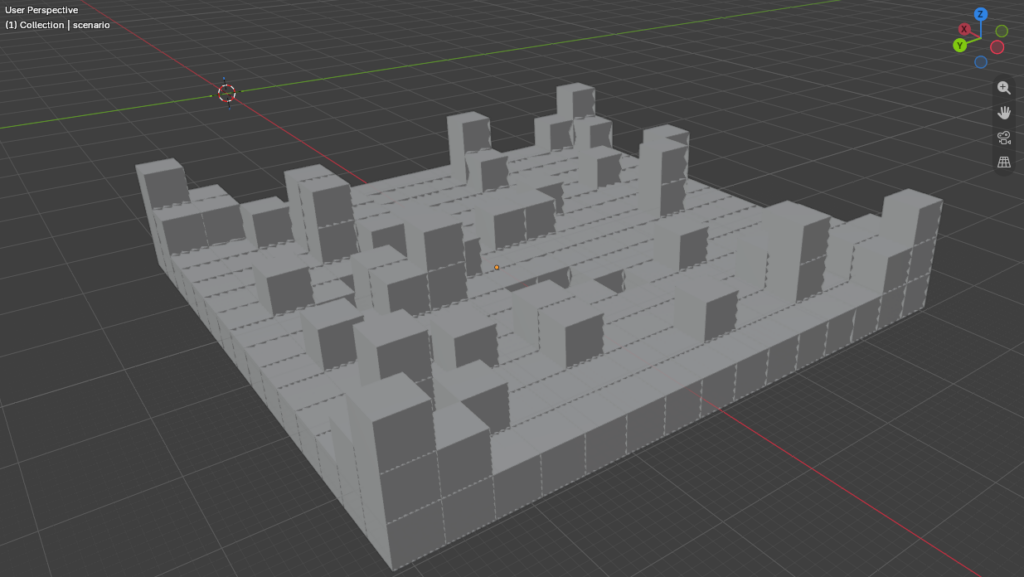
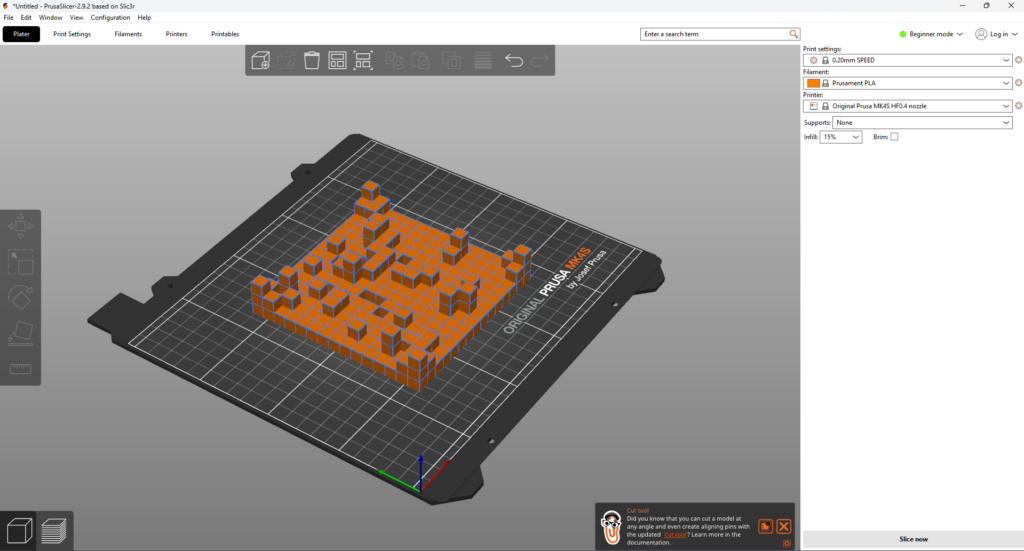
The .obj file exported without anything.

Preparing it in PrusaSlicer for 3D printing.

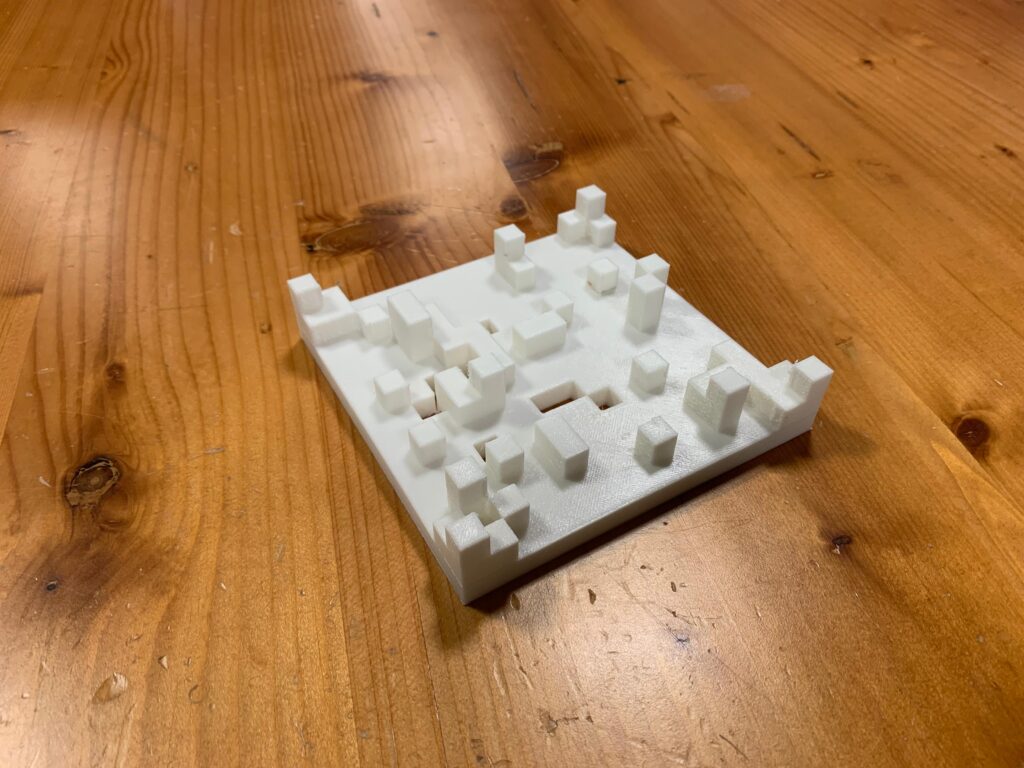
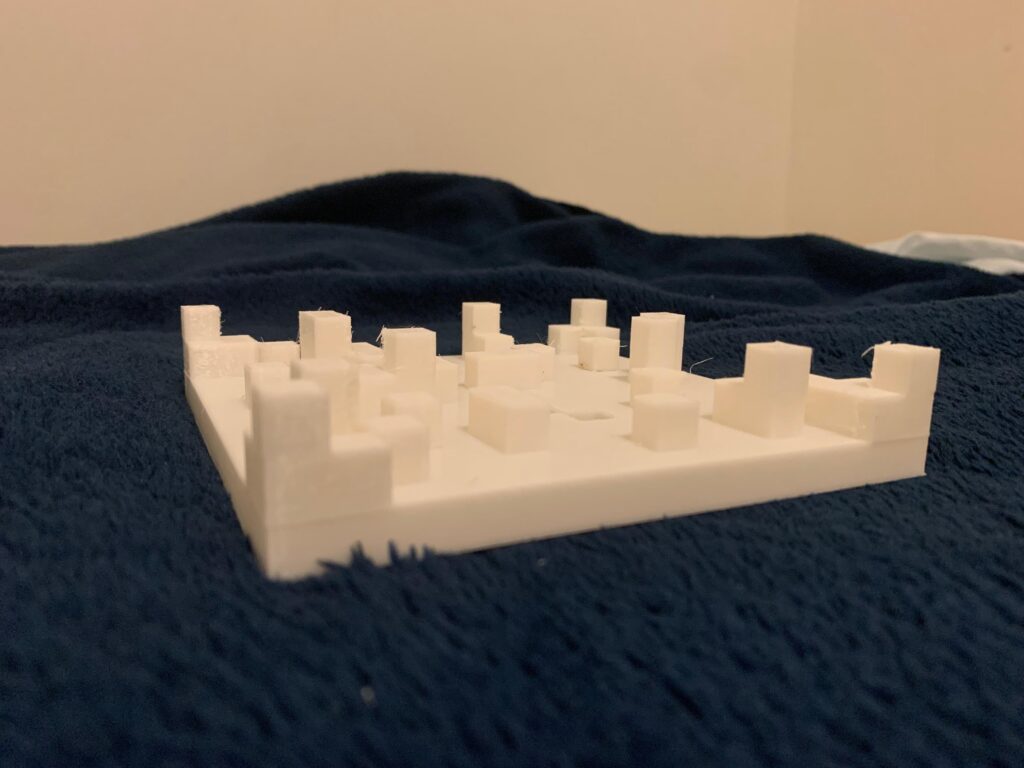
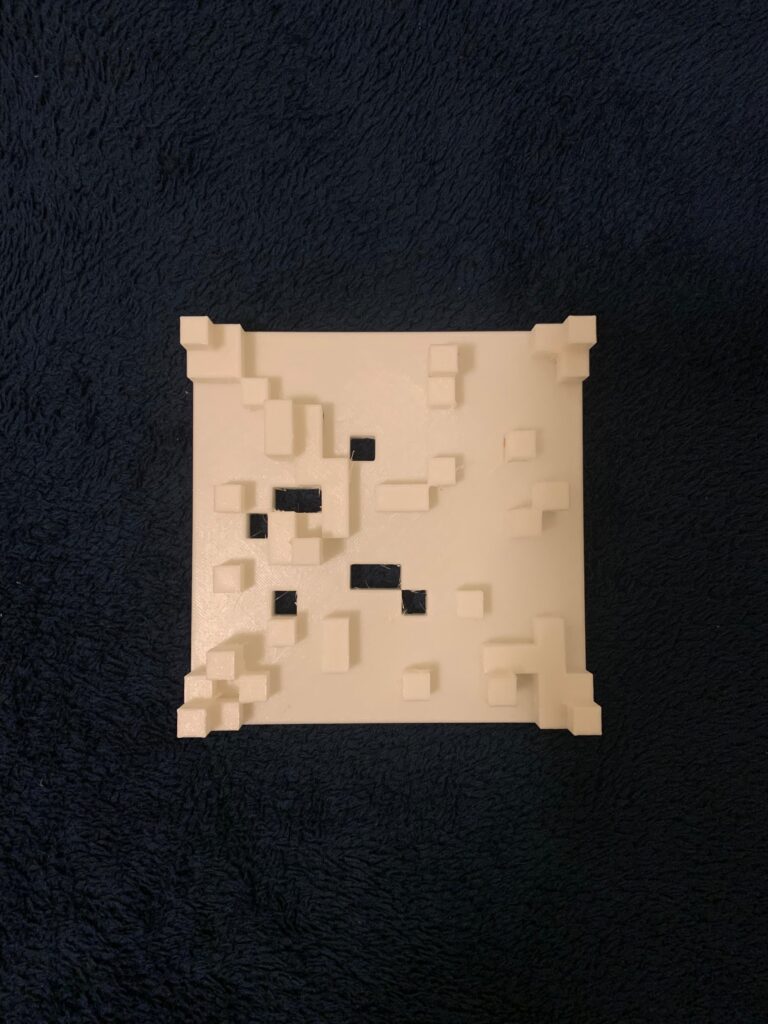
After getting the gcode ready, it was time to 3D print it, which showed the following result:

It is very similar to the render at least. The only thing missing would be the characters for scale.

Challenges?

At the moment, I believe the biggest challenge in this case was thinking of a 3D element that was not just some extrusion, but also not so complicated that I could not explain it given my limited math knowledge. Not only this, but I also had to think about the limitations of the 3D printer, as well as the time it could take to print something. I took all of these aspects into consideration when designing this, which is why I did not encounter any issues when printing, for example.

I believe that in order to make something more interesting, I would have to research it online. However, at the moment, this kind of algorithm is something I can safely explain.

Reflection

Making 3D designs in p5.js is actually very fun and interesting. At least, I believe it is more fun than making designs in 2D. There is more to it, and given what I just did for this project, it is actually possible to make some architectural designs later on with some random aspects to them. I have a special interest in architecture since I love making 3D levels or just general architectural designs.

Even though I am still not sure if this would be considered drawing, as in drawing random architecture, it still greatly changed my view of how I consider my 3D designs. There are limitations, at least on this machine, but there are still enough features and elements that make it fascinating.

Nevertheless, I have seen how my classmates have created complex designs on the 3D machine that seem to be actually feasible, such as some variations of the hourglass. However, again, for this time, I decided to play it safe within the limits of my knowledge.

I believe adding more elements to this design, such as triangles simulating stairs or random spheres, would have helped, but I did not think of it until now, sadly. Still, I believe I found a new niche that I am particularly interested in.

Extra

Here are random screenshots of the rendering process of the outputted .obj on Blender.

Credits

This is where I got the model of the people to showcase the scale: https://sketchfab.com/models/7f18aaccd0ee4694a36646101a12339e/embed

Assignment #3 — Pattern from the internet

Concept

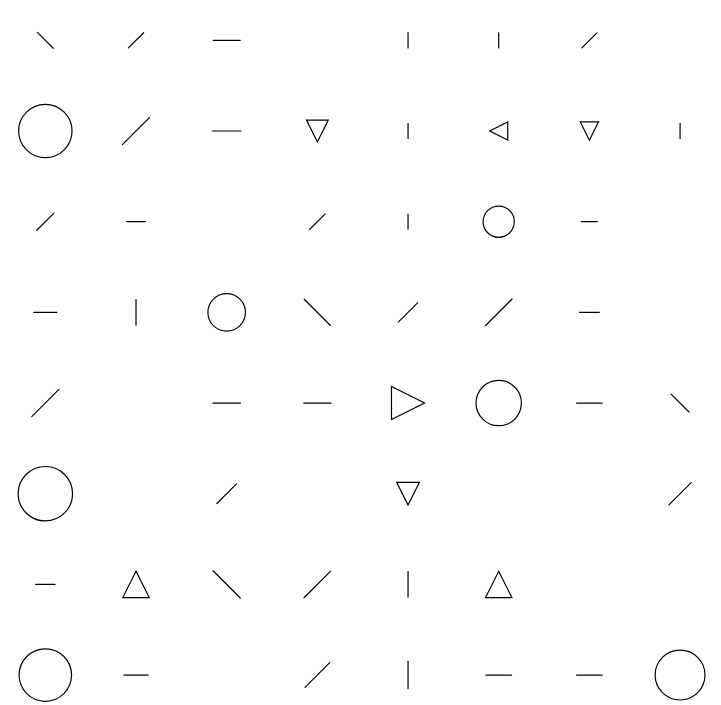
For this assignment, I focused on expanding upon what was taught in class regarding the drawing of patterns based on the divisions of tiles according to the screen width and height. Instead of always preparing a pattern from the same image of a silly cat, this time I used a random image pulled from a website.

That is why it is called “Pattern from the Internet.” A pattern that is randomly generated according to a specified algorithm in which is always (not in an infinite way of course) random.

What image was this? Is it possible to decipher what it was before the algorithm?

p5.js sketch and code

The code was too large to explain, so here are the link to the sketch with the code (most of it commented), and also the basics of how it works:

Link to the sketch: https://editor.p5js.org/mdh8552/sketches/Pp1gYr6gV

Note: I tried embedding the sketch, but for some reason, the embedding it is not working.

  1. First, an image is preloaded from https://picsum.photos/, with a random ID generated by the program.
  2. After it is preloaded, the p5.js sketch is then prepared by dividing the screen into tiles, as taught in class on Wednesday.
  3. After it is divided, we enter the for loop for the 2D arrays.
  4. In this 2D array, according to the tile, the image from the internet is first analyzed to determine how big the geometrical figure will be.
  5. After determining how big it will be, we use a random chance to determine if it will be drawn on the tile. This is a 1 in 5 chance.
  6. If it is determined that the tile can be drawn, another random number from 0 to 4 is generated.
  7. According to the number generated, a random geometric figure will be drawn.
  8. This process is repeated until the for loop ends.

Vector design

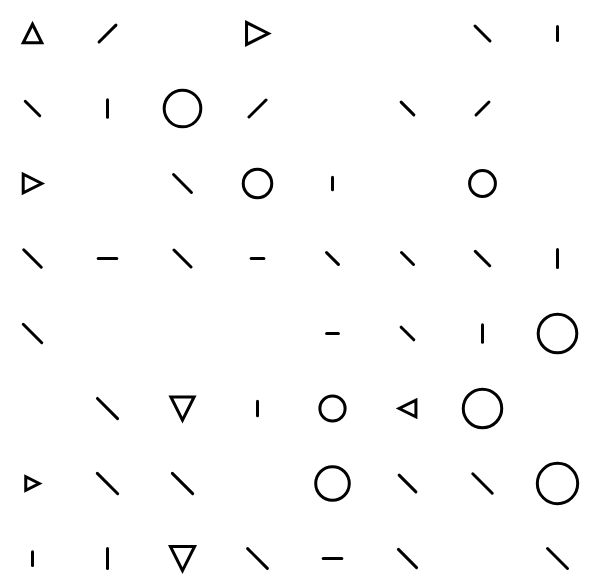
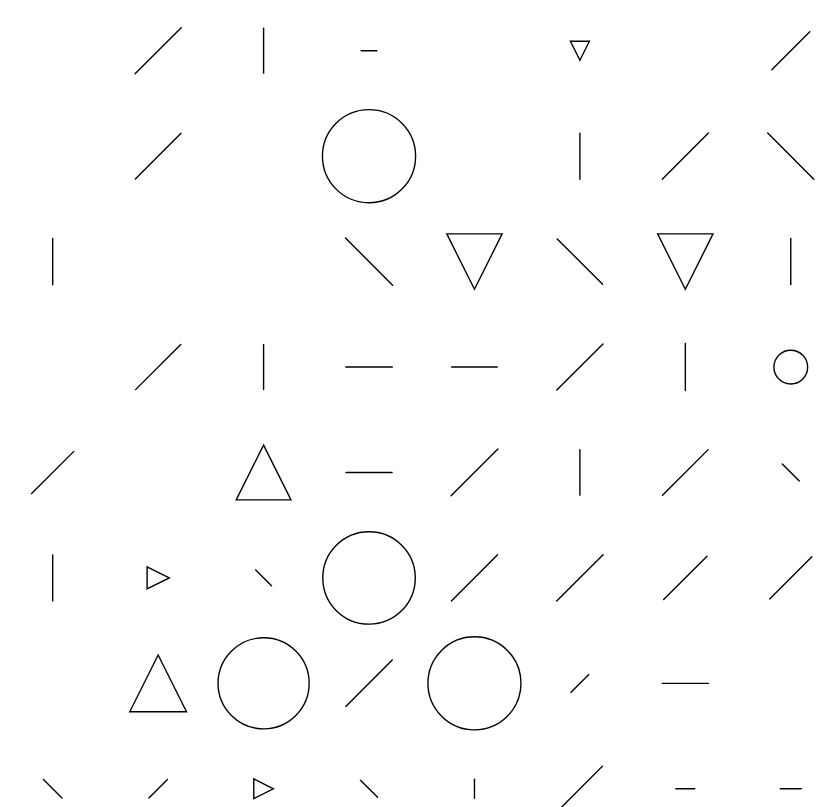
The two vector designs that I got to print are the following:

svg_from_the_internet_1.svg

svg_from_the_internet_2.svg

I mainly designed this in a way that would not cause any trouble during the laser-cutting process. In previous classes, I encountered issues where my pattern was way too complex, and it would end up ruining the base. So, in order to avoid that, I went with this minimalistic approach.

Final fabricated result

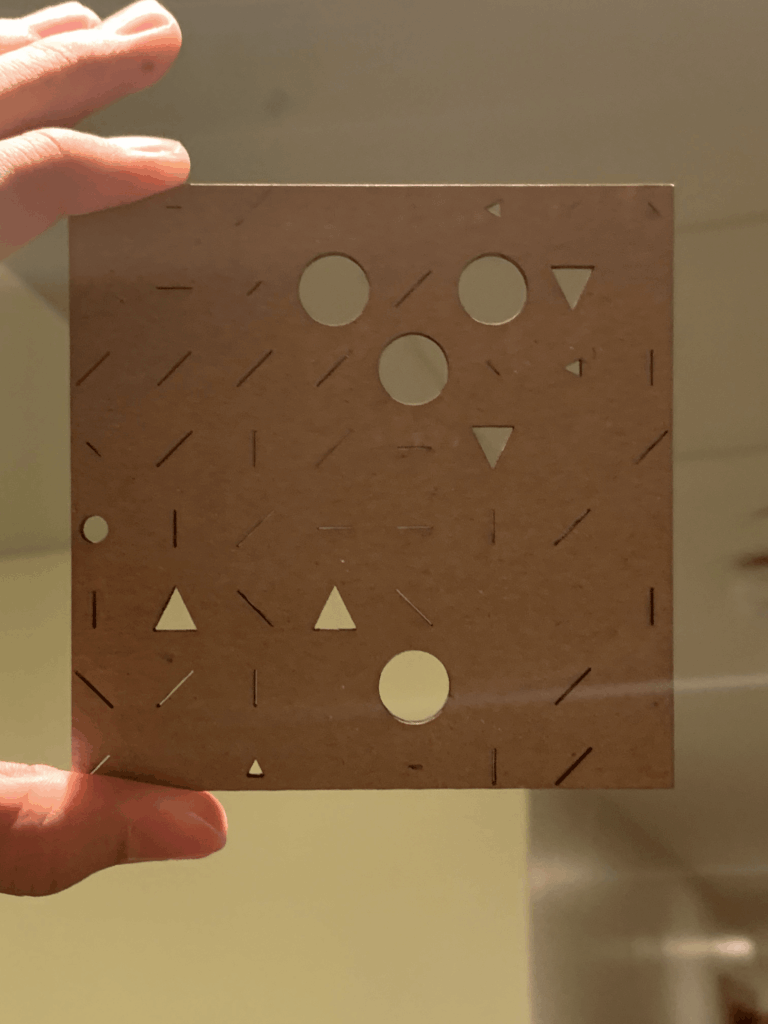
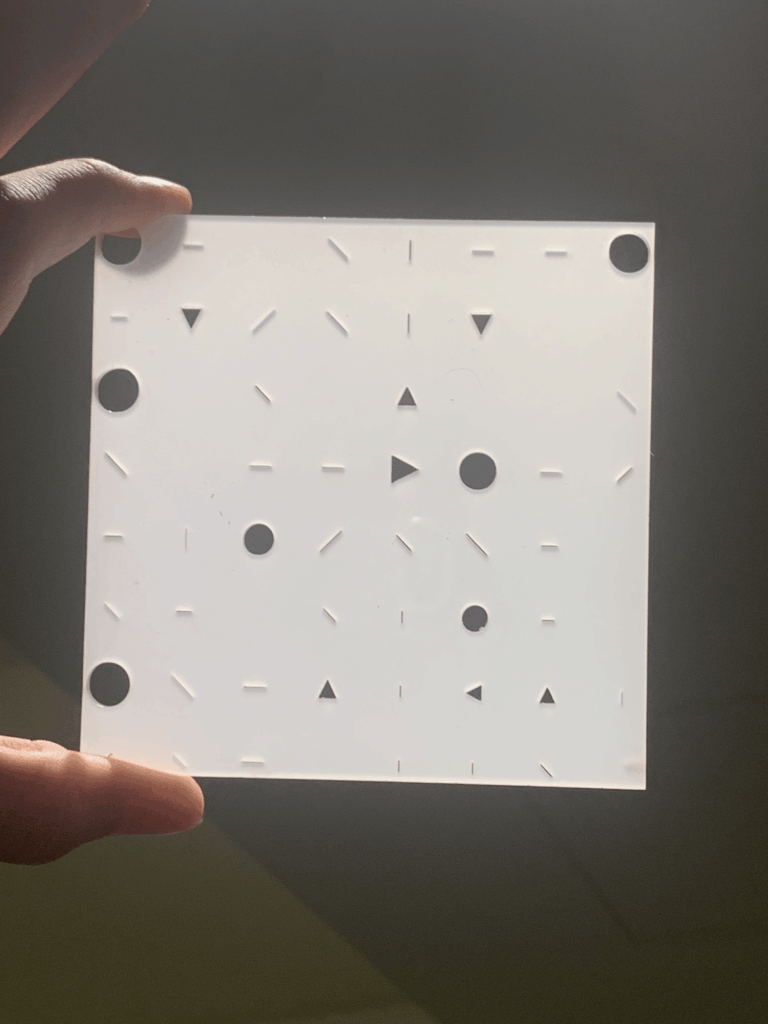
The laser cut process itself was very straightforward, and there are the two results I got from it. Each one made out of different materials with a different pattern.

Pattern from svg_from_the_internet_1.svg, made with plywood.

Pattern from svg_from_the_internet_2.svg, made with acrylic

Process and challenges

The process itself was very straightforward

The biggest challenge I encountered was conceptual. I found myself getting stuck on some ideas. While I would have loved to try new ideas or new concepts for this assignment, I felt that leaving the code we developed during class would be a bad idea. After all, there could be many implementations with the tile and image system. However, when I thought about the laser-cutting process, I had to limit myself to very simple shapes that I knew the machine could laser cut without any issues. That is why I took the approach of using geometric figures. They were simple, easy to laser cut, and would not give me as much trouble as some of my previous designs did.

Although, indeed, I believe that conceptually there could have been more to the project aside from just random figures with random chances.

Technically, there were no problems. I tried to expand more on some ideas I had, but technically, I would enter the realm of cheating if I just tried them, as I did not have a clear idea of how to implement some of these ideas. In other words, I did not want to purely rely on generative AI for them.

Reflection on how laser fabrication changed or shaped your computational design.

While it did not greatly change my perspective on computational design, as I had already done this before, it helped me remember how making a design for laser cutting has to be thoughtful. Your design cannot be too chaotic, since the laser cutting machine will probably just tear the material. Instead, you have to think about your design under certain restrictions in order to achieve the best output.

It is a collaboration between humans and machines that I find quite interesting. You can only work within the parameters and limitations set by the machine, and therefore, your designs will probably reflect some of these limitations. This is not to say that the designs will never be complicated, no. They just require more thinking outside the box. After all, what I consider to be genius are things that are made under certain restrictions.

Assignment #1 — Low-Tech Drawing Machine (or is this a system?)

a. Concept

At first, I wanted to use the strings of my backpack, attaching crayons to them in order to draw on sheets of paper placed on the floor. However, this felt too manual and did not fully achieve the effect I was looking for. After thinking about the materials I had available, I eventually arrived at the idea of creating a drawing machine that relies on speed and gravitational force to produce its drawings.

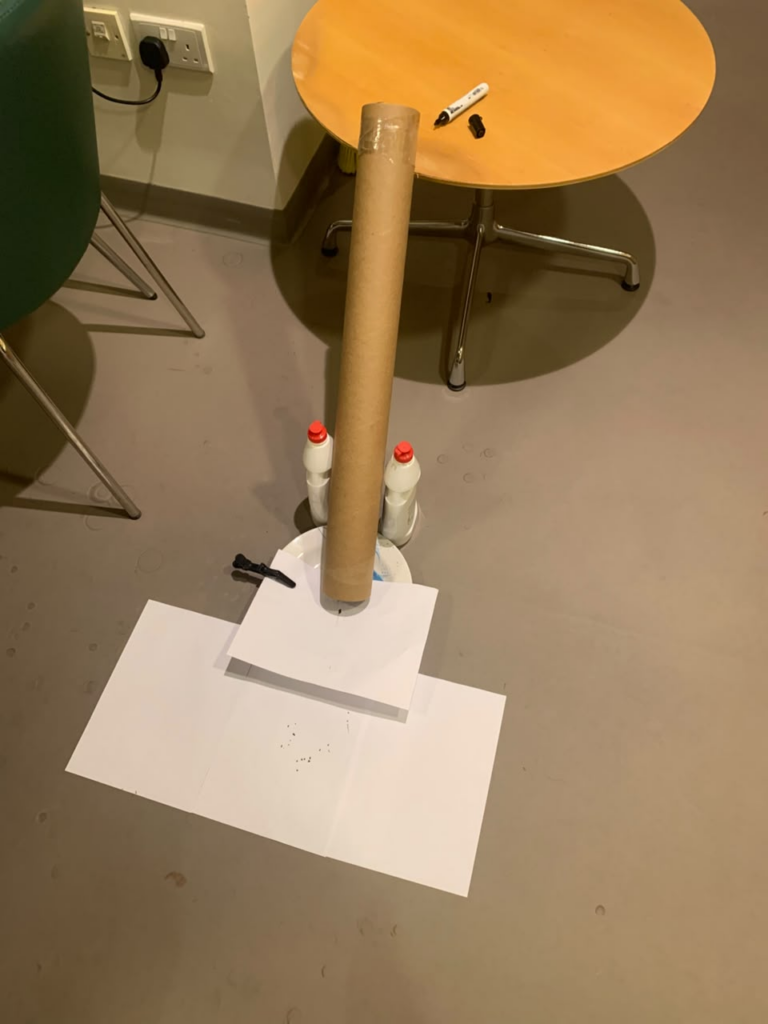
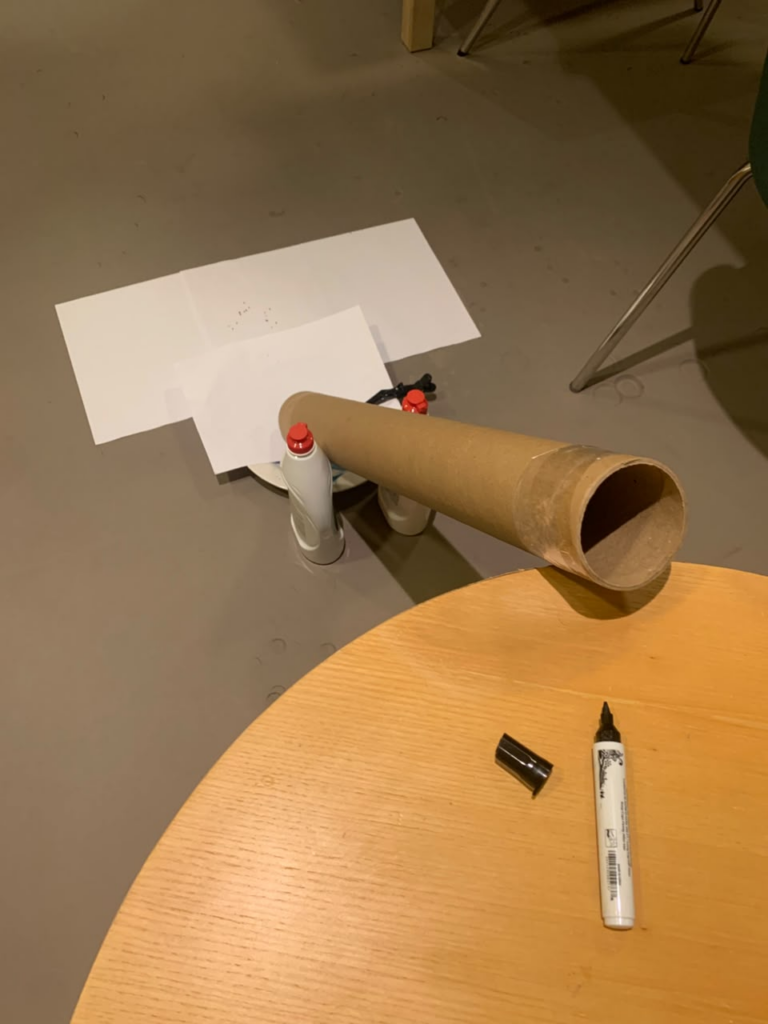
As you can see in the video, this is a very simple system consisting of one tube, a sheet of paper placed on top of a plate, which is held in place on one side by a clothespin, and additional sheets of paper surrounding part of the plate to prevent trails from being left on the surface. Two bottles filled with liquid, in this case, two bottles of Axion, are used to hold the tube in place. Finally, a marker is used to create the drawing trails.

The way it works is very simple. The user only has to take a marker of their choice and place it at the top opening of the tube, allowing it to fall and leave a trail on the paper. This process can be repeated for as long as the user likes, allowing them to create different drawings and patterns.

I admit that this can come across as a rather manual device. However, the lack of available objects that could automate the drawing process led me to rely on another kind of force instead: gravity. In the end, this simple system was able to produce some interesting results, as can be seen below.

b. Drawing outputs

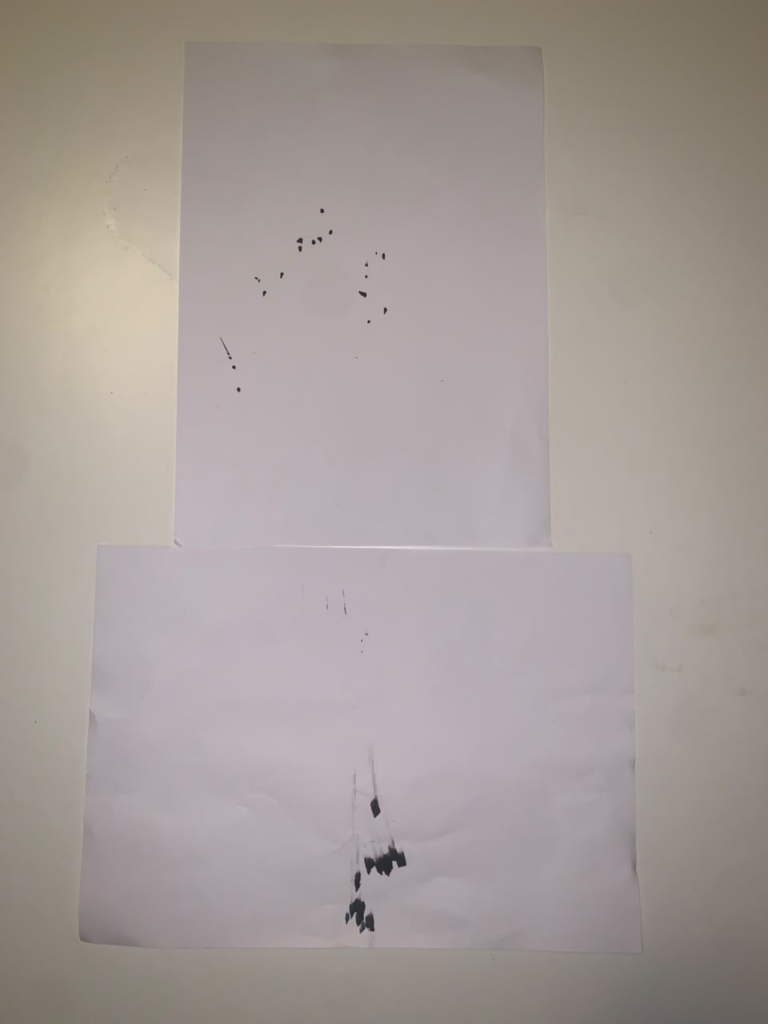
The result from the video.

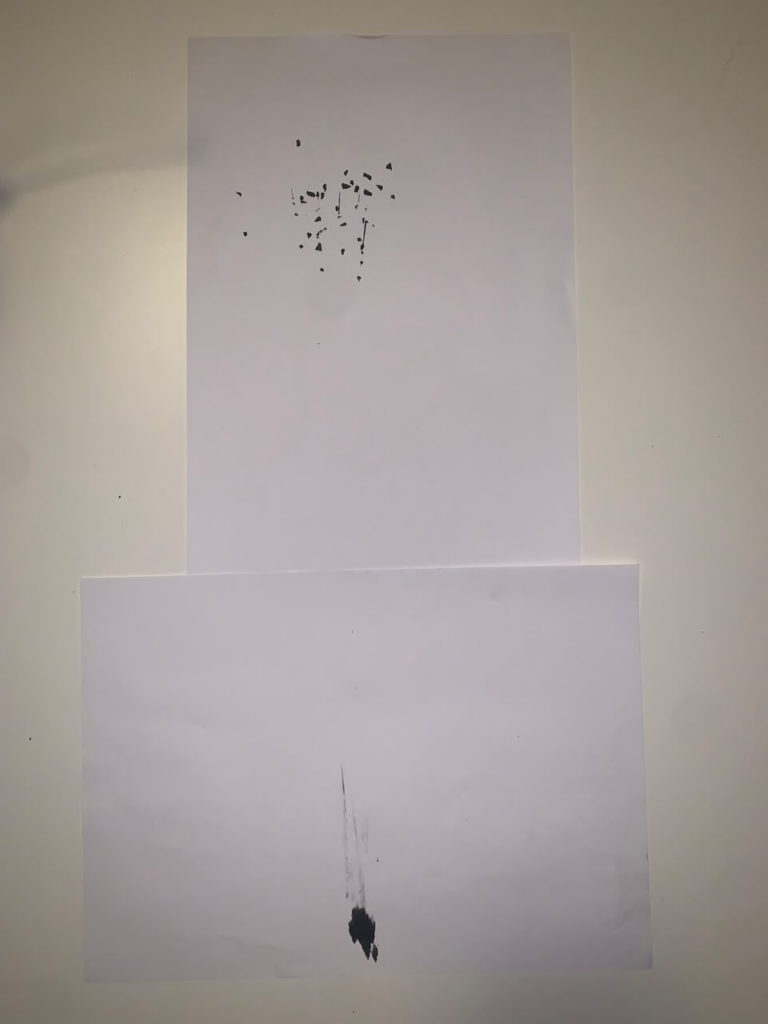
After recording the video, I did another one.

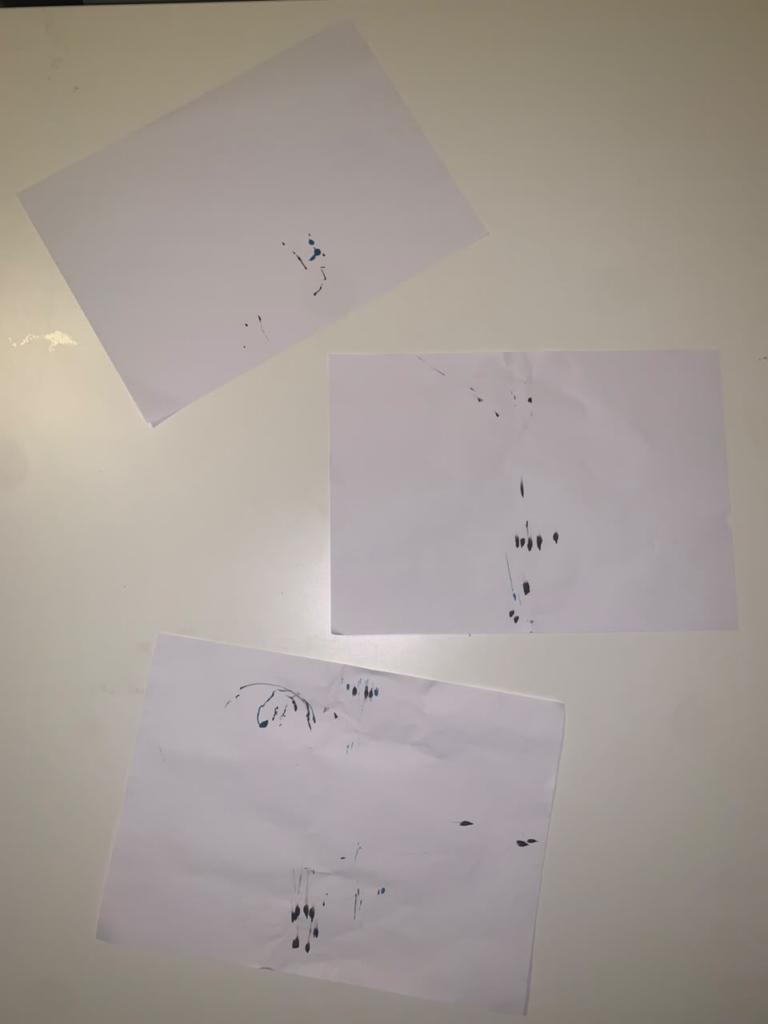
Other results from the machine. These are rather difference due to the fact that I moved the location of the clothespin to the top of the plate, making the markers leave a trail to the sides due to the collision.

c. Process and challenges

The process of making this machine is quite simple. The main idea was to find the necessary materials and arrange them as shown in the video. However, conceptually, I found this to be the hardest step. I tried to come up with more interesting ideas, but unfortunately, this was the only plausible one I could think of that could be made with the materials I had available, as well as those of my roommate.

Another challenge that I am not sure I was able to overcome was the machine’s reliance on a human element to produce the drawings. While the person is mostly acting as an activation force rather than actively drawing on the machine, there was no other reasonable solution I could think of that would completely remove the need for human interaction. Although this aspect was not entirely satisfactory from my perspective, I still expect the machine to provide some enjoyment through its physicality and the way the user interacts with it.

d. Reflection on control, chance, and authorship

When it comes to control in art, I do not believe that it is inherently a bad thing. Rather, it is simply a different way of approaching the creative process and influencing what the final result can be. Something similar can be said about chance in art. However, I would not want a machine or system to randomly create something without any clear purpose or intention, as I feel that the result could become meaningless.

When I mention something being “meaningless,” I am referring to the possibility of creating something with absolutely no idea or intention behind it. However, I believe this is not really possible. For example, if someone were to build a machine with the intention of having no purpose, then, in a strange way, the purpose of that machine would be to demonstrate that it has no purpose. It is a somewhat strange idea, but when looking at it more literally, I believe that authorship is not necessarily affected by either the level of control over the parameters of an artwork or the presence of chance and randomness.

This is because artworks generated through parameters are still, inherently, the result of human ideas. The person creating the system is envisioning some kind of final product, even if the final result may differ from what they originally had in mind. The parameters, materials, rules, and limitations are all decisions made by the artist, and these decisions shape the possibilities of what the system can produce.

For example, the system I created for this assignment was constructed through a series of improvised ideas using materials that I happened to encounter, some of them almost entirely by chance. Even though the final drawings are technically “made” by the machine, the results still reflect the decisions and ideas that I had throughout the process. I chose the materials, constructed the system, determined how it would work, and decided how the user would interact with it. The machine may have created the individual drawings for me, but the conditions that allowed those drawings to exist were created by me.

e. Where does the “idea” of your drawing reside?

For me, the idea resides in the design decisions rather than in the machine itself or the final drawing. There was certainly some deliberation involved in deciding to create something physical that is capable of creating drawings. However, the main purpose behind creating it was not simply to prove the existence of the machine. Rather, a demonstration of an idea: a way to produce art through the use of gravity, using whatever means were available to me.

To reiterate, I believe that the idea resides in the design decisions behind the system. These decisions included the idea of creating something that uses a different kind of medium to produce art, as well as determining the materials, structure, and way in which the machine would operate. The final drawing is simply the visible result of those decisions and of an idea that already existed in my mind. And although the machine is responsible for physically producing the drawing, it is still operating within a system that I conceptually imagined, idealized, and designed. It just happens that the idea of the drawing could, in theory, be observed in maximum detail when the design decisions are examined; similar to understanding what is happening inside the “black box.”